
Adding any web form to your blog page is now very easy with the FormDesigner plugin, with no special knowledge or skills required.
It is a feature-rich real-time web form builder of any complexity. After installing the plugin, the FormDesigner icon will be added to your editor.
To add a form to the page, simply click on this icon and select the desired form. In addition, a new section “FormDesigner” will be added to the menu which will allow you to manage your forms, create new forms, edit existing forms, and view statistics.
The plugin also supports integration with e-mail services, CRM systems, google tables, Telegram and payment systems.
Screenshots

Home page of the web form builder

List of forms

the icon for adding a form in the editor
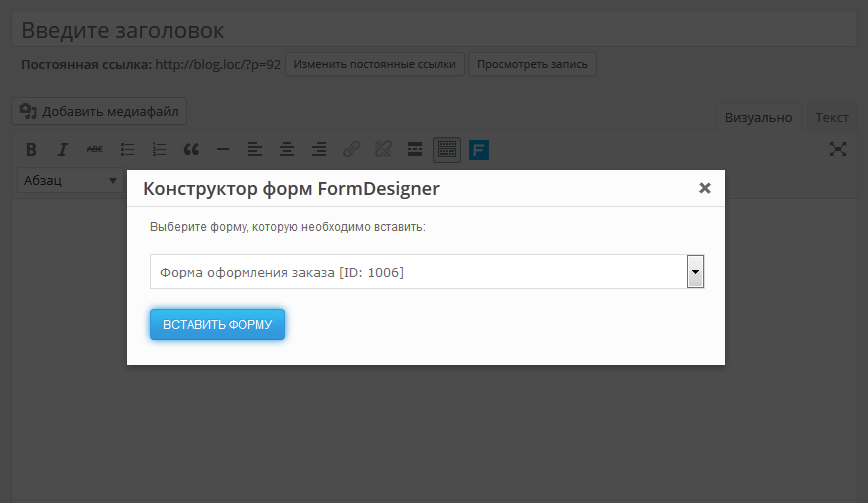
Popup form selection window
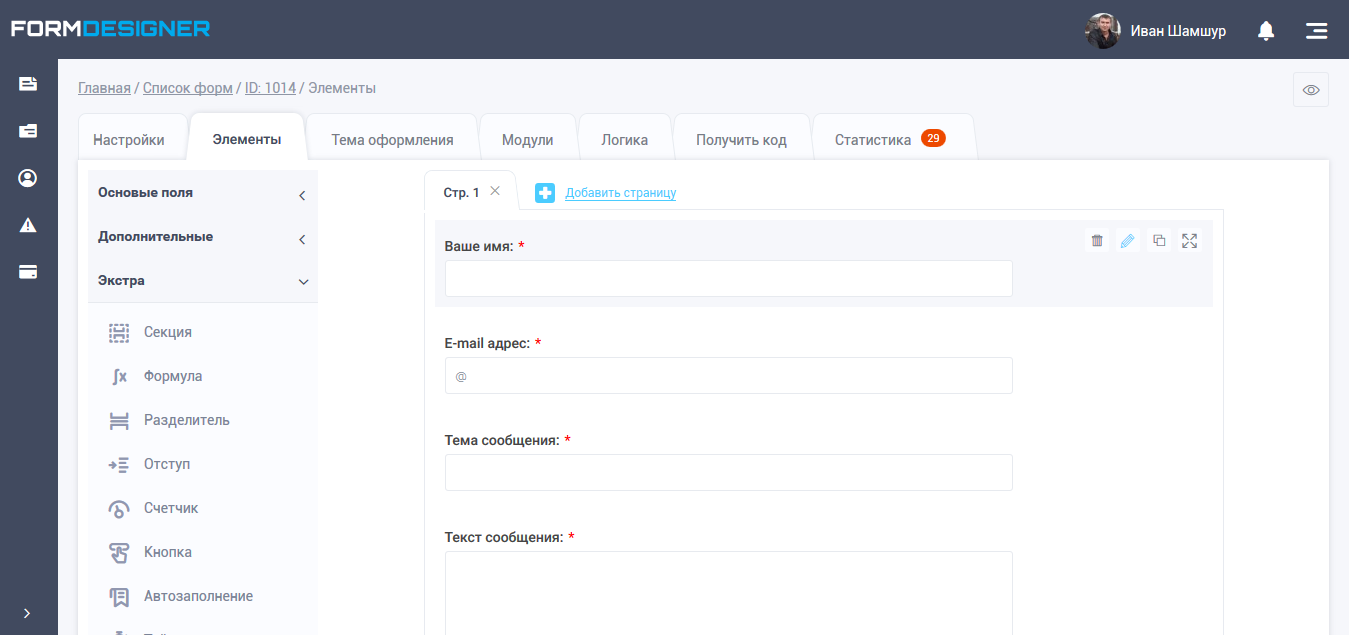
Interface of web form builder
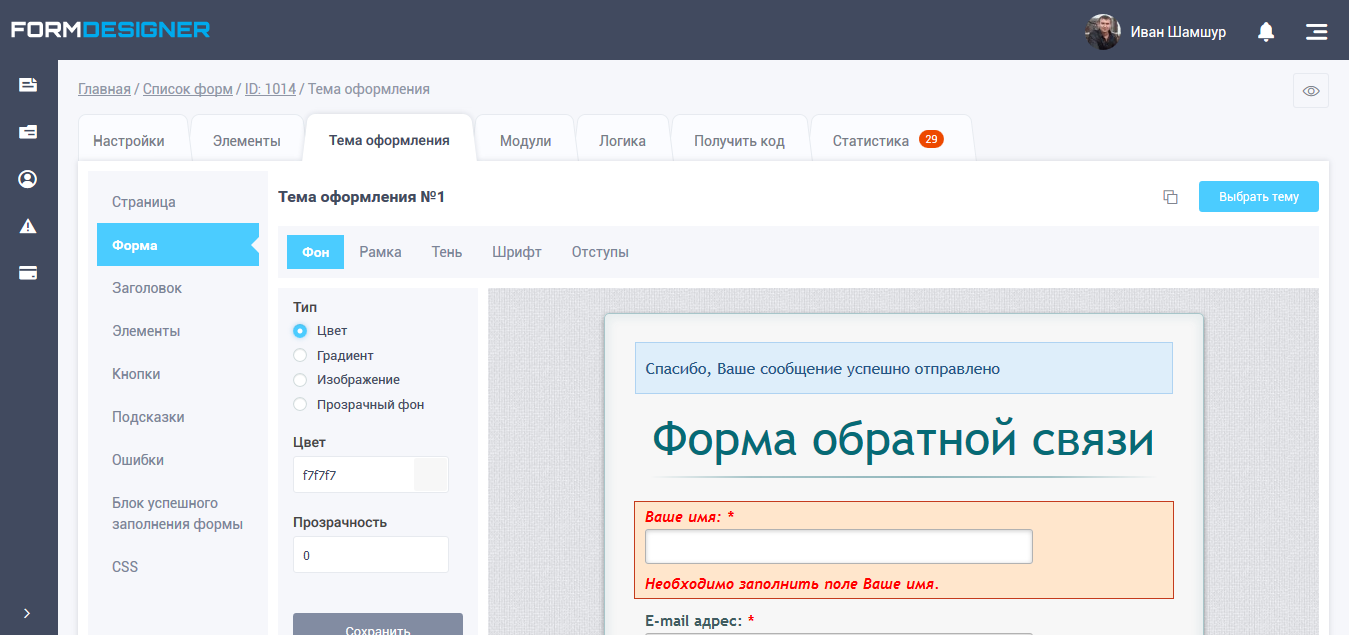
Design theme editor

Module list
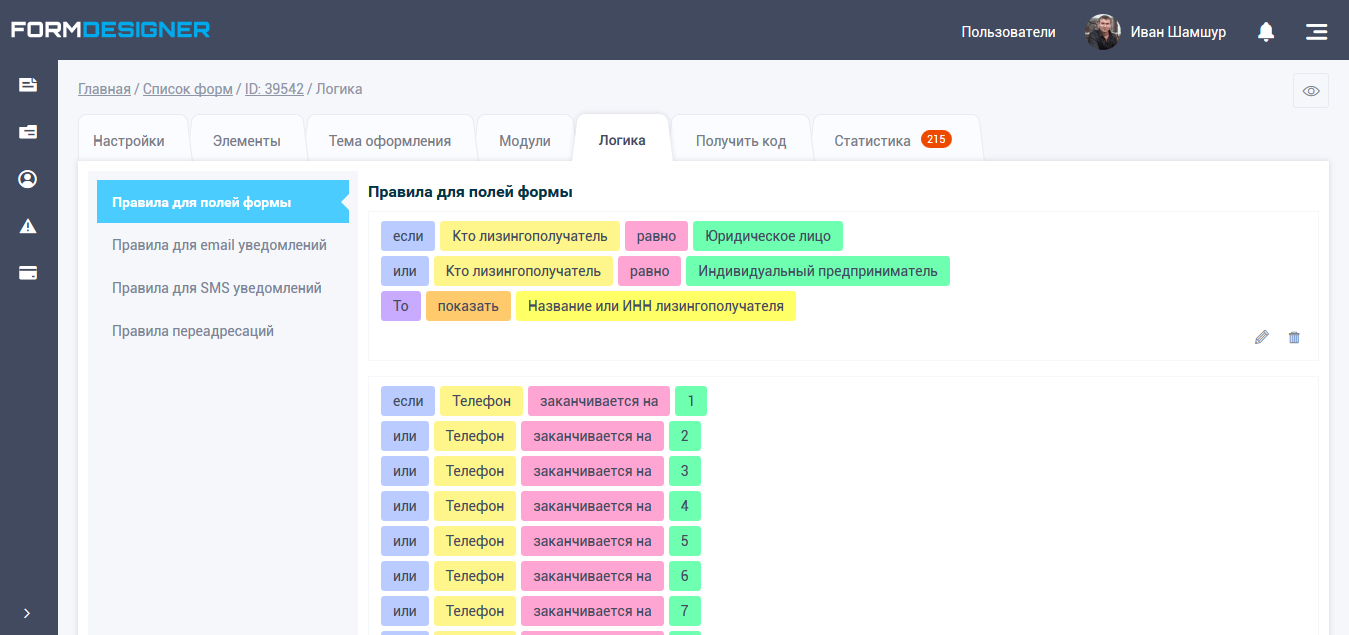
Logical rules and branching
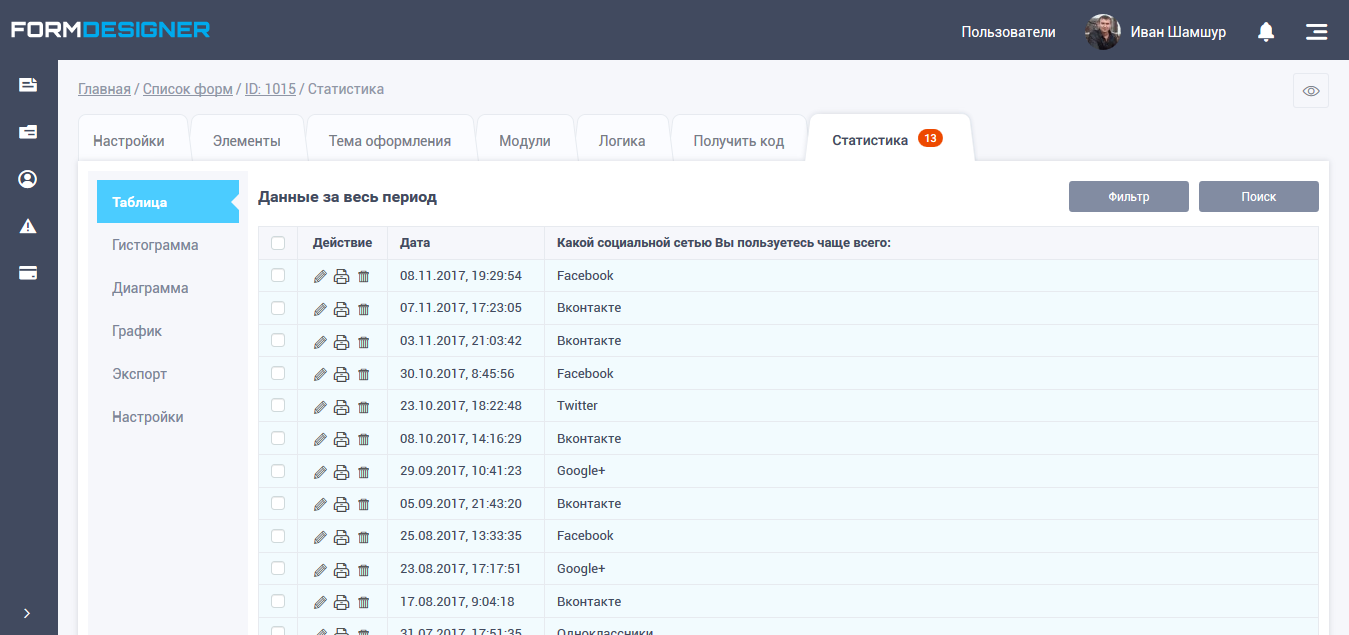
Statistics
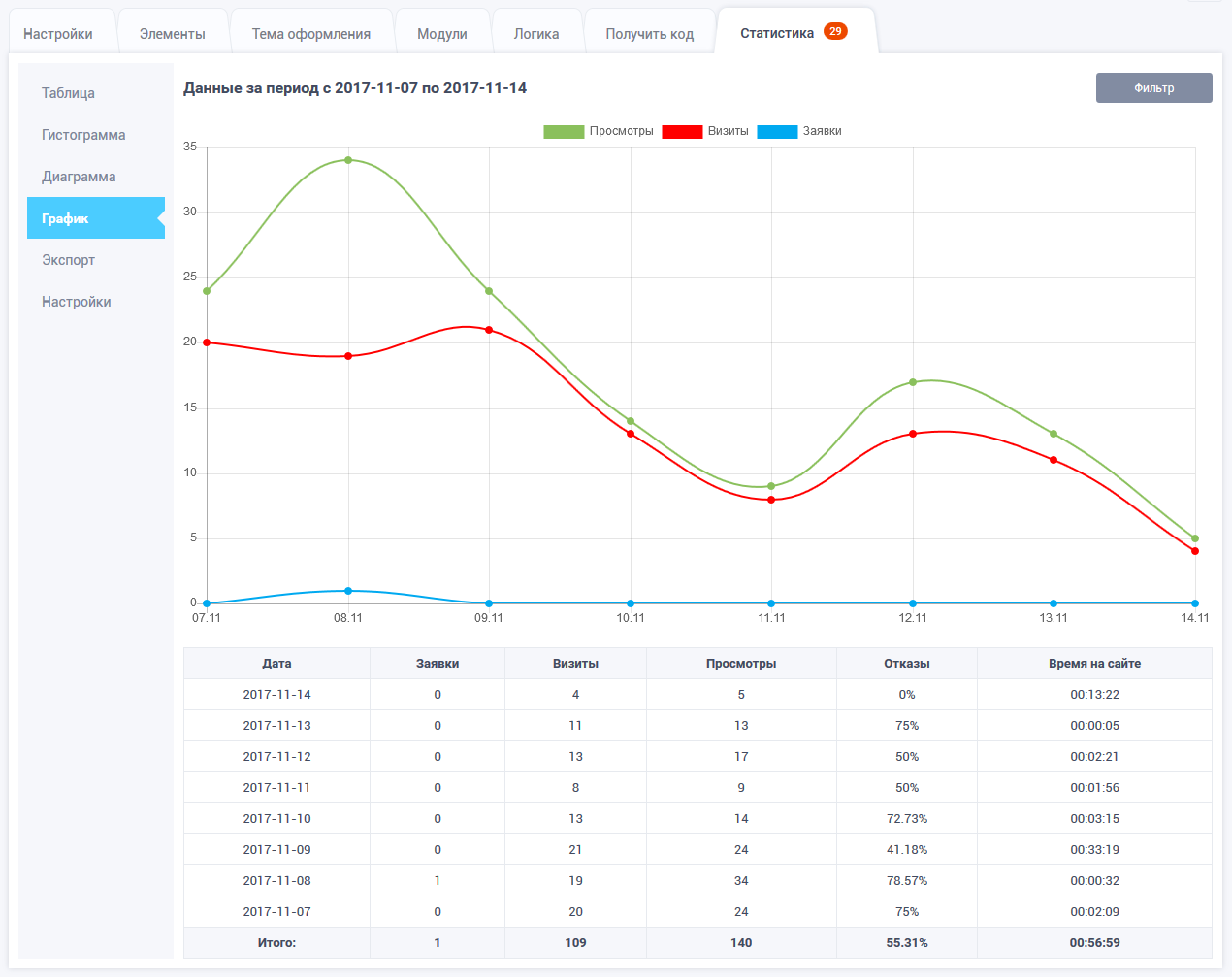
Graph
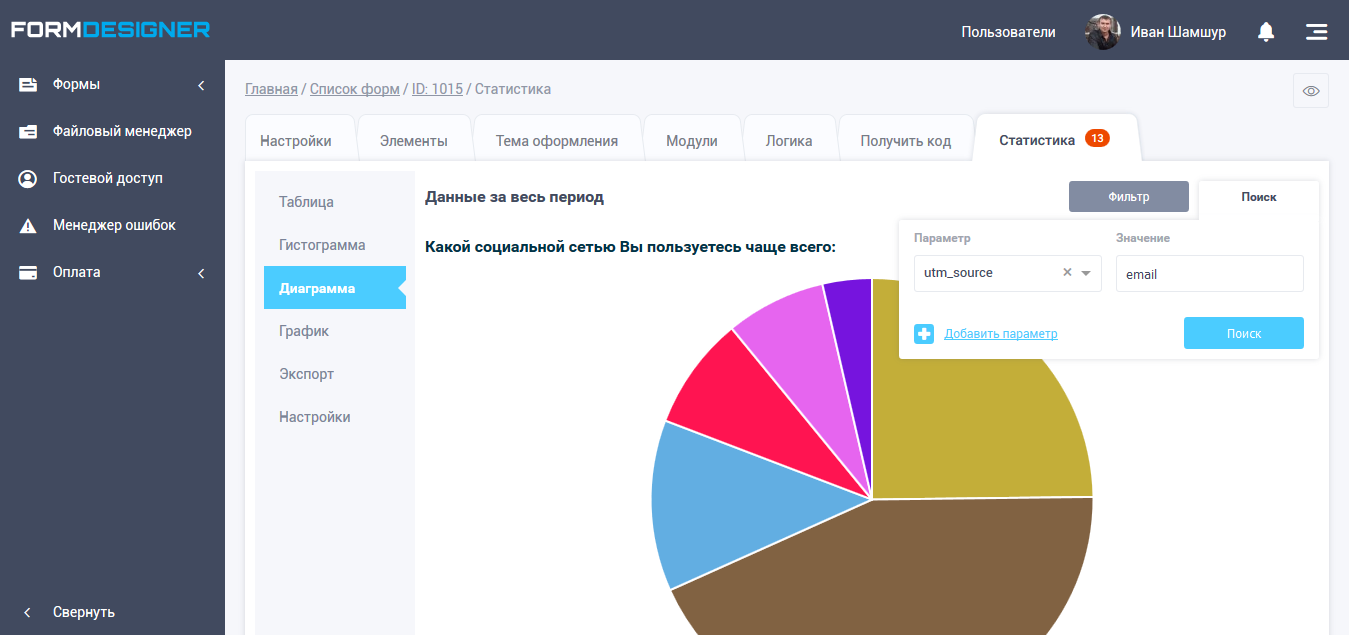
Diagram