BACK TO DIRECTORY
Save Contact Form 7 submissions to your WordPress database, automatically.
Contact Form 7 only sends form submissions by email. If the email fails or goes to spam, the message is lost. FormLedger keeps a copy of every CF7 entry in your database, so you never miss a lead again.
No setup needed. Activate it and your entries appear under Contact CF7 Entries.
Features
- Save every submission: all Contact Form 7 entries are stored, even if the email fails
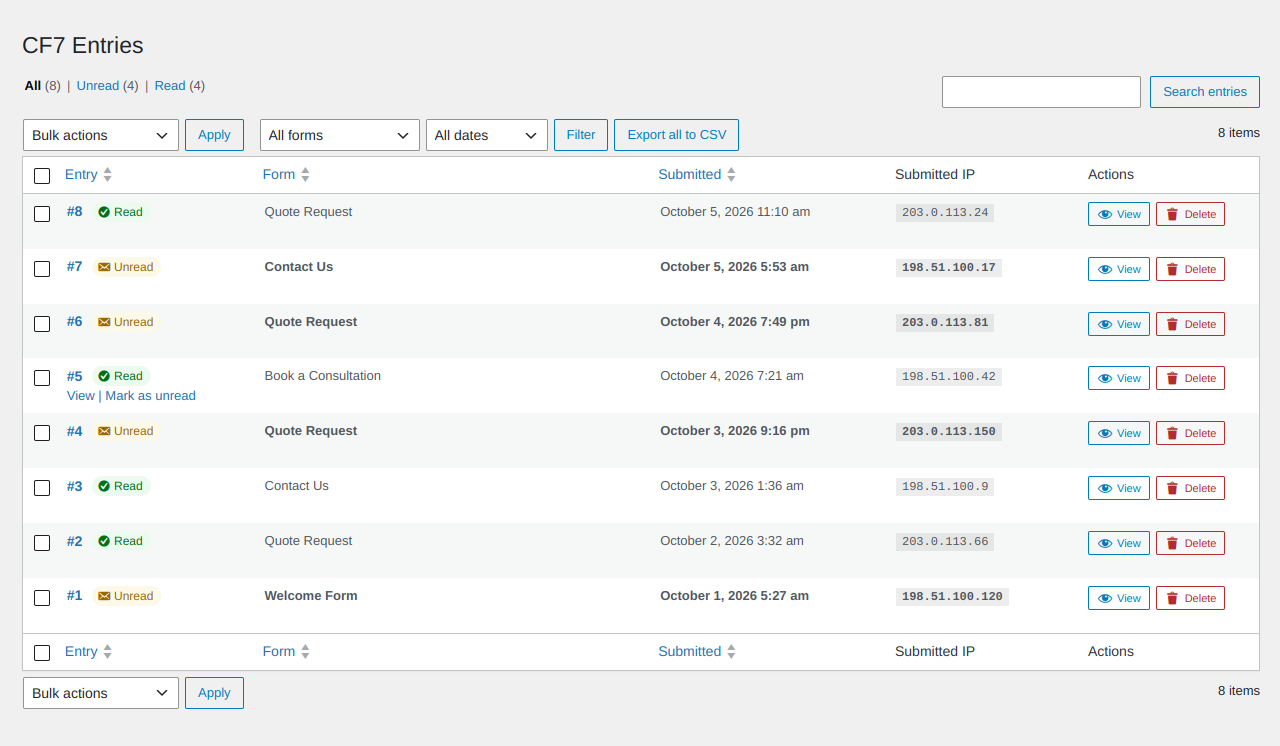
- View all entries: every form submission in one clean list
- Search and filter: find entries by name, email, form or date
- Export to CSV / Excel: download all, filtered or selected entries
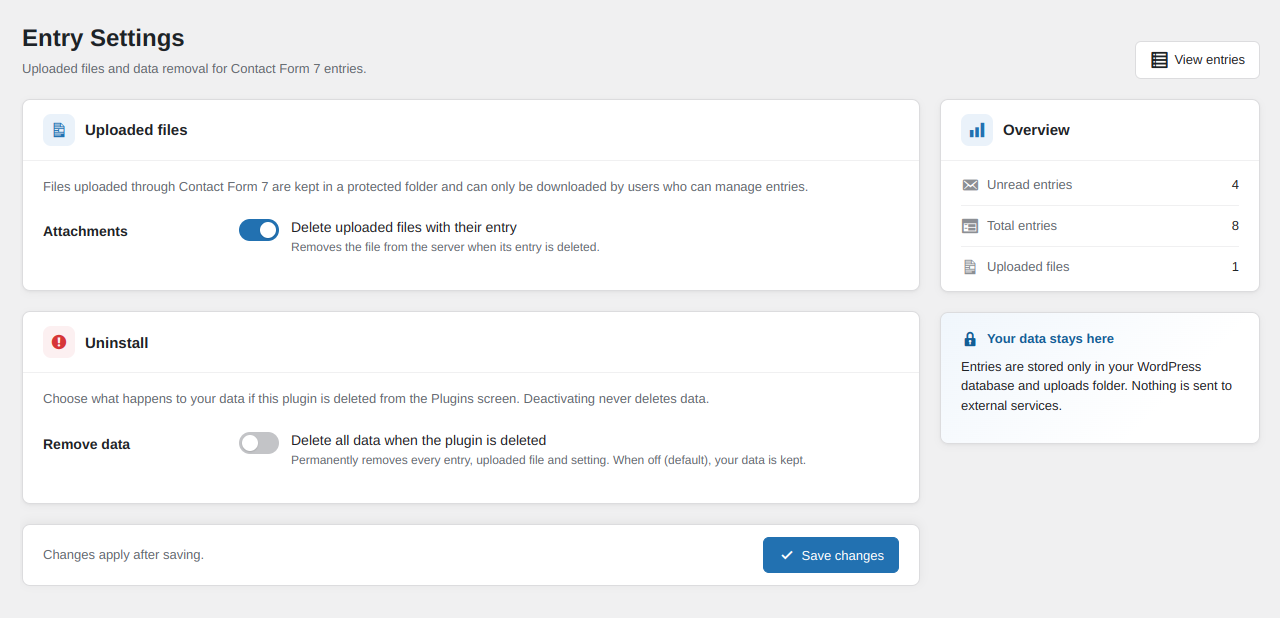
- File uploads: uploaded files are stored safely and can be downloaded anytime
- Read / unread status and bulk delete
- Unlimited forms and entries
- Multisite compatible: each site keeps its own entries
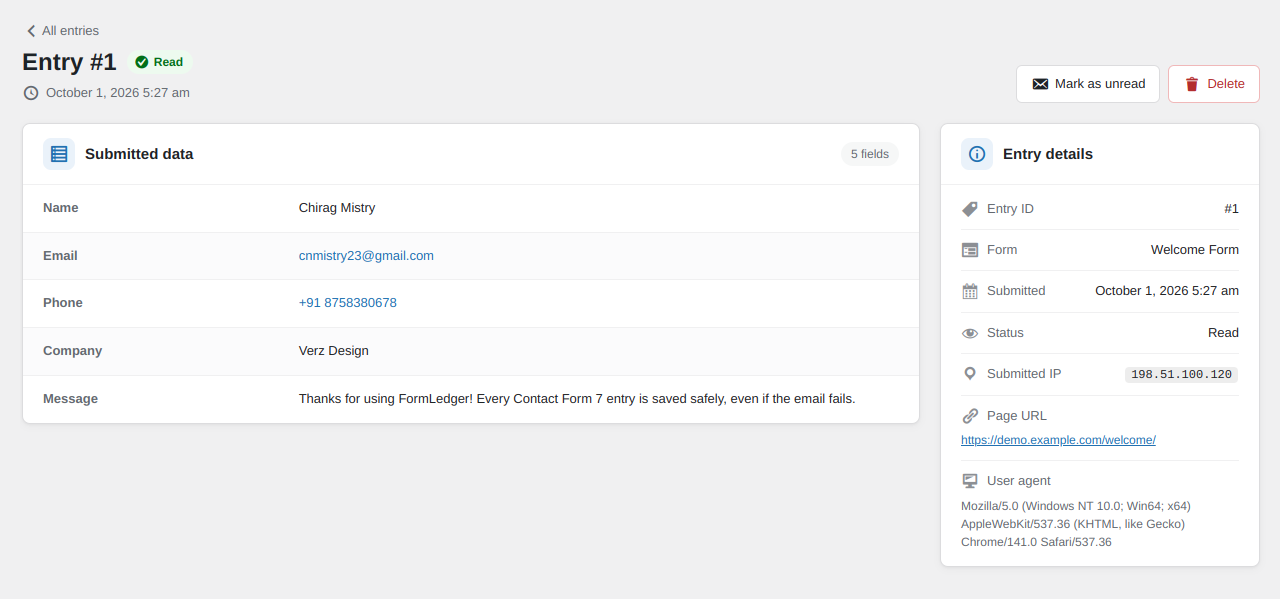
- Submitted IP: the visitor’s IP address and browser are saved with each entry and shown in the list and on the entry
- Your data stays on your site: entries are stored only in your WordPress database
Screenshots
All Contact Form 7 entries in one list, with search, form, date and status filters and the submitted IP.
Entry screen with every submitted field, clickable email and phone, submitted IP, page URL and browser.
Simple settings for uploaded files and data removal.
Plugin Details
Active Installs
10Total Downloads
576Version
1.0.5Requires WP
6.5Requires PHP
7.4Tested Up To
7.1.4Added
2026-09-27Last Updated
2026-10-15 5:02pm GMTRatings
5
0
4
0
3
0
2
0
1
0