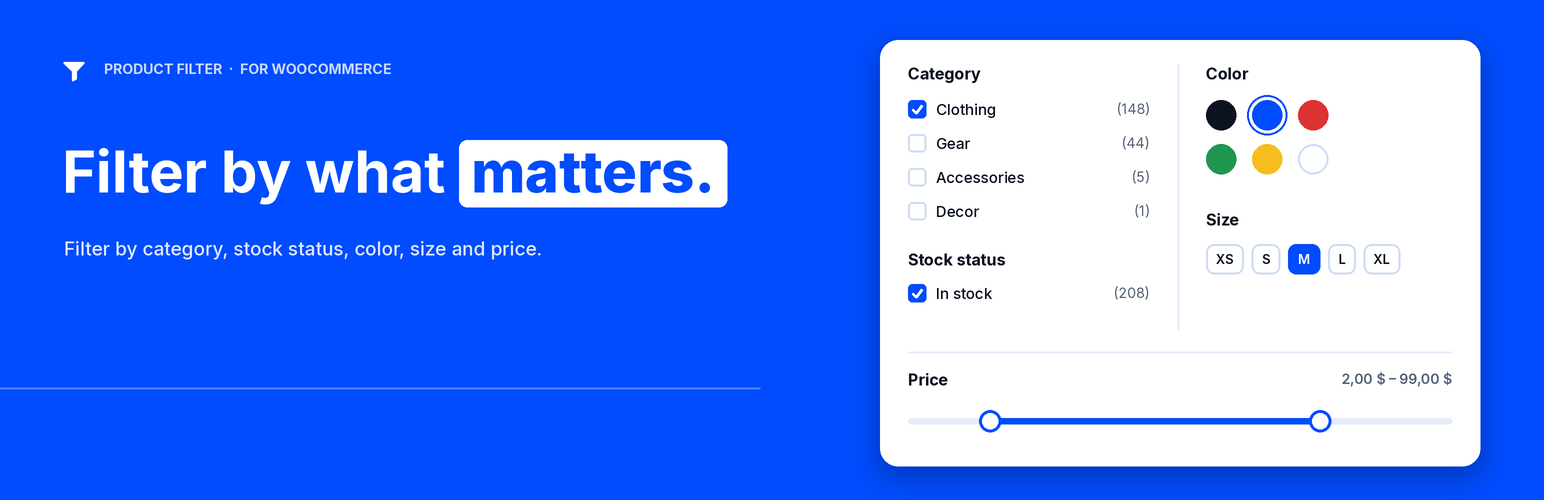
FXOapps Product Filter for WooCommerce adds a storefront filter to shop, category, tag, attribute, and search pages. Shoppers narrow the catalog by category, attribute, price, stock, sale, featured, and rating. You choose checkbox, radio, or dropdown for each filter, and the product grid updates with AJAX or a full page reload.
This WordPress.org release is a complete sidebar filter. There is no product cap, no filter cap, and no license key. Checkbox, radio, dropdown, the style editor, load more, and infinite scroll all work here. Product Filter PRO is a separate plugin. The Product Filter PRO section below is what that plugin includes.
What this free plugin includes
✓ Archives — shop, category, tag, attribute, and product search
✓ Unlimited filters — category, tag, attribute, custom taxonomy, price, stock, on sale, featured, and rating
✓ Display — checkbox, radio, and dropdown
✓ Categories — parent and child lists, counts, hide empty values, and collapsible groups
✓ Price — minimum and maximum fields
✓ Results — AJAX grid updates, or a full page reload with filter URLs
✓ Pagination — numbered pages, load more, and infinite scroll
✓ Variable products — a product stays visible when a published variation is in stock or on backorder, and attribute filters follow that variation
✓ Placement — auto-insert above the products, the FXOapps Product Filters widget, or the [fxoapps_product_filters] shortcode
✓ Behavior — product counters, content-aware values, and scroll back to the grid after an AJAX update
✓ Index — a product index you rebuild from the settings screen, plus a cache you can clear
✓ Settings — FXOapps Product Filter, with General, Display, Filters, Appearance, Translations, Indexer, Performance, and Debug tabs
Filters you build here keep working after you install PRO. PRO is a separate plugin. It does not replace this one with a locked copy of the same screen.
Product Filter PRO
FXOapps Product Filter PRO for WooCommerce is a separate plugin. Nothing in this plugin is switched off. The list below is what the PRO plugin includes.
Look
✓ Color swatches, with a hex color or an image for each value
✓ Button chips
✓ Rating stars
✓ Price range slider
✓ Category links
Style
✓ Custom CSS
Layout
✓ Horizontal filter bar
✓ Off-canvas drawer and a Filters button, floating or inline, on mobile, desktop, or both
Catalog
✓ Custom meta filters and Advanced Custom Fields (ACF)
✓ In-browser filtering for shop, category, and tag archives
Index and SEO
✓ Scheduled daily or weekly rebuild, and a pause while products are imported
✓ Precache and a background index updater
✓ SEO controls for filtered URLs
✓ License activation and one-click updates from WordPress
Filters you save here keep working after you install PRO. You do not rebuild the filter list from scratch.
Shop owner setup
After activation, open FXOapps Product Filter and:
- General — turn the filter on, choose AJAX or page reload, and set products per page
- Display — auto-insert the panel, or use the widget or the
[fxoapps_product_filters]shortcode - Filters — add category, attribute, price, stock, and the other sources, then choose checkbox, radio, or dropdown
- Indexer — rebuild the product index so counts and results match the catalog
- Pro features — read what the separate PRO plugin includes, and upgrade to Product Filter PRO if you want that plugin