
GDA Kraft Booking (public beta) adds a booking calendar and a booking engine to WordPress for holiday homes, vacation rentals, guest houses, B&Bs (chambres d’hôtes), villas and small hotels. Turn your WordPress site into a vacation rental website that takes direct bookings, and keep your availability in sync with Airbnb, Booking.com and Vrbo through iCal. Every feature below works without an account, a subscription or a “Pro” version.
Languages: available in 6 languages: English (source language), French, Spanish, Italian, German and Brazilian Portuguese. German uses the informal “du”; sites set to German (formal) get a formal “Sie” version. Translations are bundled with the plugin and follow the site language automatically; the admin screens follow each user’s own profile language. Regional variants (for example fr_CA, es_MX, de_CH) use the closest bundled translation, and translations from translate.wordpress.org take priority when available. Guest e-mails are sent in the language of the booking. Any text shown to visitors can also be renamed in Texts and labels.
Features
- Accommodations and units: photos, property types, amenities, adults / children capacity per unit.
- Rates: nightly price, seasons and rate rules, weekend prices, minimum stay, length-of-stay discounts, coupons, extra services and cleaning fees.
- Tourist tax: per person and per night, with child exemption and a cap on nights.
- Availability calendar: closed days, arrival / departure days, buffers between stays.
- Airbnb calendar sync (iCal): one export URL per unit, import of external calendars (Airbnb, Booking.com, Vrbo or any iCal channel), refreshed every 15 minutes.
- Bookings: manual bookings and booking requests: the guest sends a request, you confirm it and collect the payment offline (bank transfer, on site).
- Guest side: search form, results, booking form, price breakdown, guest portal with messages and documents.
- Emails: confirmation, request received, reminders before arrival, review requests.
- Texts and labels: rename any text (for example “Guests” to “Persons”) without code.
Who is it for
- Owners of one or a few holiday rentals who want a direct booking site.
- Guest houses, B&Bs and small hotels that want guest house booking or B&B booking on their own site, with several rooms or units.
- Web designers building accommodation sites with Divi 5, Elementor or the block editor.
Why direct bookings
Listing sites bring visibility, but each booking made through them is subject to their fees and rules. A direct booking page on your own site lets returning guests book you directly, under your own conditions. iCal keeps your calendar in sync with the listing sites you keep, so the same dates are not sold twice.
Divi 5, block editor and Elementor
The same booking components are available as Divi 5 modules, blocks for the block editor (Gutenberg) and Elementor widgets. Bricks support is coming.
Website templates (optional)
Kraft Booking › Templates shows the Kraft GDA website templates (holiday rentals, agencies and platforms, appointments) for the block editor, Divi 5 and Elementor, right inside WordPress: click “See the templates” to browse them, filter by sector and builder, open a demo in a new tab. To install one, create a free Kraft GDA account or sign in without leaving WordPress (a 6-digit code is sent by email), or connect with the browser. Free templates install directly; paid templates (19,90 €, VAT not applicable, art. 293 B of the French CGI) are bought in a Stripe Checkout window and the installation starts as soon as the purchase is confirmed. A step-by-step wizard then installs the template: free themes and plugins it needs from WordPress.org, a new site or pages added without overwriting yours, then one-click removal of the demo content. Templates are data only: no code is downloaded (see External services).
Your data stays in WordPress
Bookings, guests and prices are stored in your own database. Nothing is sent anywhere unless you connect a Kraft GDA account.
Kraft GDA (free account) unlocks
An optional free Kraft GDA account gives access to the separate GDA Kraft Booking Connect add-on (downloaded from your Kraft GDA account, not from WordPress.org): online payments with Kraft Pay (Stripe), deposits and automatic balance collection, a front-end management dashboard, design modules, custom fields, a multilingual switcher and an AI assistant.
These hosted features are services run by Kraft GDA (SaaS): they require a Kraft GDA account and the Connect add-on. The plugin and the account are free. Online payments made through Kraft Pay carry a service fee paid by the traveler: 0.45 % until 30 June 2027, then 0.9 %. The fee applies only to online payments; offline payments and booking requests are never charged.
Beta
This is a public beta (0.x versions). Please report any issue in the support forum.
External services
The plugin works without any external service. It only contacts the services below in the situations described.
Kraft GDA (https://app.global-digital-agency.fr) — optional free account, used only if you click “Connect my Kraft GDA account (free)” or “I already have an account” on the Getting started or Kraft GDA screen, or “Send me a code” / “Sign in with the browser” in the Templates screen.
- When: only when you click one of these buttons to connect the site, and when you click “Disconnect”. This plugin makes no background request to Kraft GDA and sends no statistics or usage data.
- Data sent: site address and name, administrator email address (or the email address you type in the Templates screen), plugin, WordPress and PHP versions, admin language, your acceptance of the Kraft GDA terms of use, and a one-time connection code (the 6-digit code you received by email, or a code returned to WordPress by the browser).
- An account is created only when you enter the 6-digit code sent to your email address (if no account uses that address yet); it has no password until you set one with “Forgot password” on Kraft GDA.
- Terms of use: https://app.global-digital-agency.fr/cgu
- Privacy policy: https://app.global-digital-agency.fr/confidentialite
Kraft GDA template library (https://app.global-digital-agency.fr/api/v1/market/) — optional website templates in Kraft Booking › Templates. Every other feature of the plugin works without it.
- When, on a site that is not connected: nothing is requested when you open the Templates screen. Only after you click “See the templates” does WordPress request the public, read-only catalogue (/api/v1/market/public/templates); the template thumbnails are then loaded by your browser from the same server. Changing a filter requests the catalogue again.
- When, on a connected site: when an administrator opens the Templates screen (list of templates of the account and their thumbnails), when they install a template (signed manifest and files of the chosen template, then an installation report), and when they click “Buy” for a paid template (creation of the payment, then a check of the account’s templates every 3 seconds for at most 10 minutes, to start the installation as soon as the purchase is confirmed). Nothing is requested on other screens or in the background.
- Data sent: for the public catalogue, only the admin language and the filters you choose (no site address, no identifier). On a connected site: the site identifier with a request signature, the chosen template and builder, the plugin edition and version, WordPress and PHP versions and the admin language; after an installation, the number of items created. No visitor, guest or booking data.
- What is downloaded: data only (page layouts in JSON, texts, images, fonts and settings), described by a manifest signed by Kraft GDA (Ed25519) and checked file by file (SHA-256) before use. This plugin never downloads or runs code from this service: the themes and plugins a template needs (Elementor, Hello Elementor, Twenty Twenty-Five) are installed from WordPress.org only, and Divi (commercial theme) must already be installed.
- Demos: the “Preview” button opens the template demo (https://demo.global-digital-agency.fr) in a new browser tab.
- Terms of use: https://app.global-digital-agency.fr/cgu
- Privacy policy: https://app.global-digital-agency.fr/confidentialite
Stripe Checkout (https://checkout.stripe.com) — payment page for a paid template, used only if you click “Buy” in the Templates screen.
- When: only after that click; the payment page opens in a separate browser window and is created by Kraft GDA for your Kraft GDA account. WordPress never receives or stores card data.
- Data sent: what you enter on the Stripe page; Kraft GDA sends Stripe the price, the template name and the email address of your Kraft GDA account.
- Terms of use: https://stripe.com/legal/ssa
- Privacy policy: https://stripe.com/privacy
OpenStreetMap / Nominatim (https://nominatim.openstreetmap.org) — optional place suggestions in the “City” field of the search module. Disabled by default: nothing is sent unless an administrator enables place suggestions in Kraft Booking › Réglages › Services externes (Settings › External services).
- When: only once enabled, when a visitor types at least 3 characters in that field (requests go from your server; results are cached for 24 hours).
- Data sent: the text typed, the site language, and your site address in the User-Agent header (required by the Nominatim usage policy). No visitor IP address or other personal data is forwarded.
- Terms of use: https://operations.osmfoundation.org/policies/nominatim/
- Privacy policy: https://osmfoundation.org/wiki/Privacy_Policy
iCal calendars you add (Airbnb, Booking.com, Vrbo or any other channel) — calendar synchronisation.
- When: every 15 minutes, only for the calendar URLs you entered in an accommodation.
- Data sent: a standard HTTP request to the URL you provided (no booking or guest data).
- Terms and privacy: those of the channel that provides the calendar URL.
Screenshots
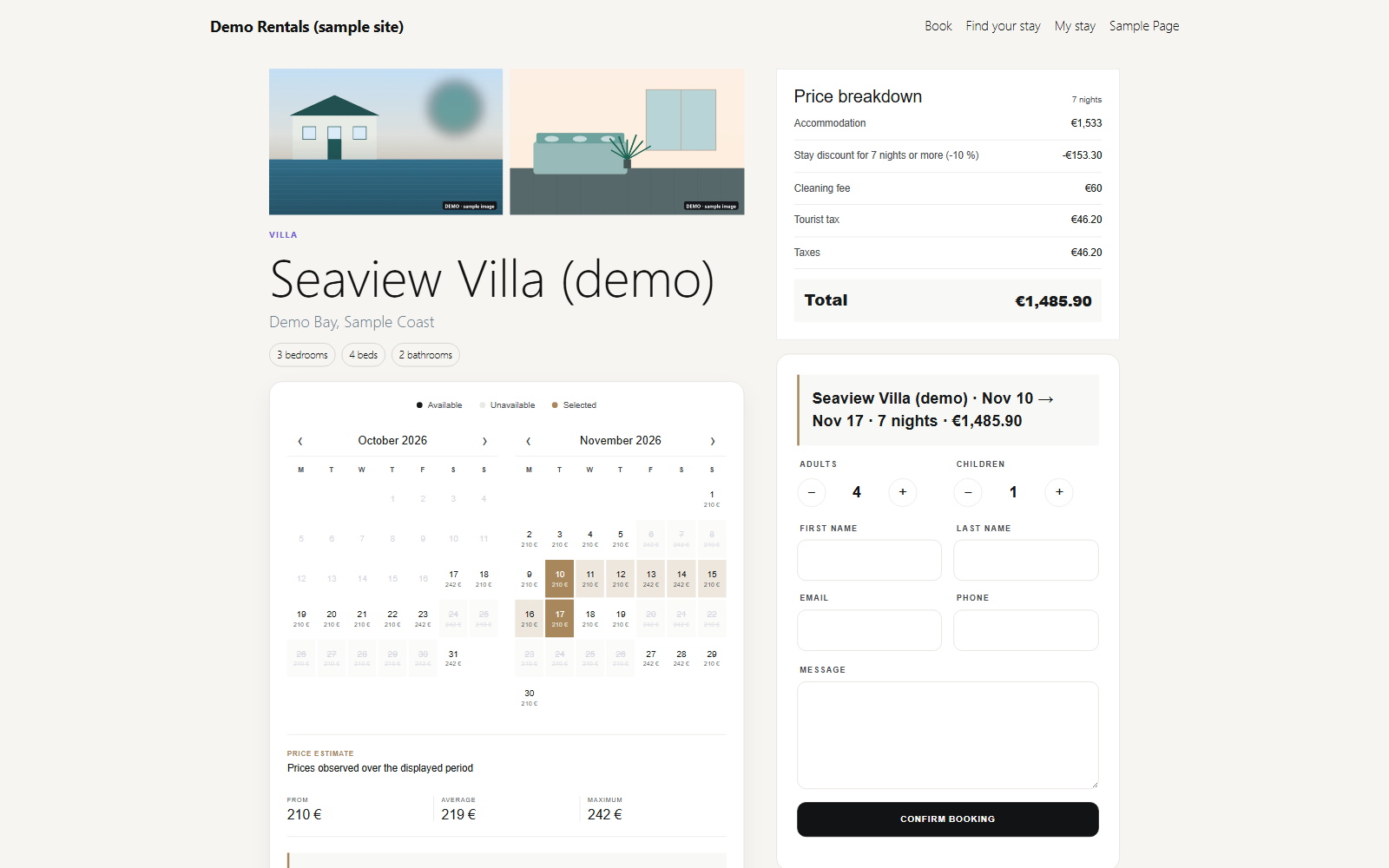
Accommodation page on the front end: photo gallery, availability calendar with nightly prices, price breakdown and booking form.
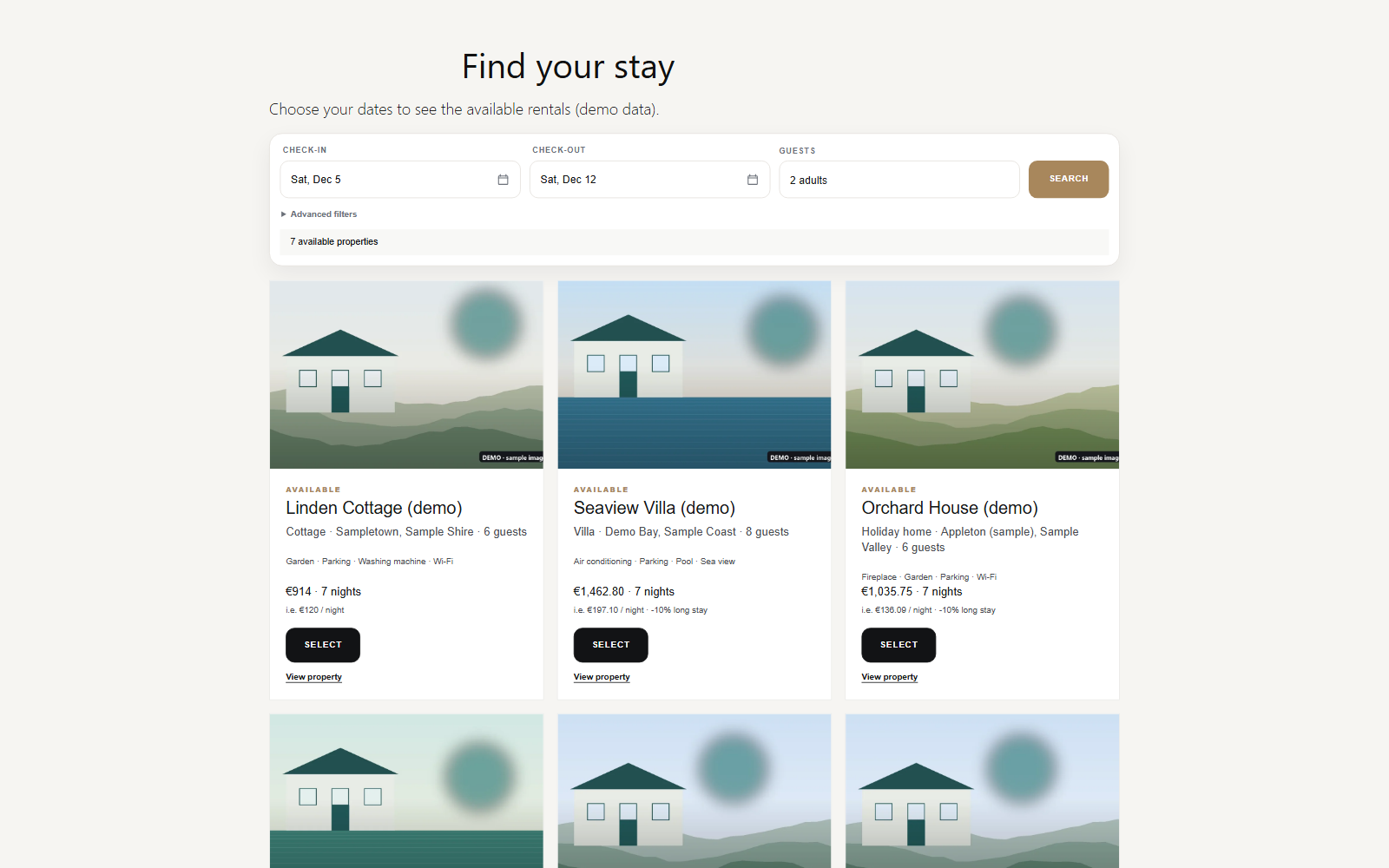
Search form (dates and guests) and the results with the available accommodations and their total price.
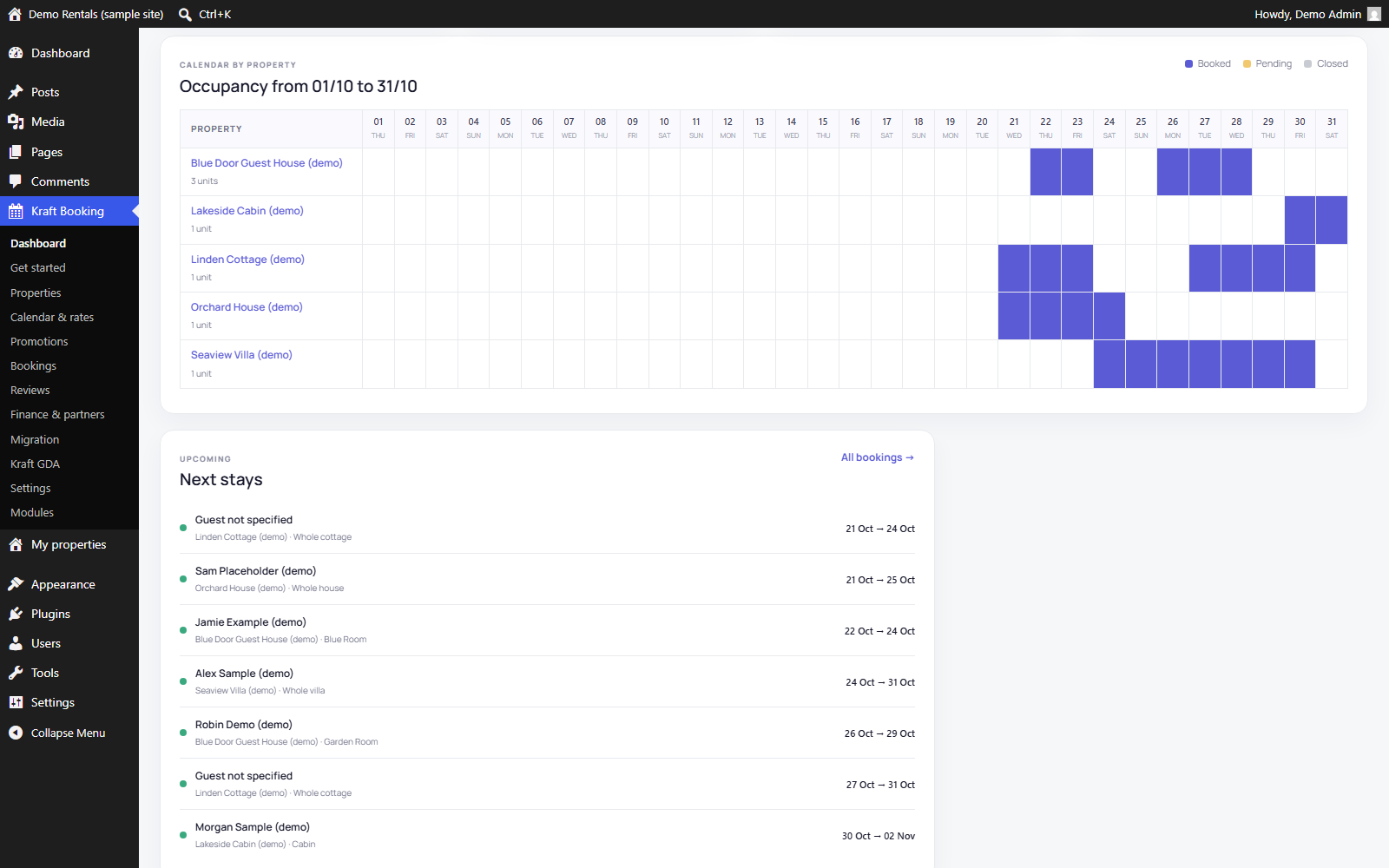
Occupancy planning in the admin: every property on one screen, with the upcoming stays.
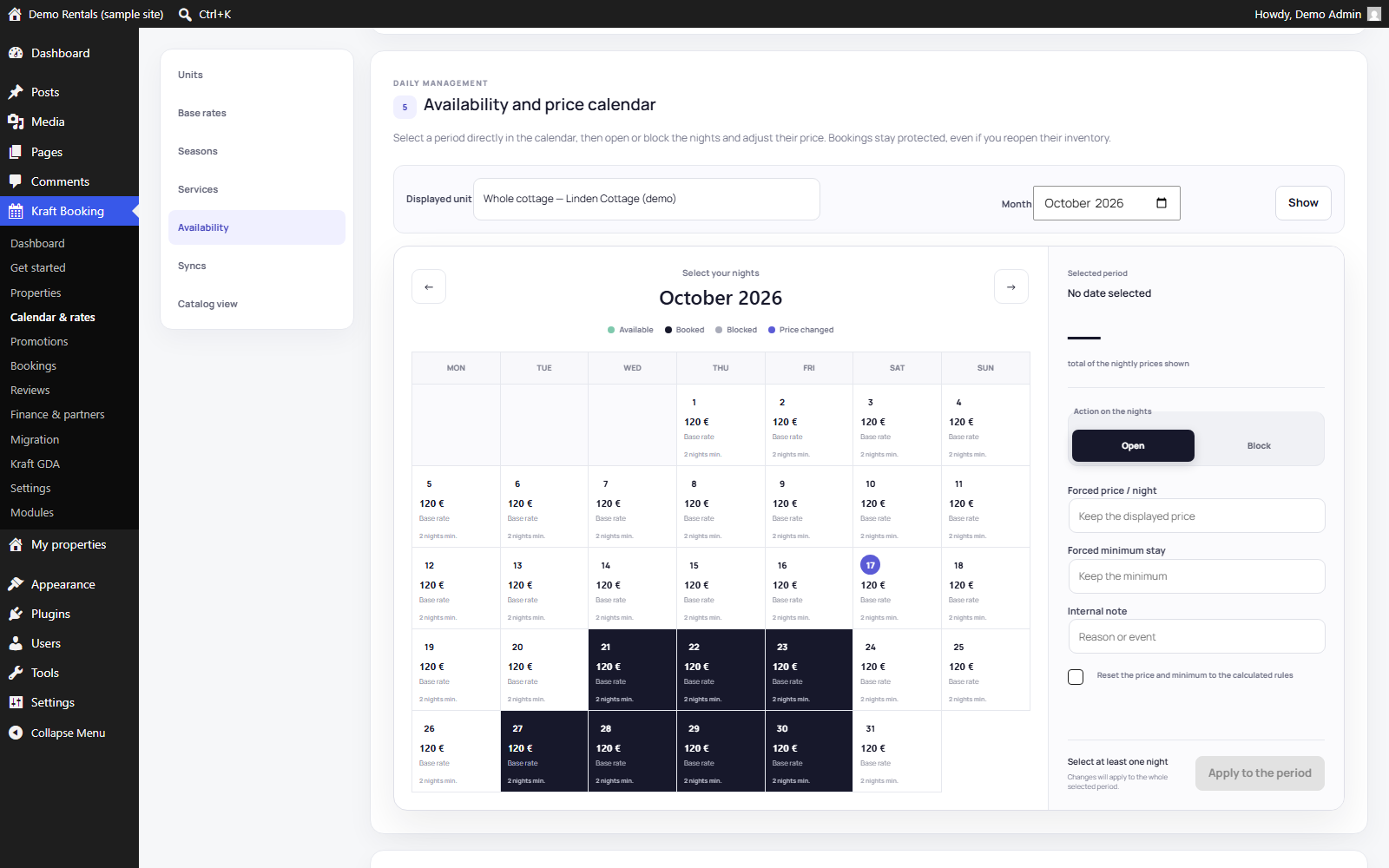
Availability and price calendar of a unit: open or block nights and adjust their price.
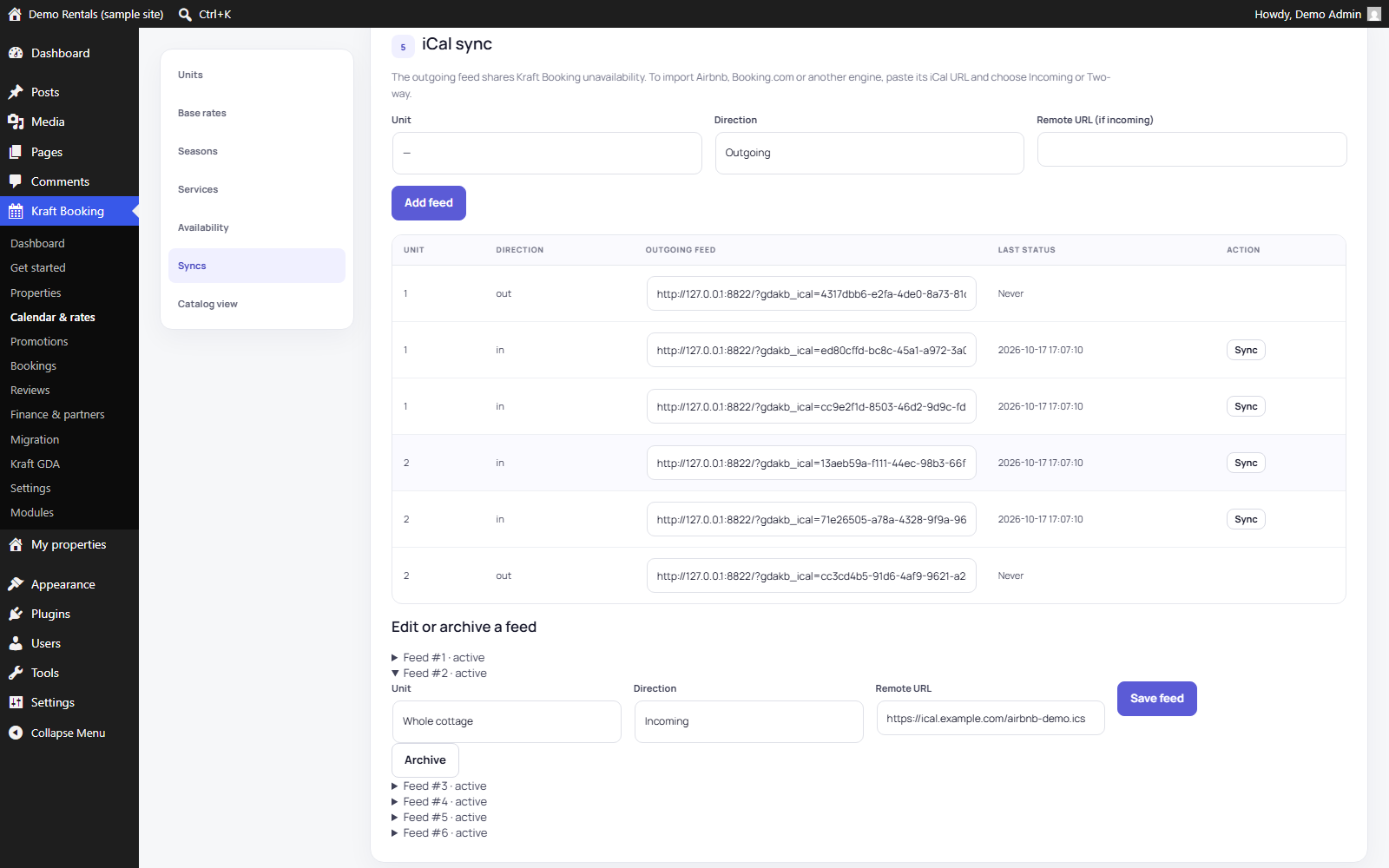
iCal sync: export URL to paste into Airbnb or Booking.com, and the imported channel calendars.
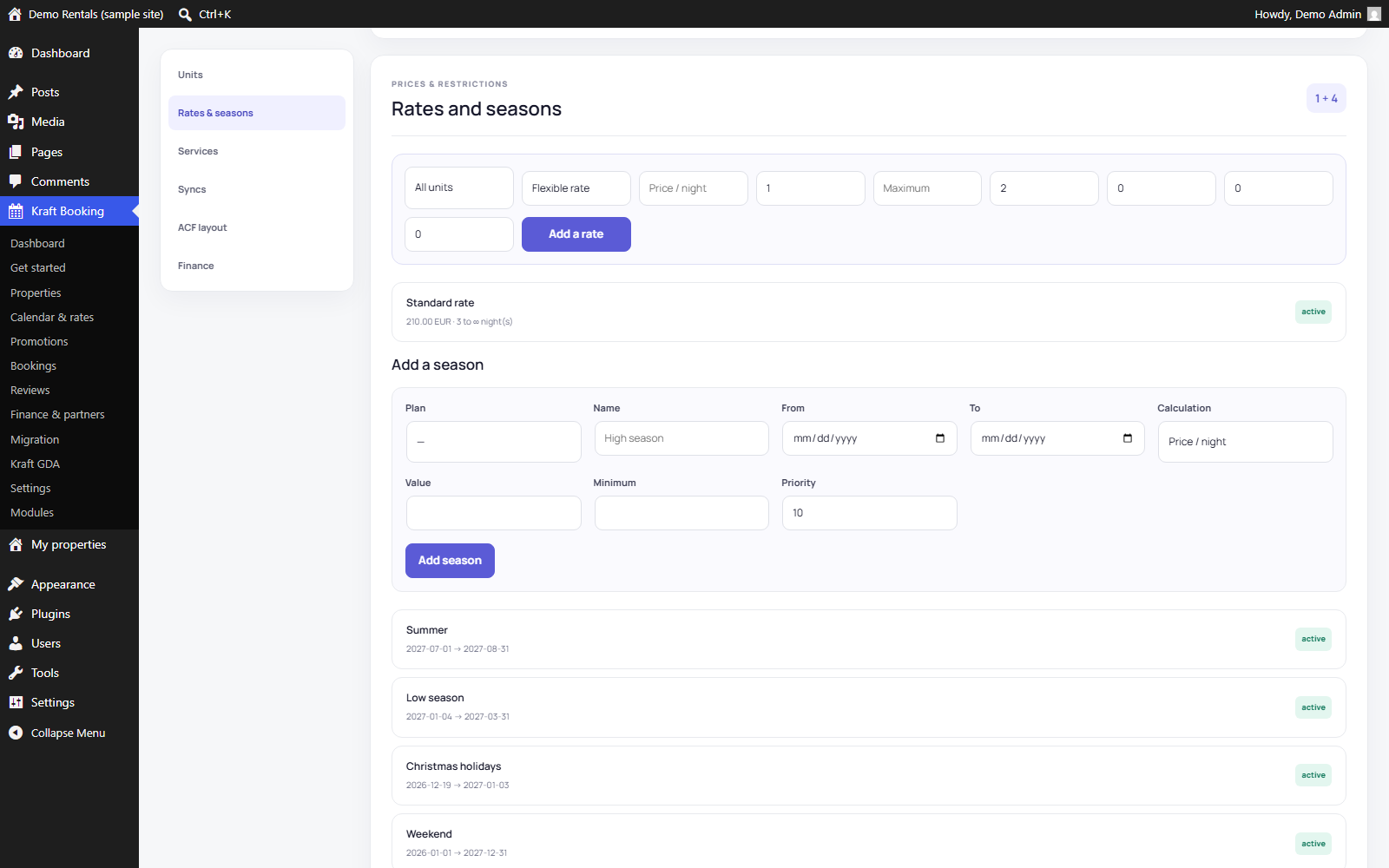
Rates and seasons of an accommodation: base rate, minimum stay and seasonal rules.
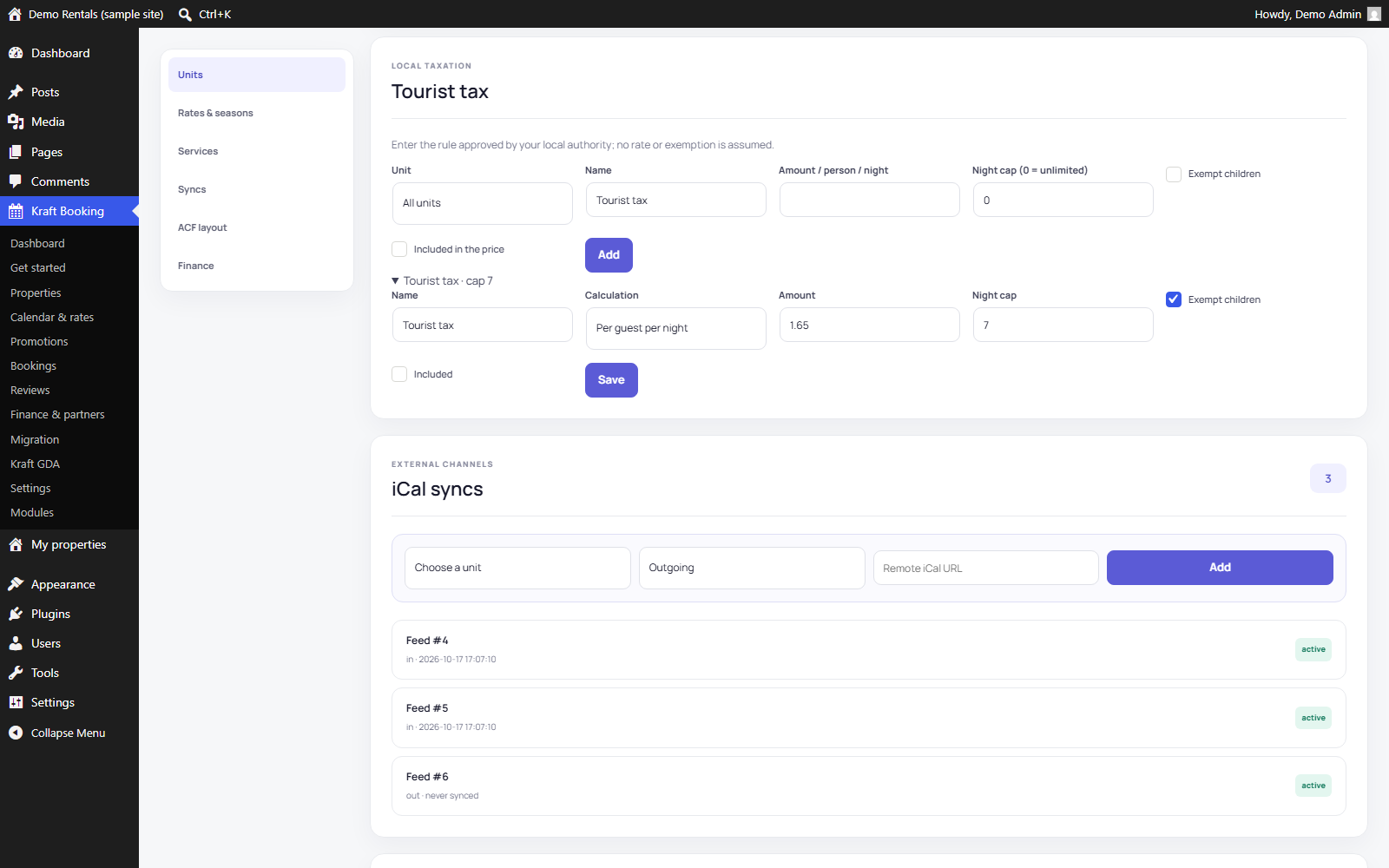
Tourist tax rule: amount per person and per night, child exemption and cap on nights, next to the other fees.
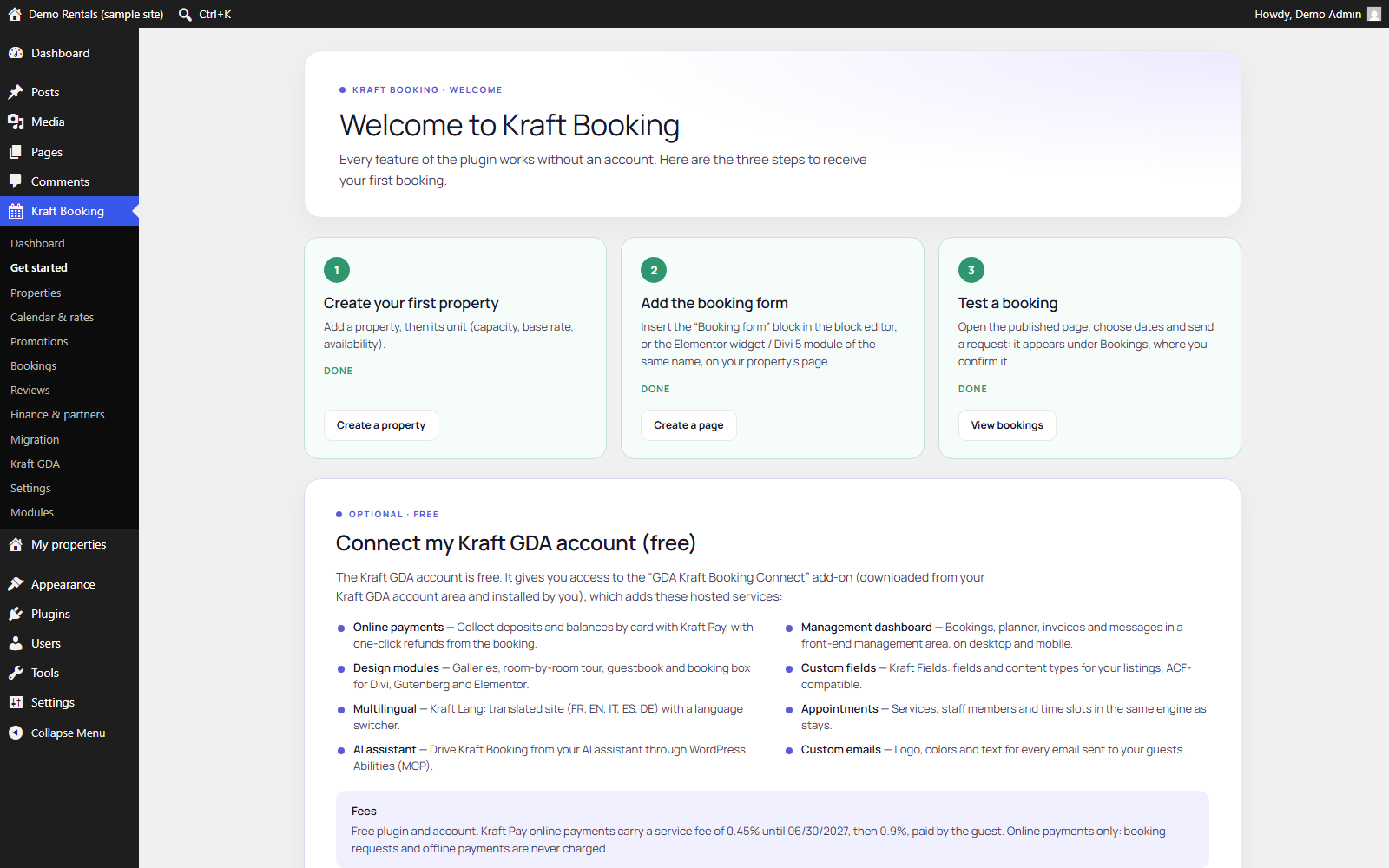
Getting started screen, shown once after activation.
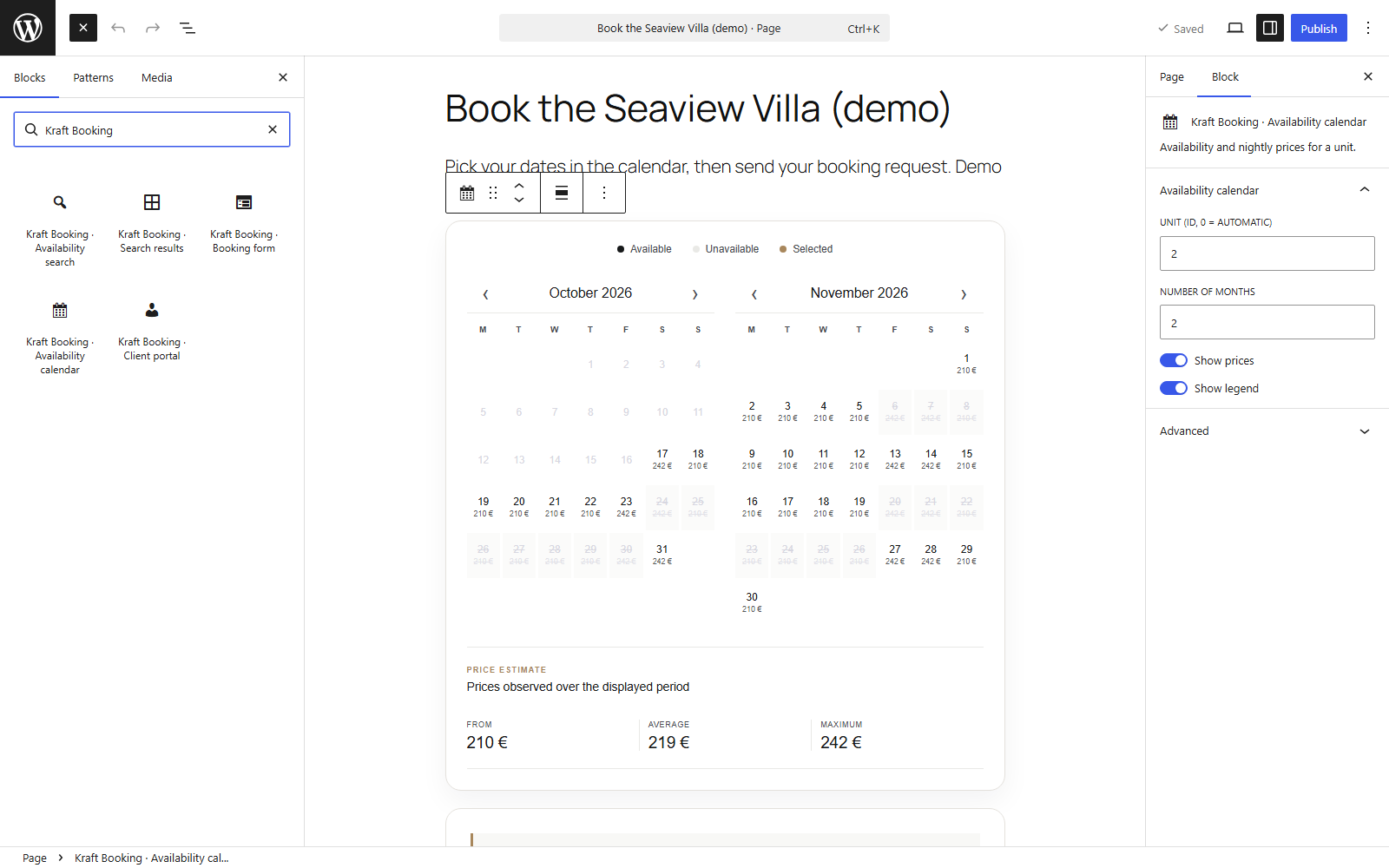
Block editor: the Kraft Booking blocks in the inserter and the availability calendar block with its settings.
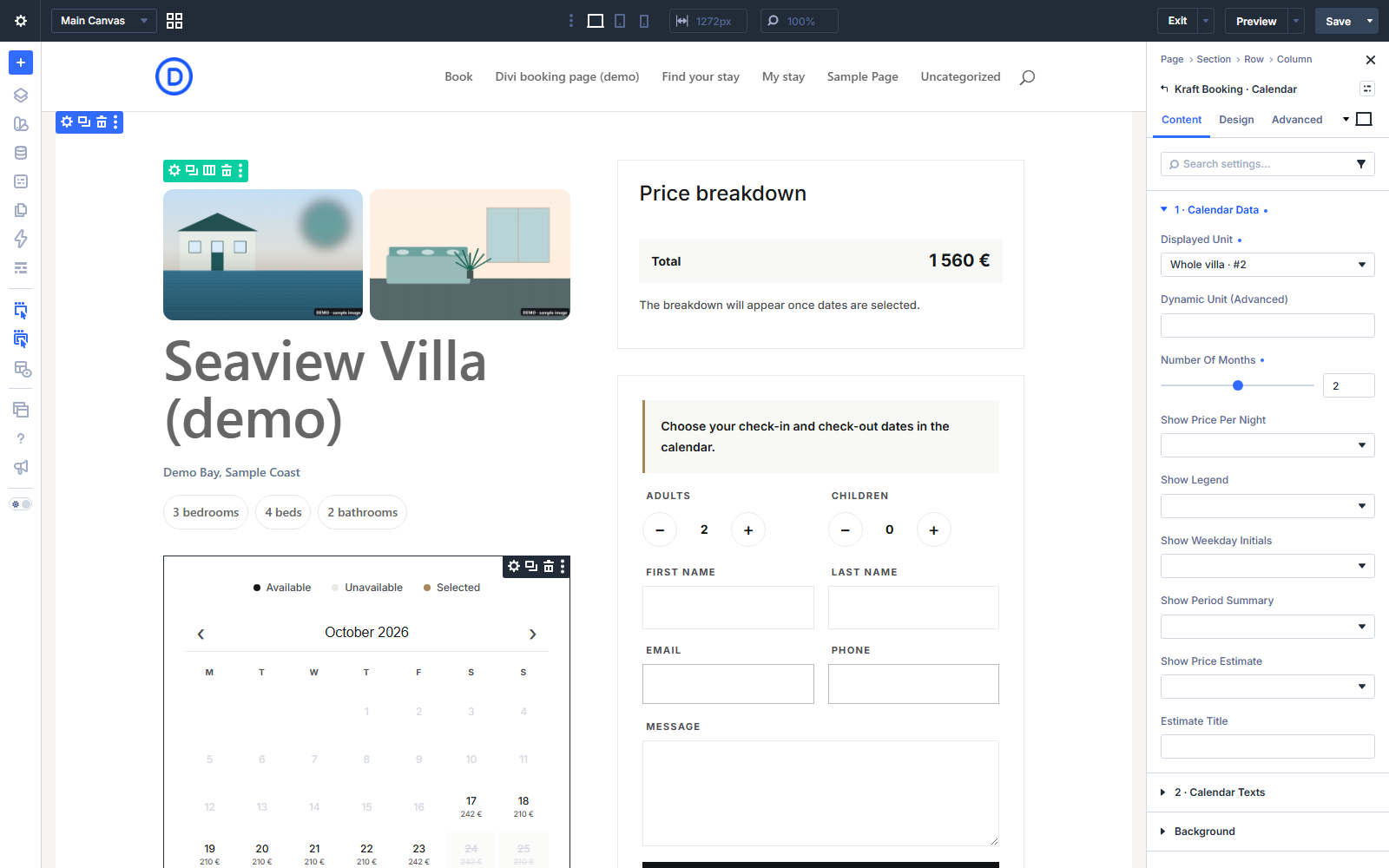
Divi 5 Visual Builder: native Kraft Booking modules with their settings panel.
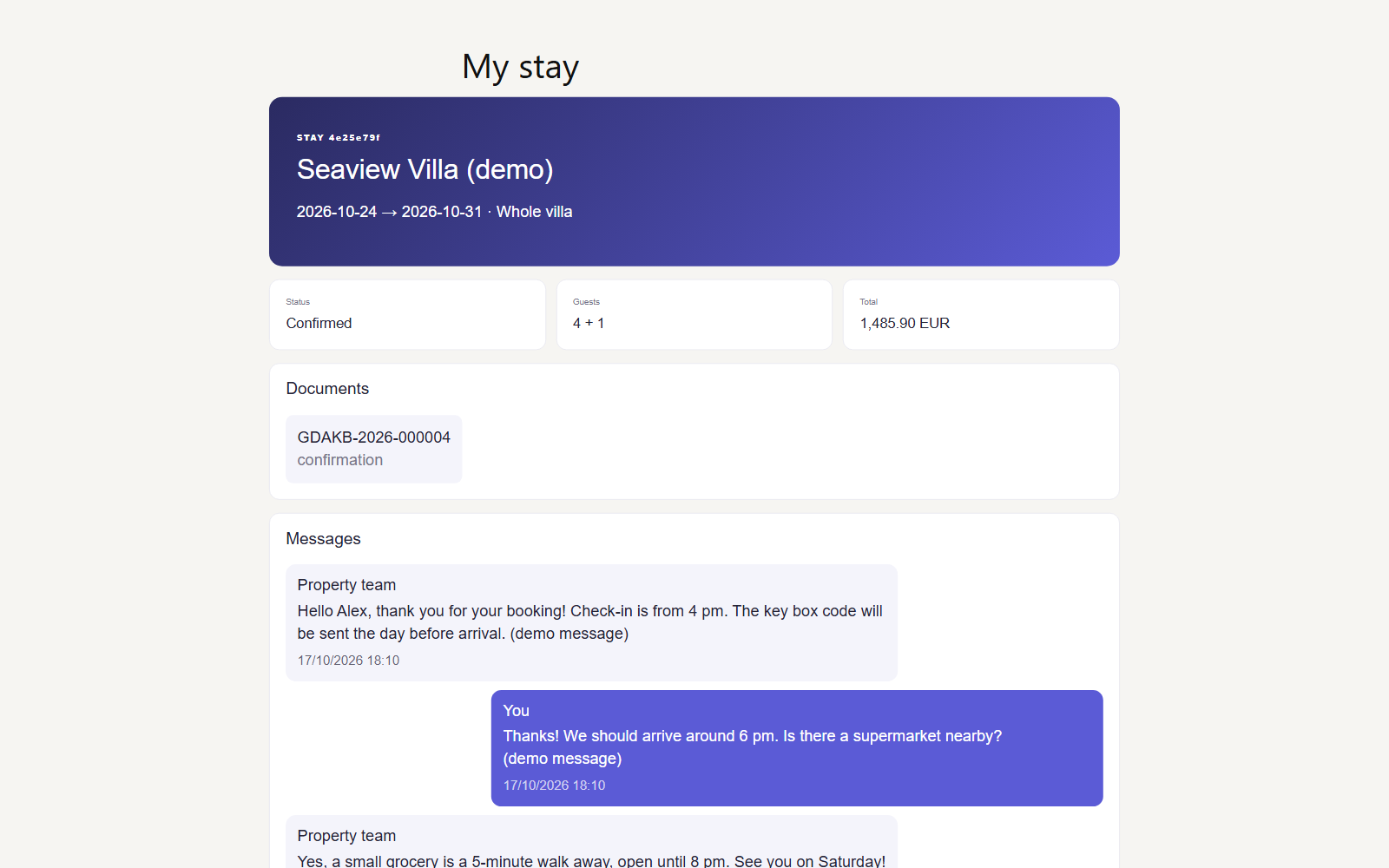
Guest portal: stay details, status, documents and messages with the host.