BACK TO DIRECTORY
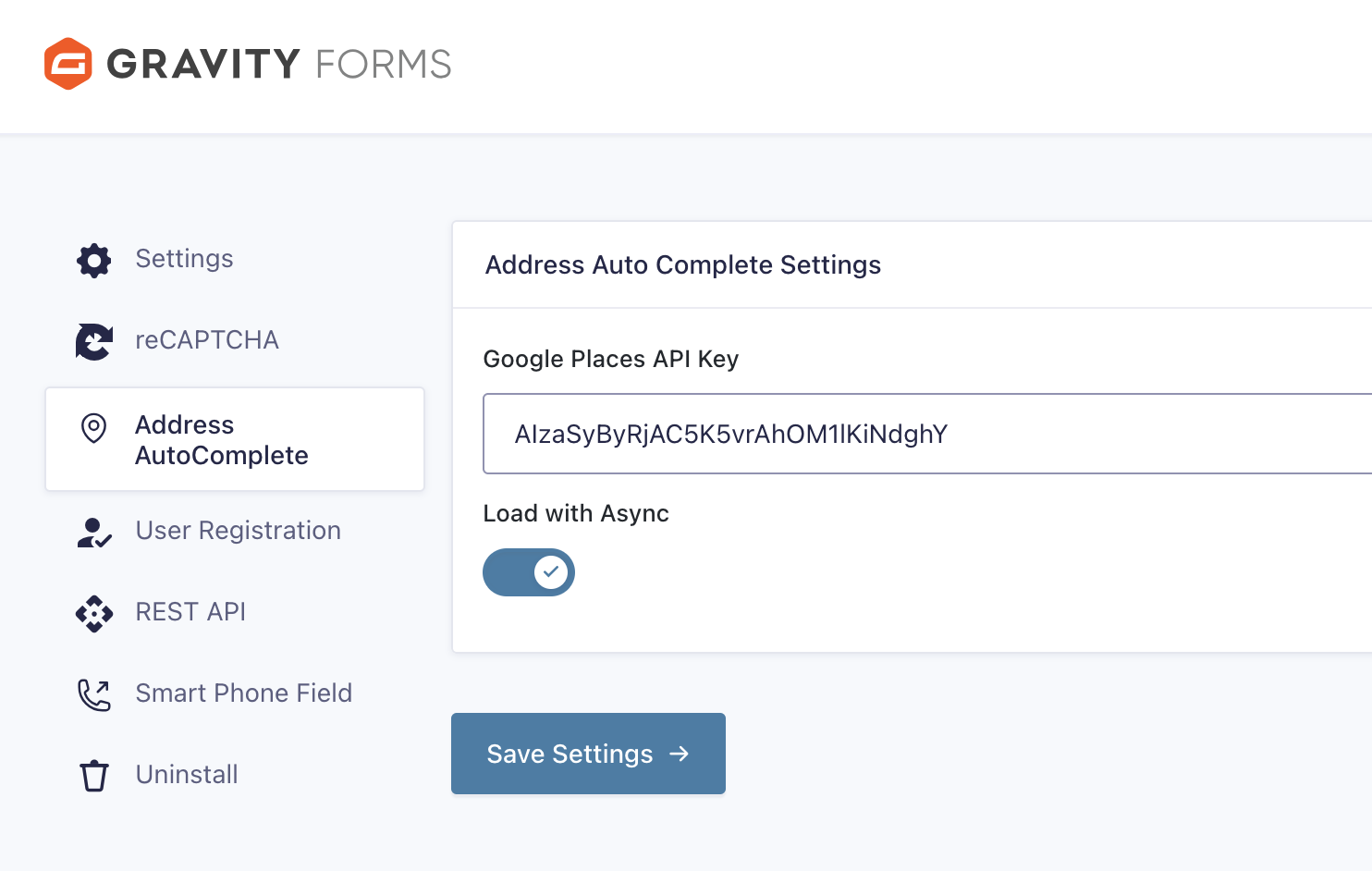

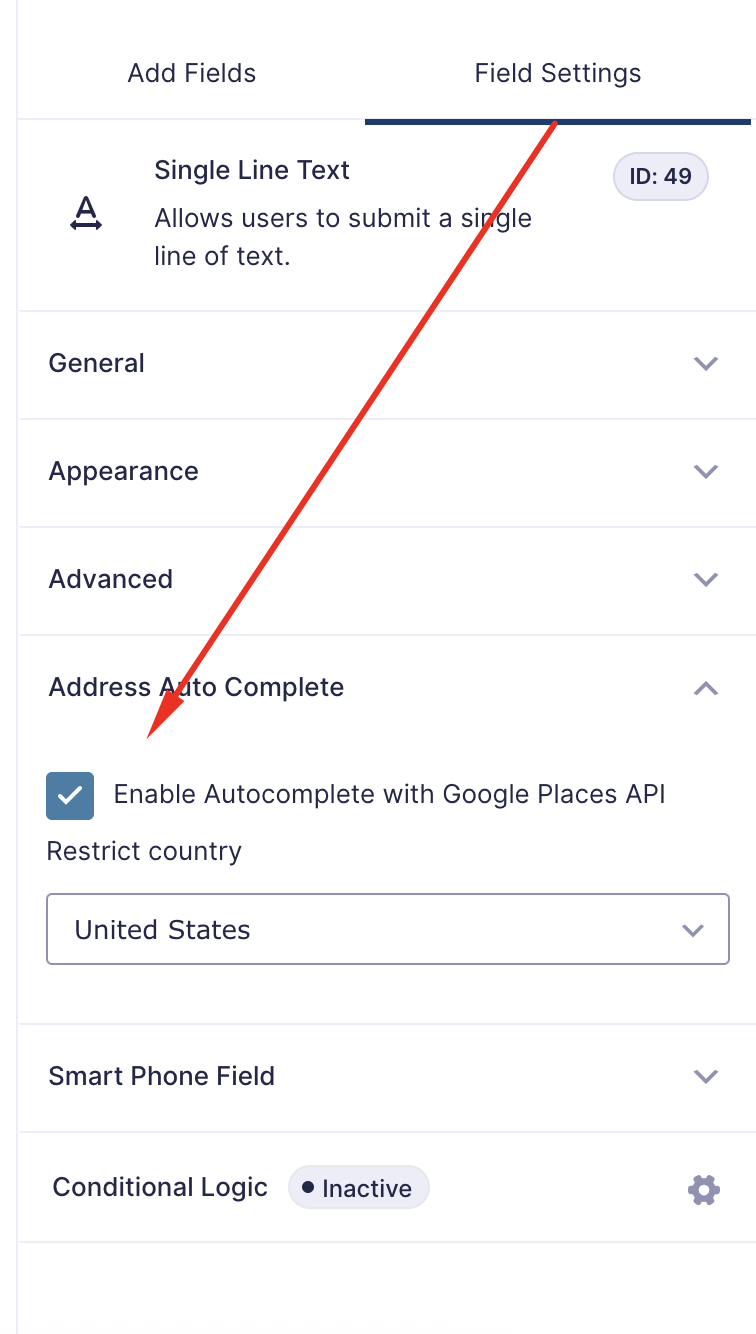


A simple and nice plugin to get auto suggestion from google place api in gravity form address field. If the installation is okay, go to gravity form menu called ‘Autocomplete API settings’. Input your google map api key and save it. Now create or edit a form, add or edit address field.
You can see ‘Enable Autocomplete with Google Places API’, Just click on enable and save form. You’re done!
View Pro Demo | Documentation | Buy Pro
Features
- Address Autocomplete in address and single field
- Country Restriction
Premium Features
- Map field
- Distance Calculation
- Place Details
- 3 Type Restriction
- Place type (School, Restaurant, cities, addresses and more)
- Location Button
- Place API (New)
- and more…
Requirements
- PHP 7.4 or higher
- Gravity Forms 2.9.0 or higher
Screenshots
Plugin Details
Active Installs
1K+Total Downloads
32,579Version
1.3.8Requires WP
6.0Requires PHP
7.4Tested Up To
7.0.8Added
2020-12-29Last Updated
2026-08-11 6:30am GMTRatings
5
6
4
0
3
1
2
0
1
0