Run ghost.blog from WordPress
Since 1.3.0 the plugin adds a Ghost.blog menu to wp-admin. Connect your
site once and, without leaving WordPress, you can:
- see your credit balance and what’s scheduled next;
- generate an article and watch it being written, then open the draft in the editor;
- browse every article ghost.blog wrote for this site;
- edit your brand profile: name, tagline, description, audience and voice;
- edit your ghost writers’ voice, audience and default keywords;
- create, pause and skip publishing schedules. Schedules run on ghost.blog, so
articles keep arriving even when nobody is logged in.
The control panel is opt-in. Until an administrator presses
“Connect to ghost.blog”, it sends nothing anywhere. ghost.blog is a paid
service: generating articles uses credits from your ghost.blog account (new
accounts include free credits). Buying credits and managing your team happen
on ghost.blog.
Only administrators can connect the site or change writers and schedules,
because those spend your team’s credits. Users who can publish posts can
generate articles, and anyone who can edit posts can view the panel.
SEO metadata
When ghost.blog publishes an article to your WordPress site, this connector
writes the AI-generated SEO title, meta description, focus keyword, and Open
Graph image into whichever SEO plugin you use:
- Yoast SEO
- Rank Math
- All in One SEO (AIOSEO)
No SEO plugin? You no longer need one. Since 1.2.0 the connector keeps the
metadata itself and writes the title, meta description and Open Graph / Twitter
tags into your pages directly. It does this only while no dedicated SEO plugin
is active – install one at any time and the connector stops rendering and hands
the metadata over to it instead, so your pages never carry duplicate tags.
The built-in renderer stays deliberately small: a title, a description and
social tags on single posts ghost.blog wrote. It does not touch canonicals
(WordPress already emits those), robots rules or sitemaps. If you want those,
install a full SEO plugin – the connector will feed it.
The plugin exposes three authenticated REST endpoints under /wp-json/ghost-blog/v1/:
GET /info— reports the connector version and which SEO plugin is active.POST /seo-meta— writes SEO fields to a post.POST /llms-txt— stores the brand summary this site then serves at/llms.txt.
They require a logged-in user with the edit_posts capability (publish_pages
to replace llms.txt), using the same application-password credentials you
already configured in ghost.blog. The one file the plugin serves publicly is
/llms.txt, which is meant to be read by answer engines.
External services
This plugin connects to ghost.blog (https://ghost.blog), an AI content
service operated by the plugin’s author, but only after an administrator
connects the site from the Ghost.blog menu in wp-admin. Nothing is sent before
that.
What is sent, and when:
- When connecting: the site’s home URL, sent once to exchange a one-time
approval code for an access token. The token is stored in this site’s
database and is never shown in the browser. - While you use the panel: requests made on your behalf to load your
account, credits, brand, articles, writers and schedules, plus whatever you
submit: article topics and keywords, brand and writer settings, and schedule
settings. - On disconnect: a request that revokes the access token.
ghost.blog also calls this site’s REST API, using an Application Password you
approve, to publish articles and write SEO metadata. You can revoke it at any
time under Users Profile Application Passwords.
- Terms of Service: https://ghost.blog/terms
- Privacy Policy: https://ghost.blog/privacy-policy
Screenshots
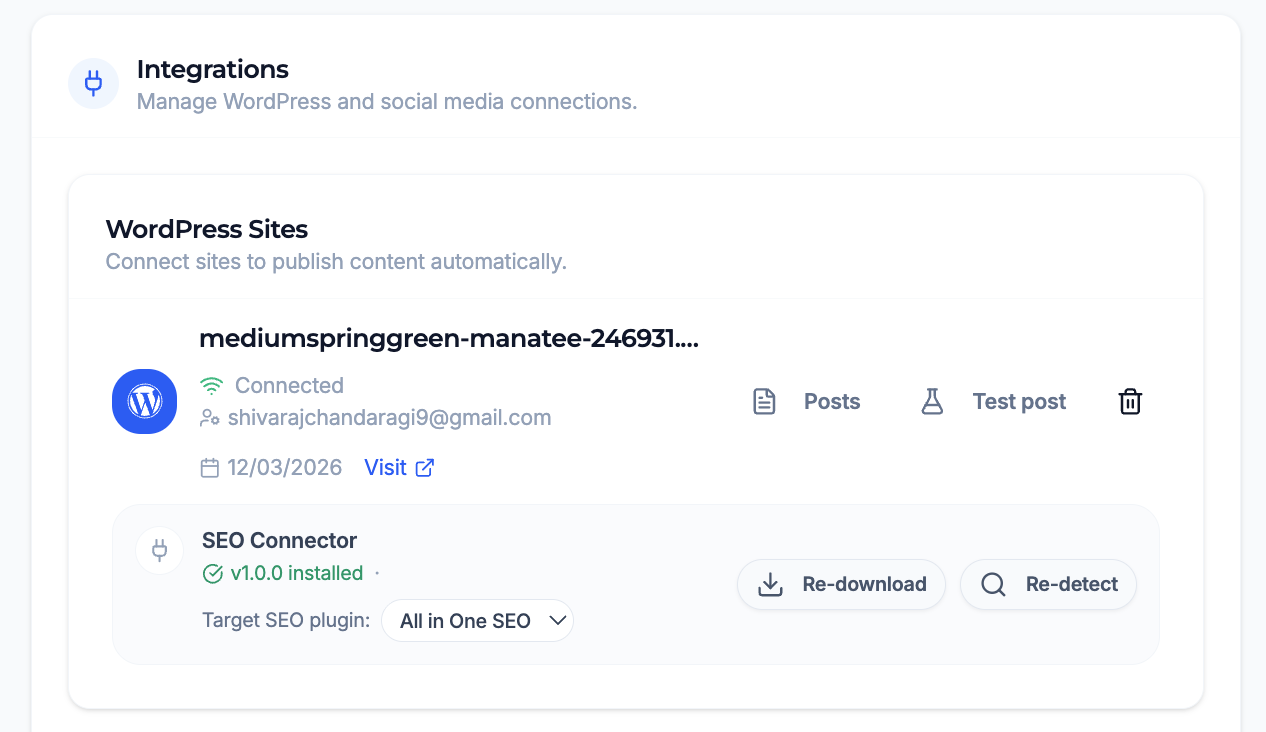
Managing the WordPress connection and SEO connector from the Ghost.blog dashboard — download the plugin, pick the target SEO plugin, and re-detect.
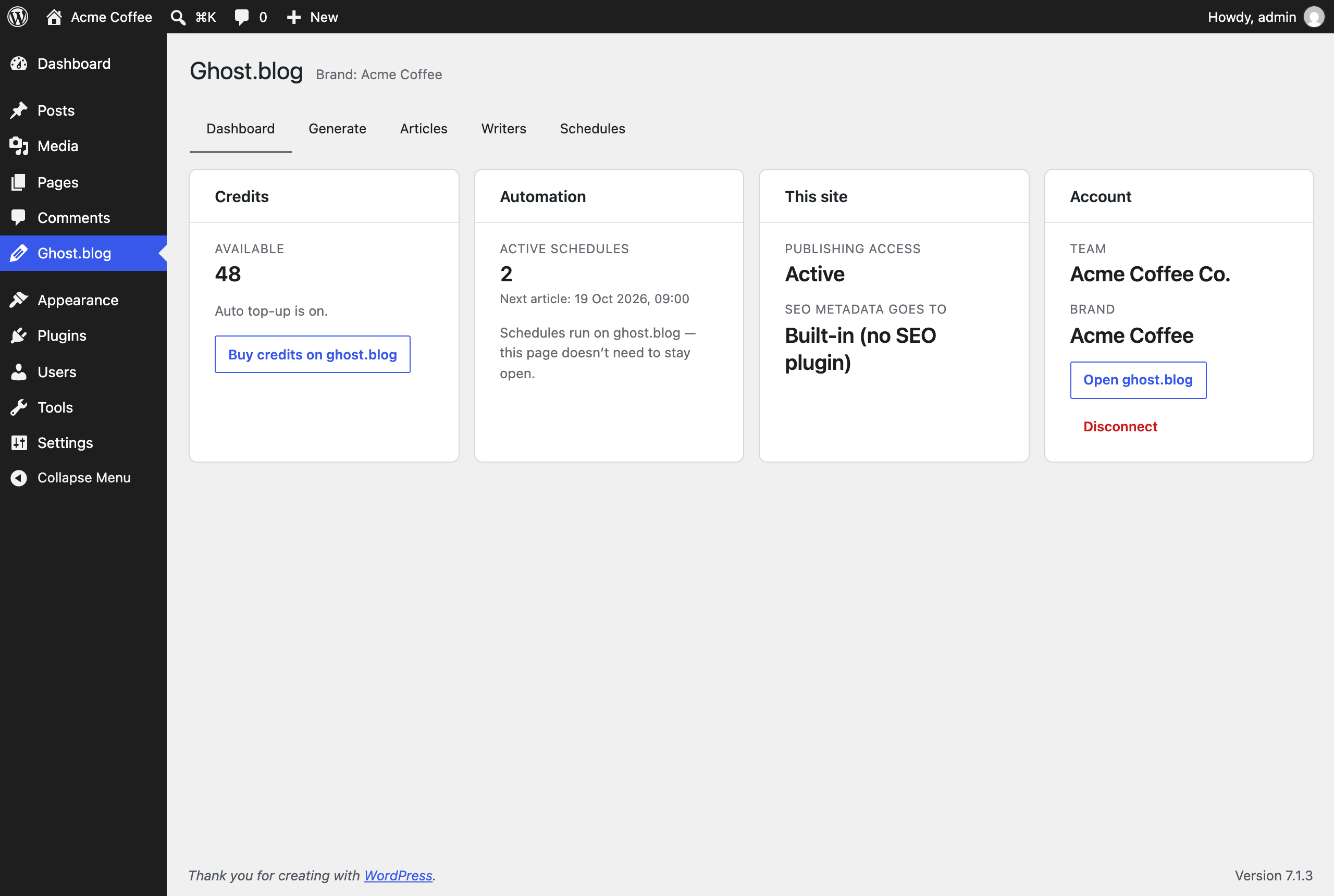
The Ghost.blog control panel in wp-admin: credits, automation status and site health.

Generating an article from wp-admin, with live progress.
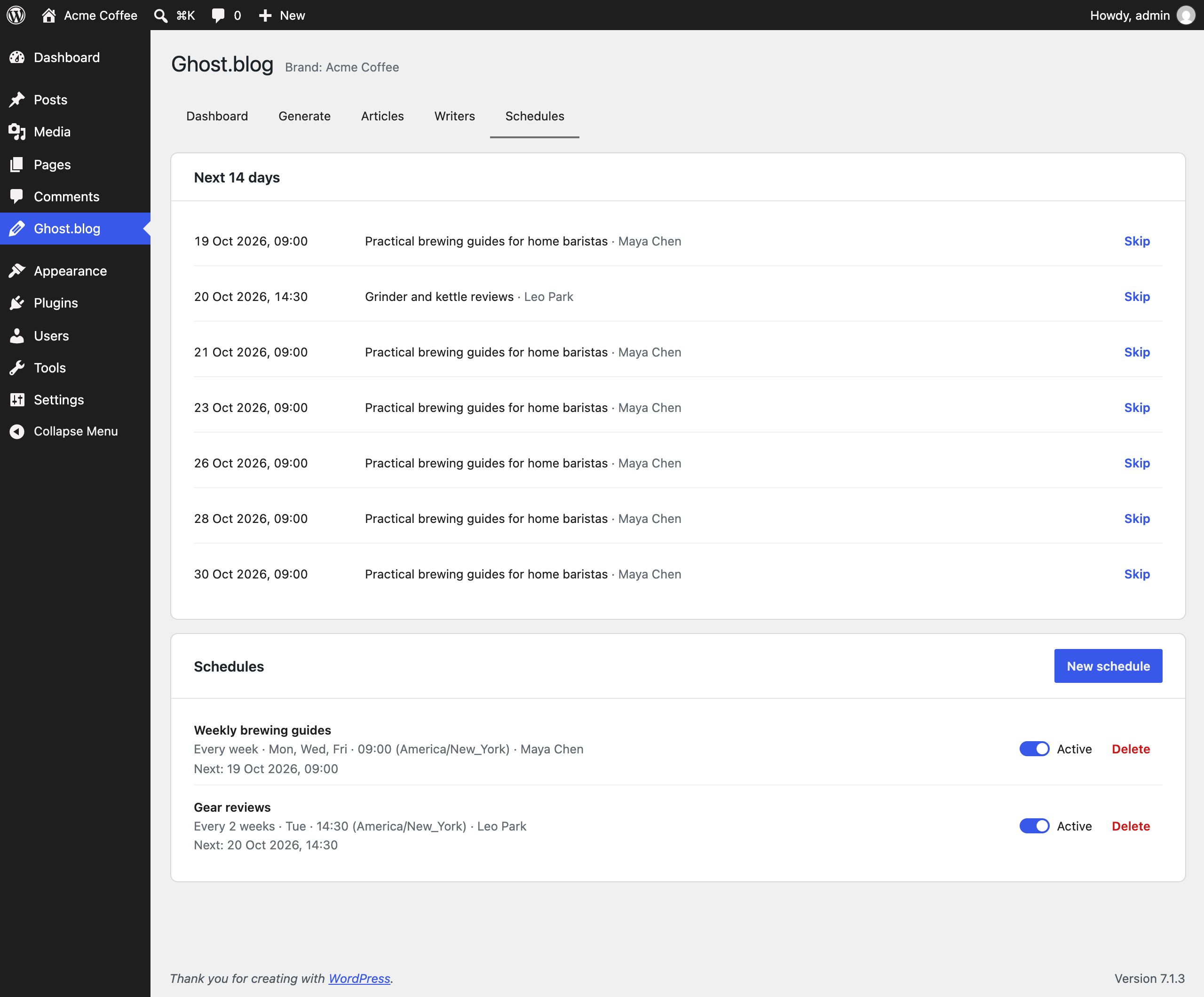
Creating a publishing schedule and skipping a single upcoming article.