
Write several versions of a section once, and let the page show a different one over time.
A testimonial that changes every week. A hero message that rotates each month. A call to action
that differs every day. You write the variations in the block editor, choose how often they
change, and the page takes it from there.
How it works
Add a Cycle block, then add a variation inside it for each version you want. Anything can go
in a variation — headings, images, buttons, columns, other blocks. Pick an interval, and that is
the whole setup.
- Daily, weekly or monthly rotation.
- Shuffle, so a full pass shows every variation before any repeats.
- Sequence, if you want them in the order you wrote them.
- Repeat, or stop on the last variation once the cycle has run through.
- Preview from the editor, stepping through every variation without waiting for the schedule
and without disturbing what visitors see. - No configured limit on variations per block, and as many blocks as you like per page. The
rotation queue is stored in a single database column, which puts a practical ceiling of roughly
1,600 variations on one block — far past any real use.
Rendered on the server, which matters more than it sounds
The variation is chosen before the page is sent to the browser. Only one is ever in the HTML.
- No flicker and no layout shift. Nothing swaps after the page has painted, so the block
never causes the jump that hurts Core Web Vitals. - No hidden duplicate content. Search engines see one variation, not all of them stacked in
the markup with the rest hidden by CSS. - No JavaScript required to choose or display a variation.
- Nothing is written into your post content, so your saved posts do not change as the
schedule advances.
Built to behave
- Every variation is real block content, so it inherits your theme’s colours, typography and
spacing rather than fighting them. - The schedule is tracked per block and per post, so duplicating a page gives the copy its own
schedule instead of sharing one. - If anything goes wrong — a missing schedule, a plugin conflict — the block falls back to
showing its content rather than breaking the page. - Built against WCAG 2.2 AA and fully translatable.
External services
This plugin contacts no external service. It sends nothing from the front end your visitors see,
nothing from the admin, and nothing in the background: it has no update check, no scheduled task
and no analytics.
The settings screen links to your GhostLabs account page, at enter.theghostlab.io, where Cycle
Block Pro is downloaded. That page opens in your browser only when you click the link.
Terms of service ·
Privacy policy
Source code
The plugin’s compiled JavaScript is built from readable sources, and both are published
together at:
https://github.com/theghostlab/wp-ghostlabs-cycle-block-lite
That repository contains this plugin’s source at the version the newest tag names — the same PHP
that ships — plus the uncompiled src/ and dev/ behind its bundles and the configuration used
to build them. Every dependency is a public package, and the one GhostLabs library the plugin uses
is carried as readable source inside it (lib/wp-kit/, GPL-2.0-or-later) — so composer install needs no credentials of any kind and reproduces that
&& pnpm install && pnpm run build
repository’s build/, assets/js/ and assets/css/settings.css byte for byte.
Screenshots

Three versions of one hero, written once and named. Pick the schedule — daily, weekly or monthly — choose shuffle or sequence, repeat or stop on the last one, and preview every variation from the editor without waiting for the clock.
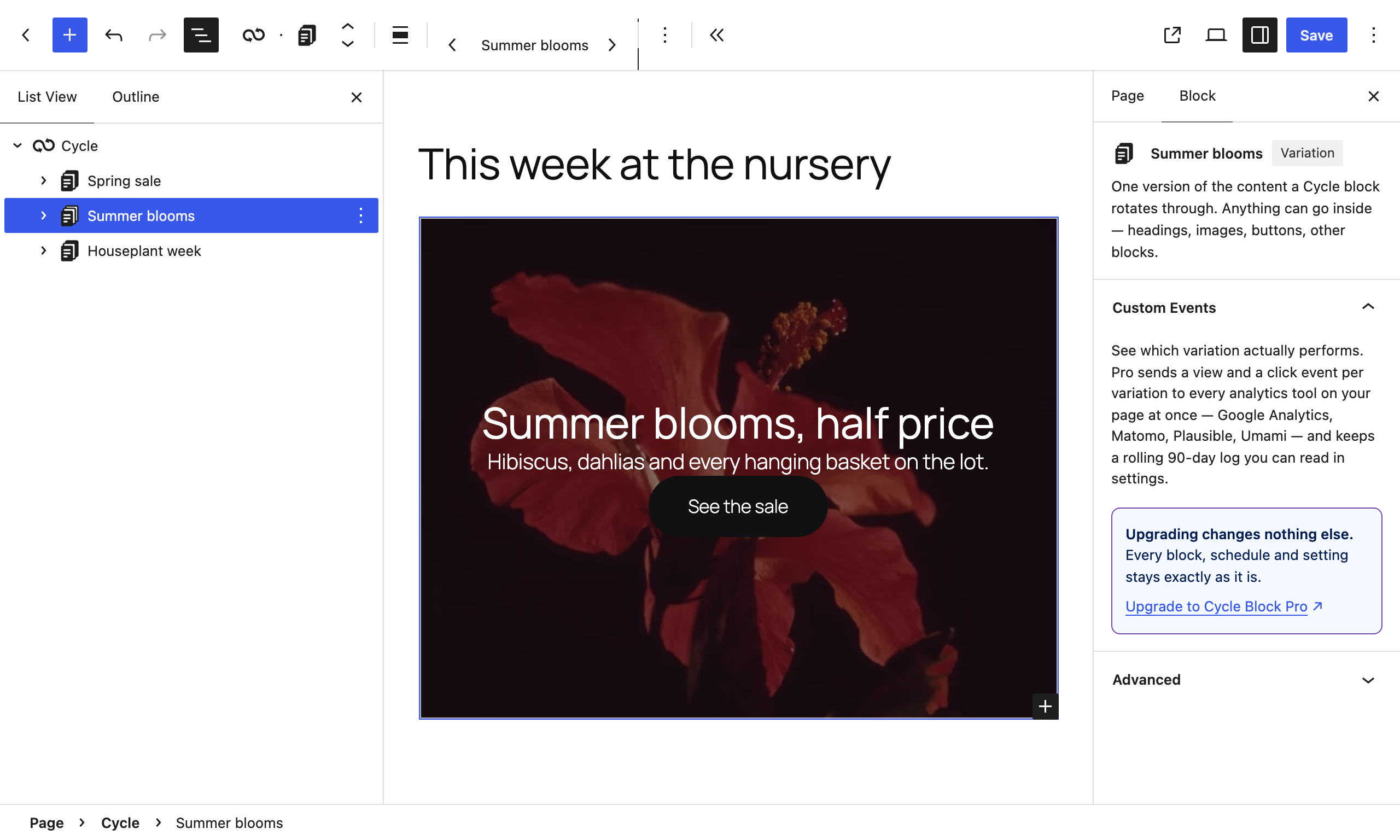
A variation is ordinary block content — a Cover, headings, buttons, columns, anything — so it inherits your theme. The Custom Events panel shows what Pro adds: a view event, and an optional click event, for every event you define, sent to Google Analytics 4, Matomo, Plausible or Umami.
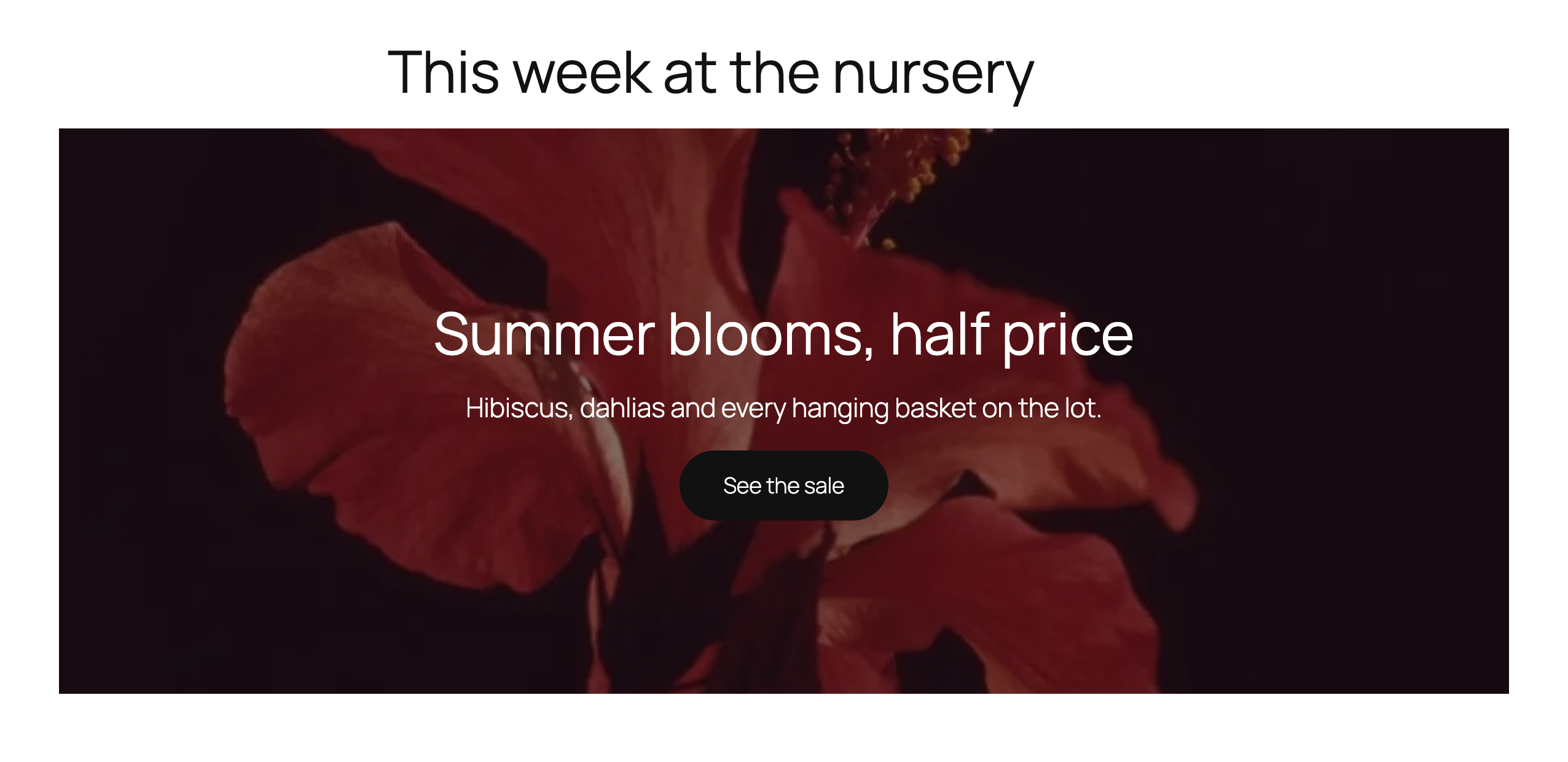
Chosen on the server before the page is sent. One variation is in the HTML, so there is no flicker, no layout shift, and no hidden duplicate content for search engines to find.
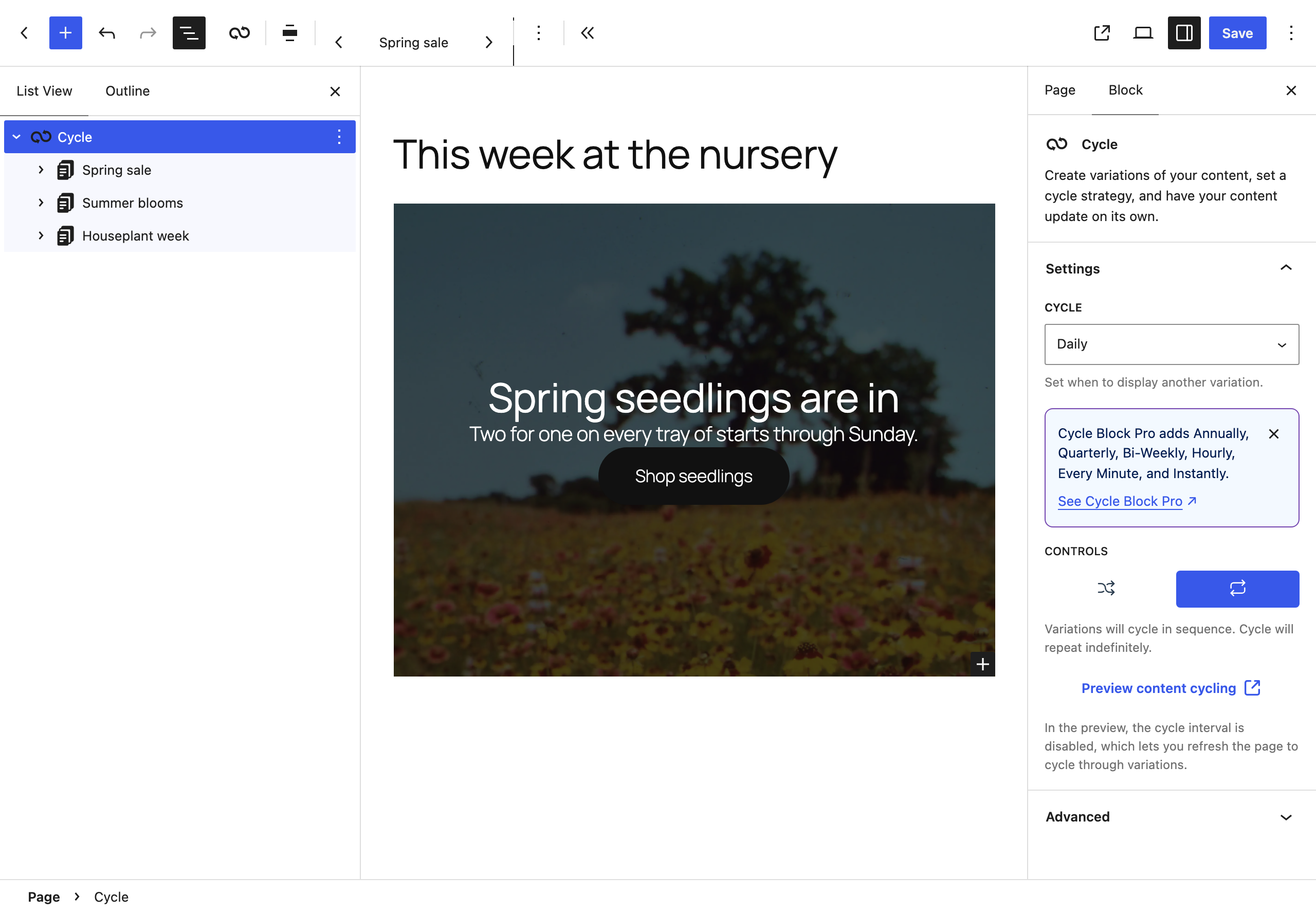
Turn shuffle off and the variations run in sequence, in the order they sit in List View. Here, one a day, starting again once the last has shown.
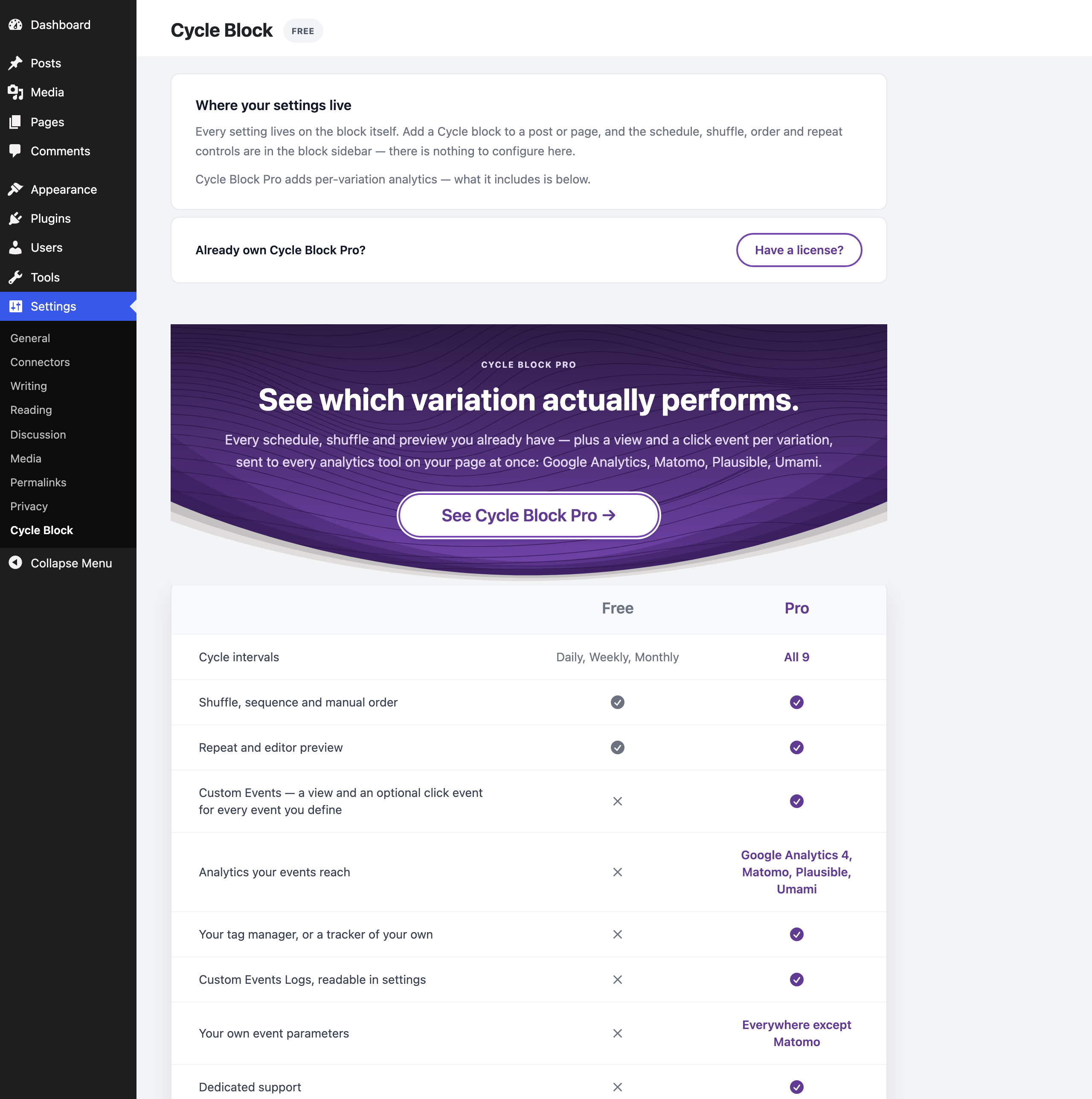
Settings → Cycle Block: where your settings live, how to switch to Pro if you already own it, and what Pro adds beside what you already have.

Already own Cycle Block Pro? Download it from your account, upload it with WordPress's plugin uploader, activate it and enter your license key in its settings. It switches this plugin off, and every block, schedule and setting stays exactly as it was.