BACK TO DIRECTORY
GoalPrevail Custom Admin Screens lets you build backend-only pages with the standard WordPress editor and surface them inside wp-admin.
- Choose the Classic editor or Block editor per screen.
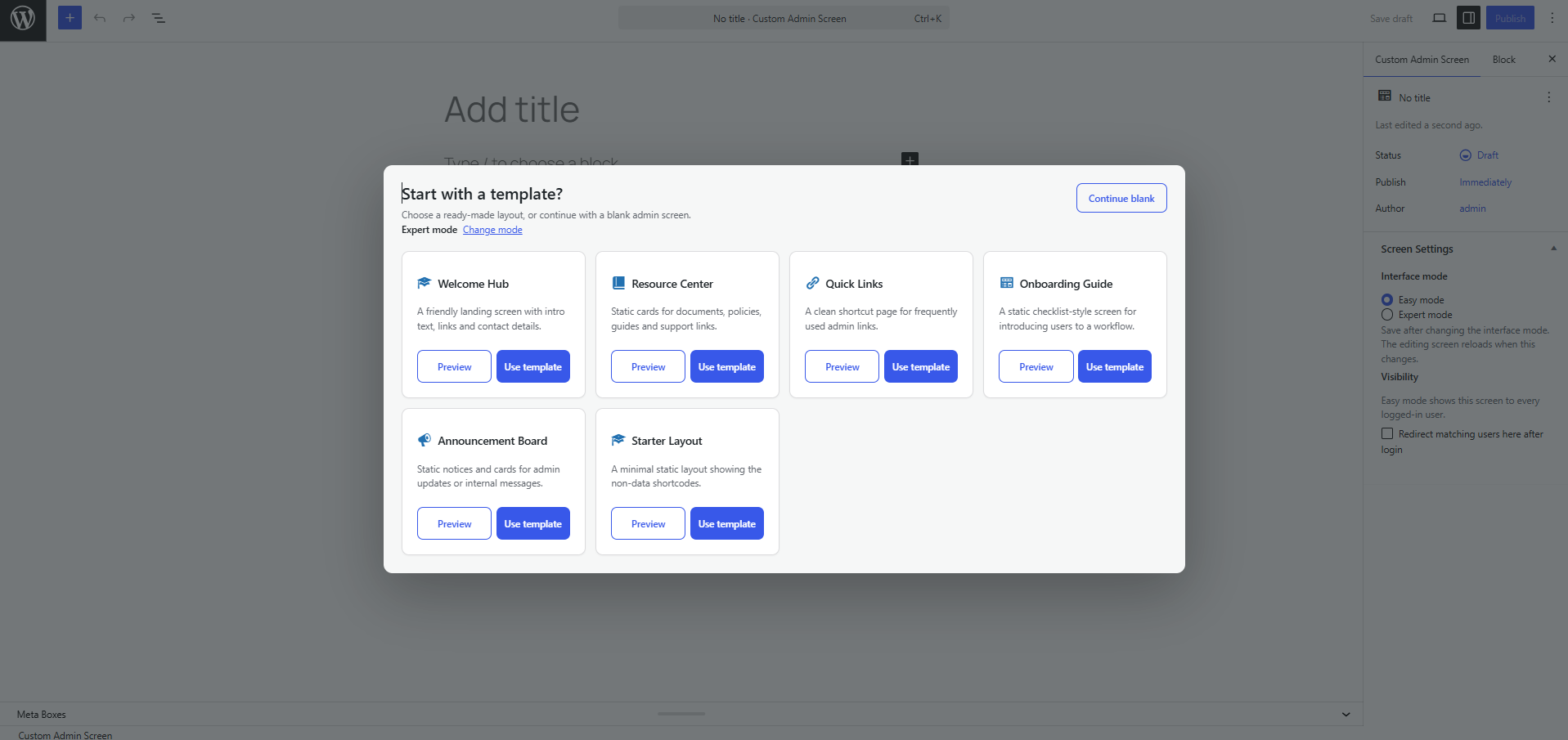
- Start from static prebuilt templates: Welcome Hub, Resource Center, Quick Links, Onboarding Guide, Announcement Board or a Starter Layout.
- When adding a new screen, choose a template from the popup or continue with a blank screen.
- Choose Easy or Expert mode when creating a screen, then change it later from Screen Settings.
- Templates are inserted as editable core blocks by default, and each screen can be switched to the Classic editor from its Screen Settings box.
- Compose admin screens with built-in widget shortcodes: grid, card, button, notice and a personalised greeting. Data-style widgets are still available when you need them.
- Each screen shows up on the admin menu — as a top-level item or grouped under one “My Screens” menu.
- Limit a screen to specific roles, specific users, or leave it open to every logged-in user.
- Mark a screen as a post-login redirect target. Individual-user targeting wins over role targeting, which wins over an unrestricted screen.
- Settings page: default interface mode, login-redirect master switch, default icon and menu placement.
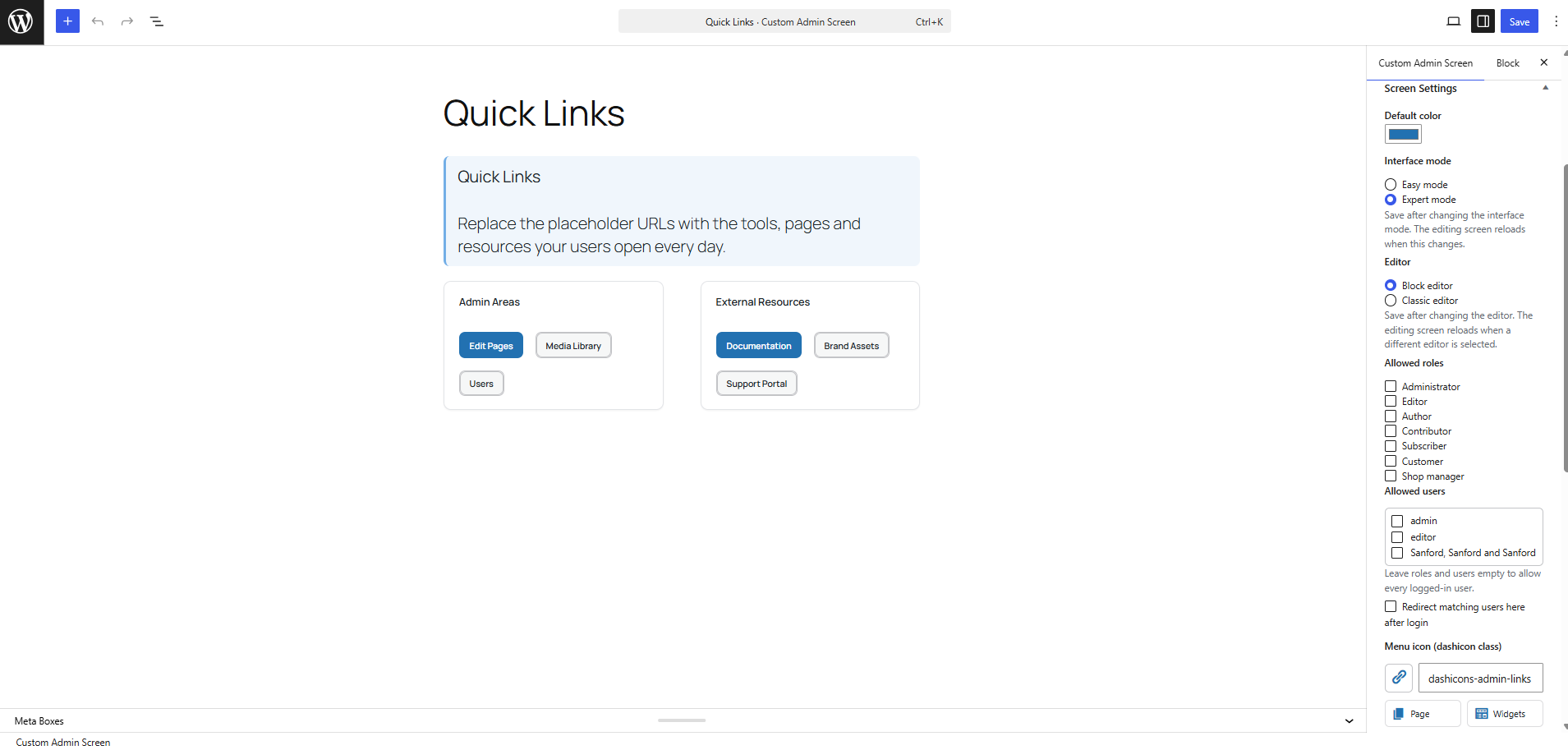
- Screen Settings box: default color, interface mode, editor mode, access rules, redirect target and menu icon.
- The Admin Screens hub is available to users who can edit pages; the Settings tab remains limited to administrators.
- All screen content is sanitized with
wp_kses_post()before it is rendered.
Widget shortcodes
[gpcas_grid columns="3"]...[/gpcas_grid][gpcas_card title="..." icon="dashicons-marker"]...[/gpcas_card][gpcas_stat label="Leads" value="38" icon="dashicons-groups" trend="+12%"][gpcas_button text="Open" url="#" style="primary" icon="dashicons-plus-alt"][gpcas_notice type="success" title="..."]...[/gpcas_notice][gpcas_progress label="Target" value="48" max="100"][gpcas_recent_posts count="5" type="post"][gpcas_user_greeting]
Screenshots
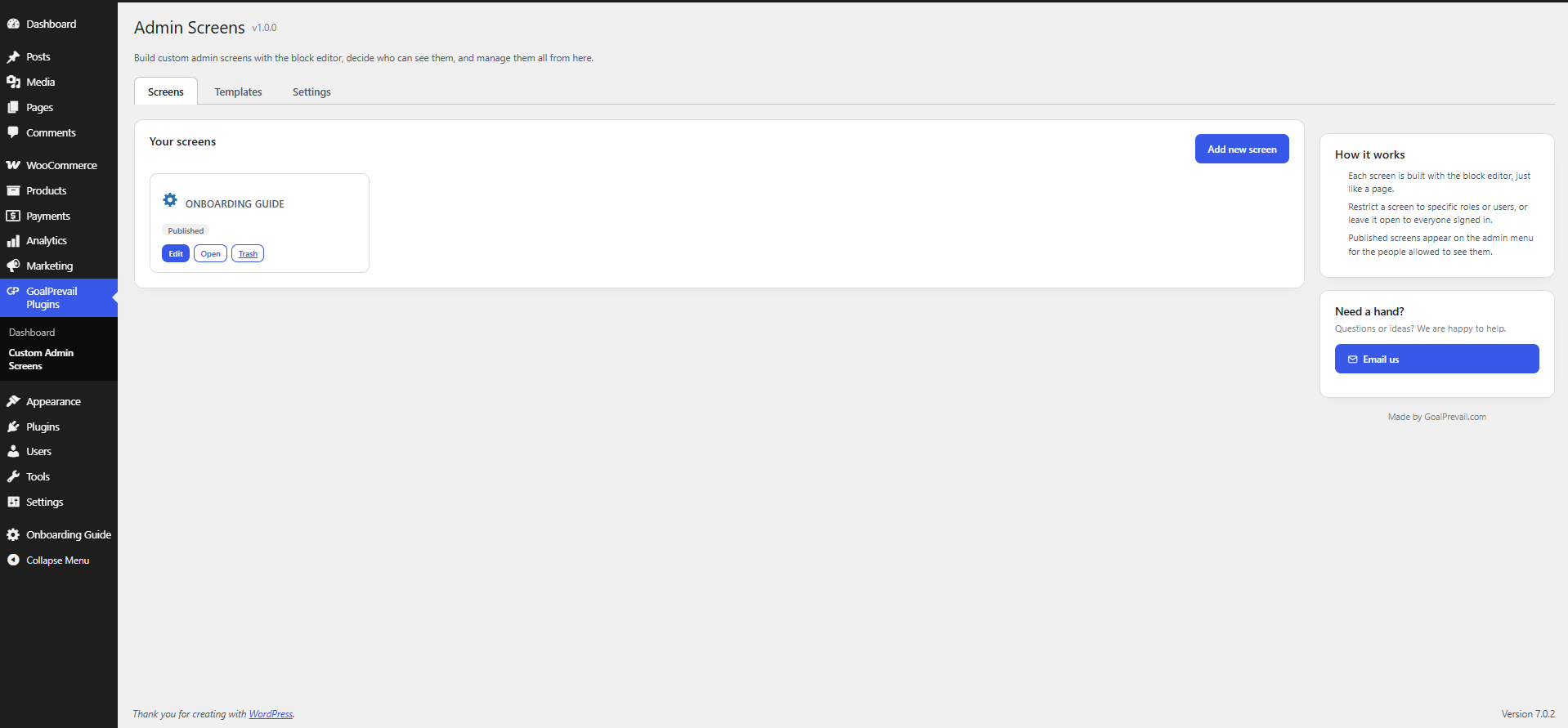
The Admin Screens hub — your screens, templates and settings in one tabbed page.
The template picker shown when adding a new screen.
The Screen Settings box: access rules, redirect flag, icon and accent color.
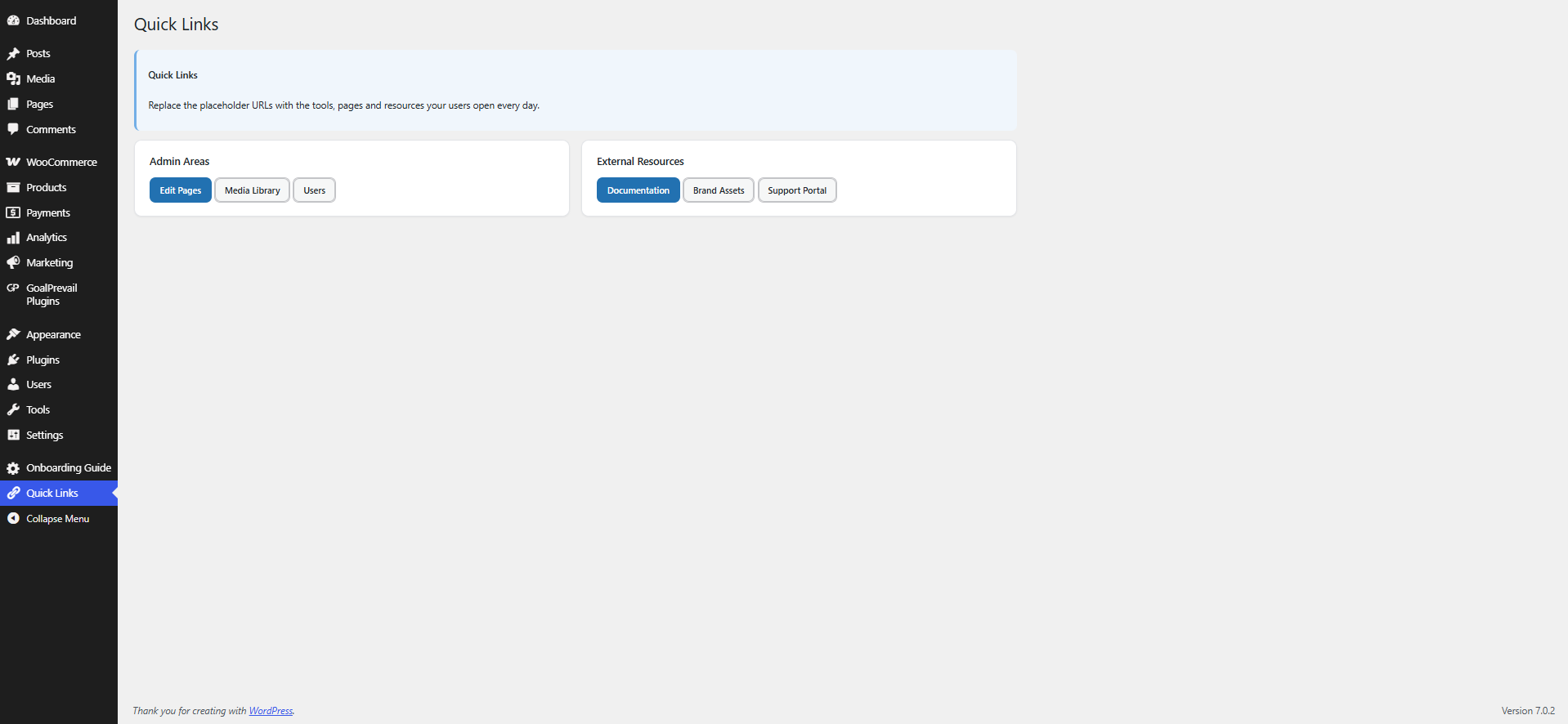
A finished custom admin screen as an end user sees it.
Plugin Details
Active Installs
0Total Downloads
217Version
1.0.0Requires WP
5.8Requires PHP
7.2Tested Up To
7.0.8Added
2026-07-20Last Updated
2026-07-20 3:16pm GMTRatings
5
0
4
0
3
0
2
0
1
0