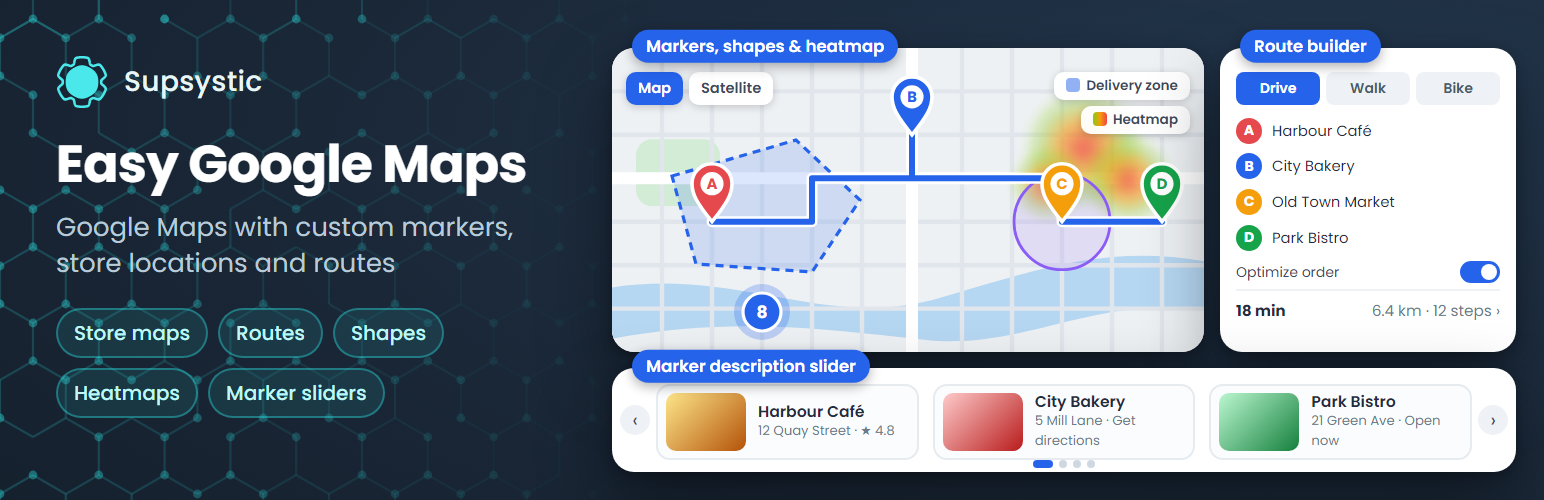
Easy Google Maps by Supsystic adds interactive Google Maps to any WordPress page: unlimited maps and markers, custom marker icons, marker categories with a filter, clustering and map themes. Describe every location with text, photos, video, links, phone and e-mail, then publish the map with a block, an Elementor widget or a shortcode. No code required.
The plugin works with your own Google Maps API key, and the settings page walks you through getting one in a couple of minutes. It supports the current Google Maps JavaScript API, including Cloud Map IDs and Advanced Markers.
Unlimited maps and markers
- Markers with text, photos, video, links, phone and e-mail
- Custom marker icons from the built-in library or your own image
- Marker categories with a front-end filter
- Marker clustering for maps with many locations
- Linked markers that open any URL on click
- Address search: type an address and get the pin
Map settings
- Roadmap, satellite, hybrid and terrain map types
- Width, height, zoom, minimum and maximum zoom
- Scroll-wheel and drag behaviour
- Responsive maps with a separate zoom level on mobile
- A starter set of map themes
- Map language and region (US, CA, GB, DE and more), so labels and address search match your country
- Google Maps China endpoint (maps.google.cn)
Add maps anywhere
- Gutenberg block, Elementor widget, sidebar widget, shortcode and PHP snippet
- Works with WPBakery, Divi, Beaver Builder and other page builders through the shortcode
Import and export
Move maps and markers between sites with CSV import and export.
Made for
- Contact page and office location maps
- Businesses with several branches, stores or dealers
- Real estate and rental listings
- Restaurants, hotels and event venues
- Travel blogs and city guides
Translations
The plugin ships with translations in 15 languages.
Prefer maps without a Google API key?
Try Ultimate Maps by Supsystic for OpenStreetMap and Leaflet maps. It can import your Easy Google Maps maps.
Easy Google Maps Pro
Pro adds directions, layers and richer ways to present your locations:
- Route builder: connect several points, choose the travel mode and let Google find the optimal order of stops, or set your own order
- Get Direction button, routes with turn-by-turn steps and alternate routes, starting from the visitor’s position
- KML layers with filters, and KML points imported as markers
- Traffic, transit and bicycling layers and a heatmap layer
- Figures: polygons, polylines and circles
- Table view and photo or description sliders for your locations
- Visitors can add or edit markers from the front end
- Centre the map on the visitor’s location and a places search toolbar
- Fullscreen and print buttons, custom control positions and hidden labels
- Static map images, social sharing and markers shown between two dates
- The full collection of map themes
Learn more
Screenshots
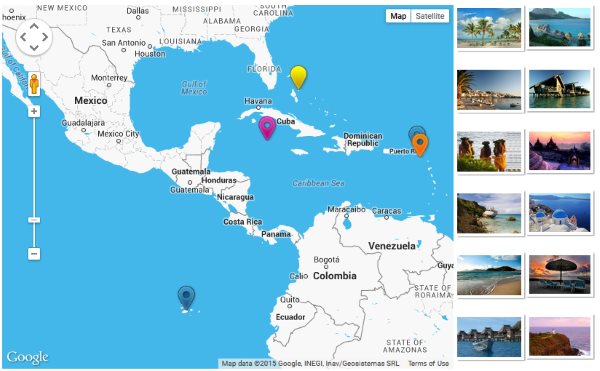
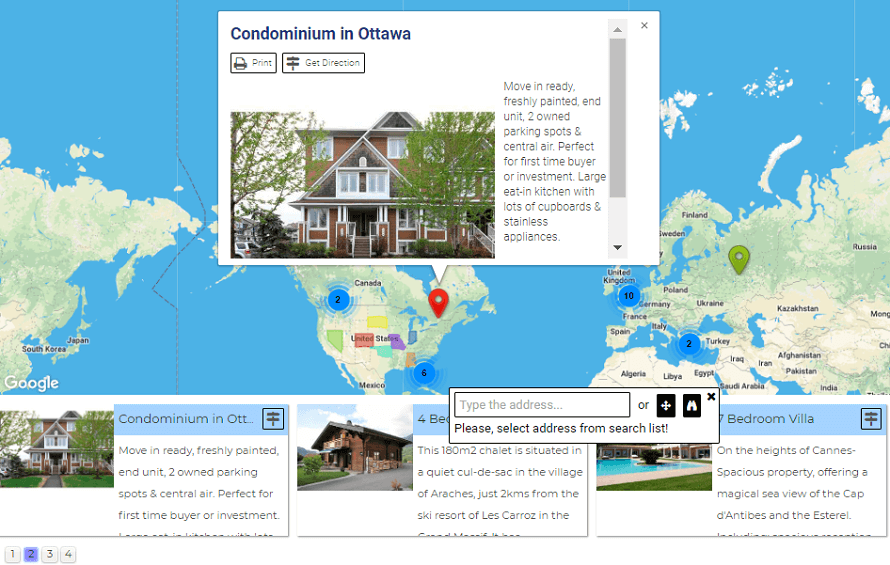
Google Map with custom markers and info windows.
Markers shown in an image slider next to the map (Pro).
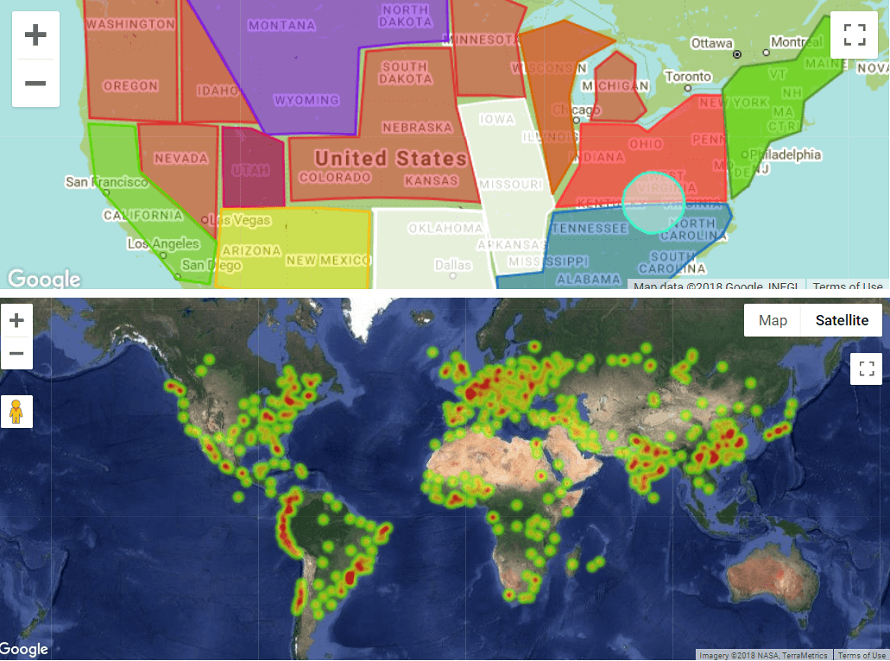
Map with figures and a heatmap layer (Pro).
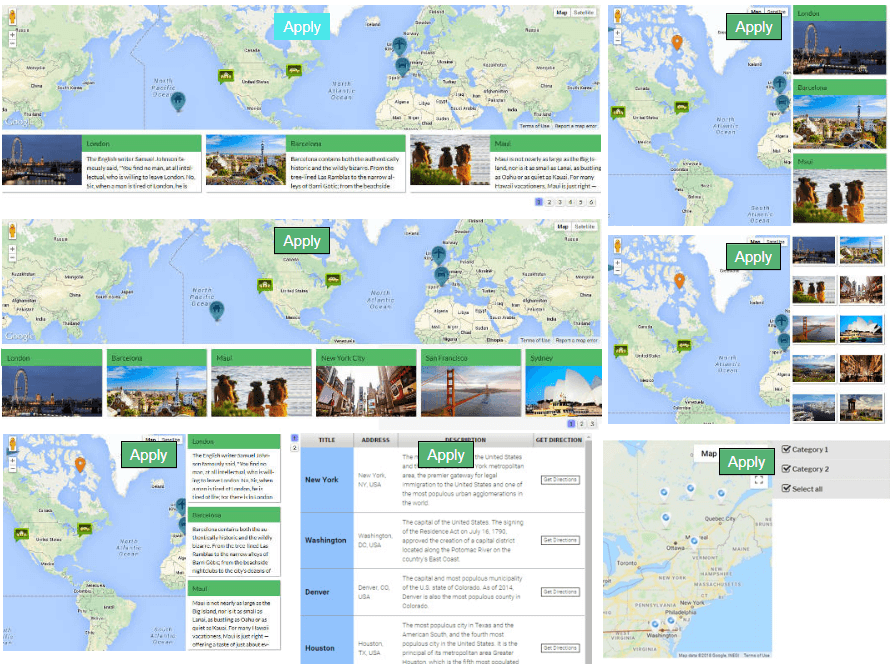
Marker lists that help visitors find a location faster (Pro).
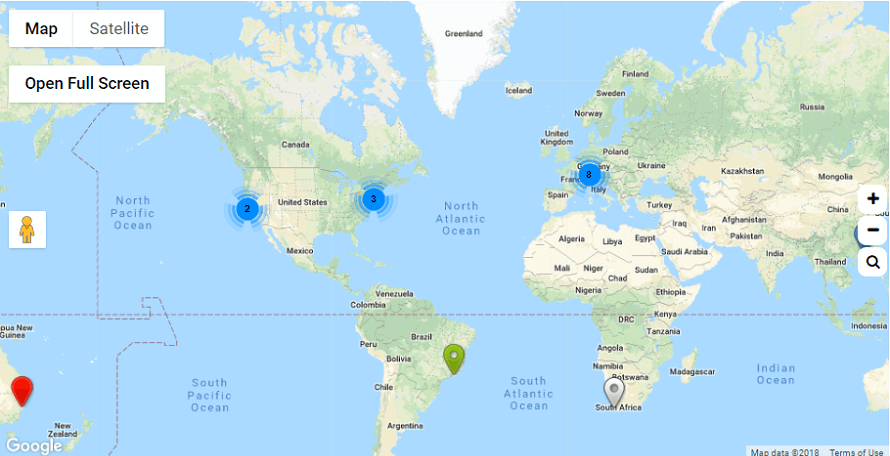
Marker clustering groups nearby markers as you zoom out.
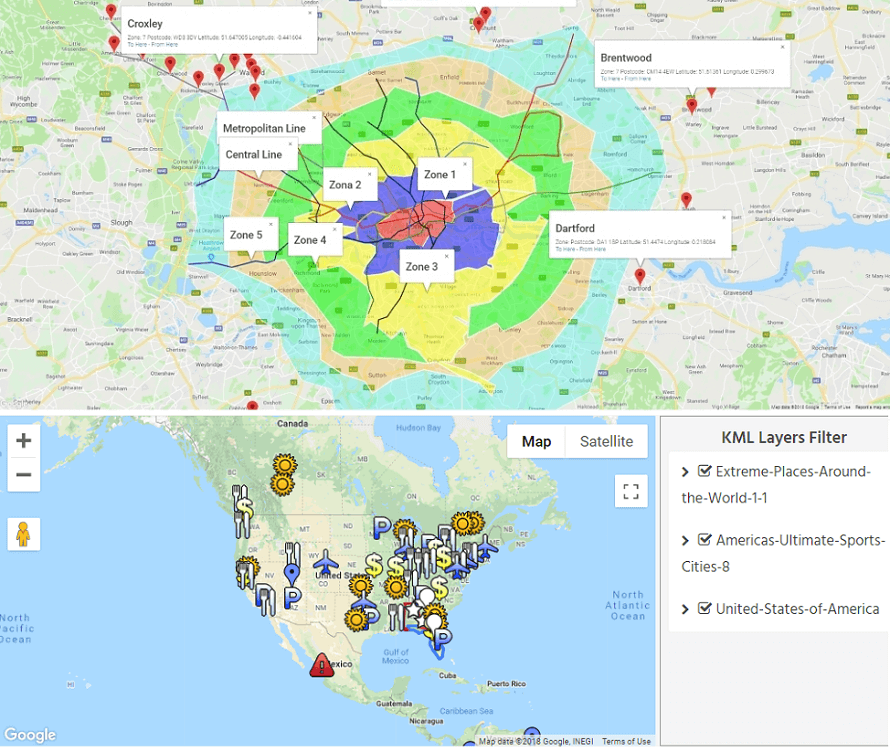
KML layers with a KML filter (Pro).
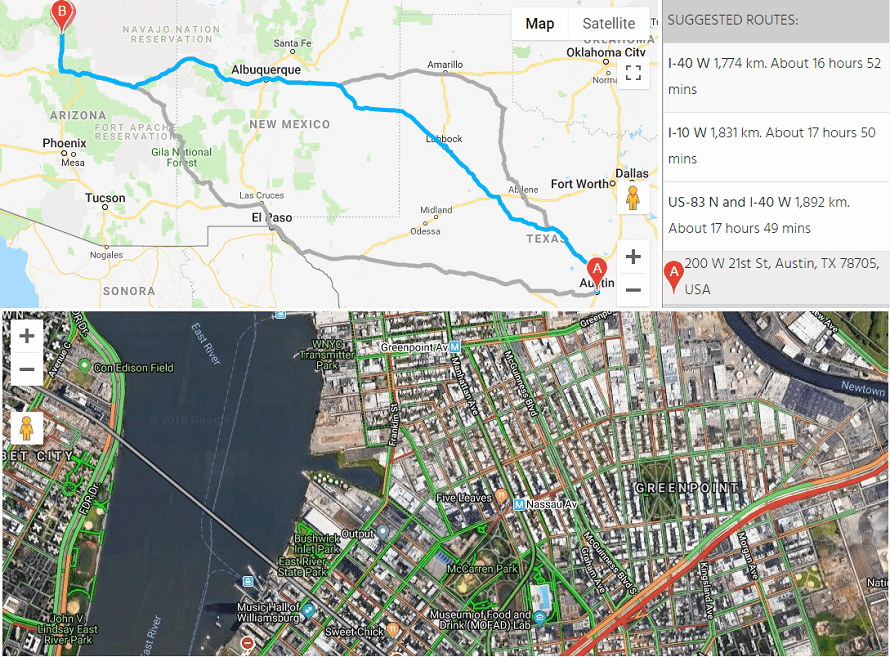
Route through several points with step-by-step directions, alternate routes and a traffic layer (Pro).
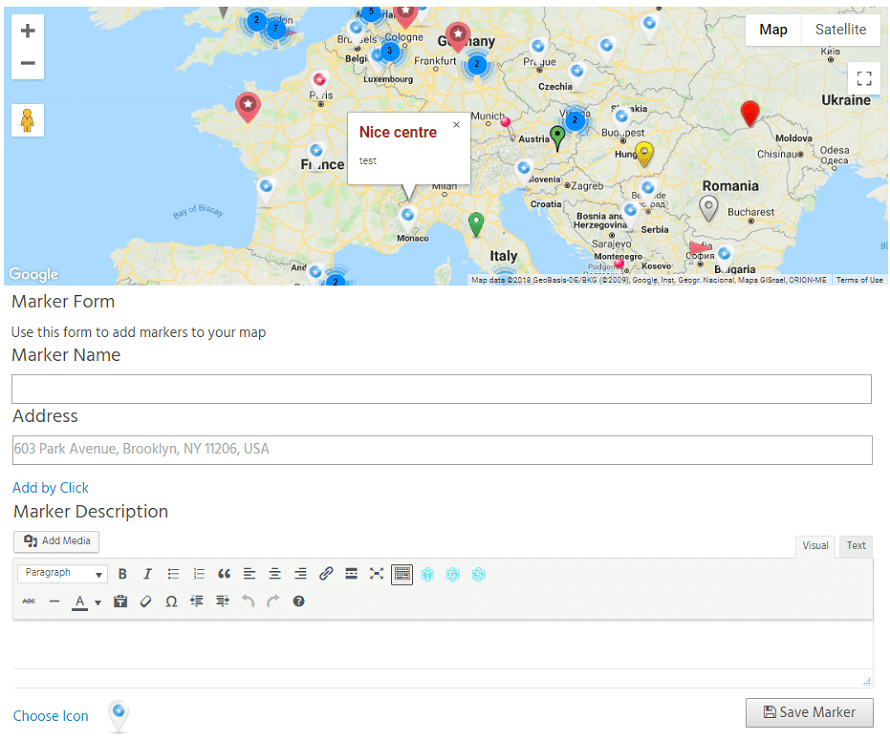
Visitors adding markers from the front end (Pro).
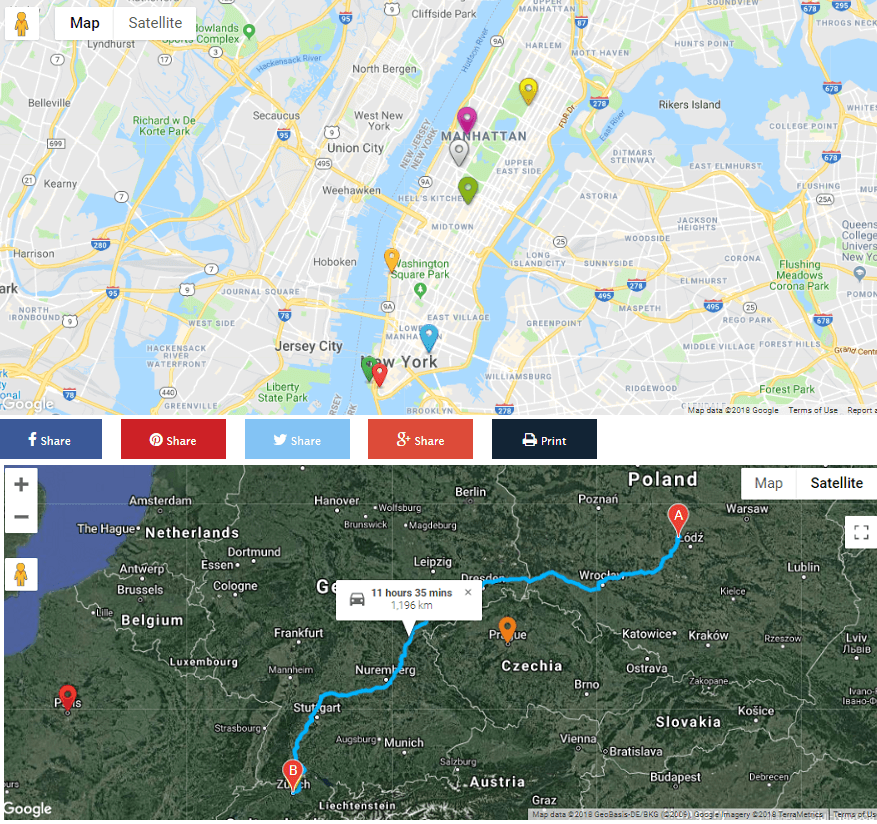
Social share buttons and the Get Direction feature (Pro).
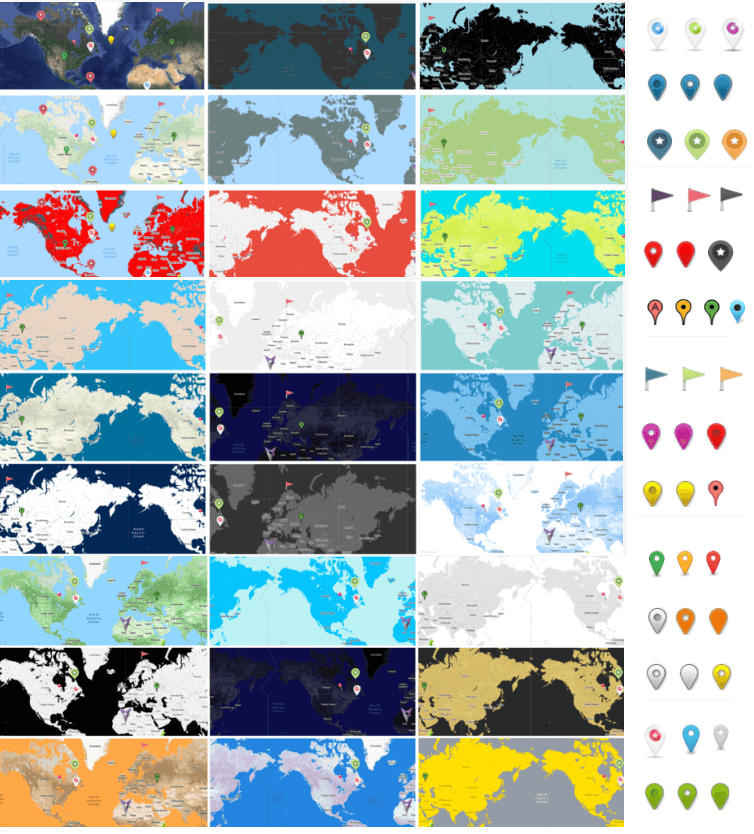
Map themes to match your site design.
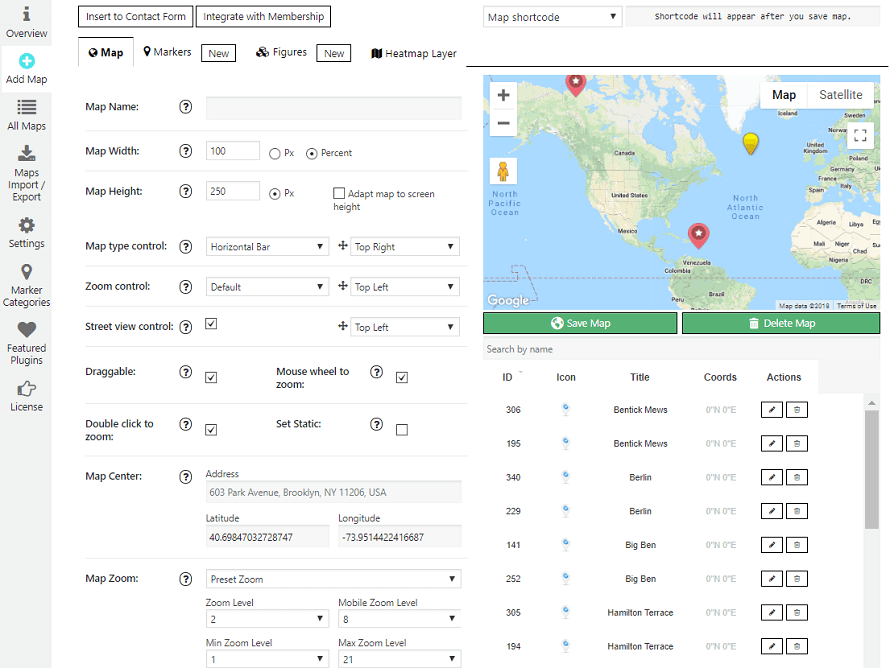
Map settings in the admin area.
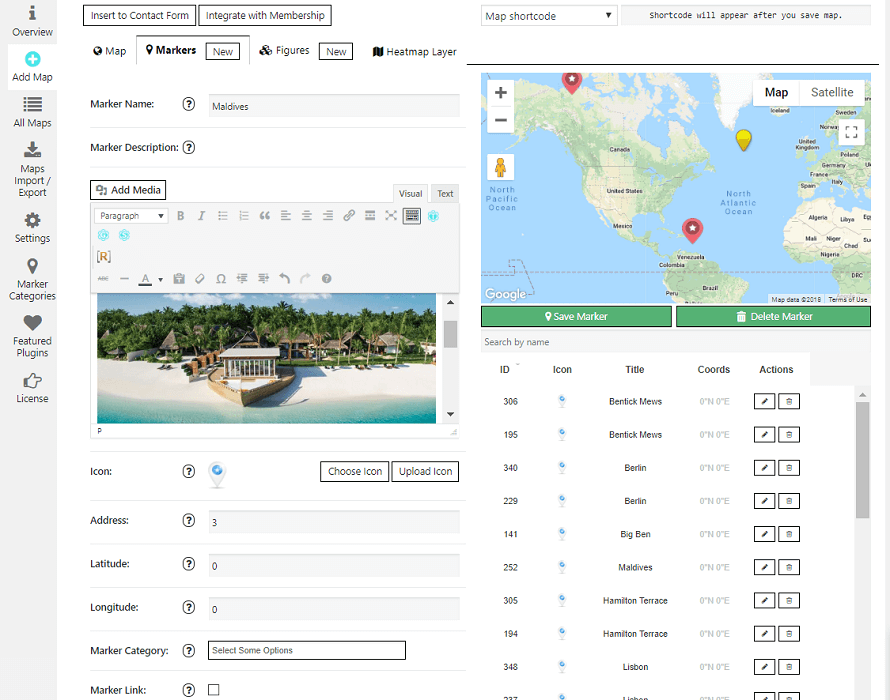
Marker settings: description with links, images and video.