
GoUltra Auth adds a WhatsApp one-time code as a second factor at login. After the password is
accepted, the user enters a short code delivered to their WhatsApp, so a leaked password alone
is no longer enough to get into the admin.
It connects to the GoUltra service, which delivers the code through a WhatsApp
Authentication-category message.
Why WhatsApp (an honest comparison)
WhatsApp authentication codes are not delivered through the SMS network, which reduces exposure
to common SMS delivery and interception risks (such as message interception, poor reception,
and certain SIM-swap scenarios). No authentication method is unbreakable, so GoUltra Auth also
includes rate limits, recovery controls and an audit log. It usually costs less than SMS in
most markets and arrives over Wi-Fi without a cellular signal.
What you get in this version
- Admin / role-based login 2FA over WhatsApp.
- Passwordless login for customers: sign in (or register) with a WhatsApp code instead of a
password, with an optional “remember this device” (off by default, customers and subscribers
only, password sign-in always kept). - Self-service enrollment: each user verifies their own WhatsApp number.
- Recovery codes (single-use) so you are never locked out.
- Emergency disable via wp-config.php and WP-CLI.
- Rate limits per user, per IP and per site, plus daily and monthly cost caps.
- A security score and an audit log.
Recovery and lockout protection
You can always get back in without WhatsApp: enter a recovery code, add
define( ‘GOULTRA_AUTH_DISABLE’, true ); to wp-config.php, or run wp goultra-auth disable.
External services
This plugin sends the WhatsApp phone number you provide, and a one-time code, to the GoUltra
service so the code can be delivered over WhatsApp. No message is sent until you connect the
plugin with a GoUltra API key and a user enrolls a number.
- Service: GoUltra – https://goultra.ai
- API endpoint: https://go.goultra.ai/api
- Terms: https://goultra.ai/terms
- Privacy: https://goultra.ai/privacy
GoUltra is an independent software service and is not affiliated with, endorsed by, or operated by Meta or WhatsApp. WhatsApp and Meta are trademarks of their respective owners.
Screenshots
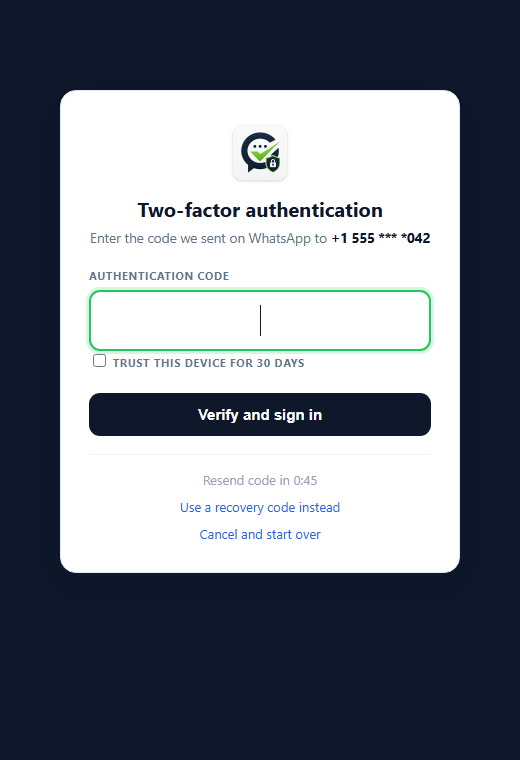
Admin login protected by a WhatsApp two-factor code, with an optional "Remember this device for 30 days".
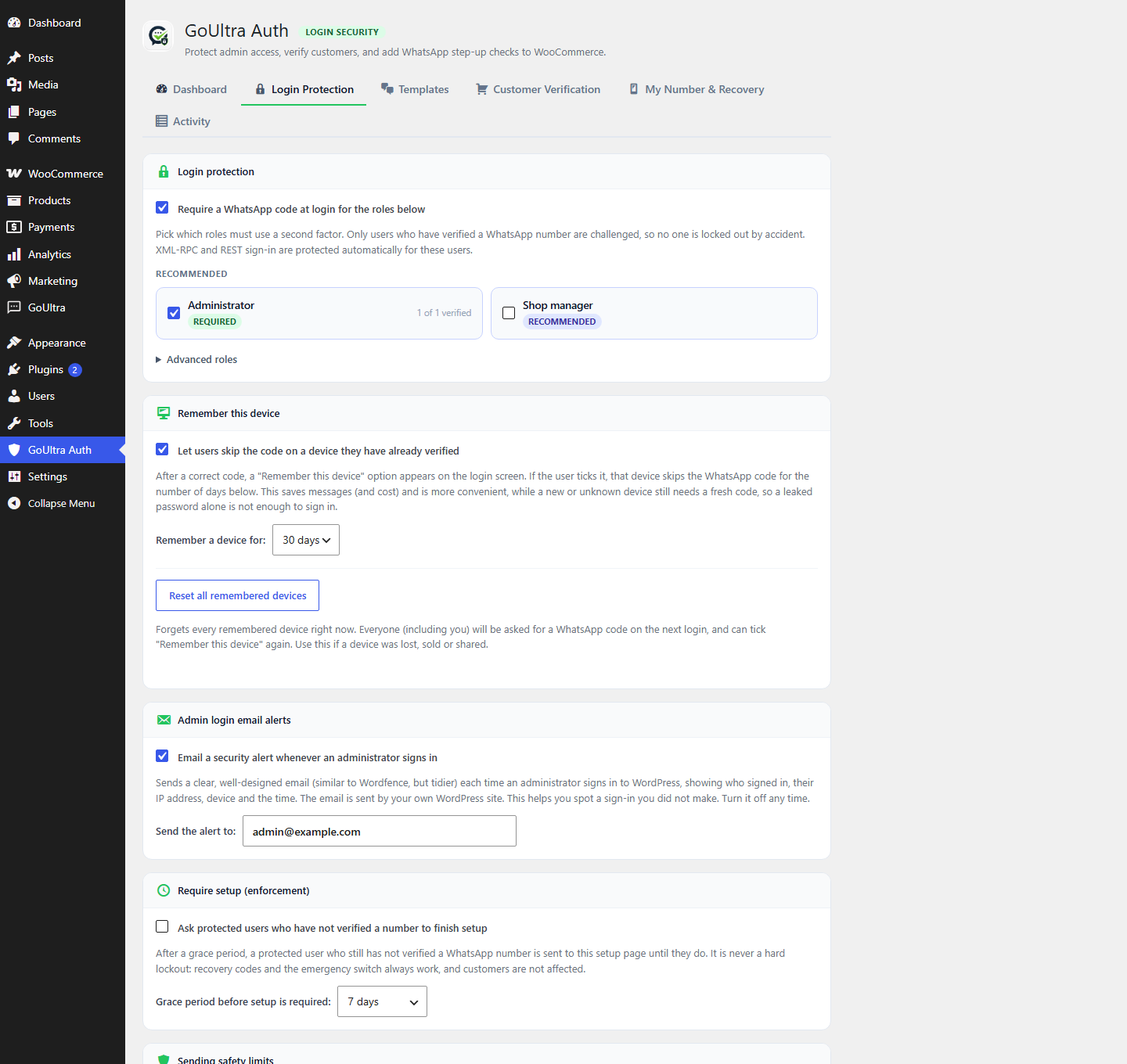
Login Protection settings: choose which roles use two-factor, turn on "Remember this device", and email a security alert on every administrator sign-in.
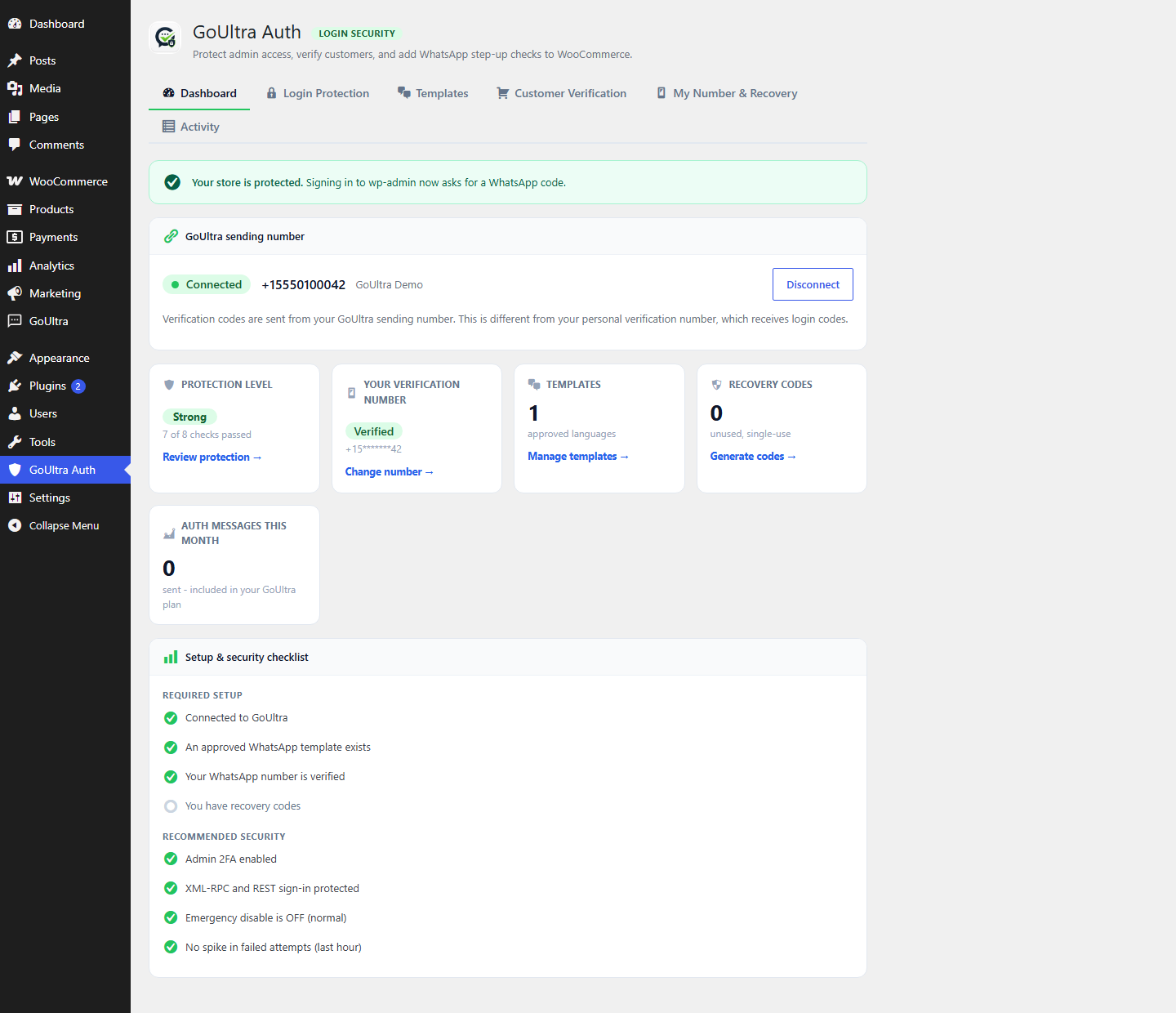
The GoUltra Auth dashboard: connection status, protection level and a setup and security checklist.
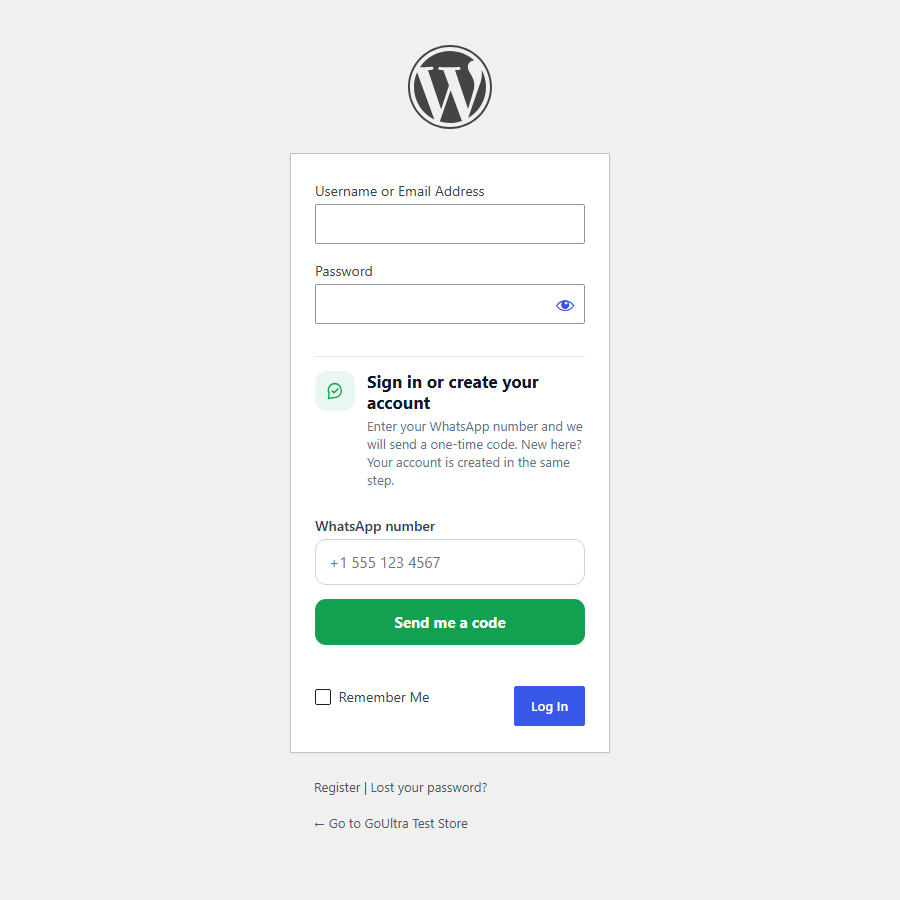
Passwordless sign-in: customers sign in with a WhatsApp code instead of a password, or create an account in the same step.
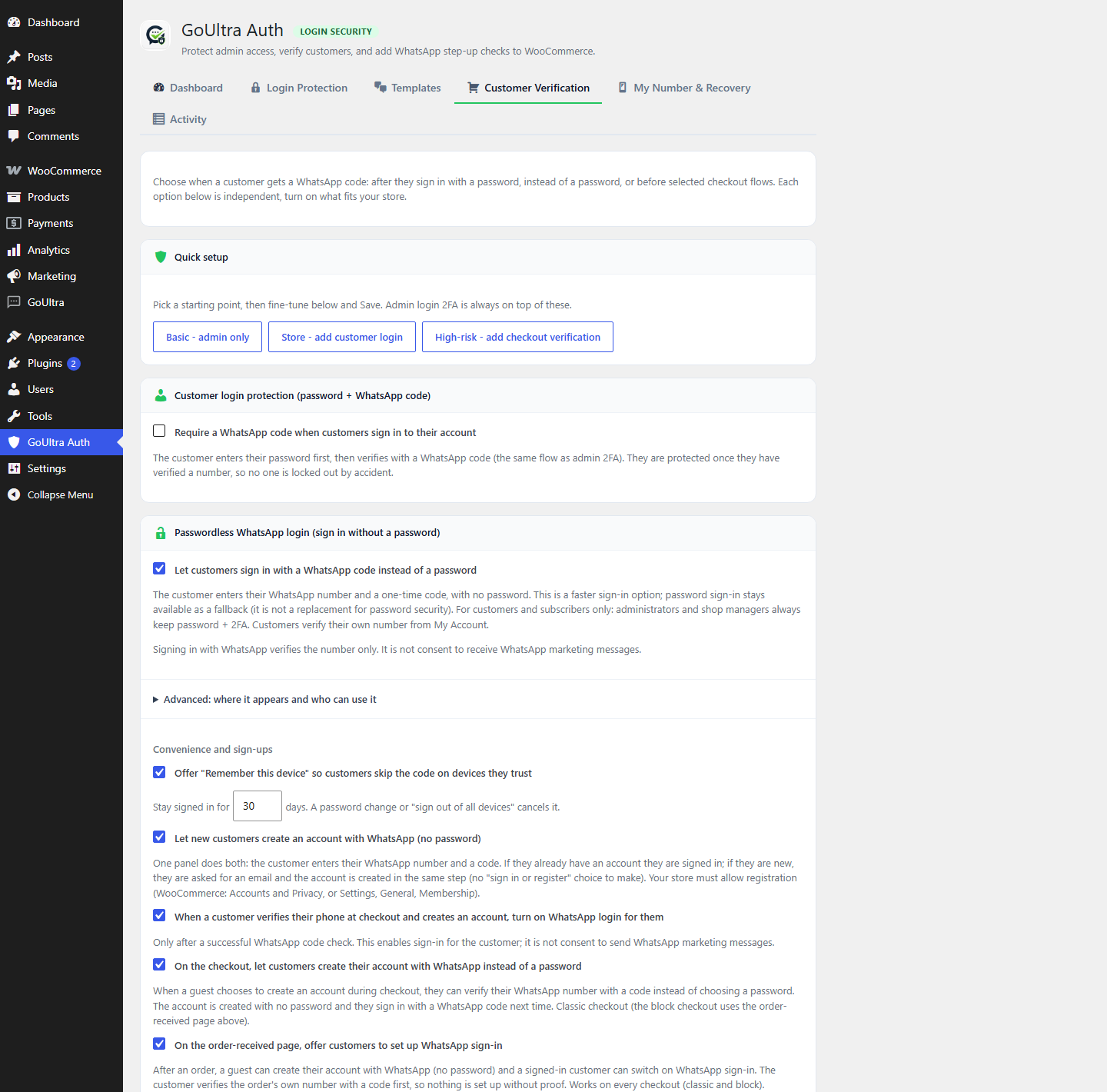
Customer sign-in options: passwordless login, account creation with WhatsApp, and risk-based checkout verification.
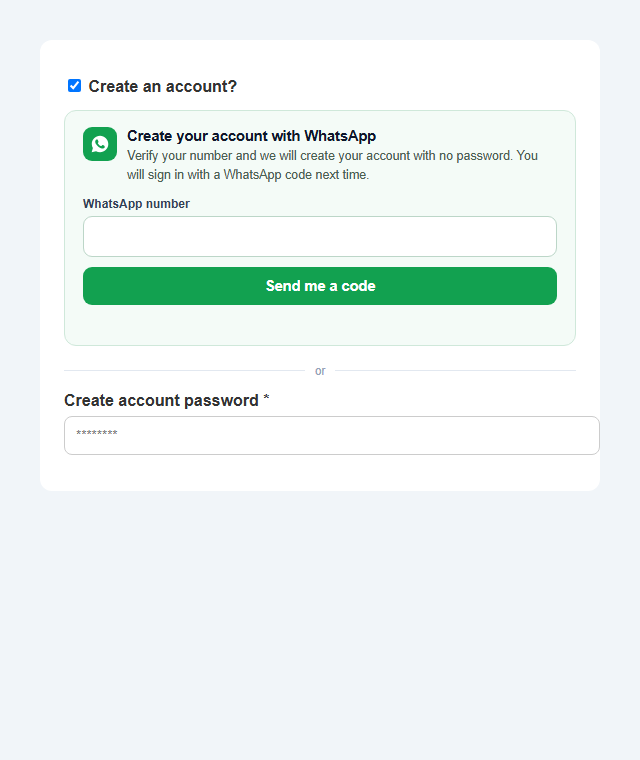
On the checkout, a guest can create their account with WhatsApp instead of choosing a password.
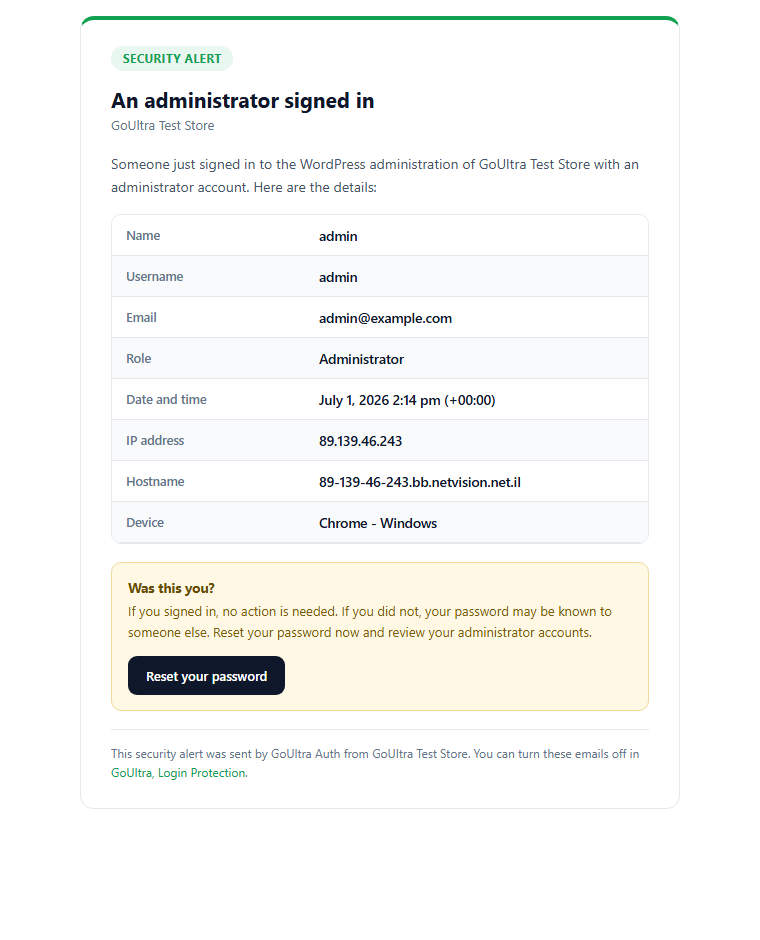
A clean security email is sent whenever an administrator signs in, showing the username, IP address, device and time.