BACK TO DIRECTORY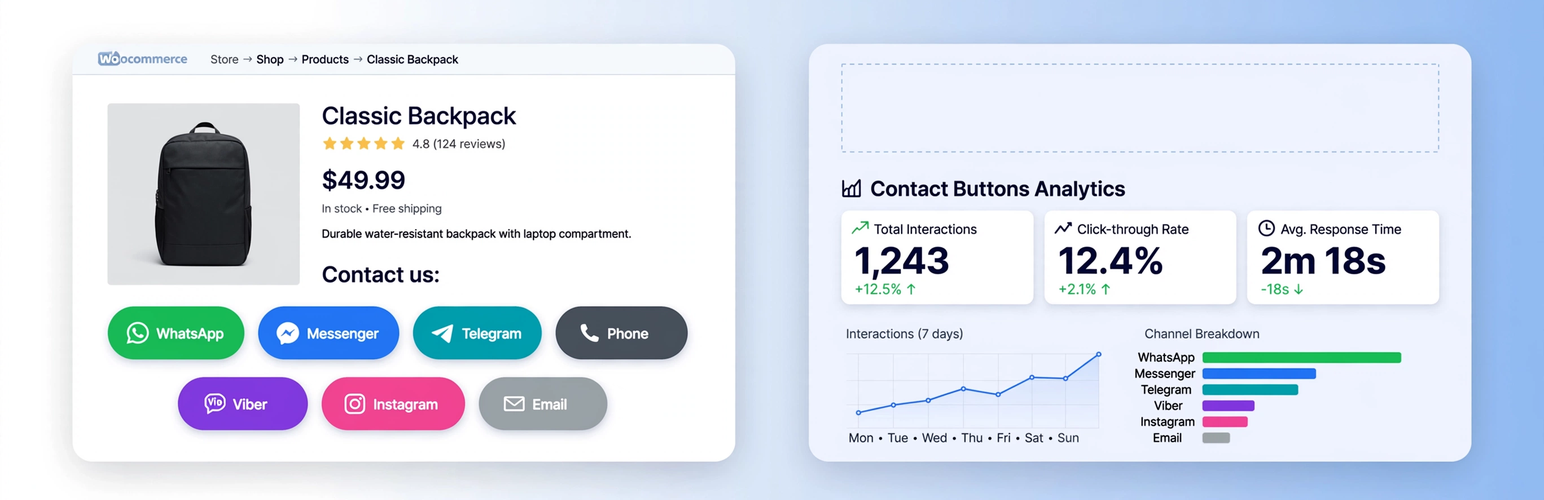


GRC Contact Buttons + Universal Tracker is the all-in-one solution for WooCommerce stores that want both beautiful contact buttons AND complete analytics.
2 plugins in 1:
- Contact Buttons on WooCommerce product pages (Facebook Messenger, WhatsApp, TikTok, Phone, Email, Viber, Telegram, Instagram)
- Universal Click & Form Tracker for the ENTIRE site – tracks every contact link regardless of where it is (header, footer, widgets, product page)
What’s new in 2.4.x:
- ✅ Source column – Automatically detects traffic source:
fbclid= Facebook,gclid/gad_source= Google Ads,utm_source/utm_medium/utm_campaign, referrer domain - ✅ Beautiful new icons – Official brand logos, pill-shaped buttons (999px radius), hover effects, shadows – looks premium
- ✅ Modular – You can enable ONLY tracking without buttons, or ONLY buttons without tracking (Contact Tracker > Settings)
- ✅ Universal tracking – Tracks ALL
tel:,mailto:,wa.me,m.me/,t.me/,viber://,ig.me/m/,tiktok.comlinks from anywhere on site, not just product buttons - ✅ All forms tracking – CF7, WPForms, Gravity Forms, Fluent Forms, Elementor Forms, Ninja Forms, Formidable, WS Form, generic HTML forms, WooCommerce checkout – only successful submissions
Features:
- Independent enable/disable toggle for each contact channel
- For each channel you can set recipient (phone number, username, or email address)
- Default message configurable per channel with placeholders
{product}and{link}– automatically replaced with product name and URL - Built-in premium SVG icons for each channel, no external dependencies
- Modern pill-shaped buttons with shadows and hover animations
- Dashboard with monthly stats: Contact Tracker > Dashboard
- Daily evolution chart, Top numbers/emails/forms, Last 150 events with Source column
- Top Traffic Sources report (Facebook / Google Ads / UTM)
- All settings managed from Contact Tracker > Settings and Settings > Social Buttons
- Tracking works even if button is disabled – universal site-wide detection
Use cases:
- Only tracking: Disable buttons display and keep tracking enabled – perfect for stats only
- Only buttons: Enable buttons, disable tracking – no DB storage
- Everything: Keep all 3 modules enabled (recommended)
This plugin requires WooCommerce only if you enable product page buttons. Tracking works without WooCommerce.
Screenshots
Dashboard with universal stats + Source column (Facebook/Google Ads detection)
Top Traffic Sources report
Plugin Details
Active Installs
10Total Downloads
334Version
2.4.2Requires WP
6.0Requires PHP
7.4Tested Up To
7.1.4Added
2026-07-31Last Updated
2026-08-21 10:24am GMTRatings
5
0
4
0
3
0
2
0
1
0