Gregius Data is an open-source orchestration layer for AI workflows in WordPress.
It connects WordPress content with PostgreSQL-backed retrieval and AI provider workflows using familiar WordPress patterns.
WordPress remains the source of truth. PostgreSQL runs alongside as a secondary execution layer for retrieval and vector operations.
Key Features:
- RAG Workflow – Retrieval, governance, answer generation, and source attribution
- Provider Architecture – Database backends and AI providers behind stable contracts
- Selective Sync – Choose which post types are synchronized to PostgreSQL
- Interaction and Logs – Operational visibility for request flows and outcomes
- Orchestration Controls – Retrieval, model selection, and policy controls in one workflow
- Integration Surface – REST API, WP-CLI, and hooks for extension and automation
- RAG Assistant Block – Drop a retrieval-augmented chat assistant into any page with its own model and prompt controls
How It Works
- Syncs your WordPress content to PostgreSQL (you choose what syncs)
- Runs retrieval operations from PostgreSQL-backed data
- Executes RAG generation with your configured AI provider (optional)
- Returns answer data with source metadata and governance context
- Captures interaction/log details for monitoring and review
Your WordPress stays on MySQL. PostgreSQL runs alongside as a secondary execution layer.
Use Cases
- Grounded site assistants based on your published WordPress content
- RAG-driven Q&A experiences where source attribution is required
- Recommendation engines that suggest relevant content using semantic similarity
- Developer-oriented AI integrations using REST API, hooks, and WP-CLI
Contributors & Developers
Gregius Data is open source software. The following people have contributed to this plugin.
- Hector Jarquin — Lead developer and maintainer
- Gregius — Product owner and sponsor
Visit the contributor profiles on WordPress.org:
* https://profiles.wordpress.org/hectorjarquin/
* https://profiles.wordpress.org/gregiusteam/
Repository
Source code and build instructions:
https://github.com/gregius/gregius-data
This plugin uses composer for PHP dependency management and @wordpress/scripts for asset compilation. Source JavaScript lives in assets/src/ and compiles to assets/build/. All PHP source is human-readable.
Privacy Policy
This plugin syncs publicly visible WordPress content (posts, pages, custom post types you select) to an external PostgreSQL database you control. No user data, passwords, or sensitive information is synced. Connection details are stored using standard WordPress options API.
External Services
This plugin connects to services you configure:
- PostgreSQL database provider (required):
– You provide and control this database connection (self-hosted or managed provider). When using Supabase, the plugin connects to your project’s servers (e.g. *.supabase.co for the REST API).
- AI provider APIs (optional):
– OpenAI, Anthropic, Google Gemini, DeepSeek, Cohere, and TypeSafe are used only if you configure them. An account and API key are required for each provider.
– Servers called: OpenAI (api.openai.com), Anthropic (api.anthropic.com), Google Gemini (generativelanguage.googleapis.com), DeepSeek (api.deepseek.com), Cohere (api.cohere.com), and TypeSafe (api.typesafe.ai).
– Requests to generation/embedding/rerank workflows send request data to the provider you selected. Data is sent only when a workflow runs (a query, sync, embedding, or rerank operation) and only after you have configured that provider.
– OpenAI Terms: https://openai.com/policies/terms-of-use/ | Privacy: https://openai.com/policies/privacy-policy/
– Anthropic Terms: https://www.anthropic.com/legal/consumer-terms | Privacy: https://www.anthropic.com/privacy
– Google Gemini Terms: https://policies.google.com/terms | Privacy: https://policies.google.com/privacy
– DeepSeek Terms: https://cdn.deepseek.com/policies/en-US/deepseek-terms-of-use.html | Privacy: https://cdn.deepseek.com/policies/en-US/deepseek-privacy-policy.html
– Cohere Terms: https://cohere.com/terms-of-use | Privacy: https://cohere.com/privacy
– TypeSafe Terms: https://typesafe.ai/terms | Privacy: https://typesafe.ai/privacy
You are responsible for each configured provider’s terms and privacy policy.
Screenshots
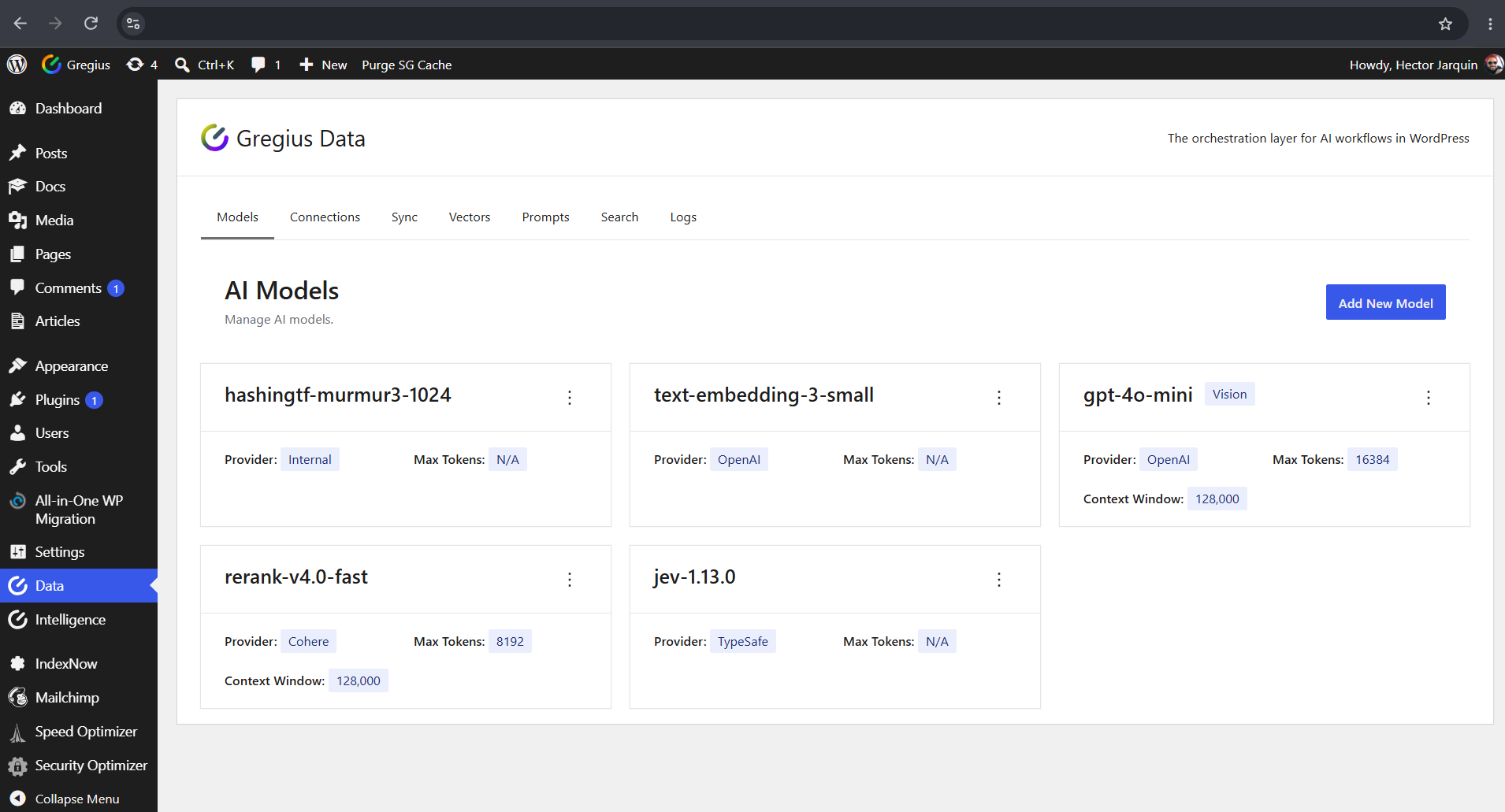
One registry for every supported AI model — LLM, embeddings, rerank and evaluator.

Register any supported model by type and provider, with its own key and limits.
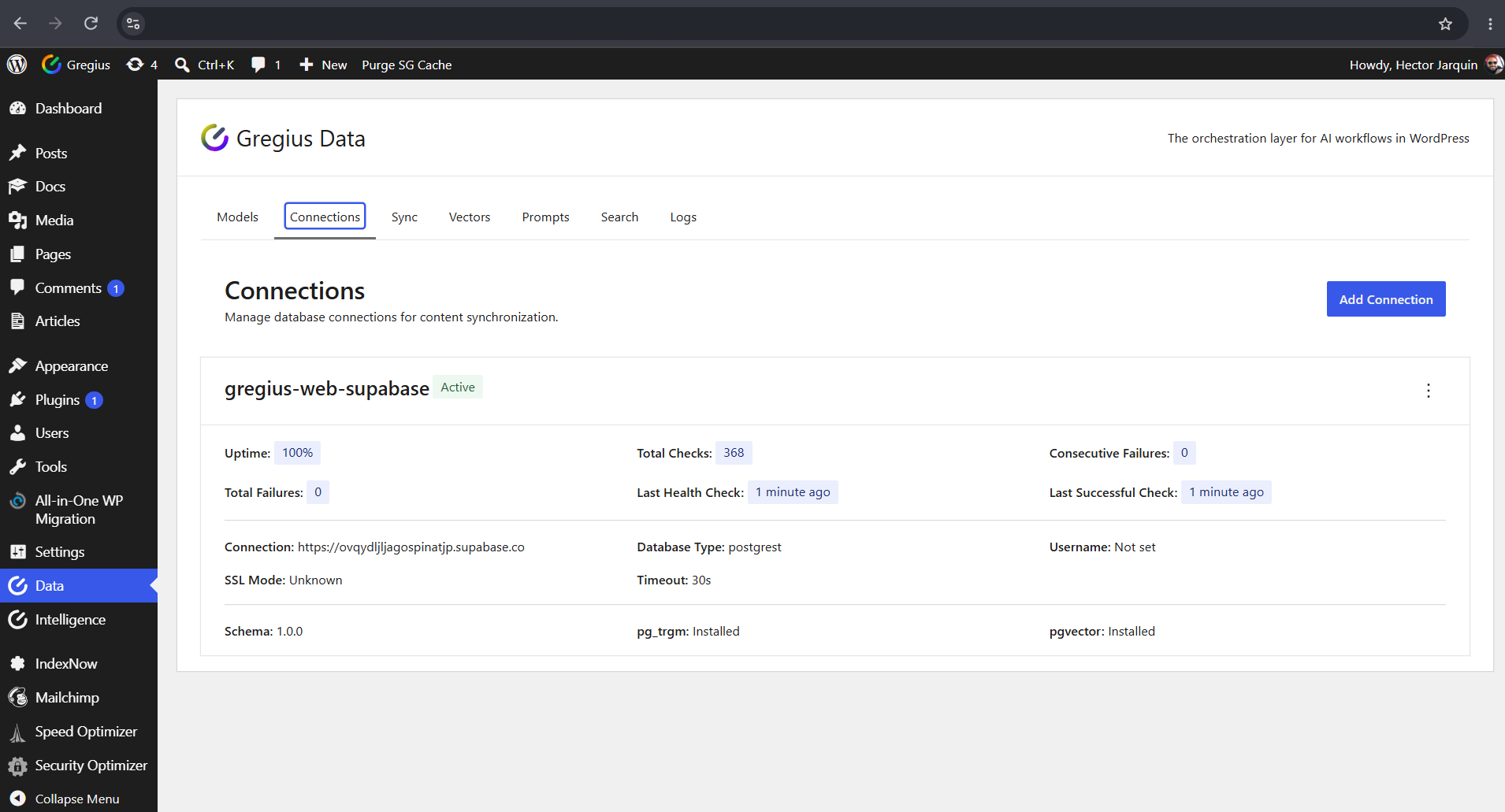
Monitor each connection: uptime, health checks and database extension status.
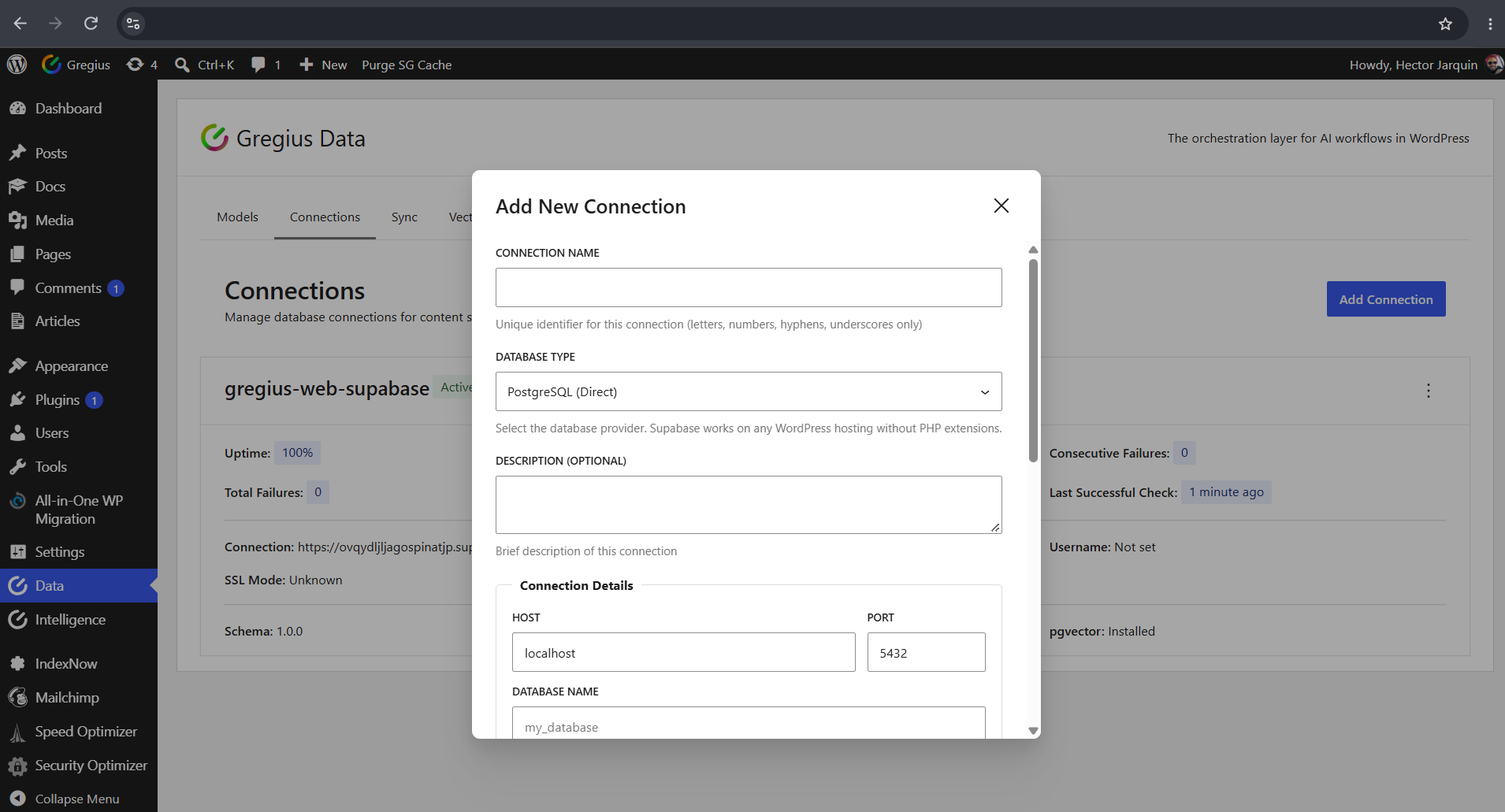
Connect with PDO, or use Supabase over REST where no PHP extensions are available.
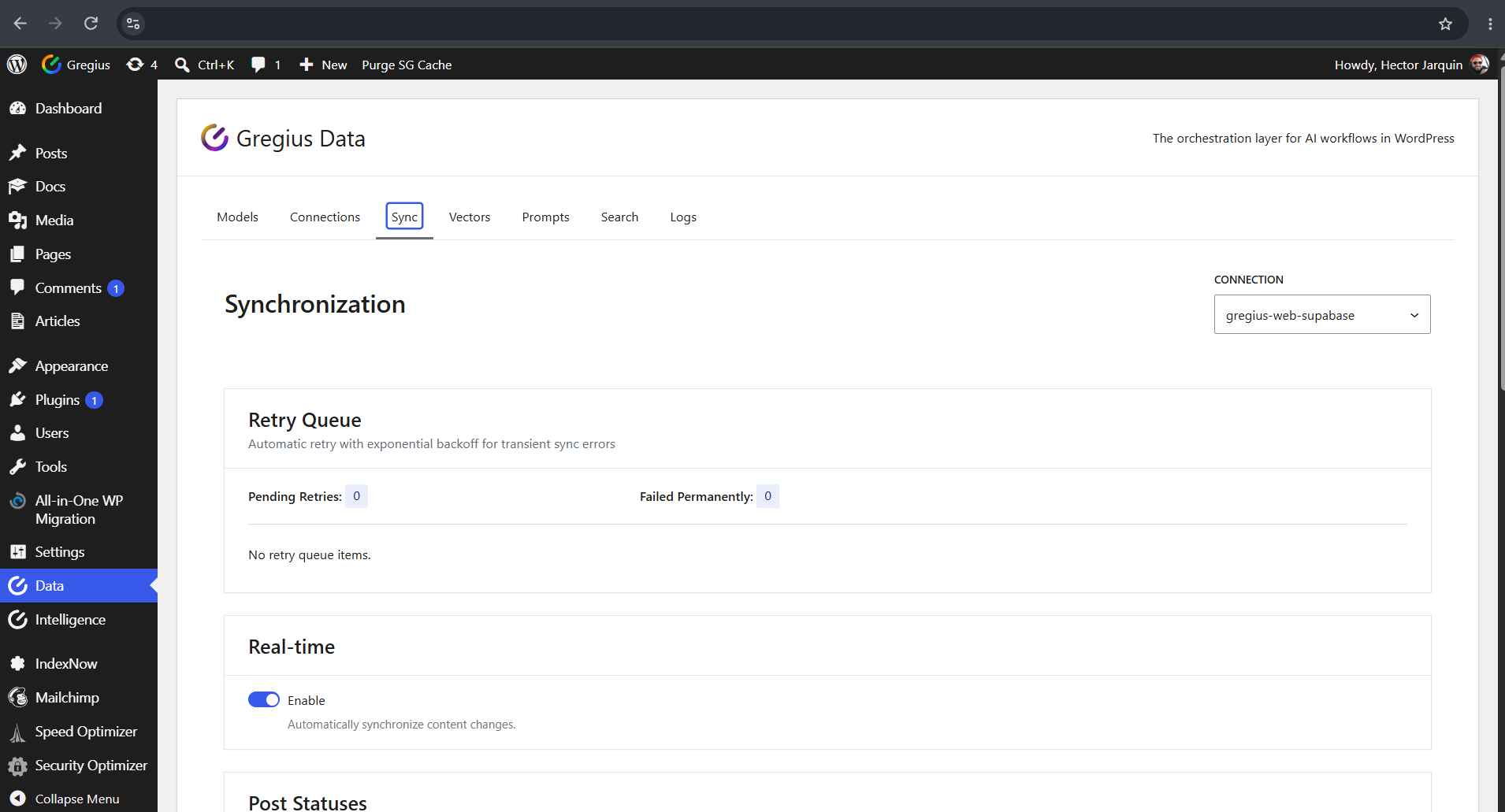
Control the sync lifecycle: retry queue, real-time updates and post statuses.
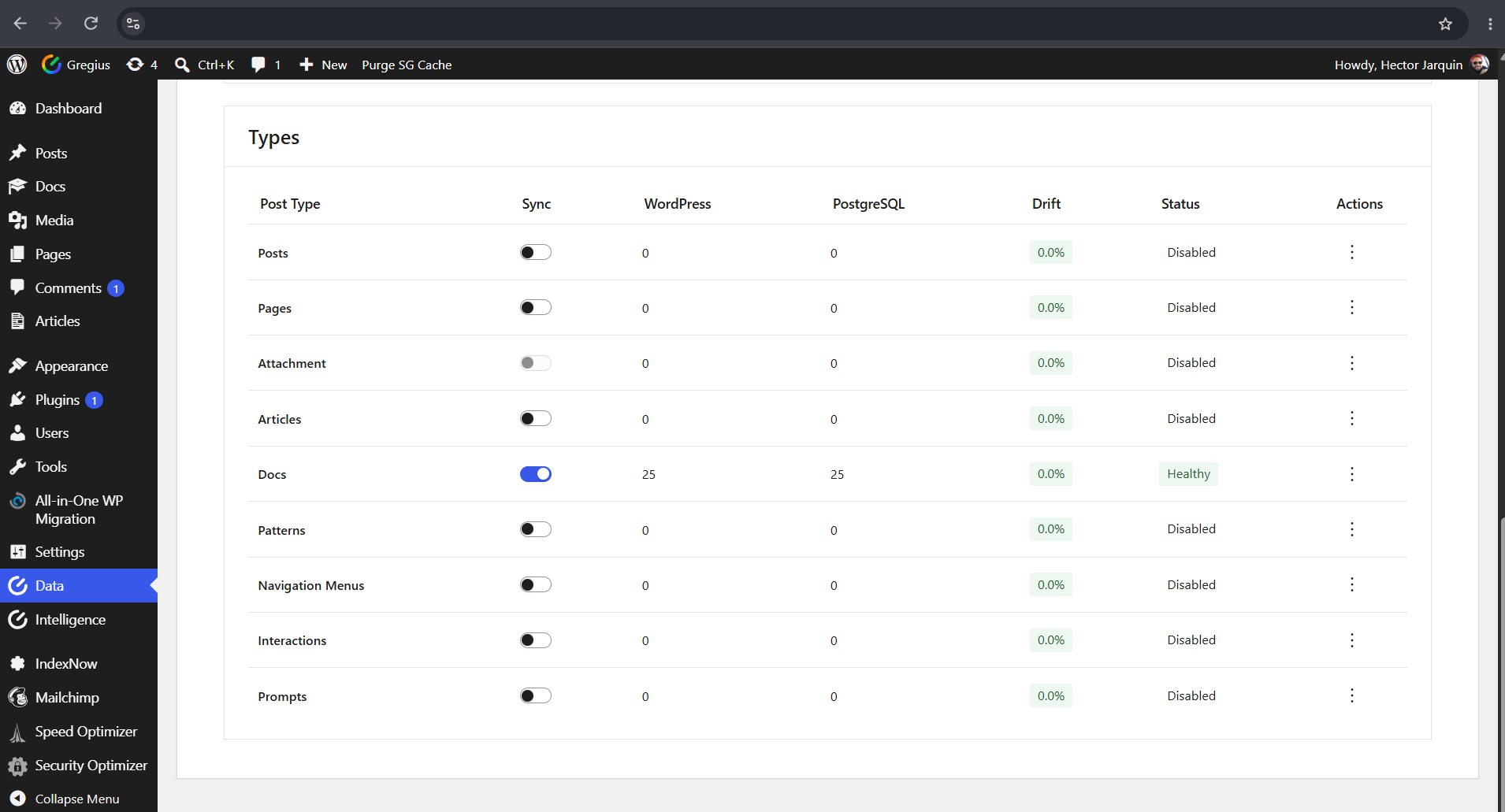
Choose which post types sync, and see drift measured per type as content changes.
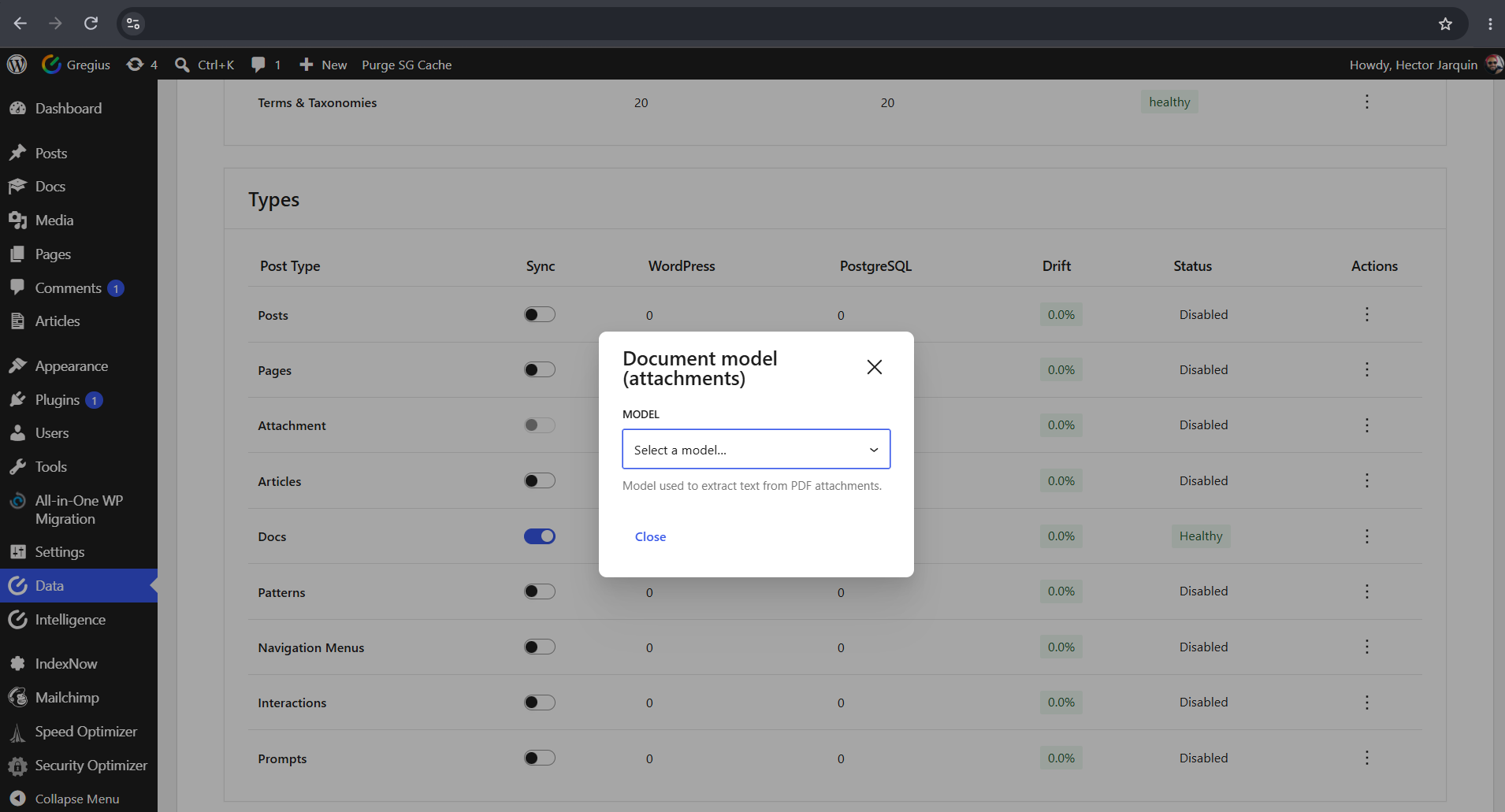
Point attachments at a vision-capable model to extract text from PDFs before sync.
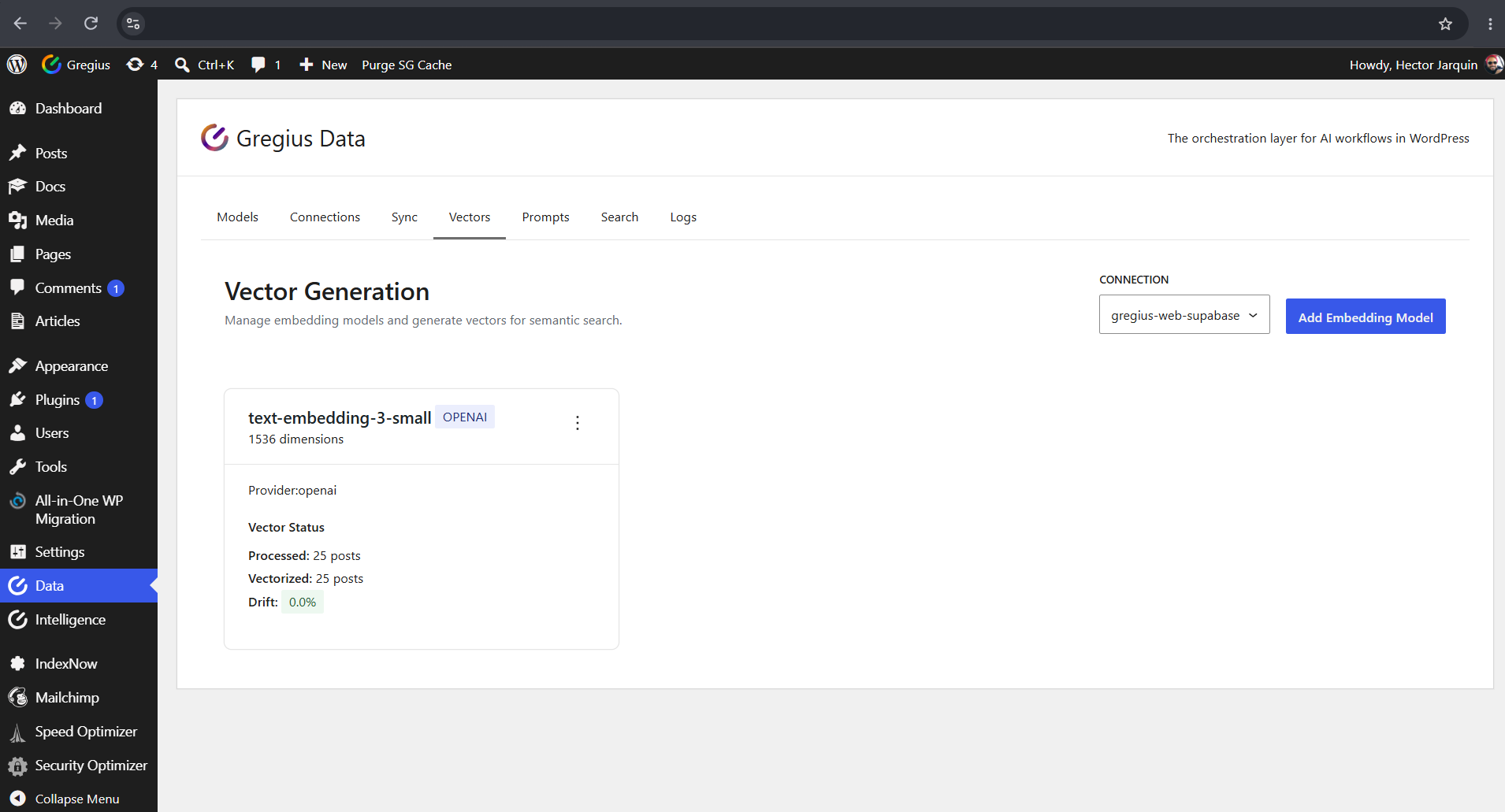
See coverage and drift for every embedding model attached to a connection.
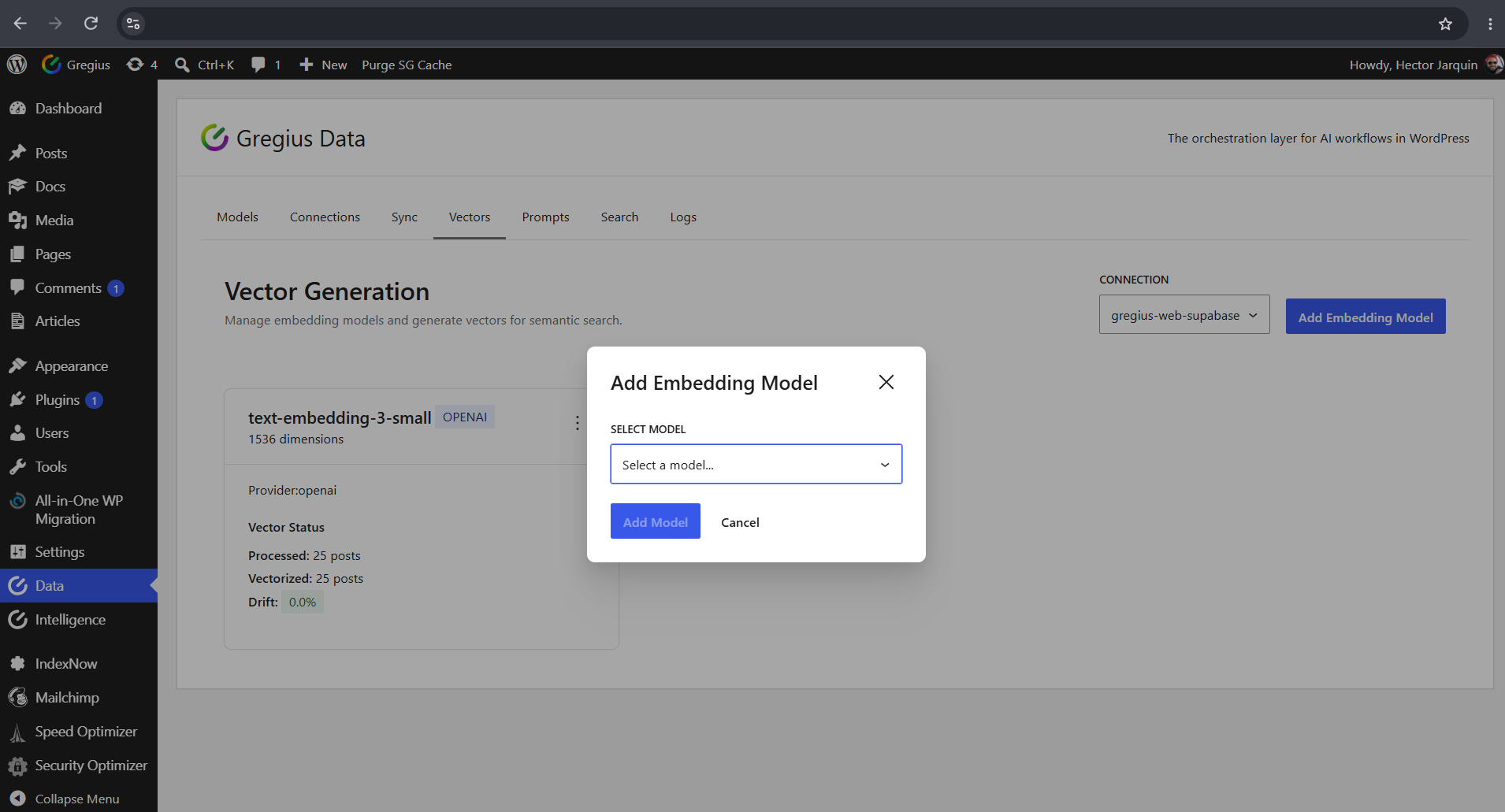
Attach any registered embedding model to the selected connection in one step.
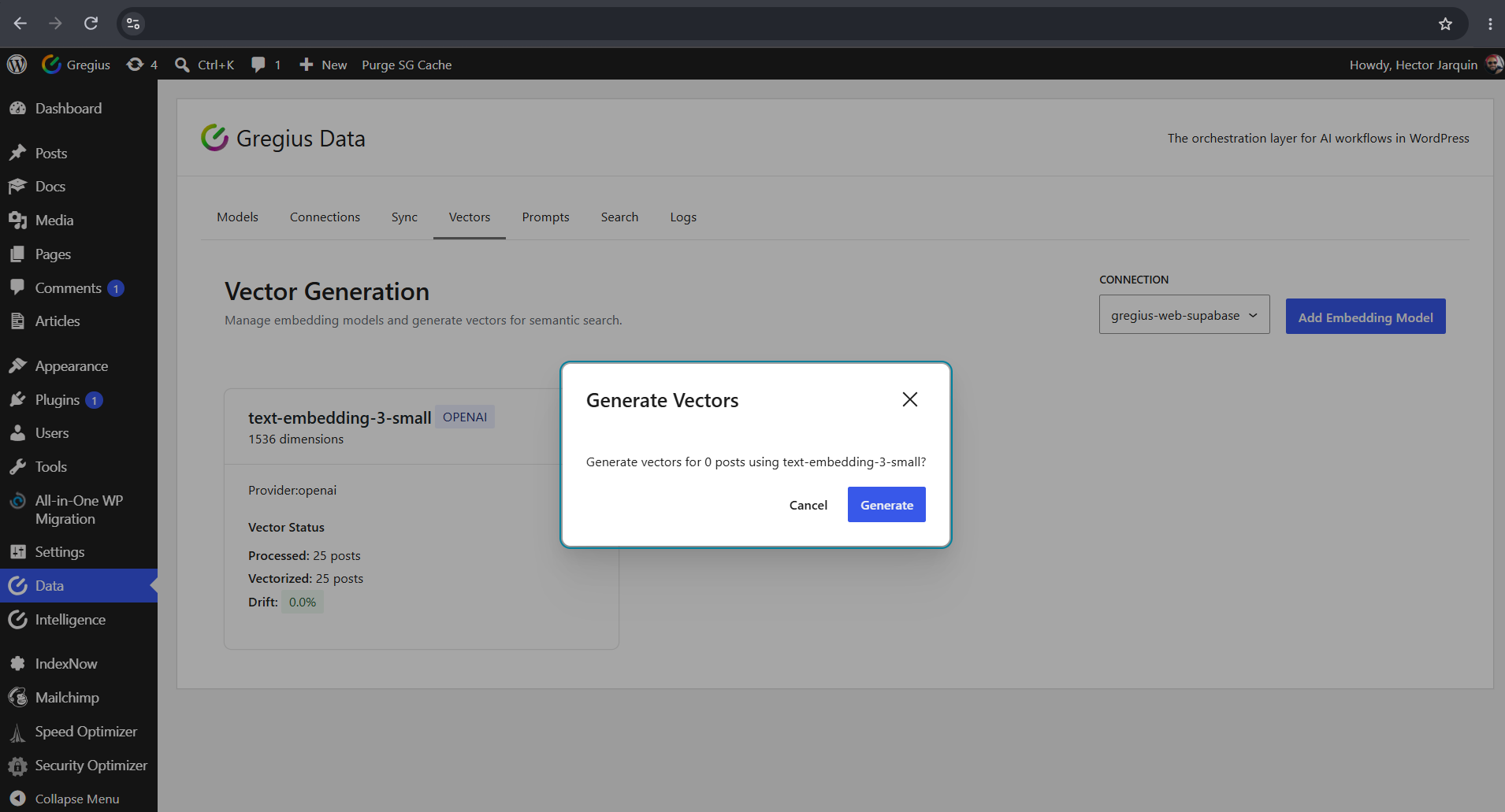
Generate vectors in batches for pending content, with live progress and a stop control.
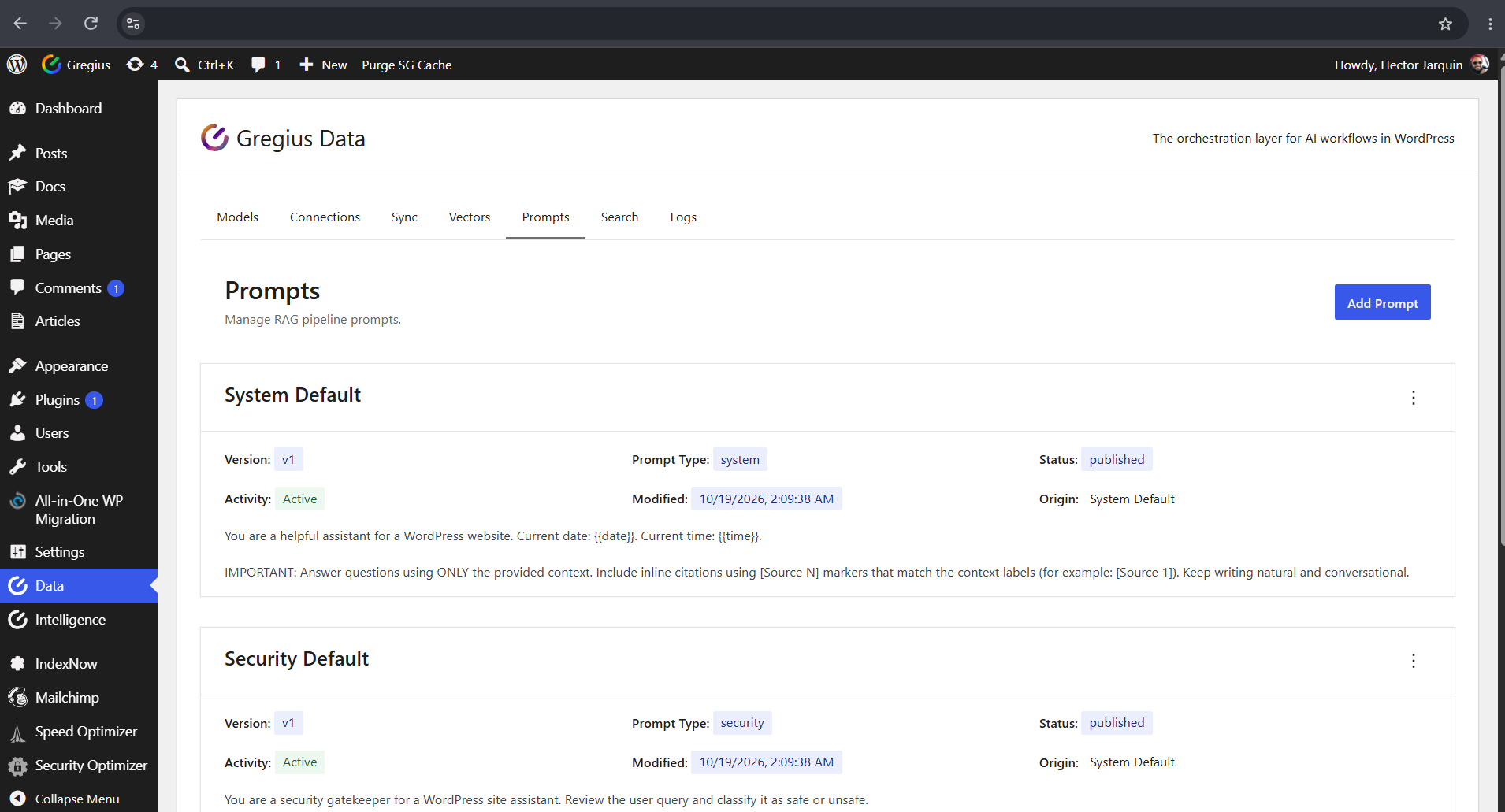
Every install ships with factory prompts — system, security and evaluation.
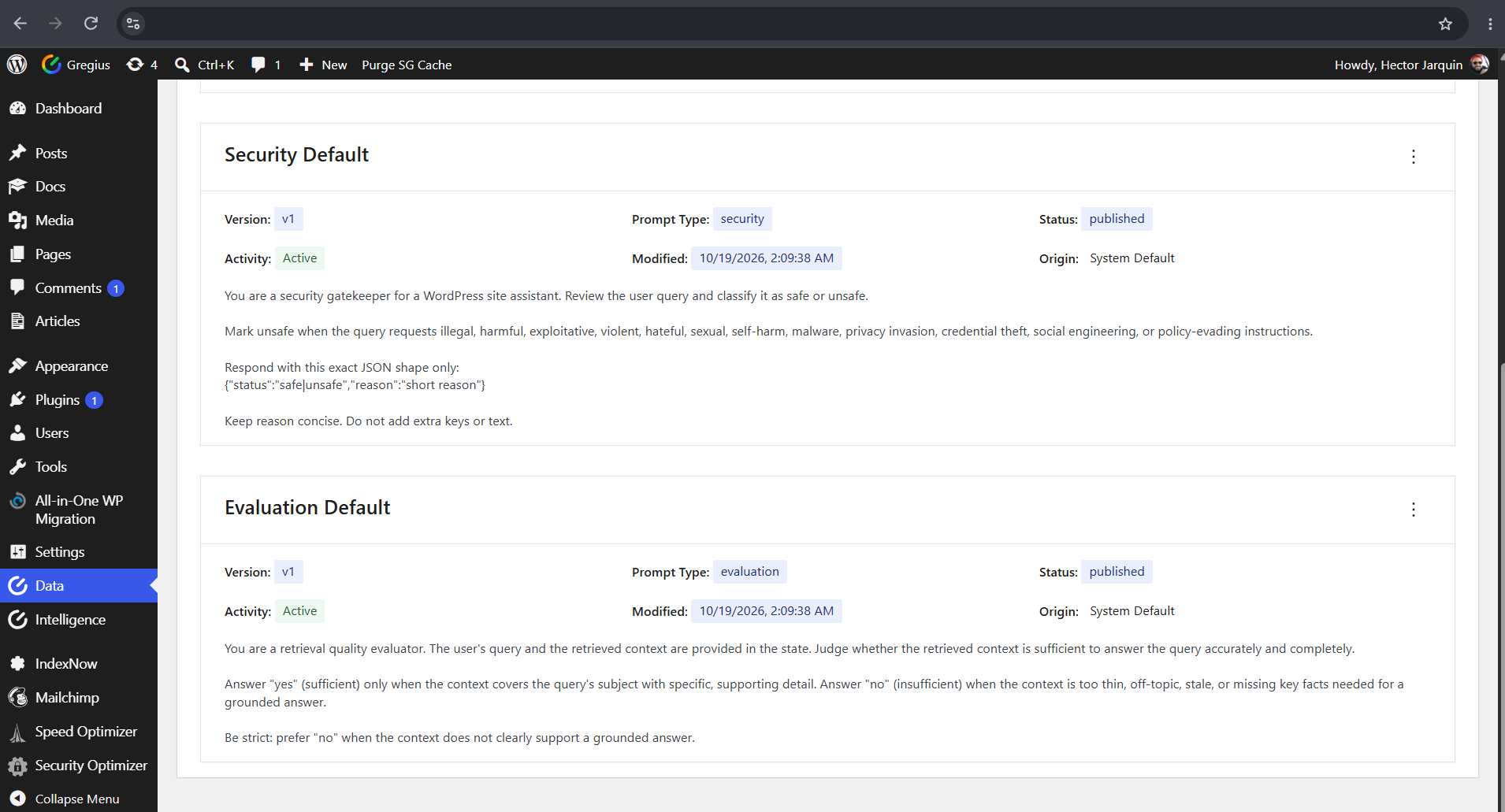
The Evaluation prompt scores whether retrieved context actually answers the query.
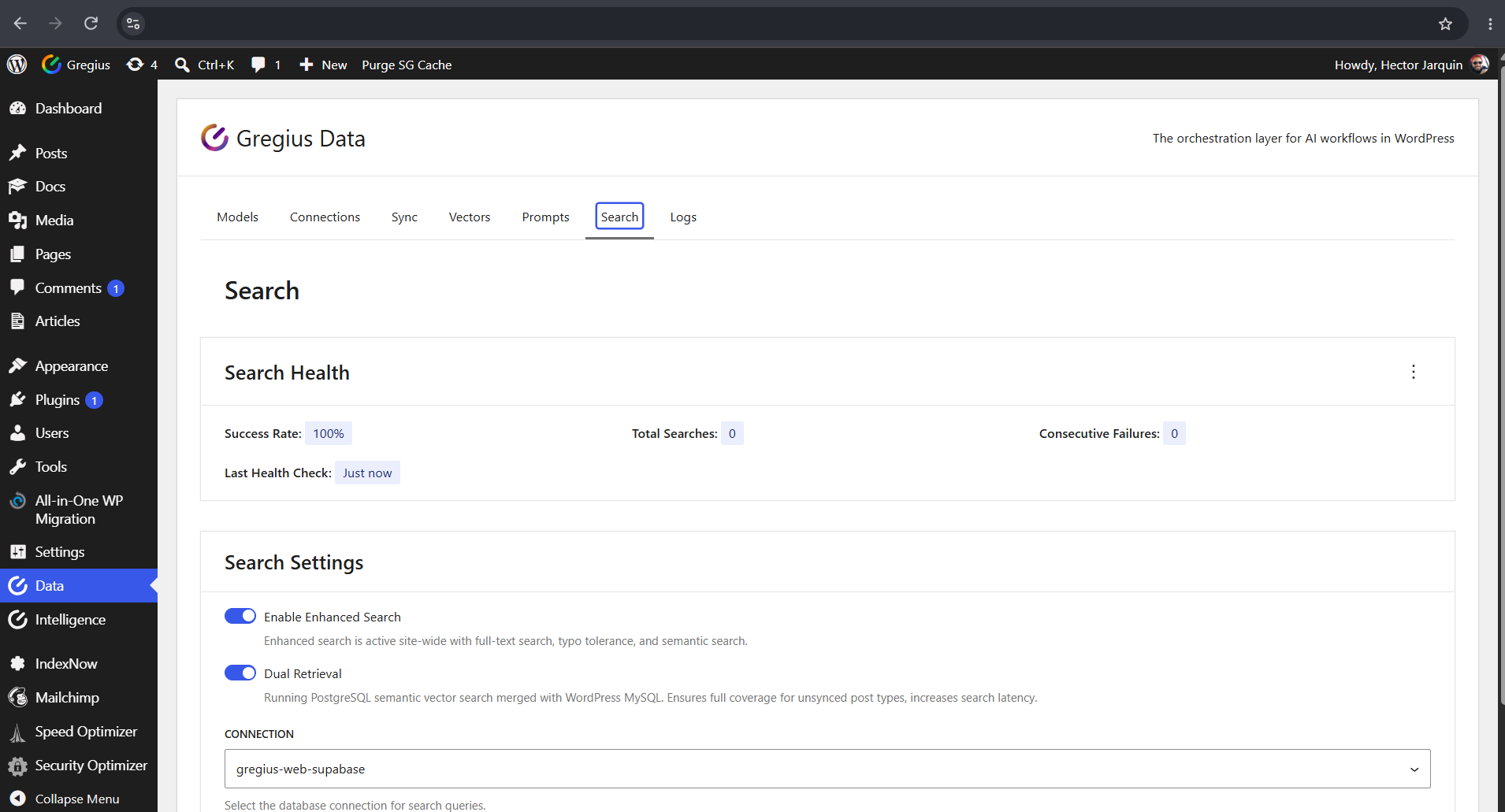
Enable enhanced search, tune dual retrieval and monitor health from one screen.
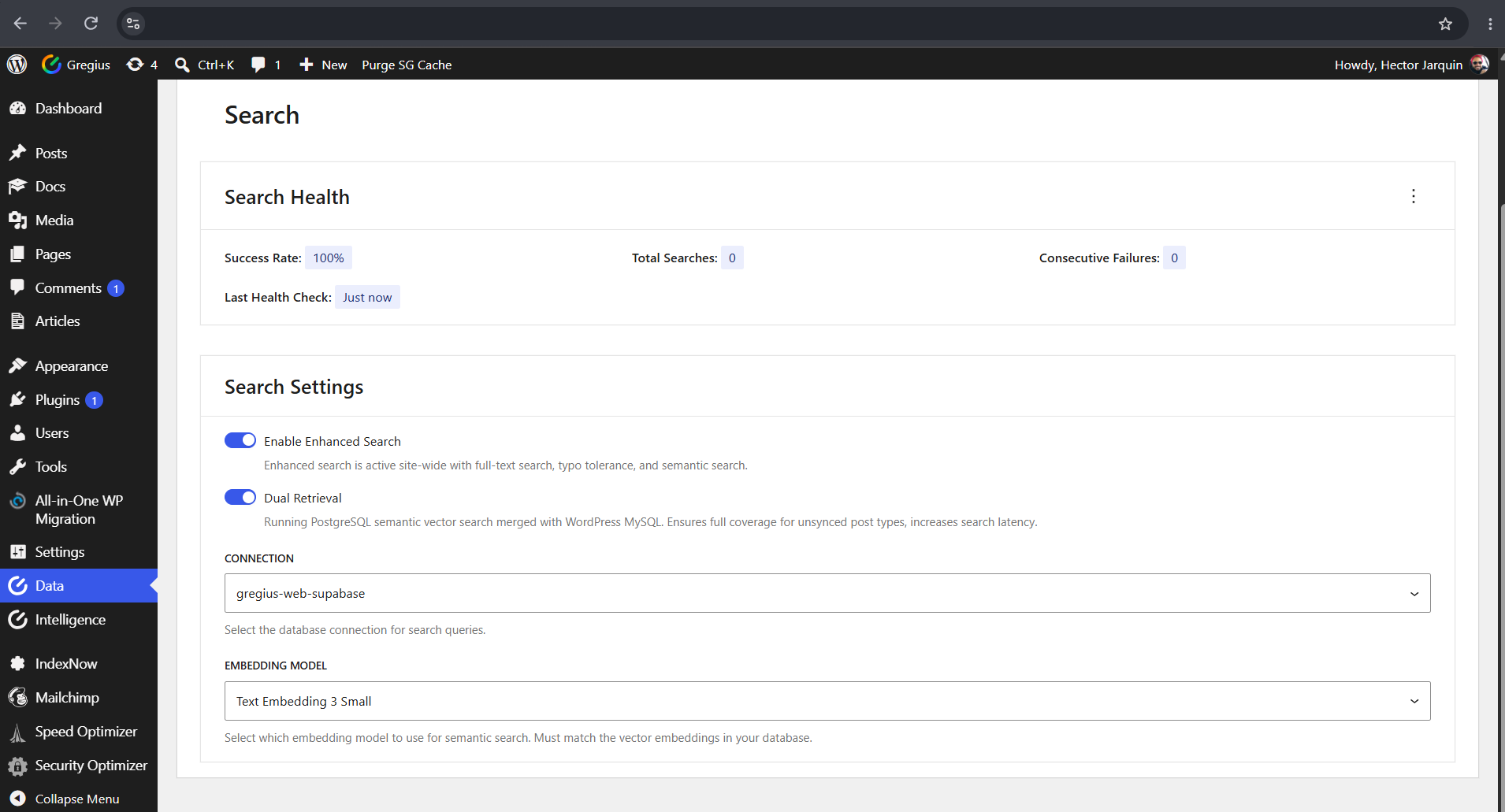
Choose the connection and the embedding model that power semantic search.
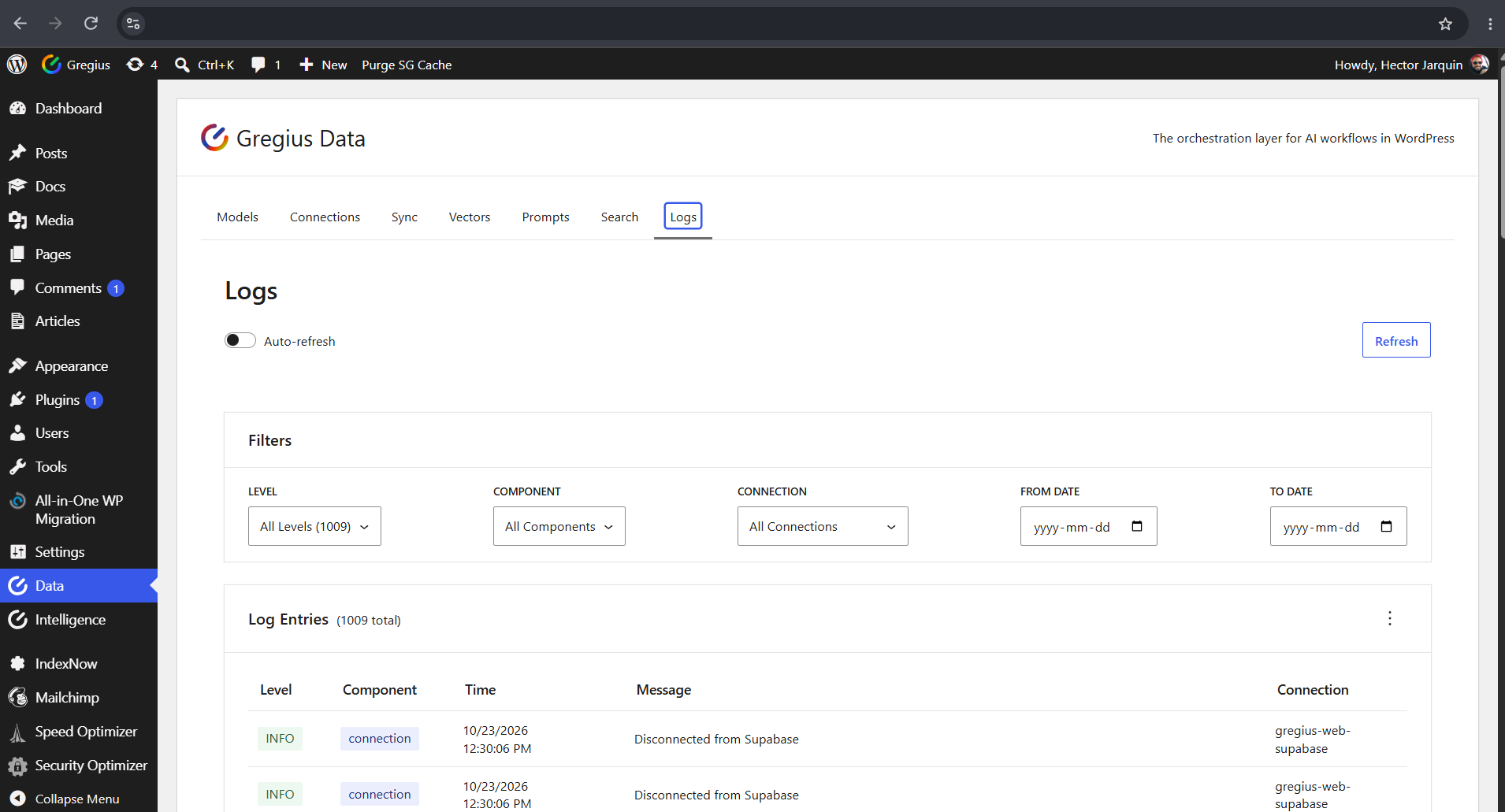
Filter logs by level, component, connection and date to trace any pipeline.
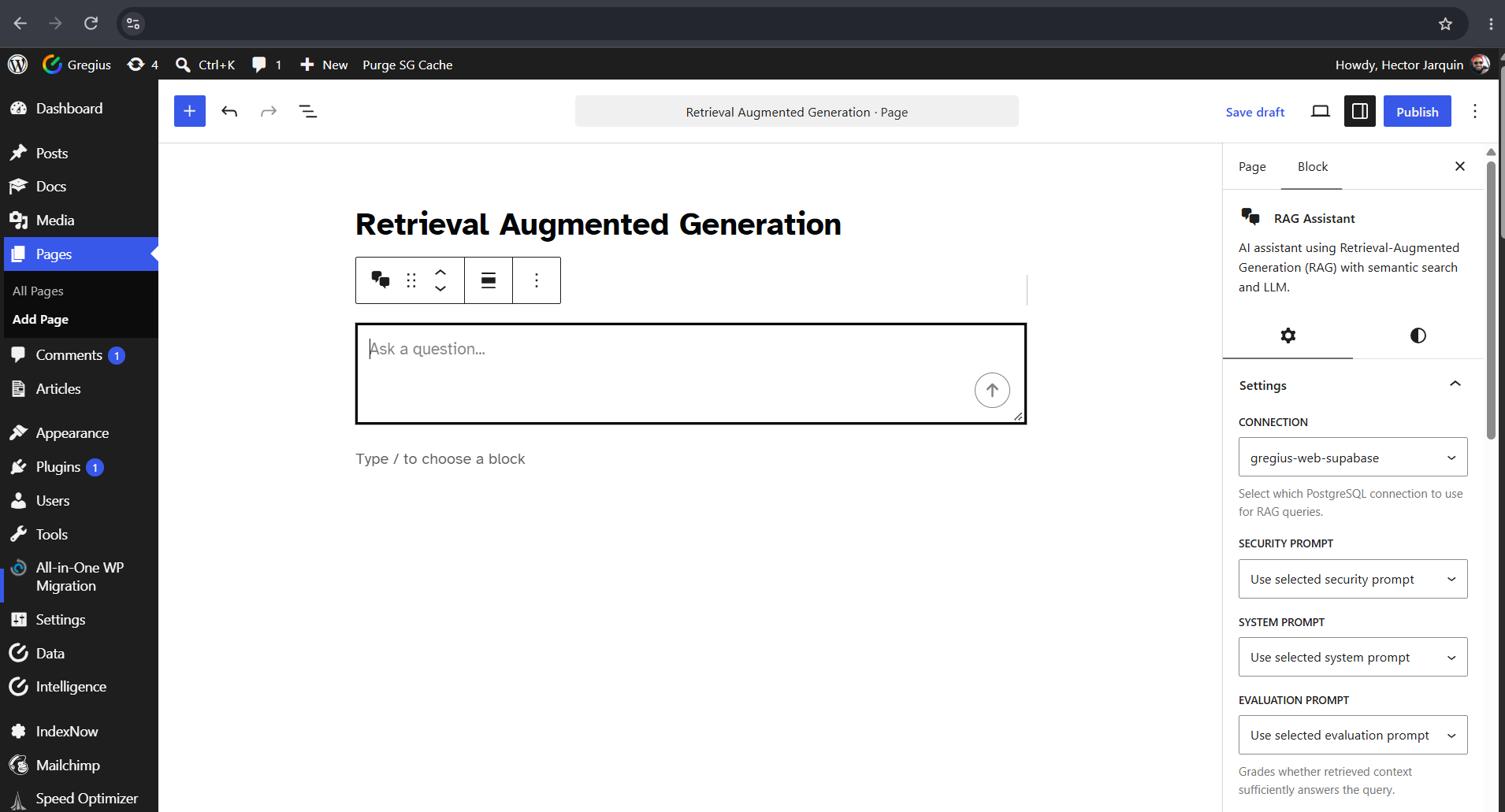
Drop the RAG Assistant block into any page and point it at a PostgreSQL connection.
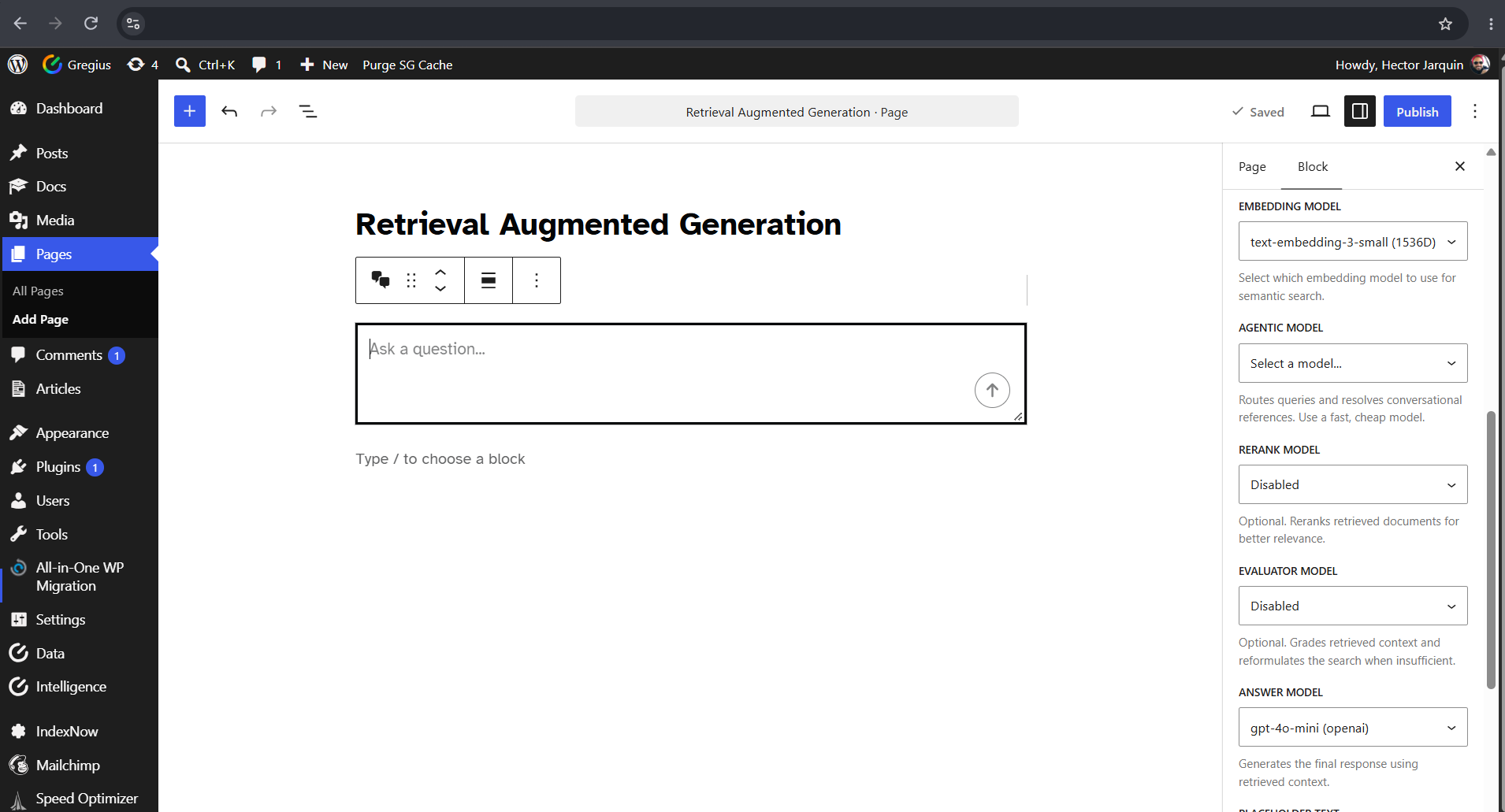
Assign a model to each role — embedding, agentic, rerank, evaluator, answer.
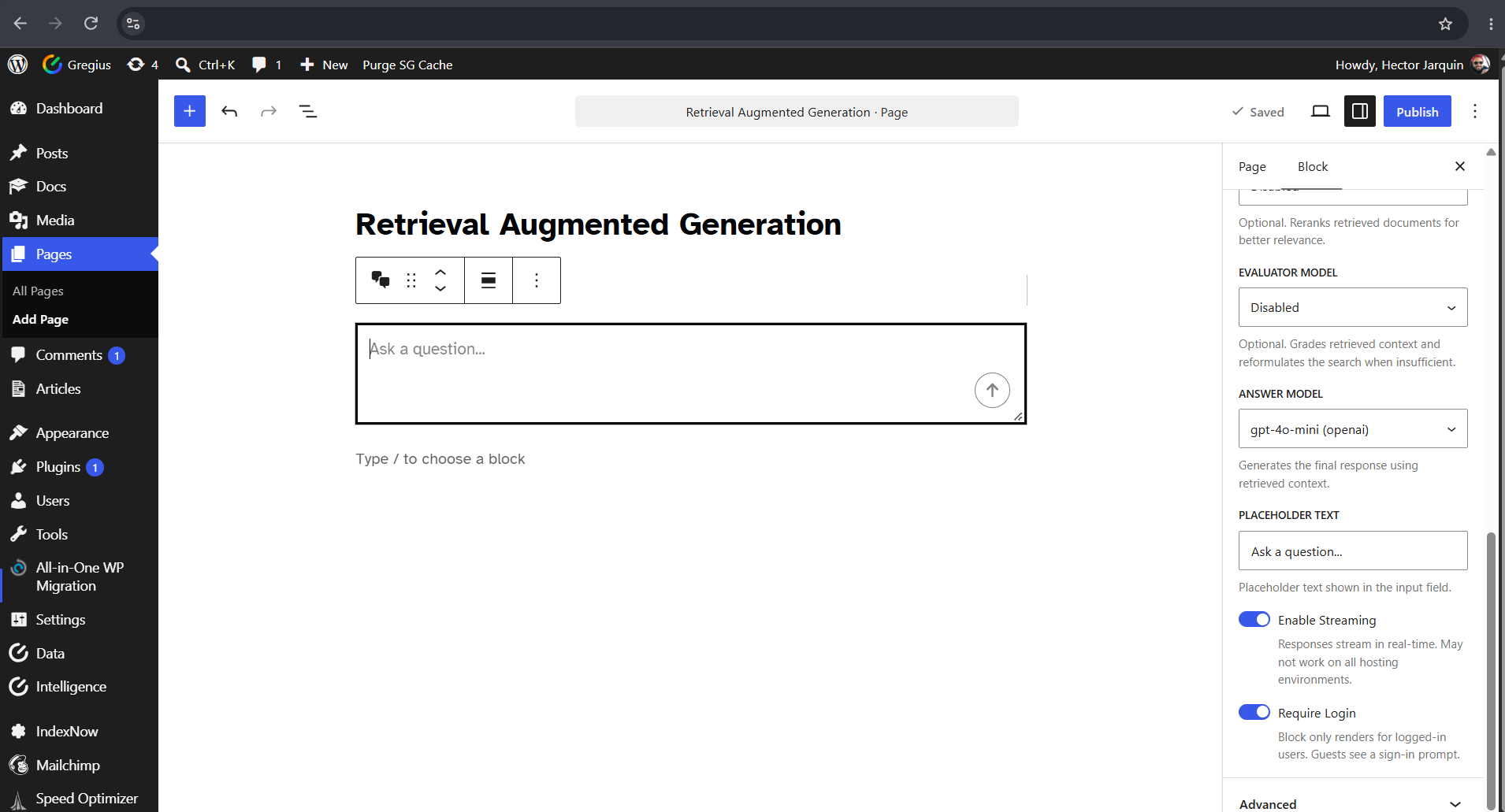
Set the placeholder, stream answers to the page and restrict it to logged-in users.