
Sila is a Syrian cash-on-delivery logistics platform that connects merchants to courier companies. This plugin connects a WooCommerce store to a Sila merchant account.
- Checkout (classic and block checkout): the customer picks the delivery area from Sila’s area catalogue and sees the couriers serving it, with Sila’s prices.
- Order screen: courier comparison, cash-on-delivery amount, parcel details, send / edit / cancel before pickup, label printing, tracking timeline.
- Bulk and automatic sending in the background, paced under Sila’s per-key limit.
- Automatic order status from Sila (signed webhooks) plus an hourly self-healing check.
- Languages: English and Arabic. The texts follow the site’s language, or stay Arabic for every visitor (WooCommerce Settings Sila Advanced).
- For developers: filters, actions and functions to extend the plugin without editing it, stable within a major version — see DEVELOPERS.md.
The plugin never sets a price, never guesses an area and never moves a shipment along: prices and couriers come from Sila, the area is chosen by a person, and every delivery status comes from Sila. The only change it can make to a shipment is cancelling it before the courier has the parcel.
External services
This plugin is an interface to Sila (https://sila-sy.com), a third-party logistics service. It does not work without a Sila merchant account and API key.
Where the data goes: Sila’s API at https://qhdhjzyduwzqutmialgp.supabase.co/functions/v1/public-api (Sila’s servers, hosted on Supabase; changeable in the plugin’s advanced settings only on Sila’s instruction). Label and tracking pages open on https://sila-sy.com. Nothing is loaded from any other service.
What is sent to Sila, and when:
- Area search (when a customer types in the delivery-area field at checkout, or the merchant does in the order screen): the typed text. Sent from the store’s server, never from the customer’s browser.
- Courier prices (at checkout and in the order screen): the chosen Sila area, parcel weight and currency.
- Shipment creation (when the merchant sends an order, or automatically if enabled): recipient name, phone number, delivery area and address, cash-on-delivery amount and currency, parcel weight, dimensions, pieces and a description of the items, and the order reference.
- Edits and cancellation (only before the courier has the parcel): the same fields.
- Status checks (hourly, and when the order screen is opened): the Sila shipment id.
- Webhook registration (when the merchant enables automatic updates): the store’s webhook URL.
- Webhook removal (when the plugin is deleted): a request that retires the store’s webhook in Sila.
Sila sends back to the store: area names, courier prices, shipment numbers, label and tracking links, and status updates (signed with HMAC-SHA256 and verified before use).
Sila’s terms of service: https://sila-sy.com/terms?lang=en
Sila’s privacy policy: https://sila-sy.com/privacy?lang=en
Screenshots
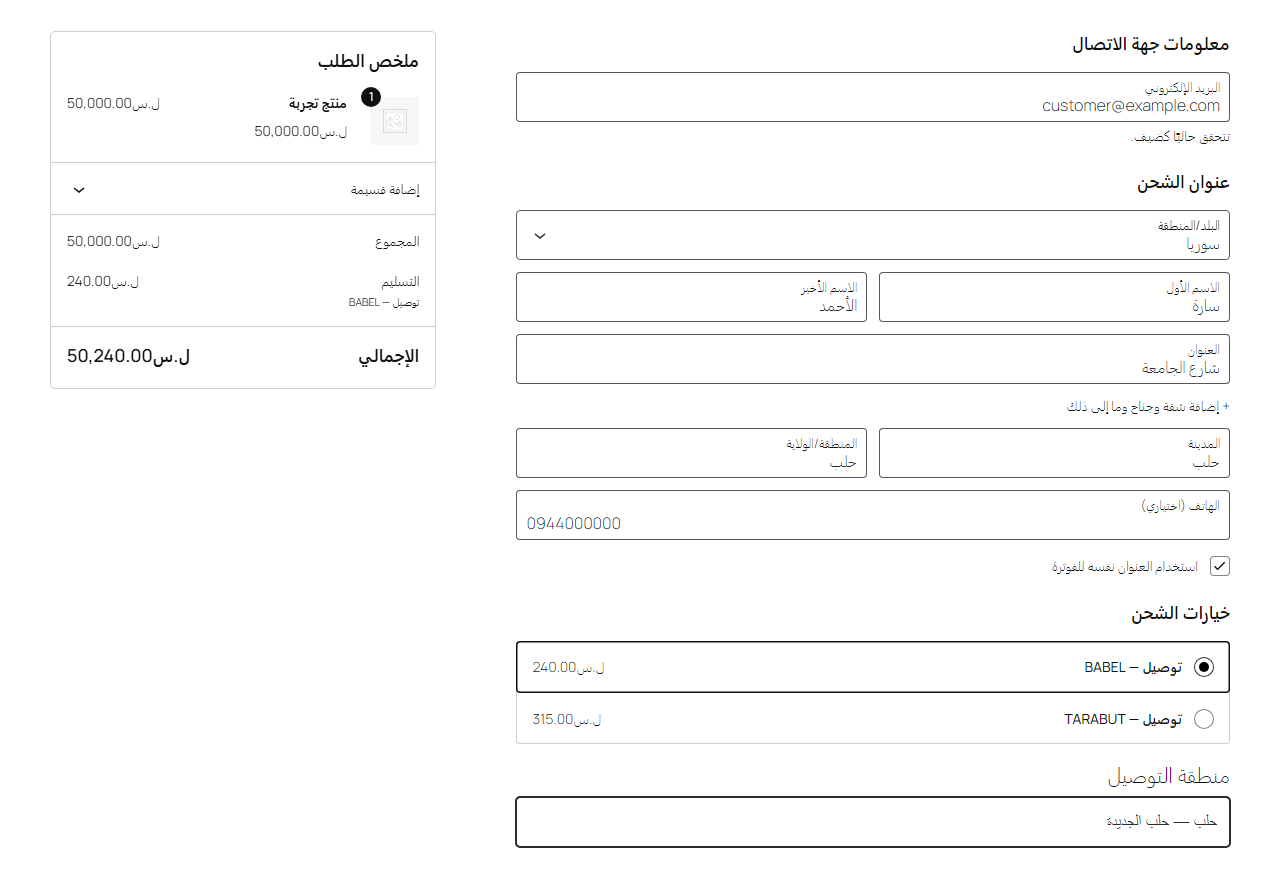
Checkout: the customer picks the delivery area and sees the couriers serving it, with Sila's prices.
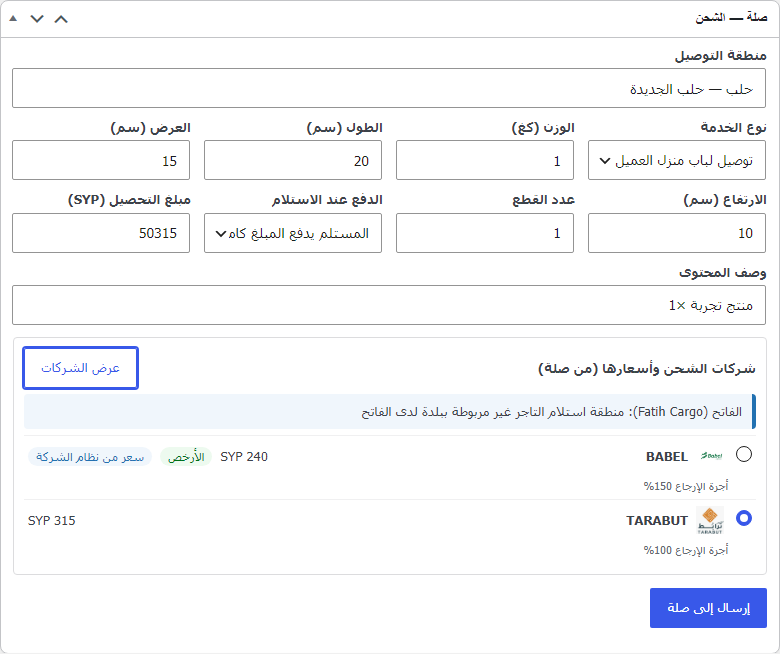
Order screen: Sila's courier comparison for the order, then send it to Sila.
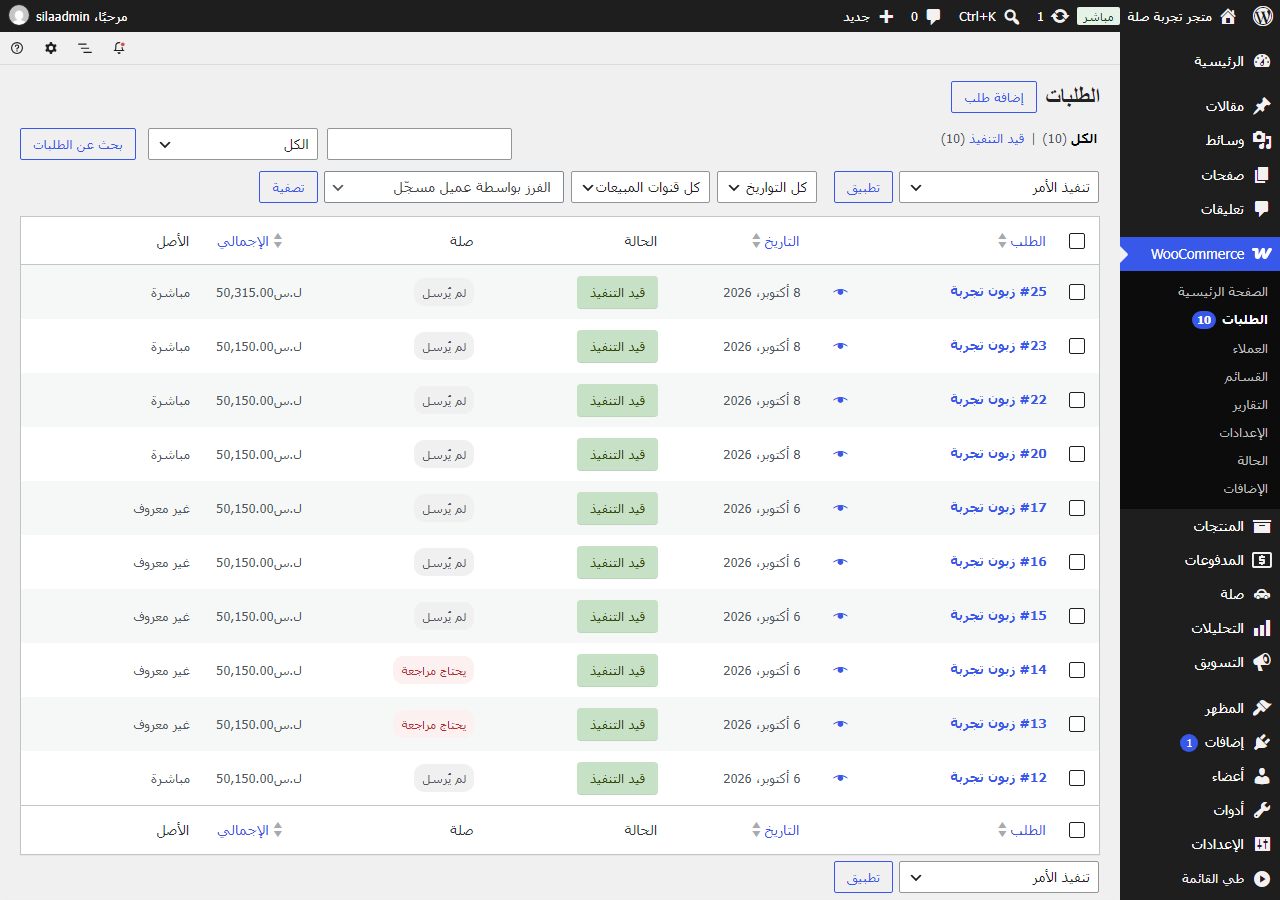
Orders list: the Sila column shows each order's shipment state.
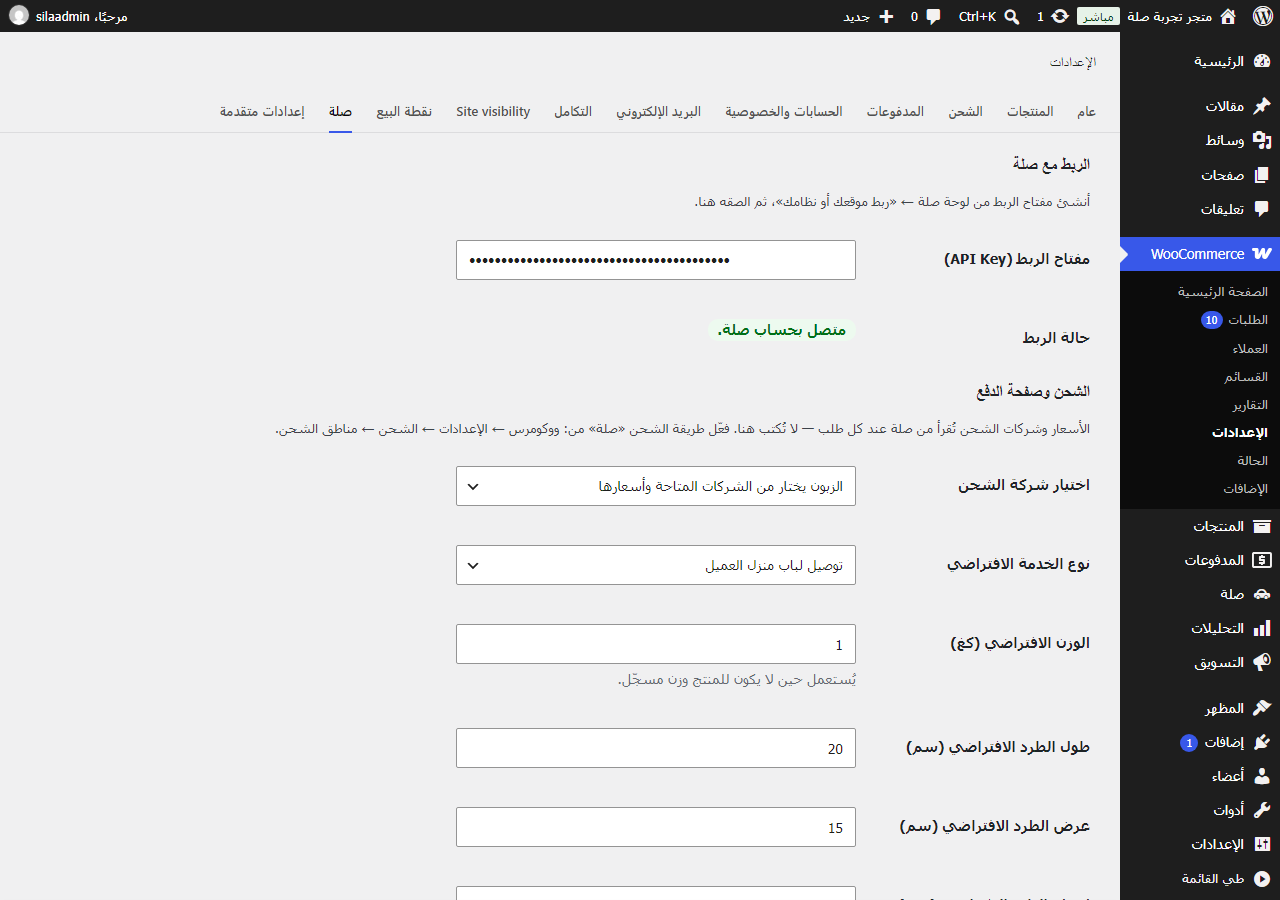
Settings: connect with a Sila API key and choose how couriers are offered at checkout.