📚 The knowledge base plugin that shows you what readers need
Helpora turns WordPress into a knowledge base, documentation site, help center, or internal handbook. Readers find answers in seconds with instant search, and you see exactly which articles help and what people searched for but couldn’t find.
Set it up in two minutes, write in the block editor you already know, and keep everything on your own site.
- 🔍 Instant search that ranks: results as readers type, typo suggestions, and partial-word matching.
- 🗂️ Drag-and-drop structure: nest articles three levels deep and reorder everything from one screen.
- 📈 Insights that suggest actions: failed searches, helpful votes, and a one-click Create article for missing topics.
- 🧩 Multiple knowledge bases, free: one docs site for several products, teams, or audiences.
- ✍️ Blocks made for docs: callouts, steps, code snippets, tabs, FAQs, and lightbox screenshots.
- 🔒 Private and role-based articles: public, logged-in only, or chosen roles.
- 🎨 Fits any theme: block and classic themes, light and dark mode, your brand colour.
👥 Who is Helpora for?
- Product and plugin makers: user guides, getting-started docs, and release notes.
- SaaS and support teams: a self-service help center that answers repeat questions before they reach your inbox.
- Companies and agencies: an internal wiki or team handbook, visible only to logged-in staff or chosen roles.
- Stores and services: an FAQ and help pages for shipping, returns, and accounts.
🔍 Search that ranks
- A dedicated search index that weights titles over headings over body text.
- Instant results as readers type, grouped by category, with matched words highlighted.
- Finds partial words (“inst” finds “Installation”) and suggests fixes for typos.
- Works without JavaScript, and never shows restricted articles to the wrong reader.
📈 Insights that suggest actions
- Views, searches, and “Was this helpful?” votes, stored on your own site.
- Failed searches shows what readers looked for and didn’t find, with a one-click Create article.
- Searches that found results nobody opened, a sign a title doesn’t use readers’ words.
- Export any report to CSV.
- No IP addresses, accounts, or browser details are stored.
🗂️ Structure you can drag
- Articles nest three levels deep and reorder from one tree screen, by mouse or keyboard.
- Categories and tags, with icons and colours, for the docs home.
- Spaces: separate knowledge bases on one site, each with its own docs home, categories, and search.
- Quick edit for title, slug, status, categories, visibility, and attachments without opening the editor.
🌐 Docs pages that fit your theme, and search engines
- A docs home (cards, list, or full tree) you edit like any page, plus category pages and article pages with a docs tree, breadcrumbs, table of contents, and previous/next links.
- Works with block themes and classic themes, and every template can be overridden from your theme.
- Light, dark, or automatic colour mode, with your brand colour.
- Clean URLs, and structured data search engines understand:
TechArticle,BreadcrumbList, andFAQPage. - Accessible: keyboard navigation, screen-reader labels, and contrast checked in both modes.
✍️ Blocks for writing docs
- Callout: Note, Tip, Important, Warning, and Danger boxes.
- Steps: numbered steps that renumber themselves.
- Code Snippet: a filename, language label, optional line numbers, and one-click copy (each can be turned off).
- Tabs: per-OS or per-plan instructions; readers’ choices carry across pages.
- FAQ: questions that open on click, marked up for search engines.
- Lightbox Image: a screenshot readers can click to see full size, with an optional frame and caption.
- Docs Gallery: several screenshots in a tidy 1–4 column grid; readers open any one full size and page through the rest.
Plus five article starters (How-to, Troubleshooting, FAQ, Reference, Release notes), one click away from the Doc starters button at the top of the editor. Everything is saved as plain HTML, so your content stays readable even without Helpora.
🧱 Blocks and shortcodes for any page
Five blocks for building pages around your docs, with live previews: Docs Search, Docs Categories, Docs Articles, Docs Breadcrumbs, and Table of Contents. Each has a matching shortcode: [helpora_search], [helpora_categories], [helpora_articles], [helpora_breadcrumbs], [helpora_toc].
🔒 Who can read what
Each article can be public, for logged-in users only, or for chosen roles. Restricted articles are hidden everywhere: listings, search, feeds, the REST API, and sitemaps.
🛠️ For developers
Template overrides from your theme, actions and filters for search, analytics, access, structured data, and templates, and WP-CLI commands (wp helpora reindex, wp helpora search).
Screenshots

The docs home: category cards and search.
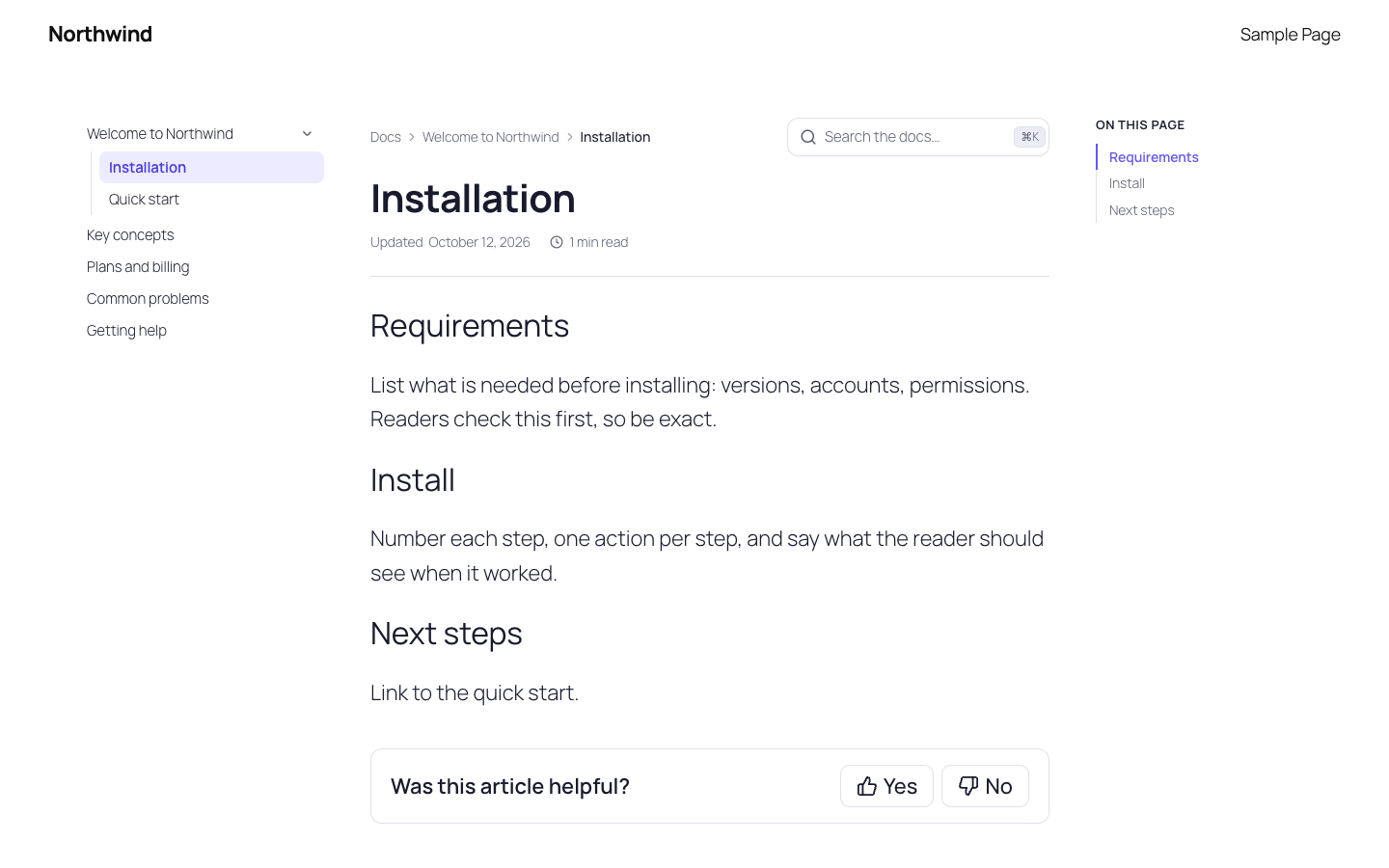
An article with the docs tree, breadcrumbs, and table of contents.
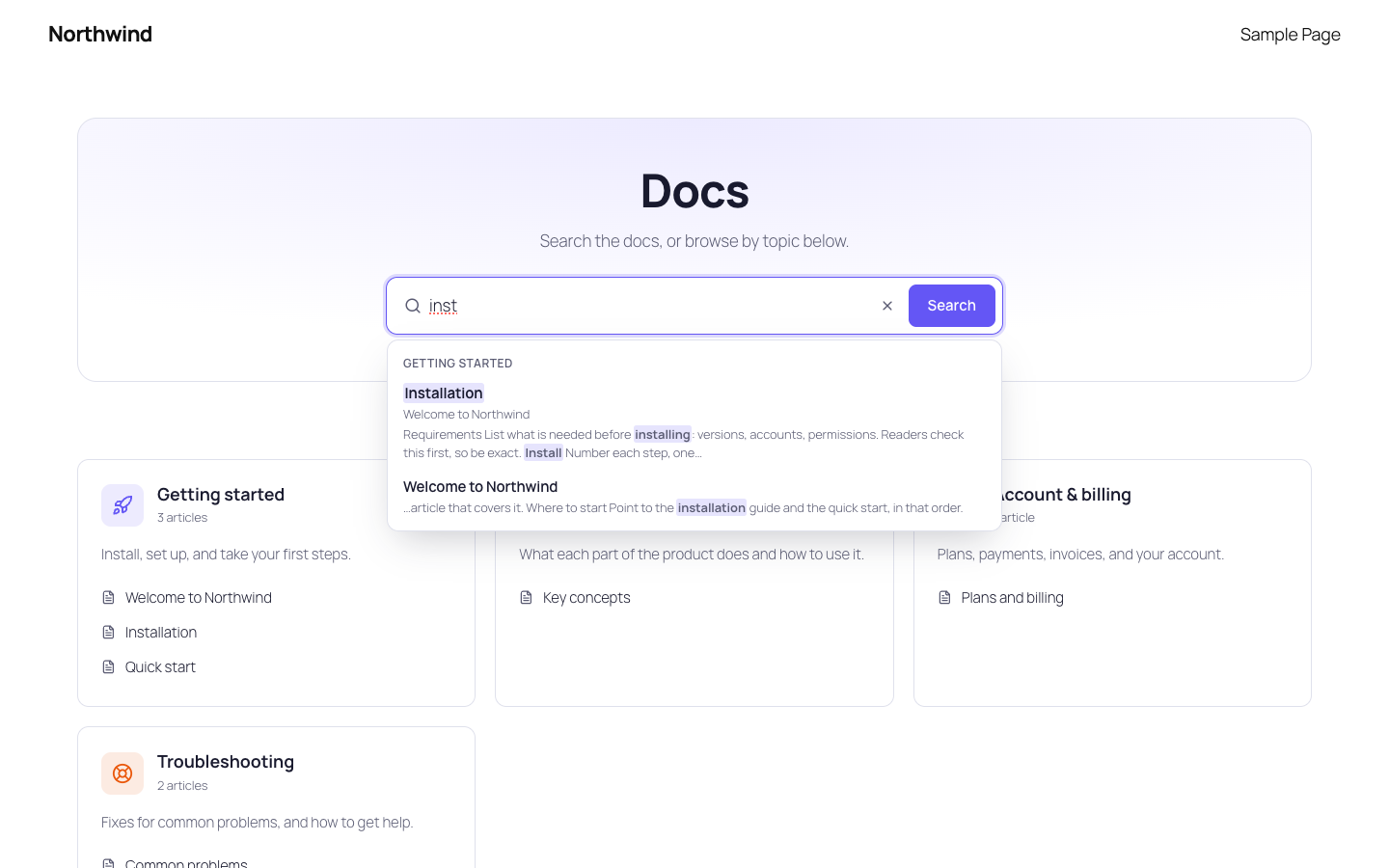
Instant search: results grouped by category, partial words matched and highlighted.
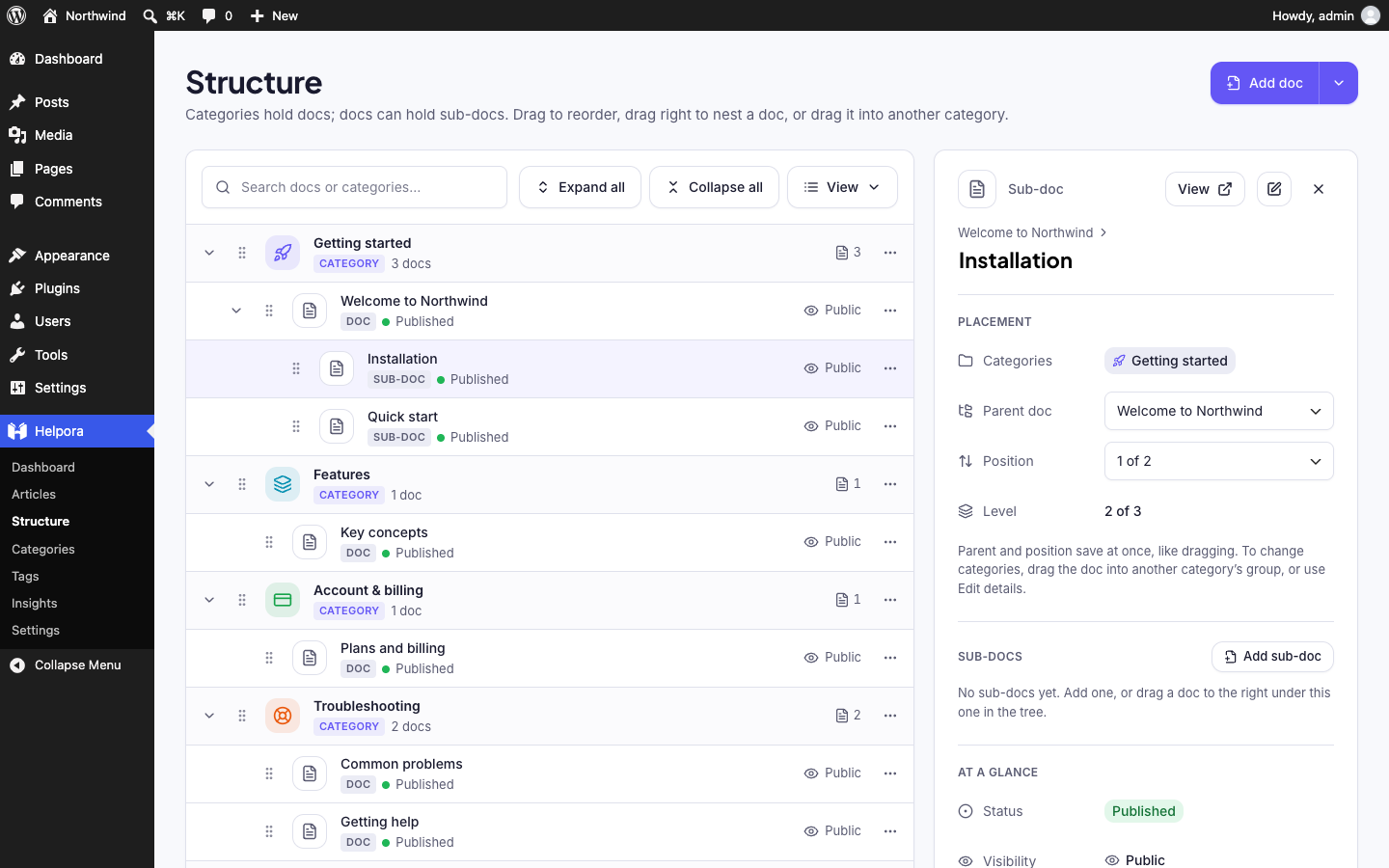
The Structure screen: categories, docs, and sub-docs; drag to reorder and nest.
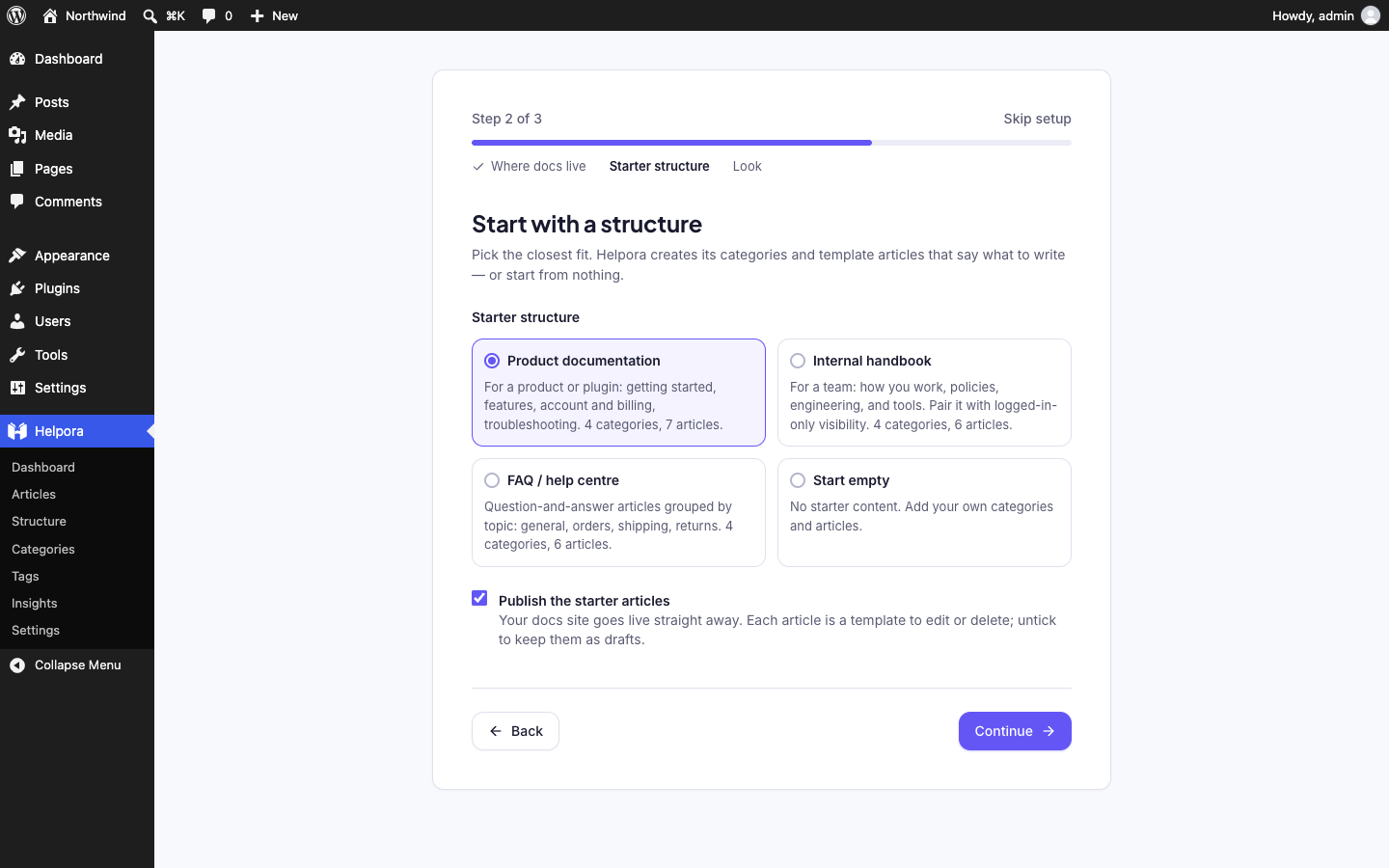
Setup: choose a starter structure.
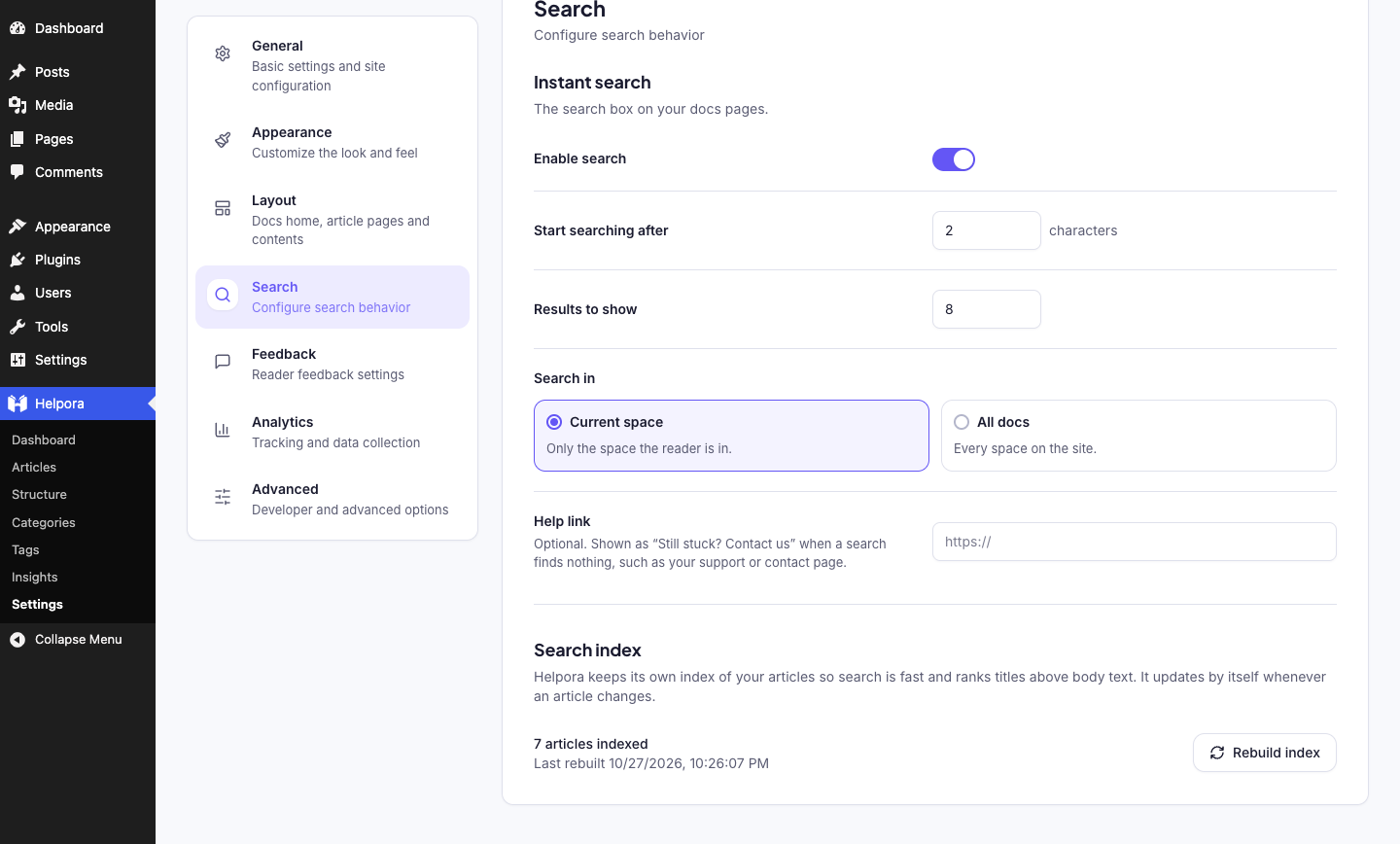
Search settings and index status.
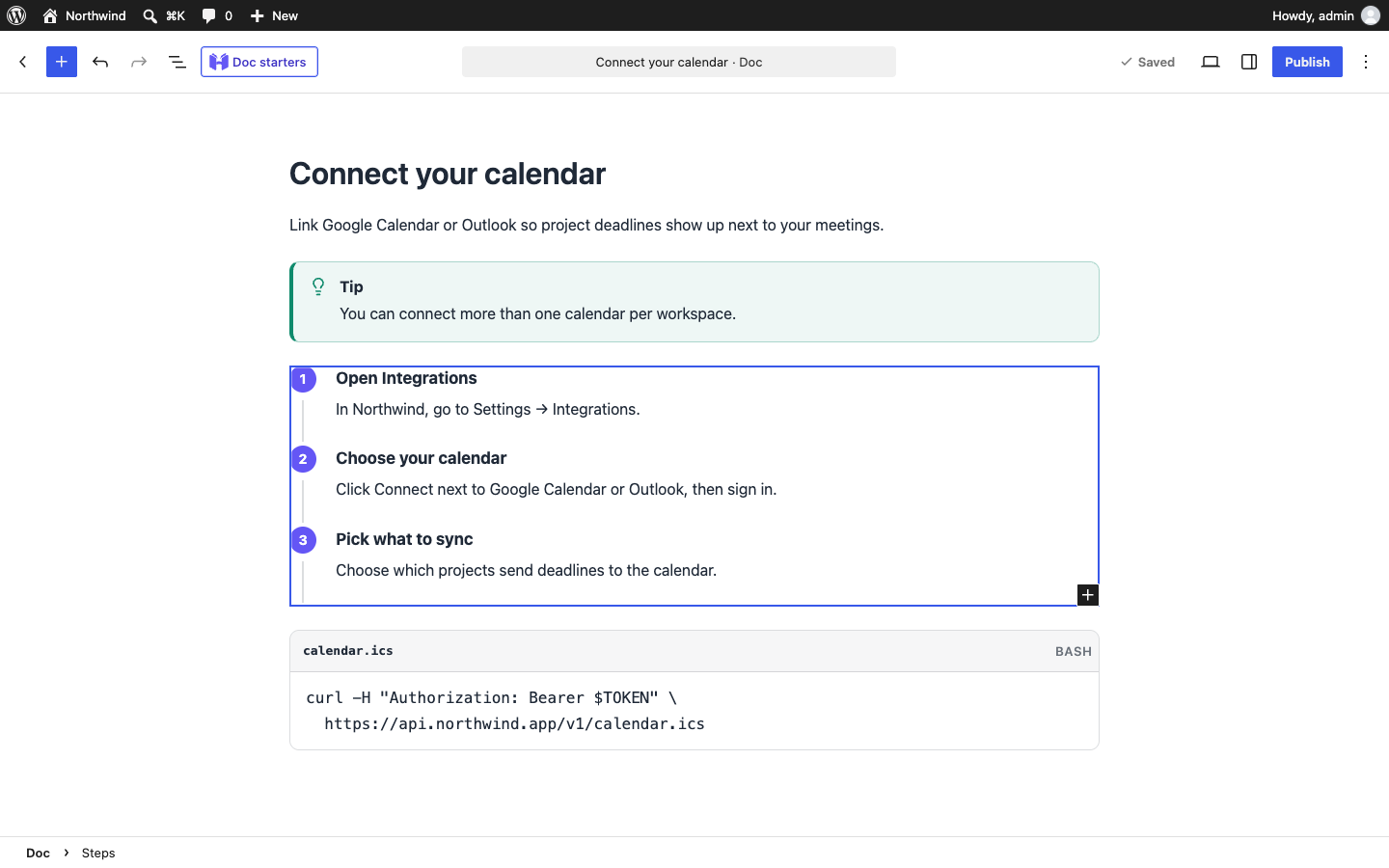
Writing a doc with the Callout, Steps, and Code Snippet blocks.
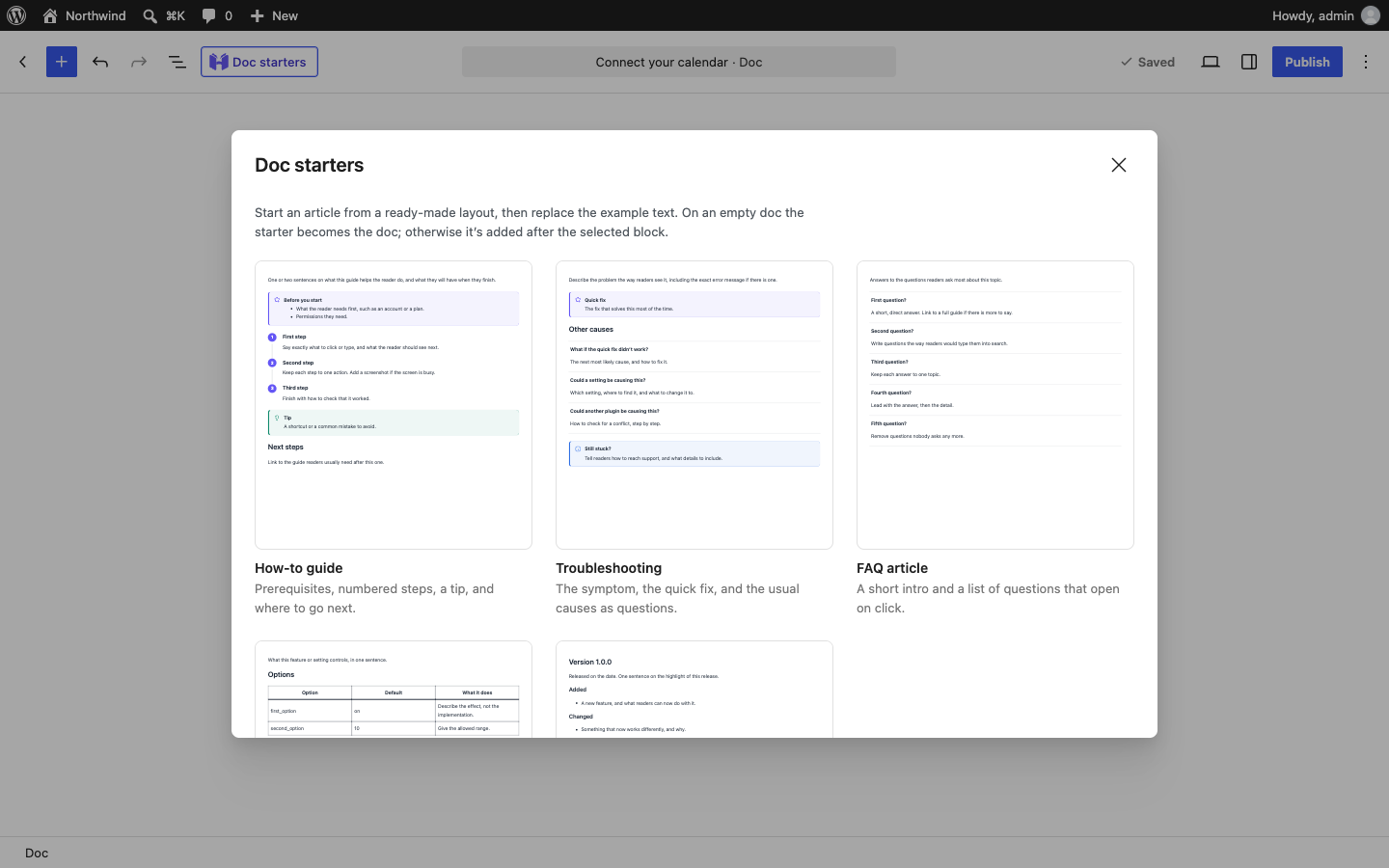
Doc starters: five ready-made article layouts, one click away in the editor.