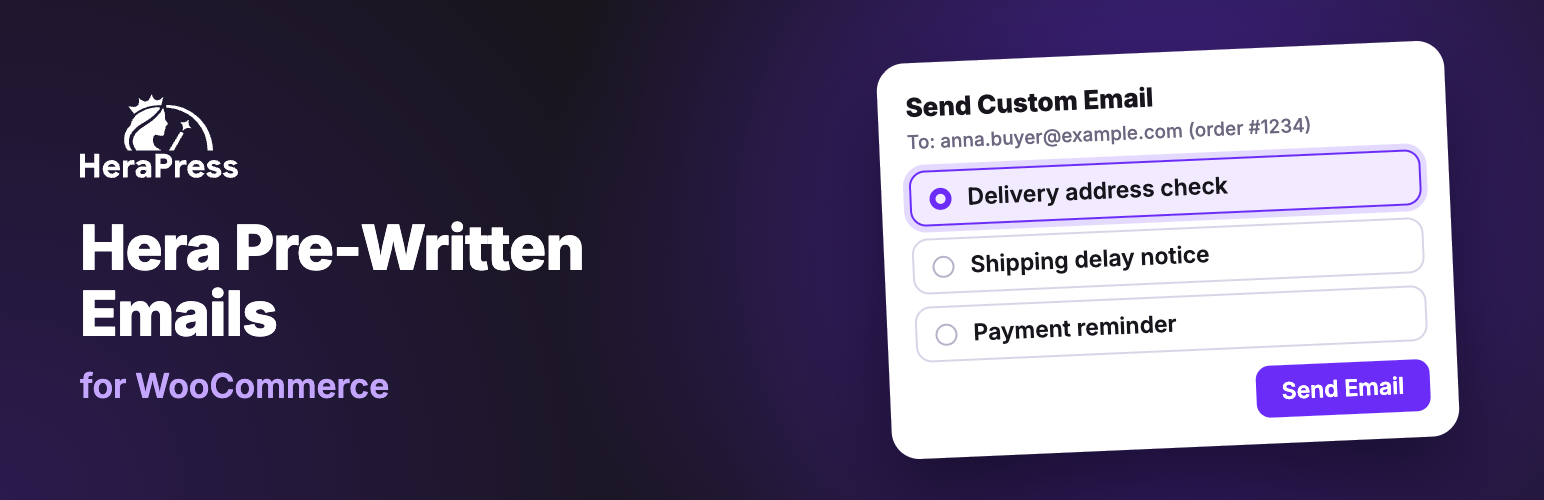
Hera Pre-Written Emails for WooCommerce lets your staff send a pre-written email to an order’s customer from the WooCommerce Orders screen, without leaving wp-admin.
This is an independent plugin, not affiliated with, endorsed by, or sponsored by WooCommerce or Automattic. WooCommerce is a trademark of Automattic Inc.
This is a manual tool for the messages a real person decides to send about a specific order. Some examples: asking a customer to confirm their delivery address, explaining a delay, requesting extra details before an order is processed, following up after delivery. It is not a marketing or newsletter tool, and it does not send anything automatically. Every email goes out because a staff member chose to send it, for a specific order.
Features
- Manage as many email templates as you need from a dedicated “Order Emails” admin menu. Each template has its own internal name (for your own reference only), Email Subject, Email Heading, Email Type (HTML / Plain text / Multipart), and a rich-text body.
- Placeholder tags such as
{order_number},{customer_full_name},{order_total},{order_view_url}are replaced with real order data when sending. Click a tag to insert it into the Subject, Heading or Body. - Preview any template in your browser, or send yourself a test copy with sample data, before it’s ever used on a real order. Works on Draft templates too.
- A “Send Email” button on each order in the Orders list, and a “Send Custom Email” button on the order screen, open a window that shows the address the email goes to and the templates the order already got, and lets you choose the template.
- A bulk action on the Orders list (“Send Custom Email: template name“) sends the same template to the selected orders, up to 20 per run by default, after you confirm, for example to remind a batch of stalled orders at once. If some of them already got that template, you can leave them out.
- Optionally attach one file to a template (a warranty card, a user guide, etc.). It goes out with every email sent from that template.
- A “Custom Email” column on the Orders list shows which templates each order got, or Not sent.
- Extra “Custom Email Sent / Custom Email Not Sent” filter links next to the existing order status filters, with the number of orders in each.
- A filter by template above the Orders list finds the orders a template was sent for, or the ones that have not had it yet, for example to send a follow-up only to the orders still waiting for it.
- Every send adds a private order note naming the template, and a line to the order’s history with the template, the time and the staff member who sent it.
- Tag values such as
{order_status}and{order_date}, and the text of the WooCommerce email design, use your site language, as in WooCommerce’s own emails to customers, even when your wp-admin profile uses another language. - Emails are sent through WooCommerce’s own mailer (
WC()->mailer()), so they use your store’s WooCommerce email styling and go out through whatever SMTP connection you already have configured (e.g. WP Mail SMTP). No separate mail configuration is needed. - Fully compatible with WooCommerce High-Performance Order Storage (HPOS / Custom Order Tables) as well as legacy order storage.
- Developers can add their own placeholder tags, act after each email sent and change the bulk limit, with the filters and actions described in the user guide.
Documentation
The user guide, with a page for every feature, is at herapress.com/docs.
Screenshots
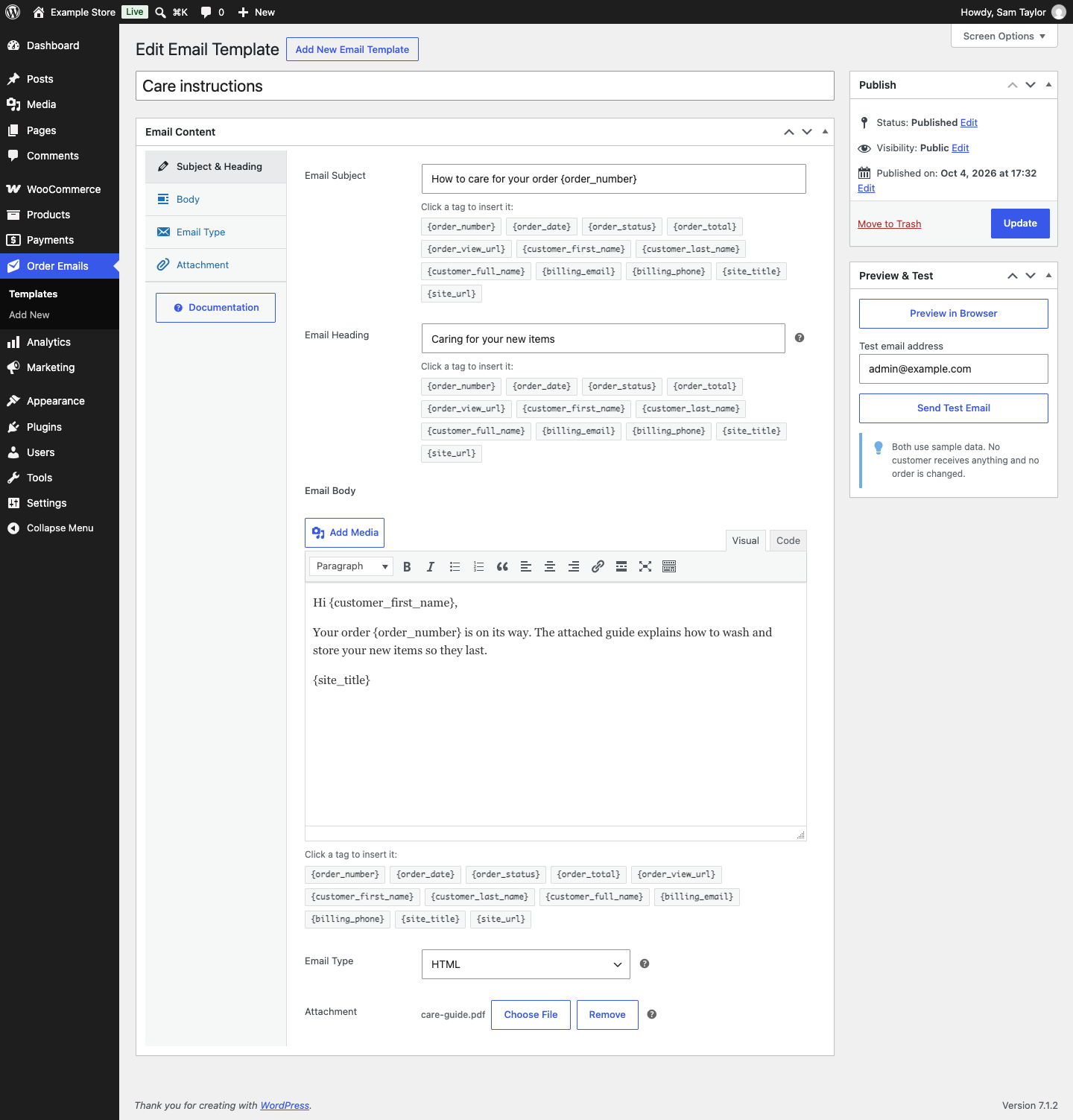
The template editor: subject, heading and body with tags to click in, the email type, a PDF attachment, and the Preview & Test box.
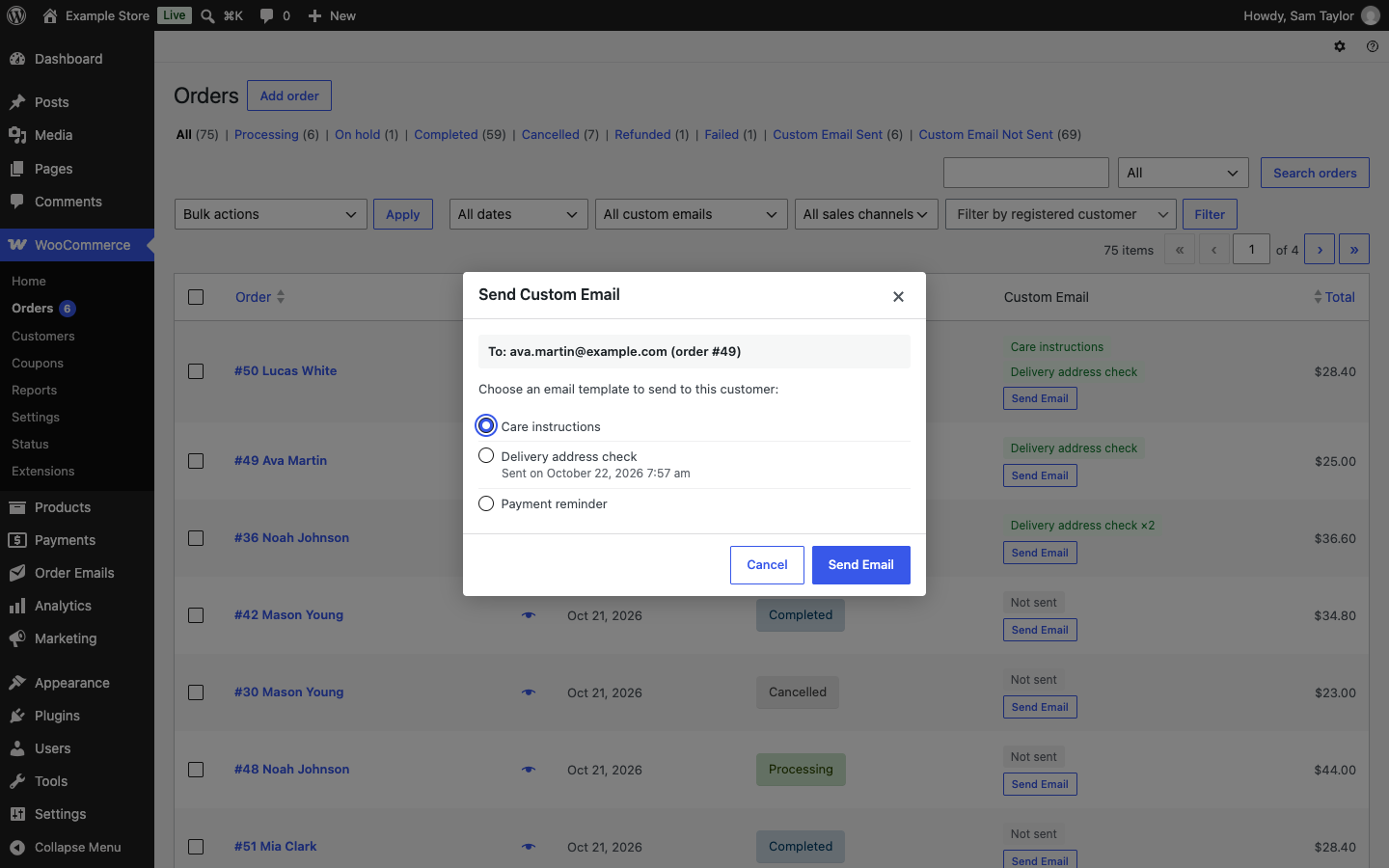
The Send Custom Email window on the WooCommerce Orders list, showing the address the email goes to and the template the order already got, with another template chosen.

The Orders list with the Custom Email column, the Custom Email Sent and Custom Email Not Sent links, and the filter by template.
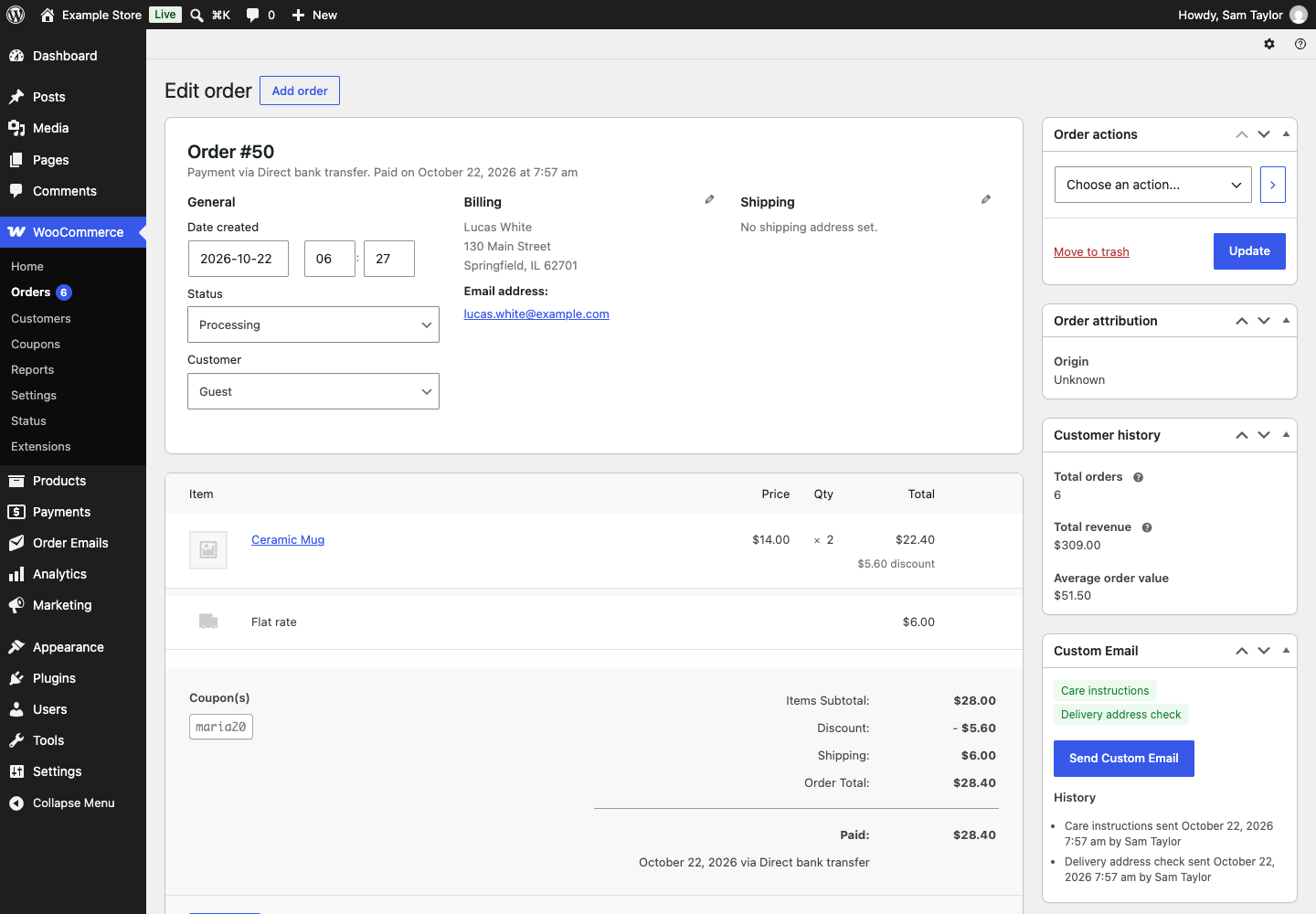
An order's Custom Email box, with the history of what was sent.
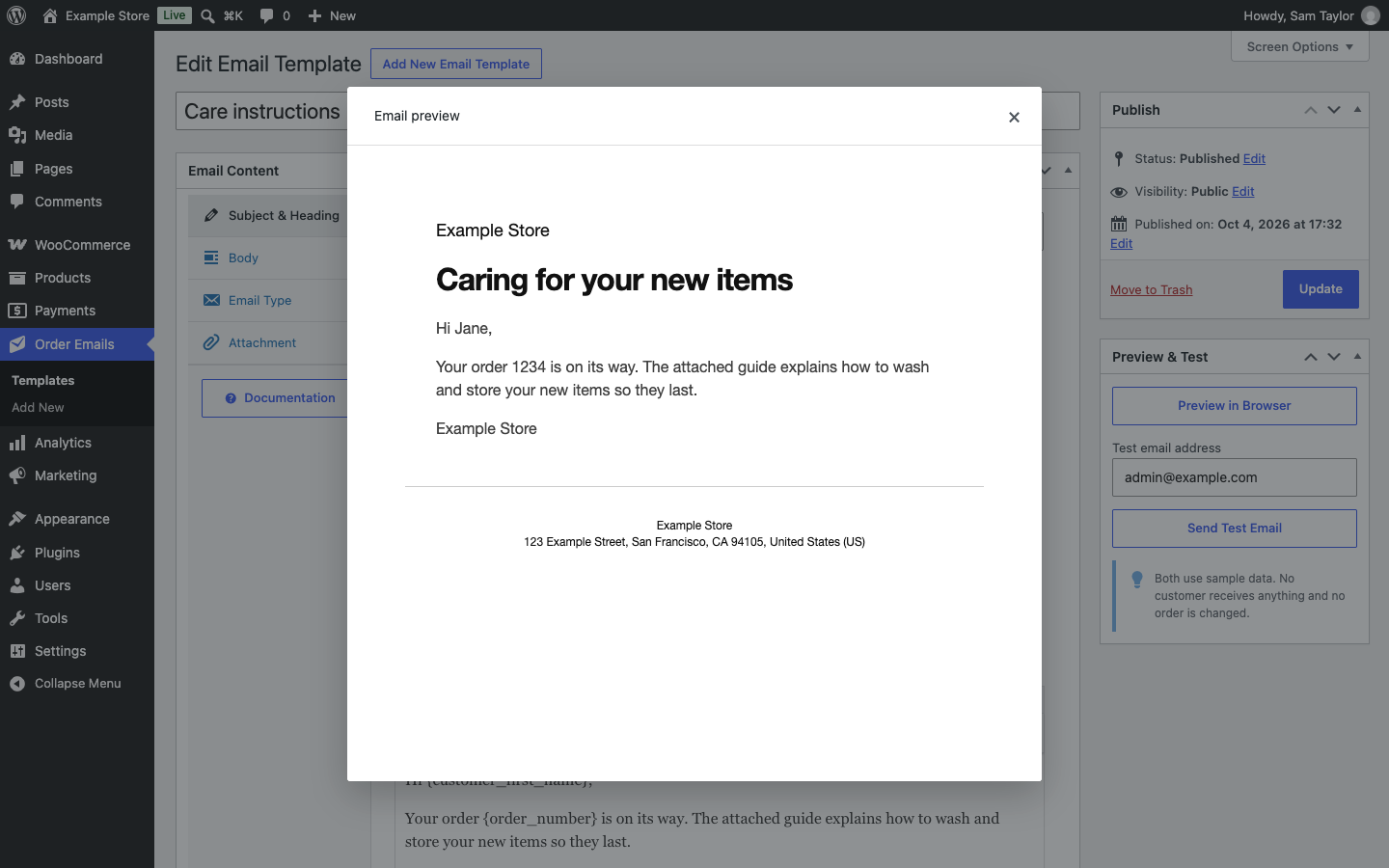
A template previewed in the browser, filled in with sample data.