Sometimes a page just should not show its title: a landing page built with blocks or a page builder, a home page, a “thank you” page. Or a post should not show its date, its author or its comments.
Hide Title & Meta adds a small panel to the editor of every post and page with one checkbox per element:
- Title
- Featured image
- Author
- Date
- Categories & tags
- Comments
Tick, update, done.
Built for today’s WordPress
- Block themes (Full Site Editing). The plugin removes the actual blocks (
Post Title,Post Featured Image,Post Author,Post Date,Post Terms,Comments) from the page. No CSS tricks, no empty boxes. - Classic themes and page builders. The template tags return empty output and a small CSS fallback hides the usual wrappers. Works with Elementor’s theme builder widgets too.
- Menus and lists are never affected. Older plugins of this kind blanked the page name in navigation menus, page lists and “recent posts” widgets. This one tracks where the title is being printed and only hides it in the page’s own header.
- SEO stays intact. The
<title>tag and social sharing tags keep the real title because the filters are attached after the<head>is printed.
Defaults per post type
In Settings > Hide Title & Meta you can choose which post types get the panel and which elements are hidden by default on each of them (for example: hide the title on every page). Any individual item can still override the default.
For developers
htam_should_hidefilter:( bool $hide, string $element, int $post_id ).htam_selectorsfilter:( string[] $selectors, string $element )to tune the CSS fallback.htam_elementsfilter: add or change elements, their blocks and selectors.- Meta keys:
_htam_hide_title,_htam_hide_featured_image,_htam_hide_author,_htam_hide_date,_htam_hide_terms,_htam_hide_comments. Values:1hide,0show, empty = inherit the post type default.
No external requests, no tracking, no accounts. Uninstalling removes the option and the post meta.
Screenshots

The panel in the block editor sidebar.
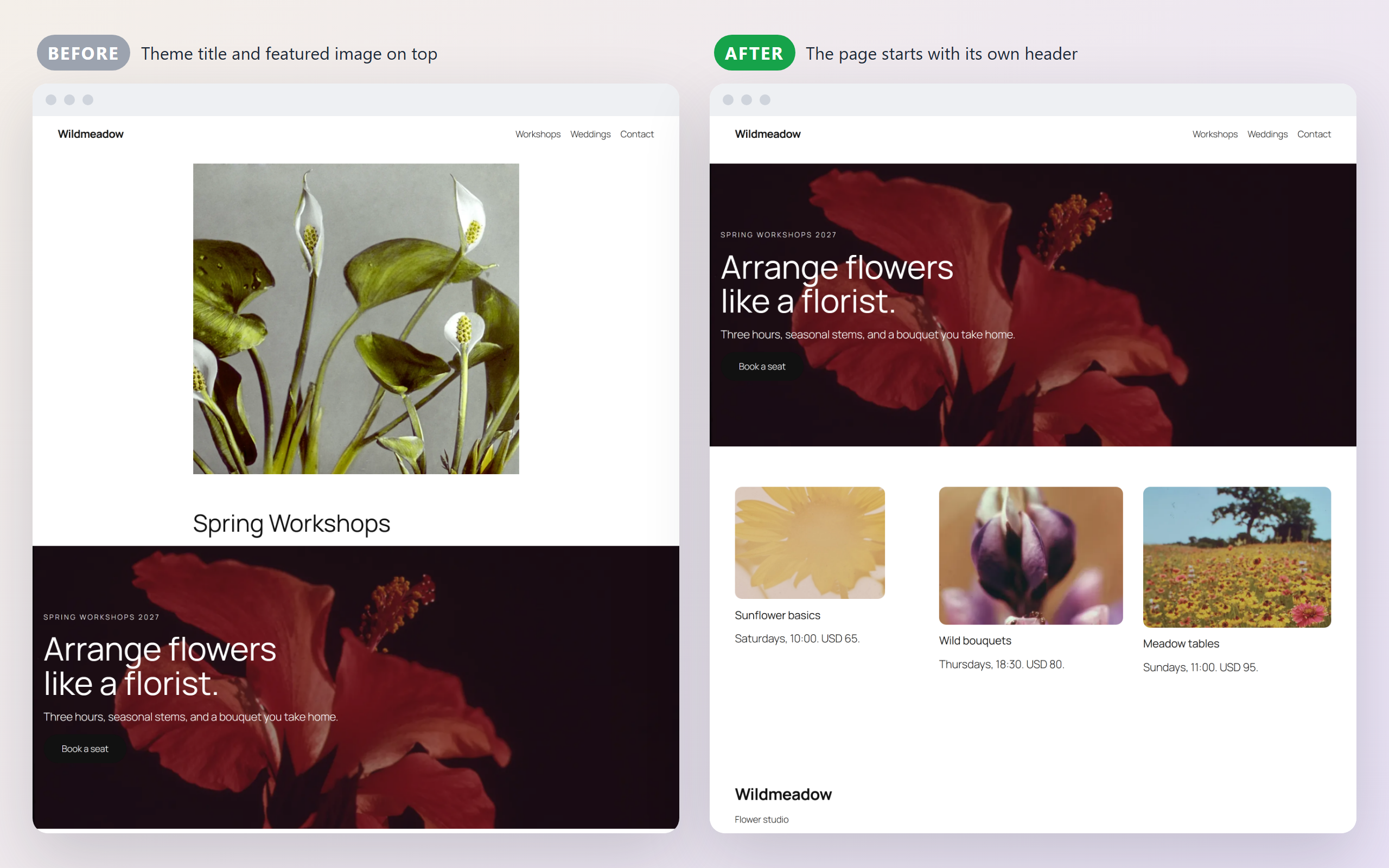
A page on a block theme with the title and featured image hidden.

Settings: post types, defaults per post type and the CSS fallback.
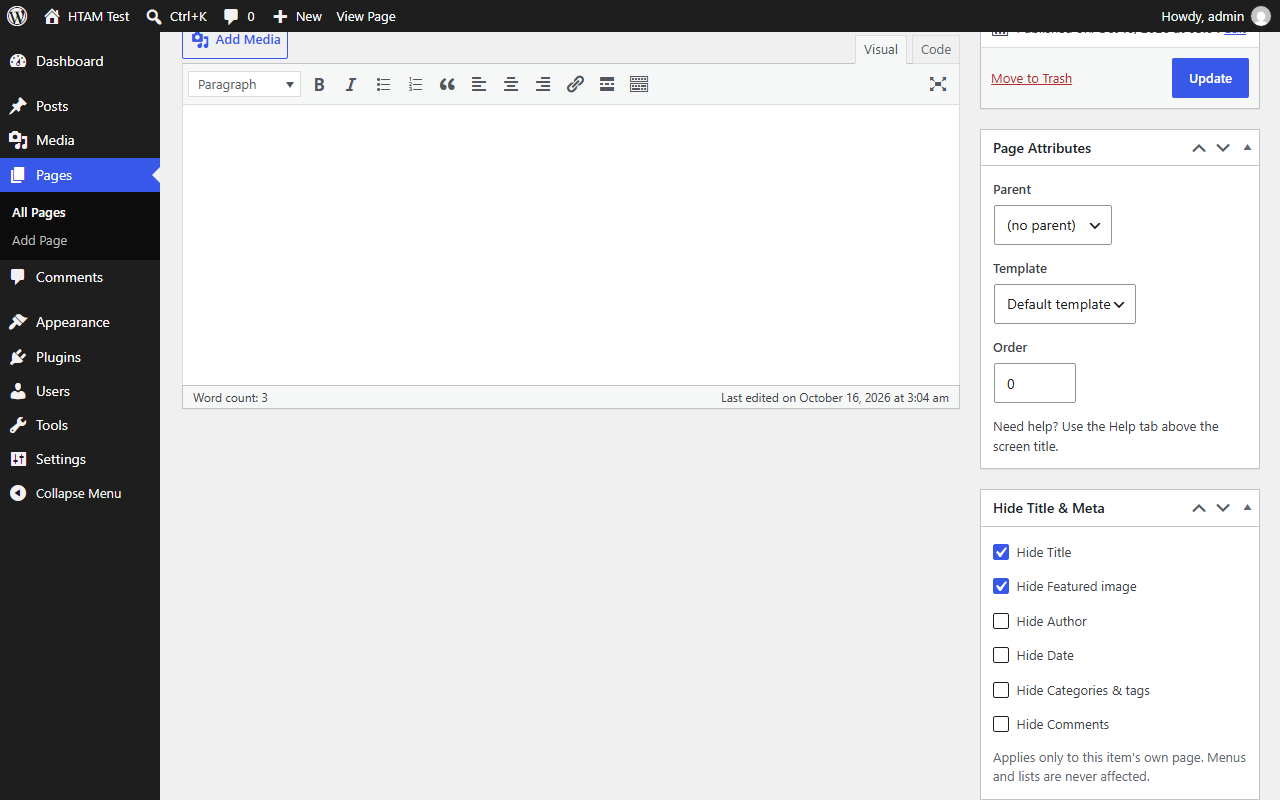
The meta box in the classic editor.