HI Theme Toolkit gives developers a structured foundation for building robust, maintainable WordPress themes. Rather than reinventing common patterns on every project, WP Theme Toolkit provides a consistent architecture out of the box.
Features:
- Abstract base models for posts, pages, media, galleries, and custom post types
- ACF-powered block and option page registration
- Custom post type and taxonomy scaffolding
- REST API routing with token-based authentication
- Utility services: asset loading (Vite), menus, navigation, image resizing (WebP), cookie consent
- Google Calendar integration with admin dashboard, configurable sync settings (API key, Calendar ID, interval, date range, max events), and live connection testing
- WordPress CPT-to-calendar mapping: link any public custom post type with an ACF date field (including dates inside repeaters) to calendar events
- WooCommerce optional support
- Maintenance mode view
- Gravity Forms integration helpers
- WPML compatibility helpers
This plugin is designed to work alongside a custom theme, not replace it. It is intended for developers building bespoke WordPress themes.
To start a new project, use the official boilerplate: wordpress-toolkit-boilerplate
External Services
This plugin may connect to the following external services depending on your configuration:
- Google Calendar API — used by
GoogleCalendarSourceto fetch calendar events. This connection is only made when the Google Calendar integration is configured and active. See Google’s Privacy Policy.
No data is sent to any external service by default. External connections are opt-in and initiated by your theme code.
Third-Party Libraries
This plugin includes the following third-party libraries:
- Highlight.js v11.12.0 — Syntax highlighter by Josh Goebel and contributors, used in the admin Docs page to highlight code blocks. Licensed under the BSD 3-Clause License. Source. Bundled locally in
admin/assets/, no external request is made.
Screenshots
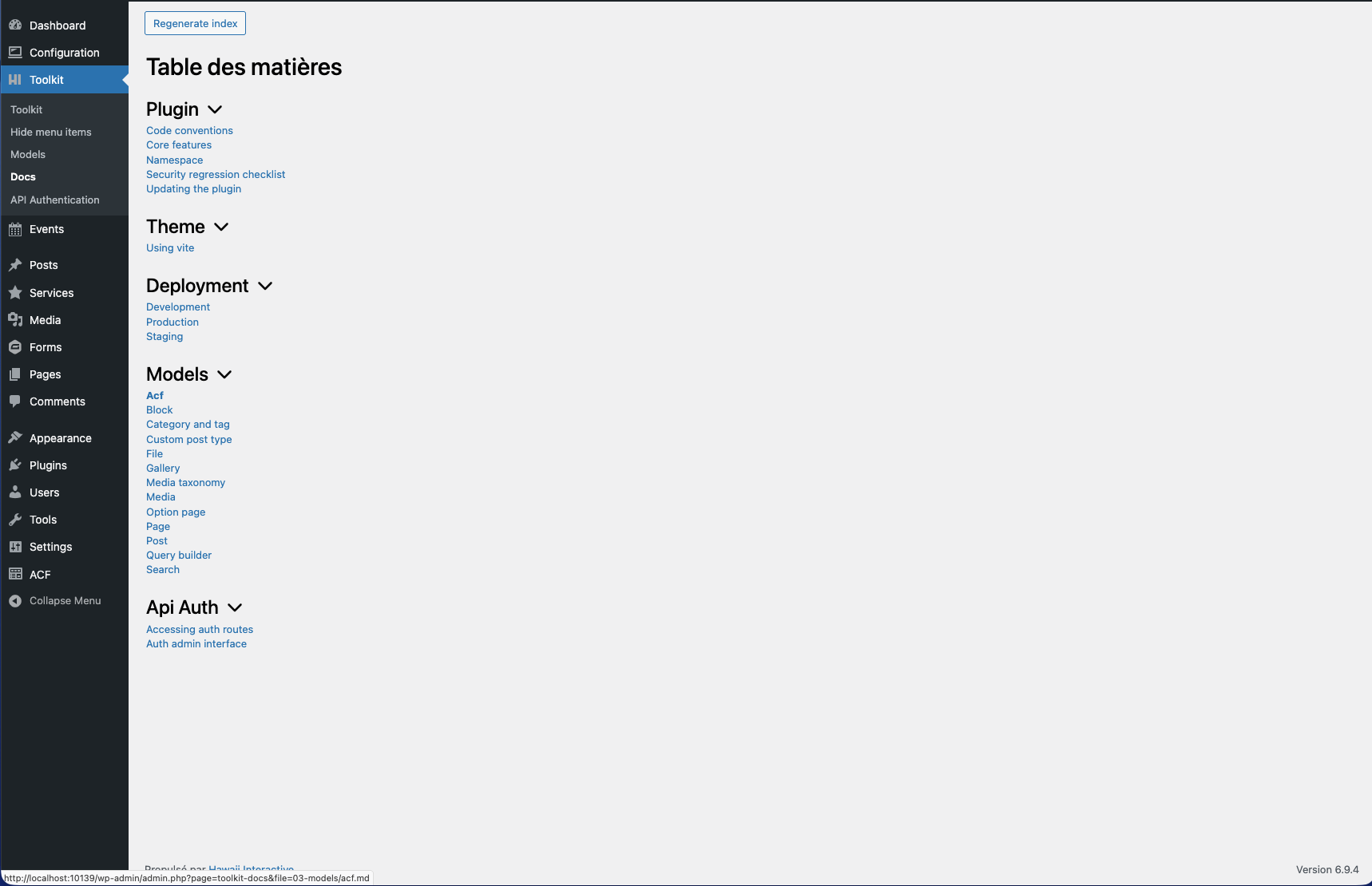
Documentation viewer — browse Markdown docs from the plugin's /docs folder, organized by section with collapsible categories.
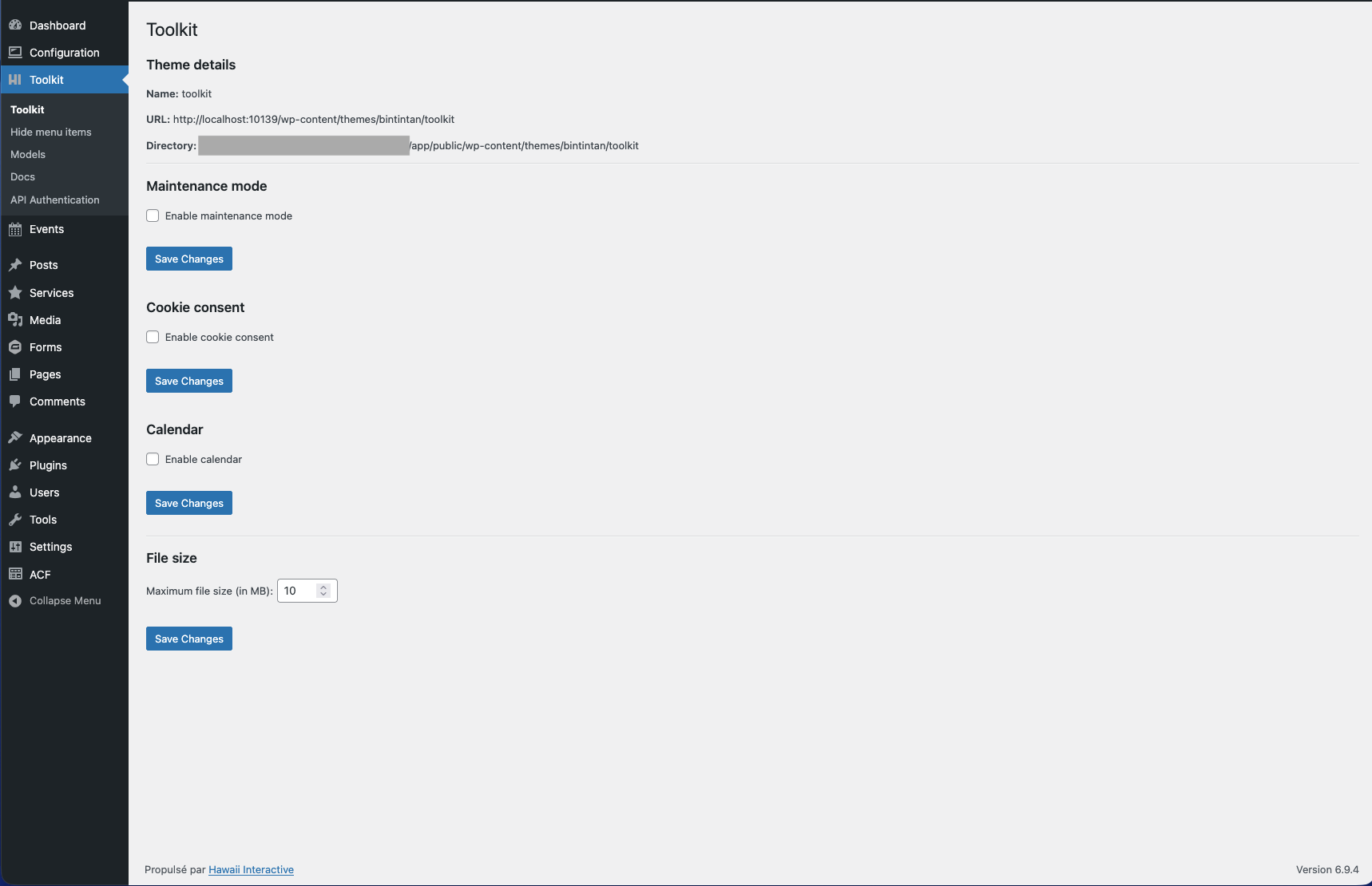
Toolkit dashboard — theme details, maintenance mode toggle, cookie consent, Google Calendar, and file upload size settings.
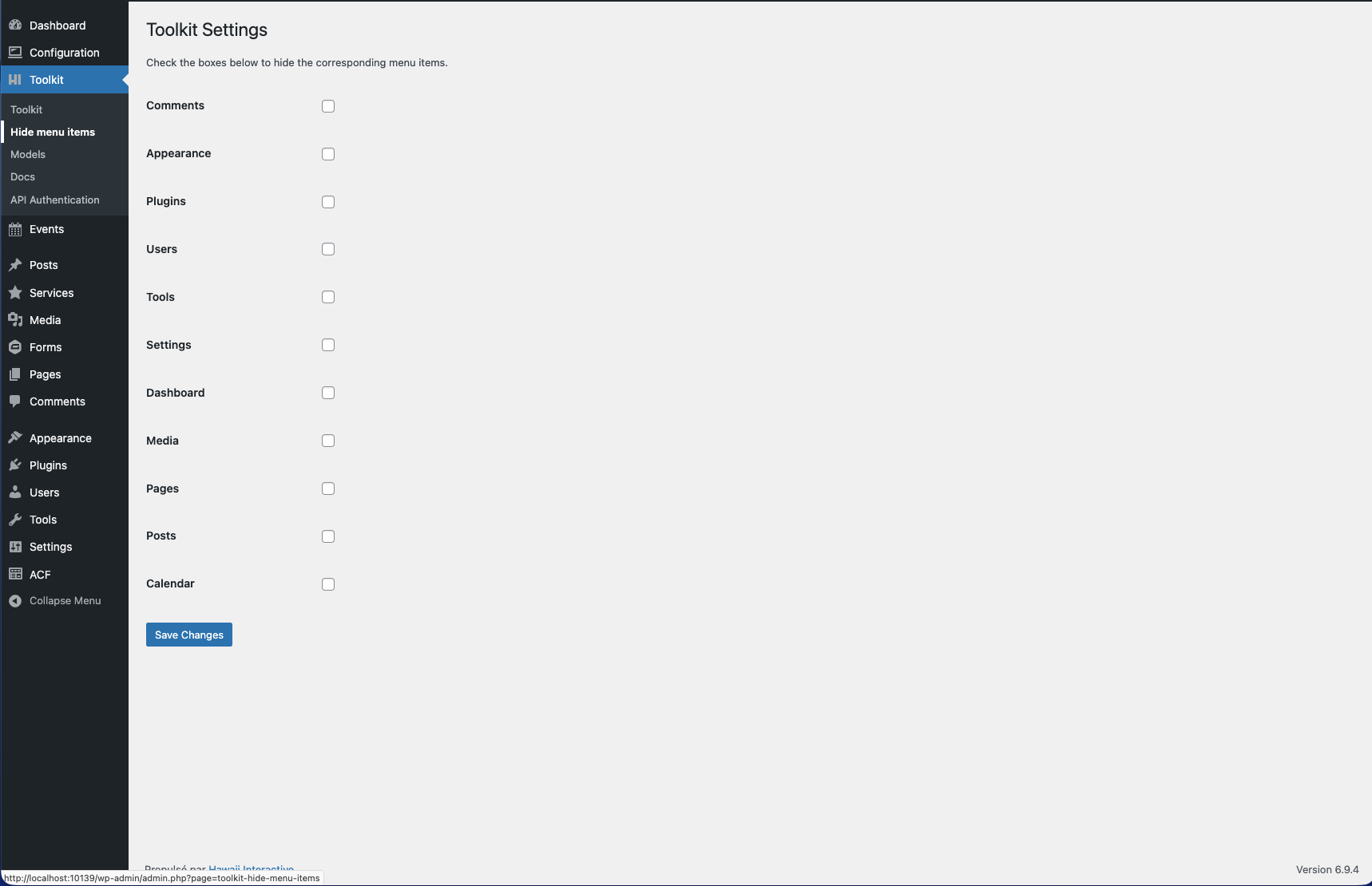
Hide menu items — clean up the WordPress admin sidebar for clients by toggling off unused menu entries.
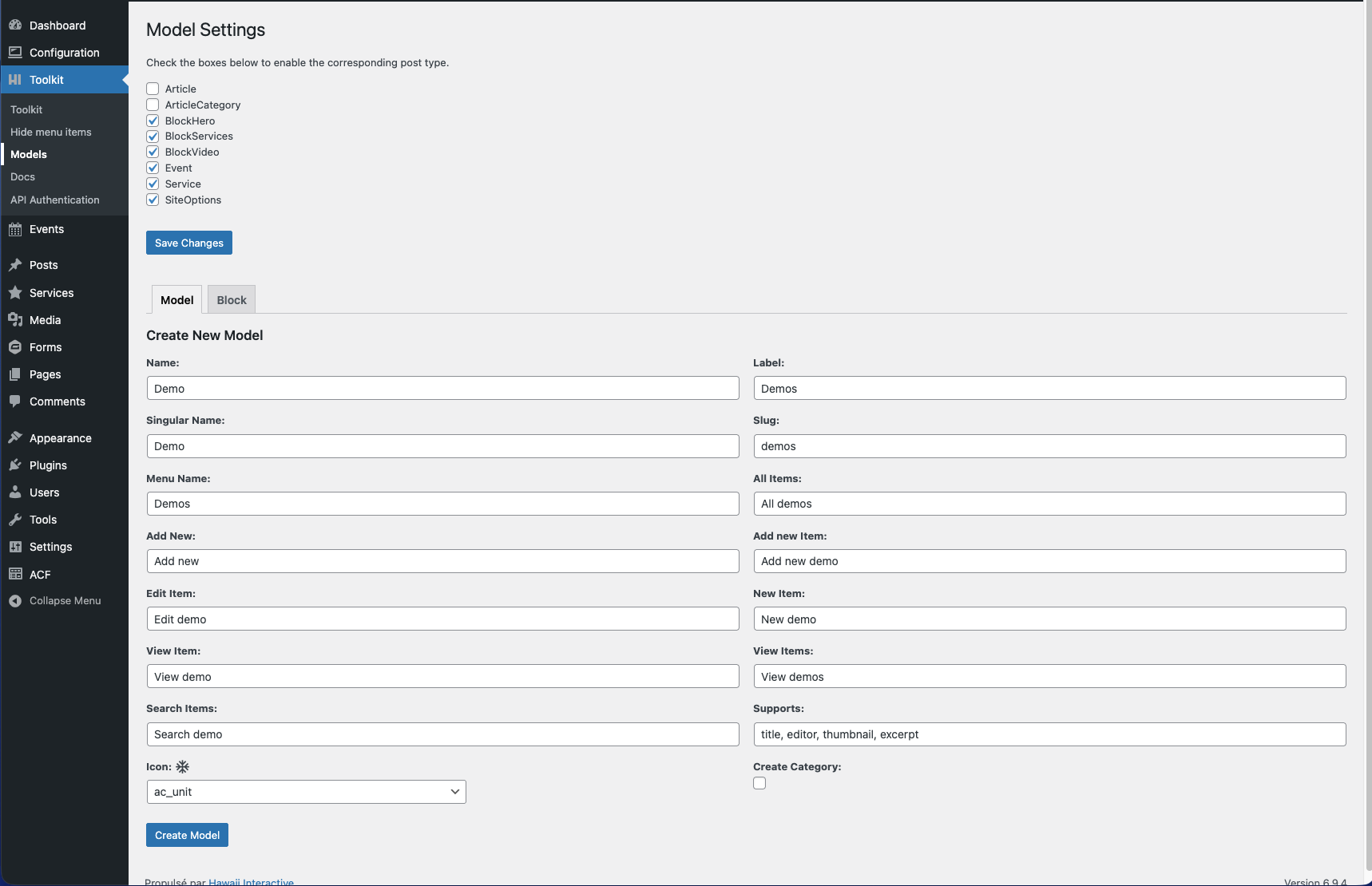
Model manager — enable/disable registered custom post types and scaffold new CPT model files directly from the admin.
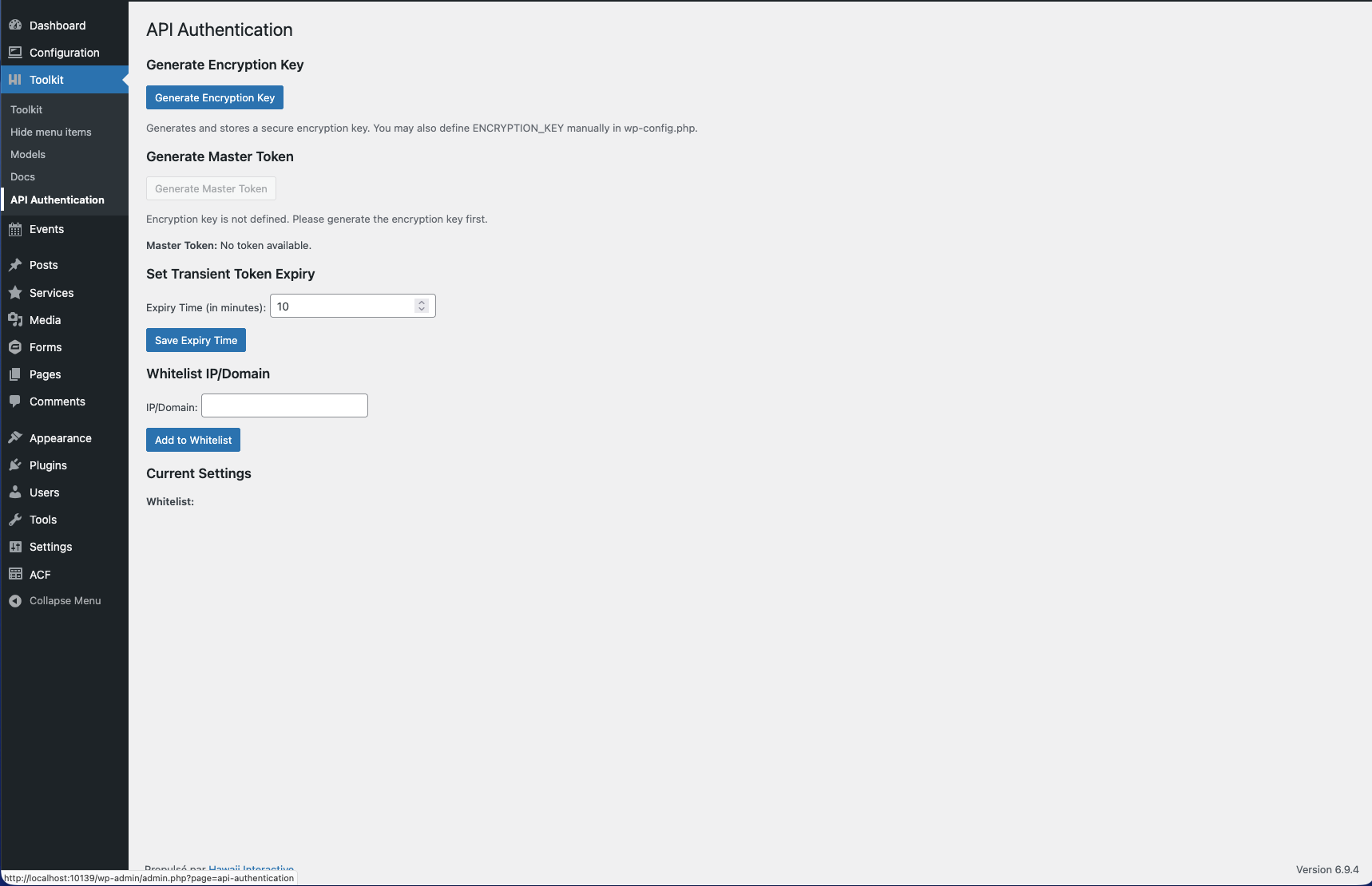
API Authentication — generate an encryption key, create a master token, manage transient token expiry, and configure IP whitelisting.
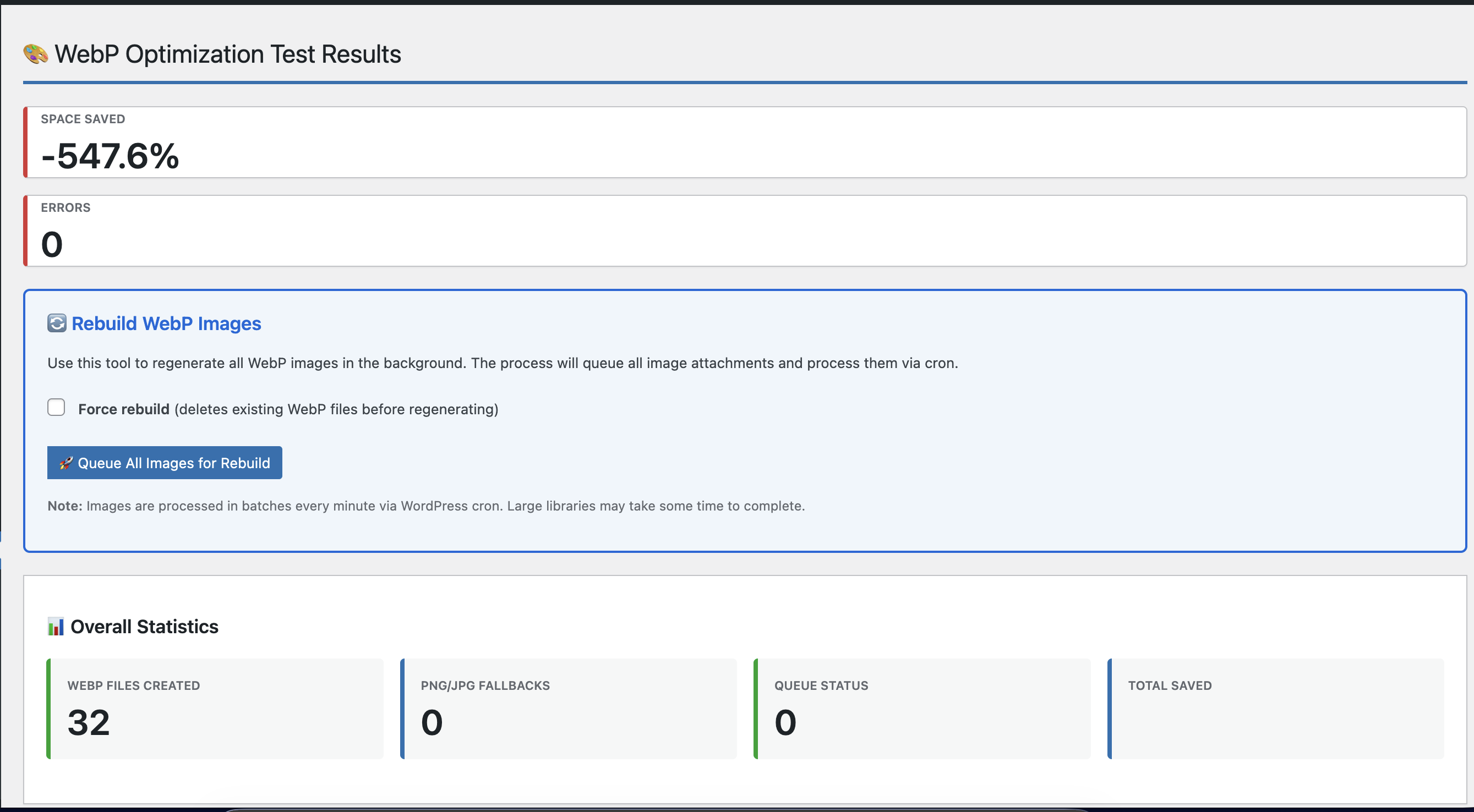
WebP optimization — test results showing files created and space saved, with a bulk rebuild tool that queues all images for background cron processing.
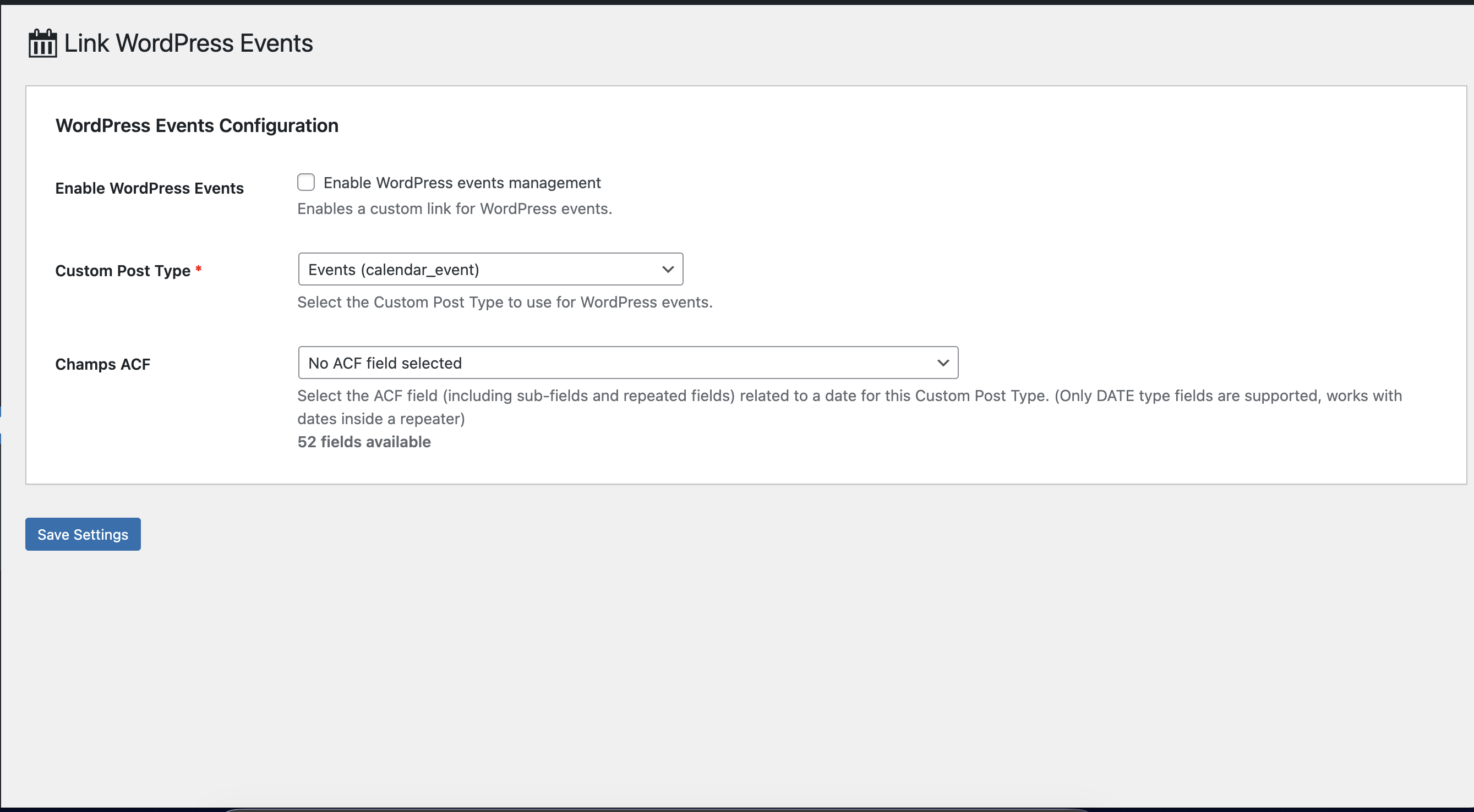
Link WordPress Events — map any public custom post type and its ACF date field (including repeater sub-fields) to calendar events, with a count of all available fields.
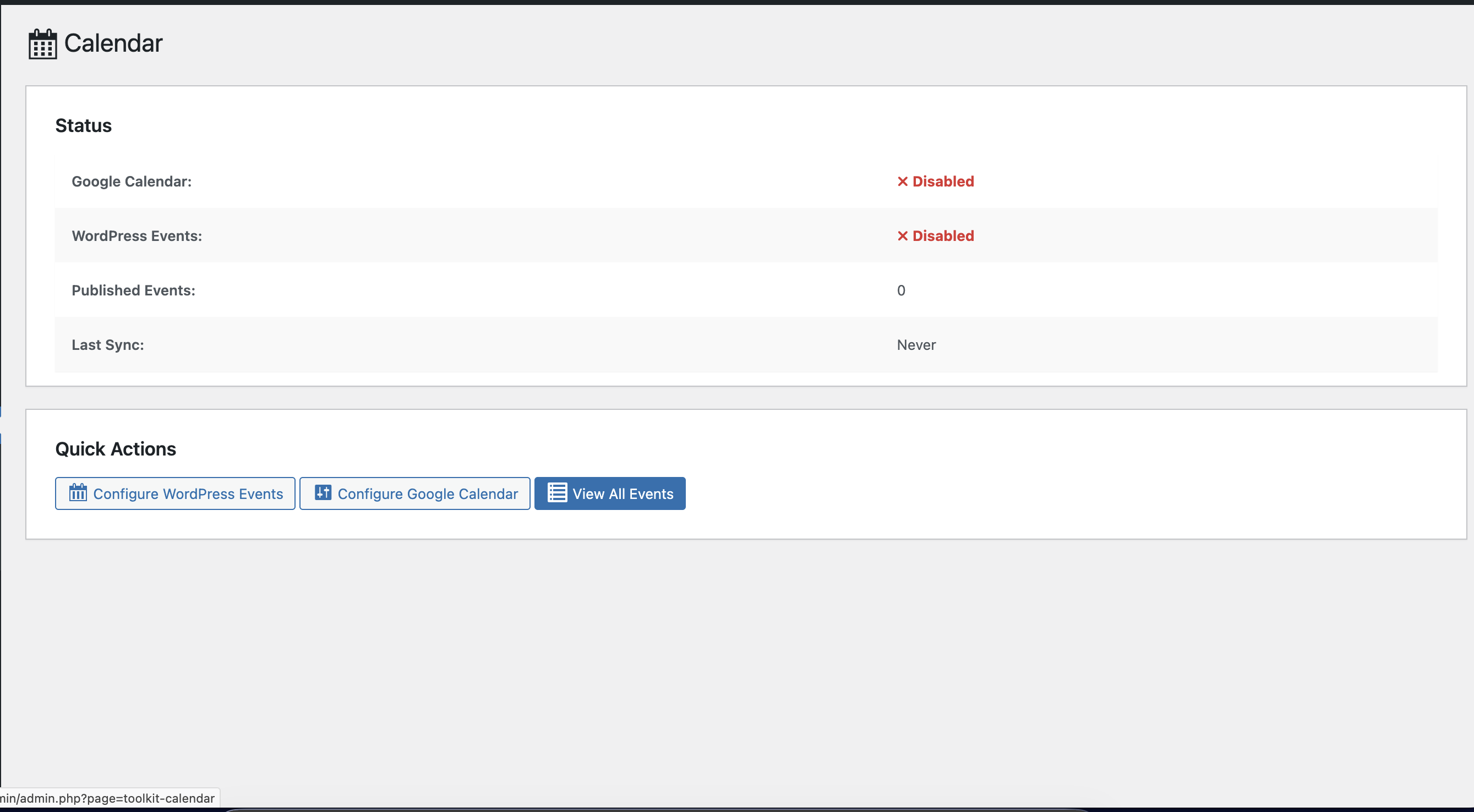
Calendar dashboard — at-a-glance status of Google Calendar and WordPress Events sync, published event count, last sync time, and quick-action buttons.
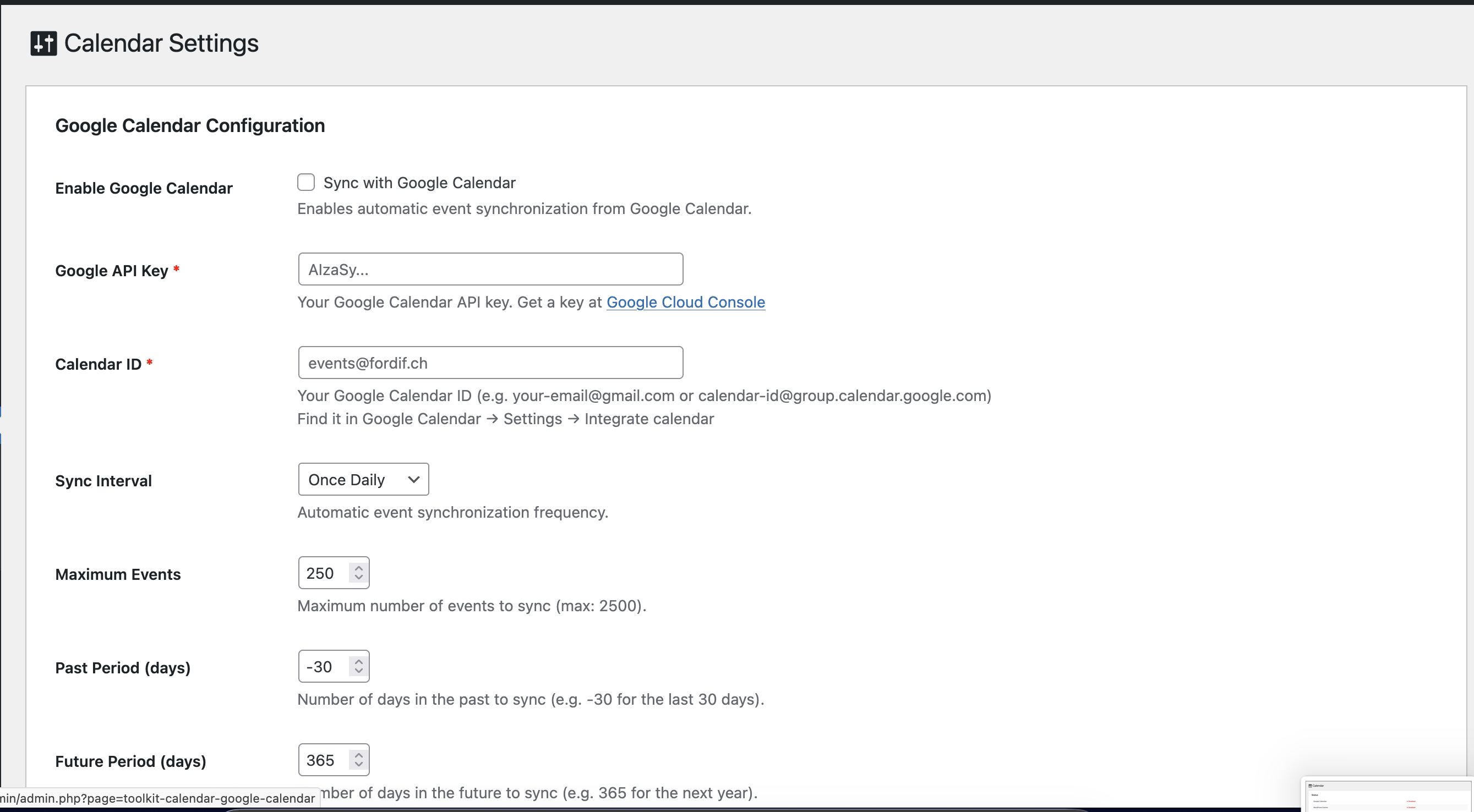
Calendar Settings — Google Calendar configuration: API key, Calendar ID, sync interval, maximum events, and past/future date-range offsets.