.html for all url adds a .html ending to your WordPress permalinks. You choose which content types get it, so you can turn yoursite.com/about-us/ into yoursite.com/about-us.html.
The most common reason to use it is moving an old website to WordPress without breaking its links. Many older sites were built from static HTML files, Dreamweaver or another CMS, and every page URL ended in .html. If you rebuild that site in WordPress and the URLs change, you lose:
- backlinks from other websites
- bookmarks and links shared on social media, in emails and in printed material
- search rankings, while Google works out where every page moved to
With this plugin the WordPress pages can keep exactly the same URLs, so nothing needs to be redirected.
When is this plugin useful?
- Migrating from a static HTML site. Keep
/services.html,/contact.htmland every other old URL working after the move. - Migrating from another platform such as Blogger, Joomla or an older site builder that used
.htmlURLs. - Redesigning a client website where the client wants their existing URLs kept.
- Directory websites built with GeoDirectory, where listing pages can end in
.htmlwhile category, location and search URLs stay unchanged. - Community websites built with BuddyPress, where member profiles, groups and activity can end in
.html. - Keeping one URL style across a site that already uses
.htmlfor some pages.
Features
- Add
.htmlto posts, pages and any public custom post type. - Turn it on for each content type separately.
- GeoDirectory support: listing pages end in
.html, and category, location and search URLs are left alone. - BuddyPress support: member profiles, groups, activity and their directories can end in
.html. Profile tabs, group screens and registration URLs stay unchanged. - Old links without
.htmlkeep working. WordPress either loads the page or redirects to the new.htmlURL. - Rewrite rules refresh automatically when you save, activate or deactivate the plugin. You don’t need to re-save permalinks by hand.
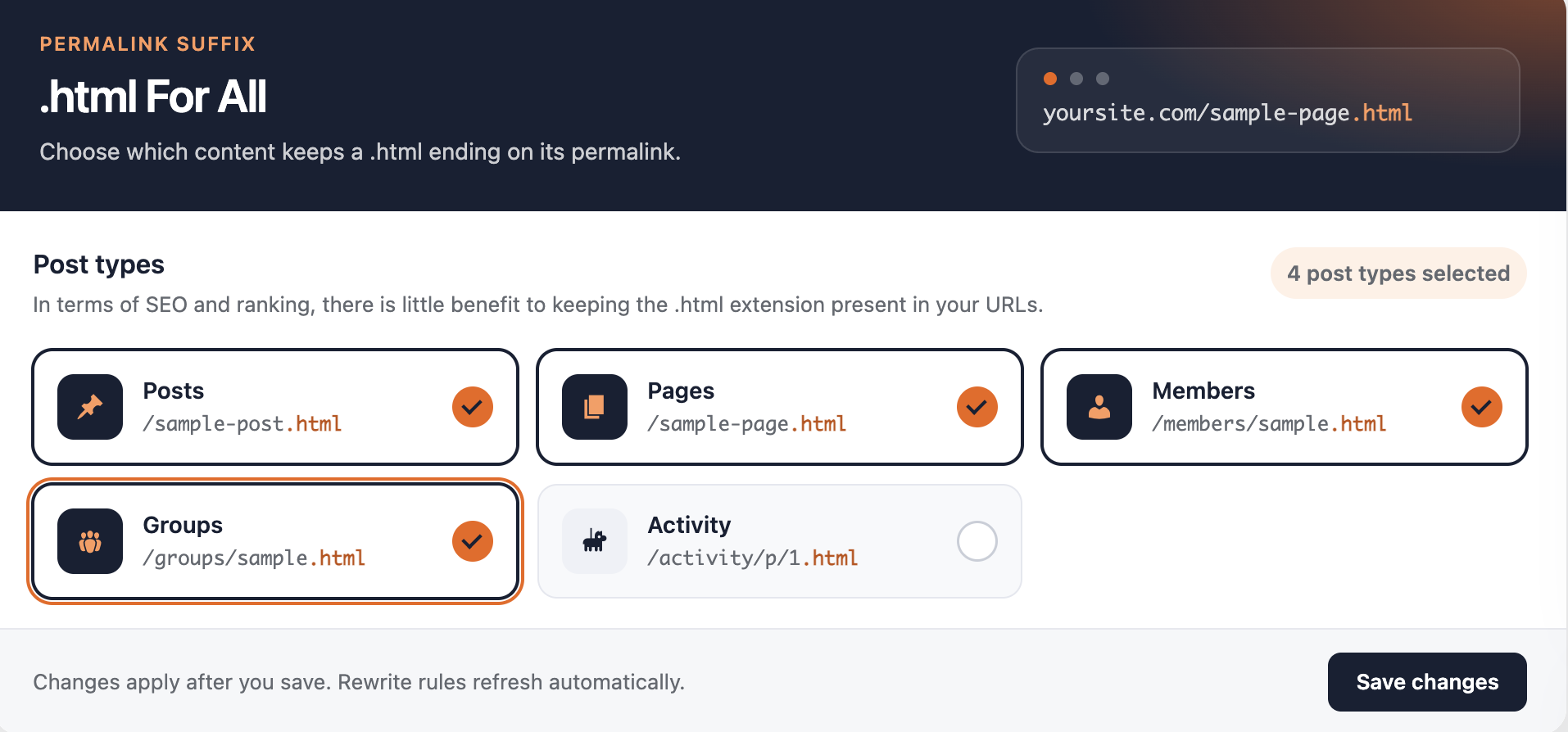
- A simple settings screen under the .html For All menu in wp-admin.
Does .html help SEO?
Not by itself. Google ranks /about-us.html and /about-us/ the same way. The SEO value comes from keeping URLs that already have rankings and backlinks, which is what this plugin is for. On a brand new site there is no ranking benefit, so only use it if you prefer the style.
Watch the demo
Need help with your WordPress site?
This plugin is built by BuddyDevelopers, a WordPress agency that builds and maintains directory, community and eCommerce websites.
- Book a free discovery call to talk about a new site or ongoing maintenance.
- Book a paid consultation for an in-depth session on your project.
Screenshots
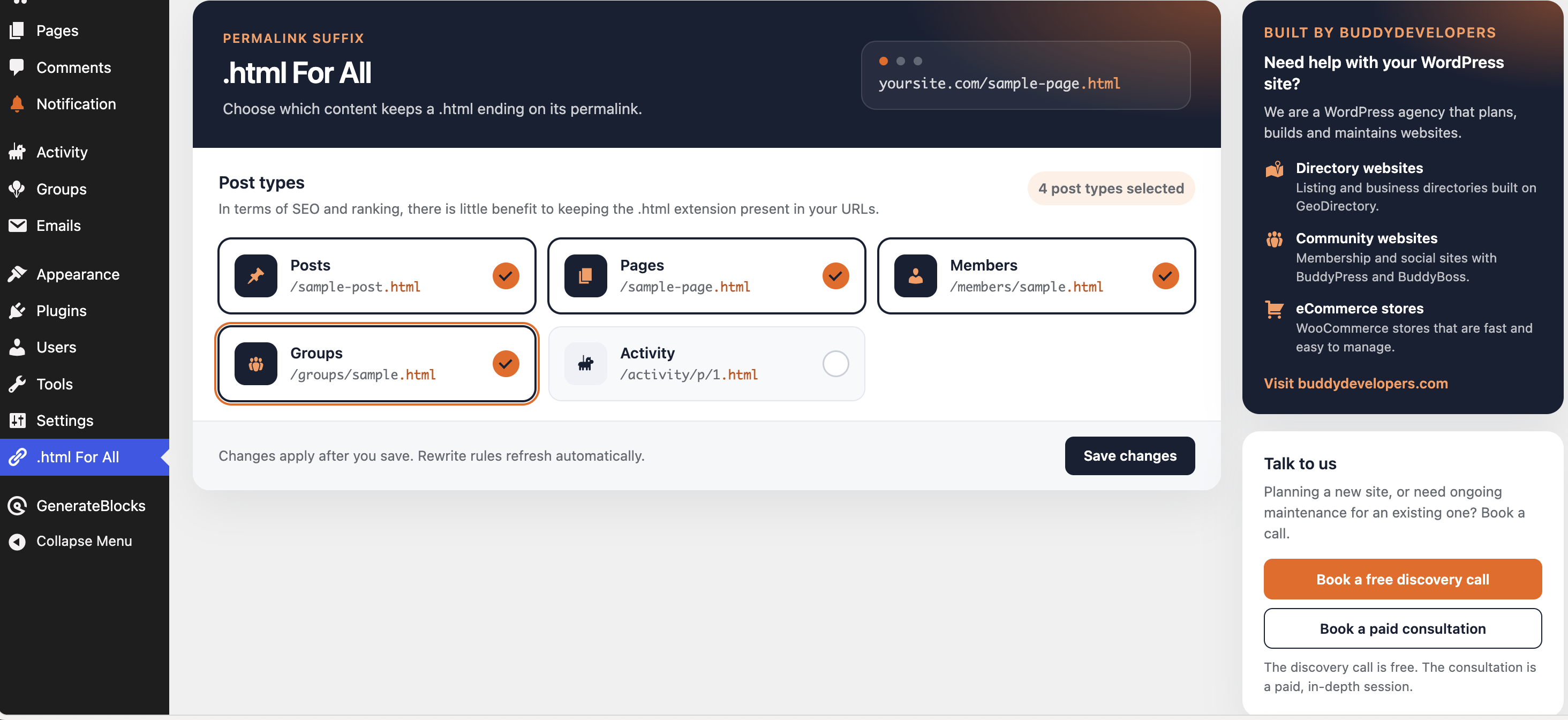
The .html For All settings screen, where you choose which content types end in .html.
A page loading with a .html URL.