BACK TO DIRECTORY
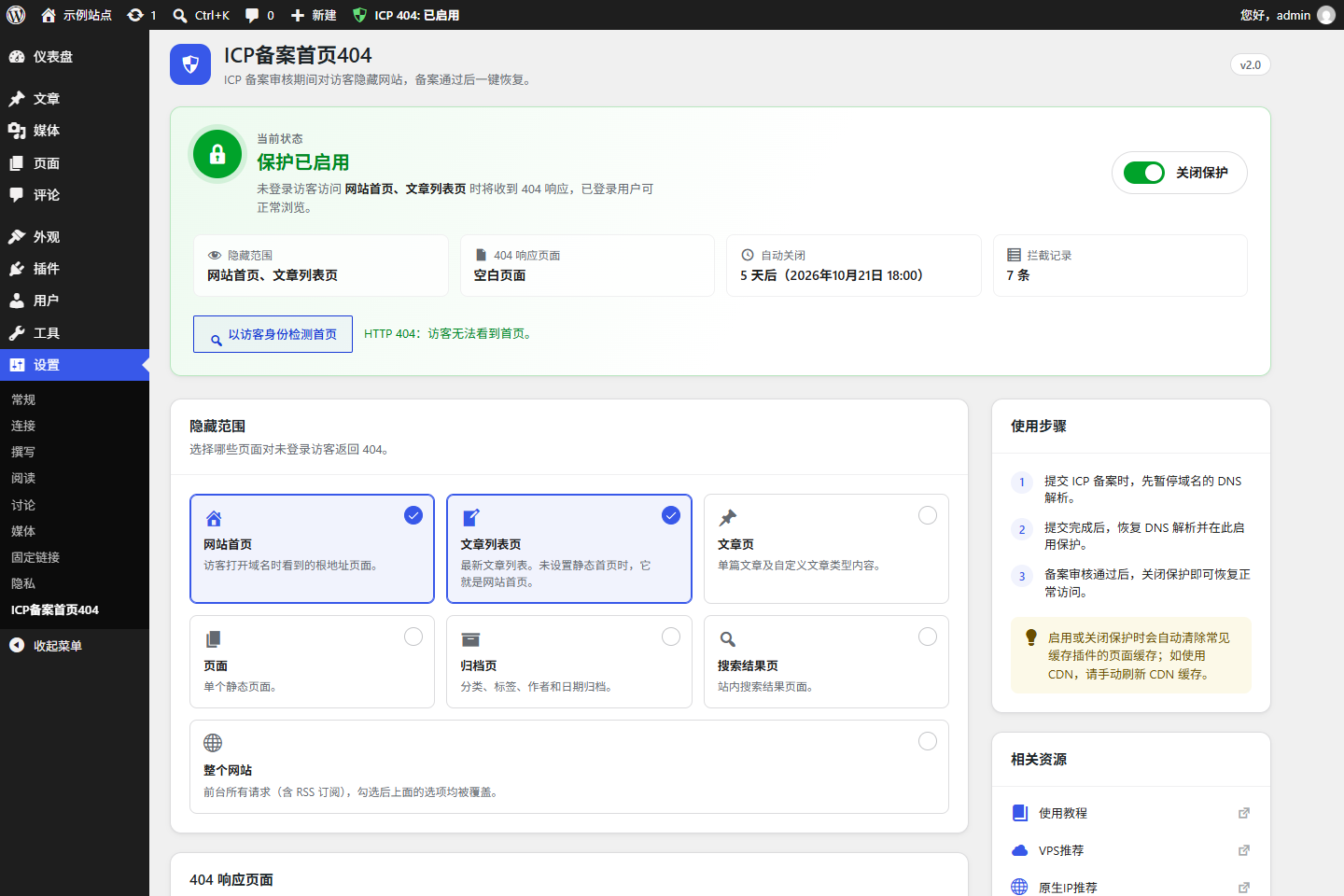
ICP Registration Home 404 is a lightweight WordPress plugin designed specifically for websites during the ICP filing/registration period.
After enabling:
- Visitors who are not logged in receive a 404 (or 403 / 503) response on the pages you choose
- Logged-in users, allow-listed IP addresses and holders of the preview link can still browse the site normally
- Effectively meets access restriction requirements during the ICP review process
The plugin provides:
- A modern settings panel with a live status overview and a one-click on/off switch
- A “Check as a visitor” button that shows what anonymous visitors (and your CDN) actually get
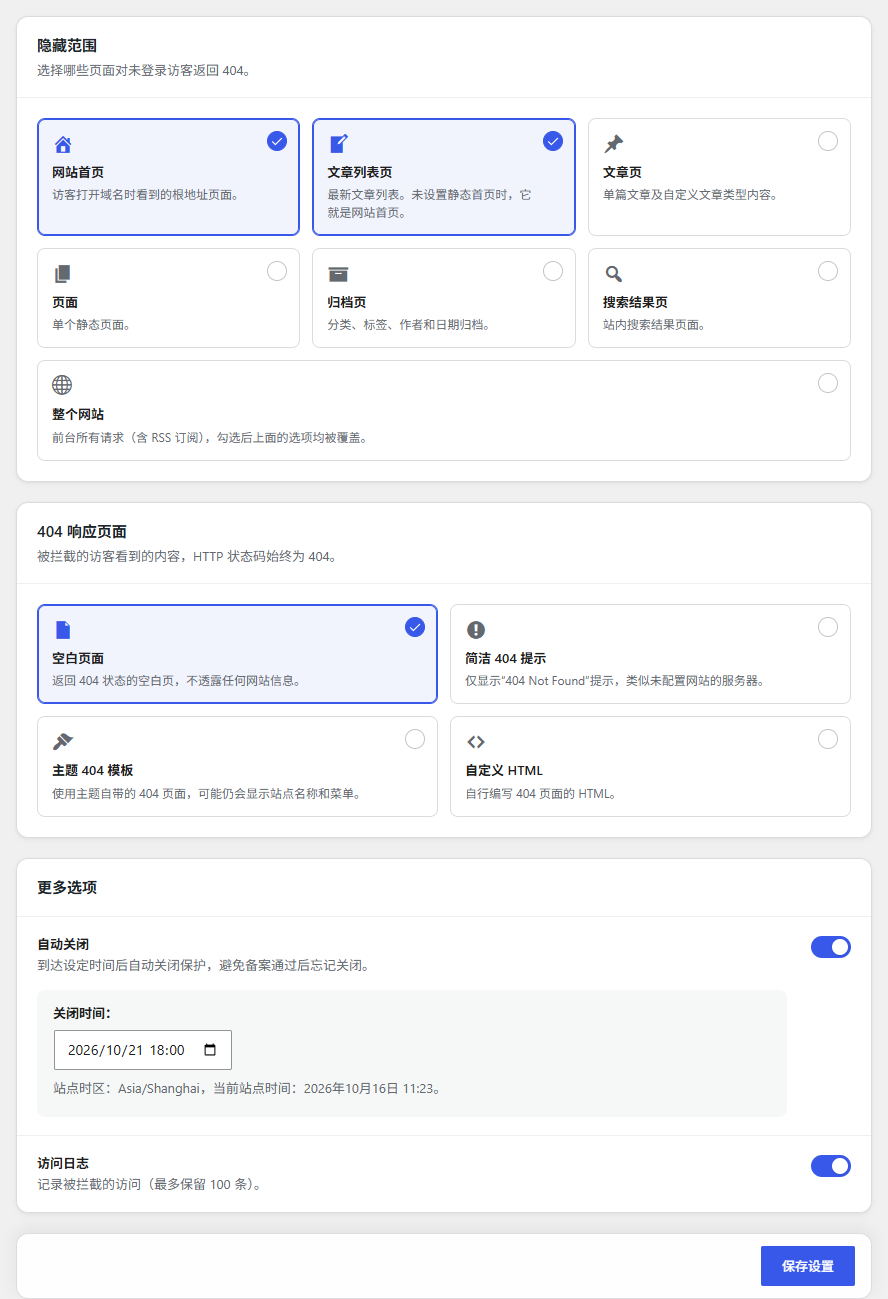
- A choice of HTTP status (404 Not Found, 403 Forbidden or 503 Service Unavailable) and page: blank page, simple error notice, your theme’s 404 template or custom HTML with a ready-made “site under construction” template
- An allow list: IP addresses and ranges, search engine crawlers (optional) and a secret preview link
- Page hiding by type: front page, blog posts page, single posts, pages, archives, search results or the entire site
- Scheduled auto-close, so protection turns itself off at a time you choose
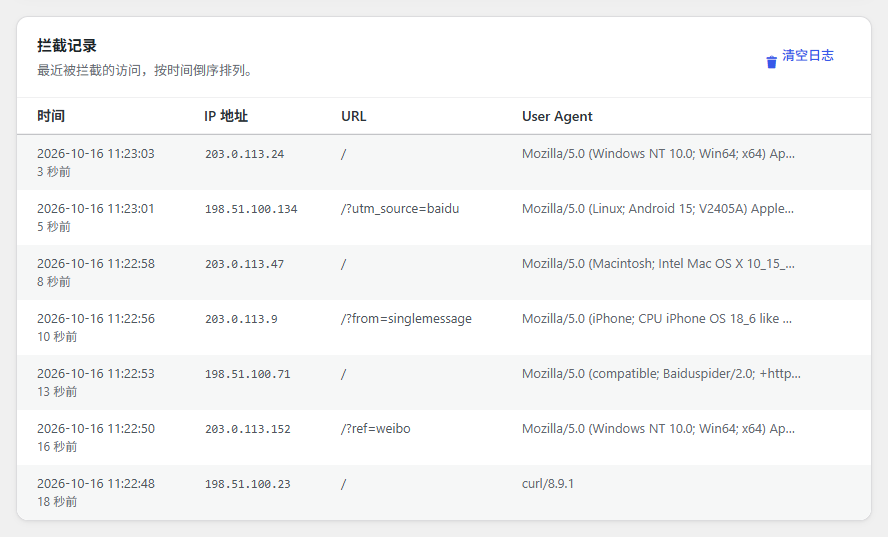
- Access logging of blocked visits
- Quick toggle in the admin toolbar and the plugins list
Compatible with classic and block themes.
Features
- 🔒 Hide pages during ICP registration (visitors who are not logged in only)
- 🔄 Returns a standard 404, 403 or 503 HTTP status code
- ✅ IP allow list with CIDR ranges and CDN / reverse proxy support
- 🕷️ Optionally let search engine crawlers through (Baidu, Google, Bing, Sogou, 360 and more)
- 🔗 Secret preview link to browse the site without logging in
- 🌏 Optionally block mainland China visitors only, so overseas customers and search engines are unaffected
- 🖥️ Nginx and Apache default error page look-alikes, plus “under construction”, “maintenance” and “coming soon” templates
- 📋 Dashboard widget with status, protection time, auto-close countdown and blocks in the last 24 hours
- 📥 Access log with visit counts, CSV export and optional IP locations
- ⚙️ Modern settings panel that follows your admin colour scheme and works on mobile
- 🔍 Built-in visitor check to confirm the homepage is really hidden
- 🧹 Purges the page cache of popular caching plugins when protection is switched (WP Super Cache, W3 Total Cache, WP Rocket, LiteSpeed Cache, WP Fastest Cache and more)
- 🧭 Always shows the WordPress toolbar on the front end while enabled, so you can see the status
- 📝 Custom page with an HTML code editor and a default “site under construction” template
- 📊 Access logging (max 100 entries)
- ⏰ Auto-close at a scheduled time (uses your site timezone)
- 🎯 Page hiding for front page, blog posts page, single posts, pages, archives, search results or the entire site
- 🚀 Quick toggle in the plugins list and admin toolbar
- 🔒 Nonce and capability checks on every action
- 🌍 Full translation support, Simplified Chinese included
- 🧩 Lightweight, no dependencies, no front-end assets
Usage
- When submitting your ICP filing, pause DNS resolution for the domain
- After submission, restore DNS and open
Settings → ICP Registration Home 404 - Choose the pages to hide and the 404 response, then save
- Click Enable protection
- Click Check as a visitor to confirm the homepage returns 404
- Once the filing is approved, click Disable protection (or let auto-close do it)
Logged-in users can still access the pages for content management.
External services
This plugin can use the ip.sb IP geolocation service to show where blocked visitors come from. The feature is off by default and only runs when an administrator turns on Show IP Locations in the plugin settings.
- What is sent: the IP addresses listed in the plugin’s access log (never private or local addresses). Lookups are made from the administrator’s browser while viewing the settings page.
- Service: ip.sb – Terms of Use, Privacy Policy
Author
yongnetwork
https://yongnetwork.com
Screenshots
Settings panel with the status overview
Page hiding and 404 response options
Access logs
Plugin Details
Active Installs
0Total Downloads
639Version
2.4Requires WP
5.3Requires PHP
7.2Tested Up To
7.1.4Added
2026-01-15Last Updated
2026-10-23 7:23am GMTRatings
5
0
4
0
3
0
2
0
1
0