
This plugin integrates the ifthenpay payment gateway with WPForms to enable seamless payment collection directly from your forms. Payments are processed through a secure pay-by-link system, ensuring that no sensitive card or banking data is stored on your website. Customers can complete payments using their preferred method via a secure payment page.
In plain terms you get:
* One-time payments through WPForms
* Support for orders
* Merchant backoffice (basic sales) on web + mobile
* Automatic payment confirmations (no card numbers stored)
All settings are managed within WPForms and your ifthenpay Backoffice. The plugin is designed so store owners can handle payments without requiring advanced technical knowledge.
Key Features
- Full integration with WPForms lite and pro payment fields
- Secure transactions
- Automatic payment confirmation (fast access)
- Support for multiple payment methods (cards, wallets, transfers)
- Coupon and discount support via WPForms
- Secure full-page redirect to ifthenpay’s hosted payment page
- Real-time payment status in WPForms
- Multi-language support (EN, ES, FR, PT)
- Security-first approach (no card data stored)
Requirements
- An active ifthenpay merchant account.
- A Gateway Key configured for WPForms (request via ifthenpay support).
- Backoffice Key
- WordPress 6.5+ and PHP 8.2+, with WPForms installed and activated.
- HTTPS (SSL) enabled on your site.
Popup Confirmation Messages
Each ifthenpay-enabled form has its own Popup Confirmation Messages, configured in Create/Edit a form Payments tab. These control what customers see in the ifthenpay payment popup for each outcome, and are separate from — and not affected by — WPForms’ own Confirmations tab.
- Customize the message shown for each of the four outcomes: Paid, Pending, Failed, and Cancelled. Each one is pre-filled with sensible default text that you can edit or leave as-is.
- For the Paid outcome only, choose a Confirmation Type: show a Message in the popup, redirect to a WPForms Page, or redirect to a Redirect URL — the same flexibility as WPForms’ native confirmations.
- Optionally enable “Show entry preview after confirmation message” on the Paid outcome, so customers see a summary of their submitted entry right after the payment confirmation message.
External Services
This plugin integrates with the ifthenpay payment platform to process payments for WPForms submissions. ifthenpay is a third-party service that provides secure payment processing for various methods including cards, wallets, and local bank transfers.
-
WPForms
- What it is and what it is used for: A form builder plugin used to create payment forms. This plugin extends its payment functionality.
-
ifthenpay Backoffice & Integrations
- What it is and what it is used for: The ifthenpay Backoffice is the merchant dashboard used to manage integrations and payment configurations. The plugin uses the ifthenpay API to generate payment links and validate transactions.
- What data is sent and when:
- During setup: Backoffice Key and Gateway Key for authentication and configuration retrieval.
- During payment processing: Order reference ID, amount, description, enabled payment method accounts, success/error/cancel return URLs, language, and optionally the selected payment method, customer email, customer name, and form field data.
- During webhook registration: the Gateway Key and this site’s callback URL, so ifthenpay can notify the site directly when a payment resolves.
- During payment method activation requests: when an admin requests activation of a new payment method from WPForms Settings Payments, an email is sent to ifthenpay support (suporte@ifthenpay.com) containing the Backoffice Key, Gateway Key, the requested payment method, the admin’s email address, site URL, site name, WordPress version, WPForms version, and plugin version.
- During callbacks: Payment status and payment method.
- End-User License Agreement (EULA): EULA
- Privacy Policy: Privacy Policy
All network requests are performed server-side over HTTPS. Sensitive credentials are stored securely and are not publicly exposed. No raw card or bank details are stored.
License
This plugin is licensed under the GPLv3.
Support
For assistance use the WordPress.org support forum:
Pre-checks before posting:
* Payment method enabled on Gateway Key AND mapped to Integration
* Running current recommended versions of WordPress, PHP & WPForms
Commercial helpdesk available (no direct email required): helpdesk.ifthenpay.com
* ifthenpay support: suporte@ifthenpay.com
* WPForms docs: WPForms docs
Screenshots

(Admin Only) Backoffice Synchronization under WPForms Settings Payments

(Admin Only) WPForms's admin page (Creation/Editing Form -> Payments)

(Admin Only) Adding ifthenpay's Payment field to the selected form

(Customers Experience) Payment Gateway field display varies by WPForms settings

(Customers Experience) ifthenpay's Secure Payment Page
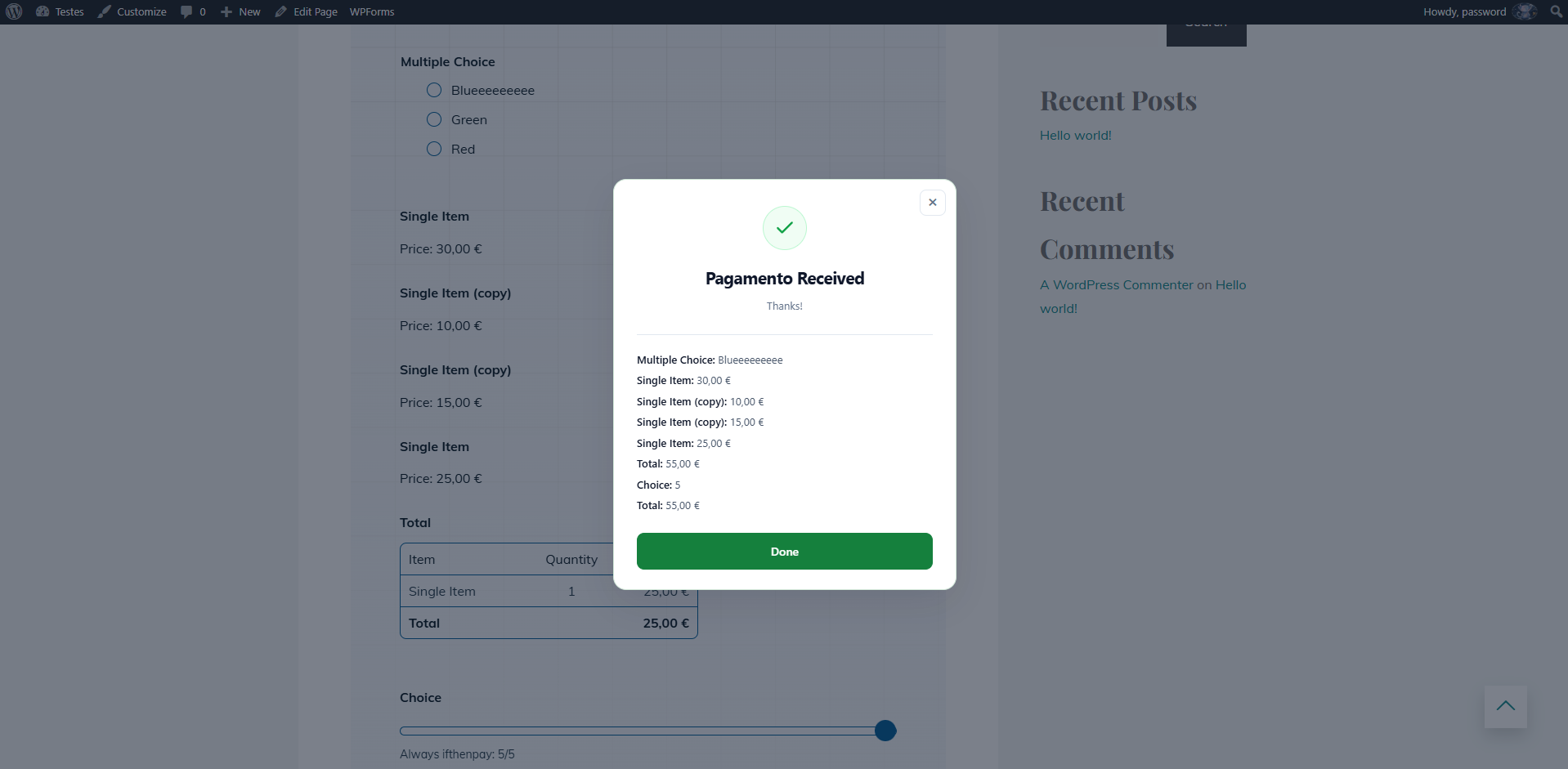
(Customers Experience) Payment Message (either paid, pending, cancelled or failed)

(Admin Only) Payment Details

(Admin Only) Payment Entries