
Image Hover Effects Ultimate ( Image Gallery, Effects, Lightbox, Comparison & Magnifier )
by Oxilab
Image Hover Effects Ultimate is the most powerful image hover effects plugin for WordPress. Whether you want a clean caption reveal, a dramatic flip card, a side-by-side image comparison, or a magnifier zoom, you’ll find exactly what you need from 500+ CSS3 animations and 1500+ ready-to-use layouts.
✨ No coding. No jQuery. Just beautiful hover effects that work everywhere.
The plugin is lightweight, fully responsive, and compatible with Elementor, Gutenberg, WPBakery, Divi, Beaver Builder, and SiteOrigin.
🎬 Live Demos | ⭐ Upgrade to Pro | 📖 Documentation | 🆘 Support
Hover effects are one of the easiest ways to make your WordPress site feel polished and professional. With Image Hover Effects Ultimate, you choose a style from the template library, upload your images, paste a shortcode, and you’re done.
Every image hover animation is built in pure CSS3, so effects are silky smooth without adding any JavaScript weight to your pages.
🚀 Key Features
- 🎨 500+ CSS3 hover animations: fades, slides, flips, zooms, overlays, caption reveals, and more
- 🖼️ 1500+ pre-designed layouts: professionally crafted templates ready to customize
- 📦 10 powerful effect modules: General, Caption, Flipbox, Button, Square, Lightbox, Comparison, Magnifier, Carousel, and Filter
- 👁️ Live preview: see every change in real time without leaving the editor
- 📱 Fully responsive: independent layout controls for desktop, tablet, and mobile
- 👆 Touch-friendly: smooth interactions on iOS and Android devices
- 🔤 650+ Google Fonts: full typography control for headings, descriptions, and buttons
- ⚡ Pure CSS3, no jQuery: fast-loading animations that don’t slow your site down
- 🔁 Clone any style: duplicate an effect and customize it without starting from scratch
- 🛠️ Custom CSS editor: add your own CSS for total creative control
- ♻️ Built-in cache system: optimized loading even on pages with many images
- 🔌 Native Elementor widget: select and embed effects directly from the Elementor editor panel, no shortcode needed
- 🟦 Native Gutenberg block: insert and live-preview effects directly from the WordPress block editor, no shortcode needed
- 🧩 Works with every major page builder: WPBakery, Divi, Beaver Builder, and SiteOrigin support via shortcode
✨ Free Version Features
The free version is genuinely capable. Here is everything included at no cost:
- ✅ All 10 effect modules available
- ✅ 500+ CSS3 image hover animations
- ✅ 1500+ pre-designed layout templates
- ✅ Live preview admin panel
- ✅ Fully responsive with per-device controls (🖥️ Desktop, 📱 Tablet, 📲 Mobile)
- ✅ Touch and mobile device support
- ✅ One-click style cloning
- ✅ Image alignment, padding, and margin controls
- ✅ Per-item links with optional new-tab support
- ✅ Built-in cache system
- ✅ Custom CSS editor
- ✅ Shortcode-based, works in any post, page, or widget
- ✅ Native Gutenberg block: insert and preview effects directly from the block editor, no shortcode needed
- ✅ Native Elementor widget: select and embed effects directly from the Elementor editor panel, no shortcode needed
- ✅ WPBakery, Divi, Beaver Builder, and SiteOrigin support via shortcode
- ✅ SEO-friendly HTML output with proper alt tag support
🔥 Pro Version Features
Pro unlocks the full creative toolkit and priority support:
- 🔓 Full customization of all 500+ hover effects: control colors, overlays, borders, shadows, and timing on every style
- 🎨 Advanced color pickers: unlimited color control for text, backgrounds, overlays, borders, buttons, and hover states
- 🔤 650+ Google Fonts: independent font selection for headings, descriptions, and button text
- ✏️ Custom font sizes: separate size controls for every text element
- 🖼️ Border and shadow settings: fine-tune border width, radius, and box shadows per element
- ♾️ Unlimited hover items per shortcode
- 🔗 Advanced link options: open links in a new tab on a per-item basis
- 💻 Custom CSS generation: override styles at the individual effect level
- 📹 Video tutorials for every feature
- 🎧 24/7 priority support with responses within 12 hours
👉 See All Free vs Pro Features
🎯 Perfect For
- 🎨 Portfolios and agencies, showcase work with stylish image reveals and hover captions
- 🛍️ eCommerce and WooCommerce, highlight product details, overlays, and buy buttons on hover
- 📸 Photographers, display galleries with elegant hover overlays and lightbox popups
- 👥 Team pages, show staff names, roles, and social links with caption hover effects
- 📰 Blogs and magazines, make featured images more engaging with CSS hover animations
- 🏠 Landing pages, draw attention to key visuals and CTAs with smooth motion
- 🔬 Product detail pages, use the magnifier module to zoom into product images on hover
📈 Why Use This Plugin
There are a few image hover plugins out there, but Image Hover Effects Ultimate is the one that covers every use case in one place.
Why you choose it:
- 📦 All modules in one plugin: General Effects, Caption Effects, Flipbox, Lightbox, Comparison, Magnifier, Carousel, and Filter are all built in. No separate add-ons needed.
- 🖱️ No coding required: everything is configured through the visual admin panel with live preview
- ⚡ Lightweight: pure CSS3 output with zero jQuery dependency keeps your pages fast
- 🧩 Builder ready: native Elementor widget and Gutenberg block included; shortcodes also work in Divi, WPBakery, Beaver Builder, and any other builder
- 🔒 Actively maintained: regular updates, PHP 8.4 compatibility, and security hardening with every release
- 👨💻 Developer-friendly: custom CSS support, PSR-4 namespacing, and a clean codebase make it easy to extend
Screenshots
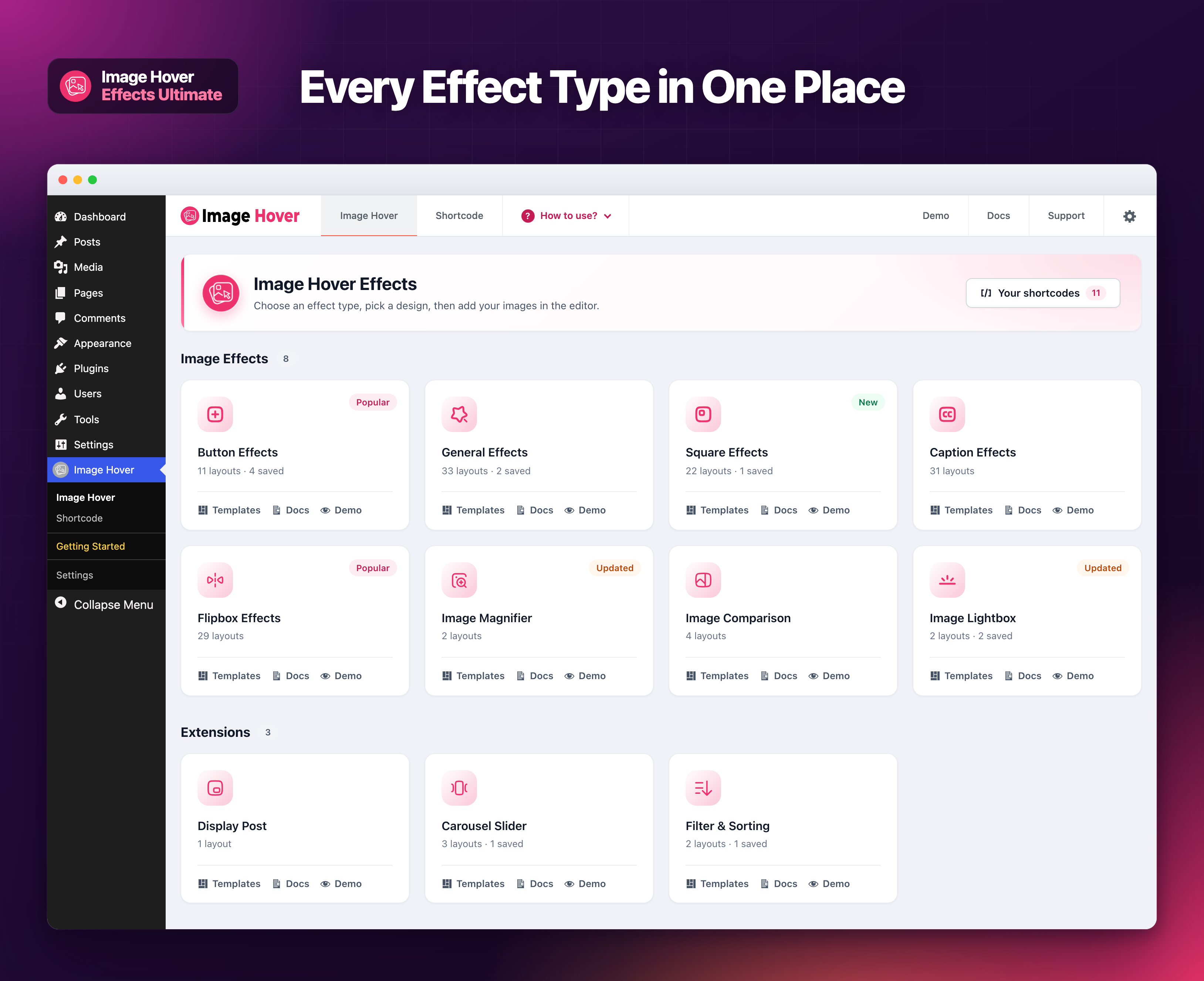
🗂️ The Image Hover page: every effect type as a card, with its number of ready made layouts, how many styles you saved, and quick links to its templates, docs and demo.
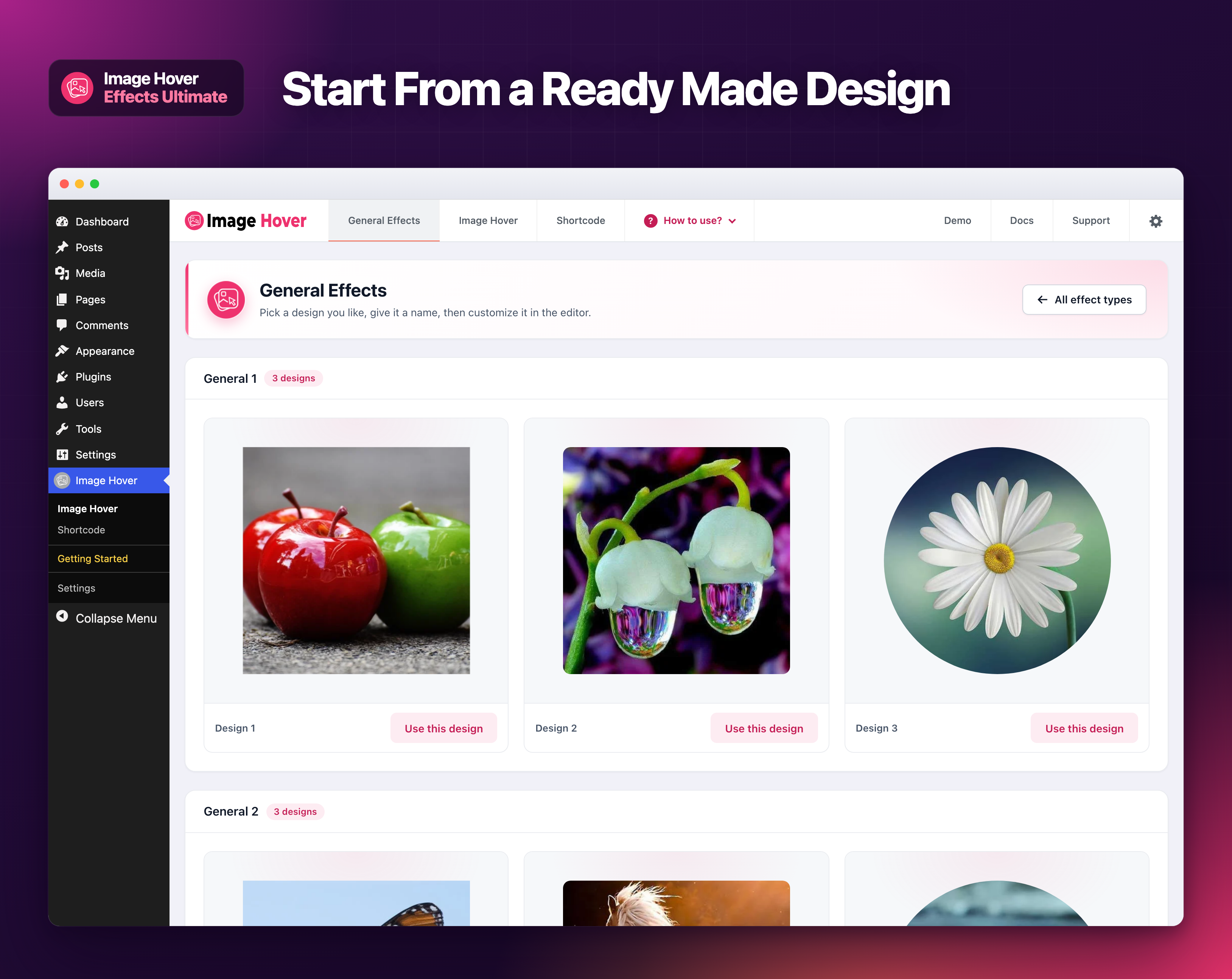
🖼️ The template library: preview every ready made design and start from the one you like.
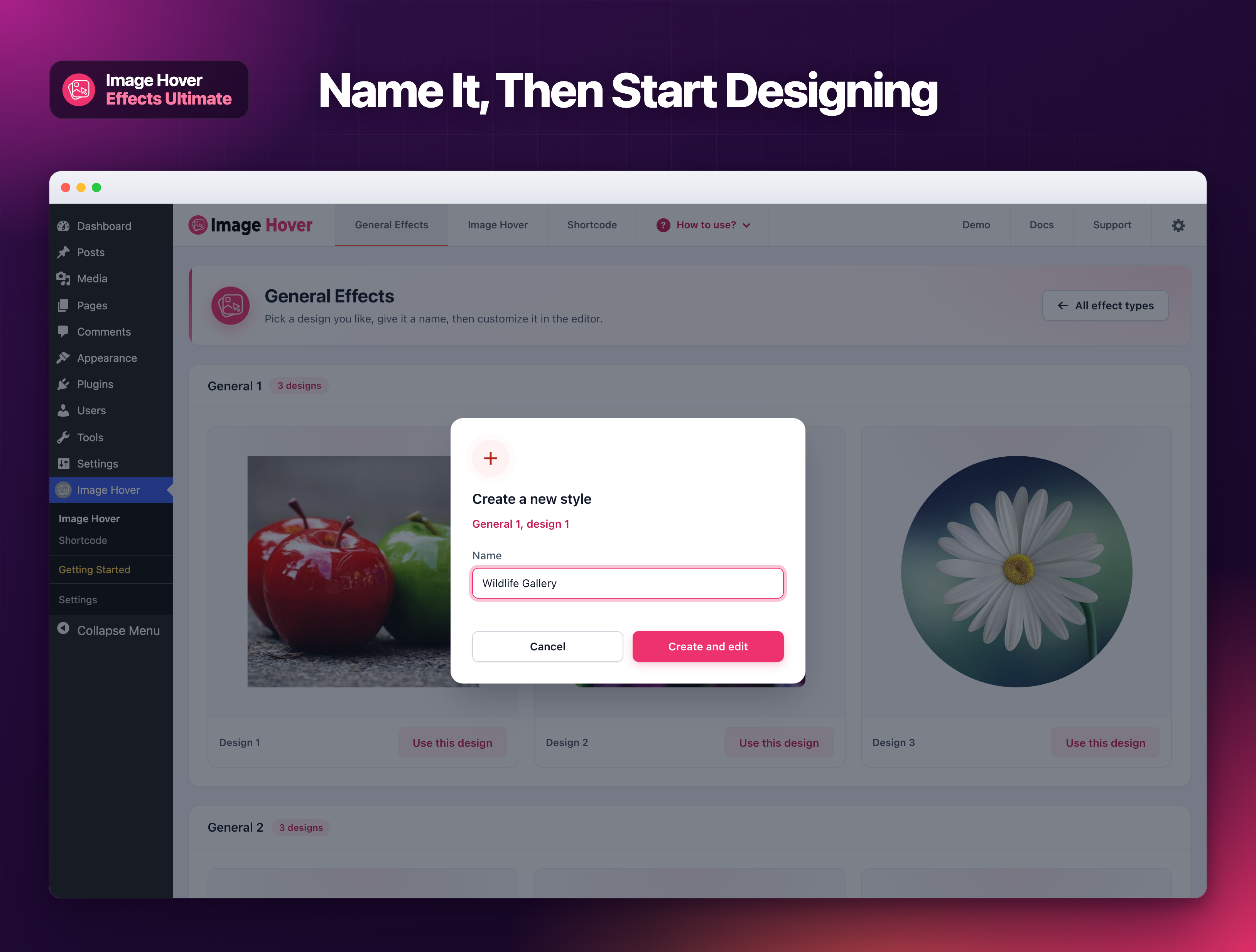
✏️ Name your new style in a clean dialog, then go straight to the editor.
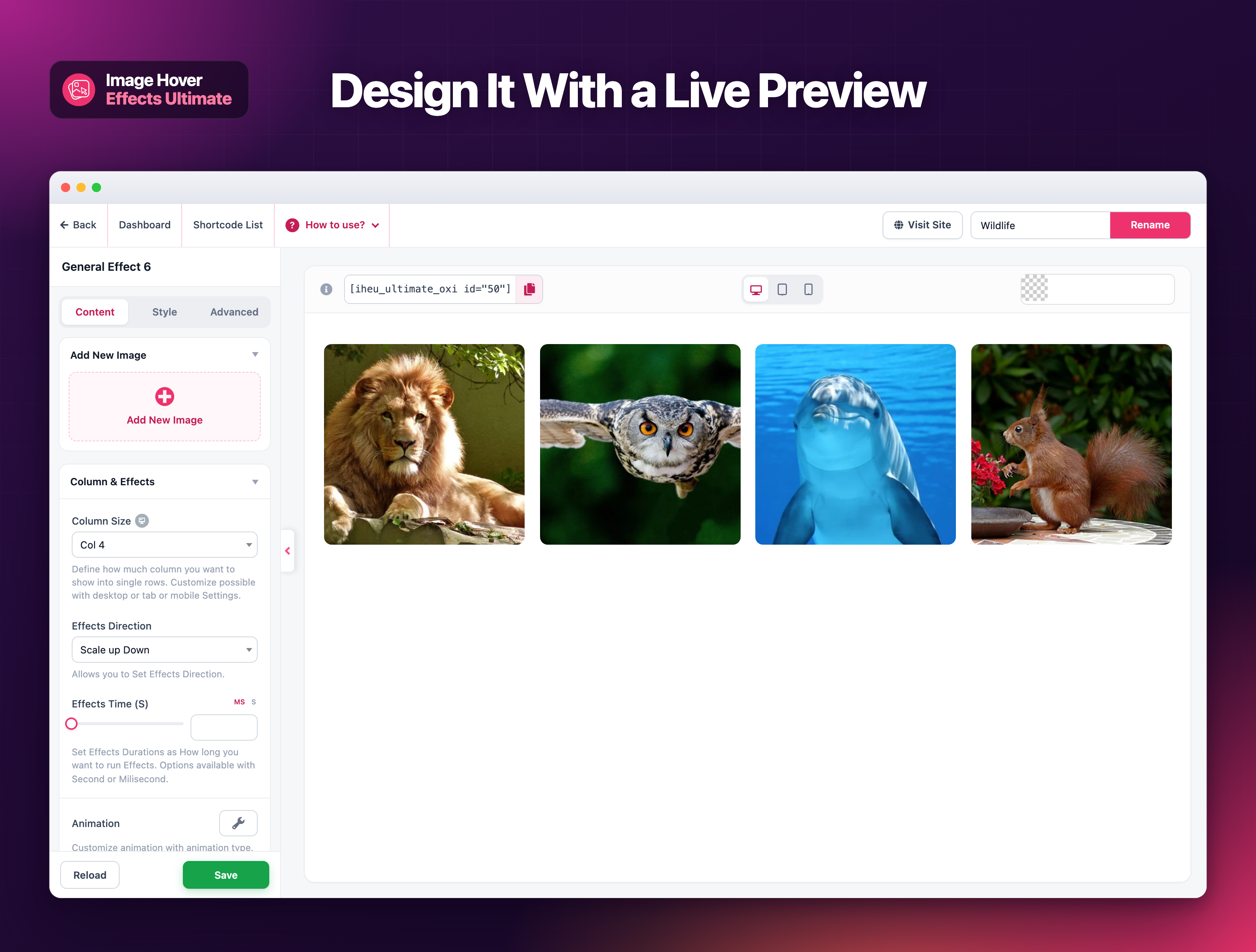
🎛️ The style editor: settings on the left, a live preview of your hover effect on the right.
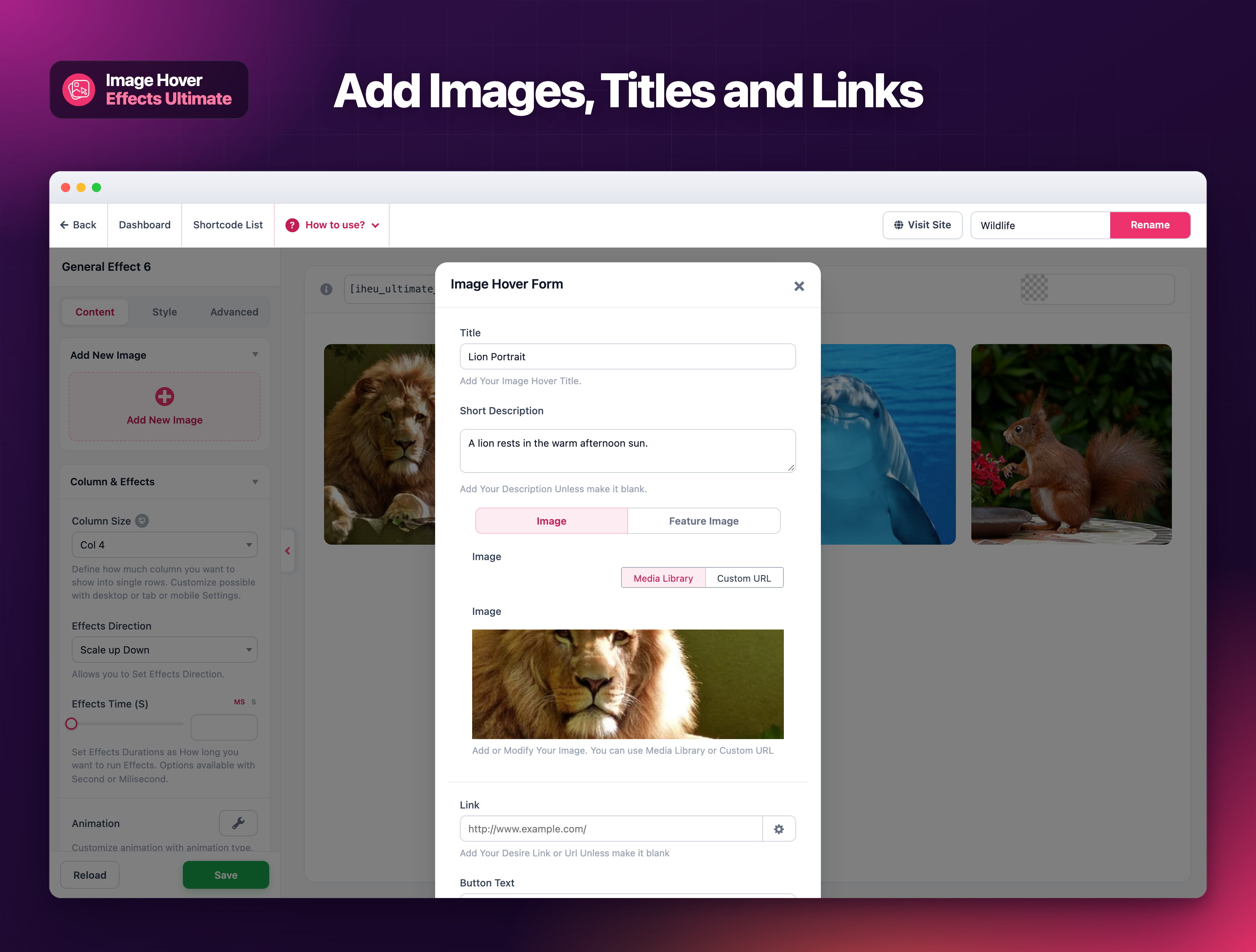
➕ The image form: add the image, title, description, link and button text for each item.
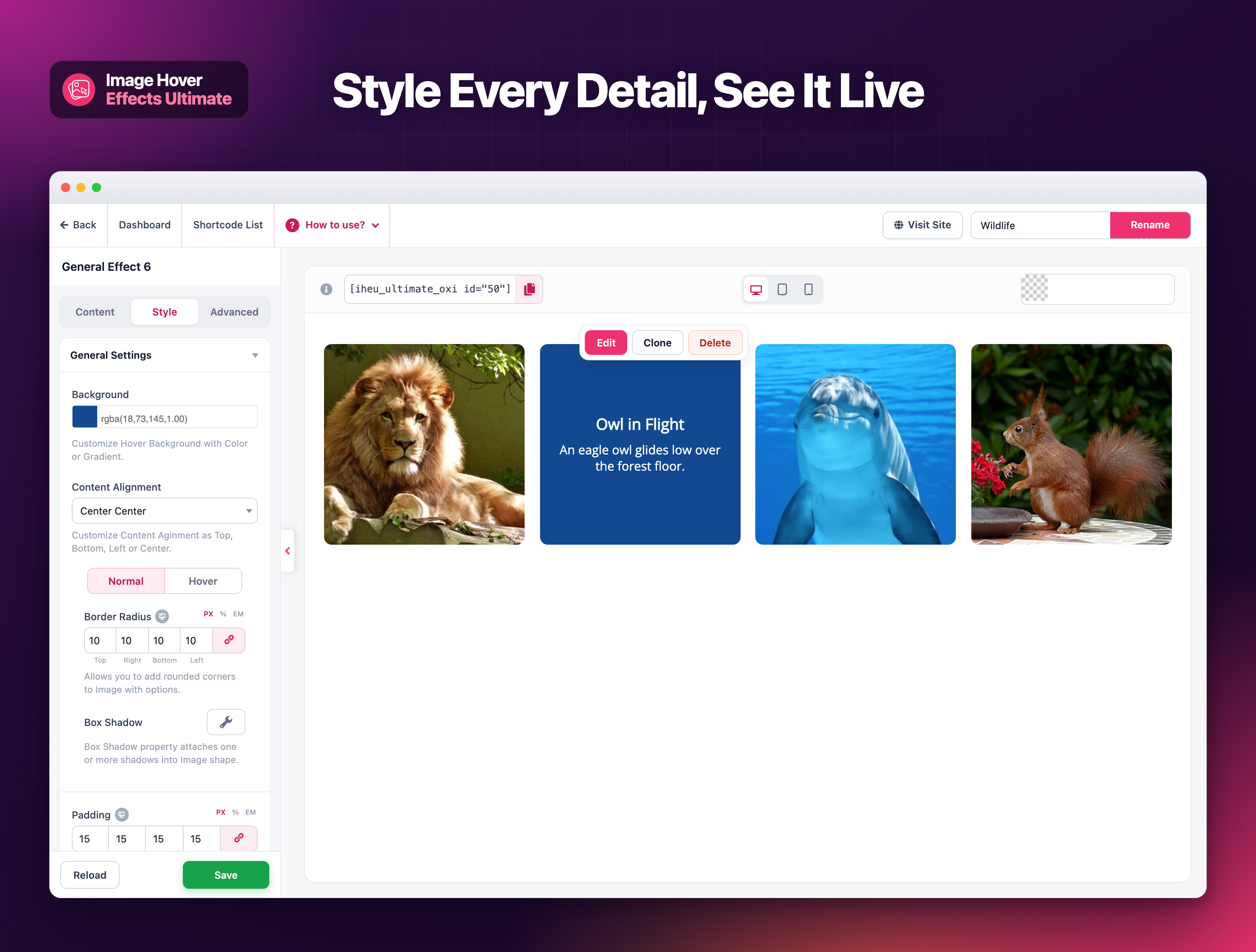
🎨 Style settings with the hover effect showing live in the preview, plus Edit, Clone and Delete on every item.
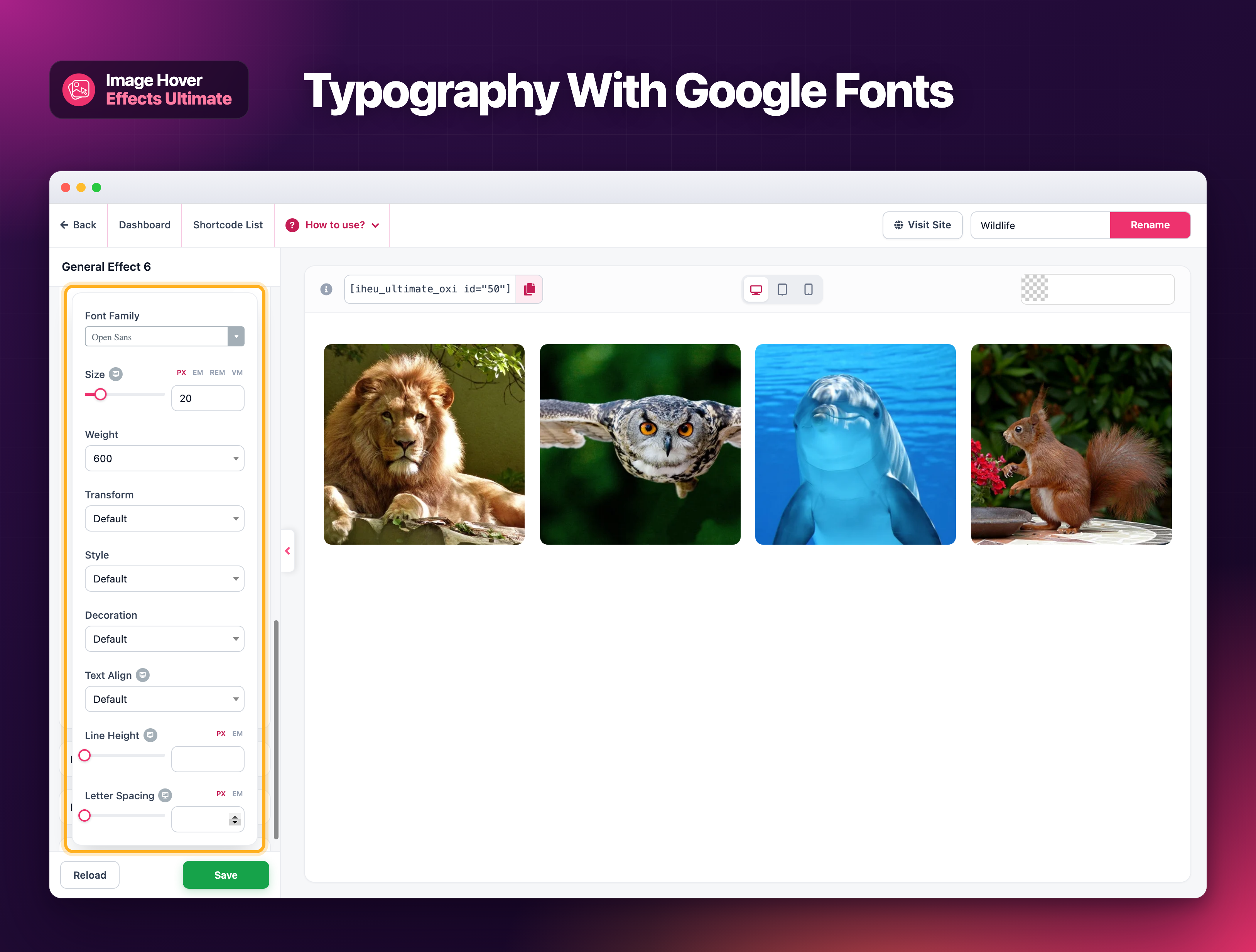
🔤 Typography controls with Google Fonts, size, weight, line height and letter spacing.
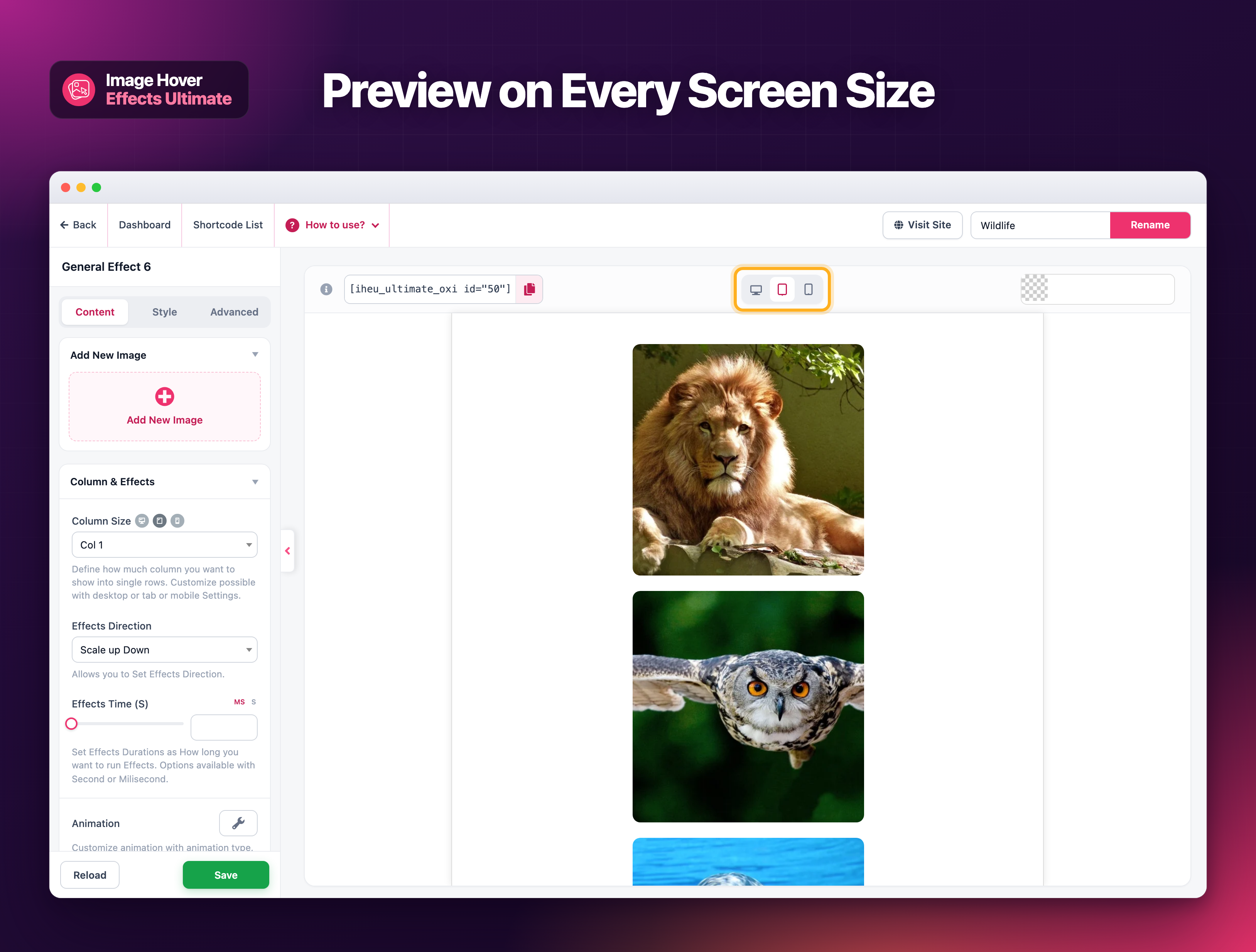
📱 Preview your design on desktop, tablet and mobile, each with its own column settings.
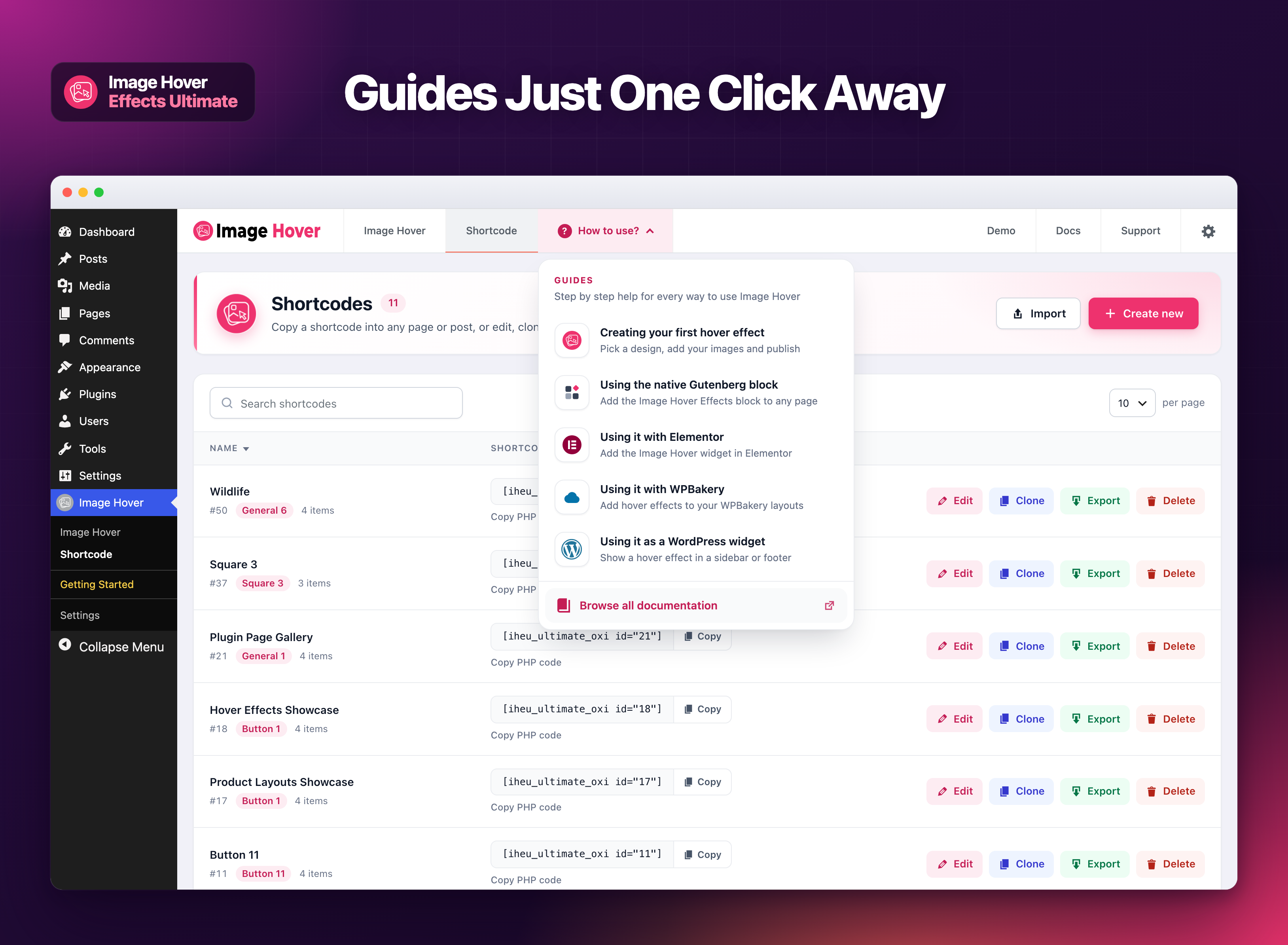
📘 The "How to use?" menu: step by step guides for your first hover effect, the Gutenberg block, Elementor, WPBakery and widgets.
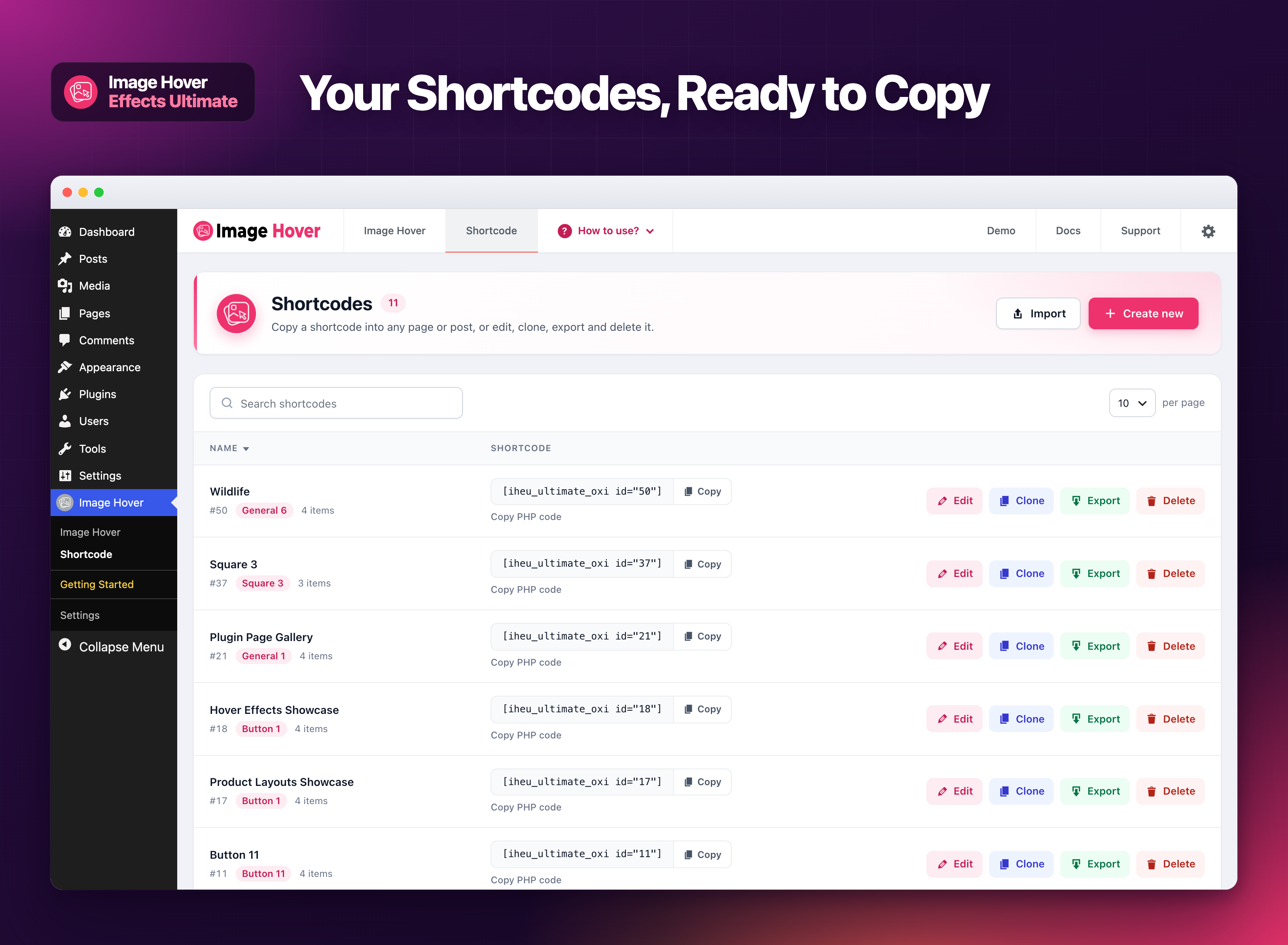
🔽 The shortcode list: copy a shortcode or its PHP code, or edit, clone, export and delete a style.
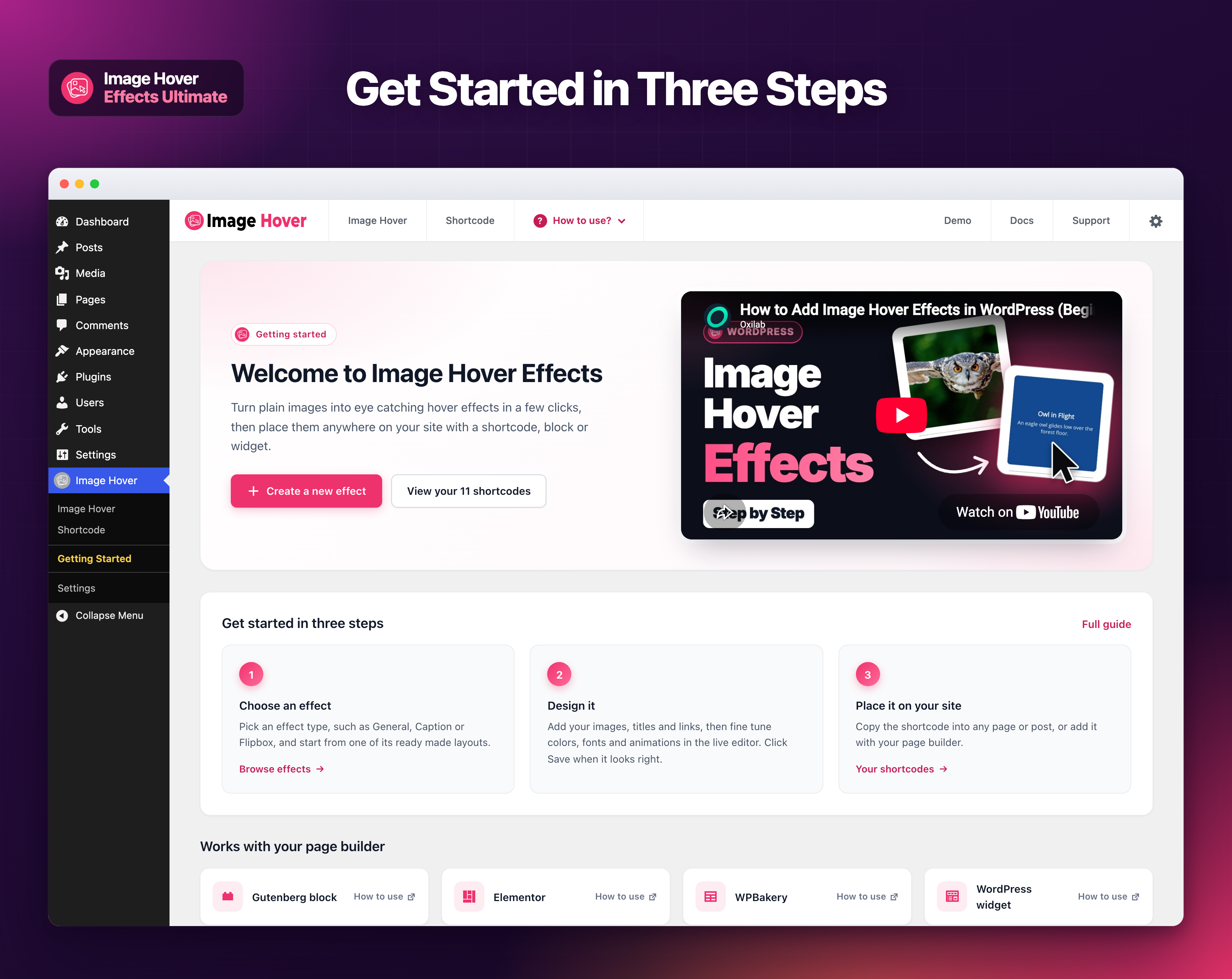
🚀 The Getting Started page: a video tutorial, three simple steps and how to use it with your page builder.
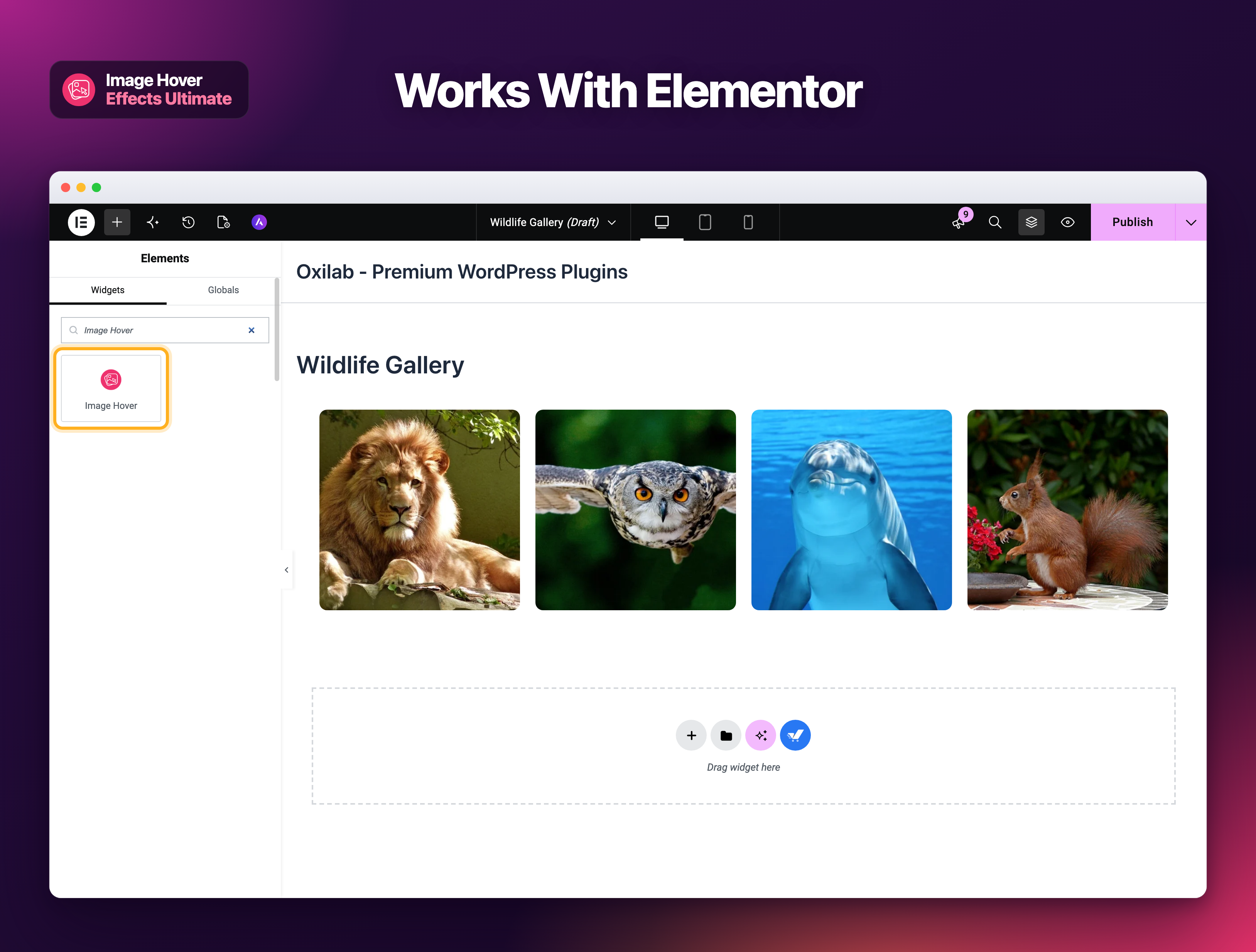
🧩 Works with Elementor: search "Image Hover" in the widget panel and drop the Image Hover widget on your page.

🟦 Works with the block editor: add the Image Hover Effects block and pick a style, with a live preview.
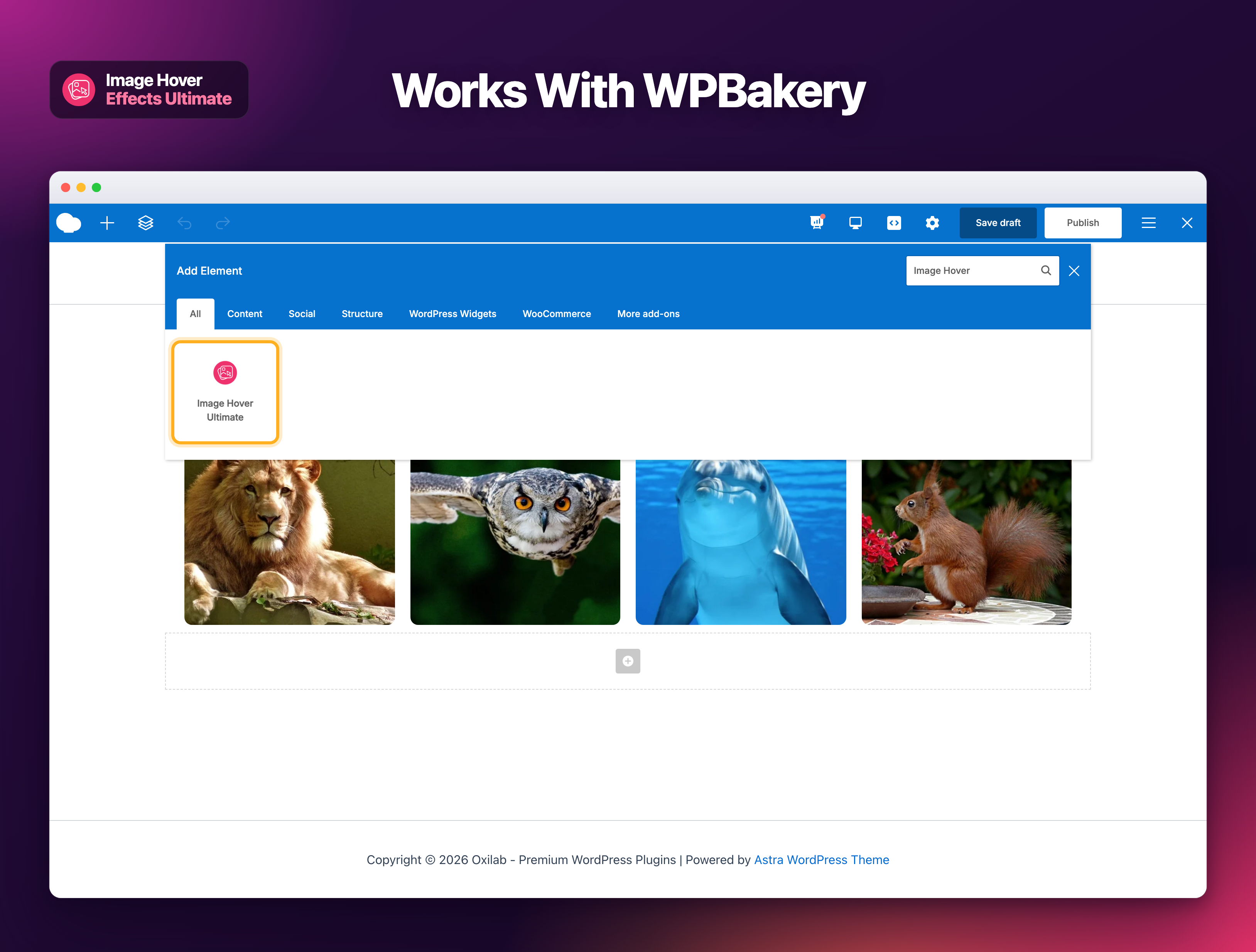
🧱 Works with WPBakery: find the Image Hover Ultimate element in Add Element and choose your style.
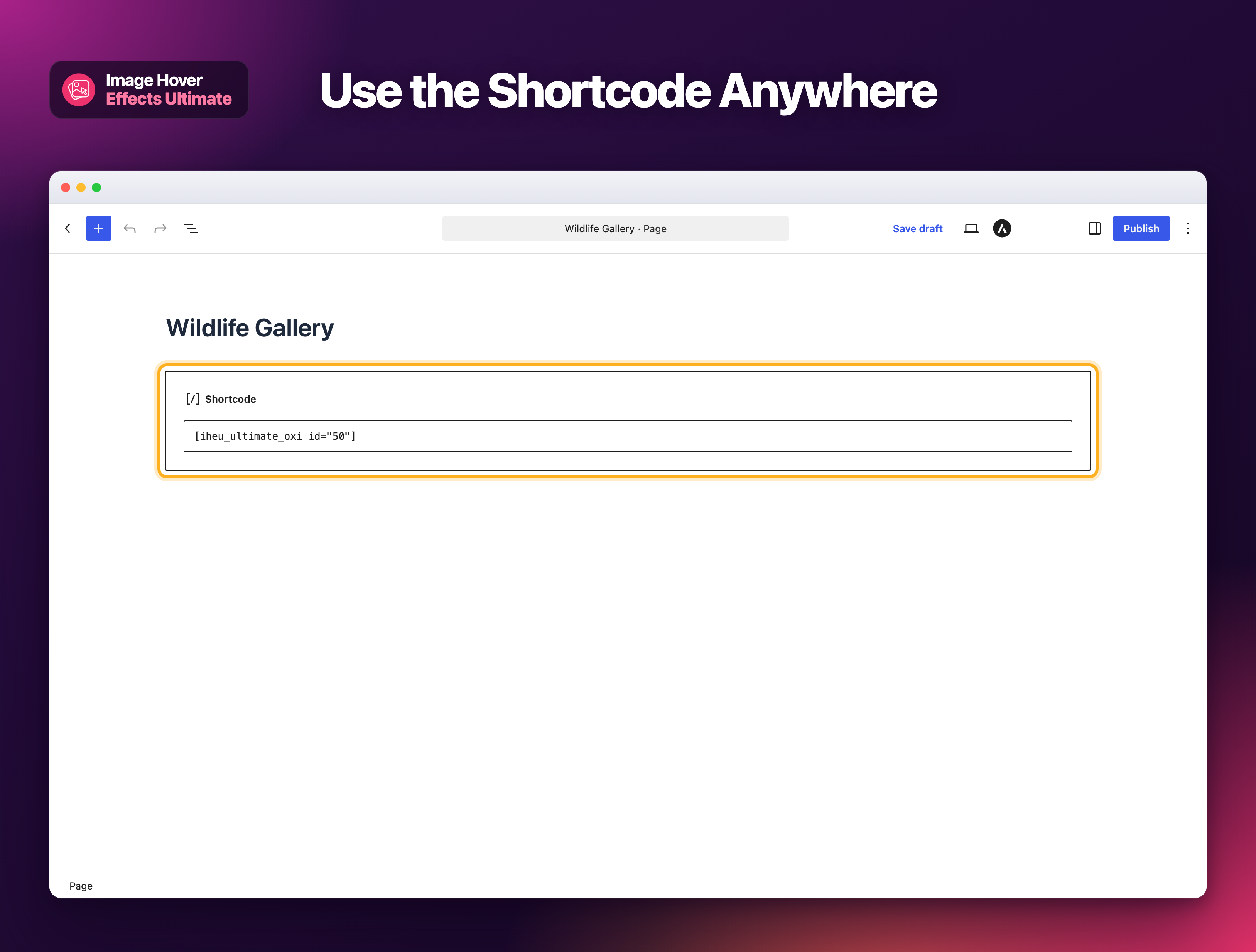
🔗 Use the shortcode anywhere: paste it into a Shortcode block, a widget or any builder that runs shortcodes.