
ThumbPress – Compress Images, Manage Thumbnails, Detect Image Issues, WebP/AVIF, Lazy Loading, Hotlinking & More
by Codexpert, Inc
🚀 Pro Version | 🔵 Facebook | 🐦 X | 👥 LinkedIn
WordPress image management is a mess. And most site owners don’t even know it.
Here’s what’s quietly happening on your site right now:
- Each upload creates 7+ thumbnails. Themes and plugins add more. Most stay unused and waste storage.
- Many images are still JPG or PNG. They’re heavier, slow down pages, and hurt Core Web Vitals and rankings.
- Unused, duplicate, and oversized images keep piling up. Updating them across pages takes extra time.
- Every image is served from your one server, in one location. Visitors on the other side of the world wait for every byte to cross the planet.
None of this is dramatic. It’s just the slow, invisible damage that builds up on every WordPress site without a proper image management system.
ThumbPress fixes it all with a single plugin.
ThumbPress is a complete WordPress image optimization and media management plugin built for site owners, developers, and agencies who want full control over their media library. Compress images, convert to WebP or AVIF, regenerate thumbnails, find duplicate images, detect unused files, and much more — all from your WordPress dashboard.
New in 6.7 – ThumbPress CDN. Offload your media library to a global edge network in one click and serve every image from the location nearest your visitor. Storage is included with ThumbPress Pro – up to 100 GB depending on your plan – no third-party CDN account, no API keys, no DNS changes.
👉 All ThumbPress Features
Free Modules
- 💥 Disable Thumbnails
- 💥 Regenerate Thumbnails
- 💥 Set Image Upload Limit
- 💥 Convert Images to WebP
- 💥 Convert Images to AVIF (Bulk conversion is Pro)
- 💥 Set Social Media Thumbnails
- 💥 Lazy Load Images
- 💥 Hotlink Protection
- 💥 Disable Right Click on Images
Pro Modules
- 🔥 Find Unused Images
- 🔥 Detect Large Images
- 🔥 Compress Images
- 🔥 Replace Image with New Version
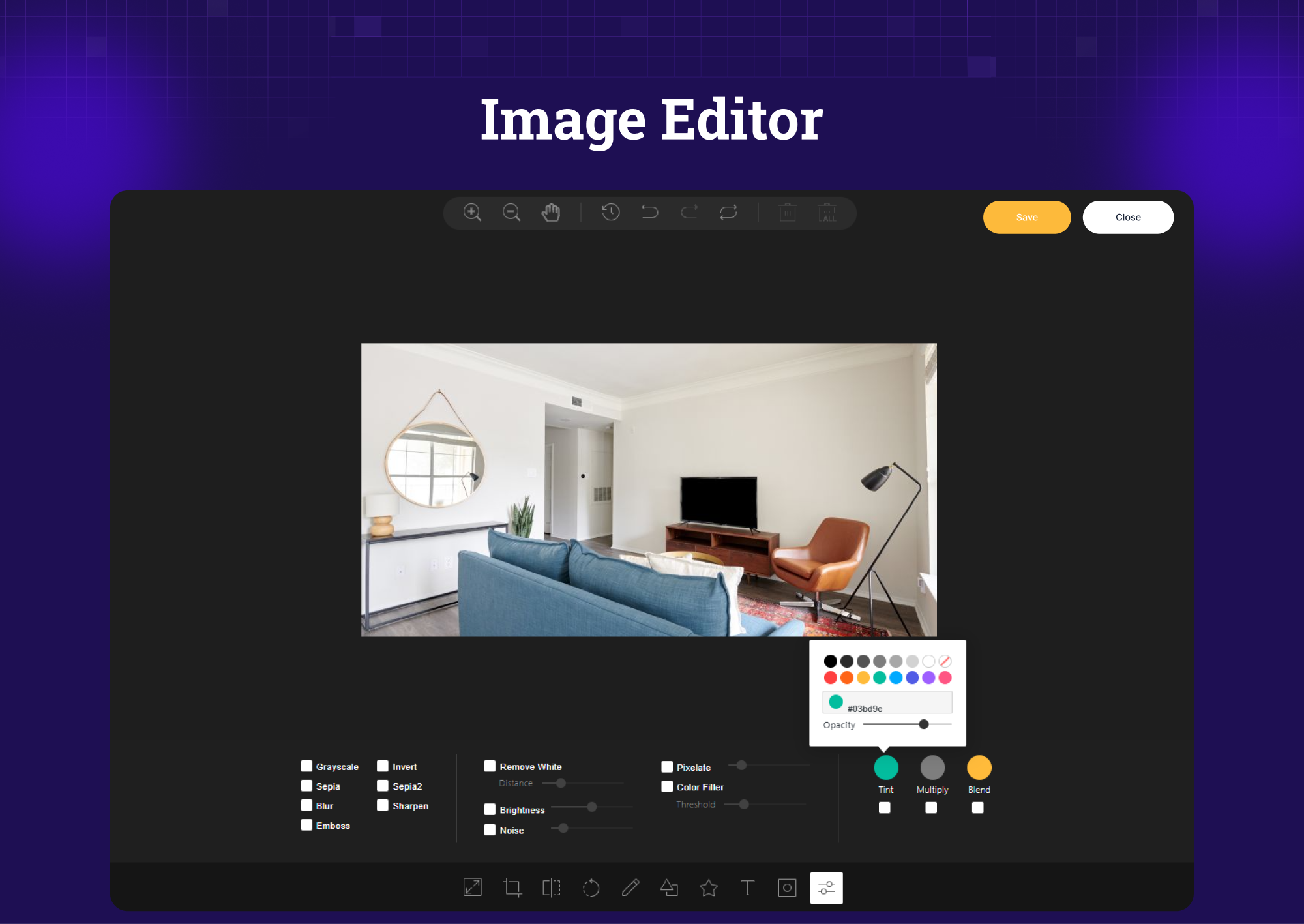
- 🔥 Image Editor
- 🔥 Watermark Images (New)
- 🔥 Detect Duplicate Images (New in 6.0)
- 🔥 Bulk AVIF Conversion (New in 6.0)
- 🔥 Image CDN Offloading (New in 6.7)
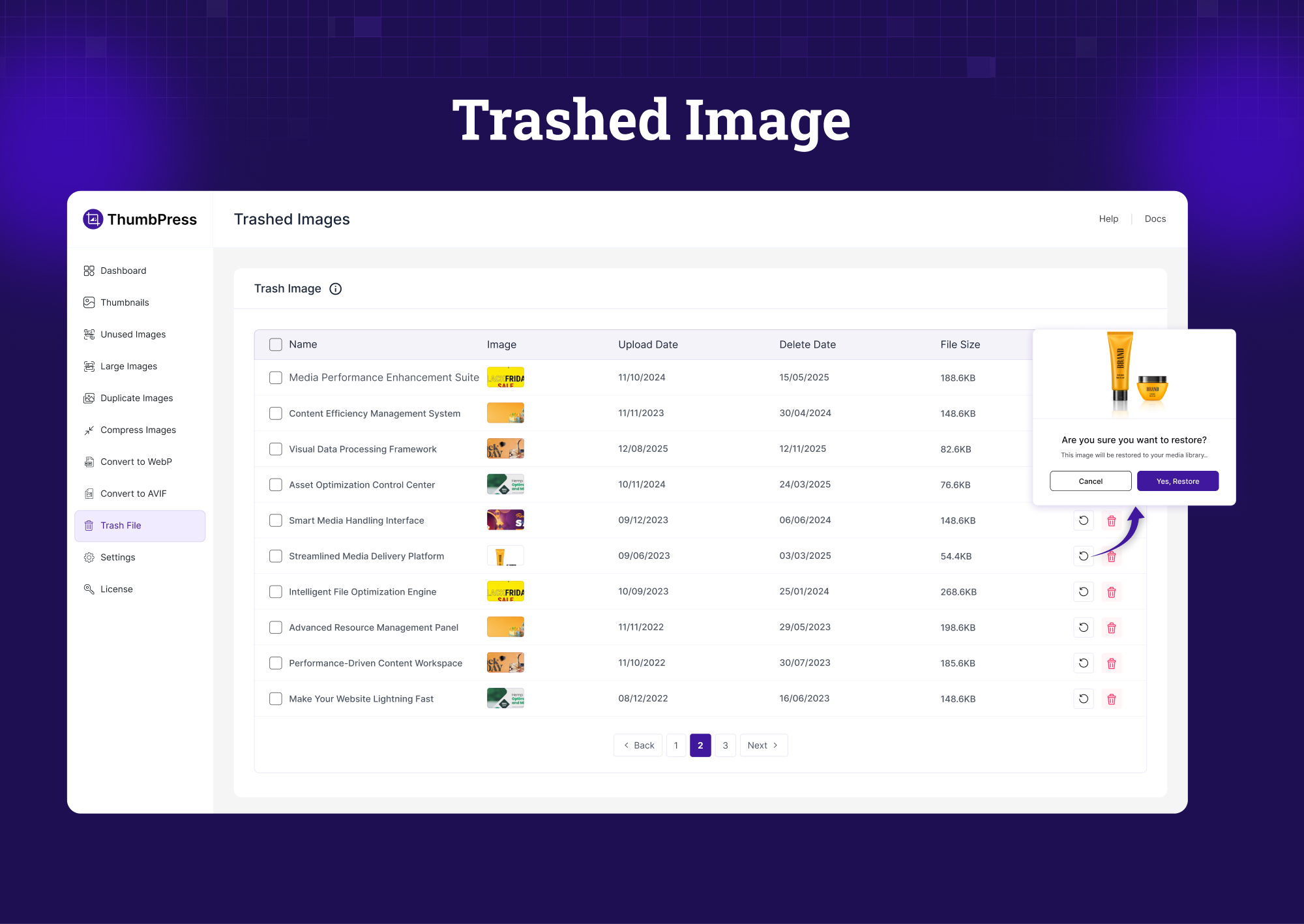
- 🔥 Trash Images (Not a module, but lets you recover deleted images)
🚀 Free Features – In Detail
Disable Thumbnails – Stop Wasting Server Storage
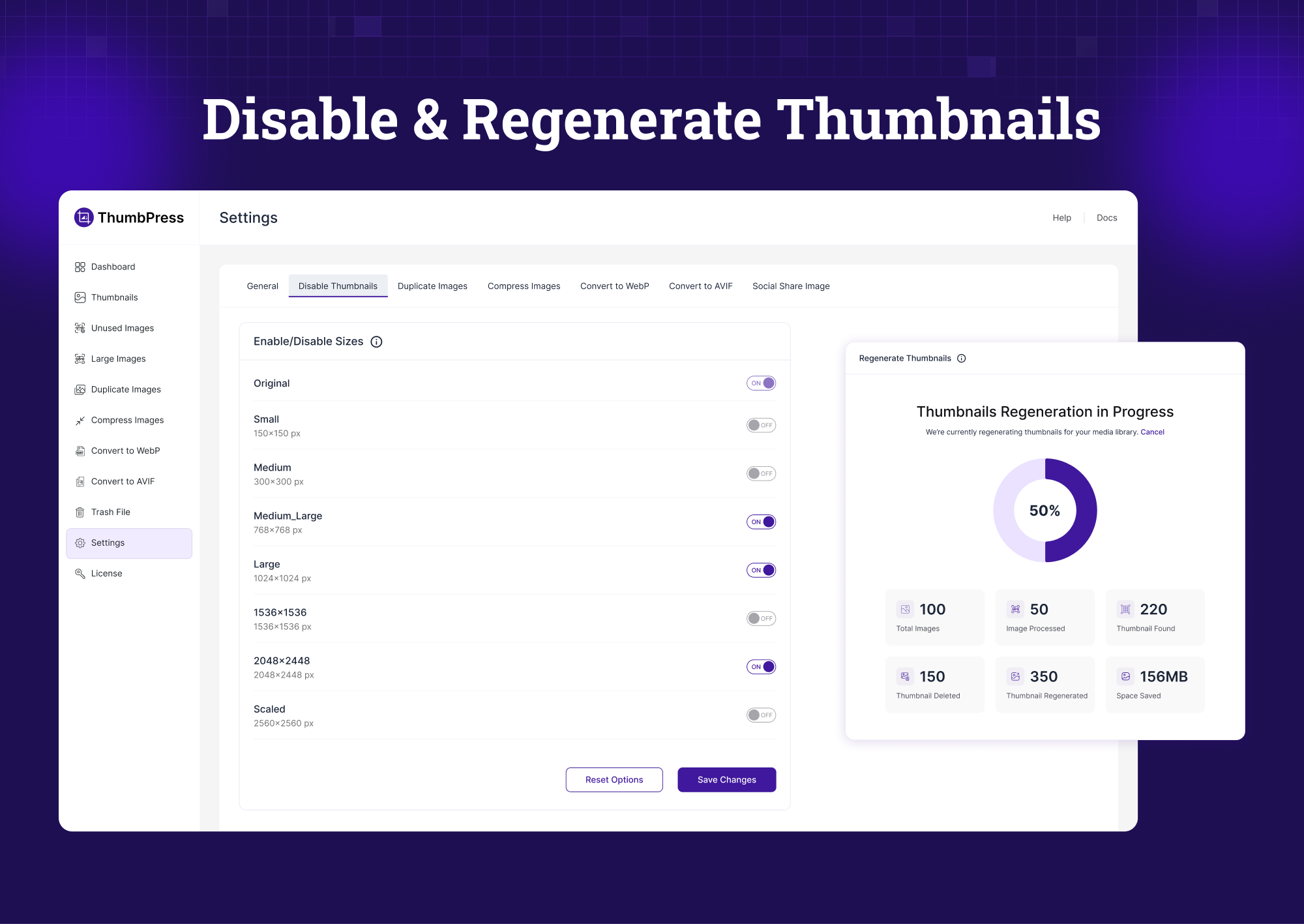
Every image upload triggers WordPress to create multiple resized copies – Thumbnail, Medium, Medium-Large, Large, Scaled — plus whatever your theme and plugins add on top. Most of these copies are never used anywhere on your site.
The Disable Thumbnails module lets you choose exactly which image sizes to block. Stop the copies before they’re created, save server storage from day one, and keep your WordPress media library clean and manageable.
Regenerate Thumbnails – Fix Broken Image Sizes Instantly
Switched themes? Changed your image size settings? Installed a new page builder? Your existing images now have the wrong dimensions – and broken layouts are the result.
The Regenerate Thumbnails module rebuilds all your image sizes on demand. Select specific sizes or regenerate everything at once. No manual work, no missing thumbnails. Your site stays consistent without touching a single image file.
Convert Images to WebP – Boost Site Speed and SEO Rankings
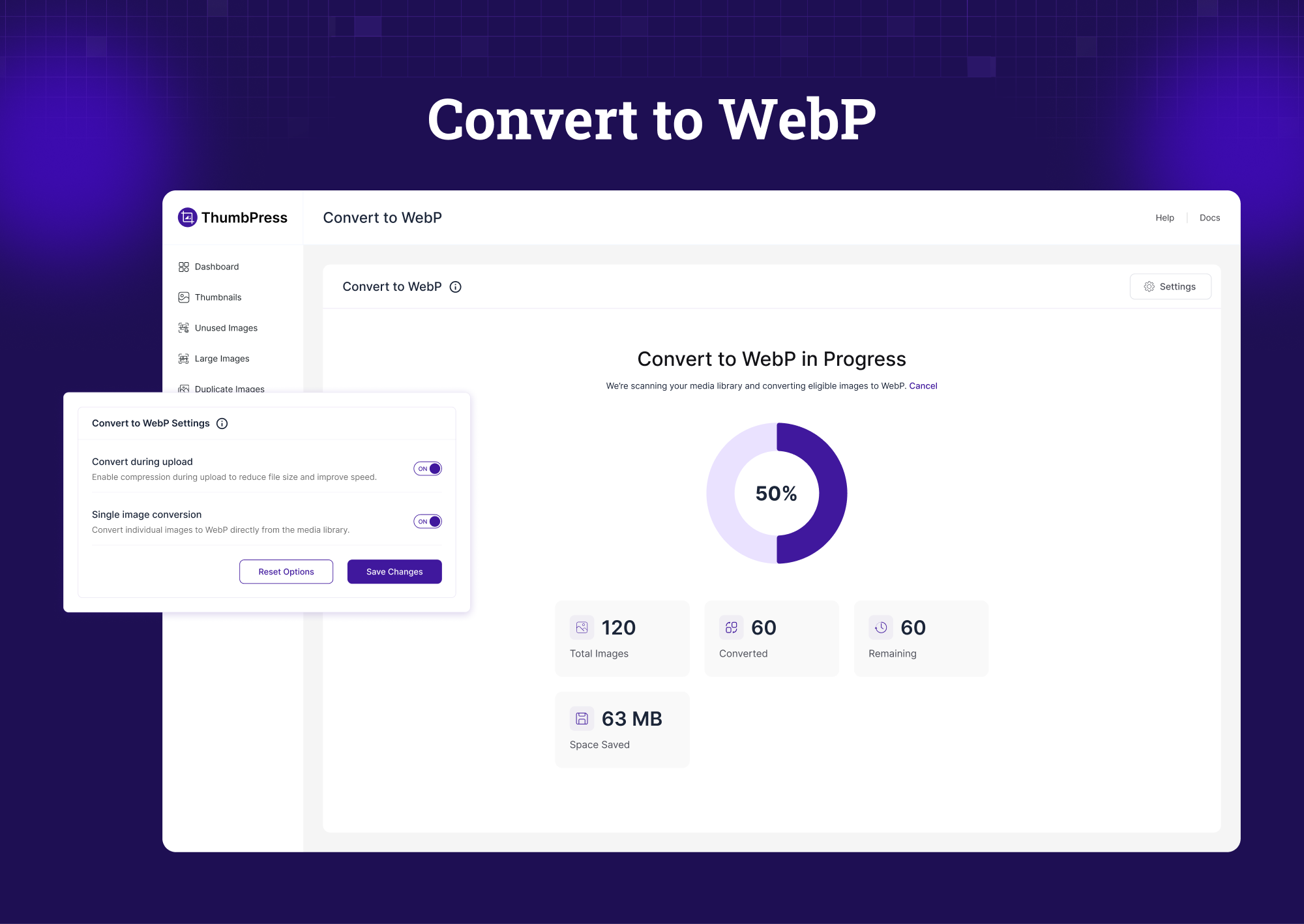
WebP images are 25–35% smaller than JPG and PNG without any visible quality loss. Google recommends WebP. Core Web Vitals reward it. Page speed tools flag JPG and PNG as a performance issue.
ThumbPress converts your existing WordPress images to WebP in bulk or one by one, right from your dashboard. No FTP, no separate tools. Just faster images and better SEO rankings.
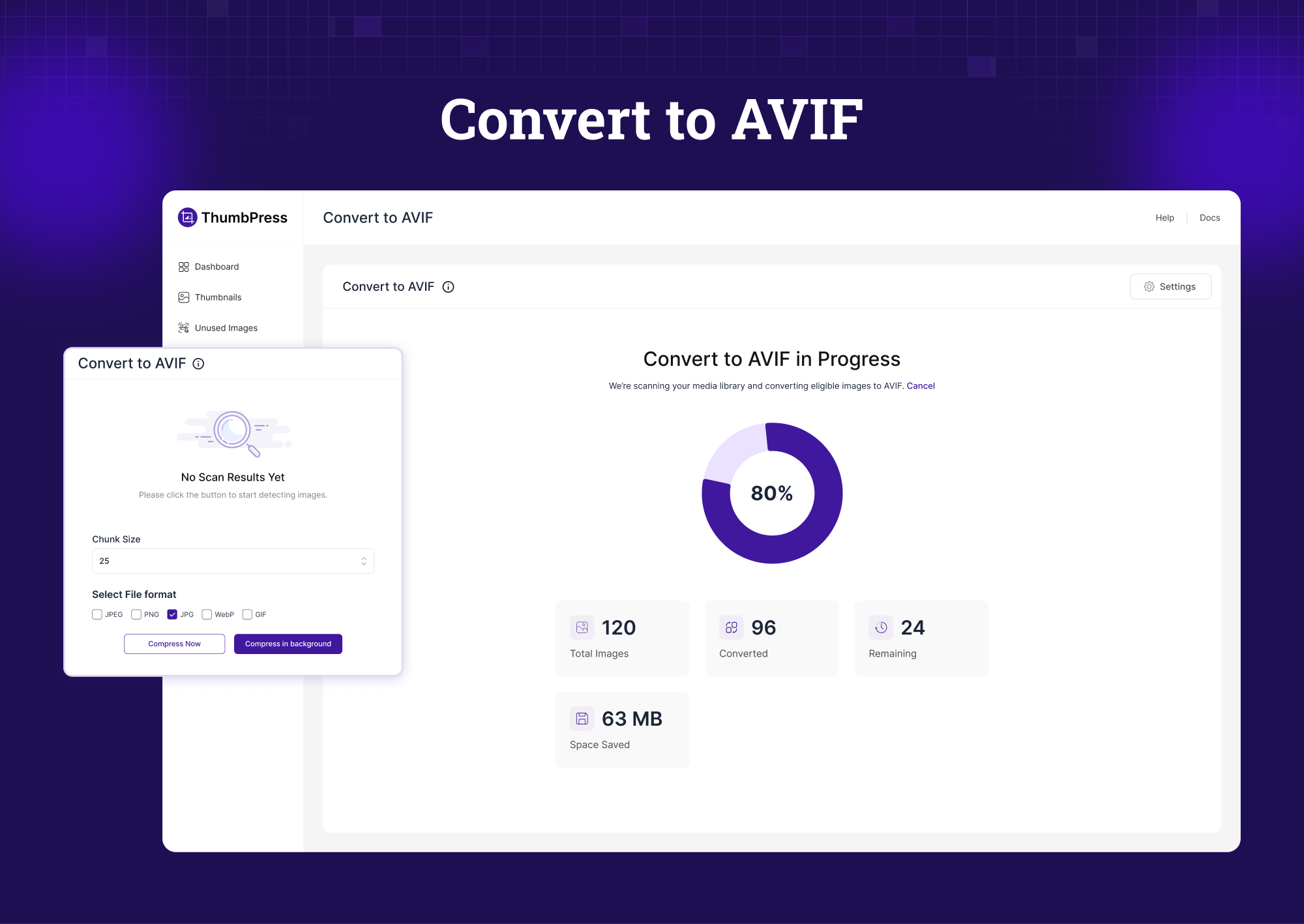
Convert Images to AVIF – Next-Generation Image Format
AVIF is the successor to WebP. It compresses images even further while preserving quality, and browser support is now mainstream across Chrome, Firefox, and Safari.
ThumbPress lets you convert individual images to AVIF for free. Need to convert your entire media library at once? That’s a Pro feature available in the new 6.0 release.
Image Upload Limit – Protect Site Performance at the Source
One oversized image upload can slow down a page significantly. Without limits, editors and contributors regularly upload images straight from their phones or cameras – files that are 5MB, 10MB, sometimes larger.
Set a maximum file size and resolution for every image upload. Any file that exceeds your rules gets blocked before it ever hits the server. Clean media library, faster site – automatically enforced.
Social Media Thumbnails – Look Intentional Everywhere You’re Shared
When you share a page on Facebook, Twitter, or LinkedIn, each platform crops the image differently. Without customization, your carefully chosen image ends up poorly framed or cut off entirely.
ThumbPress lets you set distinct thumbnails for each social media platform. Upload one version for Facebook, another for Twitter, another for LinkedIn. Your content always looks deliberate when shared.
Lazy Load Images – Faster Pages Without Changing a Single Image
By default, WordPress loads every image on a page at once – including images that are way below the fold and won’t be seen until the user scrolls down. That’s wasted bandwidth, slower initial load times, and a worse experience for users on mobile or slower connections.
Lazy loading changes this. Images only load as users scroll toward them. The result is a noticeably faster page on first load, lower bandwidth usage, and a real improvement in Core Web Vitals scores – all without touching your images or content.
Hotlink Protection – Stop Other Sites From Stealing Your Bandwidth
Hotlinking happens when another website embeds your images directly using your image URLs. Your server serves the image, your bandwidth takes the hit – and you get nothing in return.
ThumbPress blocks external sites from loading images directly from your server. Your images stay on your site, your bandwidth stays yours, and your hosting costs don’t quietly inflate because someone else decided to use your media library as their CDN.
Disable Right Click – Protect Your Images from Theft
Right-click protection disables the ability to save, copy, or drag images directly from your site. It’s a practical barrier that stops casual image theft – especially useful for photographers, portfolio sites, and ecommerce stores.
Turn it on or off for the whole site from the settings. No code needed.
🔥 Pro Features — In Detail
Find and Delete Unused Images — Reclaim Your Server Space
As websites evolve, images get left behind. Old blog post headers, replaced product photos, outdated banners — they all stay in your media library indefinitely, taking up space and adding noise.
The Find Unused Images module scans your entire site and surfaces every image that isn’t linked to any post, page, or content. Review the list, then delete in bulk. Reclaim storage and clean up years of media clutter in minutes.
Detect Large Images — Find What’s Slowing Your Site Down
Large images are one of the top causes of slow WordPress page load times. And slow pages hurt conversions and search rankings alike.
ThumbPress scans your media library for oversized images and flags them for action. Then compress them directly from the dashboard — no image editing software, no re-uploading. A faster WordPress site without sacrificing visual quality.
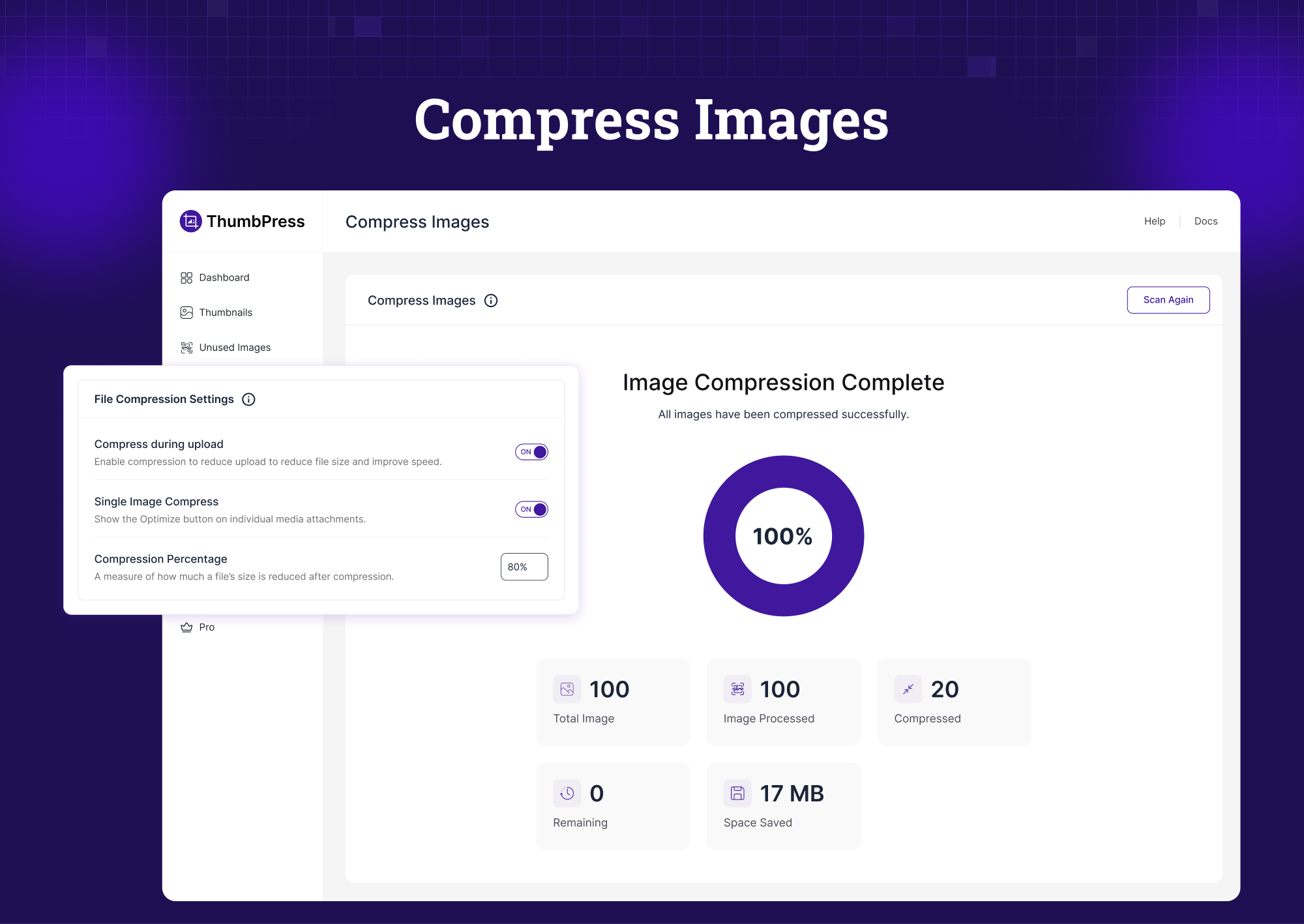
Image Compression — Smaller Files, Same Visual Quality
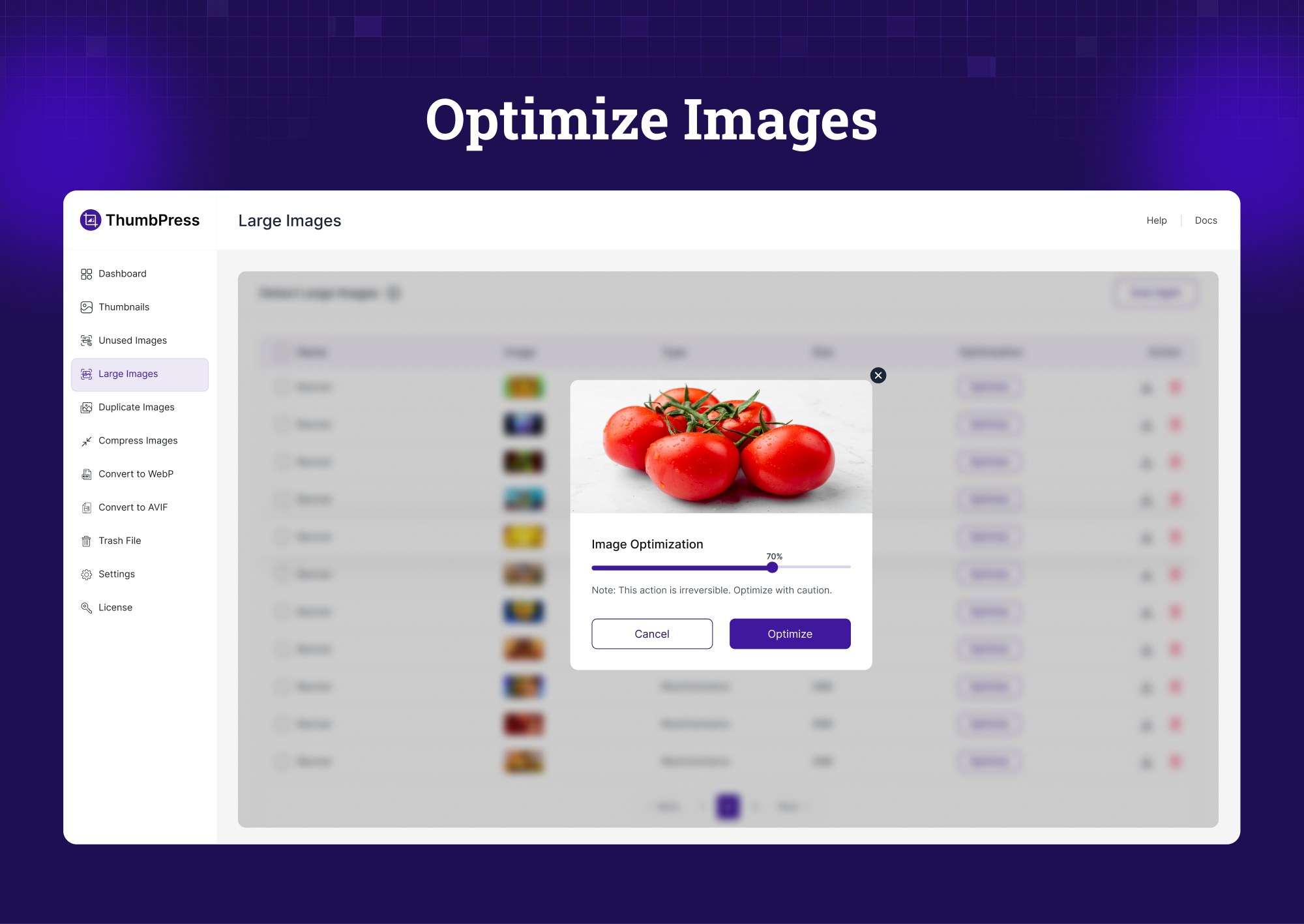
ThumbPress includes a built-in WordPress image compression tool that reduces file size while keeping your images sharp. Compress in bulk across your entire media library or optimize new uploads automatically.
Smaller images mean faster pages, better Core Web Vitals scores, and stronger SEO — across your entire site.
Replace Image with New Version — Update Without Breaking Links
Need to update a product image, fix a low-quality photo, or refresh a visual after a rebrand? Normally, replacing an image in WordPress means deleting the old file and updating every page where it appears manually.
ThumbPress lets you replace an image with a newer version while keeping the same URL. Every page, post, or widget that uses that image updates automatically. No broken links. No manual edits.
Watermark Images — Keep Your Name on Your Photos 🆕
Photos get copied, re-uploaded and passed off as someone else’s. A watermark keeps your name or logo on every copy.
ThumbPress Pro stamps text or your logo on your images — as they are uploaded, or across your whole library in one run. Choose the position (or tile it across the image), size, opacity, margin and rotation, pick which image sizes carry the mark, and preview the result before you apply it. The untouched original is always kept, so you can remove the watermark or change it later without ever marking a photo twice.
Everything is drawn on your own server. No image is sent anywhere.
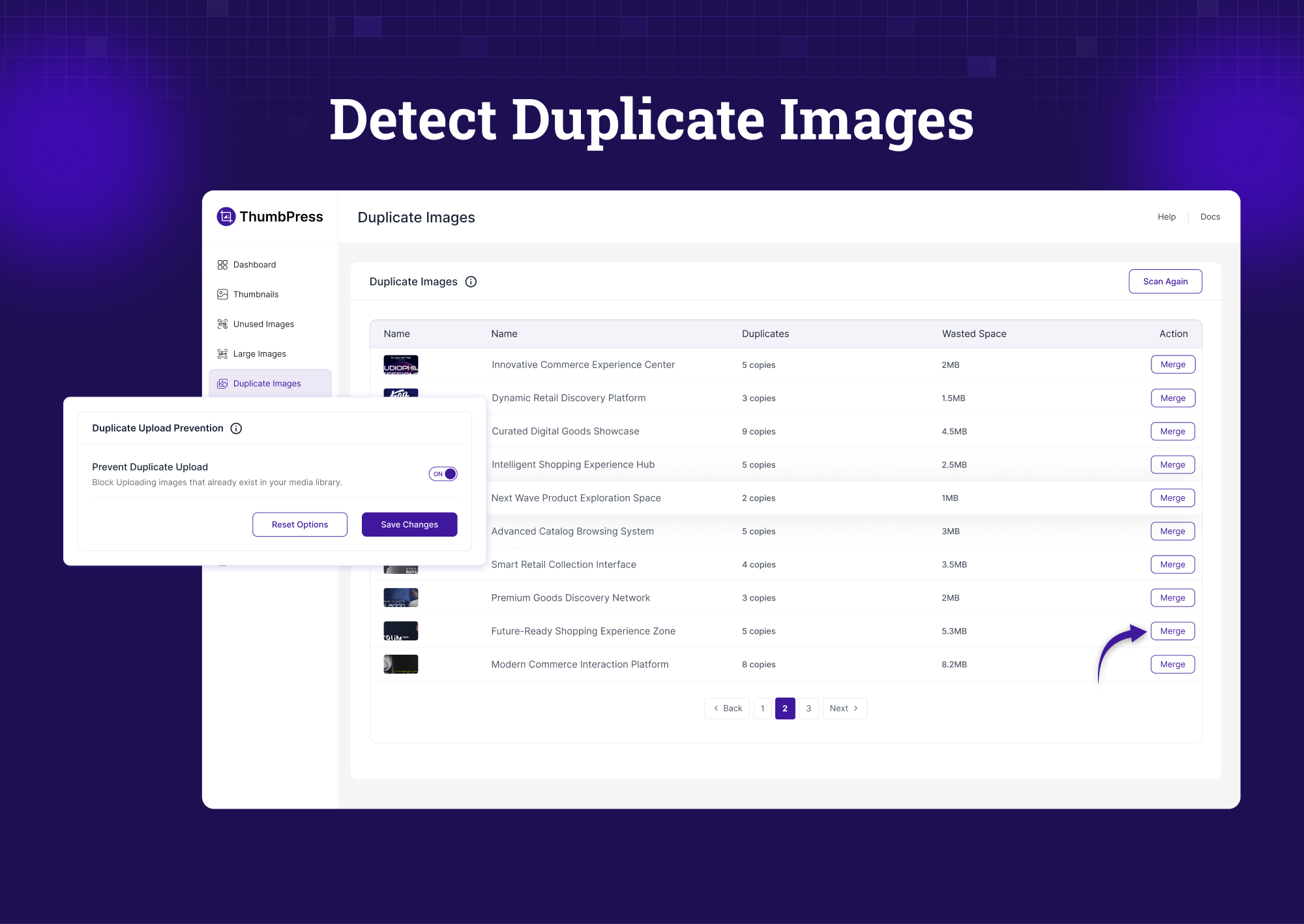
Detect Duplicate Images — New in 6.0 🆕
Duplicate images waste storage and create confusion in your media library. The same file uploaded twice, variations of the same photo, slightly different crops of one original — they all add up over time.
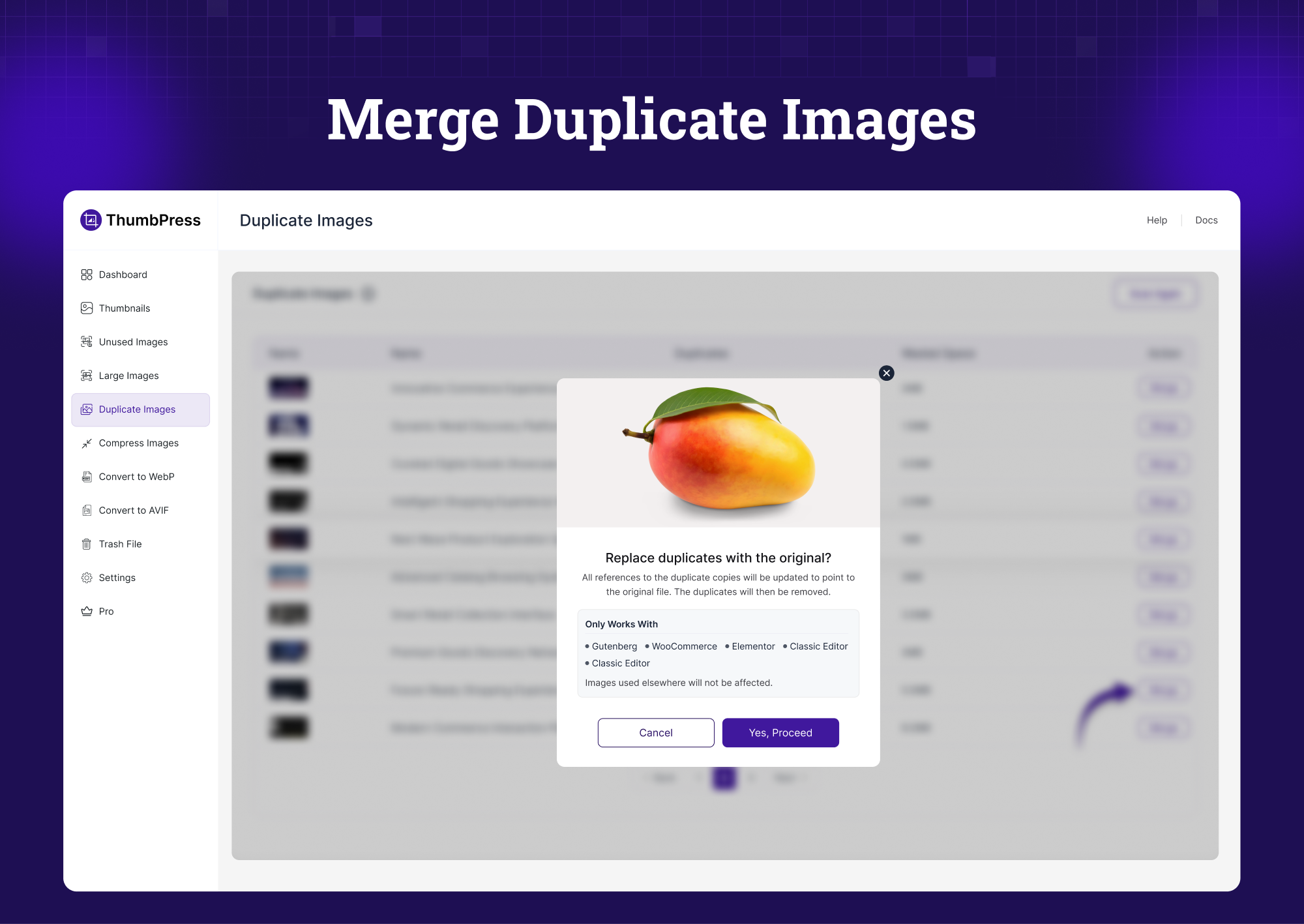
The new Duplicate Image Detection module identifies redundant files in your media library and helps you remove them safely. One of the most-requested features we’ve ever received — now available in ThumbPress 6.0.
ThumbPress CDN — Serve Every Image From a Global Edge Network 🆕
Every image on your site is served from one server in one location. A visitor on the other side of the world waits for every byte to cross the planet — and every one of those requests is bandwidth you pay for.
ThumbPress CDN offloads your media library to a global edge network, so each image is delivered from the location closest to the visitor. Pages get faster, your server does less work, and your hosting bandwidth bill goes down.
No third-party CDN account. No API keys. No DNS changes. CDN storage is included with your ThumbPress Pro license — up to 100 GB depending on your plan — connect from the dashboard and the nearest region is provisioned for you automatically.
What you get:
- 🌍 One-click connect — up to 100 GB of storage included with Pro, region auto-selected, nothing to configure
- 📦 Bulk offload — push your existing media library to the CDN in the background, with live progress, cancel and automatic resume
- ⚡ Auto-offload new uploads — every new image goes to the CDN on its own, without slowing the upload
- 💾 Reclaim disk space — optionally drop the local copy after upload and keep only the CDN version
- 🖼️ Responsive images covered —
srcsetURLs are rewritten too, so every size loads from the edge - 🛒 WooCommerce ready — product, variation, and gallery images served from the CDN
- 🛡️ Never breaks your site — if the CDN is unreachable, images automatically fall back to your own server
- 🎛️ Full control — exclude specific file types (SVG, PDF) or image sizes, and optionally lazy load CDN images
- 📊 Storage dashboard — see exactly how much of your included storage is used, and how many images are being served from the edge
- ↩️ Leave any time — disconnect and keep or delete the CDN copies; local files are restored so your images keep working either way
Image Editor — Edit Images Without Leaving WordPress
Sometimes an uploaded image just needs a small adjustment — a crop, a rotation, a brightness tweak. The ThumbPress Image Editor lets you make those changes without ever leaving your WordPress dashboard.
No Photoshop. No re-uploading. Edit, save, and publish right from your media library.
🆕 What’s New in ThumbPress 6.7
- ThumbPress CDN (Pro) — offload your media library to a global edge network with up to 100 GB of storage included in your Pro license
- Bulk offload with live progress, plus automatic offloading of every new upload
- Optional local-copy removal to free server disk space
srcsetand WooCommerce product, variation and gallery URLs rewritten to CDN URLs- Automatic fallback to your own server if the CDN is ever unreachable
- Faster Regenerate Thumbnails on large media libraries
🆕 What’s New in ThumbPress 6.0
- Redesigned interface — cleaner, faster, and easier to navigate
- AVIF Image Converter — next-gen format support, with bulk conversion via Pro
- Duplicate Image Detection — find and remove redundant files from your media library
- Improved performance across all existing modules
👉 Why ThumbPress Instead of Multiple Separate Plugins?
Most WordPress sites end up using 4–6 different plugins just to manage images:
- One for thumbnail control
- One for compression
- One for WebP conversion
- One for social media previews
- One for image cleanup
- One for CDN offloading
Each plugin adds overhead. Each one adds potential conflicts. And none of them talks to each other.
ThumbPress is one plugin that does everything. Thumbnail management, image compression, WebP and AVIF conversion, media library cleanup, duplicate detection, image protection — all in a single, unified interface. Install once, manage everything.
Source Code
This plugin includes a compiled JavaScript bundle (build/admin.js) built with webpack, React, and TypeScript. The full uncompiled, human-readable source is included inside this plugin, so it can be reviewed, studied, modified, and rebuilt with no external dependency:
- React/TypeScript source:
spa/admin/src/ - Plain JS/CSS:
assets/ - Build configuration:
package.json,webpack.config.js,tailwind.config.js,postcss.config.js,tsconfig.json
To rebuild the compiled bundle from the included source, run these from the plugin directory:
- Install dependencies:
npm install - Build:
npm run build
This regenerates build/admin.js and build/tailwind.css from spa/admin/src/.
External Services
This plugin connects to the following external services. No personal data is ever transmitted automatically — the only transmissions described below happen solely after an explicit, opt-in action by a logged-in administrator.
ThumbPress Feedback Service (pluggable.io / FluentCRM)
ThumbPress can send your information to our marketing/CRM endpoint (https://my.pluggable.io/?fluentcrm=1) so we can follow up, improve the plugin, and understand how it is used.
This service is used in two places, and only when you choose to participate:
- Deactivation feedback form — if (and only if) you click “Submit & Deactivate” on the optional feedback form shown when deactivating the plugin, it sends your WordPress user first name, last name, email address, the plugin slug, your site URL, the time since install, the deactivation reason(s) you selected, and any free-text feedback you typed. Clicking “Skip & Deactivate” sends nothing.
- Feedback prompt — about a week after install, ThumbPress may ask in its own admin screens whether it is working well. If (and only if) you answer “Not really” and click “Send feedback”, the plugin sends the message you typed, the email address you entered, your WordPress user first name and last name, the plugin slug, and your site URL. Answering “Yes”, “Maybe later”, “Don’t ask again” or closing the prompt sends nothing; “Leave a review” only opens the WordPress.org review page in a new tab.
No data is sent on activation, on normal usage, in the background, or on a schedule. Nothing is …
Screenshots

Dashboard - Quick overview of key media factors
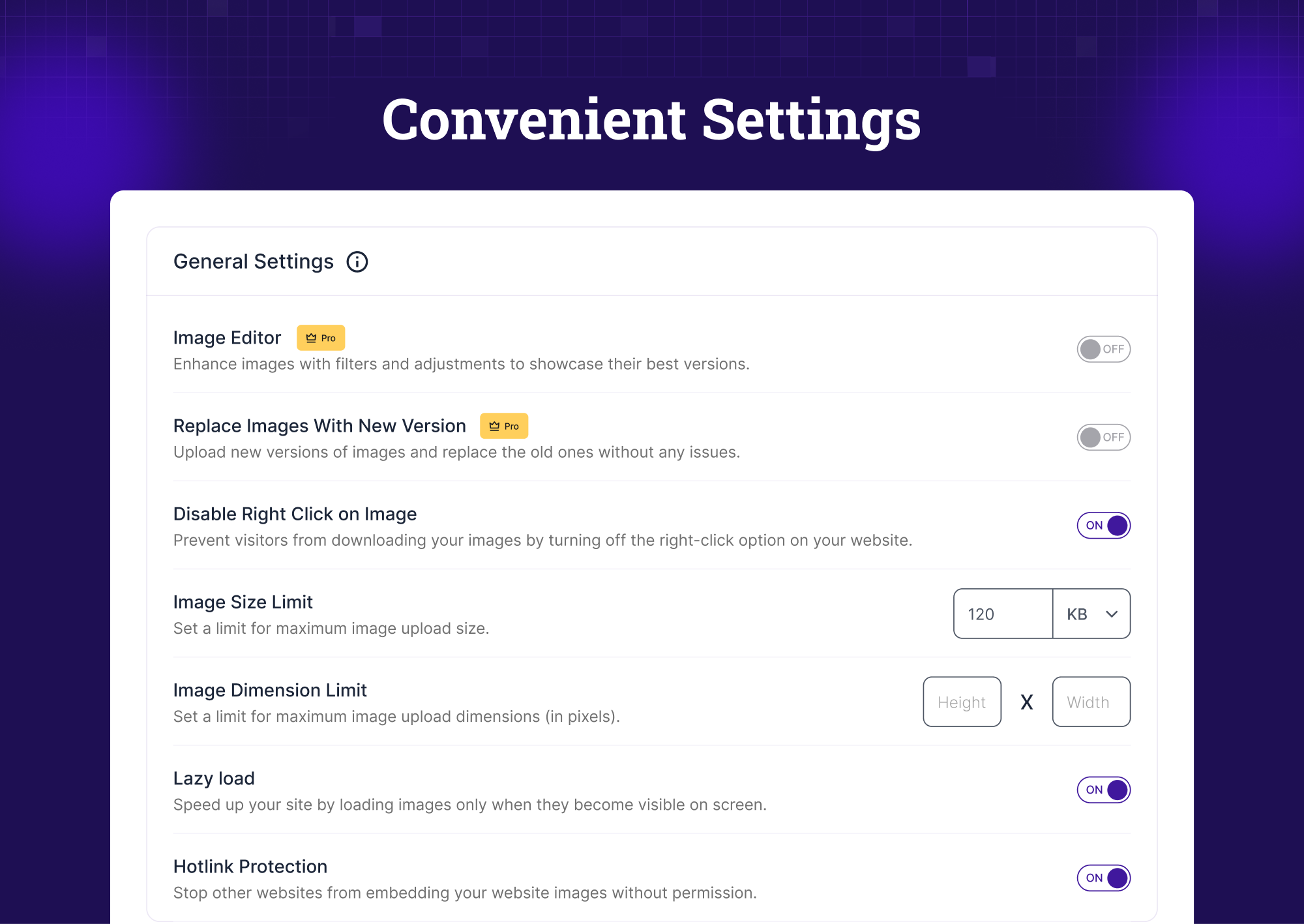
General Settings - Control essential image parameters globally

Built-in Image CDN - Offload images to the ThumbPress CDN and serve them globally
Detect Large Images - Identify oversized images slowing performance
Optimize Images - Optimize images while keeping visual quality intact

Disable & Regenerate Thumbnails - Block unwanted thumbnails and regenerate the ones you need.
Unused Image Detection - Find and remove unused media files
Convert to WebP - Bulk convert images to WebP format
Convert to AVIF - Convert images to modern AVIF format
Detect Duplicate Images - Find images uploaded more than once
Merge Duplicate Images - Replace duplicate images with the original and remove the copies
Compress Images - Reduce size without visible quality loss
Trashed Images - Restore deleted images or remove them permanently
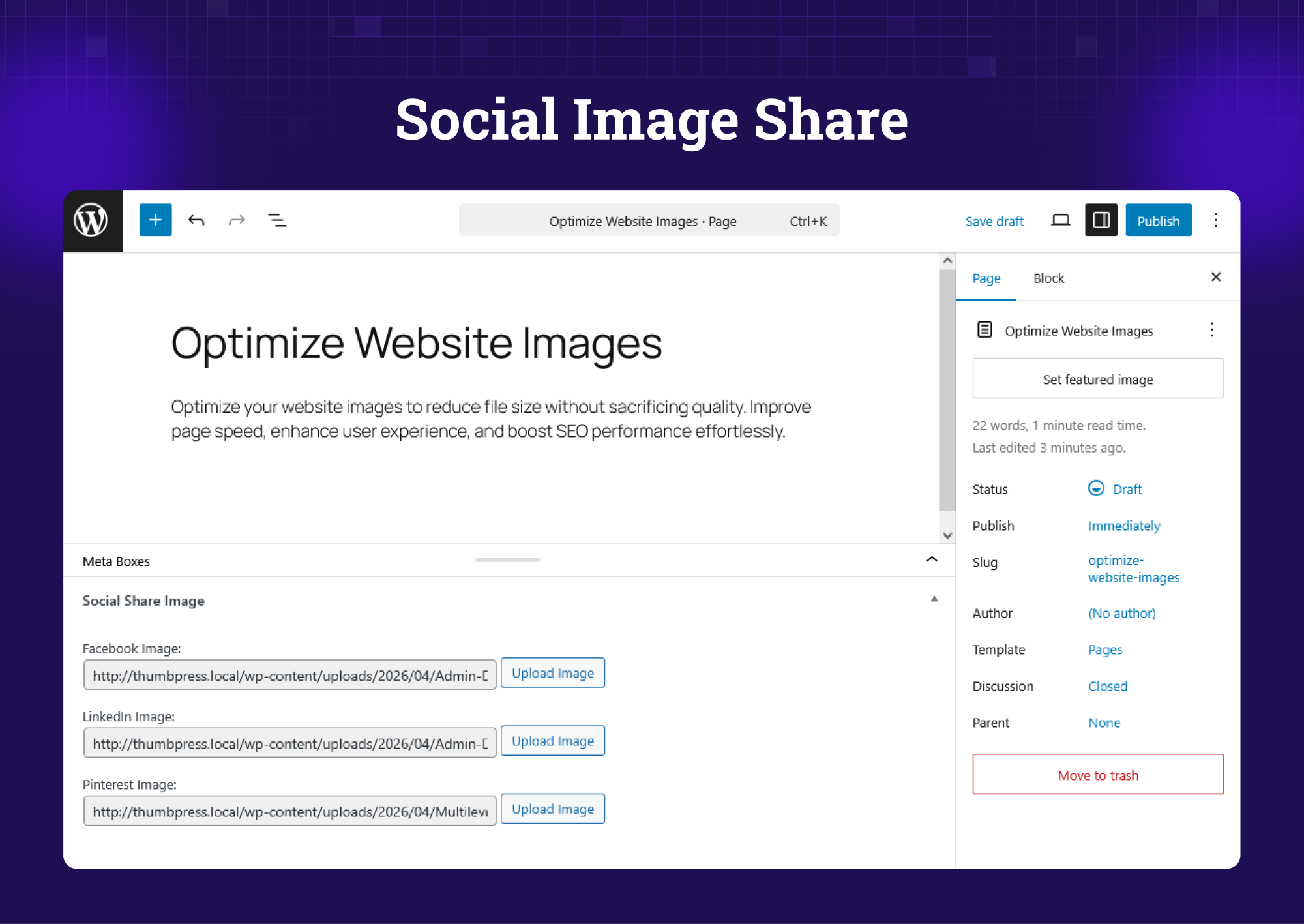
Image Editor - Edit images directly inside WordPress