
ImagePipe Lite generates resized WebP/JPEG/PNG versions of your WordPress
Media Library images on demand and caches them permanently. Free tier:
JPEG/PNG/WebP output and Fit/Cover resize only (no AVIF, no Crop/Contain/
Stretch, no watermarking, no pretty URLs. See ImagePipe Pro for those).
Why it speeds up your site
WordPress often serves images at their original upload size, oversized
for the space they’re actually displayed in. ImagePipe Lite instead
serves a WebP variant sized for where the image is used, a lighter
Largest Contentful Paint (LCP) element on most pages, one of the three
Core Web Vitals metrics behind Google’s PageSpeed Insights score and
search ranking. Because every variant is cached permanently after its
first request, this costs nothing on repeat visits: no resize work, no
lookup beyond a disk read.
Features
- On-demand image route with a permanent disk cache: repeat requests are
served straight from cache, never regenerated. [imagepipe]shortcode (same tag as ImagePipe Pro, so content keeps
working unchanged after an upgrade), a PHP template helper for theme use, a
native Elementor widget, and a native Gutenberg block (“ImagePipe” in
the block inserter), preset or manual sizing (including WordPress’s
own registered image sizes: thumbnail/medium/large/custom), link,
caption, blur-up placeholder, and responsivesrcset(one width field
per breakpoint, active Elementor breakpoints for the widget, a fixed
Mobile/Tablet pair for the block).- Automatic replacement: swaps the
srcof content images, the site logo,
and featured images to an ImagePipe URL, in a single fixed format/mode
(no per-browser negotiated<picture>element: that’s an ImagePipe Pro
feature). - WooCommerce product grids/galleries and cart/checkout images (Store API)
are covered by the same automatic replacement. - Admin dashboard with analytics (requests over time, cache-hit rate over
time, served-format breakdown) and a 7/30/90-day/all-time period
selector. - Per-format quality settings, a journal of the last 20 generation events,
and a one-click “Clear cache” button. - Available in English plus 14 translated languages (French, Spanish,
German, Italian, Portuguese (Brazil), Dutch, Polish, Czech, Turkish,
Romanian, Greek, Arabic, Indonesian, Russian).
Usage
[imagepipe id="123" width="400" height="300"] in any post/page
content, or from a theme template:
<?php echo esc_url( \ImagePipe\WordPressLite\TemplateHelper::url( get_post_thumbnail_id(), null, 400, 300 ) ); ?>
Building pages with Elementor instead? Drag the “ImagePipe Lite” widget
onto the page from the “ImagePipe” category, no shortcode/template code
needed.
Using the block editor (Gutenberg)? Insert the “ImagePipe” block, same
options, no shortcode/template code needed.
Screenshots
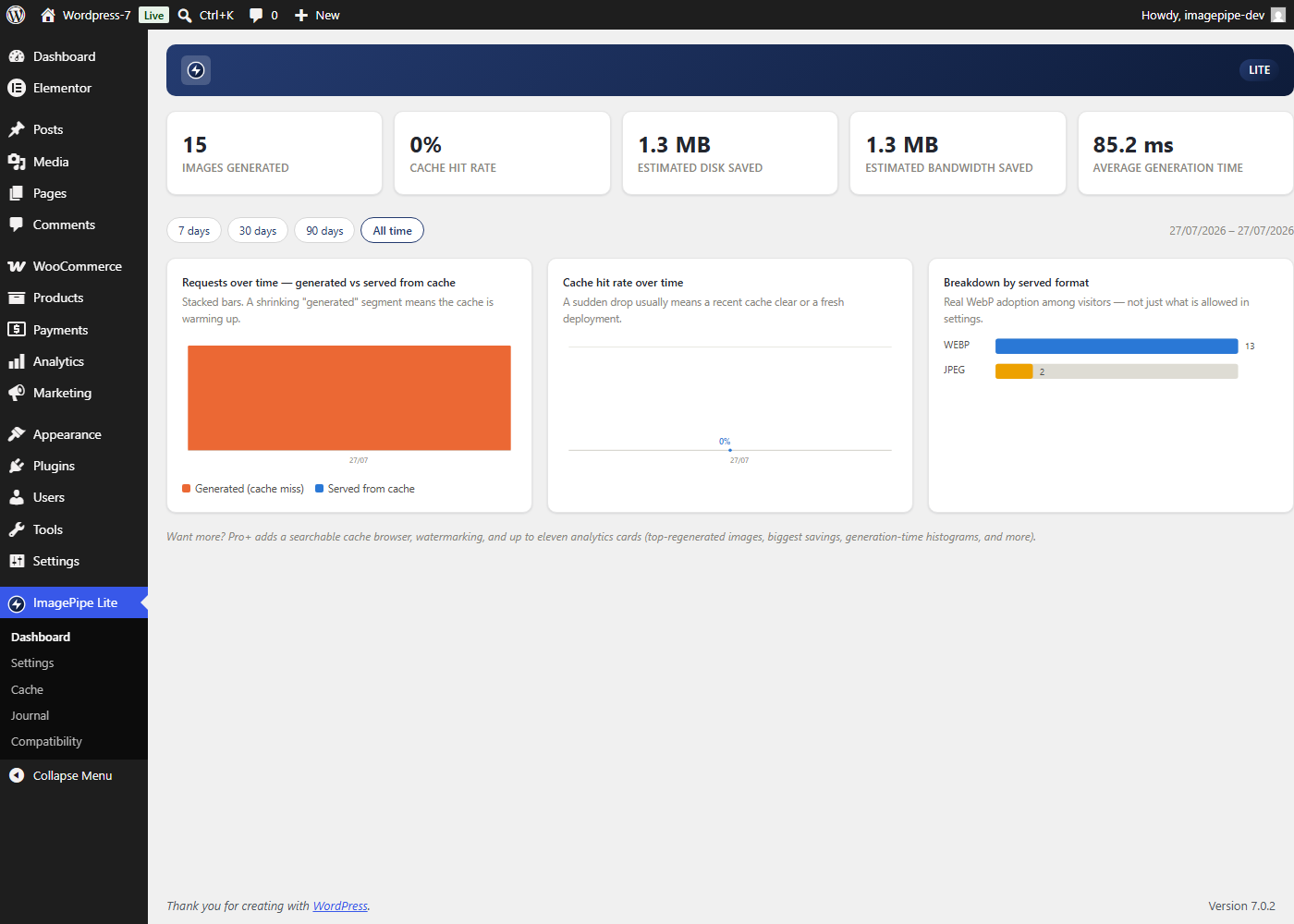
Admin dashboard: requests over time, cache-hit rate over time, and served-format breakdown, with a 7/30/90-day/all-time period selector.
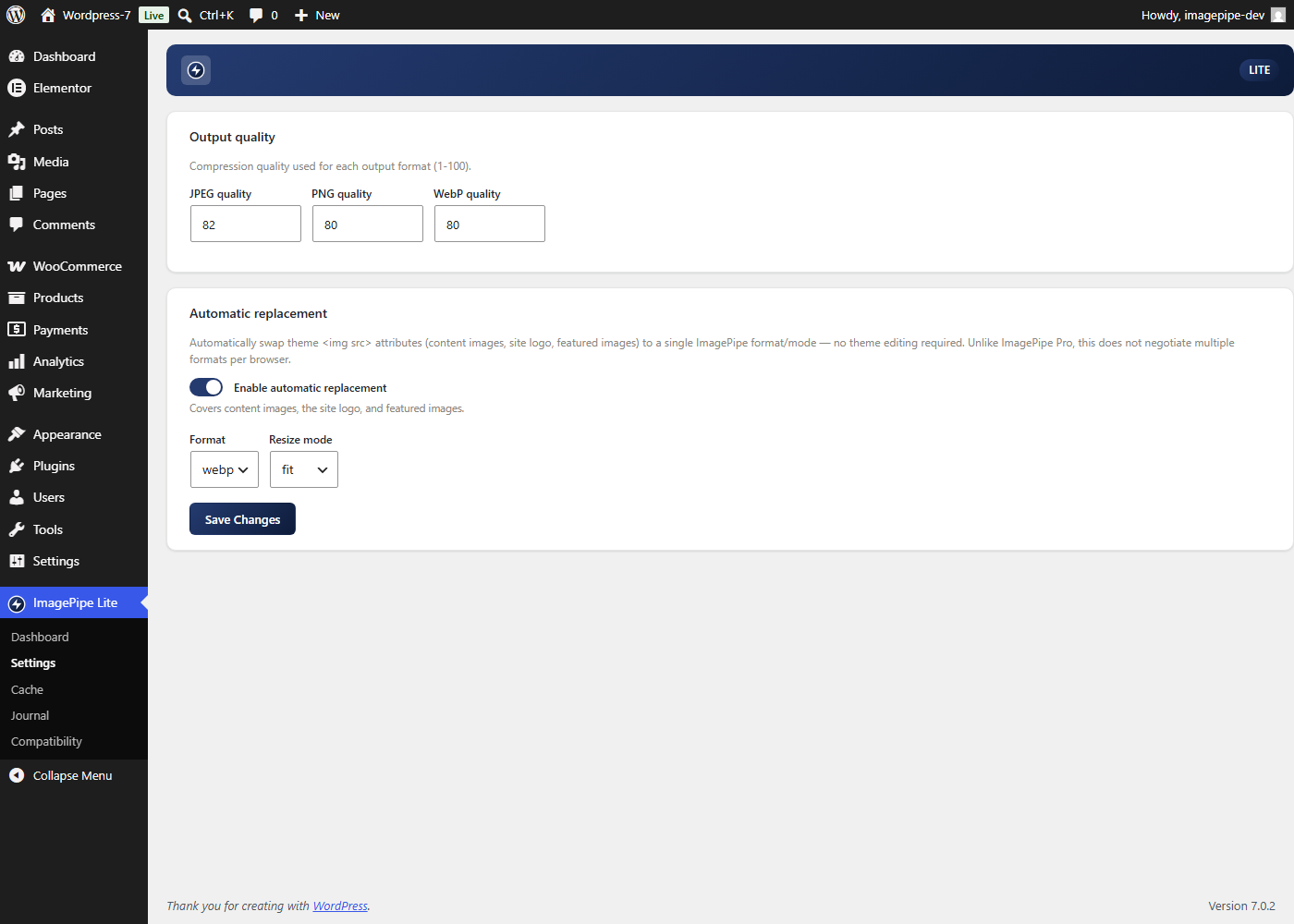
Settings: per-format output quality and automatic replacement (format/resize mode).
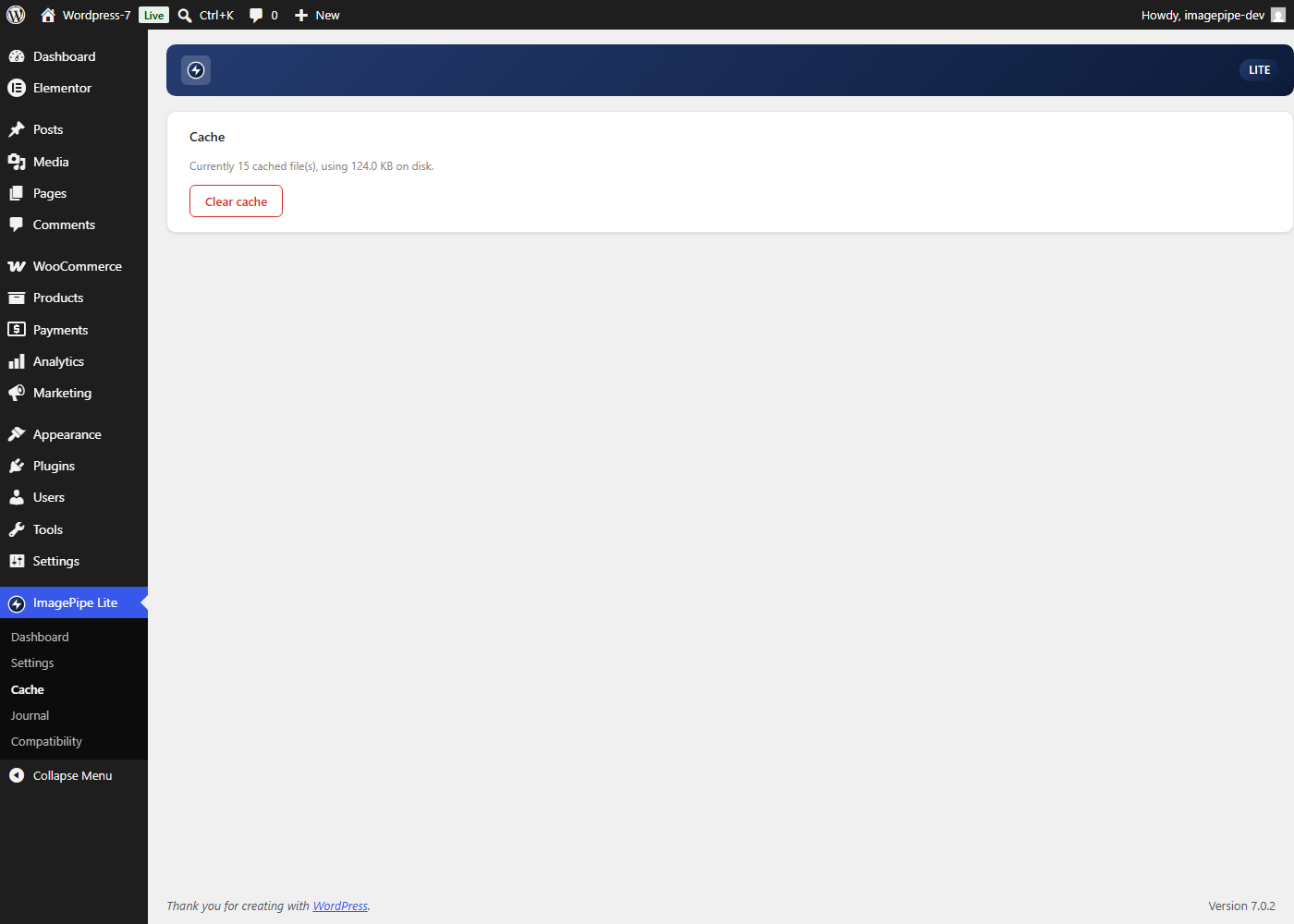
Cache: current cache size and a one-click "Clear cache" button.
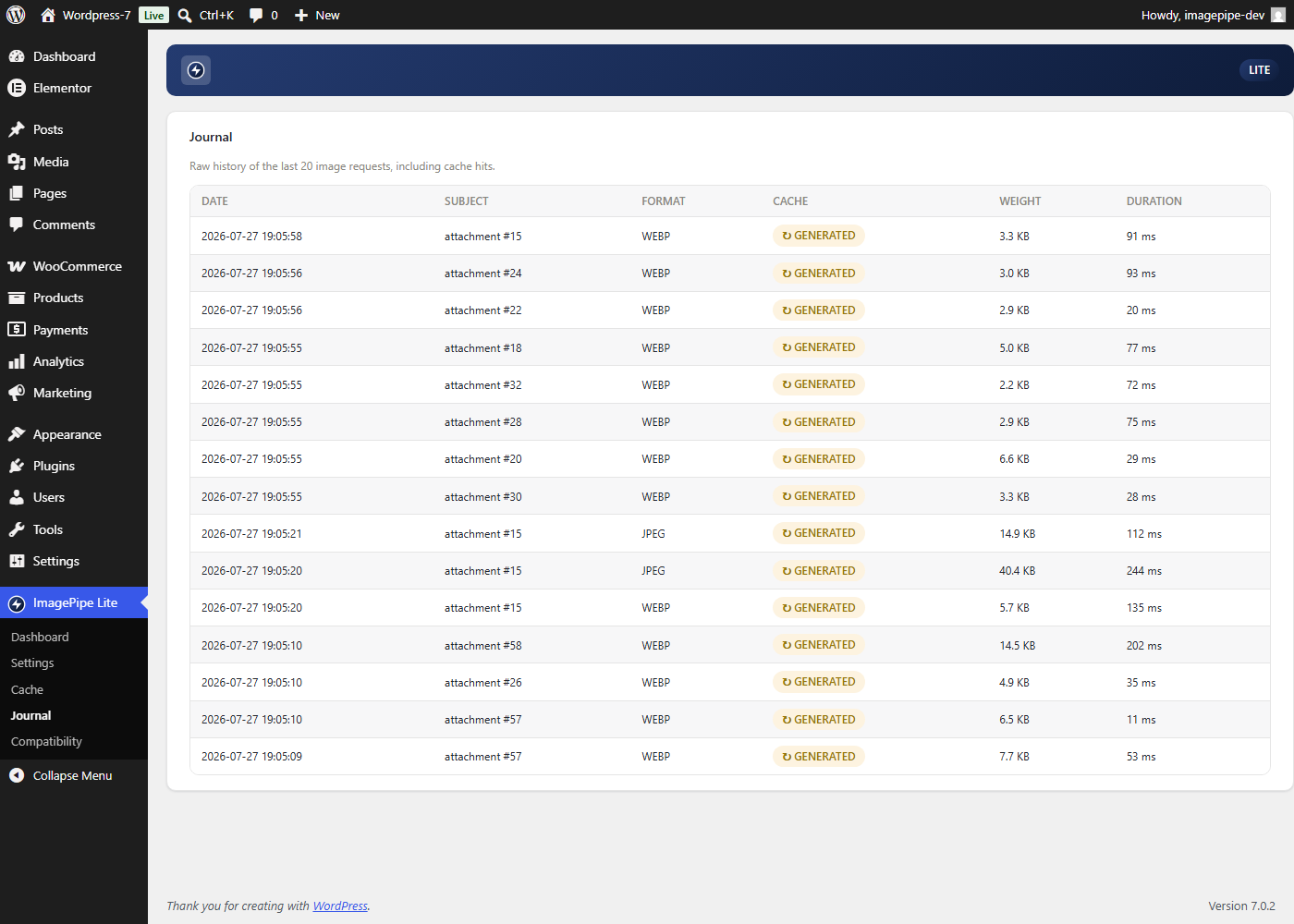
Journal: raw history of the last 20 image generation events.