BACK TO DIRECTORY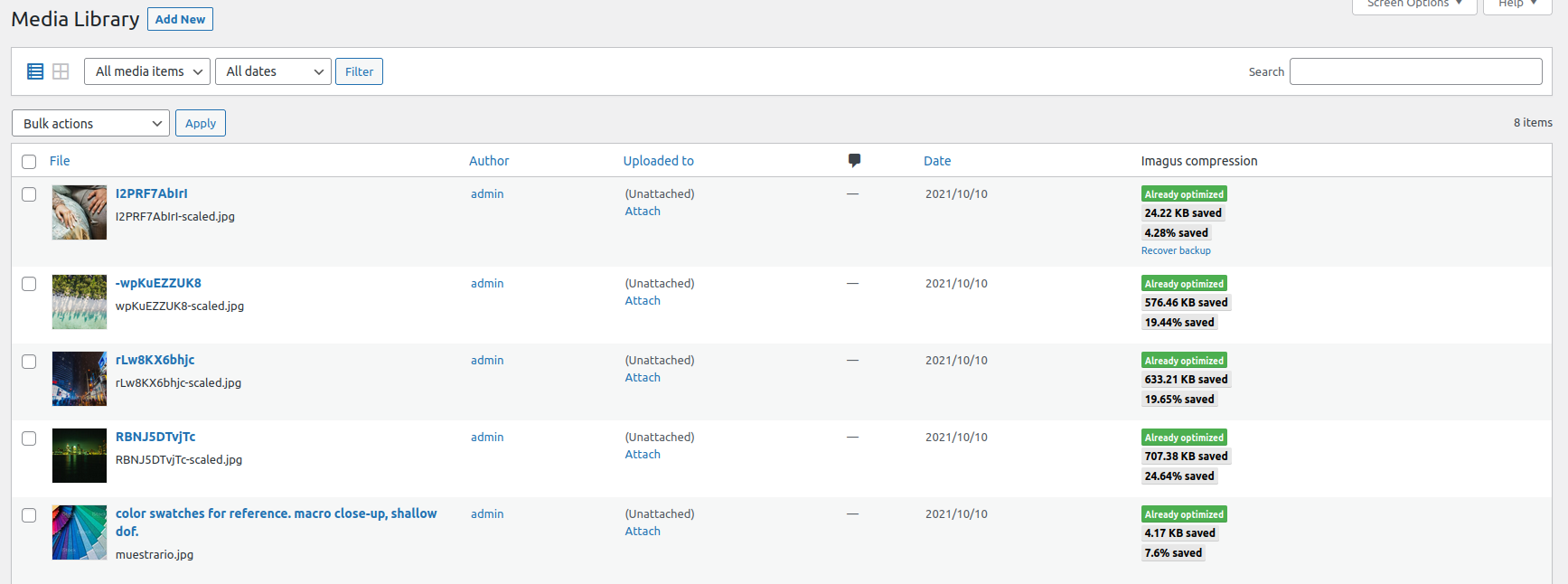

This plugin connects to imagus API and optimize images in jpeg/png/gif/avif/webp/tiff formats.
In “Settings” => “Imagus” you can customize the plugin. The options are:
- Quality percentage: The % of compression. Imagus uses lossy compression algorithm, so the lower compression, the lower image quality.
You might use a percentage quality that prevents a higher pixelation. 70% should be enough. - Automatic compression: Imagus optimizes all the images you upload automatically.
- Leave original copies in media folder: if you wanna preserve the original image before imagus acts, enable this option.
You can replace the compressed image with the original if you aren’t satisfied with the compression result. - Enable modal customized options window: Activate this option if you wanna change the default settings in the media gallery.
Only available if you have the “Automatic compression” disabled (otherwhise, it has no sense!).
You can compress individually or raw in the media library menu (the “Automatic compression” option must be disabled). Just press
the “Imagus compression” button (the button shows in list mode of the media gallery page) or select that raw action after select a images group on the list.
Screenshots
Plugin Details
Active Installs
0Total Downloads
2,495Version
0.8.0Requires WP
4.1Requires PHP
7.1Tested Up To
5.8.19Added
2021-10-13Last Updated
2022-02-28 9:05pm GMTRatings
5
0
4
0
3
0
2
0
1
0