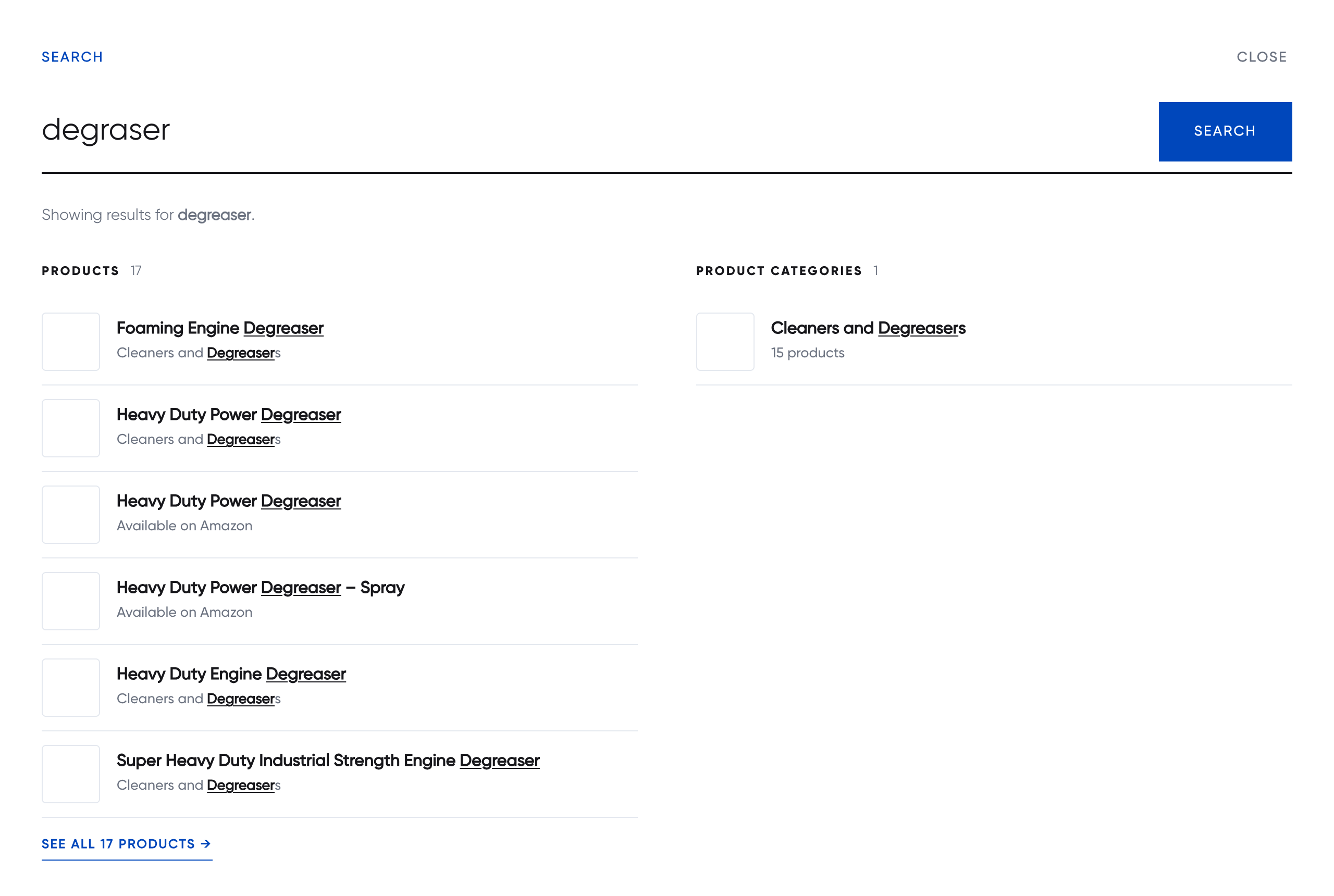
iMegaSearch replaces the search experience on your site with a full-screen overlay that shows grouped results while the visitor types: products, posts, pages, categories, tags, or any public post type and taxonomy you choose.
Most live-search plugins send a request to WordPress on every keystroke. On a typical host each of those requests boots WordPress and all of its plugins, which is why live search so often feels slow. This plugin works differently: it builds one small static index file of your content, the browser downloads it once (it is cached like any other static file), and every search after that is matched locally in a few milliseconds.
Features
- Full-screen overlay with a large search field, popular-search chips and results in two columns.
- Results as you type, with the matched text underlined and a “See all” link per group.
- Grouped results page for
/?s=, with a tab and a count for each group. Use it as your theme’s search page or place it anywhere with a shortcode. - Any content: every public post type and taxonomy can become a result group. Choose the heading, column, order and number of results for each one.
- Sensible ranking: titles and term names match anywhere in the word (“grease” finds “Degreaser”), while body text matches from the start of words only, so “rust” does not return every page containing “trusted”. Title matches always rank above body-text matches.
- Keeps itself up to date: the index rebuilds automatically a couple of minutes after content changes, and once a day as a safety net. There is a “Rebuild index now” button and a WP-CLI command too.
- Works with your theme: open the overlay from the shortcode button, from any element you point it at with a CSS selector (your theme’s search icon, for example), or whenever a visitor focuses a search field.
- Accessible: a proper dialog with focus trapping, Escape to close, focus returned to the trigger, visible focus rings and support for reduced motion.
- WooCommerce ready: products, product categories and tags work out of the box, with product categories shown under each product.
- No external requests, no tracking and no account needed.
Shortcodes
[imegasearch_button]prints a search button that opens the overlay. Attributes:label,class, andicon="no"to hide the magnifier.[imegasearch_results]renders the full grouped results page wherever it is placed.
Any element with the mgs-open class or a data-mgs-open attribute also opens the overlay.
For developers
- Override the results page by copying
templates/search.phptoyour-theme/imegasearch/search.php. - Filters:
imegasearch_available_groups,imegasearch_index,imegasearch_post_item,imegasearch_term_item,imegasearch_max_items,imegasearch_preferred_taxonomies,imegasearch_label_taxonomy,imegasearch_config,imegasearch_load. - Action:
imegasearch_index_built. - JavaScript:
window.iMegaSearch.open( 'term' ),.close()and.reload(). - WP-CLI:
wp imegasearch rebuildandwp imegasearch status.
Screenshots
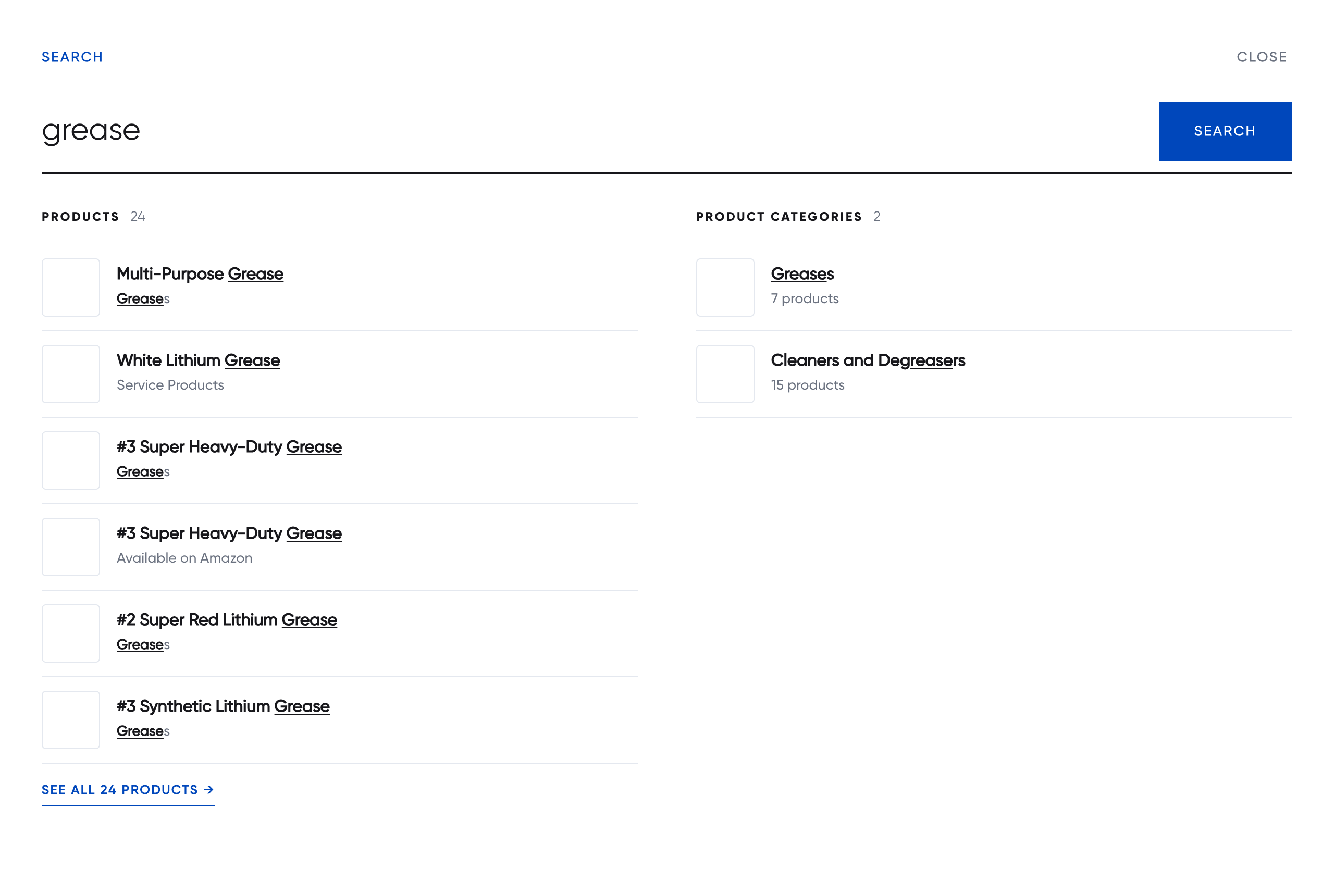
The overlay showing live results while typing, with products on the left and categories, articles and topics on the right.

The grouped results page, with a tab and a count for each group.
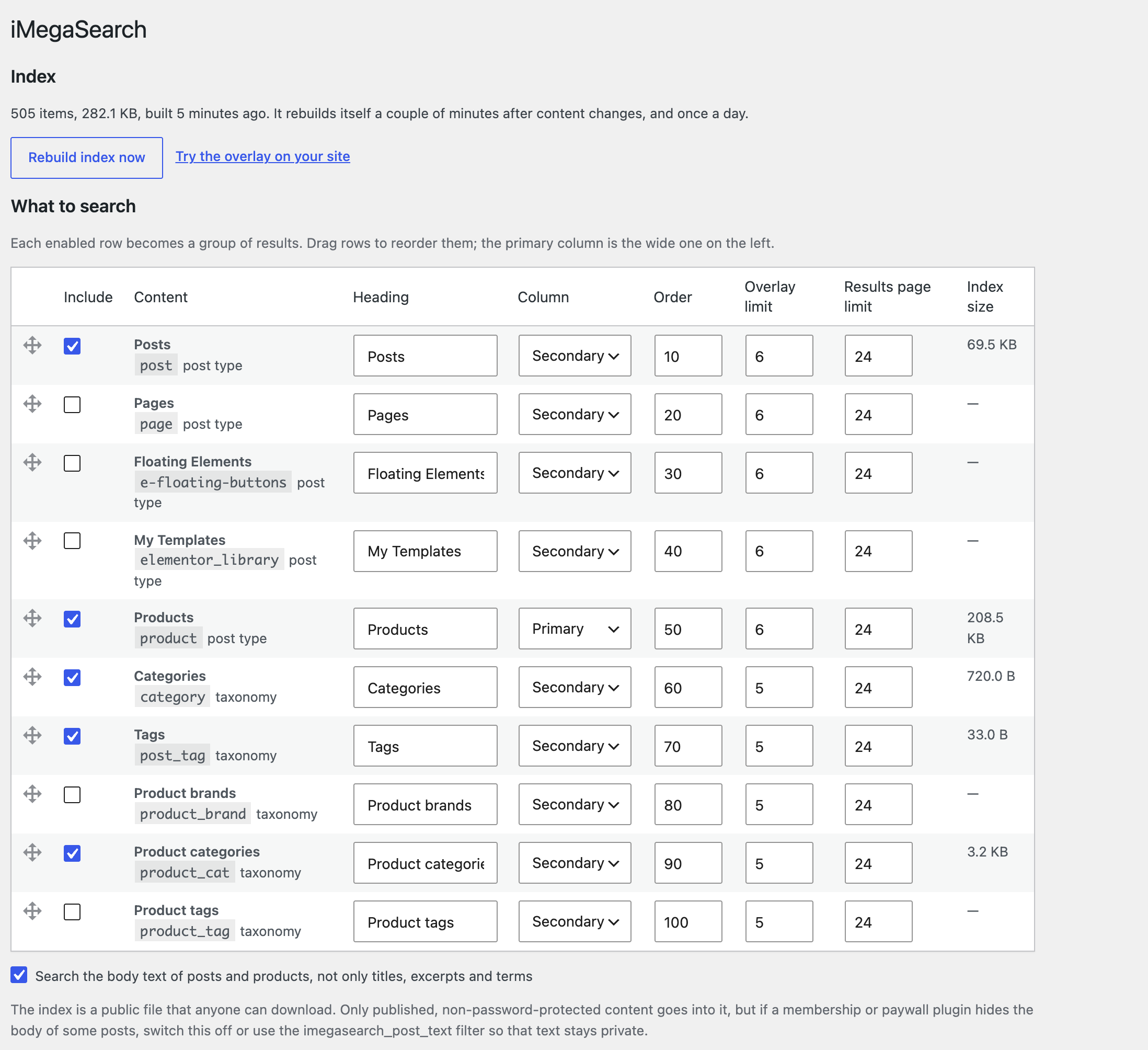
Settings → iMegaSearch: choose what to search and how each group is shown.
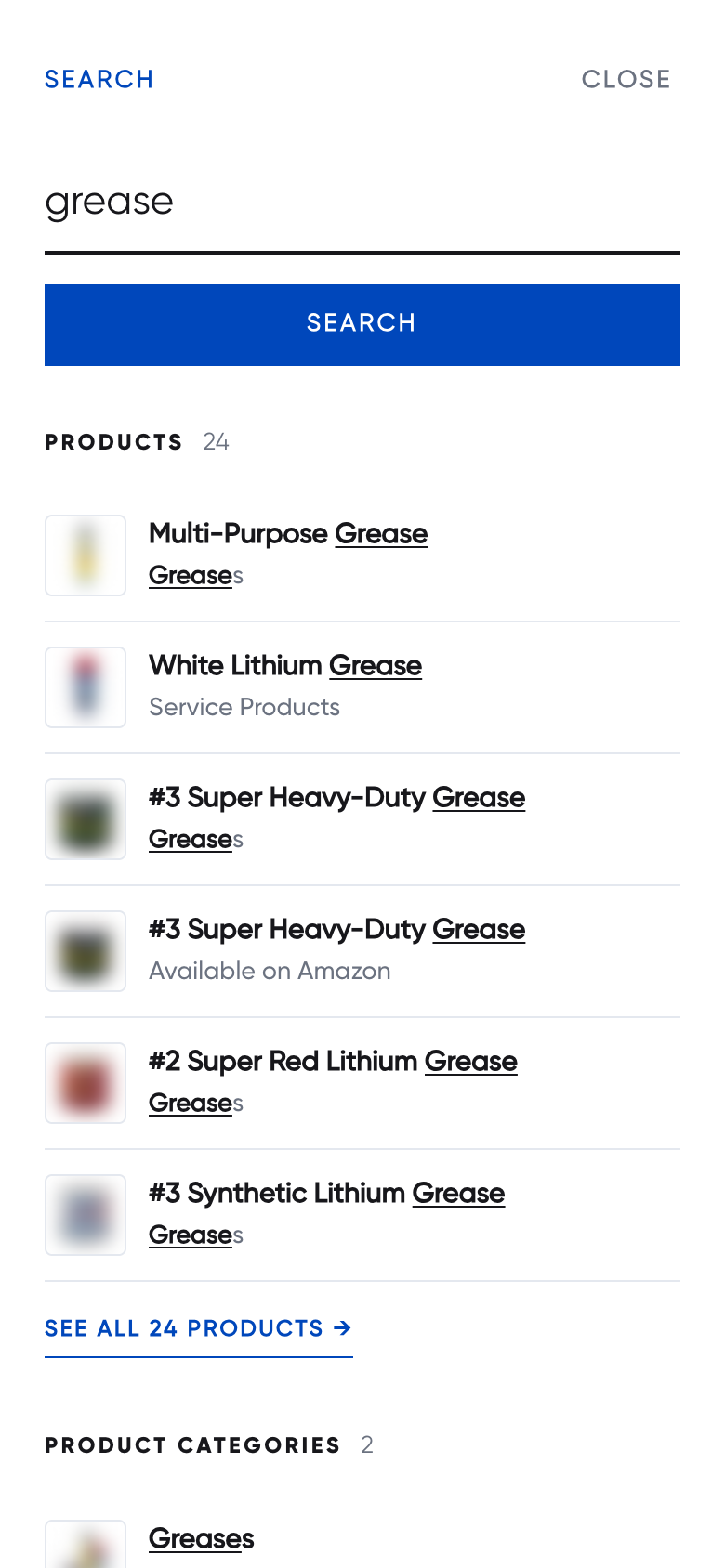
The overlay on a phone.