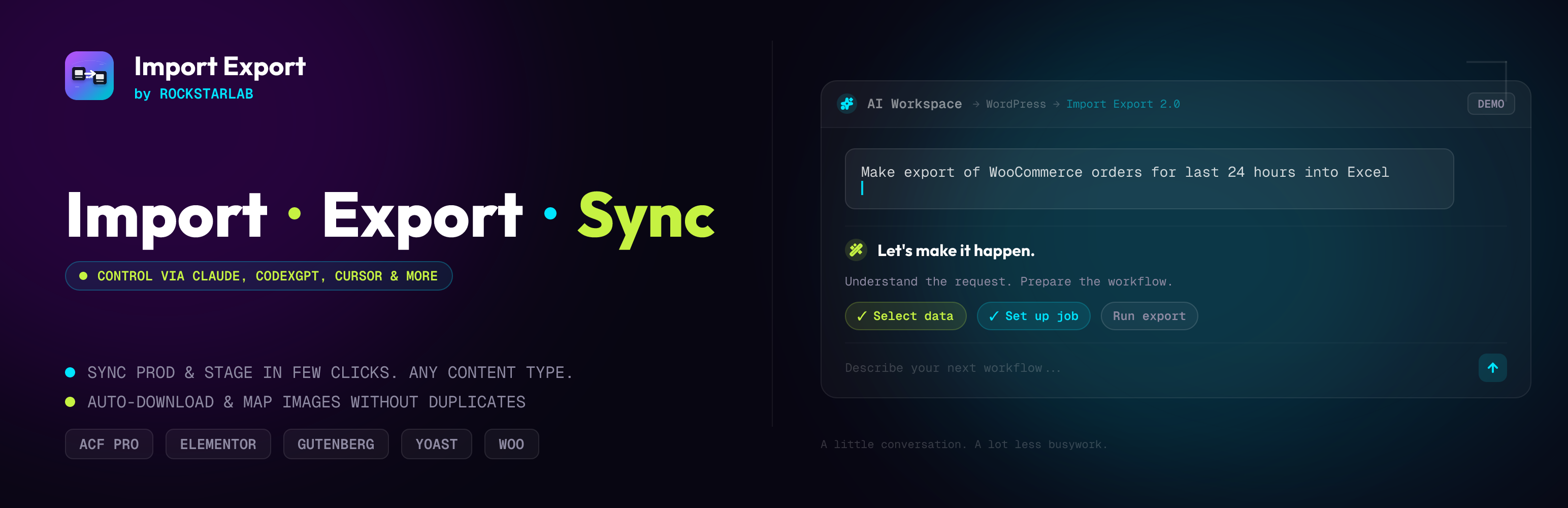
Built for humans and AI agents.
Import Export by RockStarLab helps you import, export, and sync WordPress data. Work visually in WP Admin, or connect an AI agent such as Claude Code, Cursor, or Codex to run supported workflows from your assistant’s interface.
New in 2.0: AI agent access. Ask your connected agent to prepare an import, export selected content, sync pages between connected sites, or check a job’s progress. The plugin exposes these operations through the WordPress Abilities API and the official WordPress MCP Adapter.
Read what’s new in Import Export by RockStarLab 2.0.0 for the full release overview and how to use the plugin with AI Agents like Claude, CodexGPT, Cursor and others.
Prefer working in WordPress? Use the familiar admin screens for file uploads, field mapping, previews, imports, exports, content sync, and job history. AI is optional: everyday import, export, and sync workflows need no AI account or API key.
The free plugin includes import/export for posts, pages, comments, and media; All Site URLs export; Media Folder Sync; site-to-site sync for supported core content; and background jobs. Import and export CSV, XML, JSON, XLSX, and ODS files, or use the AI URL Importer to turn public web pages into WordPress content with a configured AI provider.
The optional PRO addon adds custom post types, menus, users, taxonomy terms, WooCommerce data, database table workflows, Content Updater, and field transformations. PRO extends both the admin tools and the operations available to connected agents.
Use it for content migrations between local, staging, and production; recurring data transfers; SEO URL audits; and workflows involving custom fields, SEO metadata, Elementor layouts, and media relationships.
🌐 Website: wpimportexport.com
📖 Video Tutorials: wpimportexport.com/import-export-video-tutorials-for-wordpress
📰 Blog: wpimportexport.com/blog
🚀 PRO version: New users can try PRO free for 1 month, no credit card required.
⏳ LIMITED OFFERS: Lifetime license for the first users | Get PRO For Free
Want to try it before installing? Open the Live Plugin Preview on WordPress.org to explore the admin screens in a temporary WordPress Playground site with sample content.
Work with AI Agents
Describe the task in your connected AI assistant and let it use the plugin’s available actions. For example:
- “Export my published posts to CSV, including titles, URLs, and SEO metadata.”
- “Preview this CSV and suggest a field mapping before importing it as draft pages.”
- “Sync these selected pages from staging to my connected production site.”
- “Show the progress and errors for my latest import job.”
Send requests like these from your connected agent’s interface. Available actions depend on your plugin edition, installed integrations, and WordPress permissions.
Connect your agent
- Open Plugin Options AI Agent Connection in WP Admin and turn on Enable Abilities API.
- Follow the setup wizard to check your site and enable the official WordPress MCP Adapter.
- Create a WordPress Application Password for an account with administrator permissions.
- Add the displayed MCP endpoint and credentials to your compatible agent or MCP bridge, then ask it to list the plugin’s available actions.
For step-by-step instructions and workflow examples, read the WordPress Abilities API guide for AI agents: exports, imports, content sync, and backups.
Agent access requires the WordPress Abilities API and a client that can reach your site and authenticate with its MCP endpoint. The connection screen checks the site’s requirements. Client setup varies; some assistants need an MCP bridge for the supported authentication method. Developers can also use the Abilities REST API directly.
You choose when to enable agent access. It is off by default and can be turned off independently of the admin tools. Agent operations check WordPress permissions, and premium operations require an active PRO license.
AI agent access and AI URL Importer are separate features. Connecting an agent does not require an OpenAI API key in this plugin. The AI URL Importer uses a configured AI provider to extract content from public URLs; your external AI assistant uses its own account and service settings.
Common Use Cases
- 🚚 Move posts and pages between local, staging, and production
- 📄 Import and export CSV, XML, JSON, XLSX, and ODS files with field mapping
- 💬 Run supported import, export, and sync tasks through a connected AI agent
- 🔄 Sync selected content from one WordPress site to another
- 🔎 Build a full public URL inventory for SEO audits
- 🖼️ Add FTP/SFTP uploaded files into the Media Library
- 🧾 Re-run imports, exports, and sync jobs from history
- 🤖 Convert public URLs into draft WordPress content with AI
- 🚀 Use PRO for custom post types, users, menus, taxonomy terms, WooCommerce data, transformations, and bulk content updates
Features
Choose the WordPress admin interface or a connected AI agent for your data workflows:
- 💬 AI Agent Access (New in 2.0): Connect compatible agents through MCP to discover and run supported plugin operations.
- 🖱️ Visual Admin Tools: Upload files, map fields, preview data, and manage jobs directly in WordPress.
- 📥 CSV, XML, JSON, XLSX, and ODS Import/Export: Move posts, pages, comments, and media with flexible field mapping, previews, validation, and background processing.
- 🌍 All Site URLs Export: Export a clean CSV or JSON list of public frontend URLs from posts, pages, custom post types, taxonomies, archives, feeds, and REST API endpoints.
- 🔗 Site-to-Site Content Sync: Connect WordPress sites with API keys, then push or pull selected content between environments.
- 🖼️ Media Folder Sync: Scan server folders and register uploaded files in the WordPress Media Library with duplicate detection.
- 🤖 AI URL Importer: Extract structured content from public URLs with a configured AI provider, including OpenAI.
- 🧾 Jobs Log: Re-run previous imports, exports, and sync jobs without rebuilding the whole setup.
- 🧪 Live Plugin Preview: Try the plugin in a temporary WordPress Playground demo powered by the included blueprint.
- 🧩 Metadata-Aware Workflows: Designed for custom fields, SEO metadata, media references, and builder-heavy sites.
PRO Addon
Start free with posts, pages, comments, media, URLs, and core content sync workflows, using WP Admin or a connected AI agent. Choose PRO when you need custom content types, WooCommerce data, bulk updates, or transformations. AI agent access is included in free; PRO expands what your agent can work with.
New users can try the PRO version free for 1 month, no credit card required. Want PRO for lifetime? See how to get it for free here: wpimportexport.com/get-pro-for-free
PRO adds:
- 🧱 Import/export for Custom Post Types, Menus, Taxonomy Terms, Users, Database Tables, and WooCommerce Products, Orders, Coupons, Refunds, Customers, Reviews, and Attributes
- ✏️ Content Updater for changing existing content in bulk without doing a full import cycle
- 🪄 Transformation functions for cleaning, combining, changing, or normalizing values during workflows
- 🧬 Advanced custom-field and metadata workflows for ACF, SEO plugins, builders, and WooCommerce stores
- 🔄 More site-to-site sync coverage for custom content models
- 💬 Premium agent operations for supported PRO import, export, sync, Content Updater, and transformation workflows
- 🏢 Workflow tools built for agencies, WooCommerce teams, content teams, and developers managing staging-to-production releases
Affiliate Program
Love Import Export by RockStarLab? Join our affiliate program and earn commissions by recommending the plugin to WordPress agencies, WooCommerce stores, content teams, and site owners who need reliable import, export, migration, and sync workflows.
Affiliate details are available on our website: wpimportexport.com
Why Choose Our Import / Export Plugin?
Manage content, metadata, media, sync, jobs, and URL audits in one plugin. Start with visual admin tools, connect an AI agent when it suits your workflow, and add PRO when you need more data types or bulk editing tools.
- Built for Real WordPress Sites: Works with posts, pages, media, metadata, ACF, Elementor, Yoast SEO, Rank Math SEO, and WooCommerce workflows.
- Background Processing: Large jobs run in batches, with progress tracking and logs.
- Repeatable Operations: Save time by re-running jobs from history.
- Human-Friendly Mapping: Preview source data and map it to WordPress fields before the job runs.
- Built for Humans and AI Agents: Work in WP Admin or use a connected assistant to run supported data operations.
- Optional AI Content Extraction: Turn public URLs into WordPress content with the separate AI URL Importer.
- Free to Start, PRO When You Grow: Start with core migration and sync tools, then upgrade when you need custom content types, transformations, WooCommerce data, or Content Updater.
Core Features
- Multiple Data Types: Posts, Pages, Comments, and Media in free; additional content types via the optional PRO addon
- All Site URLs: Export public site URLs from posts, pages, custom post types, taxonomies, post type archives, author/date/search archives, RSS/Atom/comments feeds, and REST API endpoints
- File Formats: Import and export CSV, XML, JSON, XLSX, and ODS files
- Background Processing: Handle large datasets in batches to reduce timeout and memory-limit problems
- Field Mapping: Intuitive field mapping interface with preview
- Validation System: Comprehensive data validation before import
- Media Folder Sync: Synchronize FTP-uploaded files with WordPress Media Library
- Site-to-Site Sync: Connect and sync content between two WordPress sites
- Progress Tracking: Real-time progress bars and detailed logs
- History & Logs: Complete history of all import/export operations
- Live Preview Blueprint: WordPress Playground blueprint support for the Live Plugin Preview on WordPress.org
All Site URLs
Create a clean inventory of public frontend URLs from your WordPress site:
- Content URLs: Posts, Pages, Media, and public Custom Post Types
- Taxonomy URLs: Categories, Tags, WooCommerce taxonomies, and other public term archives
- Archive URLs: Post type archives, author archives, date archives, homepage/front page, and search results URL
- Technical URLs: Optional RSS feeds, Atom feeds, comments feed, post type feeds, REST API root, and REST post type endpoints
- Simple Output: CSV or JSON file with a single URL column
- Bulk Selection: Quickly select or deselect Posts, Taxonomies, REST endpoints, RSS feeds, Atom feeds, and Comments feeds
- Jobs Log Support: Re-run URL export jobs or download completed files from the Jobs Log
Site-to-Site Content Sync
Synchronize content between two WordPress sites with secure API-based connection:
- API Key Connection: Connect sites with secure 64-character API keys
- Bidirectional Sync: Pull from remote site or push to it
- Content Types: Posts and Pages (additional content types via the optional PRO addon)
- Selective Sync: Filter by ID, date, author, status, taxonomy
- Conflict Resolution: Skip, Update, or Duplicate strategies
- Media Sync: Automatically download and sync media files
Media Folder Sync
Easily synchronize files from server folders (uploaded via FTP/SFTP) to your WordPress Media Library:
- Scan Server Folders: Browse and select folders with recursive scanning
- File Type Filters: Choose specific file types or all WordPress-allowed types
- Duplicate Detection: Three methods (Hash, Filename, Filesize) to skip duplicates
- Preserve Structure: Maintain original folder hierarchy
- Batch Processing: Handle large numbers of files efficiently
- Auto Alt Text: Generate alt text from filenames
- Real Media Library: Automatically create folder structure in Real Media Library plugin (the plugin is not included)
PRO Content Types and Tools
The PRO addon extends Import and Export with additional content types, adds the Content Updater, and enables field transformation integrations.
Perfect For
- 🚚 Site Migration: Moving content between WordPress sites
- 🌐 Multi-Site Management: Sync content across multiple WordPress installations
- ⚡ Bulk Operations: Updating hundreds or thousands of posts at once
- 🔌 Data Integration: Importing data from external systems
- 📝 Content Management: Exporting for backup or analysis
- 🖼️ Media Organization: Organizing FTP-uploaded files into Media Library
- 🏢 Agency Workflows: Moving content from staging to production without manual rebuilding
- 🔎 SEO Workflows: Exporting URLs and preserving SEO metadata during migrations
- 🛒 WooCommerce: Product catalog management (via the optional PRO addon)
Works With
- 🧱 WordPress
- 🧩 ACF (Advanced Custom Fields) and ACF Pro (Flexible content, repeaters)
- 🛒 WooCommerce (PRO addon)
- 🎨 Elementor
- 🔎 Yoast SEO
- 📈 RankMath SEO
- 🗂️ Real Media Library
- 🤖 OpenAI (AI URL Importer)
- 💬 Compatible MCP clients, including Claude Code, Cursor, and Codex (connection setup required)
External services
This plugin connects to the following external services:
OpenAI API
Used for AI-powered features:
- AI URL Importer (extracts clean content from a URL)
What data is sent and when:
- When you use the AI URL Importer, the plugin fetches the target URL content and sends the cleaned page content and the URL to OpenAI for extraction.
Service provider:
Tutorials
Learn how to use Import Export by RockStarLab in real WordPress workflows:
- How to use the WordPress Abilities API with AI agents: exports, imports, content sync, and backups
- How to export all WordPress URLs to CSV or JSON
- How to use Jobs Log and schedule WP import and export jobs
- How to export and import WordPress media files without duplicates
- How to import posts, pages, and custom post types with ACF Pro fields
- How to export WordPress posts, pages, and custom post types with ACF Pro fields
- How to sync content between two WordPress websites without export files
- How to import content from a URL into WordPress with AI
- What are transformation functions and how to use them during import or export
- How to register FTP/SFTP uploaded files in the WordPress Media Library
Screenshots
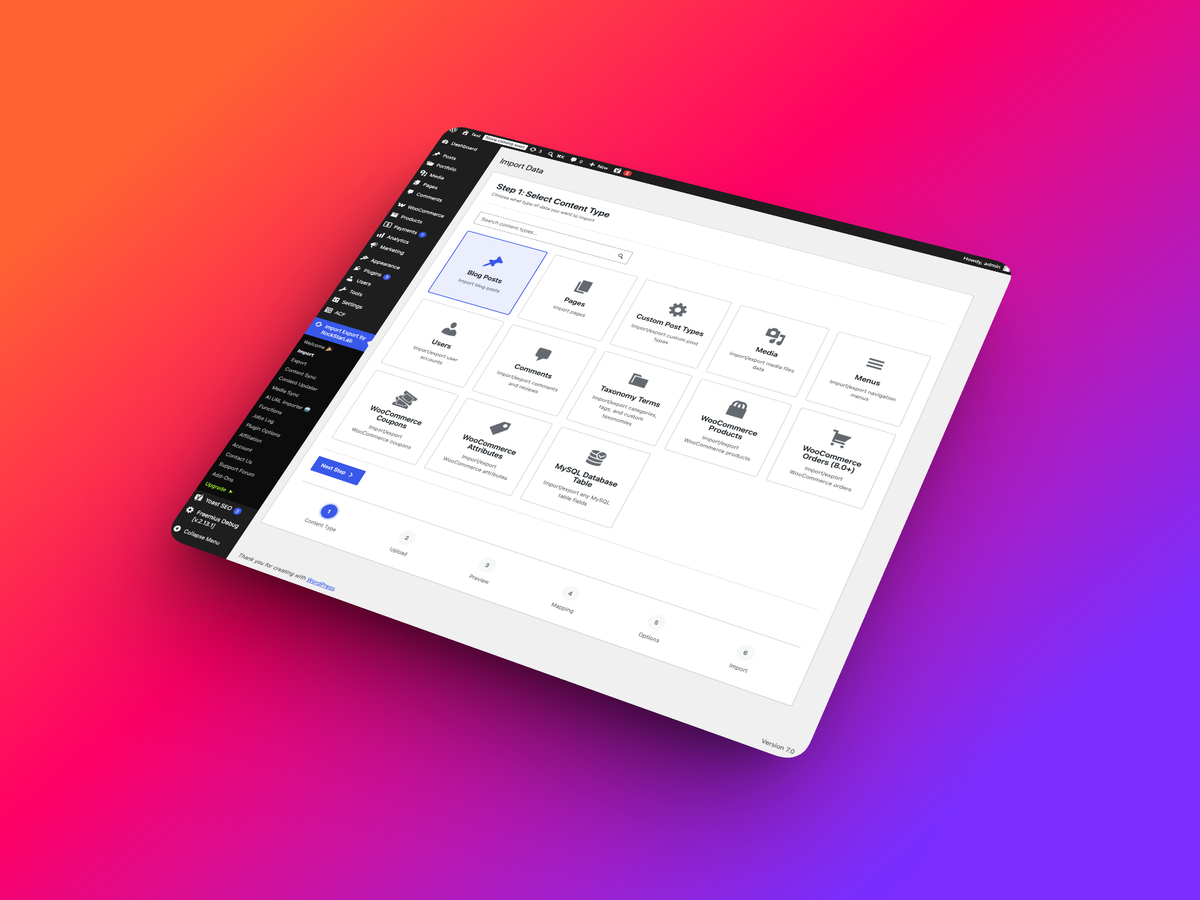
Import page
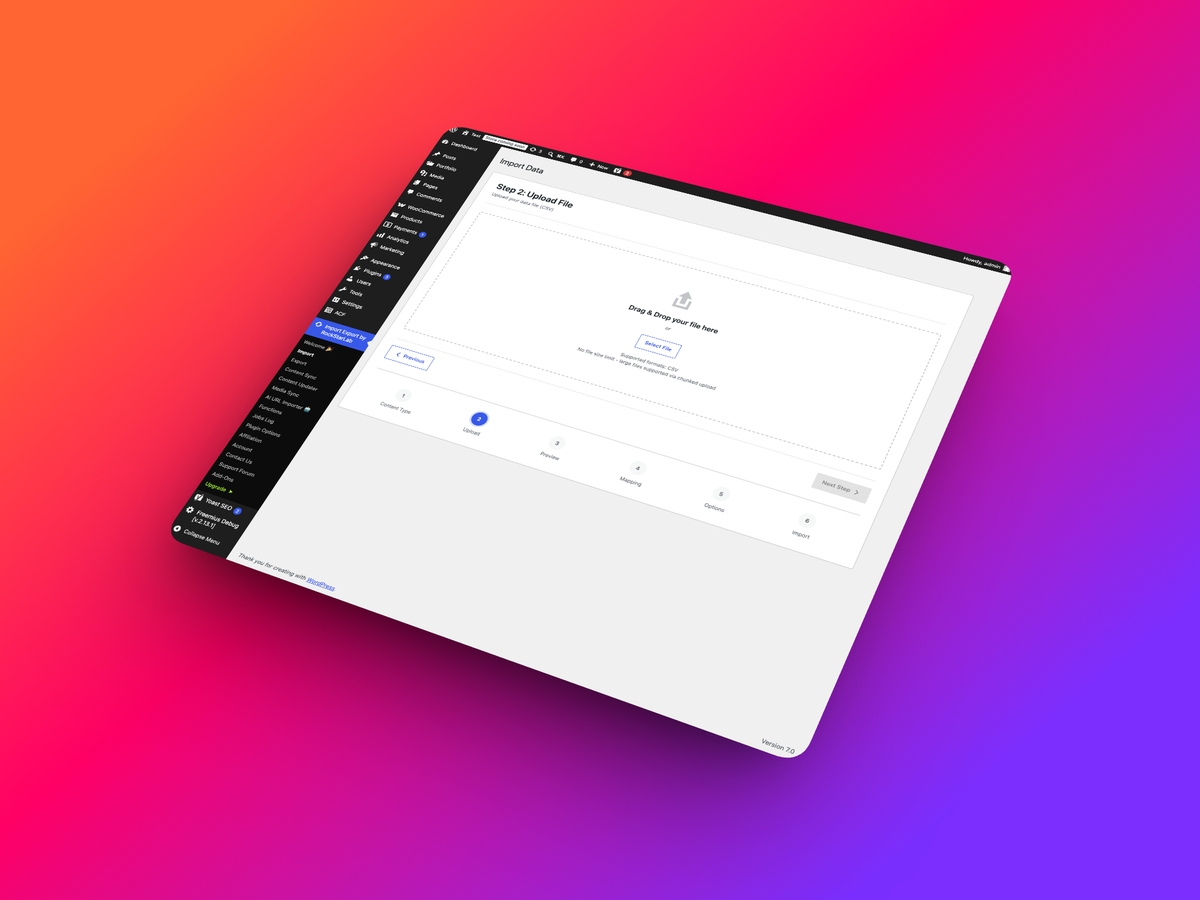
File upload
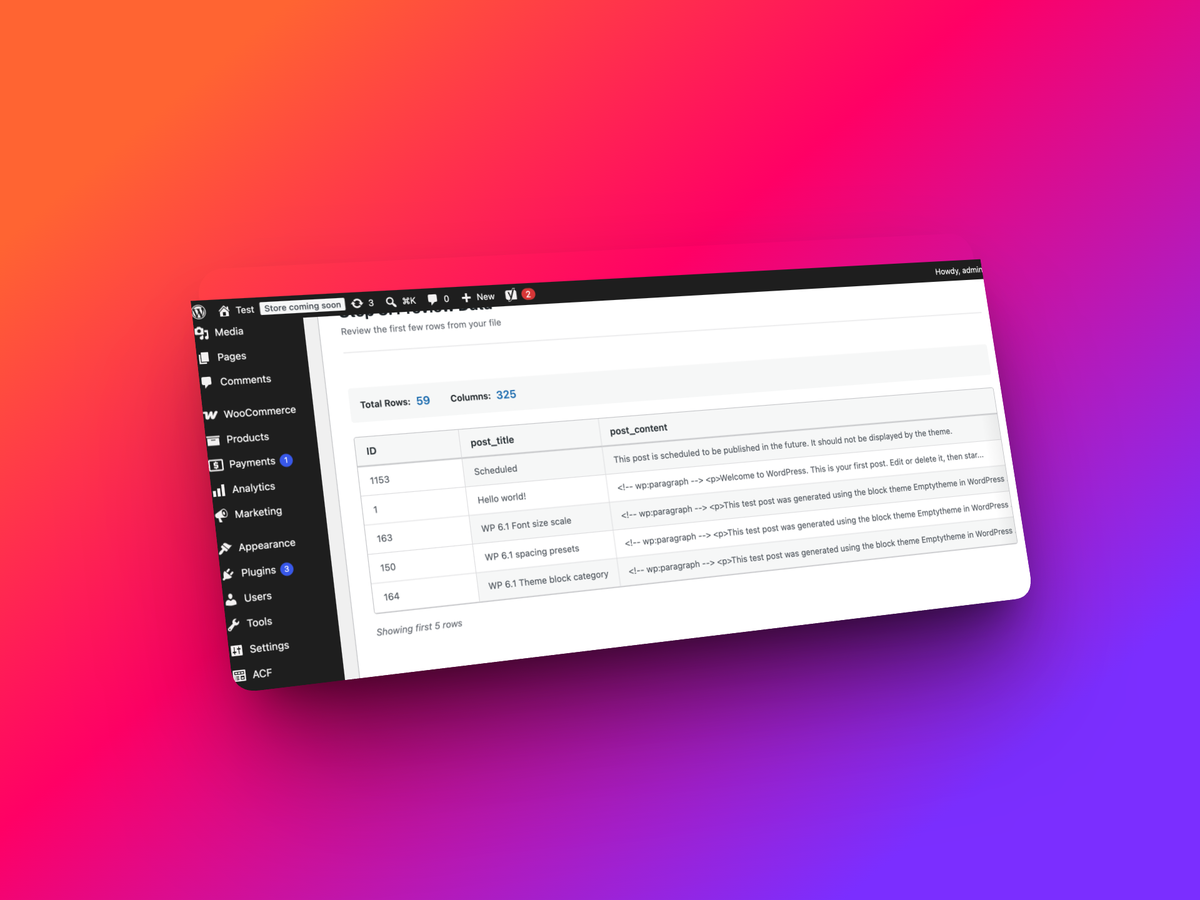
Preview data
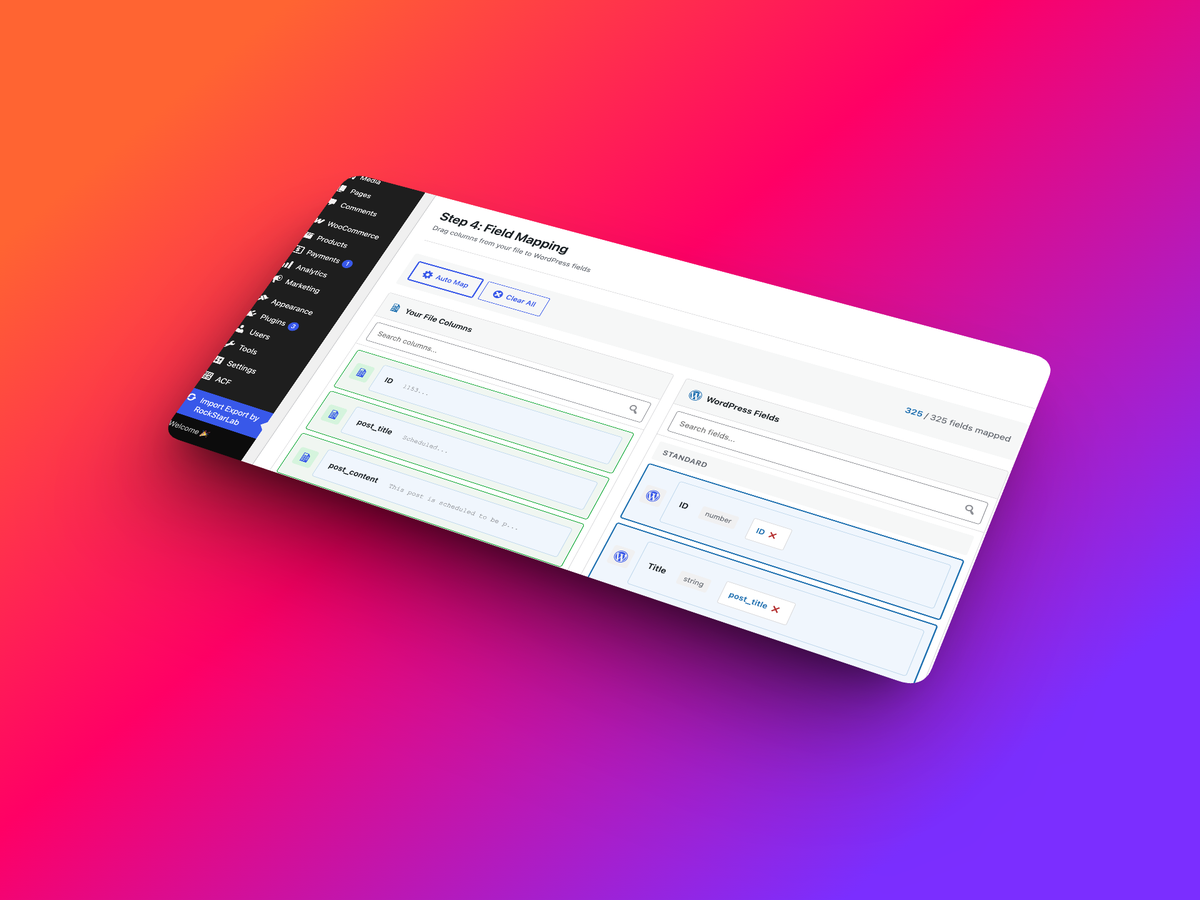
Fields mapping
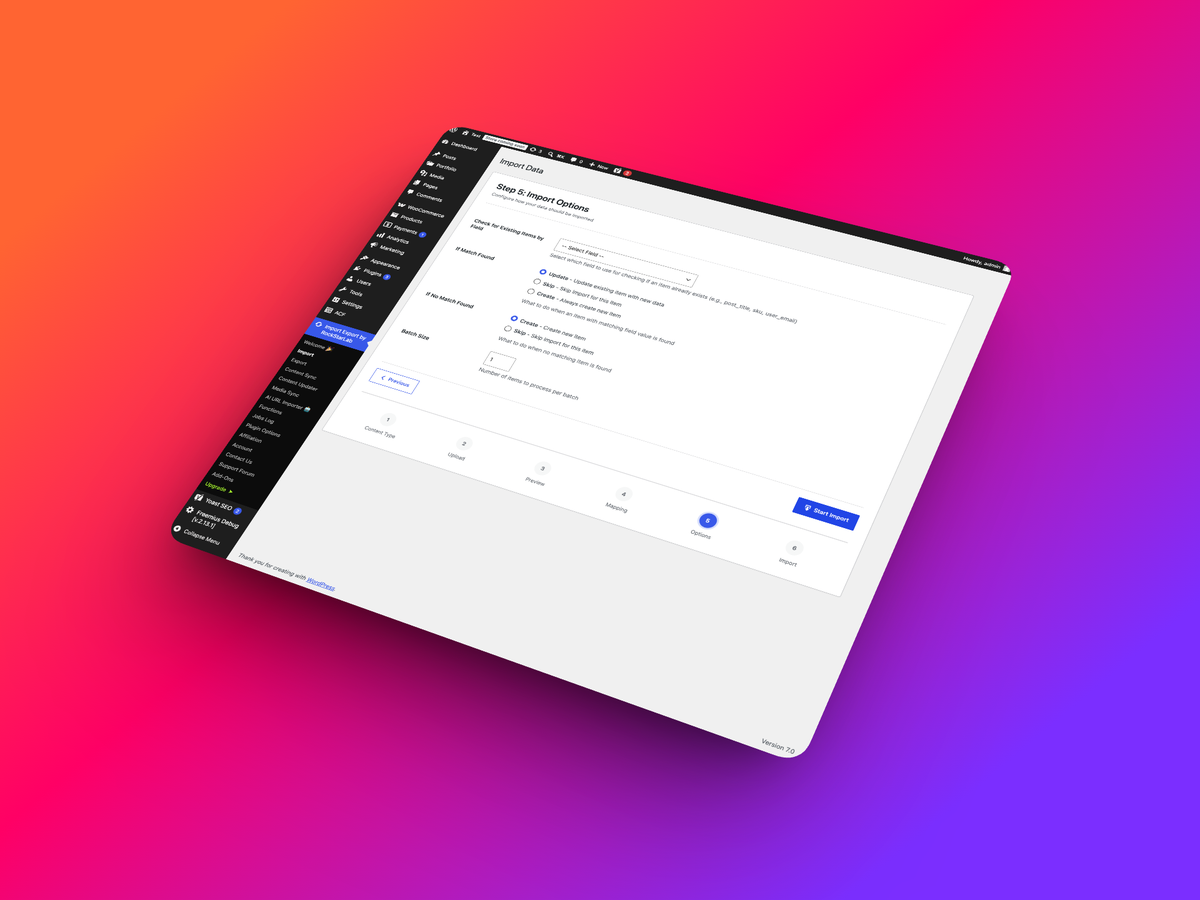
Additional import options
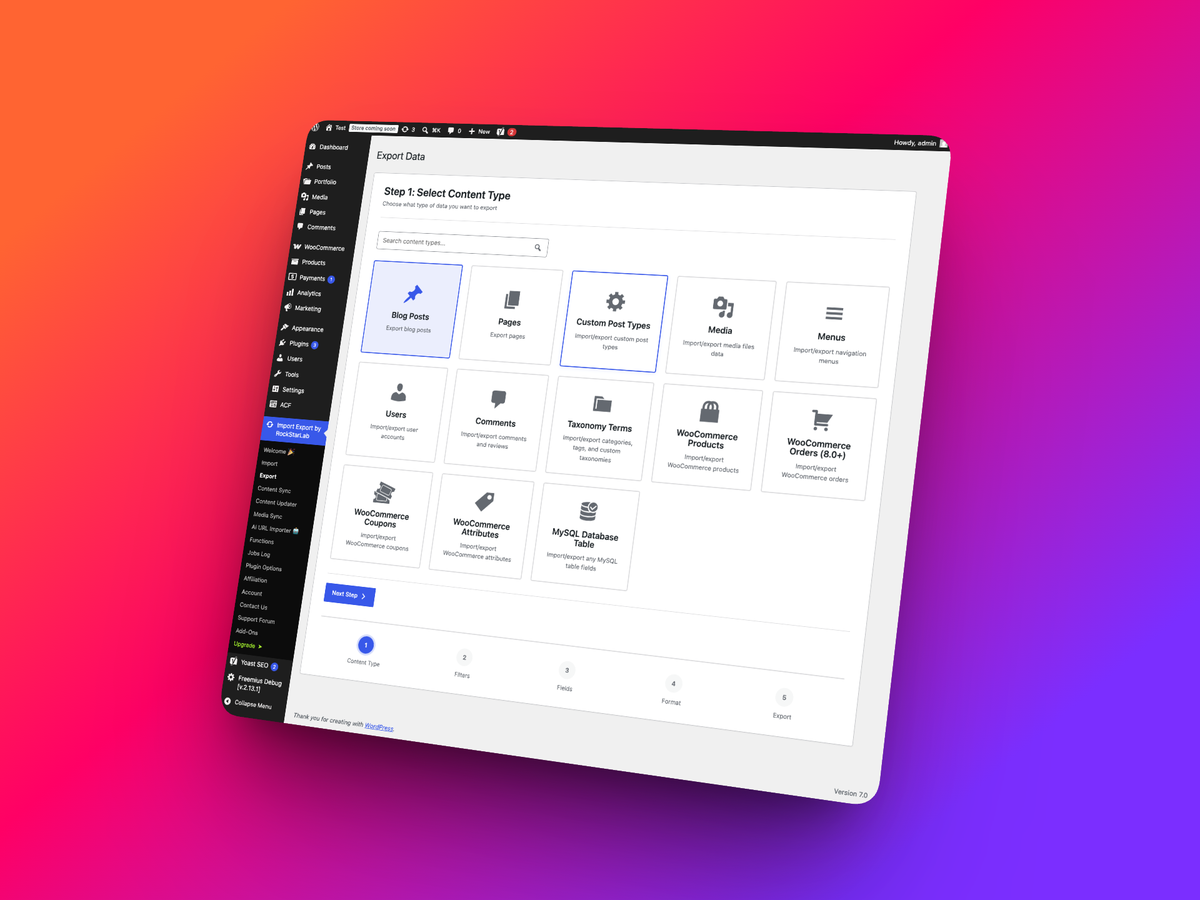
Export page
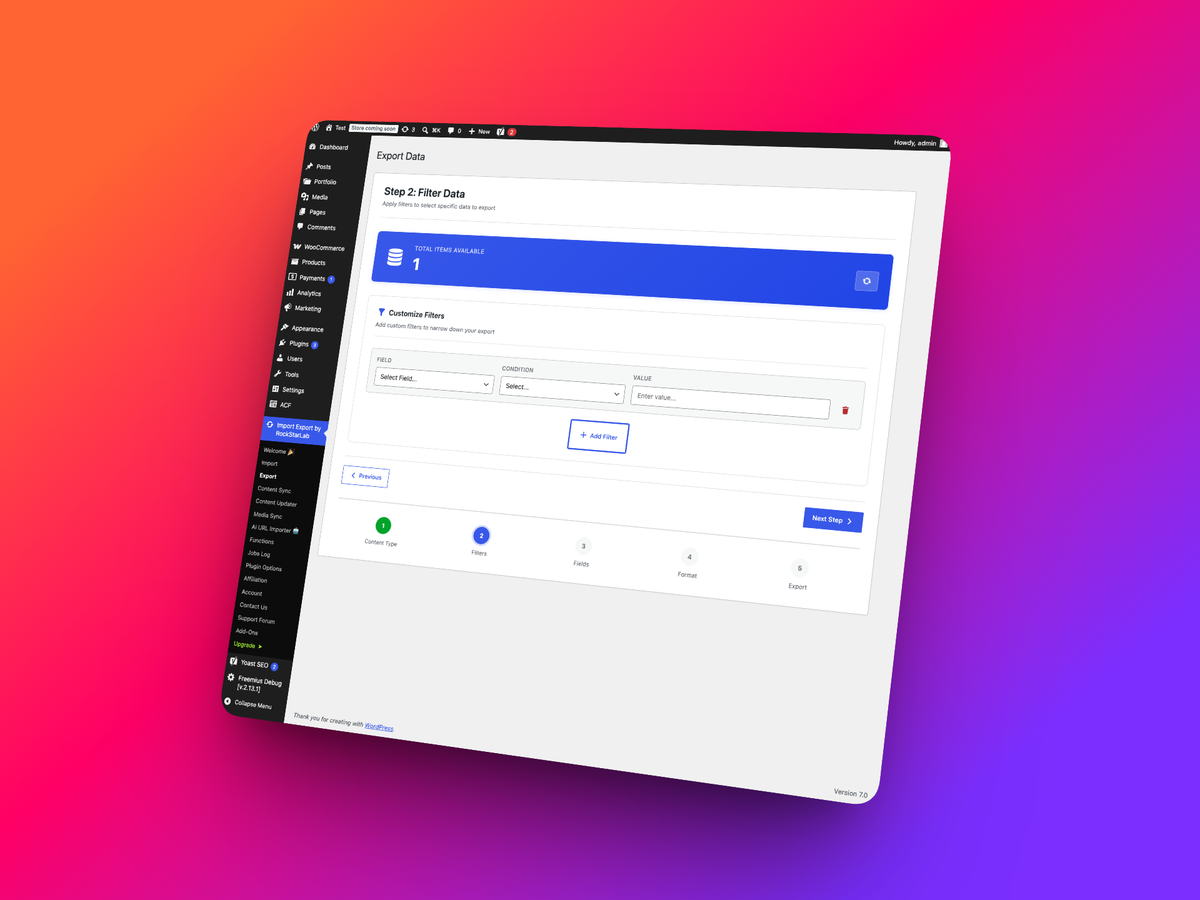
Filter posts for export
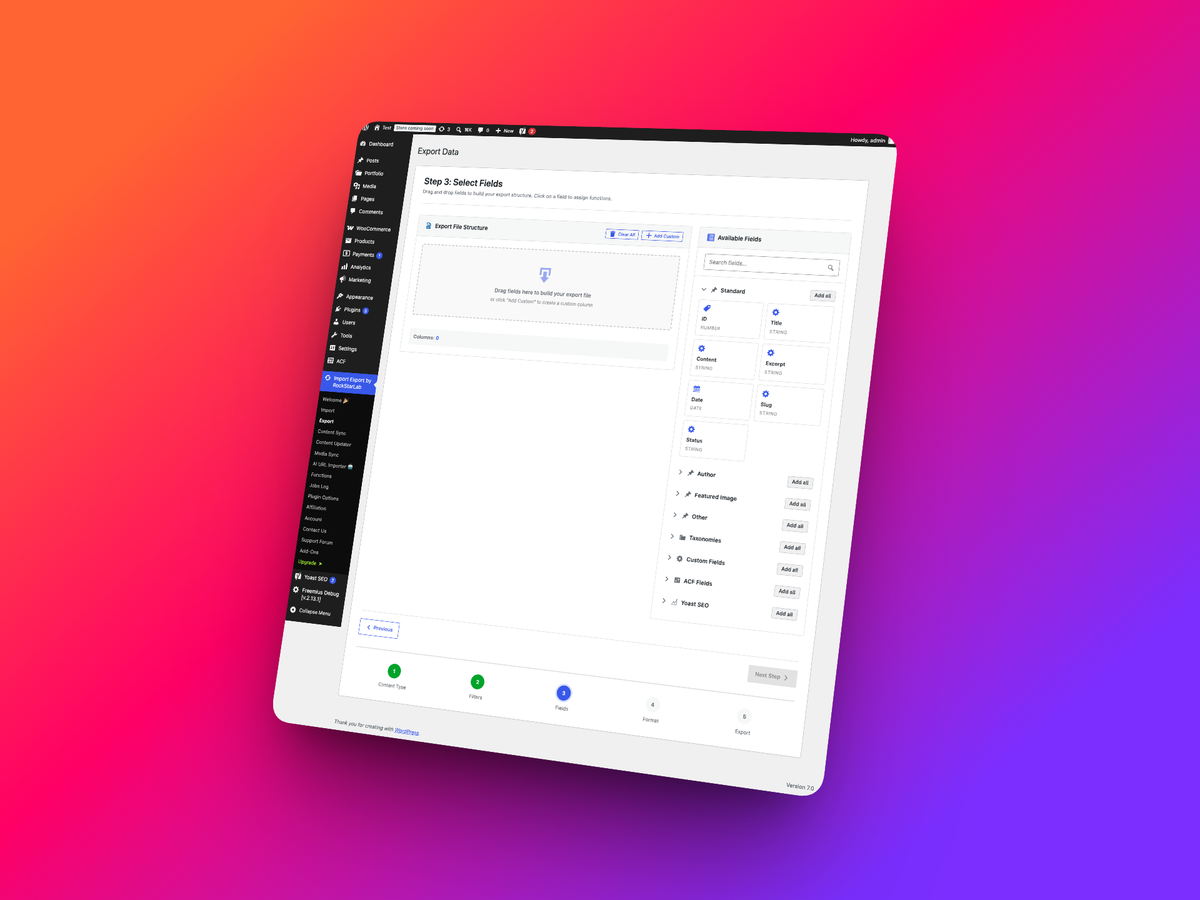
Select fields to export
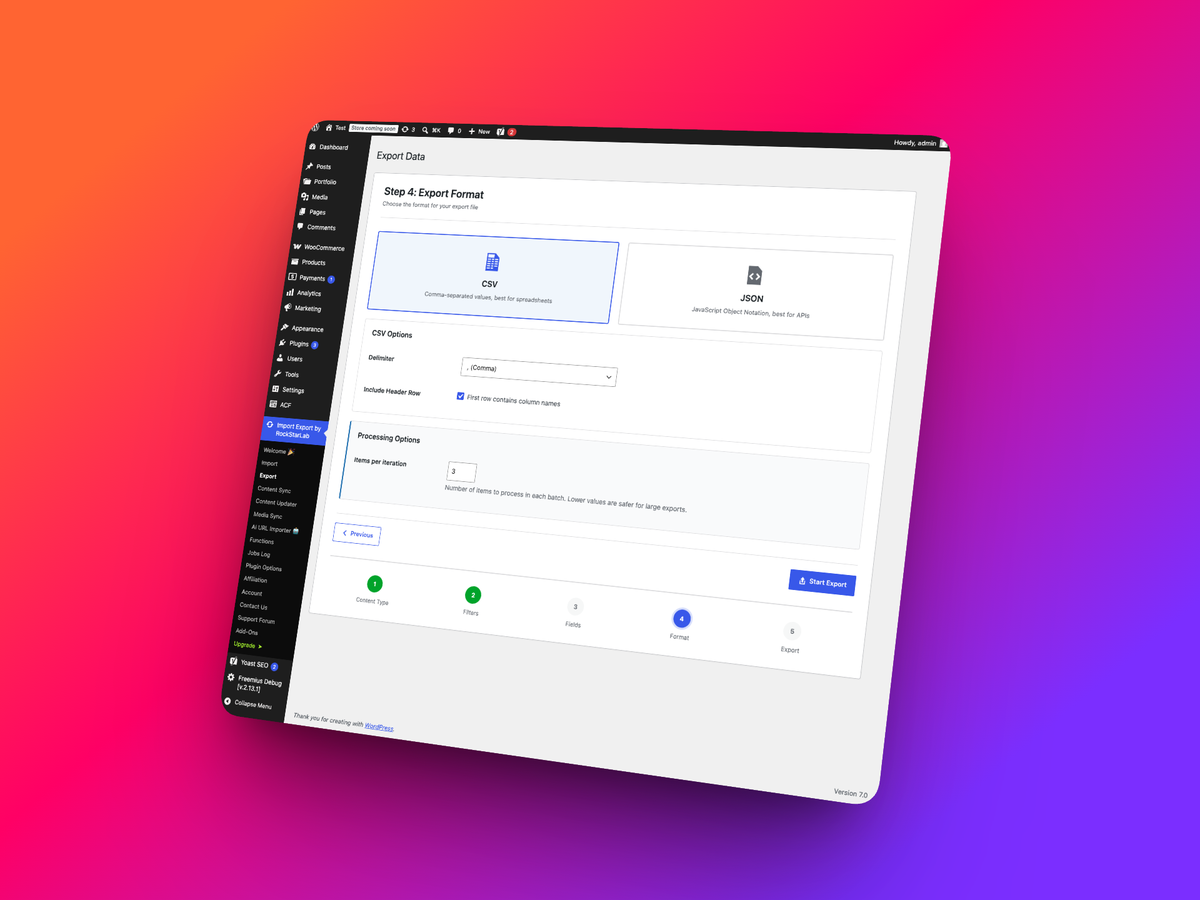
Additional export options
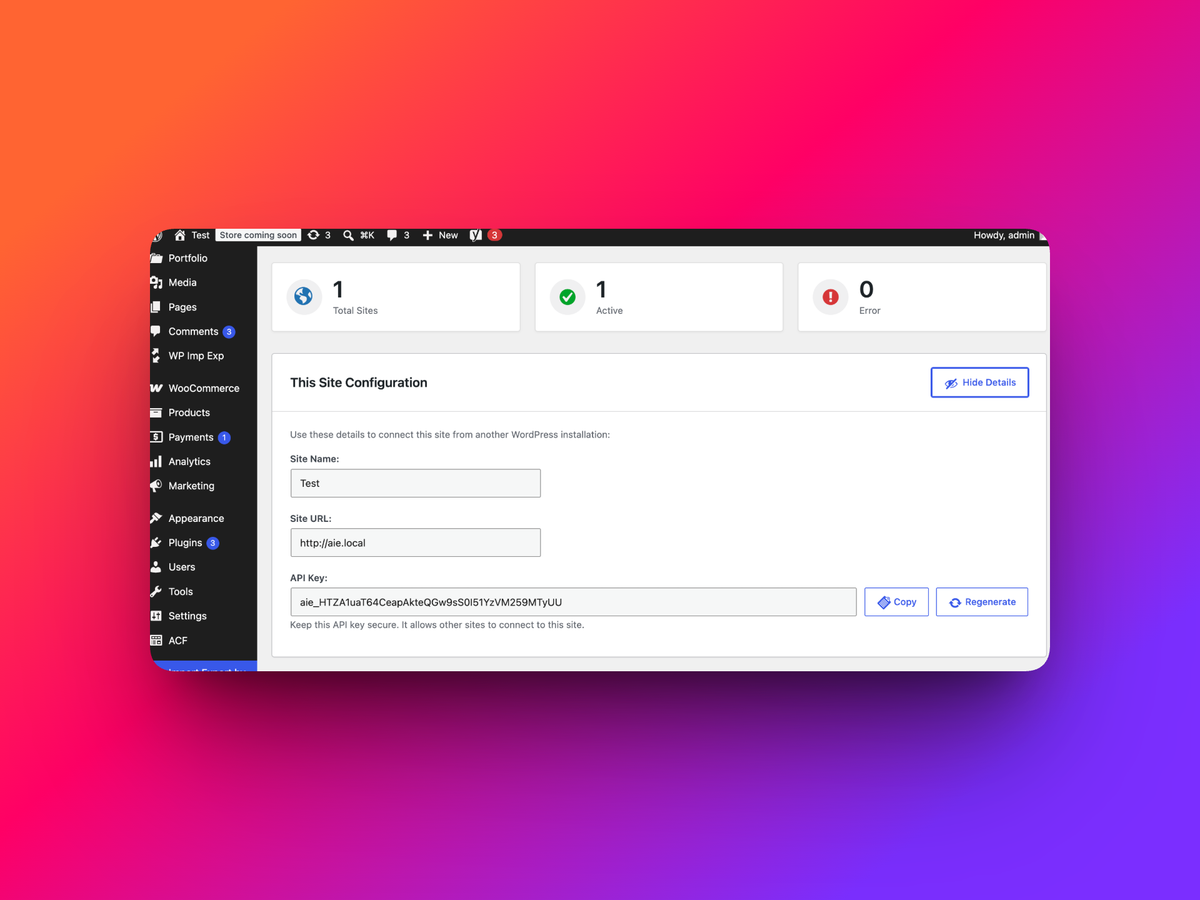
Content sync options page
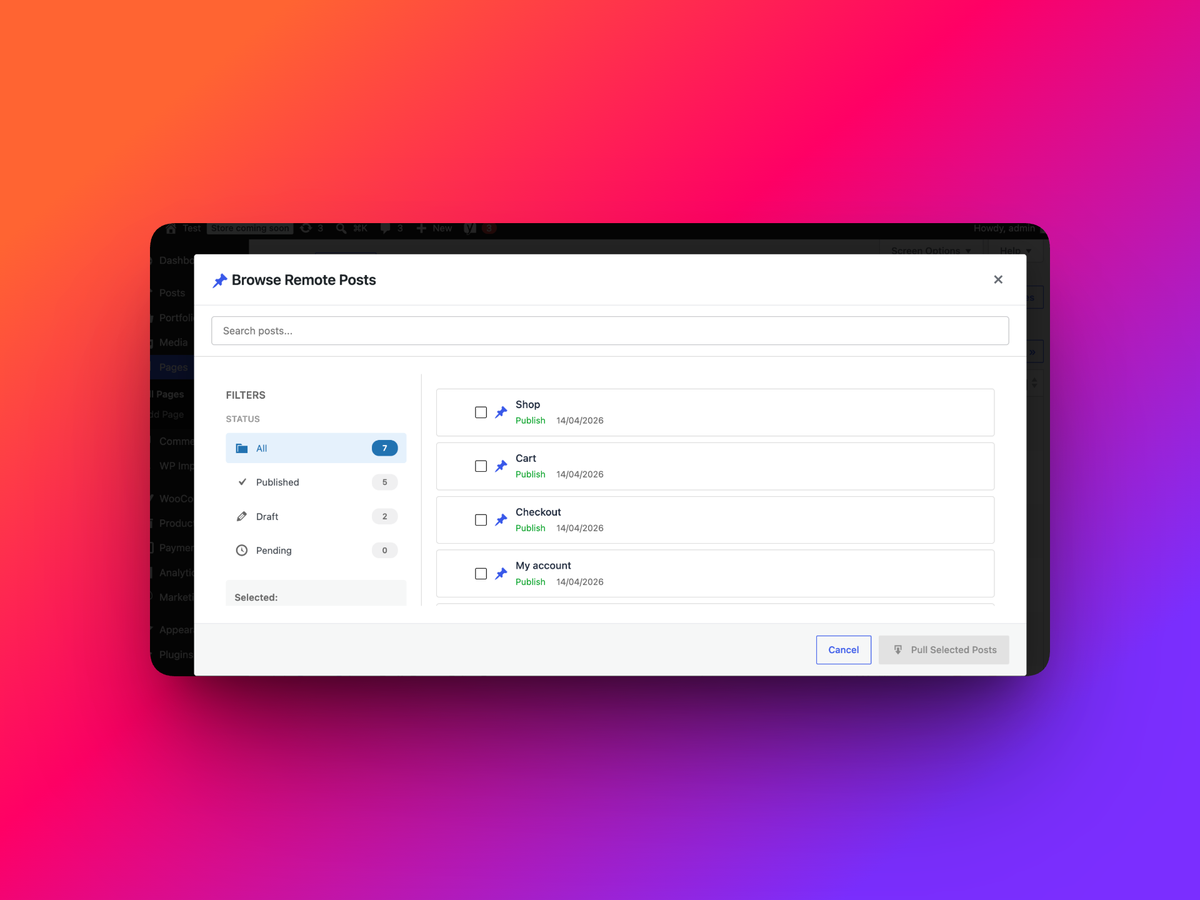
Page content sync with remote website
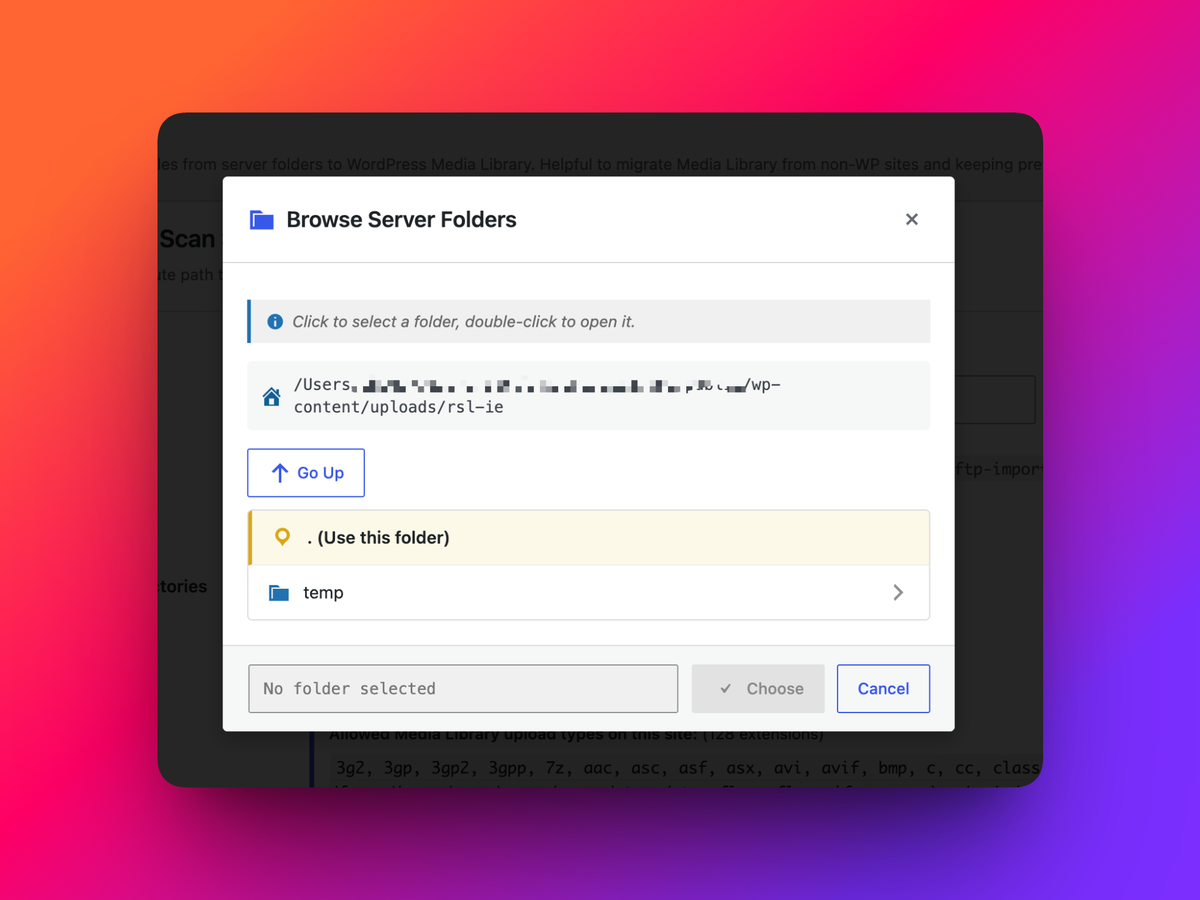
Sync files from any folder with Media Library
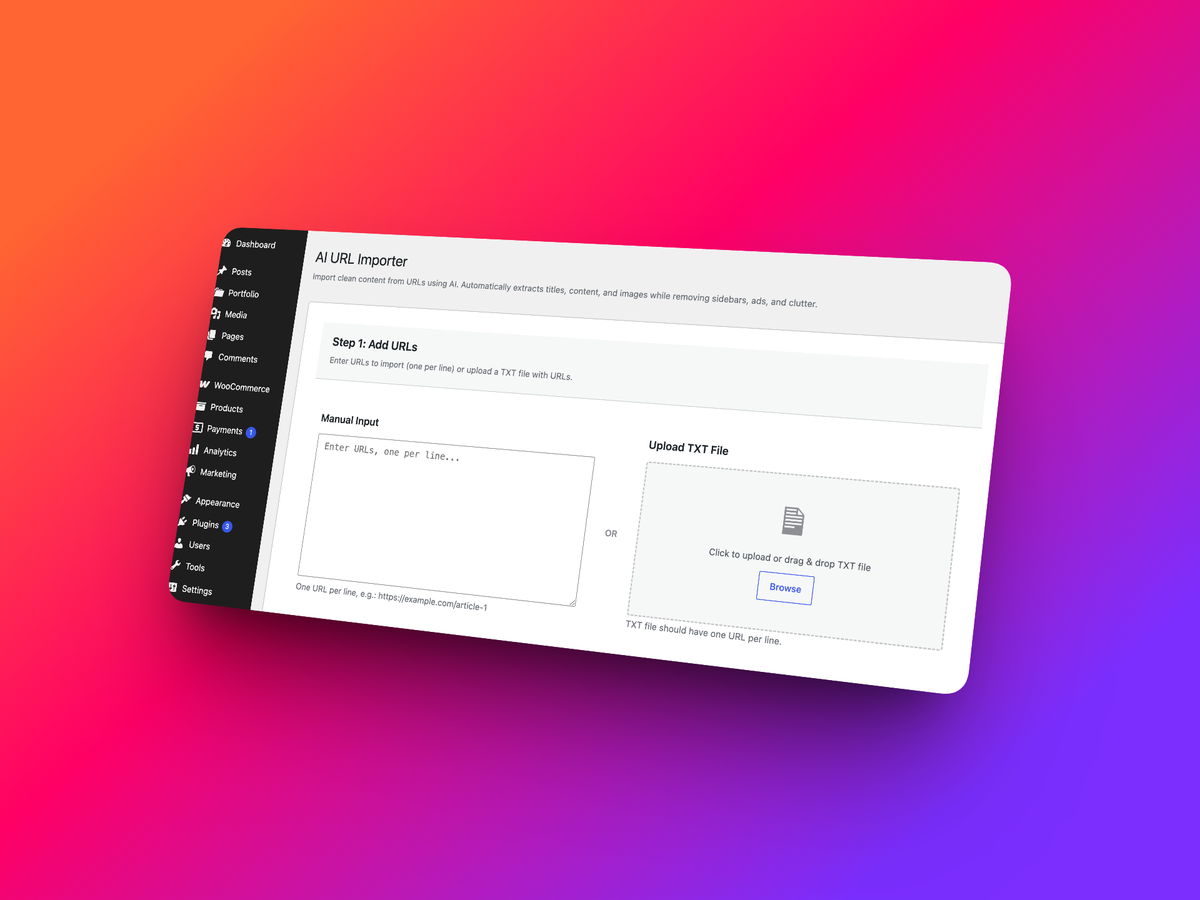
AI URL Importer
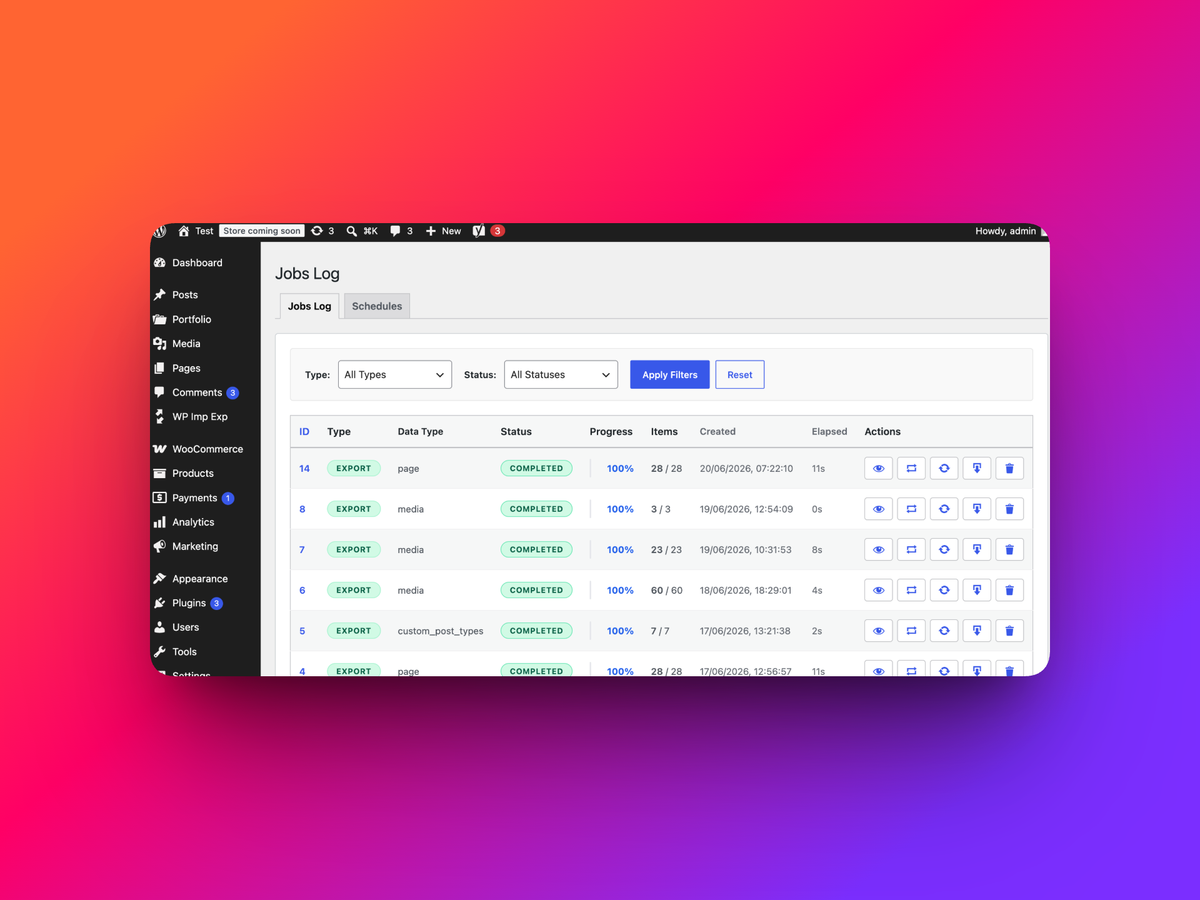
Jobs log
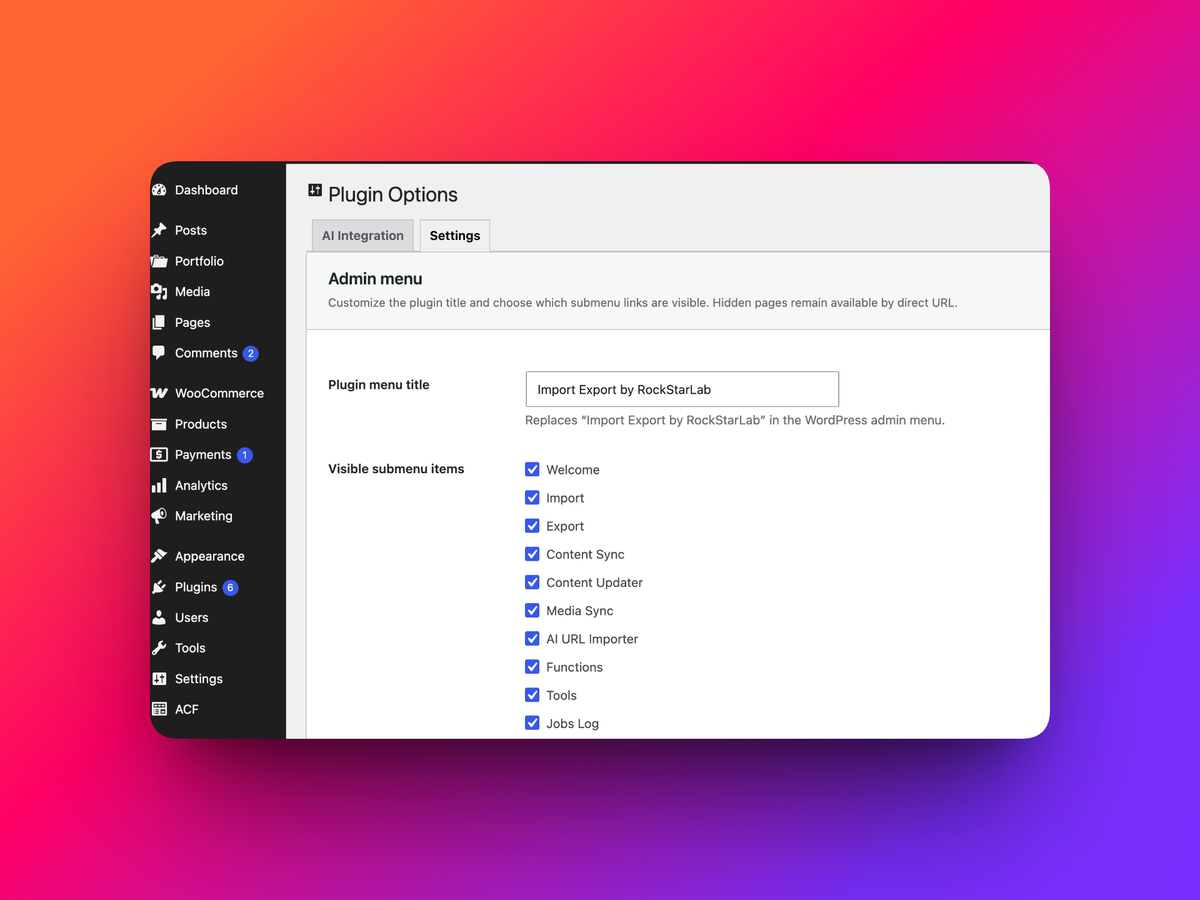
Plugin options page