
Why this plugin?
In WordPress it’s not possible to indent lists. The regular indent button is greyed out after selecting a bullet list or numbered list. This plugin offers a solution to this problem.
How to use this plugin
Install and activate the plugin. Now, in the WordPress editor, select the list that you would like to indent. Click on the new “Indent List” button in the editor. Your list will indent. Rejoice in the fact that both text and list are well aligned. This only works if the lists are not already indented or somehow blocked by fancy layout of a theme. See screenshots for details.
Donation
If you enjoy using the Indent Lists Button plugin and find it useful, please consider a donation by paypal.
Theme compatibility
The list of themes that profit from this plugin includes:
- Twenty Fifteen
- Twenty Sixteen
- Twenty Seventeen
- Twety Eighteen
- Business Elite
Contact
Would you like to contact the developer for support? Please visit the plugin site and use the contact form.
Screenshots

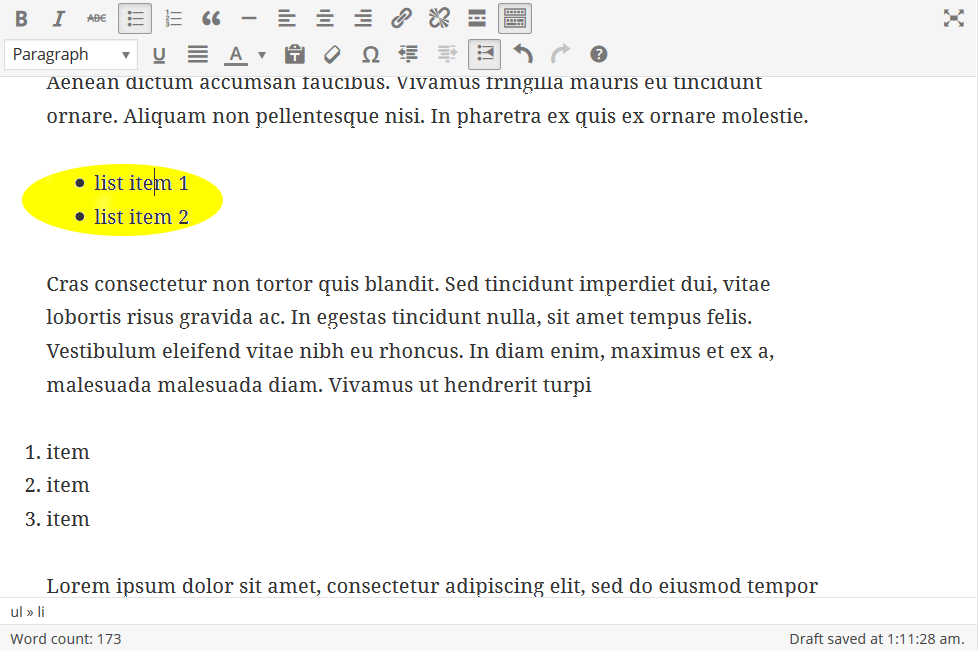
Screenshot showing a bullet list before indenting. Note that the second row of the editor has been made visible by the Toolbar Toggle button.

Screenshot while pushing the indent lists button with the cursor in the list.
Screenshot after using the indent lists button