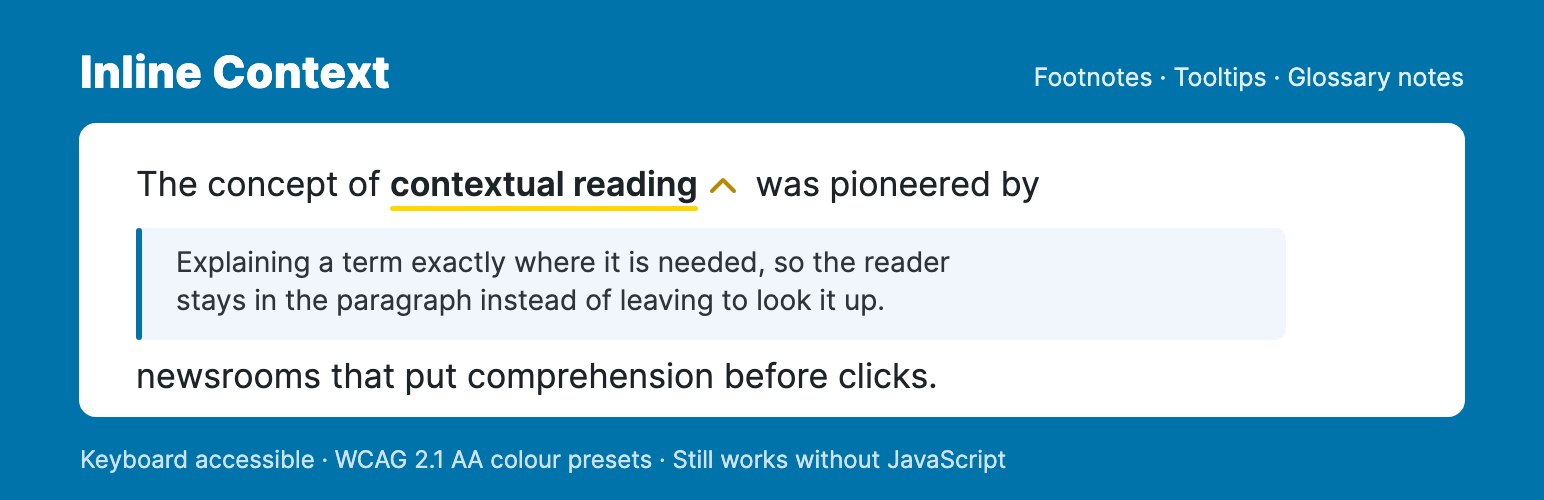
Add footnotes, tooltips and glossary notes to any text in the block editor. A reader clicks a term, the explanation opens in place, and they carry on reading – no jump to the bottom of the page, no new tab.
Try it in your browser – a real WordPress with the plugin already set up. Nothing to install.
Built for sites with a lot of text: editorial, research, documentation and education.
How it works
- Select text in the block editor and press Cmd+Shift+I.
- Write the note. Rich text, links and images are supported.
- Optionally give it a category, with its own icon and colour.
- Publish. The note opens inline or as a tooltip, whichever you choose.
Mark a note reusable and it joins your Notes Library. Edit it once and every post that uses it updates.
Add the Glossary block to a page and those same notes are listed as a browsable reference – no second copy to keep in step with the first.
Key Features
- Two display modes – an inline panel or a tooltip, with smart positioning and optional hover activation.
- Reusable notes – a Notes Library showing each note’s usage count and the posts it appears in, searchable from inside the editor.
- Glossary page – a block, or the
[inline_context_glossary]shortcode, listing your notes on a page you choose, grouped A-Z or by category. - Categories – as many as you like, each with its own icon and colour. On WordPress 7.1 icons are drawn as SVG, picked from a curated set; any of the 300+ Dashicons still works too.
- Styling without CSS – five WCAG 2.1 AA colour presets, plus live-preview control of colours, spacing, borders and shadows.
- Images in notes – inserted straight from the Media Library.
- Deep links – every note has its own anchor and opens automatically when someone follows that link.
- Print – every note becomes a numbered footnote, listed at the foot of the page with a link back to its place in the text.
- Keyboard shortcuts – Cmd+Shift+I to insert, Cmd+Shift+K to edit the note under the cursor.
- Settings backup – export and import your configuration as JSON.
Accessibility
Operable by keyboard throughout, with full ARIA state, Escape to close, and focus returned to where it started – in both display modes. Triggers are announced as the buttons they behave like, and every control in the note editor has a name. Note content is sanitised with DOMPurify.
If JavaScript does not run, the notes fall back to a numbered endnote list at the foot of the post, each with a link back to its place in the text, so the content stays reachable either way.
Translation-ready.
Credits & source
Built with visual artist Renée Kool, who wanted a single link to reveal several related sources. The model was the Dutch journalism platform De Correspondent – see their inline notes in this article.
Full source, including uncompiled JS and CSS: codeberg.org/joop/inline-context
Screenshots
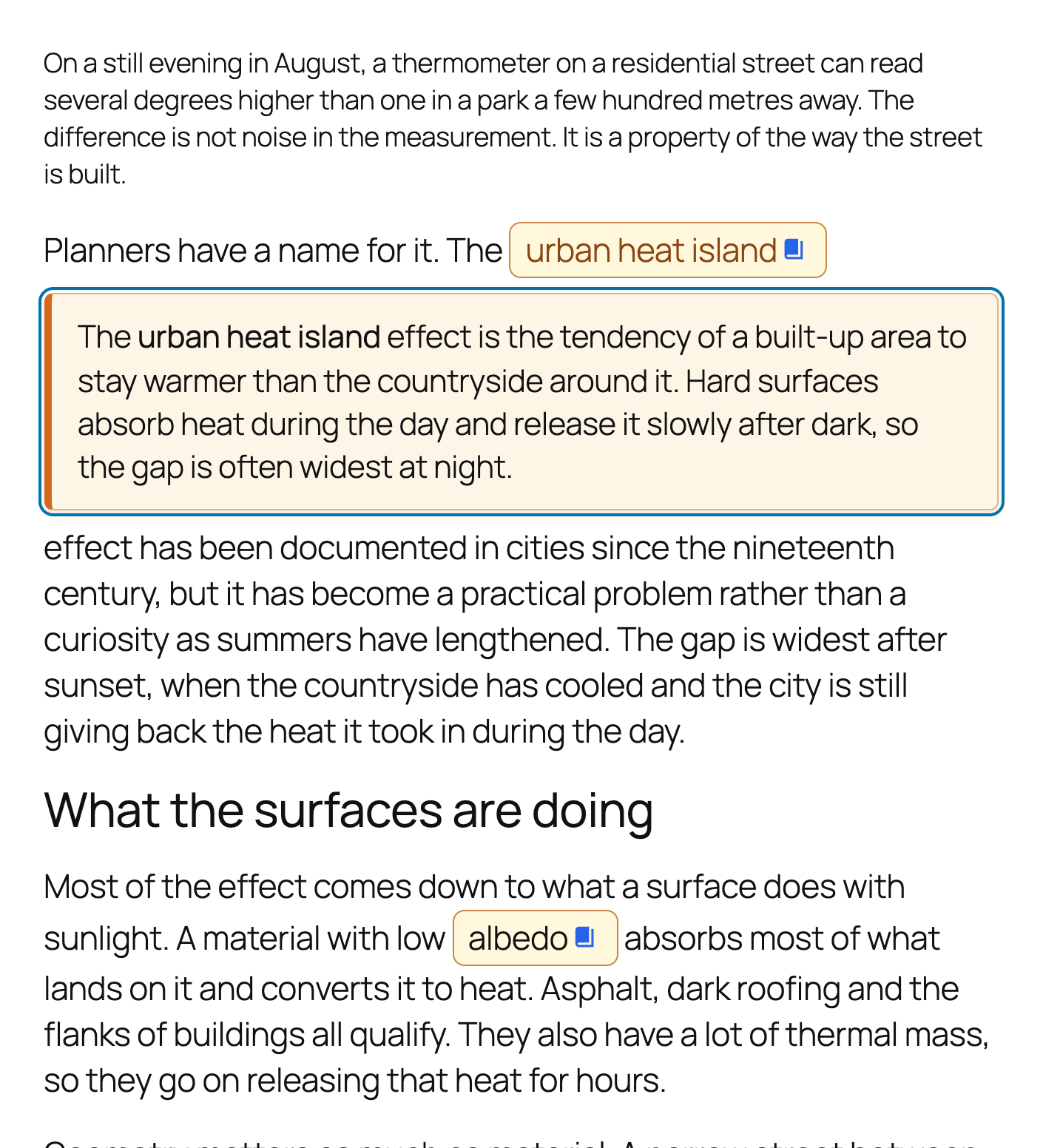
Click a term and the note opens right there - the reader never leaves the paragraph.
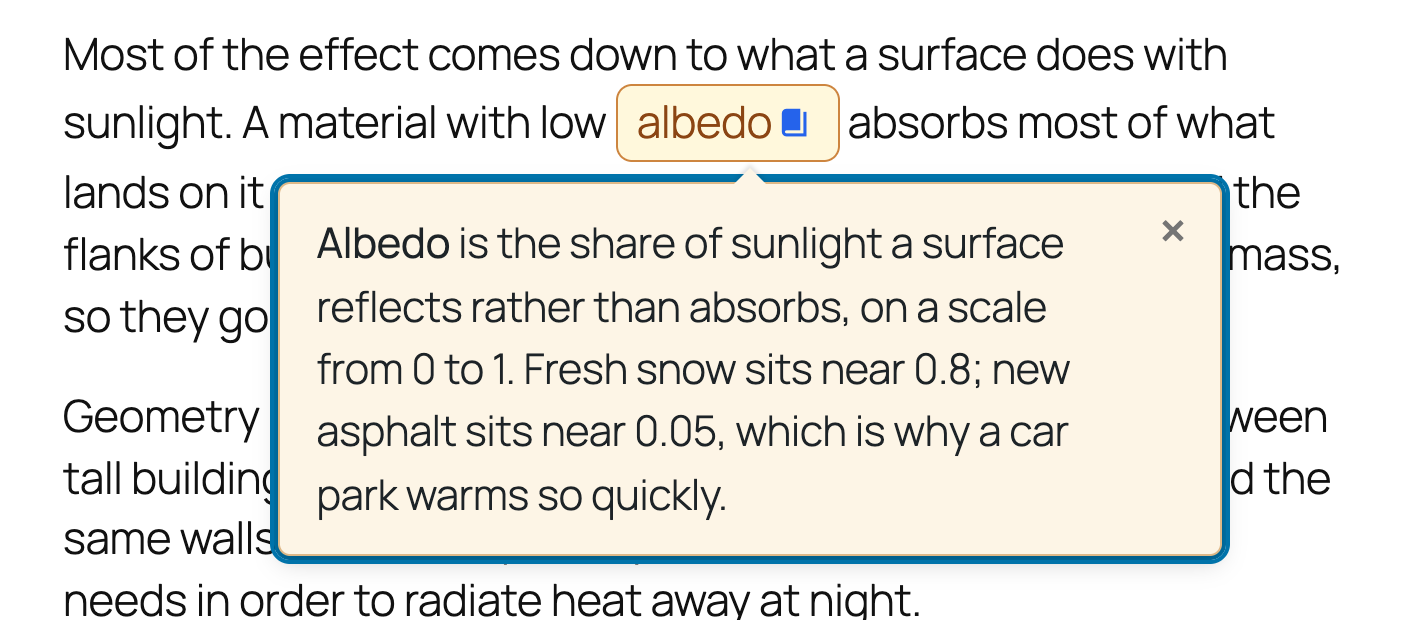
Tooltip mode shows the same note as a compact popover that stays on screen.
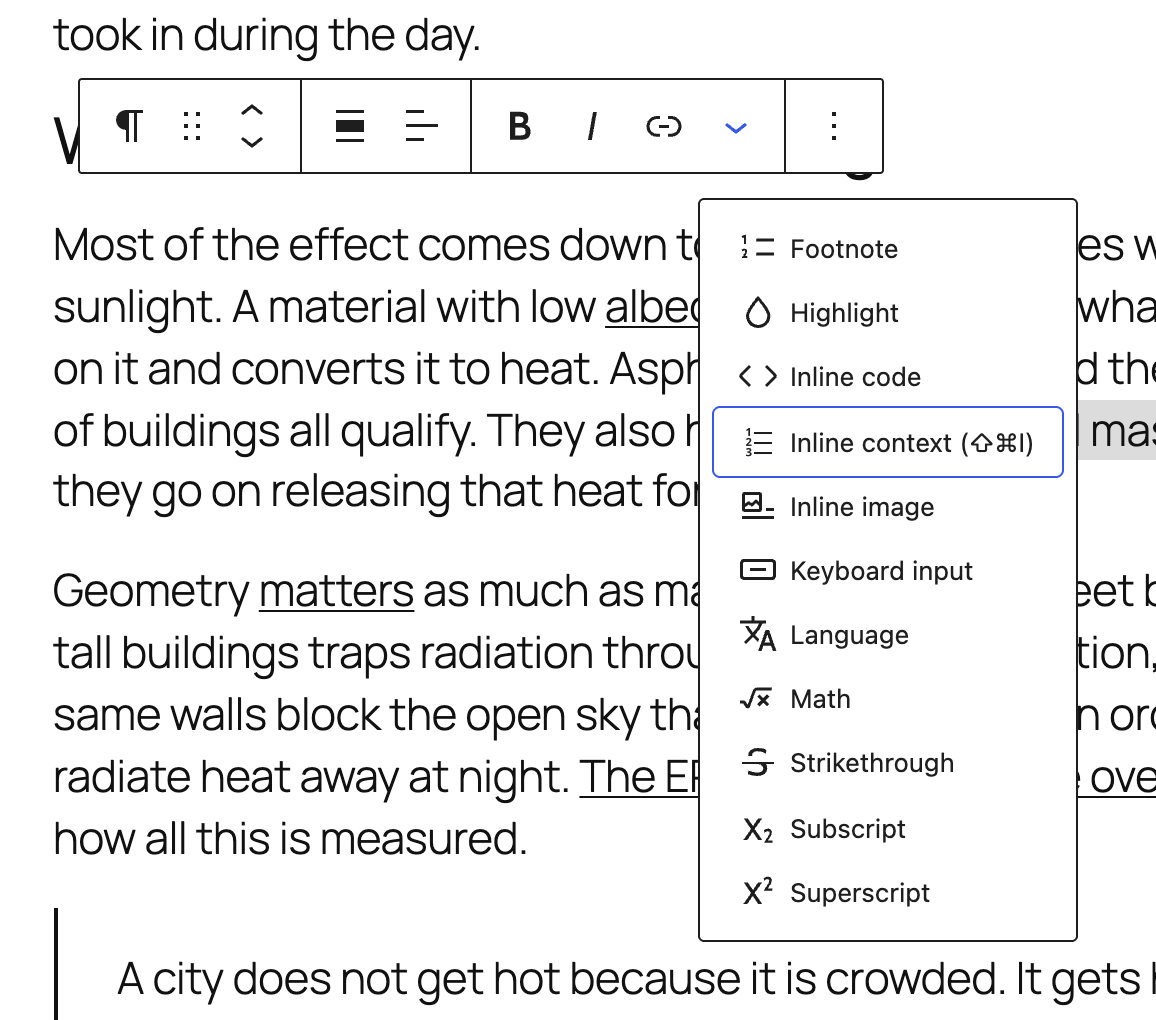
Add a note from the block editor toolbar, or press Cmd+Shift+I on a selection.
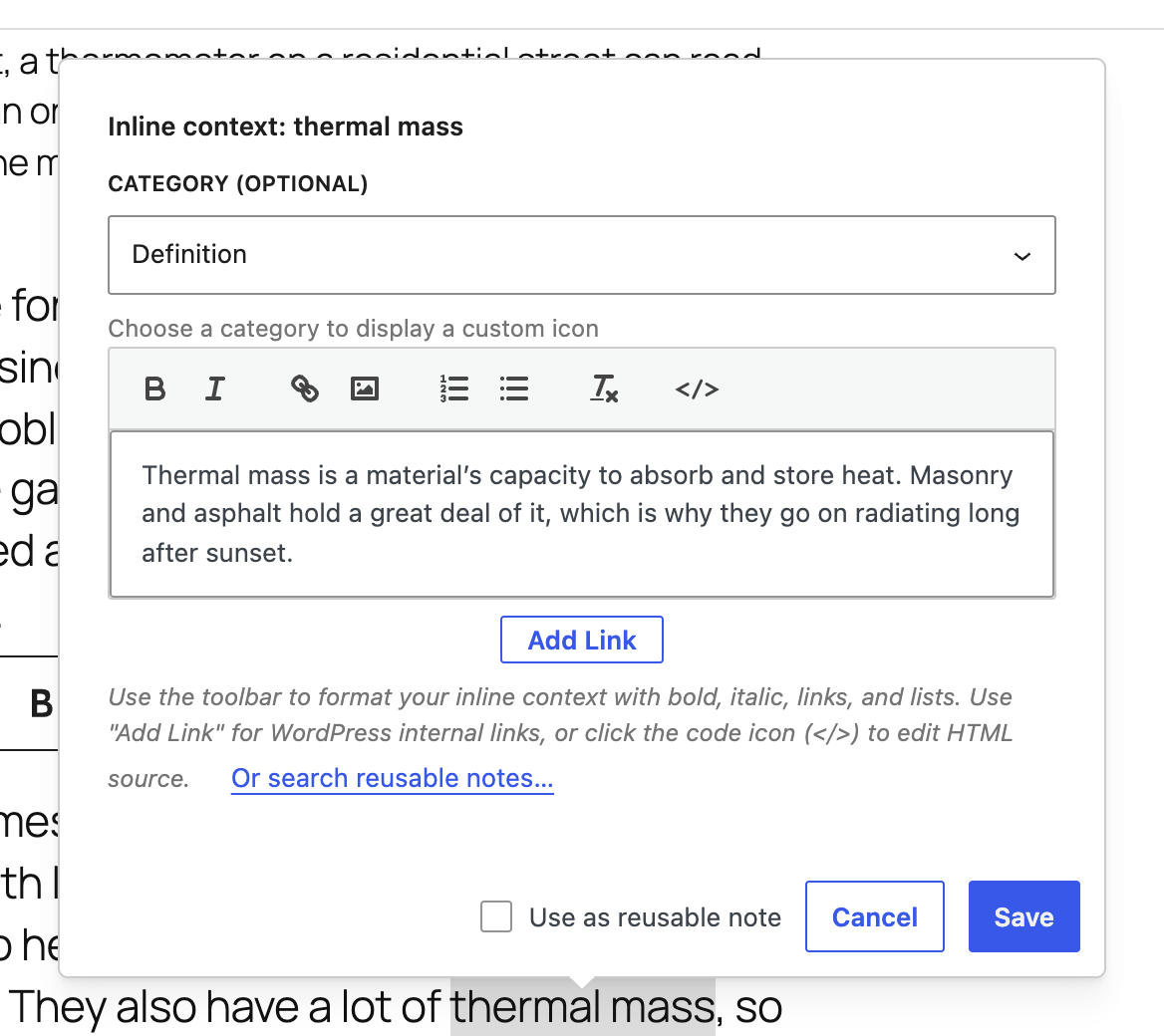
Write the note in a rich text editor and give it a category.
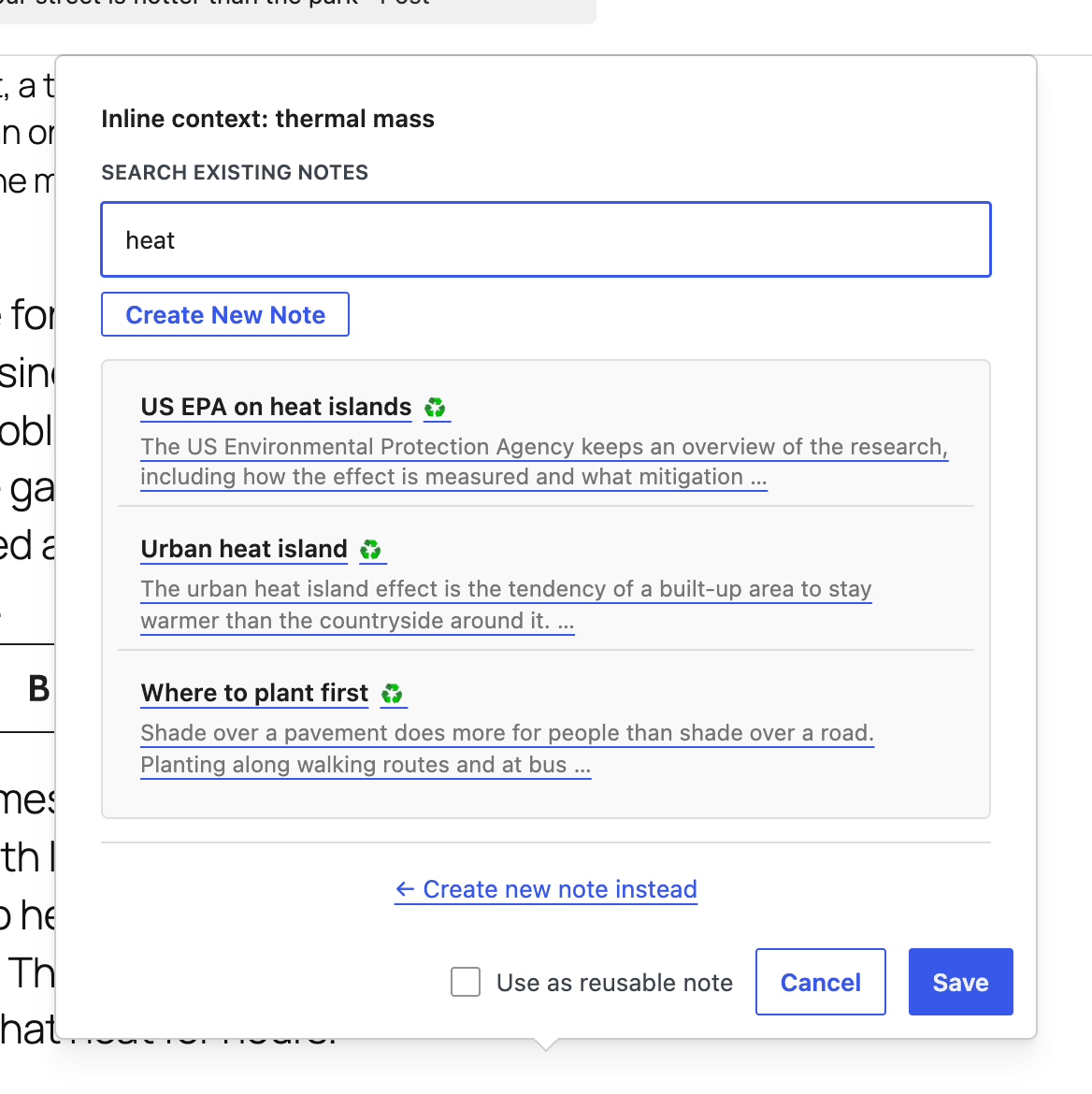
Search your existing notes and reuse one instead of retyping it.
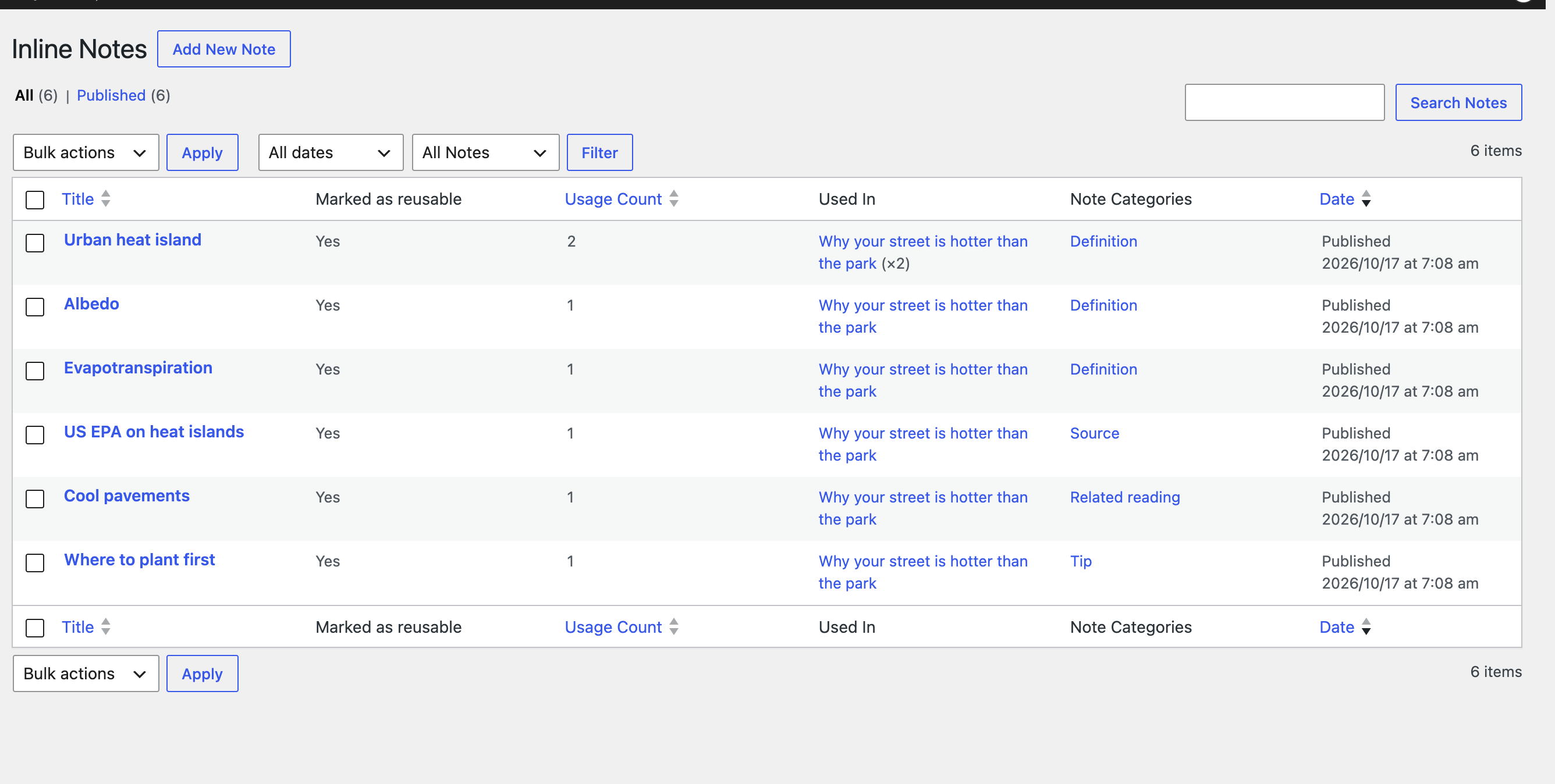
The Notes Library lists every reusable note, how often it is used and which posts use it.
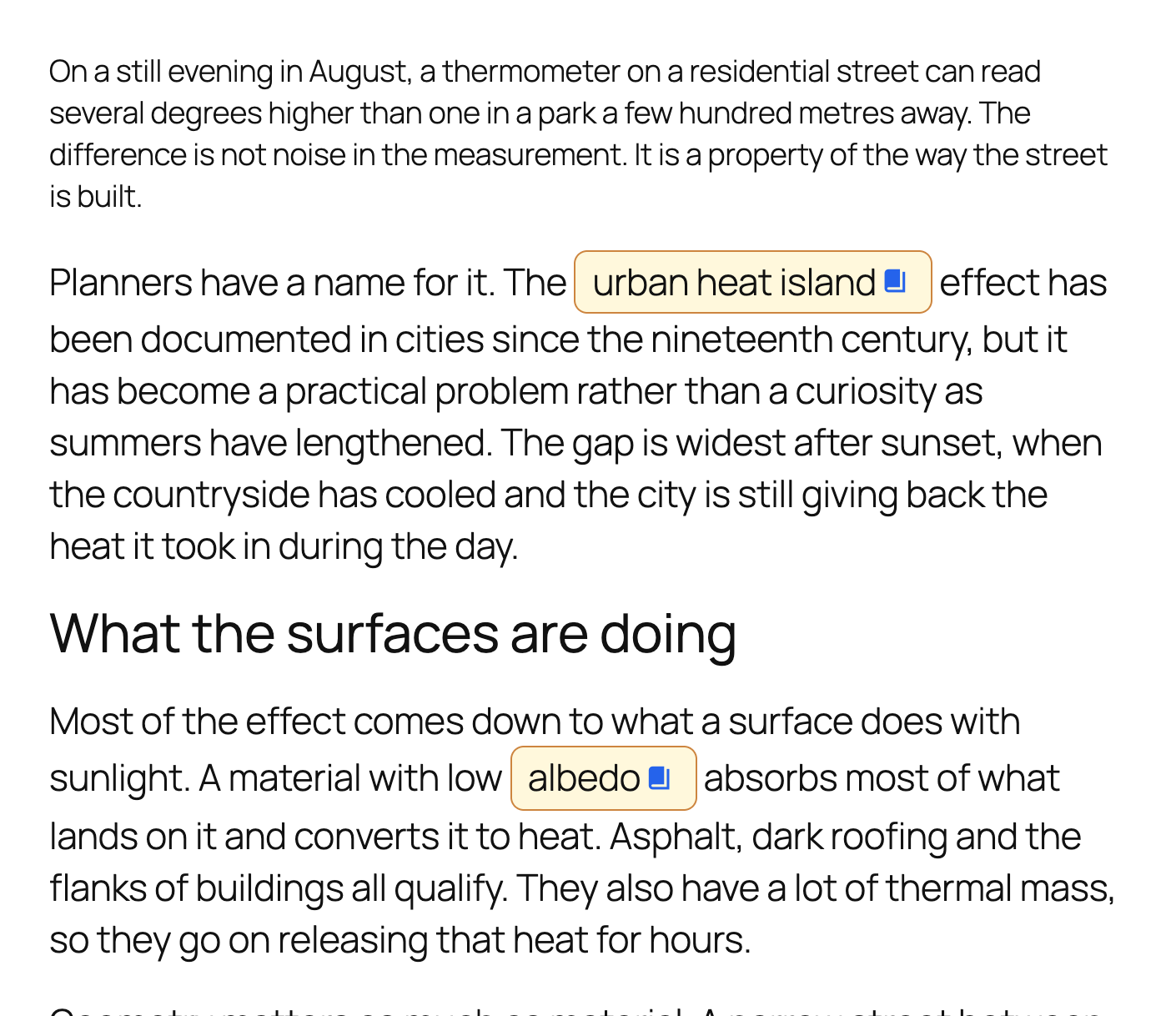
Pill link style, before the reader clicks.
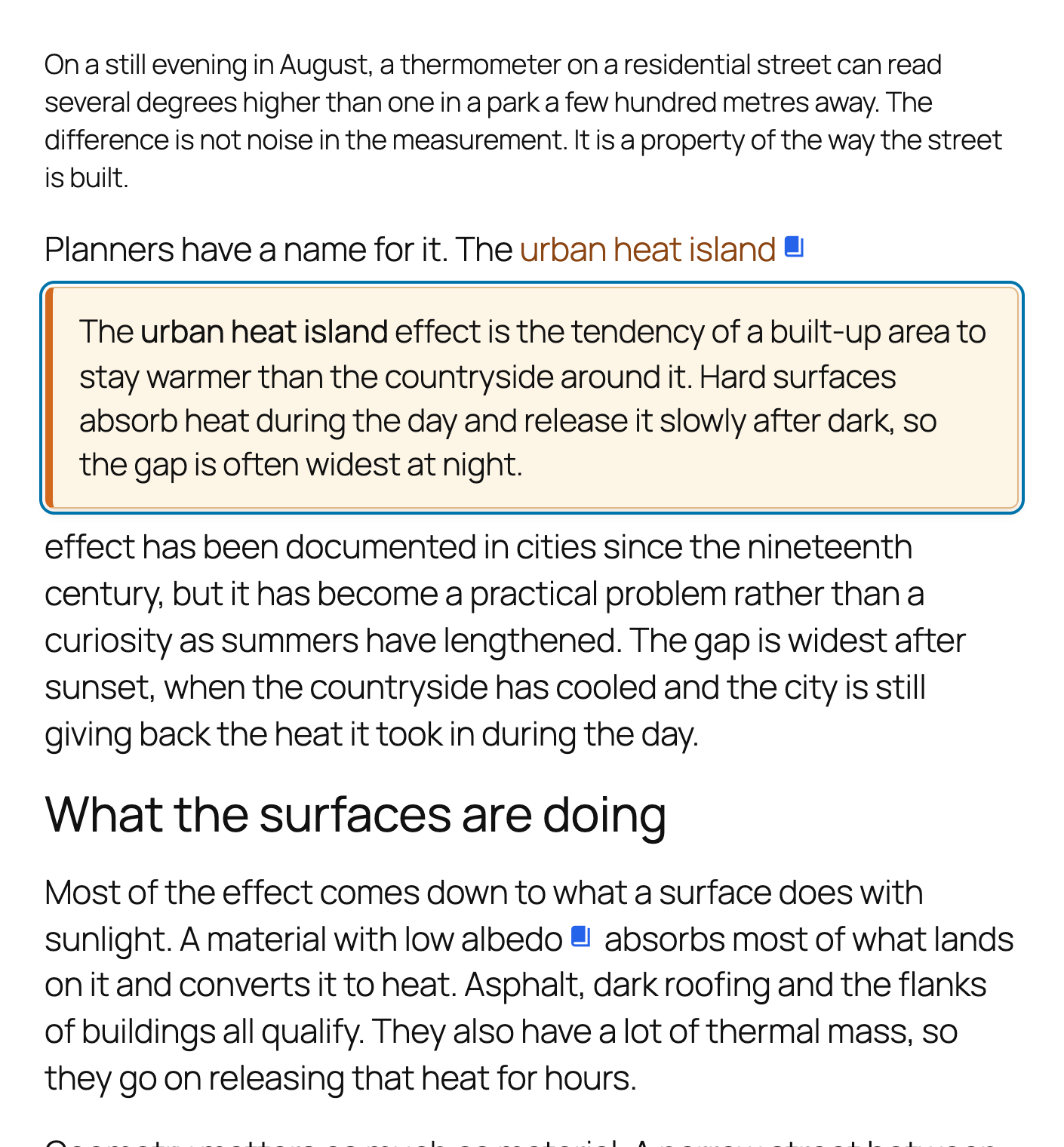
Underlined link style with the note expanded inline.
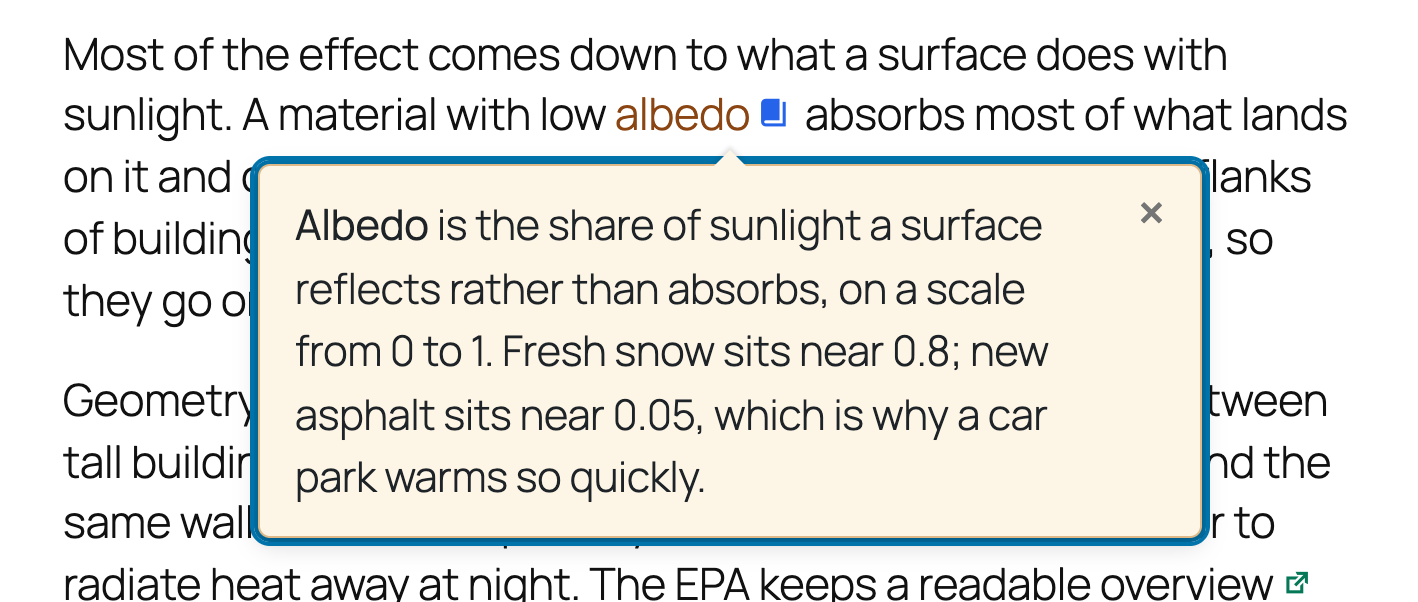
Underlined link style shown as a tooltip.
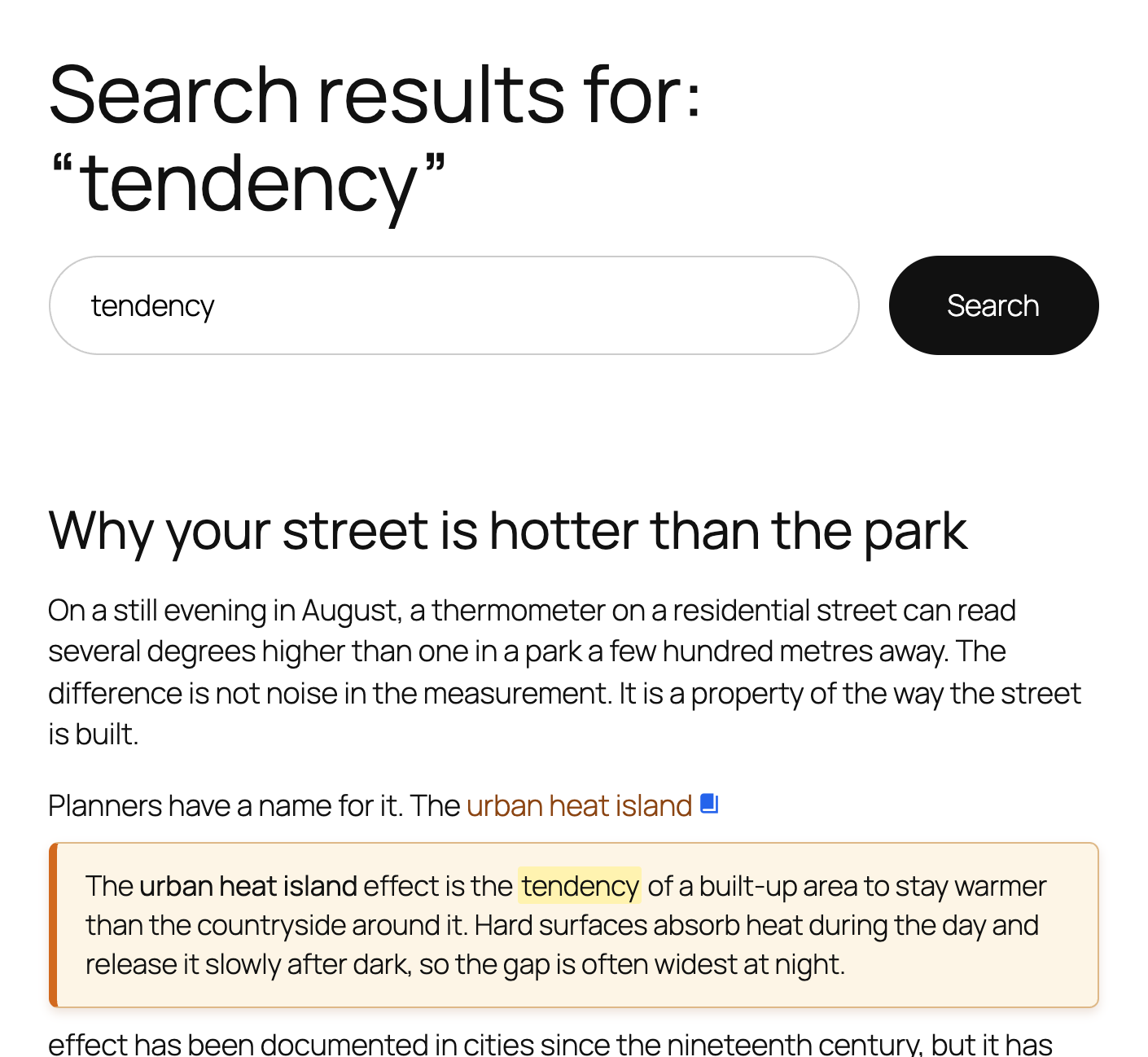
Search for a word that only exists inside a note, and the note opens with the word marked.