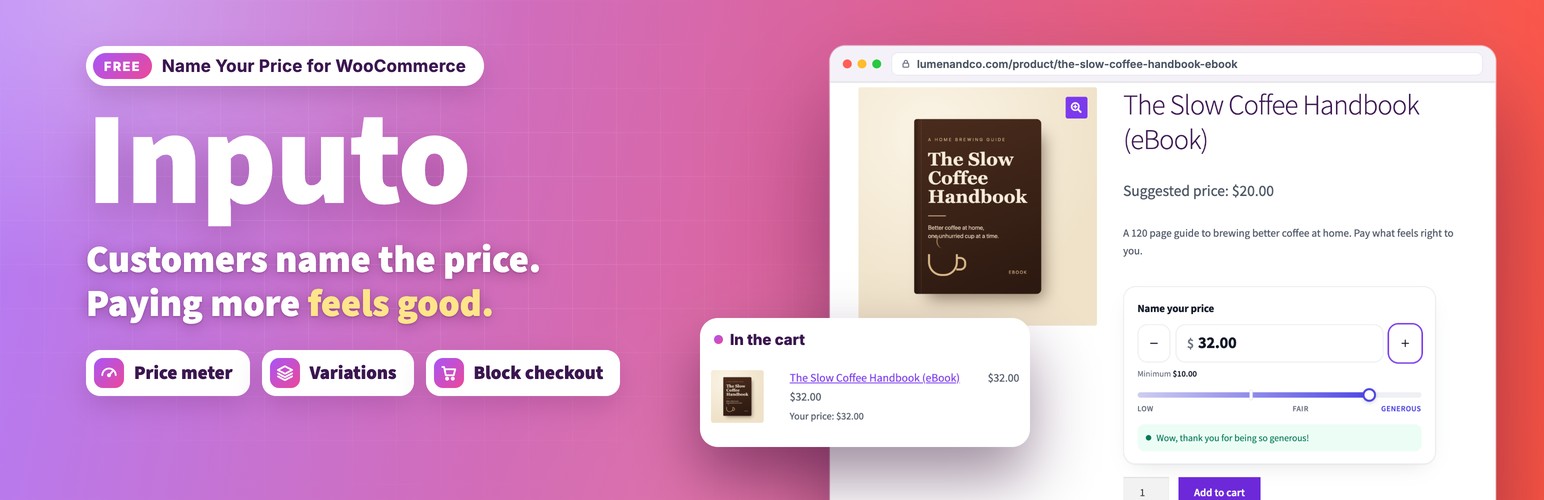
Inputo turns any WooCommerce product into a pay what you want product. You decide the lowest amount you accept and the amount you suggest, and your customers choose what they pay. It works for digital downloads, donations, courses, artwork, tickets, tips and anything else where a flexible price makes sense.
- Live demo: Free version | Pro version
- Documentation: Free version | Pro version
- Support: propluginslab.io/support
What makes it different
- A price guide, not just a box. Every product has a minimum, a suggested, a generous and an optional maximum amount. Type them per product, or let them be worked out from the regular price with shop wide percentages.
- A price meter that encourages. As the customer types, a bar fills and a short message thanks them, with three levels you name yourself: low, fair and generous.
- Works with variable products. Switch a named price on for some variations and keep fixed prices on others.
- Reads any number format. Customers can type 12.50, 12,50 or 1.250,00 and it is understood.
- Correct with tax. The amount a customer types is read the way your shop shows prices, so the cart always matches what they typed.
- Checked on the server, every time. Amounts are validated in the browser for a friendly form, and again on the server when the product is added, whenever the cart is checked, and before checkout. A named price product can never reach an order without a valid amount.
- Live preview. Every setting that changes the price box updates a preview on the settings screen as you type.
- Documentation built in. A Documentation screen inside the plugin explains every option with examples.
Features
- Named prices for simple products and for individual variations
- Minimum, suggested, generous and maximum amounts per product or per variation
- Shop wide default percentages of the regular price
- Products with no regular price at all
- Optional free orders, only when you set a minimum of exactly zero
- Plus and minus buttons with a step you choose, and arrow key support
- Starting value: empty, the suggested price, or the minimum
- Price meter with your own level names and messages
- Card or minimal style, and your own accent colour
- Choice of price wording on product pages and in shop lists
- Shop list buttons that lead to the product page with your own wording
- Your own Add to cart button text on named price product pages
- Filter the admin product list to named price or fixed price products
- A Named price column in the admin product list with each product’s minimum, suggested and maximum amounts
- The chosen price shown under the item in the cart, optional
- Named and suggested price recorded on every order line, and shown on the order screen
- Order again brings back the same amount
- Block themes: works in the Add to Cart with Options block, variable products included
- Block cart and checkout, classic cart and checkout, and High Performance Order Storage
- Store API support with a clear error when an amount is missing
- Theme template override and CSS custom properties
- Accessible: labelled field, screen reader announcements, reduced motion support
- Translation ready
Privacy
Inputo makes no requests to external services, loads nothing from third party servers, and collects no data about you or your customers. The only data it stores is its settings, the amounts you set on products, and the amount a customer chose on each order line.
Pro version
Inputo Pro is a separate plugin from ProPluginsLab that includes everything in this free plugin and adds:
- Quick amount buttons, as shares of the suggested price or fixed amounts, and a price slider
- Rules that switch named price on for whole categories or tags, each with its own percentages
- Access by login or customer role, with a message for everyone else
- Wording per product, for the field label, suggested line and meter messages
- A celebration with confetti and a thank you badge, drawn locally
- The average real customers paid, shown once a product has enough orders
- Reports with a chart, top products and CSV export, net of refunds and per currency, plus settings import and export and bulk actions
- WooCommerce Subscriptions support, currency switcher support, and rules and products with start and end dates
- A shortcode and a block that place the price box on any page, and a price box per item in grouped products
This free plugin is complete on its own and nothing in it is locked or limited.
External services
This plugin does not connect to any external service. It makes no remote requests, loads no scripts, styles, fonts or images from other servers, and sends no data anywhere. The links to propluginslab.io in this readme and on the plugin’s own screens are ordinary links that are only followed when you click them.
More plugins from ProPluginsLab
Free on WordPress.org:
- Back In Stock Notifier for WooCommerce – Waitlist and restock email alerts for out of stock products.
- Recovero – Cart Recovery for WooCommerce – Recover abandoned carts with automated emails.
- Anticipo – Pre-Orders for WooCommerce – Take pre-orders before a product launches.
- Affireo – Affiliates for WooCommerce – Run an affiliate and referral program.
- Storefold – Multivendor Marketplace for WooCommerce – Turn your store into a multivendor marketplace.
- Dispatchio – Shipment Tracking for WooCommerce – Add tracking numbers and shipment updates to orders.
- Presentero – Gift Cards for WooCommerce – Sell and redeem digital gift cards.
- Kitero – Product Configurator for WooCommerce – Build composite products and kits.
- Plusero – Extra Fees for WooCommerce – Add conditional checkout fees and surcharges.
- Mercenza – B2B for WooCommerce – Sell wholesale with customer groups, wholesale prices and trade accounts.
- Visuaro – Product Designer for WooCommerce – Let customers design custom products in the browser.
- Christmas Snow – Festive Snowfall Effect – Add a lightweight snowfall effect to any site.
Pro plugins at propluginslab.io:
- Recovero Pro
- Anticipo Pro
- Affireo Pro
- Storefold Pro
- Dispatchio Pro
- Presentero Pro
- Kitero Pro
- Plusero Pro
- Inputo Pro
- Mercenza Pro
- Visuaro Pro
- Back In Stock Notifier Add-ons – 26 add-ons incl. Mailchimp, Klaviyo, Twilio SMS, WPML, or all of them in the Bundle.
Screenshots
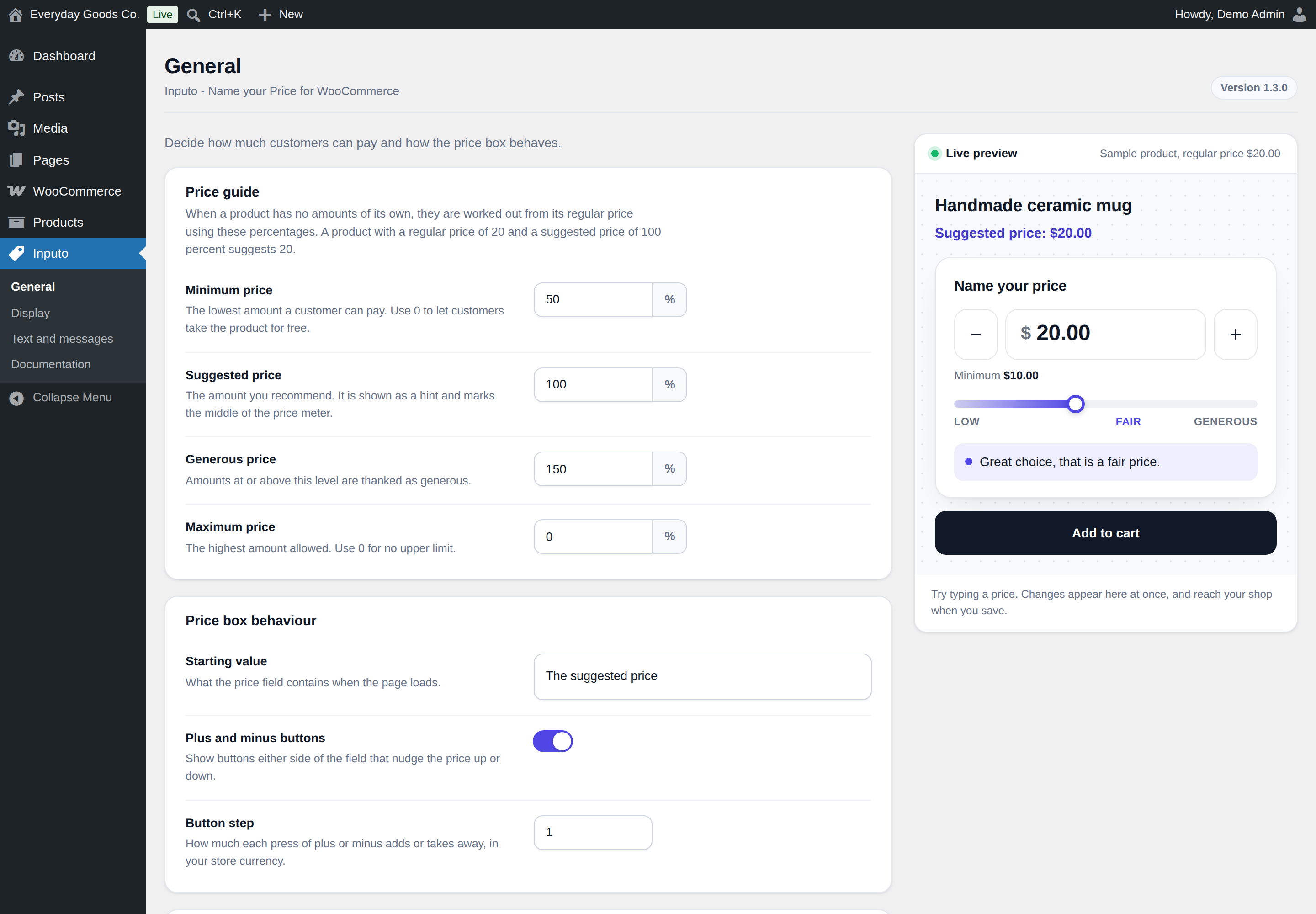
The percentages in Price guide are used for every product that has no amounts of its own. The preview on the right updates as you type.
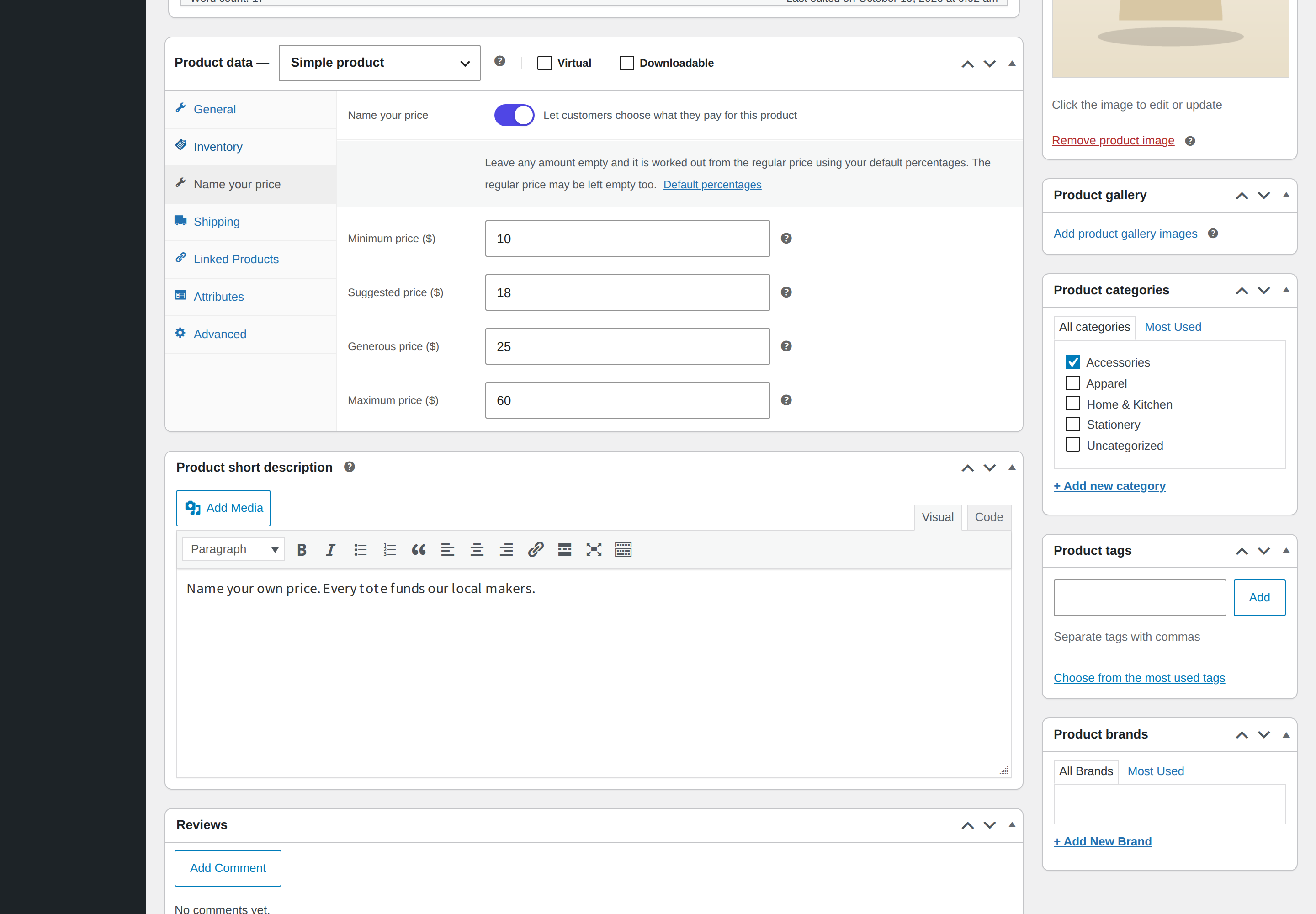
Turn on Name your price, then type amounts or leave them empty to use your default percentages.
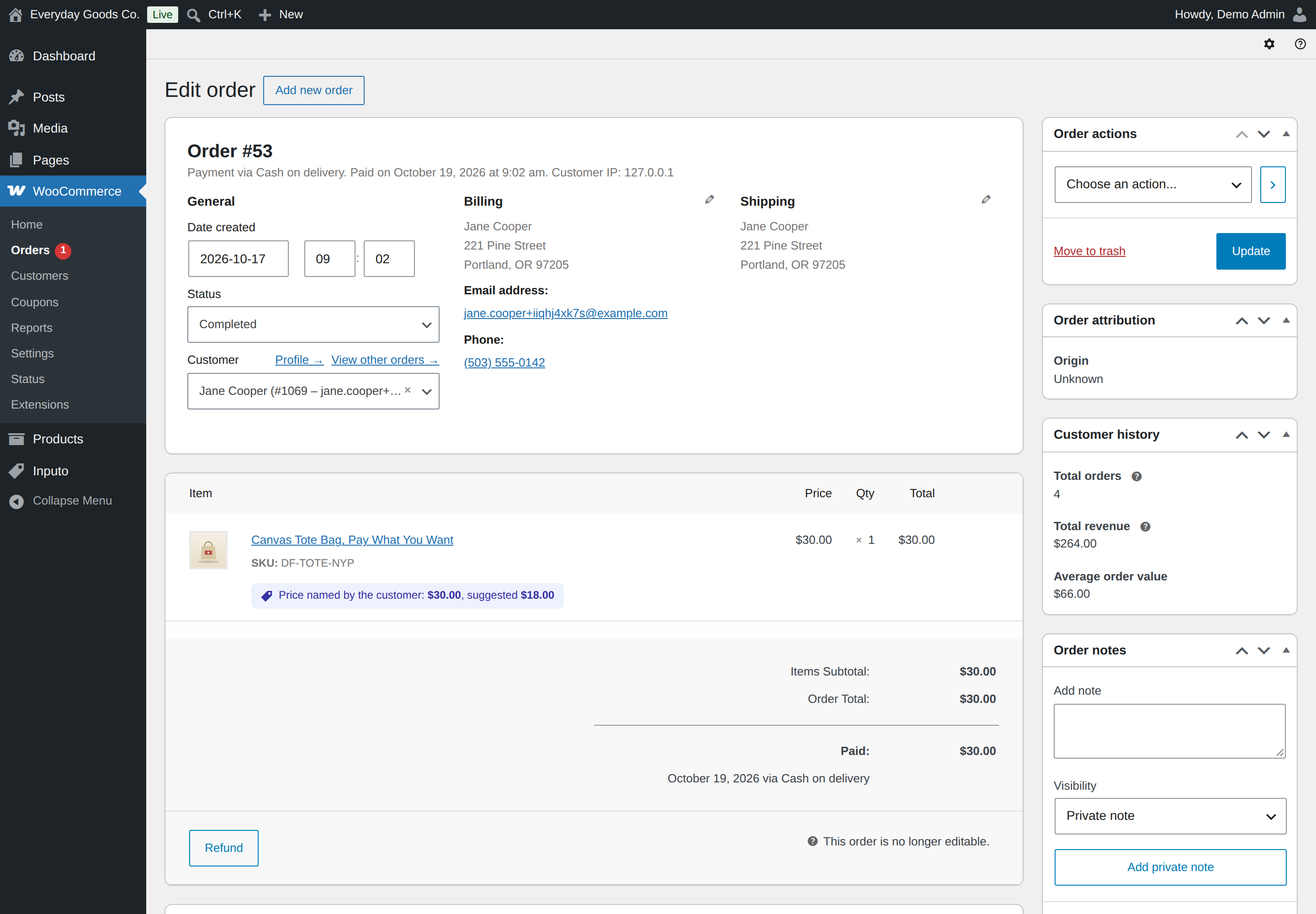
Each order line keeps the named price and the suggestion at the time of purchase.
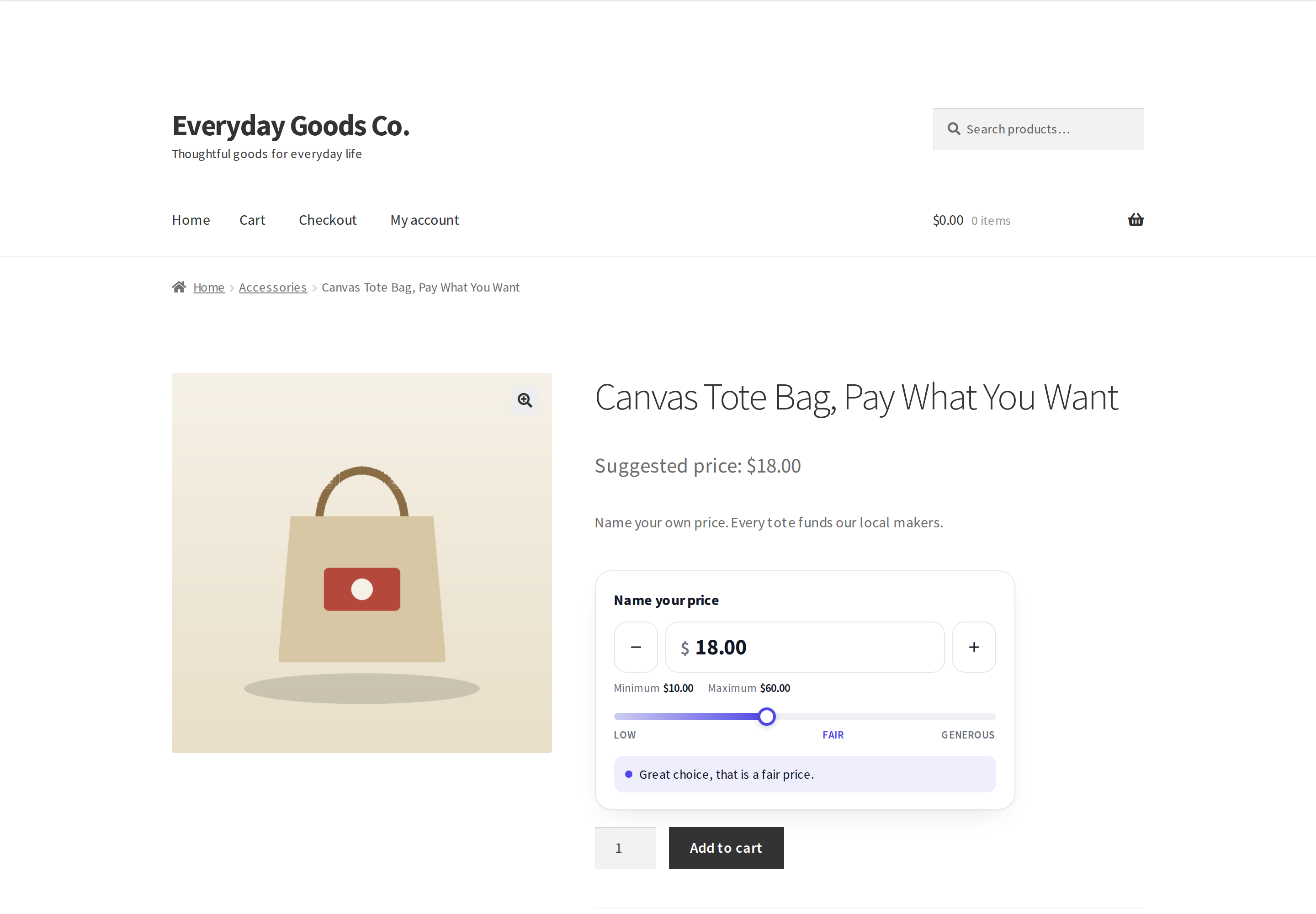
The meter shows the fair level and its message while the amount sits between the suggested and generous price.
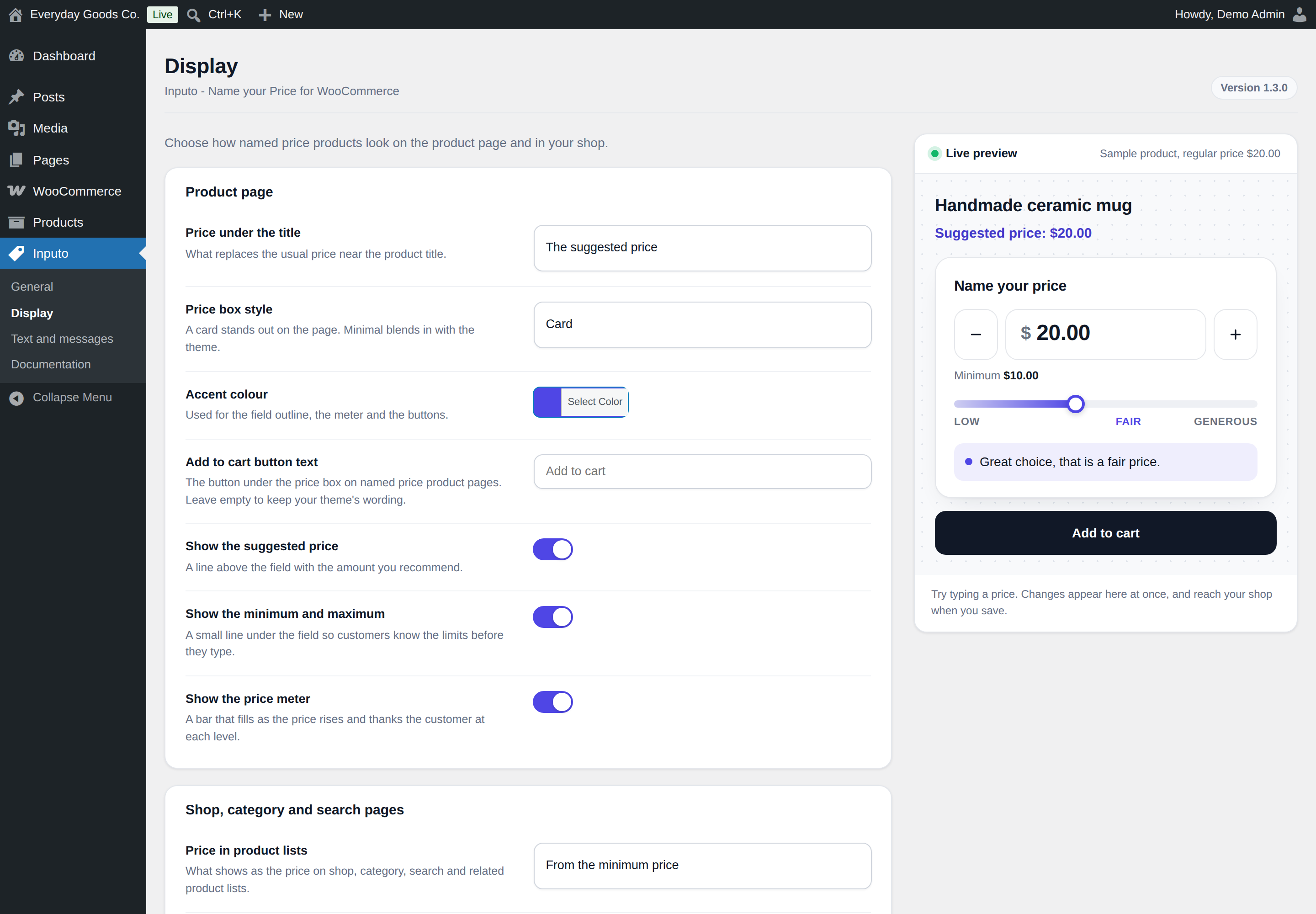
The style, accent colour and show options change the preview at once.
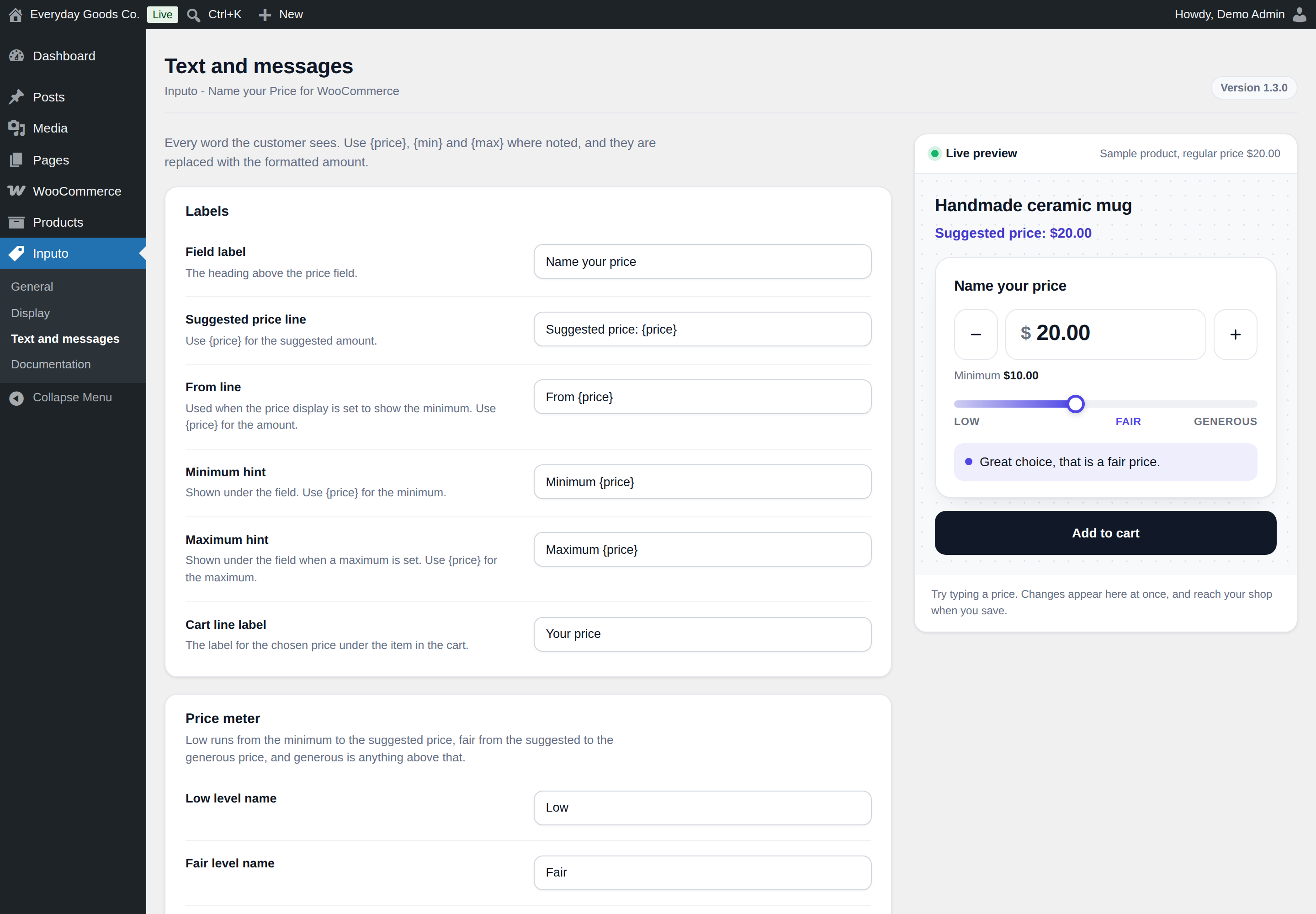
Use {price} in labels, {min} in the below the minimum message and {max} in the above the maximum message.
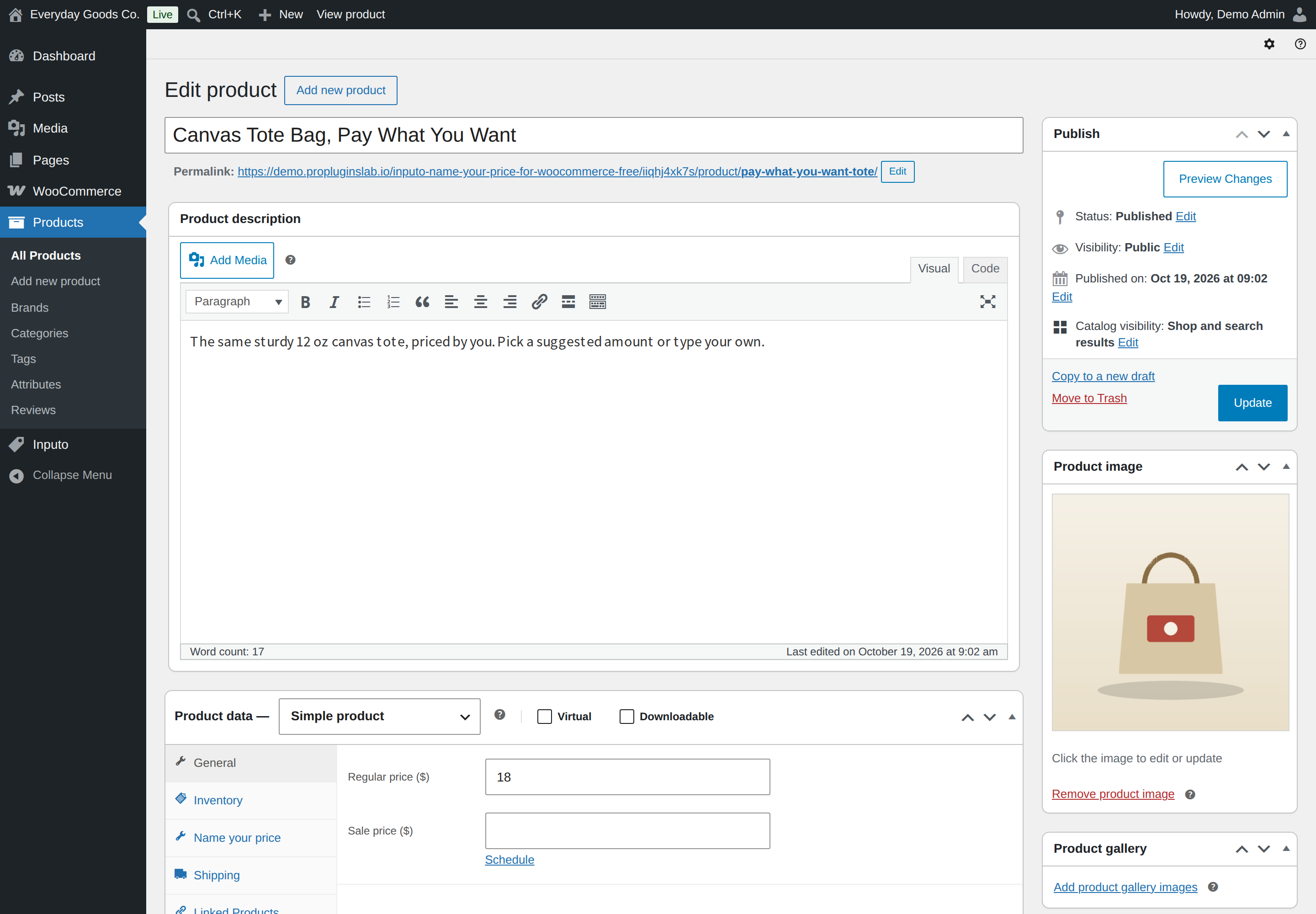
Amounts you leave empty are worked out from the Regular price.