
Addon for Contact Form 7 that creates a new type of input for entering and validating international telephone numbers. It adds a flag dropdown with prefix of the telephone number, detects the user’s country, displays a relevant placeholder and provides formatting/validation methods.
How to use
Once you have installed and activated your plugin, a new type of input field will be available in your Contact Form 7 forms. In order to add it to your form, you can either click on the “International Telephone” button above your form editor, or add the shortcode like: [intl_tel* {your-phone}]. Replace {your-phone} by the name do you want to give the field. Optionally, you can use the asterisk (*) to makes the field required.
To display the field’s info on your email, use this tag: [{your-phone}]. It will display something like +12025550109
Aditional info in your email
You can also recover specific parts of the telephone number: the name of the country it refers to, the country code, the number without the country code. Use this tags:
[{your-phone}-cf7it-country-name]: It prints the name of the country. For the example above: United States[{your-phone}-cf7it-country-code]: It prints the country code of the phone number. For the example above: 1[{your-phone}-cf7it-country-iso2]: It prints the country iso code. For the example above: us[{your-phone}-cf7it-national]: It prints the phone number without international prefix. For the example above: 2025550109
Third-party software
This plugin uses the International Telephone Input JavaScript library and the eXTReMe-IP-LOOKUP.com API.
Screenshots

International telephone input
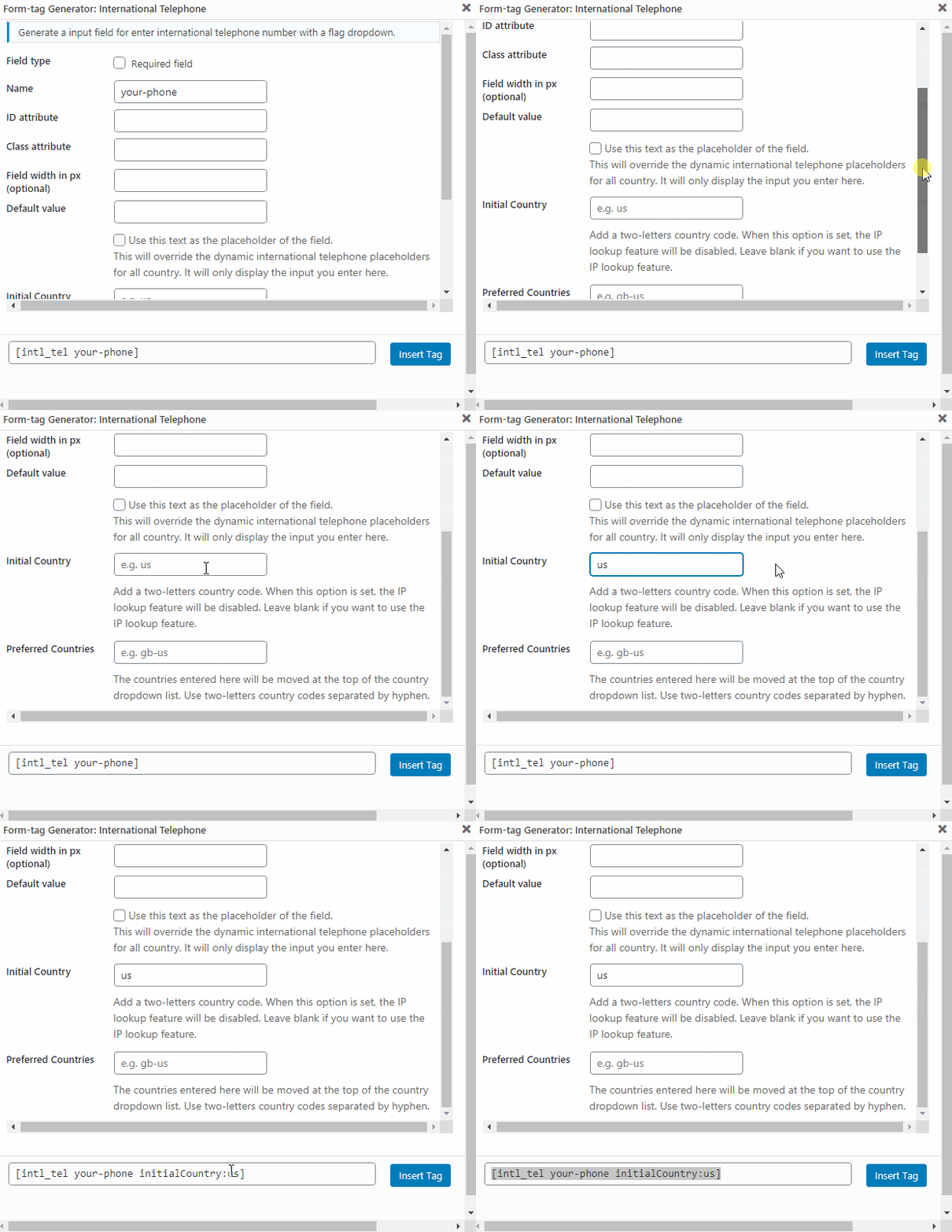
Adding a initial country. Now you can set a initial country by default. When this option is set, the IP lookup feature will be disabled.
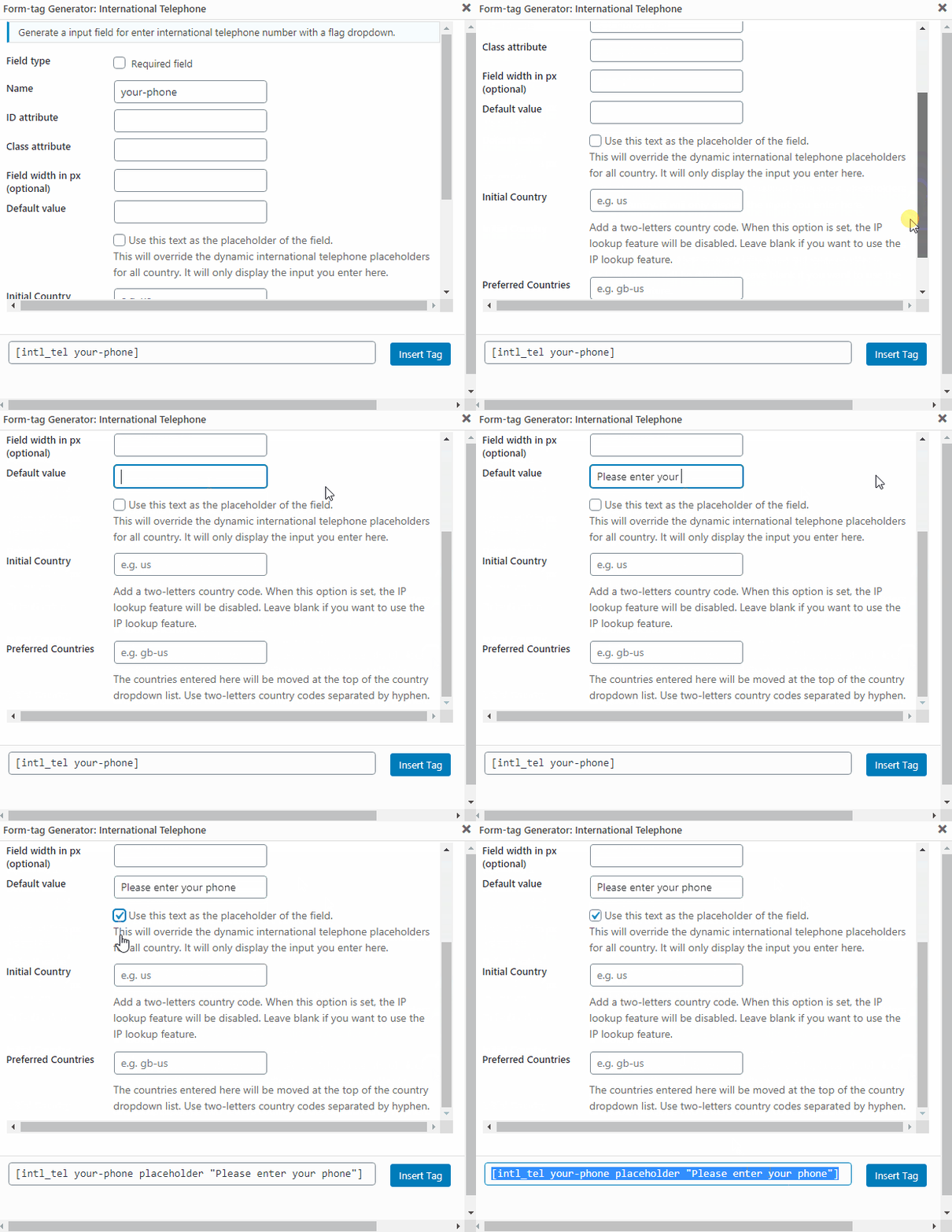
Adding a default or placeholder value. Now you can set a default or placeholder value for the telephone input.