
IP Location Block is a WordPress geo blocking plugin for blocking or allowing visitors by country, US state or equivalent region, IP address, CIDR range, or ASN.
Simple view covers common rules. Advanced view adds login, registration, comment, XML-RPC, bot, response, logging, privacy, provider, and diagnostic controls.
For the recommended setup, connect the IP Location Block Cloud provider for premium, frequently updated data, better country accuracy, ASN data, and state or region precision.
WordPress geo blocking by country, state, or region
Use a blocklist to deny selected locations or an allowlist to limit access. Regional rules use the administrative area returned for a country, such as a state, province, prefecture, territory, or region. This supports regional availability, service areas, store access, and site policies. Country rules remain active when precision is unavailable.
Key features
- Block or allow visitors by country and state or equivalent region.
- Add priority rules for IP addresses, IPv4 or IPv6 CIDR ranges, and ASNs.
- Protect public pages, login, registration, comments, XML-RPC, and selected wp-admin requests.
- Configure blocked responses and control failed logins or unwanted bots.
- Search IPs and review validation logs, statistics, and diagnostics.
- Use frequently updated data from the IP Location Block Cloud provider with country-level fallbacks.
- Encrypt stored IP addresses, with optional anonymization.
IP Location Block Cloud provider
- Better accuracy: Premium geolocation databases are updated frequently for more reliable country results.
- Regional precision: Add state, province, prefecture, territory, or equivalent regional rules.
- Broader data: Use IPv4, IPv6, and ASN information through one managed provider.
Legacy local and third-party providers remain supported for existing installations and country-level fallback rules. Regional precision requires the IP Location Block Cloud provider.
External services and privacy
- IP Location Block Cloud provider: Selecting this provider sends the visitor IP and configured credential to IP Location Block for lookup. Review its privacy policy and terms.
- IP2Location LITE: For compatibility with this provider, the plugin downloads country databases on activation and scheduled updates. Review its terms and privacy policy.
- MaxMind GeoLite2: For compatibility with this provider, the plugin uses your license key to download databases. Review its license and privacy policy.
- Other remote providers: Selecting IPInfoDB, IPinfo.io, ipapi, or ipstack sends the visitor IP and configured credential to that service for lookup. No remote provider is selected automatically.
Other remote provider policies: IPInfoDB privacy and service agreement; IPinfo.io privacy and terms; ipapi privacy and terms; ipstack privacy and terms.
The administrator chooses the providers and is responsible for any required consent or disclosure.
Documentation, support, and credits
Use the documentation, troubleshooting guide, support forum, or GitHub.
Independently maintained, IP Location Block is based on IP Geo Block by tokkonopapa. It uses IP2Location LITE and GeoLite2 data under their licenses.
Screenshots
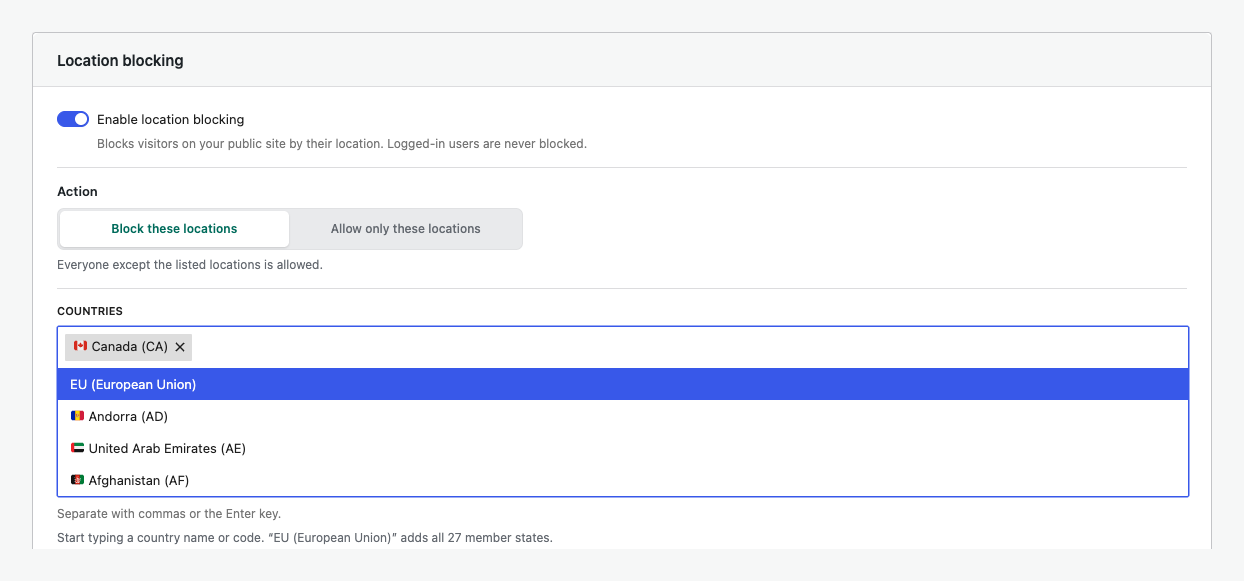
Searchable country blocking with European Union shortcuts.
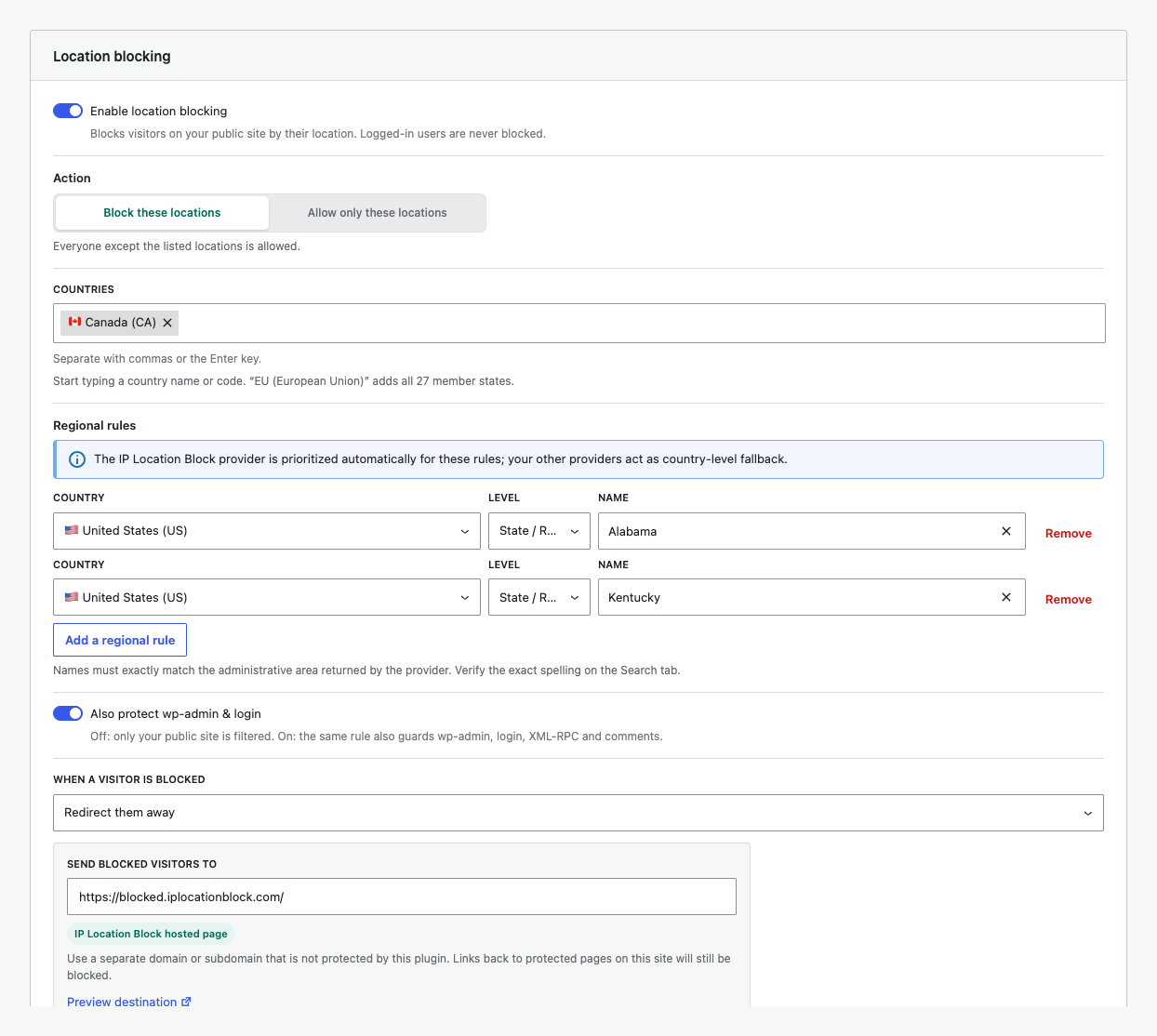
Block selected United States states or regions alongside country rules.
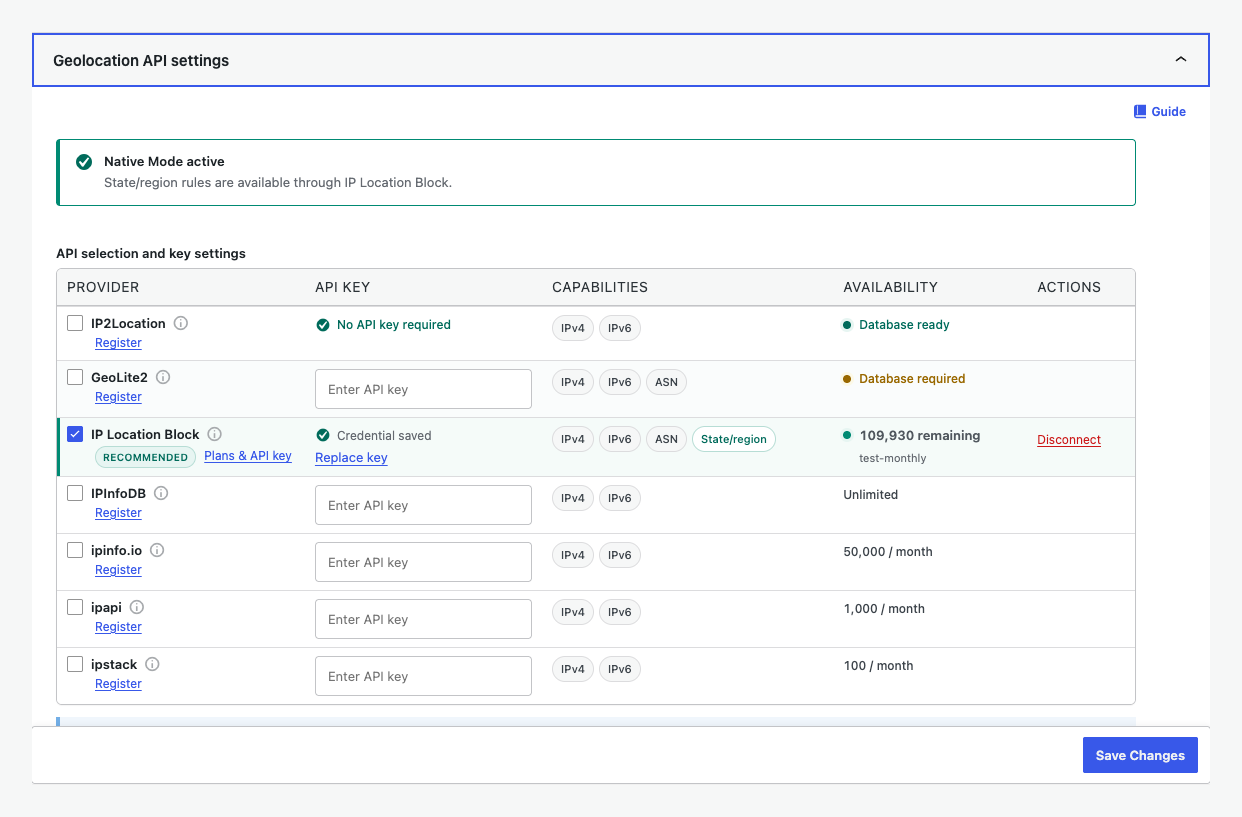
Manage provider precision, IPv6, ASN, quota, and connection status.
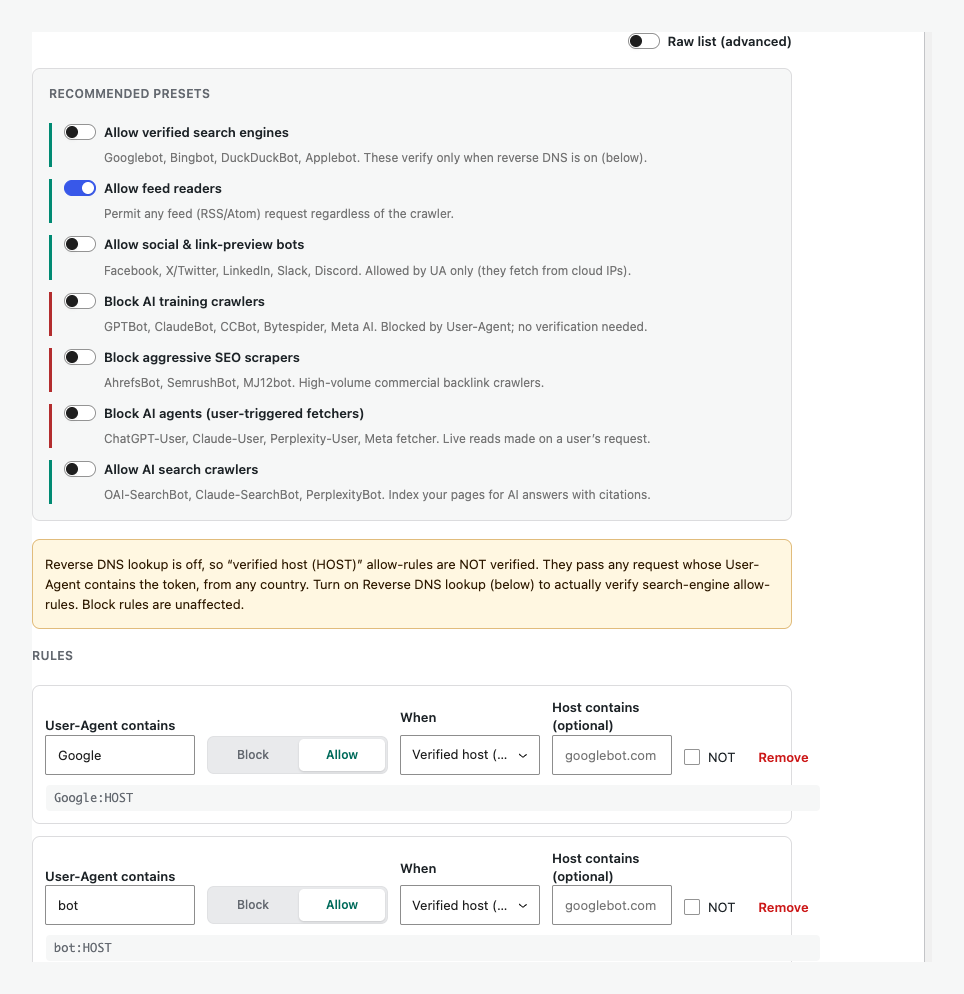
Use curated bot presets or control individual crawler rules.
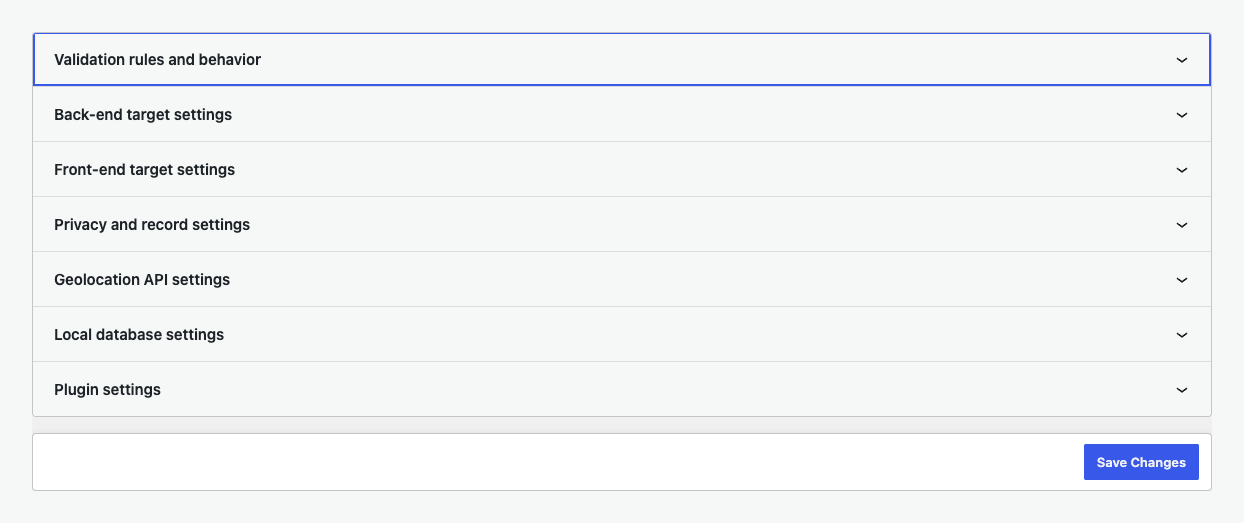
Configure every validation target and advanced security control.
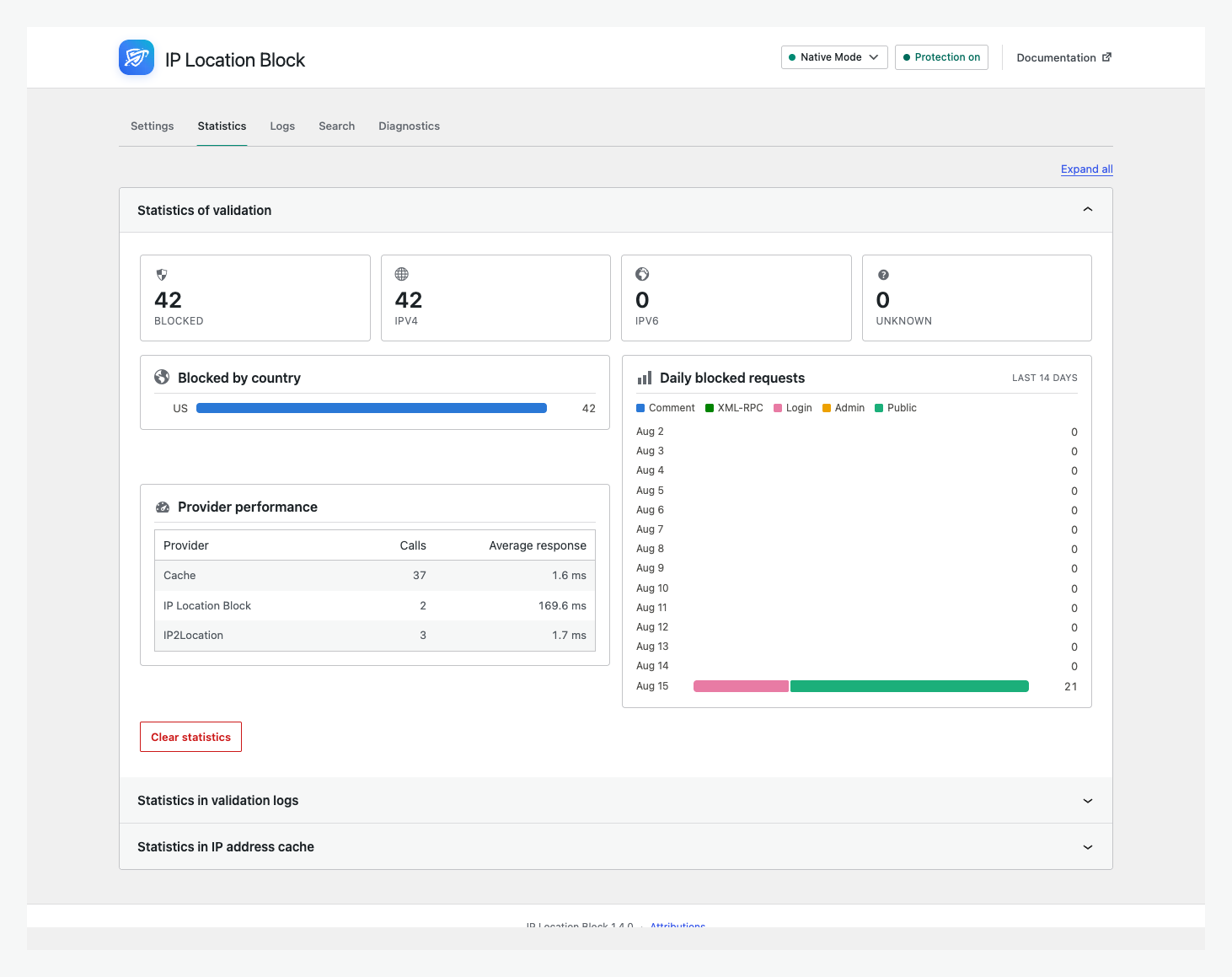
Review blocked requests, countries, IP versions, and provider performance.
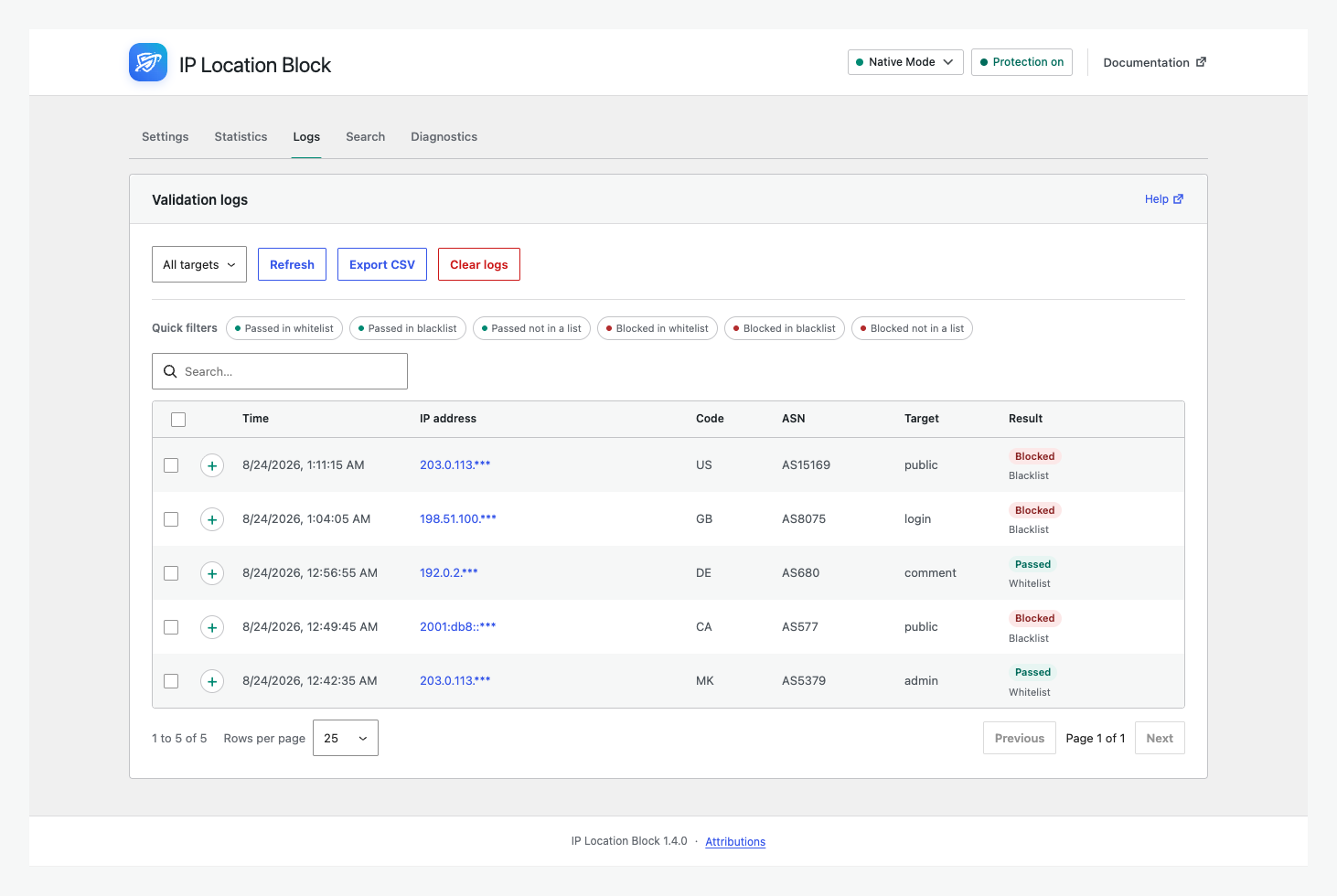
Filter, inspect, and export blocked or allowed validation logs.
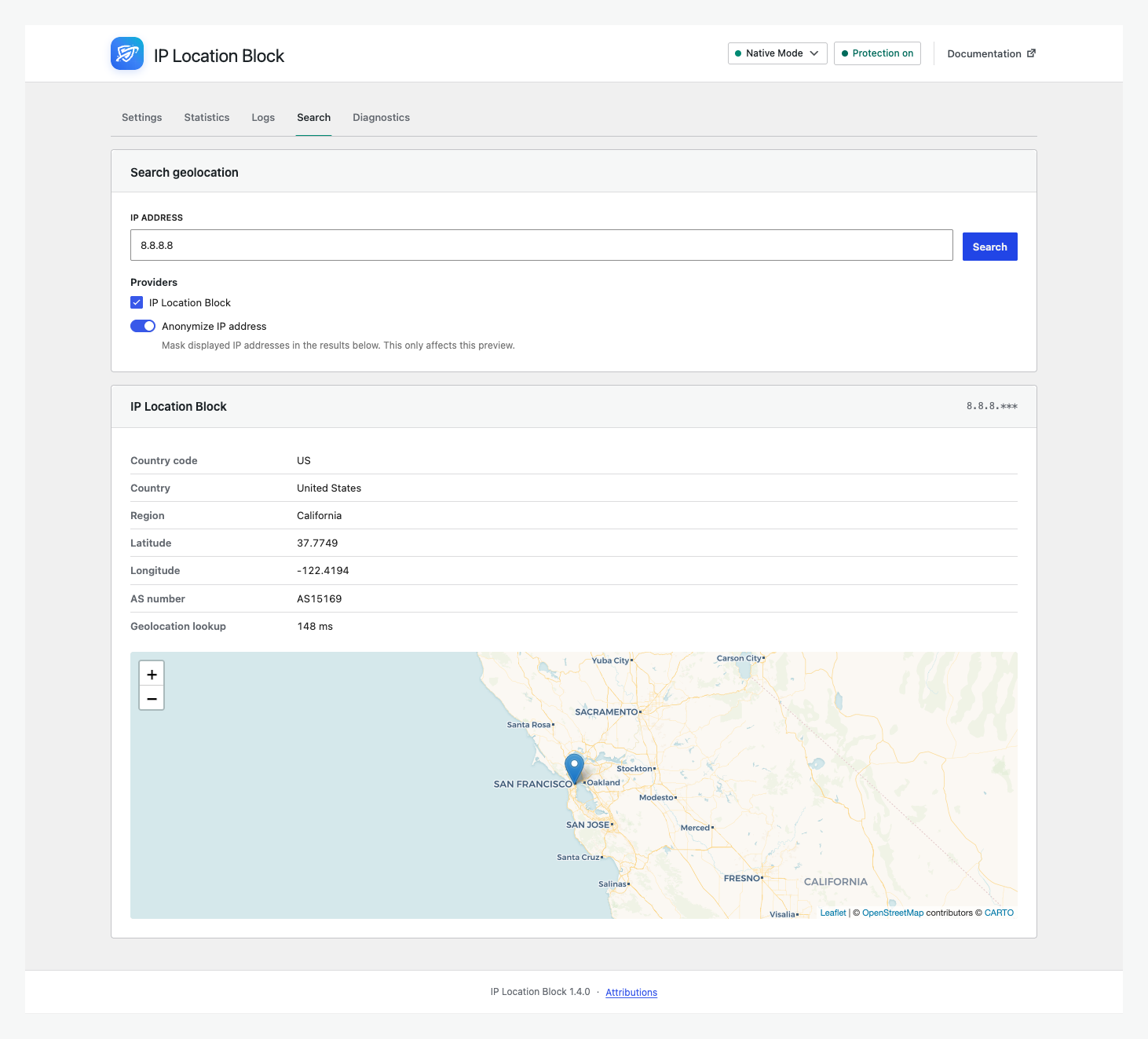
Preview country, state or region, ASN, and map results.
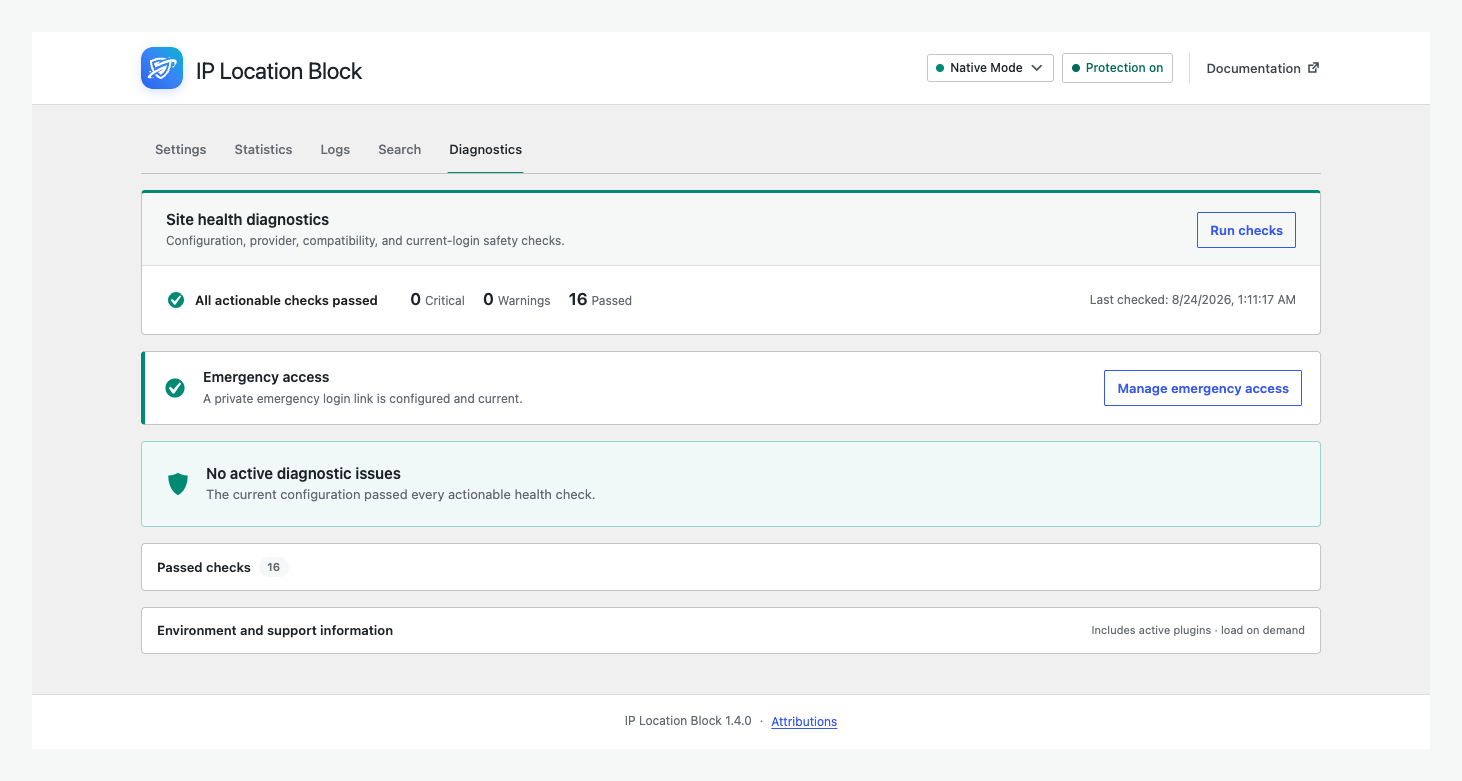
Check configuration, providers, compatibility, and emergency access.