
Let’s say you’ve just logged in and you’re on the dashboard. You want to get to a child page of your about page called “mission”, but you can’t remember if it’s on page 2 or 5. With Jarvis it’s simple. Open Jarvis and start typing “mission” and your page will show up immediately.
Once Jarvis is installed all you have to do to start using it is hit the quick key “/”, type in your search (eg, “settings”) and select the page you’re looking for. It’s the fastest way to get from the dashboard to editing your anything on the admin side.
- Access the settings for permalinks:
/+Permalinks+ enter and you’re there. - Edit your contact page:
/+Contact+ enter and you’re there. - Access your post about caving in Nigeria from last year:
/+Nigeria Caving+ enter and you’re there. - Flush the site rewrite rules:
/+Flush Rewrite Rules+ enter
The idea is to make it easier for anyone using the admin side of WordPress to get to the pages they’re looking for.
Each user can also cusomize their own quick key, and color scheme!
Learn more about The Web Development Group
Screenshots

First click the Jarvis button or hit the / button.
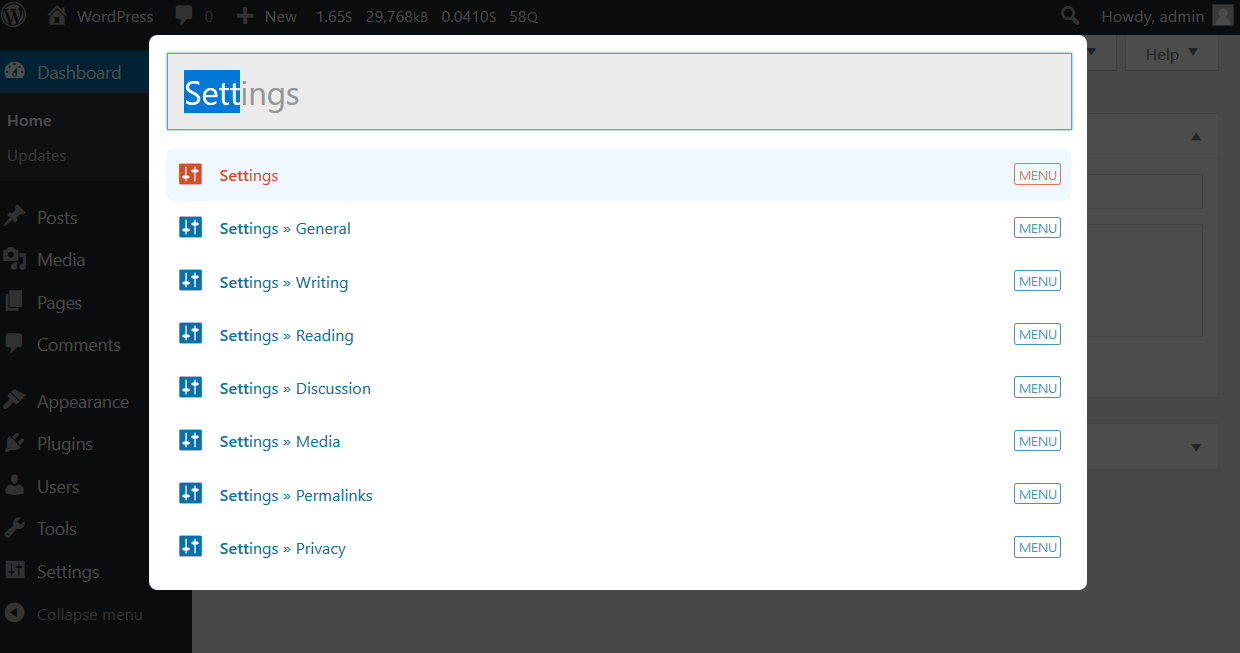
Then start typing your search query. Results will show up below the search box.

Ectoplasm theme - showing the Flush Rewrite Rules action

View image thumbnails for both attachments and featured images

Jarvis on mobile