
JennyStudio GEO Factory is a Generative Engine Optimization (GEO) toolkit. It keeps your content assets organized and turns them into native WordPress posts with the help of AI models that you connect yourself.
AI connections on Settings -> Connectors
- DeepSeek (models: deepseek-flash, deepseek-v4-pro)
- Qwen via Alibaba Cloud Bailian pay-as-you-go OpenAI-compatible endpoint (/compatible-mode/v1, models: qwen3.8-max, qwen3.7-plus, qwen3.8-flash)
- GLM via Zhipu AI BigModel OpenAI-compatible endpoint (/api/paas/v4, models: glm-5.3, glm-4.7, glm-5.3-flash)
- Kimi via Moonshot AI OpenAI-compatible endpoint (/v1, models: kimi-k2.6)
- Hunyuan via Tencent Cloud TokenHub OpenAI-compatible endpoint (/v1, models: hy4-preview, hy3)
- Volcengine Ark pay-as-you-go endpoint (/api/v3, chat models: Doubao-Seed-2.1-pro and Doubao-Seed-2.1-lite)
- Volcengine Ark Coding Plan endpoint (/api/coding/v3), with the same chat models plus the fixed embedding model doubao-embedding-vision
- API keys are verified with one authenticated request only when you save the Connectors settings; simply viewing the screen never triggers a remote request
Content assets
- Title libraries and keyword libraries in dedicated custom database tables; every title keeps a usage count, and duplicate entries are removed automatically when bulk-adding
- A prompt library with copy, edit and delete management, plus variable hints ({{title}}, {{keyword}}, {{knowledge}})
- A knowledge base using a dedicated internal content type with a bundled Markdown editor
- Knowledge-base chunking into a dedicated chunks table using a rule-based or an AI-assisted semantic strategy; the table already reserves vector columns for future embedding support
- One unified AI provider and model picker on the plugin settings screen; the model is chosen from a dropdown of available models instead of being typed manually
- Export selected title libraries, keyword libraries, prompts and knowledge bases as a single JSON file, and import such a file to move data between sites; imported names receive a date-time suffix
Article generation
- Generates native WordPress posts (the built-in post type) with native categories and tags
- Choose one title from a library or enter your own, select up to five keywords, up to five knowledge bases, and the prompt template; the configured AI model is displayed on the screen and cannot be set inconsistently across screens
- Generate excerpts and FAQ entries for existing posts directly in the editor; FAQ entries are stored as structured pairs and reused for FAQPage schema output
- Generated posts are listed under JennyStudio GEO Factory -> Article Management and are marked in the native Posts list through a dedicated AI column
Structured data and llms.txt
- Outputs a JSON-LD schema graph (Organization/Person site entity, WebSite, BlogPosting/WebPage, BreadcrumbList and FAQPage built from generated FAQ entries); when Yoast SEO is active it only supplements Yoast’s graph with the FAQPage piece, and it stands down entirely while Rank Math is active
- Serves a dynamic /llms.txt following the llmstxt.org convention, refreshed automatically when content changes; the generator yields to Yoast SEO and Rank Math to avoid conflicts
External Services
This plugin requires connecting at least one of the third-party AI services described above. Every request is sent directly from your WordPress site to the chosen provider over HTTPS, using the API key you configured on the native WordPress Settings -> Connectors screen. The plugin author never receives your content, requests or API keys.
Third-Party Components
The plugin bundles the following GPL-compatible third-party components, with their full license texts included alongside the corresponding files:
- EasyMDE 2.18.0 (MIT License), which bundles CodeMirror (MIT License) — Markdown editor
- Font Awesome 4.7.0 (MIT License for CSS, SIL Open Font License 1.1 for the web font) — editor icons
- Parsedown 1.8.0 (MIT License) — Markdown to HTML conversion; loaded under a plugin-specific class name to avoid conflicts with other plugins
Screenshots
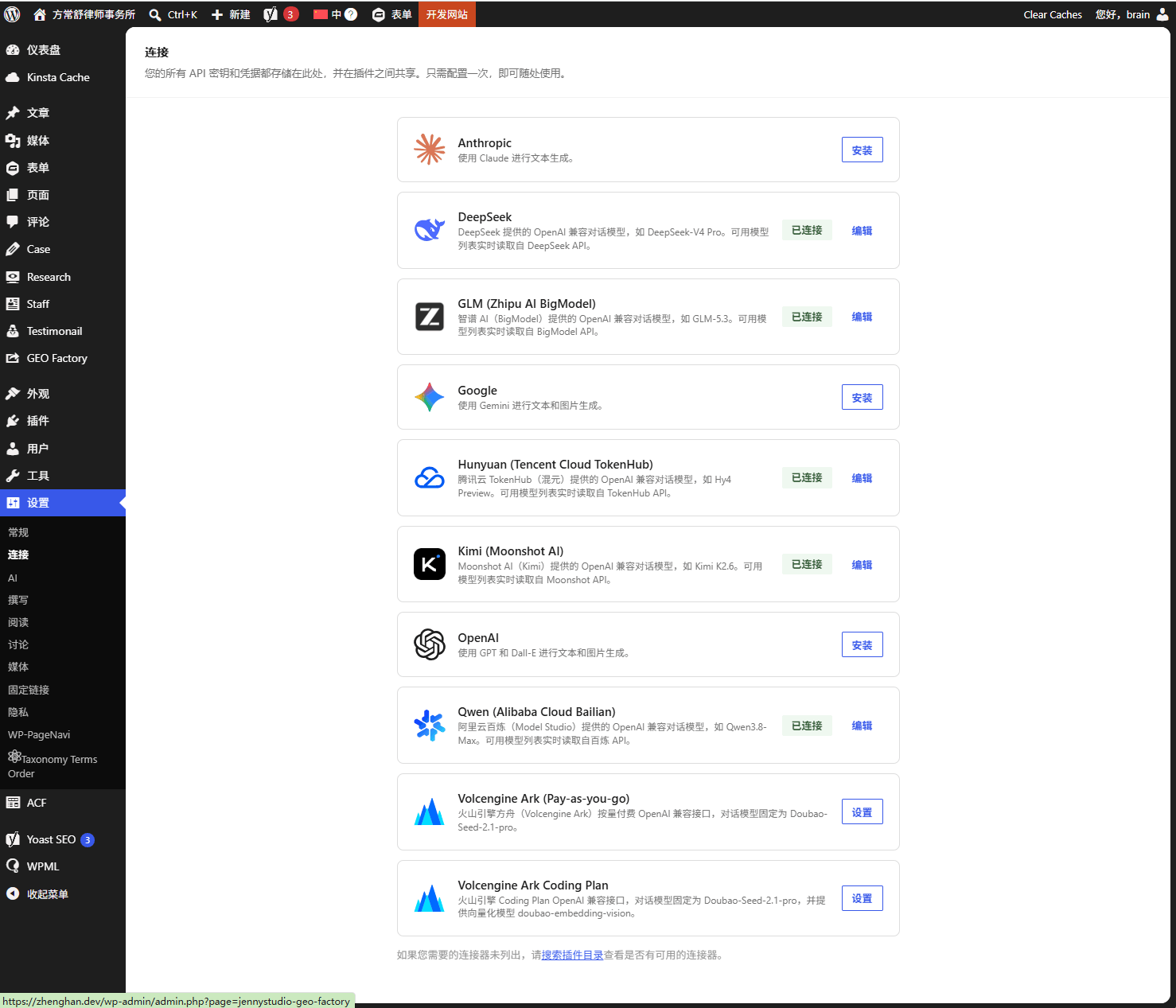
Connect AI model providers (DeepSeek, Qwen, GLM, Kimi, Hunyuan and Volcengine Ark) on the native Settings - Connectors screen.
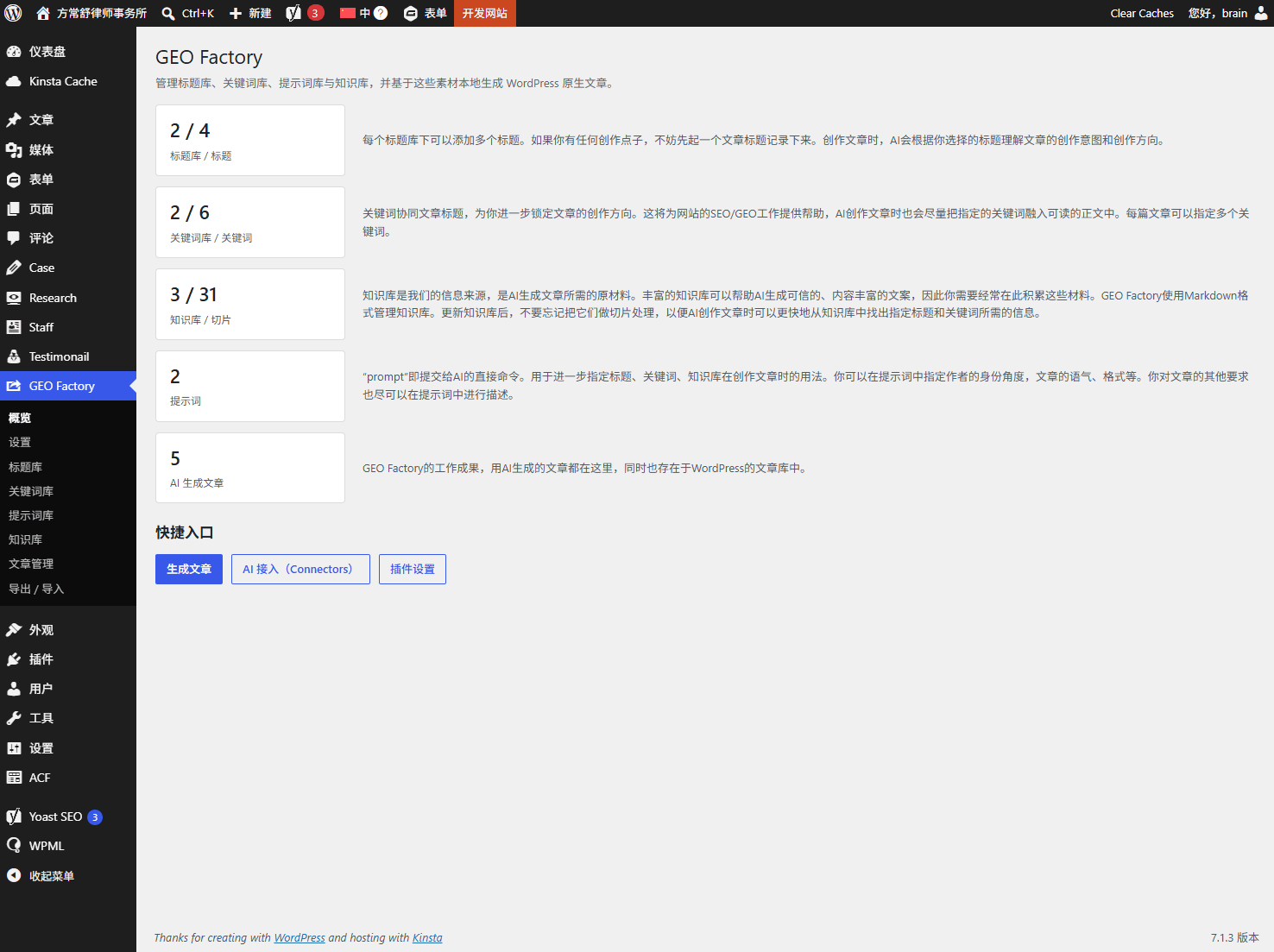
Plugin overview dashboard.
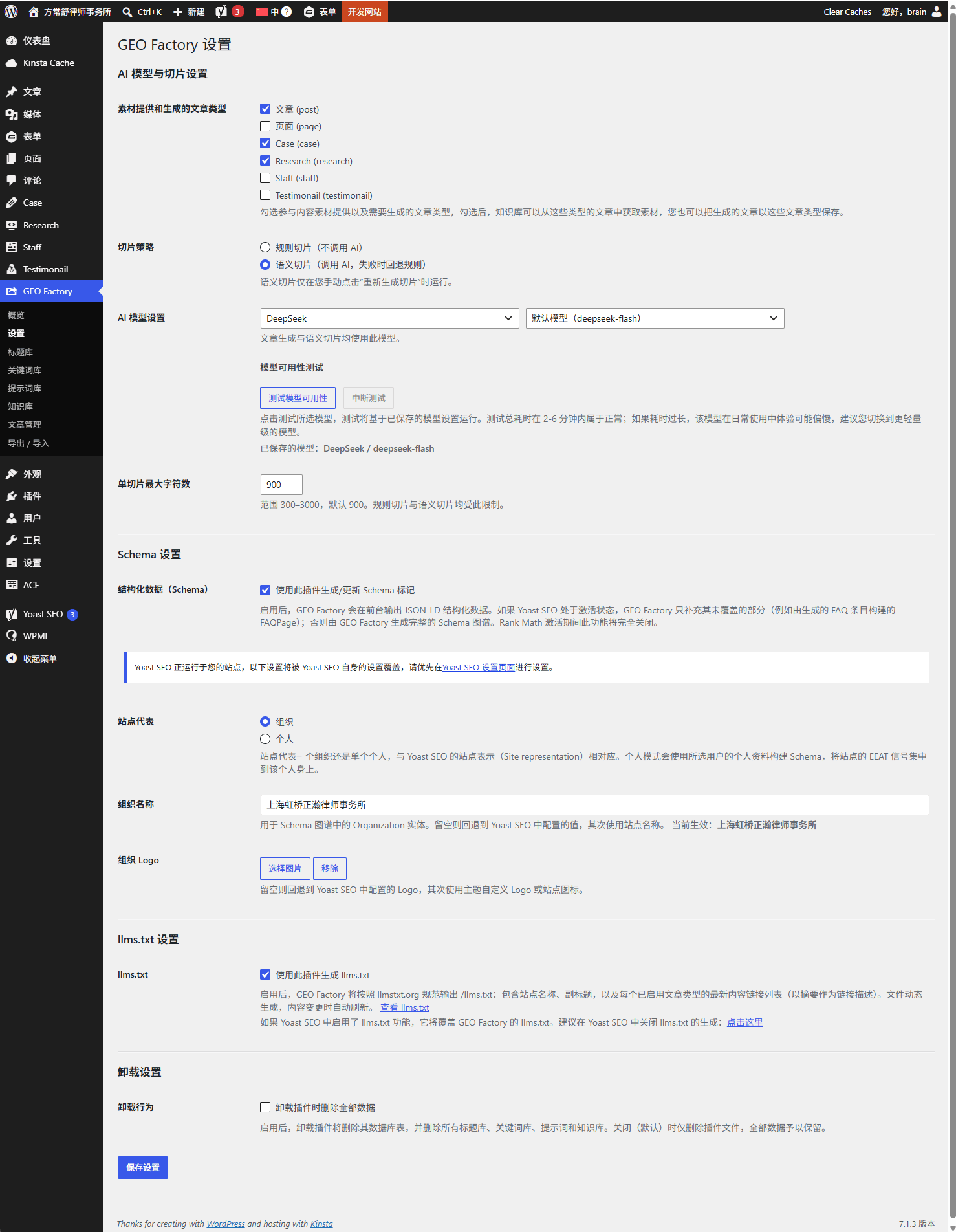
Plugin settings screen, with the unified AI model picker and the model availability test tool.
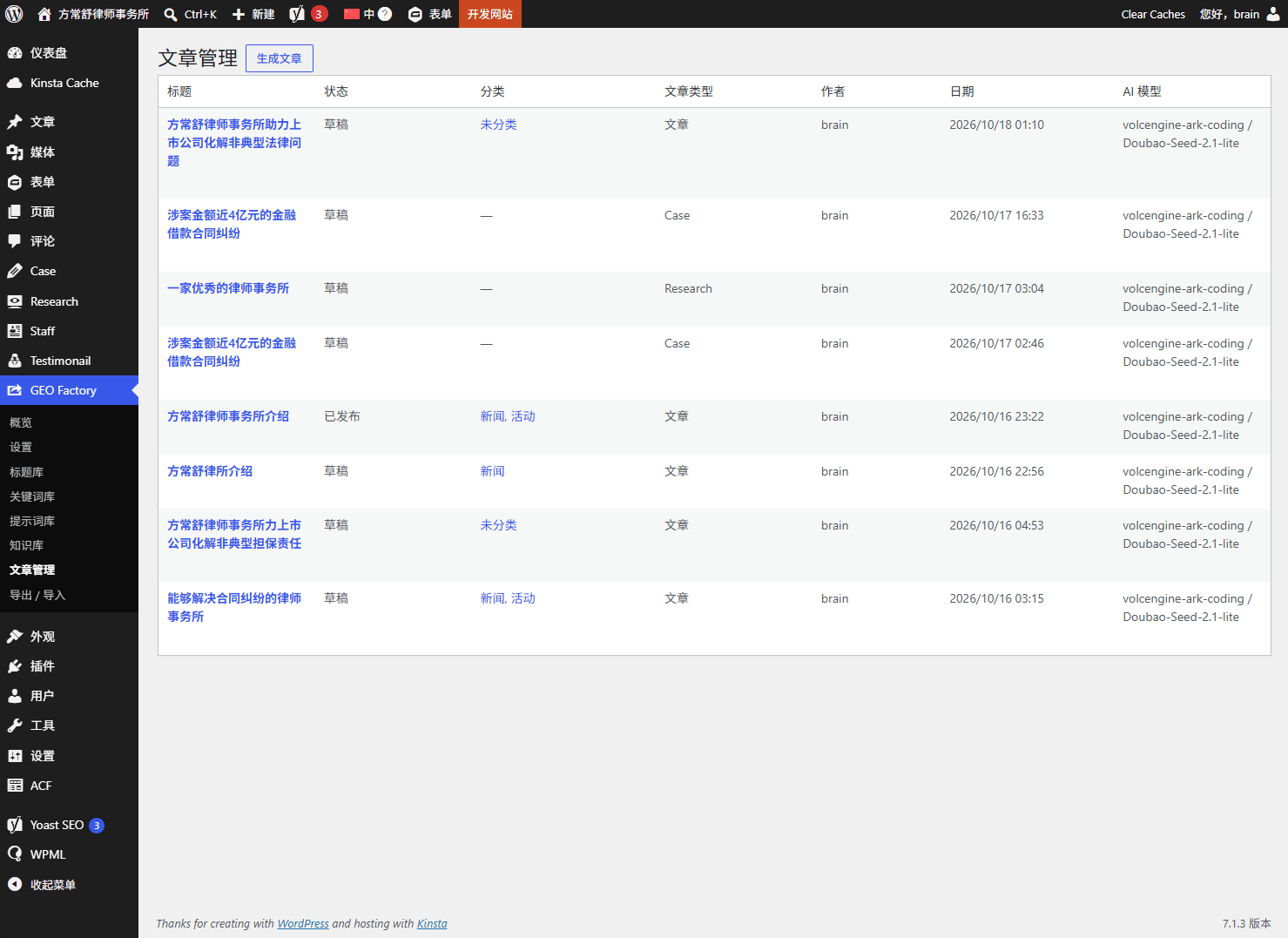
Generated articles listed under Article Management.
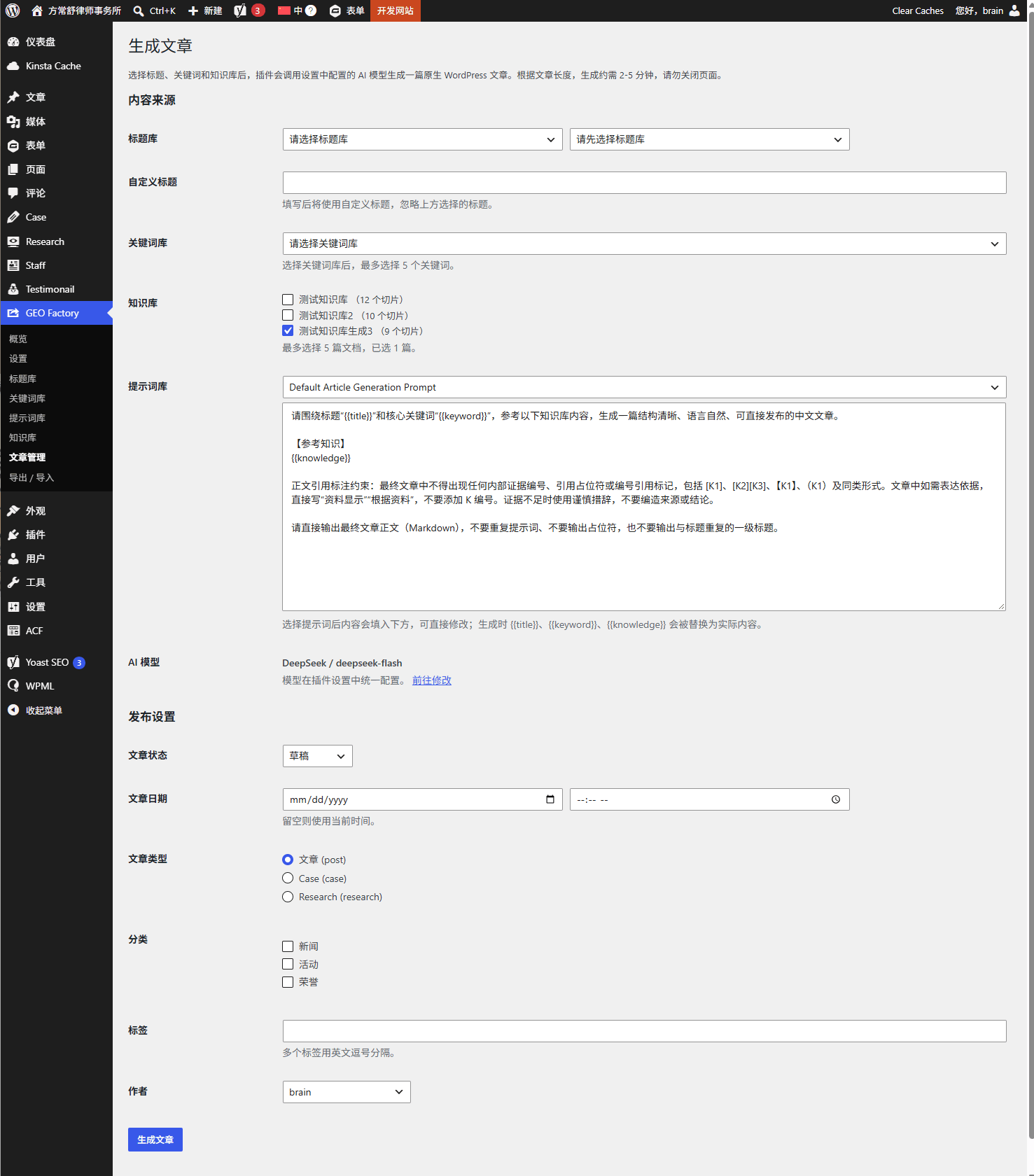
Generate a native WordPress article from a title, keywords, knowledge bases and a prompt template.
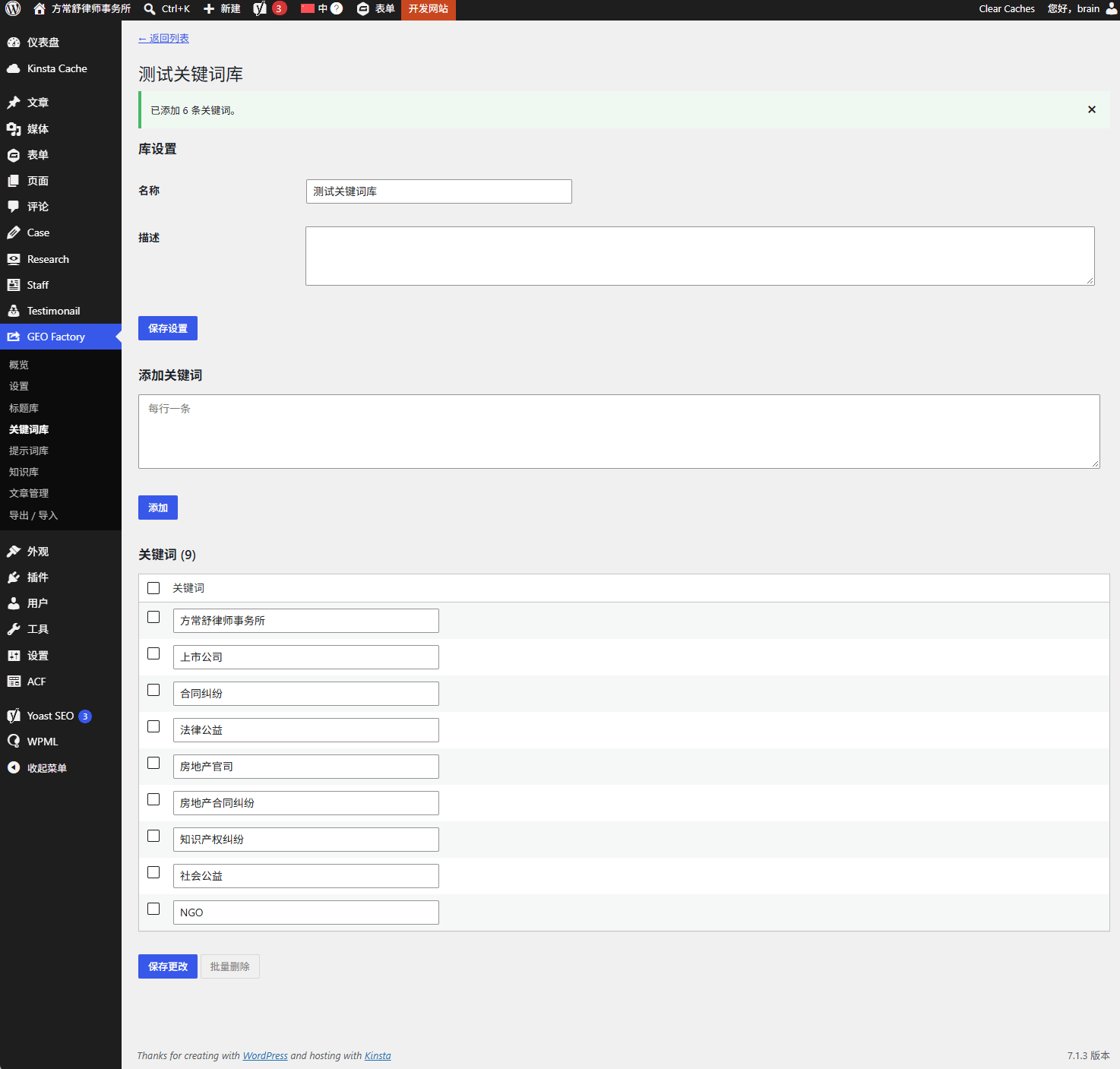
Keyword Library management.
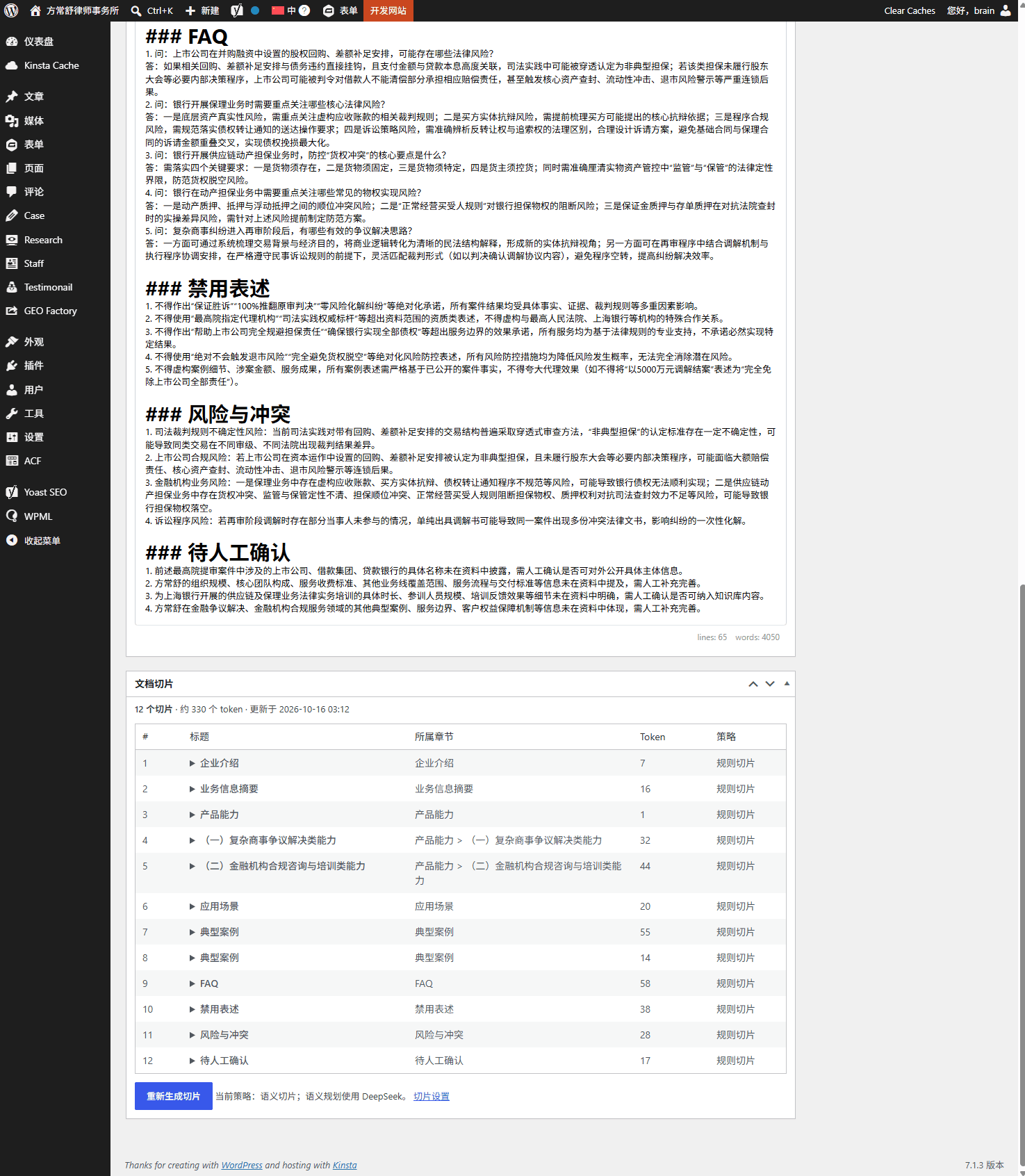
Knowledge Base management.