
Jupa – Post Type Field for Contact Form 7 adds three new field types to Contact Form 7: a drop-down menu, a group of checkboxes, and a group of radio buttons. Each one is automatically filled with the titles of posts from any post type you choose (posts, pages, products, or any custom post type registered on your site).
This is useful when you want visitors to pick from a list that already exists in your content, such as choosing a location, category page, product, or any other custom post type entry, without maintaining that list by hand inside the form.
Features
- Three form-tag types: drop-down menu, checkboxes, and radio buttons.
- Works with any public post type, including custom post types.
- Choose the ordering (
orderbyandorder) of the listed posts. - Limit how many posts are shown, or show all of them.
- Full integration with the Contact Form 7 tag generator (visual UI, no manual tag writing required).
- Supports the standard
id:andclass:tag options, the same way native Contact Form 7 fields do. - Supports required-field validation.
Usage
- Edit a Contact Form 7 form.
- Open the “Insert form-tag” menu and choose one of “posts drop-down menu”, “posts checkboxes”, or “posts radio buttons” (they appear at the end of the list).
- Select the post type to pull posts from, the sort order, and (optionally) how many posts to show.
- Insert the tag and save the form.
Screenshots

The three new field types added to the "Insert form-tag" menu.
![A form using all three field types: [ptfcf7_select], [ptfcf7_checkbox], and [ptfcf7_radio].](https://ps.w.org/jupa-post-type-field-for-contact-form-7/assets/screenshot-2.png?rev=3694186)
A form using all three field types: [ptfcf7_select], [ptfcf7_checkbox], and [ptfcf7_radio].
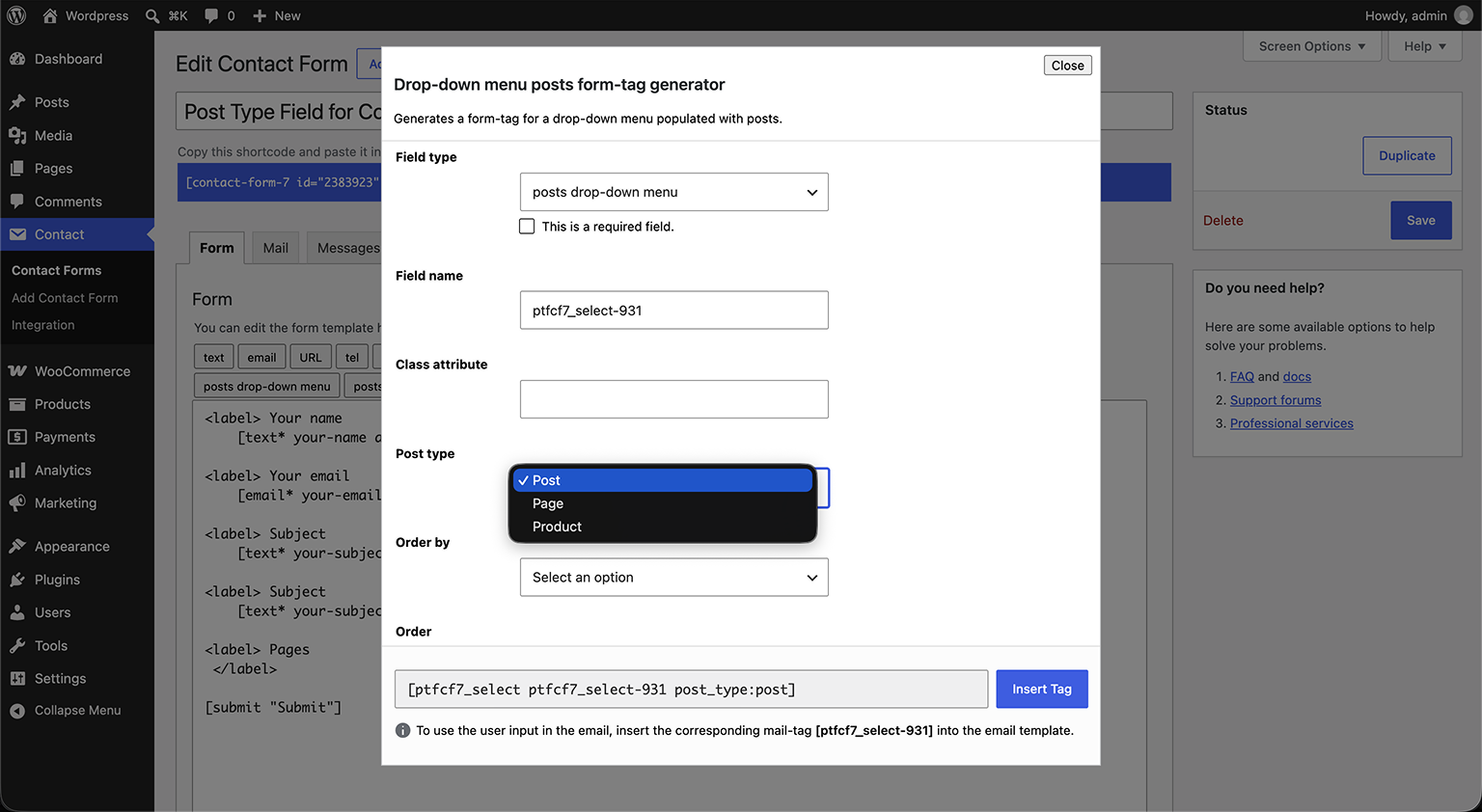
The drop-down menu form-tag generator, with the post type selector.
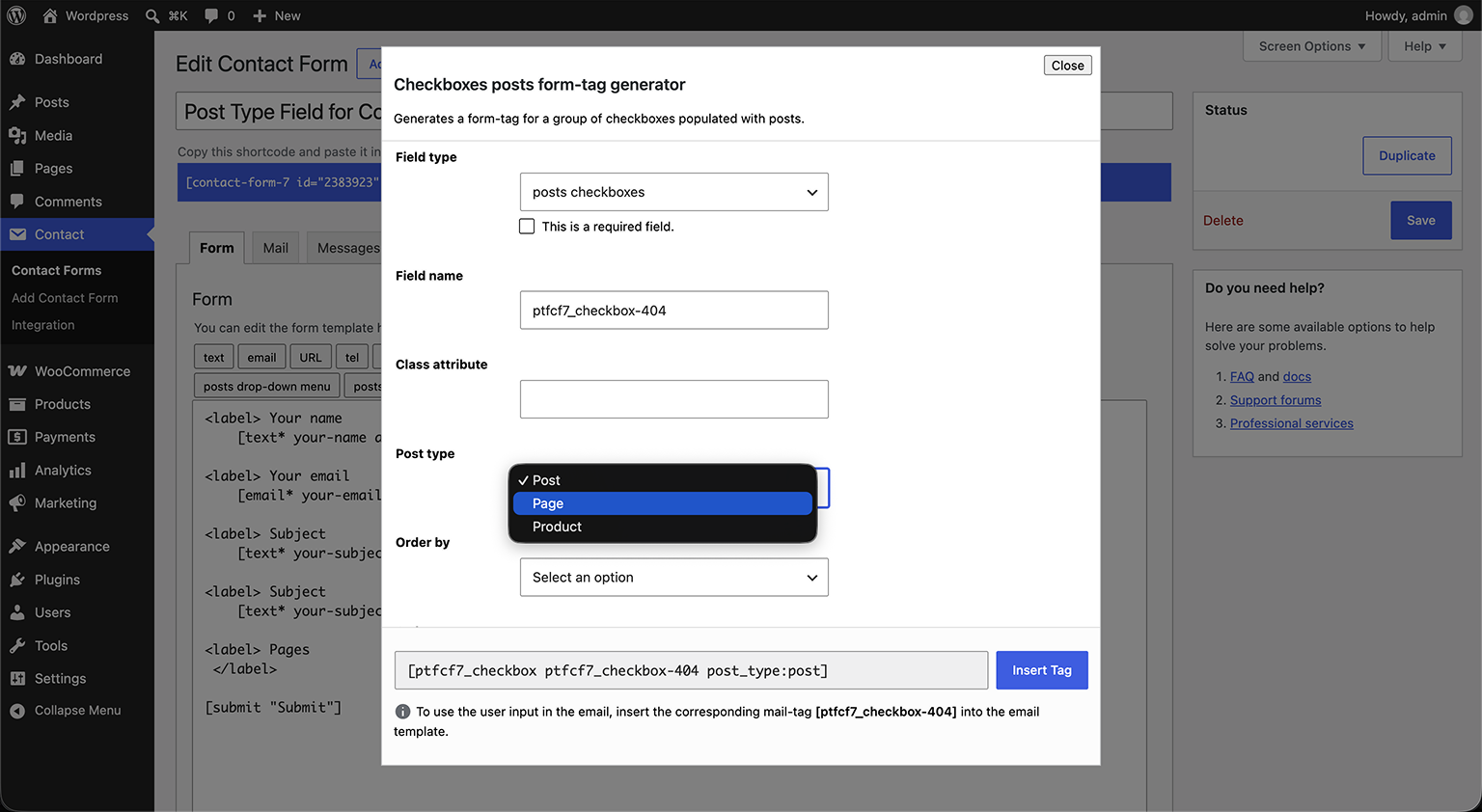
The checkboxes form-tag generator.
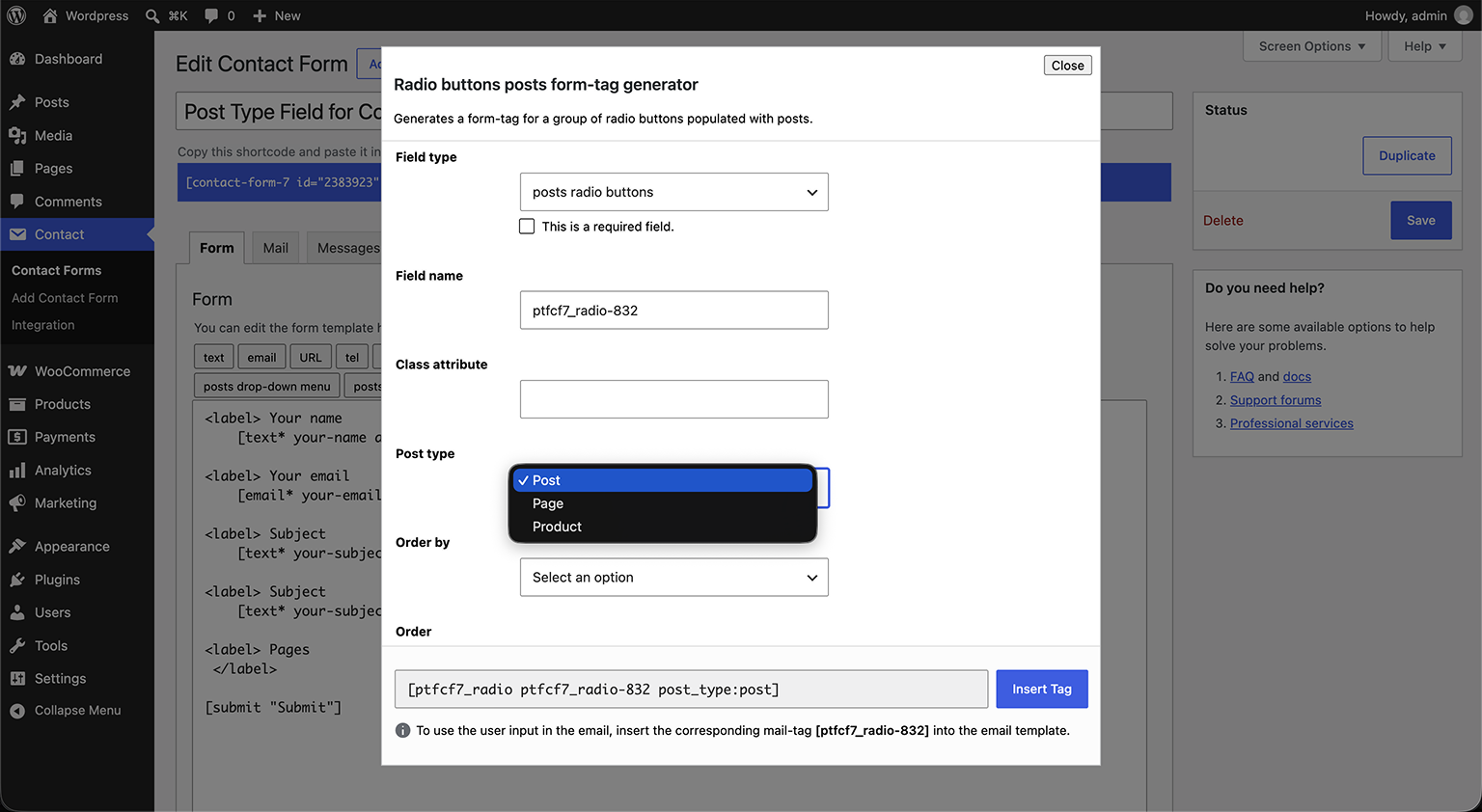
The radio buttons form-tag generator.
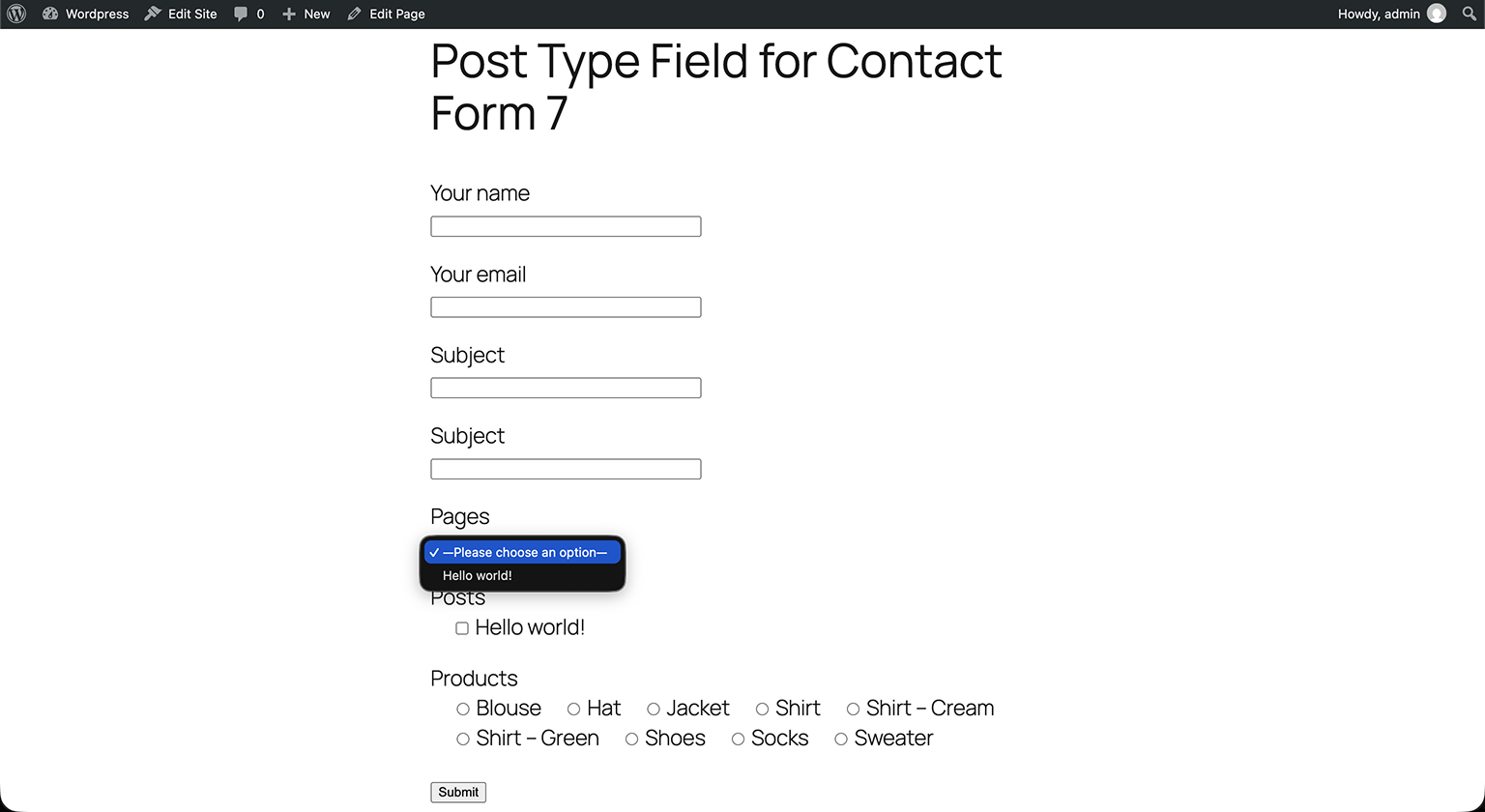
The resulting fields on the front end, populated with real posts.