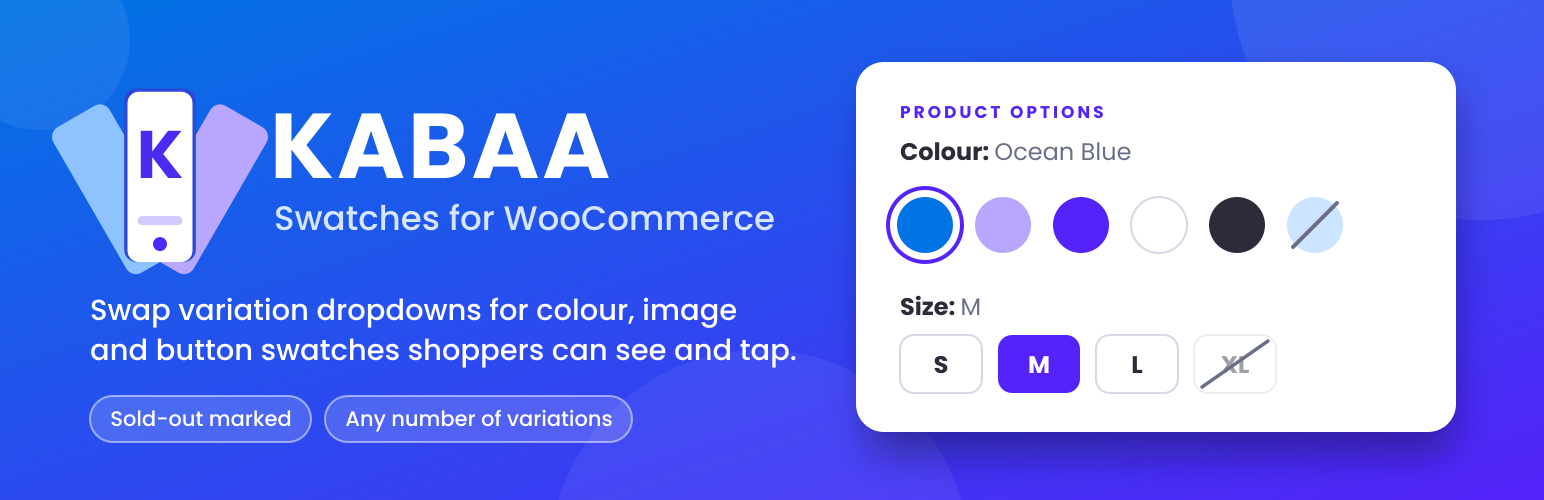
KABAA Variation Swatches for WooCommerce turns variation dropdowns into color swatches, image
swatches, button (label) swatches and radio swatches that shoppers can see and tap, on the single
product page and on shop, category and search pages.
WooCommerce shows product variations as dropdown menus. A shopper choosing a colour reads
the word “Ocean Blue” instead of seeing it, and on a phone the dropdown opens a picker that
takes them off the page entirely. Swatches fix that.
Free, with no Pro version: sold-out marking on products with any number of variations, swatches
on shop cards with add to cart, and shareable variation links (a direct link that opens the
product on one exact colour and size).
Works with classic themes that use WooCommerce’s standard variation form.
Setup guide, every screen with a screenshot: kazibadrul.com/kabaa-swatches/docs
Out-of-stock handling
Works on products with many variations.
WooCommerce sends variation data to the browser only up to a threshold (30 variations by
default). Below it, the plugin uses that data and adds no extra request. Above it, the plugin
fetches availability sized to the number of swatches on screen, not the number of variations,
and keeps sold-out combinations marked as the shopper chooses.
Independent of catalog visibility.
Out-of-stock swatches work the same whether WooCommerce’s “Hide out of stock items from the
catalog” option is on or off, so you can keep sold-out products visible in your shop.
Shareable variation links
A link to one variation, not just to the product.
Choose Navy and Large and the page address becomes
/product/tee/?attribute_pa_color=navy&attribute_pa_size=large. Copy it from the address bar,
or let the optional button copy it, and anyone who opens that link lands on the product with
Navy and Large already chosen.
This is what people mean by a direct variation link, a variation URL or a variation permalink:
a shareable link to one colour and size rather than to the product’s default state. It is
usually sold as a Pro or premium add-on. Here it is included, free, with no paid tier and no
upgrade prompt.
Good for answering “which one did you mean?”, for an ad or newsletter that should open on the
exact colour, and for support pointing a customer at one variation.
- Partial choices work too: pick only the colour and the link carries only the colour
- Anything already in the address, such as campaign tags, is kept
- No browser history is added, so Back still leaves the product page
- Nothing is fetched from the server: no extra request and no extra database query
- The copy button stays off until you switch it on, so a plugin update adds nothing to your
product pages
What it does
- Color, image and button swatches on the single product page
- Radio swatches: a list of choices with a radio each, for plans, warranties and names too long
for a button - Tile swatches: each option’s own photo with its price underneath, following what is already
chosen. Hovering a tile previews its photo in the product gallery - Swatches on shop, category, tag and search pages too: pick options right on the card, see that
option’s photo and price, and add the variation to the cart without leaving the page - Choose which attributes shop cards show and in which order, store-wide or per product, which of
their values, their spacing and alignment, and whether they sit before or after the add-to-cart
button - On a card, options with nothing in stock alongside your choice are marked as you pick
- Works with custom attributes created inside a product, set from the product’s own Swatches tab
- Name a term after a color (Navy, Tomato) and its swatch color fills itself
- Image swatches fall back to the variation’s own featured image when a term has none
- Round or square, any width and height, and a text size for button swatches — no CSS to write
- Selection shown as a ring outside the swatch, so it stays visible on a black swatch
- Choose ring, fill or border, and the colour, or leave it to pick per swatch type
- Shareable variation links: the page address follows the options a shopper picks, so a copied
link opens the product on that exact variation. An optional Copy link button does it for them - Tooltips on hover and on keyboard focus, optionally with the option’s photo: hover “Red” and see
the red one. Photos download only on hover, so pages stay as light as before - Shows the selected term’s name beside the attribute label
- Marks sold-out terms as crossed out, blurred, or hidden, on product pages and shop cards
- Any attribute can be switched back to a plain dropdown, keeping its colours and images
- Correct for products with any number of variations
- Backorders count as purchasable, because they are
- German included for Germany, Austria and Switzerland, used when the site language is Deutsch
(WordPress 6.5 or newer)
Built to stay out of the way
- WooCommerce’s own
<select>stays in the form and stays in charge. The plugin writes to it
and listens to it; it never resolves variations or touches add to cart. - Swatches are real radio inputs, so keyboard navigation, focus and selected state come from
the browser itself. - No template is overridden. If a theme renders its own variation markup, you get WooCommerce’s
normal dropdowns and the product page keeps working. - Assets load only on pages that show swatches. Shop cards never call back to the server, so
they keep working on pages served from a full-page cache. - Stores its settings in a single option, and custom attribute settings on their own product.
No tracking and no external services.
Screenshots
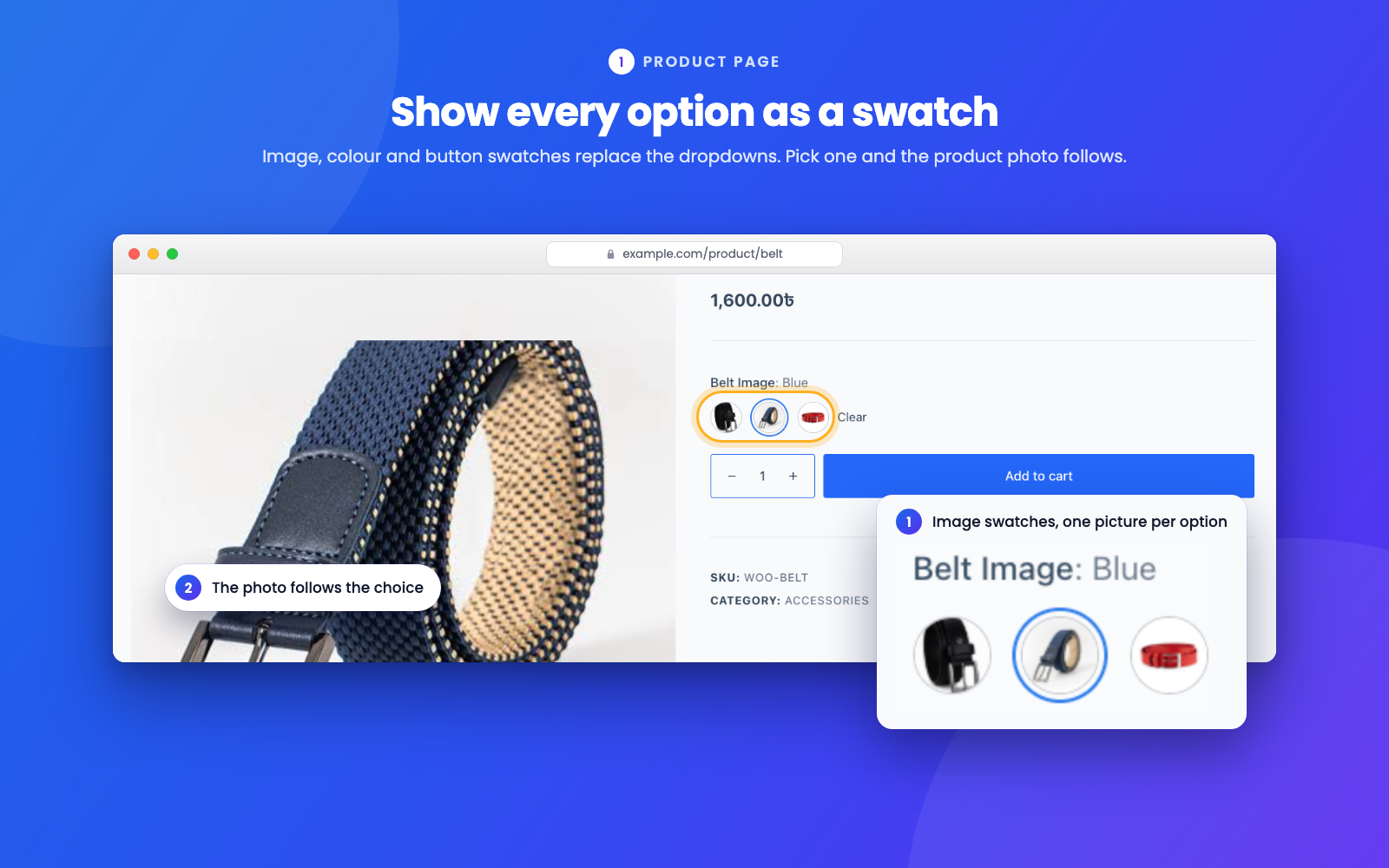
Image swatches on a product page. Each option shows its own picture, the chosen one carries a ring, and the product photo follows the choice.
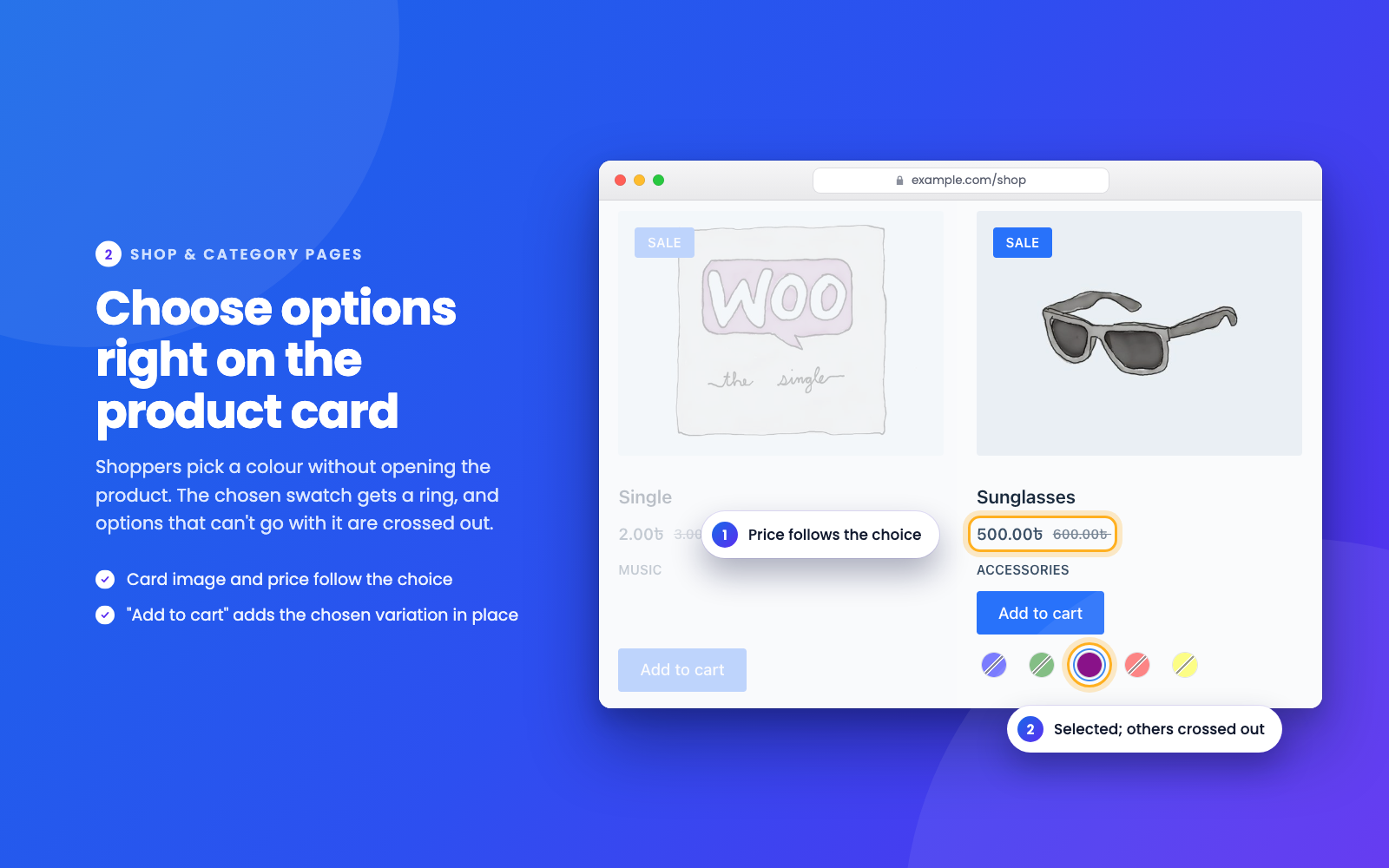
Swatches on a shop page product card. The chosen colour carries a ring, colours that can't go with it are crossed out, and the price follows the choice.
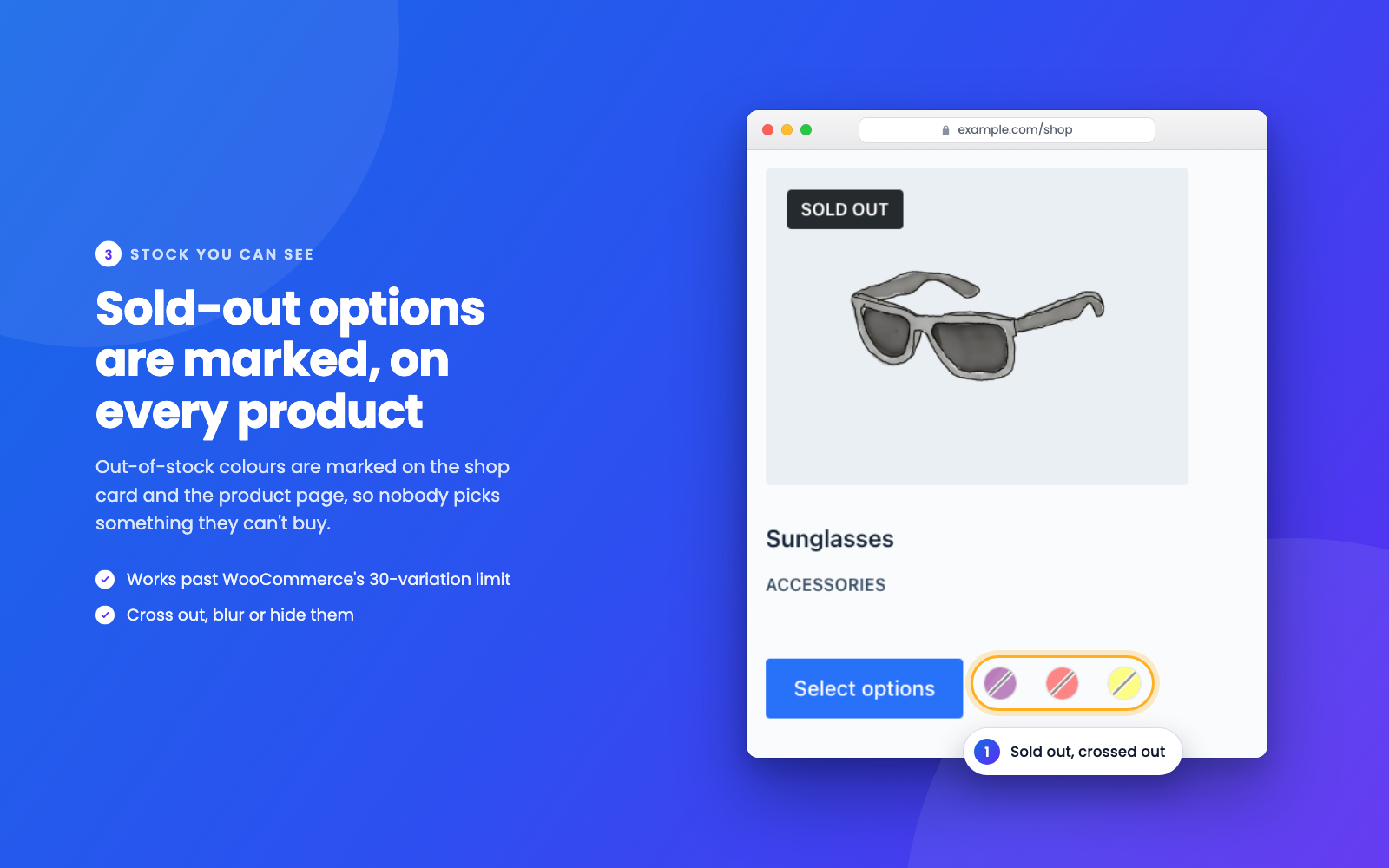
Sold-out options marked on the shop card, on products of any size.
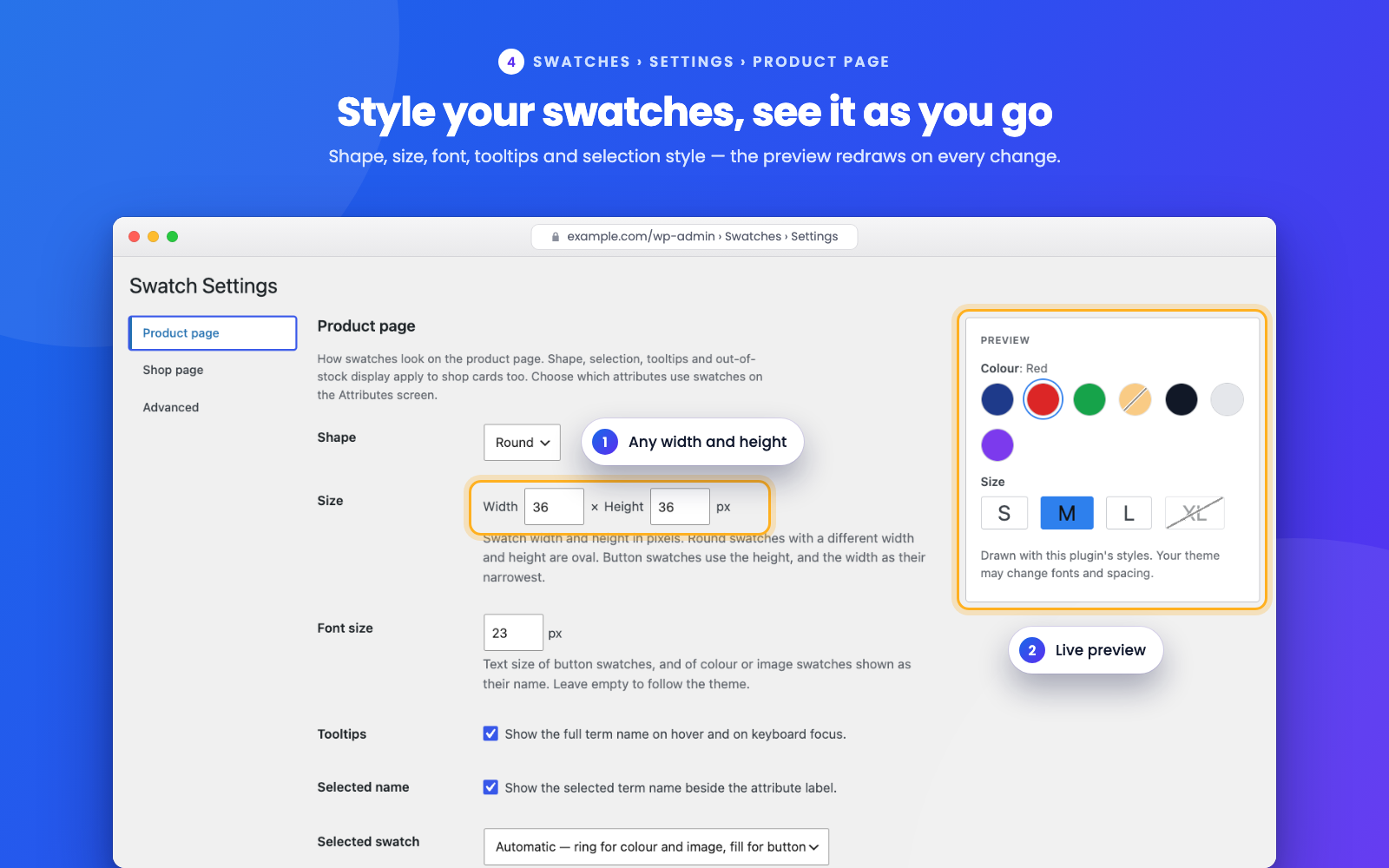
Swatches > Settings > Product page — shape, size, font size, tooltips, how a selected swatch is marked, and shareable links, with a live preview.
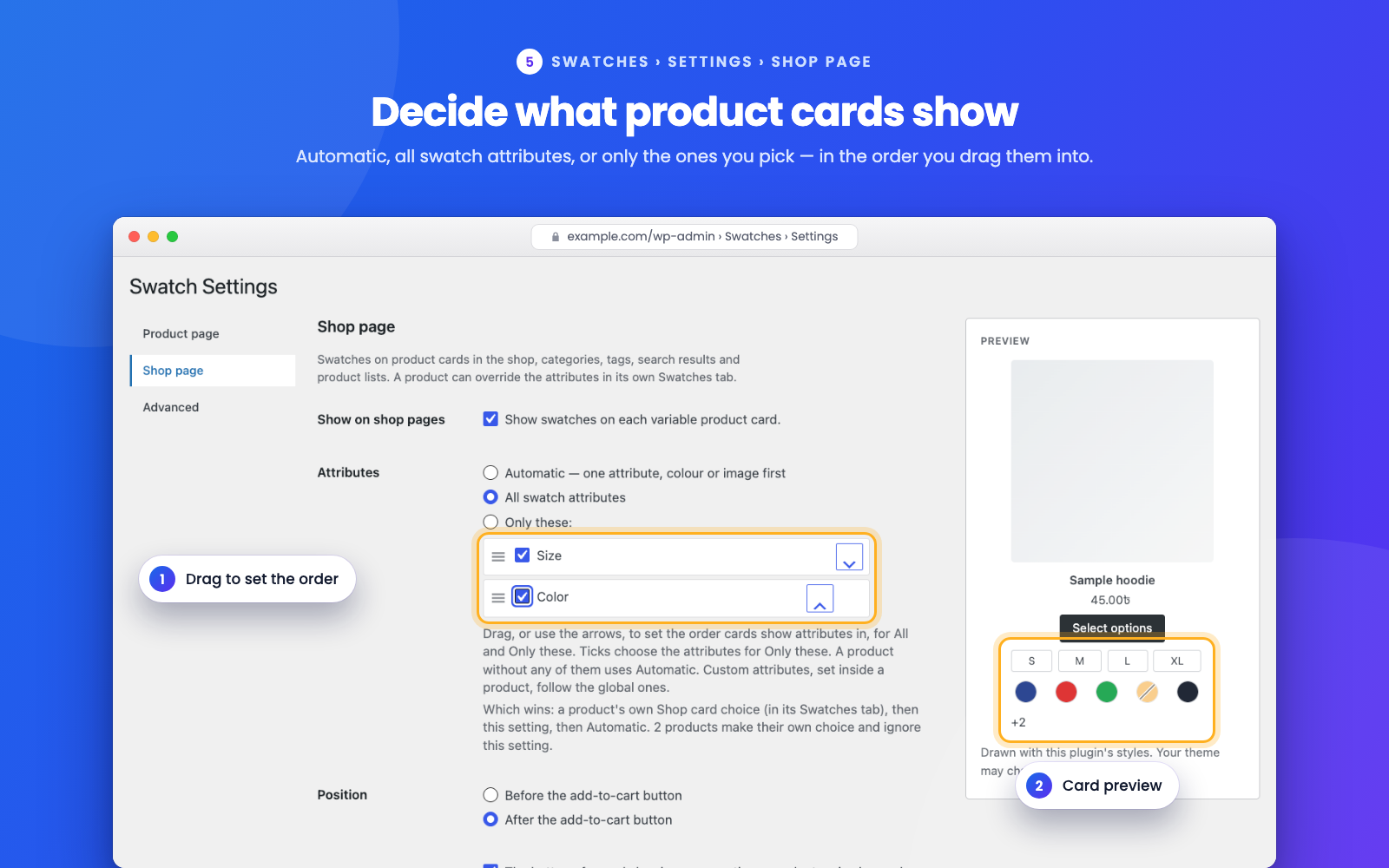
Swatches > Settings > Shop page — which attributes product cards show, in the order you drag them into, with a card preview.
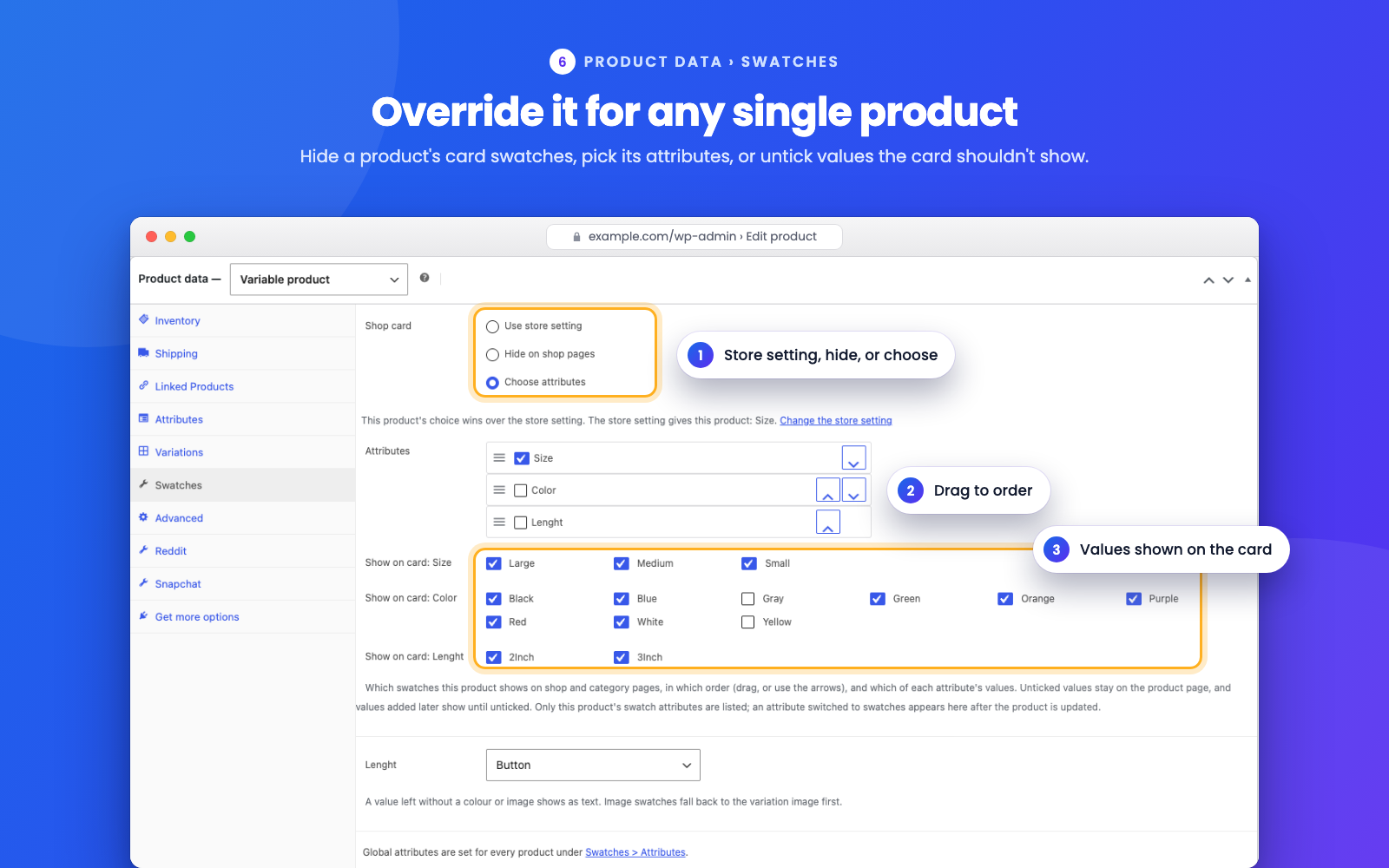
The Swatches tab of a product — hide its card swatches, choose its attributes, or untick values the card shouldn't show.
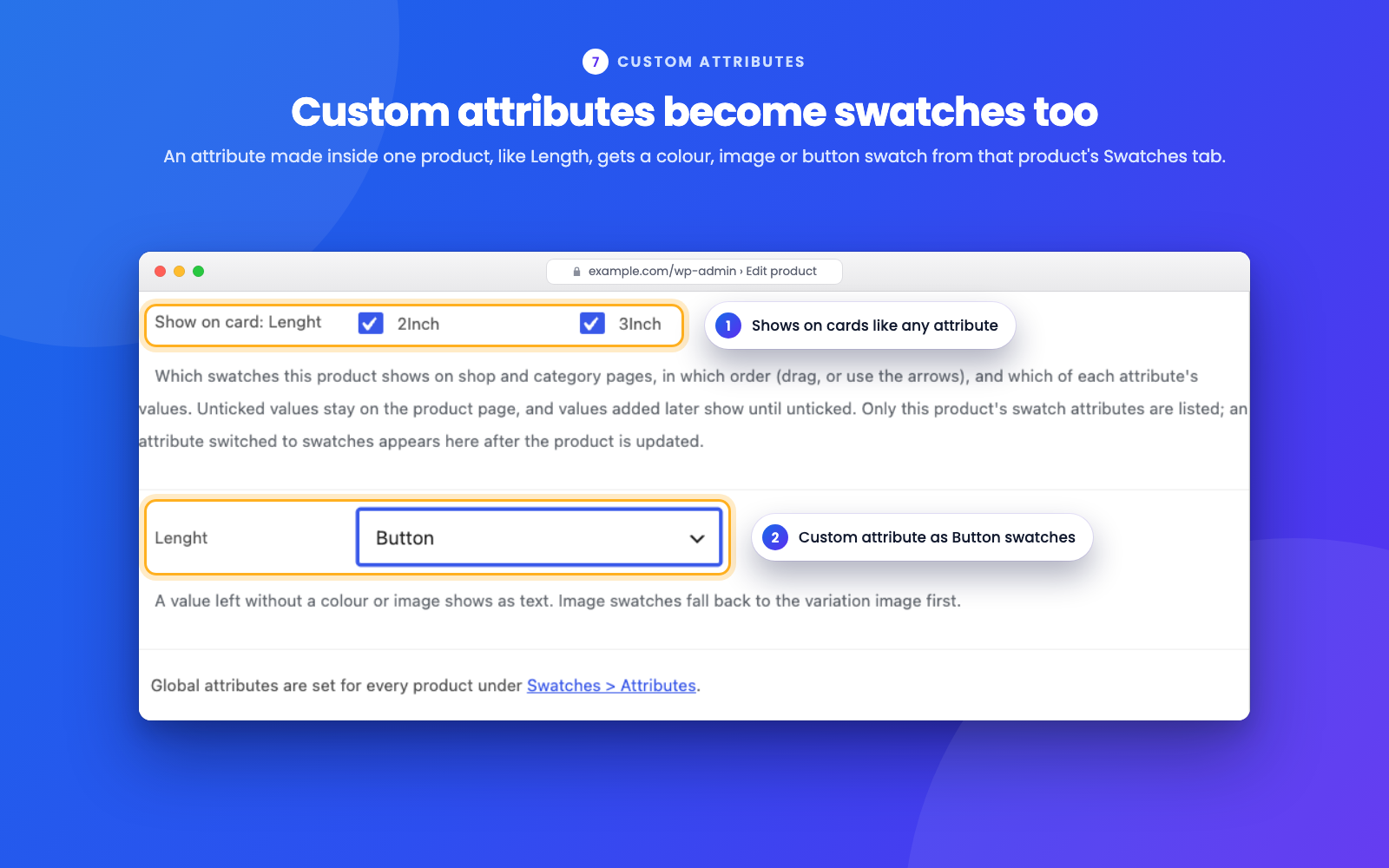
A custom attribute made inside a product, shown as button swatches, set from that product's Swatches tab.
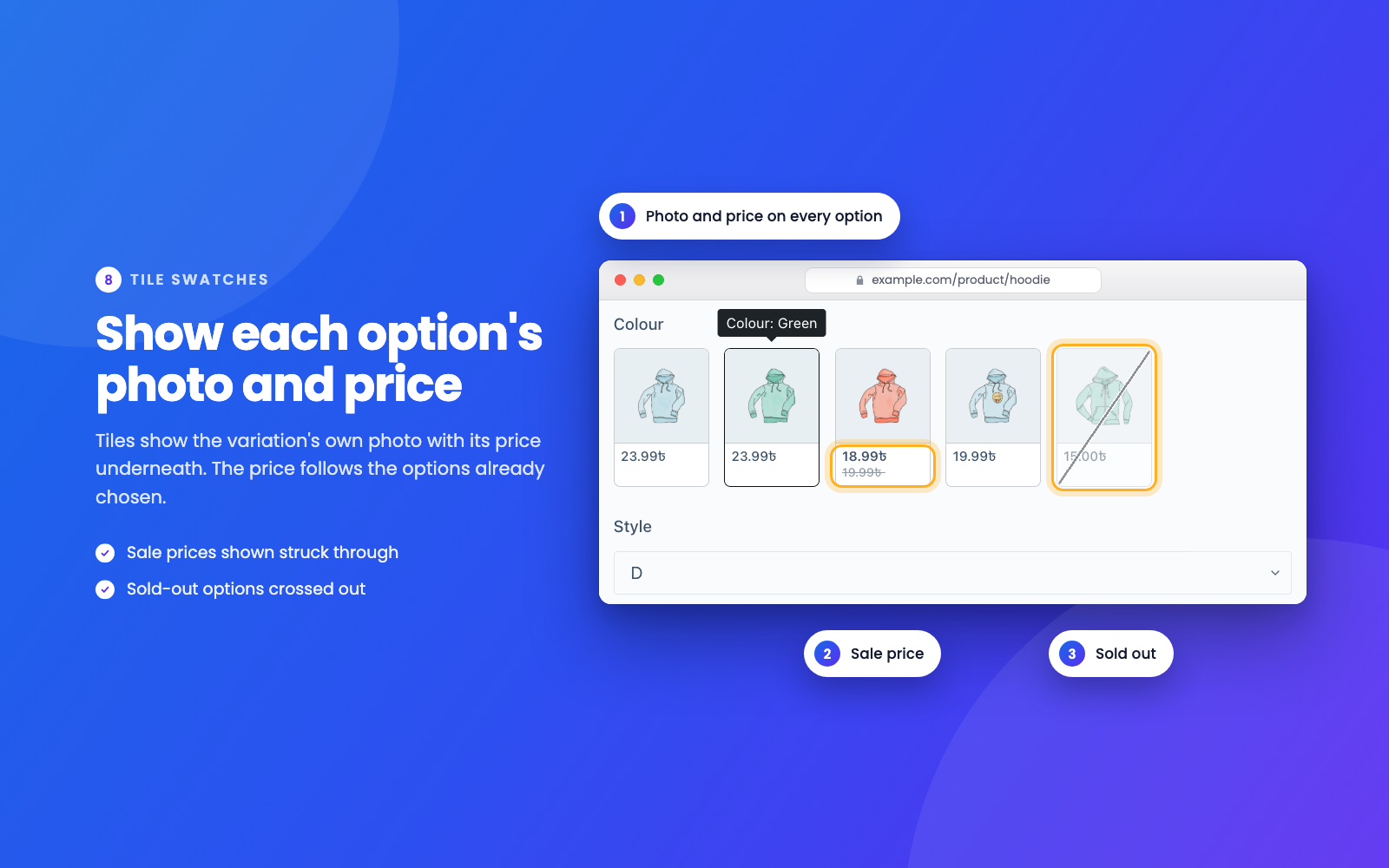
Tile swatches on a product page: each option's own photo with its price underneath. Sale prices show struck through, and sold-out options are crossed out.
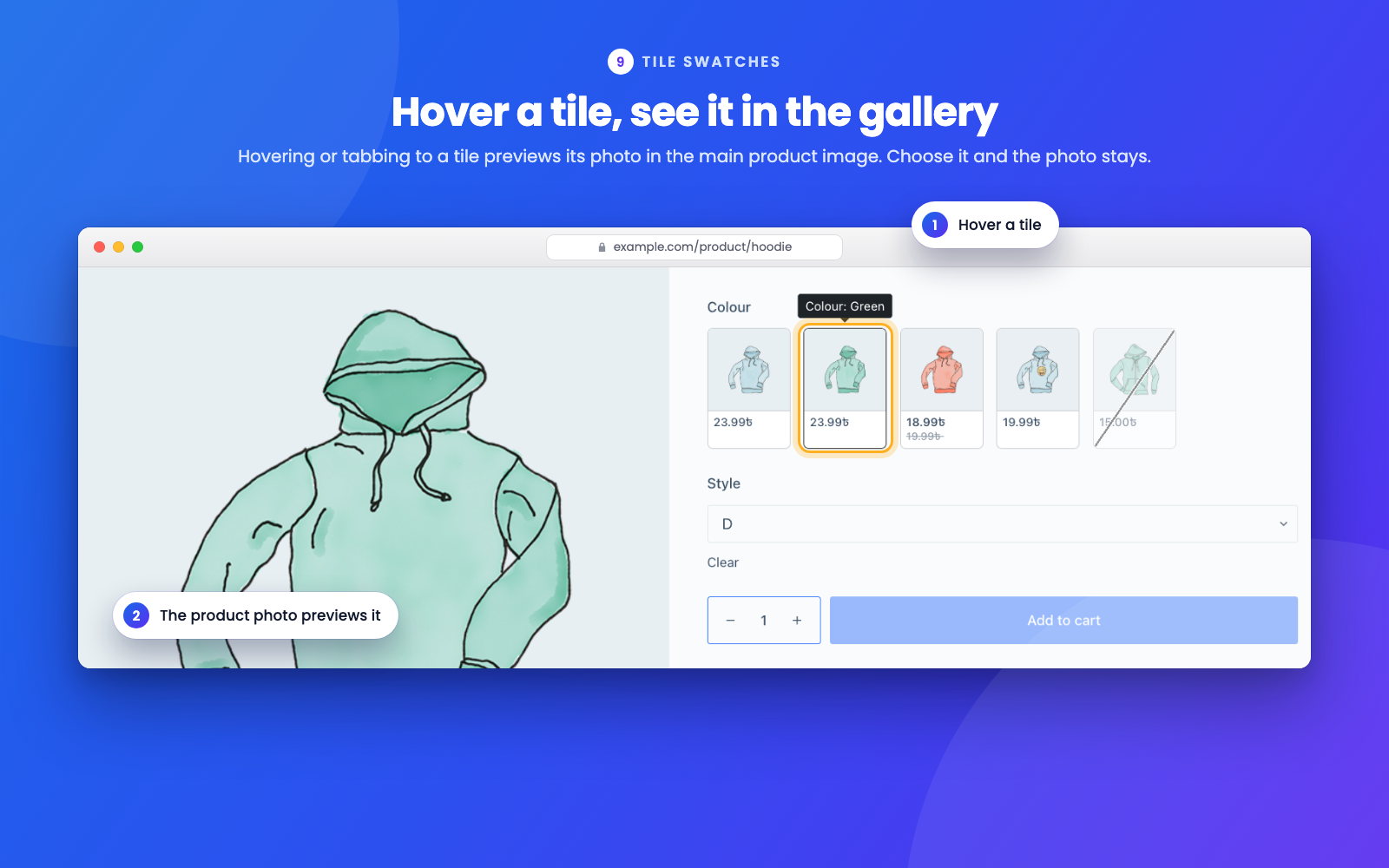
Hovering a tile previews its photo in the main product image.
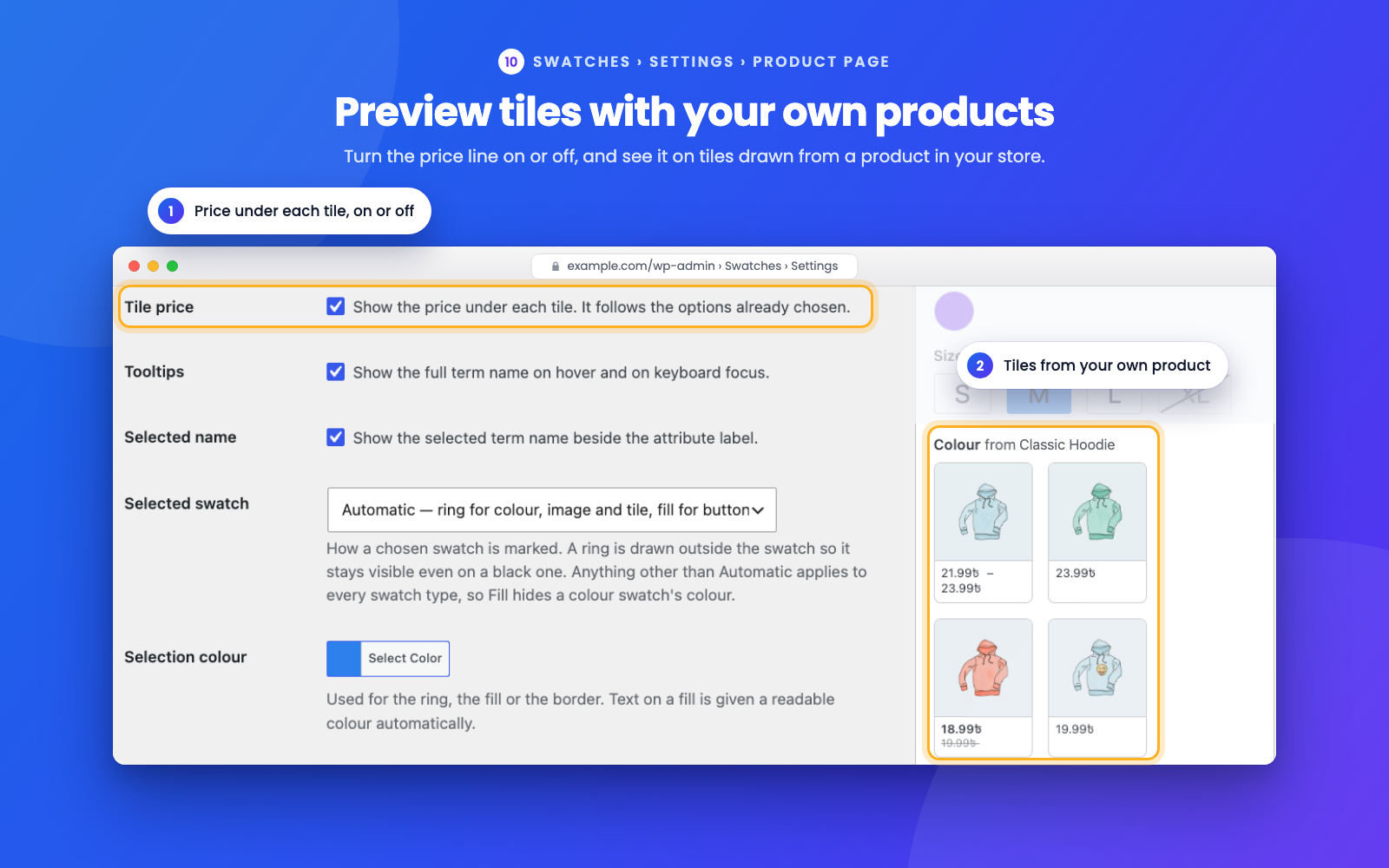
Swatches > Settings > Product page — the tile price setting, with a preview of tiles drawn from a product in your store.
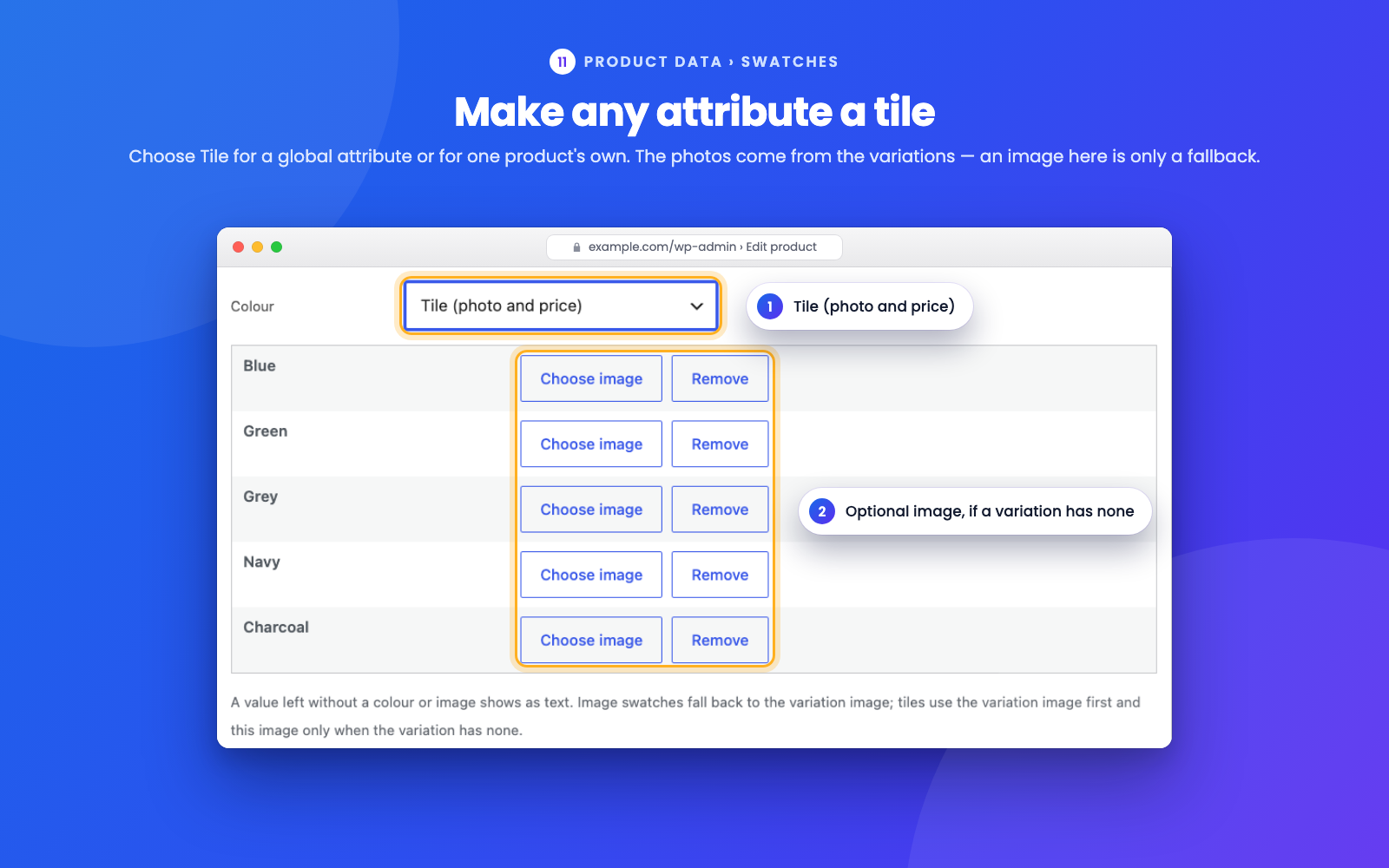
The Swatches tab of a product with an attribute set to Tile. Photos come from the variations; an image here is only a fallback.