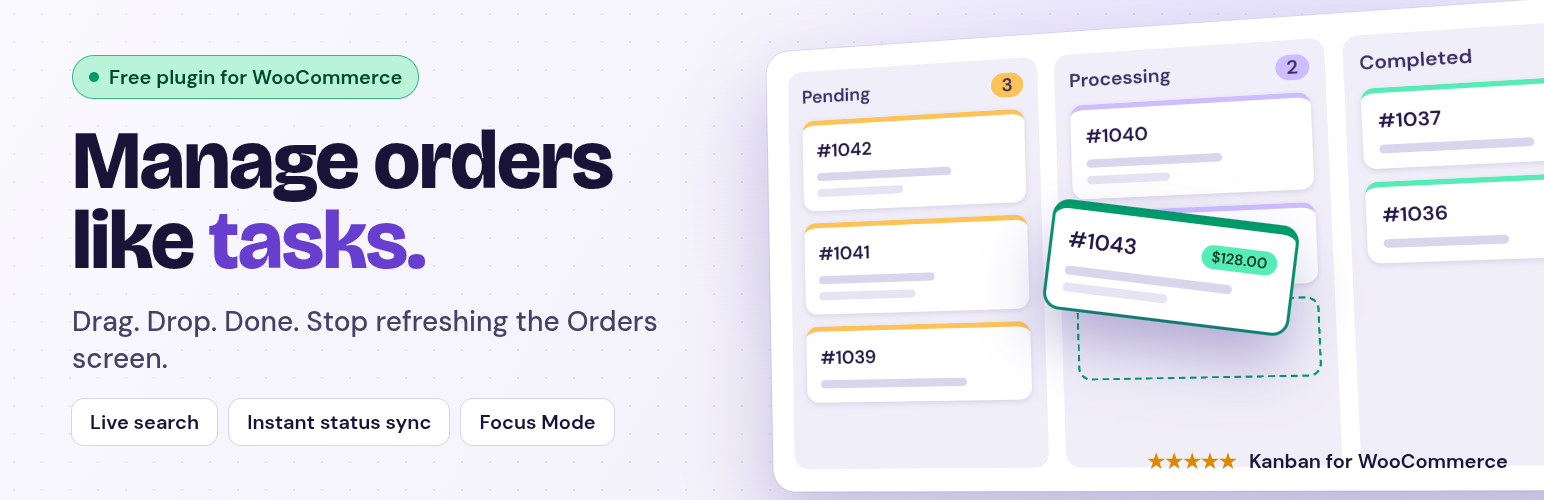
Kanban for WooCommerce transforms your WooCommerce order management by providing a clear, visual overview of your order workflow. Organize your orders into Kanban boards based on their statuses, making it easy to track progress, identify bottlenecks, and streamline your fulfillment process.
Manage WooCommerce orders like tasks on a visual drag-and-drop Kanban board.
Move orders across statuses instantly, filter by customers or products, and stay in full control of your store workflow — all from one screen.
✅ Stop refreshing WooCommerce Orders. Start managing visually.
🚀 FEATURES (Free Version)
📦 Visual Order Management
- View all your WooCommerce orders as cards on an interactive Kanban board.
- Instantly drag & drop orders between Pending, Processing, Completed, etc.
- Color-coded columns make it easy to track each stage of your fulfillment flow.
🔍 Smart Order Search
- Search live by order number, customer name, product name, or payment method.
- Filter results instantly without leaving the board.
⚙️ Real-Time Order Updates
- Moving a card automatically updates the WooCommerce order status — no reload needed.
- Built-in AJAX ensures your changes are saved safely and instantly.
🧾 Order Details Popup
- Click any order card to open a detailed modal view with full order info.
- Check payment, shipping, and product details without leaving the page.
💡 Responsive Design
- Works beautifully on desktop, tablet, or large admin dashboards.
- Minimal UI built with Bootstrap 5 for speed and clarity.
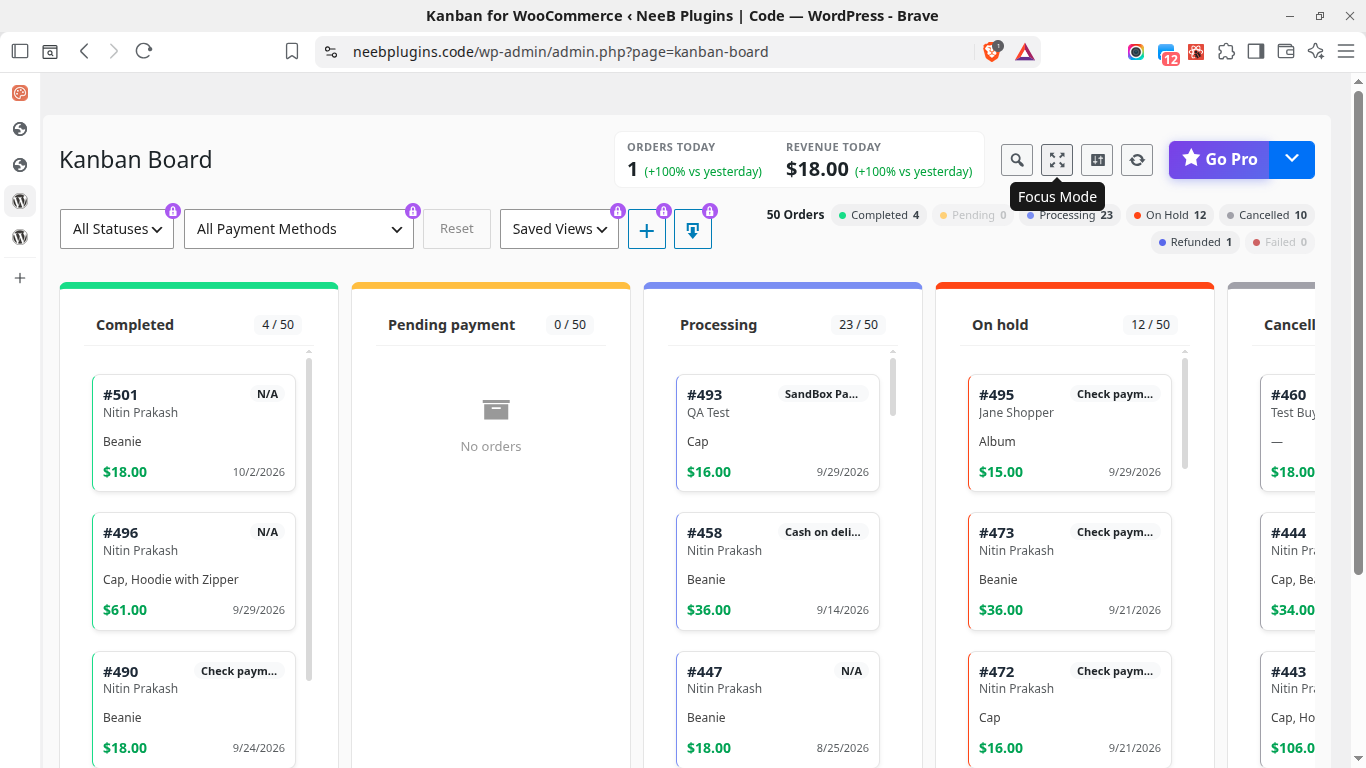
✨ Focus Mode
Go distraction-free with one click.
Toggle Focus Mode to hide the WordPress admin sidebar and top bar — giving you a clean, full-width workspace for maximum productivity.
Perfect for large monitors or daily operations.
Focus Mode gives you a clean, distraction-free workspace by hiding WordPress admin UI elements.
Perfect for fulfillment teams or store managers who spend hours inside WooCommerce.
Features:
– Full-width layout (no sidebar)
– Smooth enter/exit animation
– Sticky toolbar with search + filters
– One-click toggle using the focus icon
Once you try Focus Mode, you’ll never go back to the default WordPress view.
💡 Designed for teams that want efficiency and clarity.
🧠 Smart Analytics & Metrics
- Real-time order count badges for every list (e.g., “Processing 5/32”).
- Track your workload at a glance.
🔄 Enhanced Drag & Drop
- Trello-style animations with smooth transitions.
- Visual feedback and toast confirmations for every move.
🧱 Team-Ready Performance
- Optimized for hundreds of orders per screen.
- Lightweight scripts (no external dependencies).
- Built using WordPress standards and REST API.
Ideal for:
- WooCommerce store owners looking for a visual order management system.
- E-commerce businesses wanting to improve order fulfillment efficiency.
- Teams needing a collaborative way to manage WooCommerce orders.
💎 UNLOCK PRO: TAKE COMPLETE CONTROL OF YOUR WORKFLOW
For busy or growing stores, Kanban for WooCommerce Pro unlocks advanced features and options designed to maximize team productivity.
🌟 PRO-ONLY FEATURES:
- 💾 Save Customized Board Settings: Save your tailored board views (column order, hidden lists, and limits) permanently for yourself and your team.
- 🔀 Custom Column Ordering & Visibility: Reorder columns and hide statuses (like Refunded or Cancelled) to match your team’s exact fulfillment steps.
- ⚡ Scalable Load Limits: Customize the number of orders loaded per screen to optimize performance for massive stores.
- 🌐 Network-Wide Multisite Support: Use the Kanban board across your entire WordPress Multisite network.
- 💬 Premium Support: Priority ticket and email response directly from our core engineering team.
🚀 UPGRADE TO PRO TODAY (7-DAY FREE TRIAL)
Stop refreshing, scrolling, and clicking back-and-forth. Unlock a truly seamless WooCommerce order workflow.
🧩 Store owners commonly use Kanban for WooCommerce to:
- Process orders visually
- Reduce order management friction
- Improve workflow visibility
❤️ Loved by WooCommerce store owners who value clarity, control, and speed.
Support
For support, please visit Support Desk or use the support forums on WordPress.org.
🚀 READY TO UNLOCK ULTIMATE FULFILLMENT SPEED?
Stop wasting hours clicking through clunky WooCommerce order screens. Join successful store owners who have streamlined their workflow, eliminated shipping bottlenecks, and streamlined their workflow and improved order visibility.
Why Upgrade to Pro today?
- Save Your Setup: No more re-configuring columns. Set it once, save it forever.
- Work Without Friction: Filter, sort, and export order data seamlessly in seconds.
- 7-Day Free Trial: Zero risk. See the difference in your store’s speed before you pay a single dime.
👉 Upgrade to Kanban for WooCommerce Pro Now (7-Day Free Trial)
Scale your operations, protect your focus, and experience lightning-fast order processing today.
Screenshots
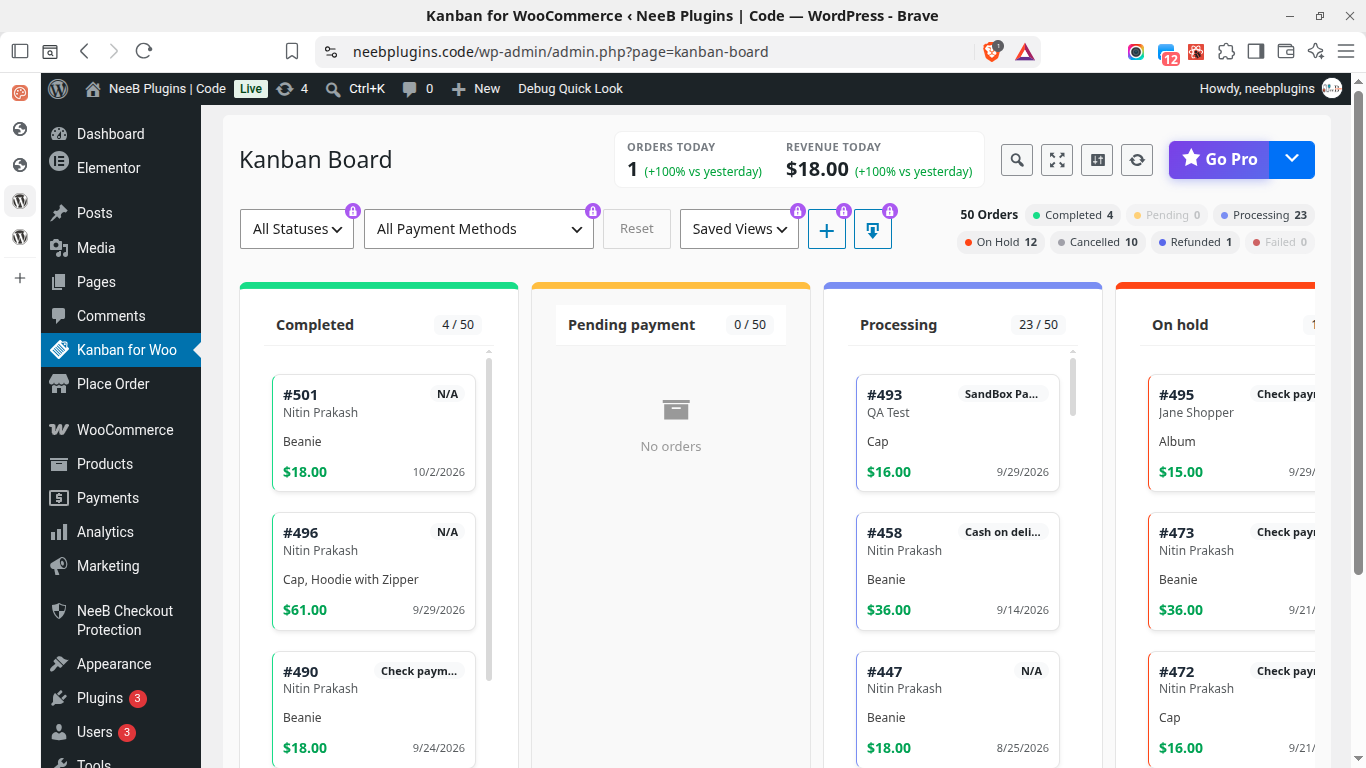
Manage WooCommerce orders visually on a Kanban board.
Quick access to Kanban Board from the WooCommerce Orders screen.

Configure board visibility and display settings.

Focus Mode for distraction-free order management.