
Sell cheese by the kilogram, fabric by the meter, flooring by the square meter or paint by the liter. Customers type the amount they need (1.25 kg, 2.6 m, 3.5 m²); the product price is the price of one unit and every total is price × quantity, calculated by WooCommerce itself.
Real decimal quantities, end to end. The cart line says 1.25 kg, the order line says 1.25 kg, the stock goes down by 1.25 and the e-mail shows 1.25 kg. There are no hidden “1 piece” lines, so payment gateways, invoices and reports receive the real quantity and unit price.
Features
- 10 sale units: kilogram, gram, pound, meter, centimeter, foot, square meter, square foot, liter, milliliter.
- Per product: sale unit, quantity step (up to 4 decimals, e.g. 0.005 kg), minimum, maximum and default amount.
- Product page: unit label next to the quantity field, minimum/maximum hint and a live total (“Total: $16.24 (1.250 kg at $12.99 / kg)”), also for variable products.
- “/ kg” after prices on product pages and product lists (can be switched off).
- Stock in the sale unit with decimals: “8.75 kg in stock”. Orders reduce it exactly; cancelled orders give it back.
- Classic and block Cart and Checkout, the mini cart and the Store API: the same step, minimum and maximum apply everywhere because they are set through WooCommerce’s own quantity rules.
- Unit price row in the cart and checkout (“Unit price: $12.99 / kg”).
- Thank-you page, My Account, order e-mails and the admin order screen show the unit and the unit price, without template overrides.
- Products sold in whole items stay whole: decimals are only accepted for products that have a sale unit.
- Product lists and product grid blocks add the default amount with one click.
- Compatible with High-Performance Order Storage (HPOS), the Cart and Checkout blocks and block themes.
- Lightweight: two small scripts (no build step, no external libraries), loaded only where they are needed.
- No external requests, no tracking, no account, no license key. Every feature in this plugin is free.
How it works
- Open a product, tab Sell by measure, choose a sale unit (for example kilogram) and optionally a step, minimum, maximum and default amount.
- Enter the price of one unit as the regular price (for example $12.99 for 1 kg).
- Set the stock in the same unit in the Inventory tab, for example 125.5.
That’s it: customers can now buy 0.75 kg or 2.35 kg, and the cart, checkout, order and stock follow.
Full edition
This plugin is complete on its own. Stores that need more can use the full edition, Sell by Measure for WooCommerce (sold separately at kaviolabs.com), which adds category defaults, quick-amount buttons, a length × width calculator for area units and five more units (oz, in, yd, gal, fl oz). It reads the product settings made with this plugin, so nothing has to be set up again.
Screenshots

Product page: quantity in kilograms with the unit label, minimum hint and live total.
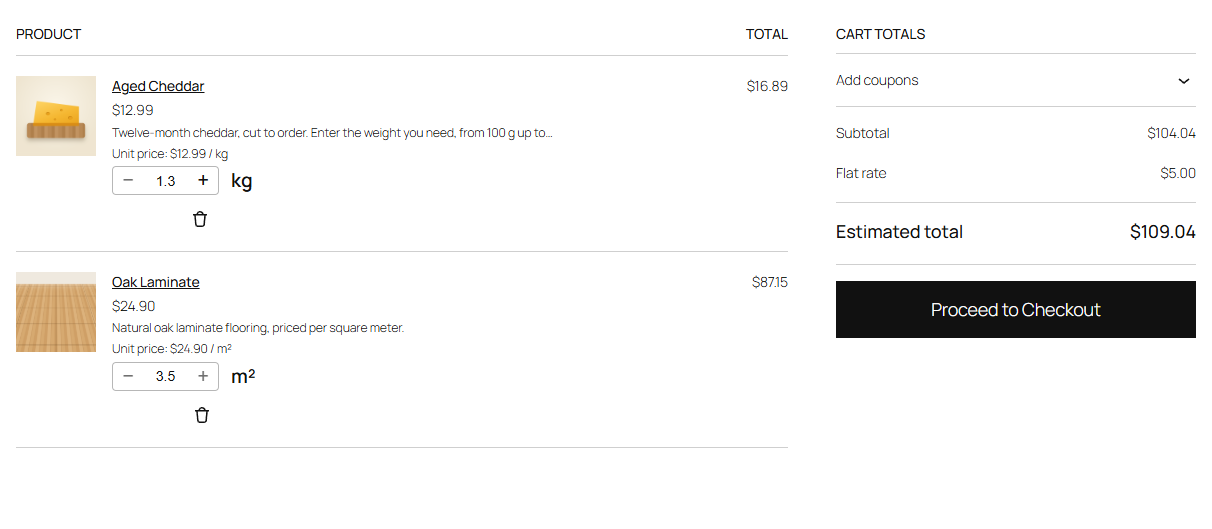
Cart block: the unit next to the quantity selector and the unit price of the line.
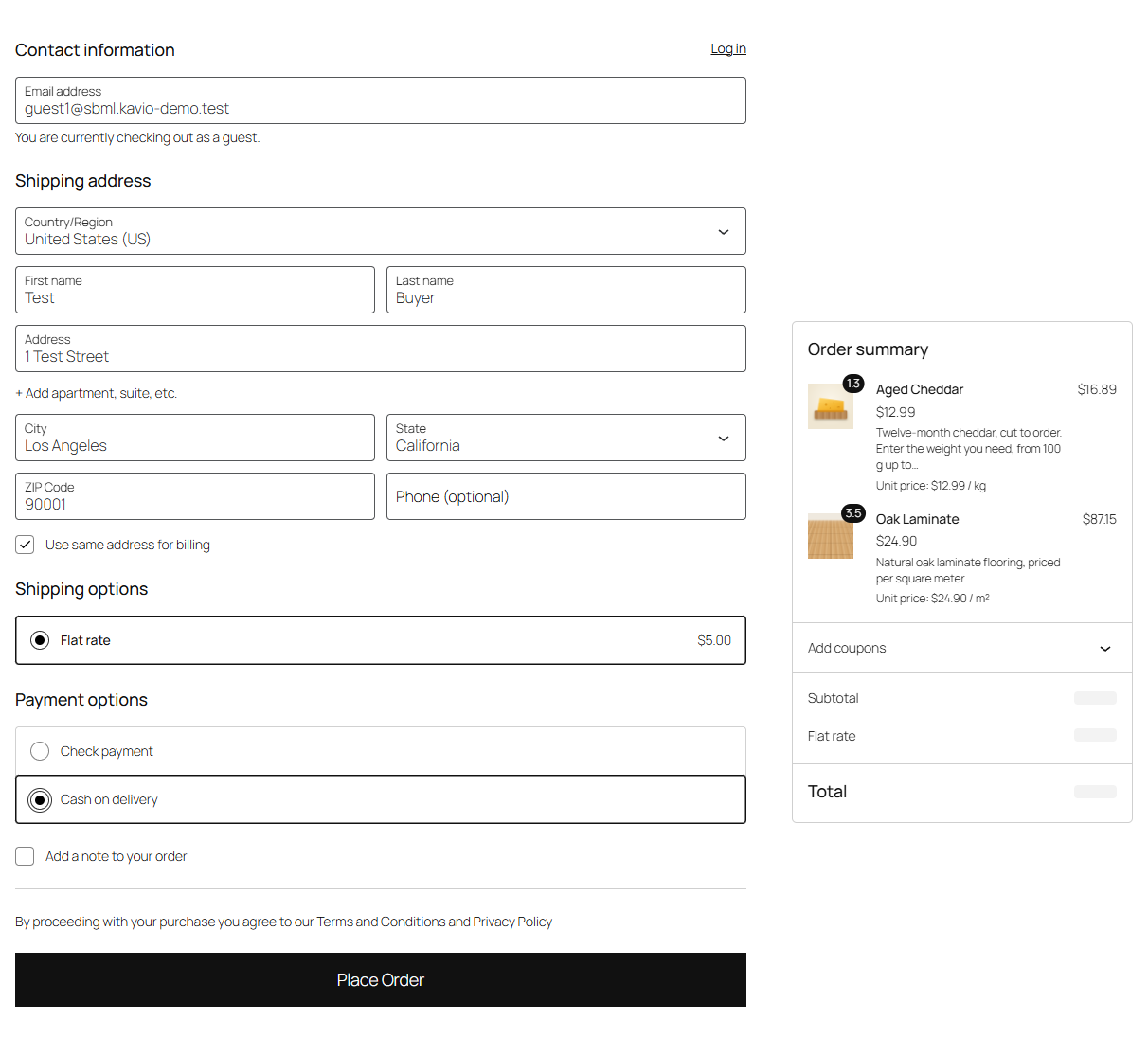
Checkout block: order summary with decimal quantities.
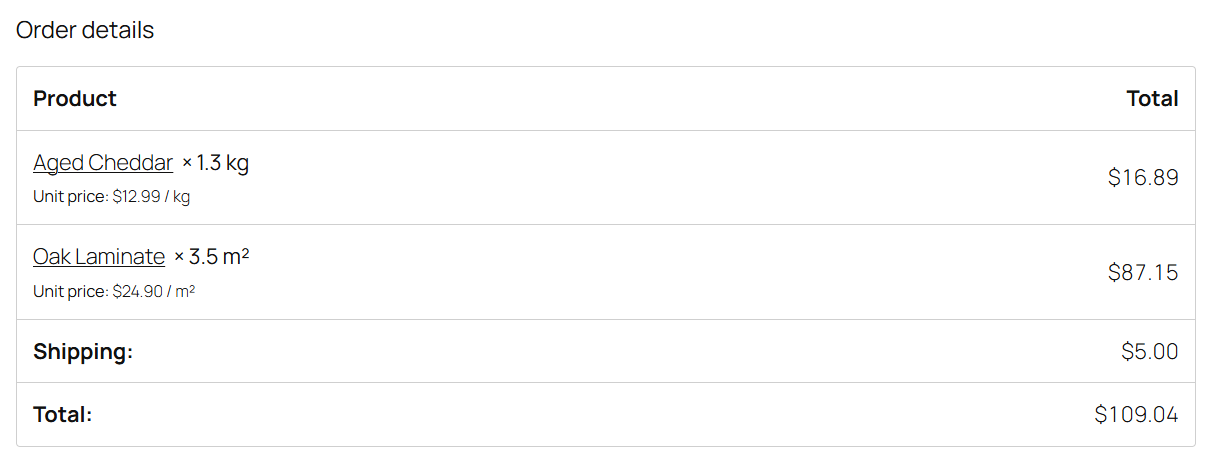
Order received page: quantity with the unit and the unit price.

Product data tab "Sell by measure": sale unit, step, minimum, maximum and default amount.
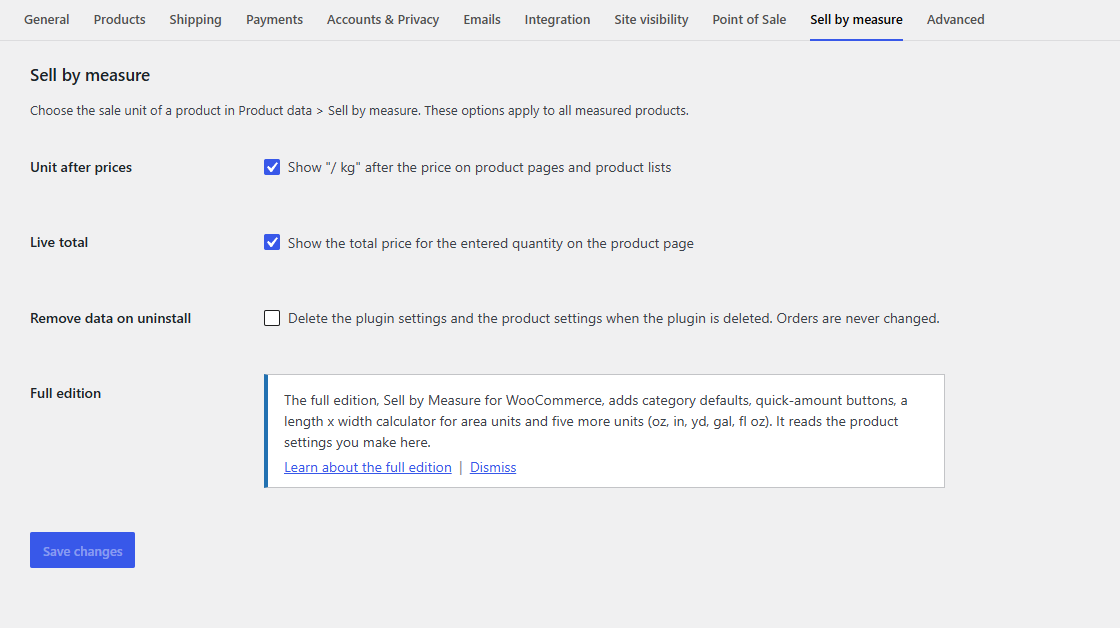
Settings: unit after prices, live total and data removal.