BACK TO DIRECTORY

When you switch themes or change image sizes, your existing images keep their old sizes and new sizes are missing. Kestrelpine Image Size Manager rebuilds the sizes you pick for the images you pick, with a progress screen you can pause and resume, and it shows the old size files that nothing uses any more.
Features
- Regenerate all images, a selection from the Media Library, or a single image.
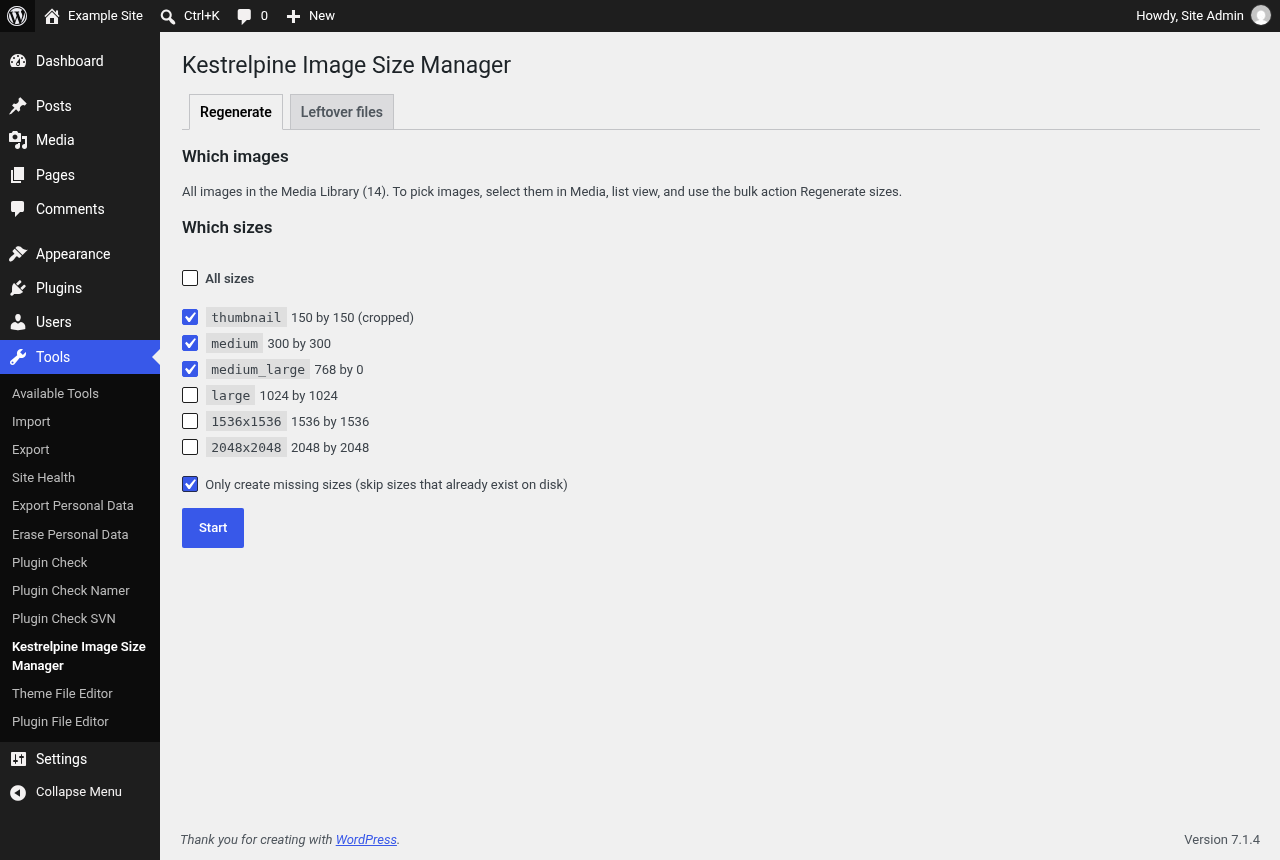
- Pick which registered sizes to rebuild, or rebuild them all.
- Missing only mode creates sizes that are absent and leaves existing files alone.
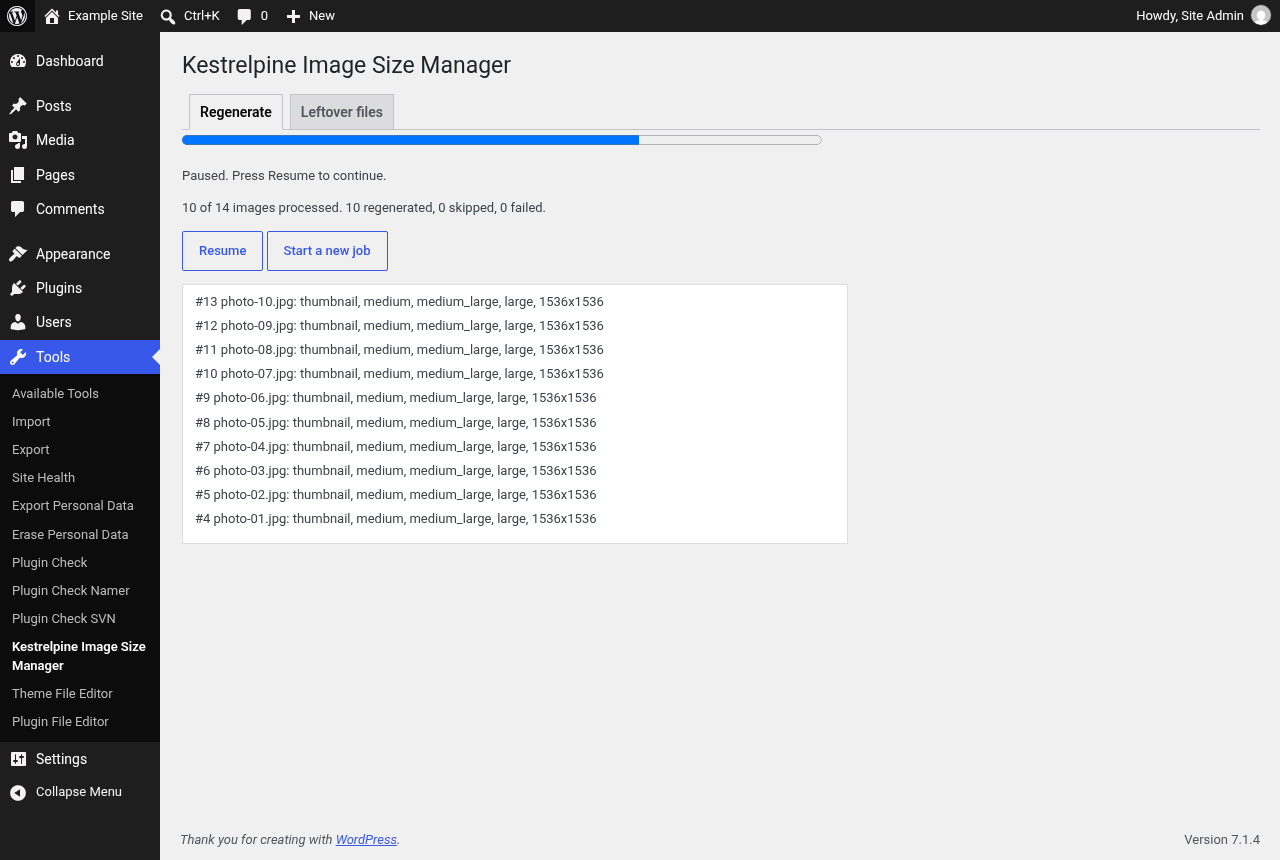
- Progress screen that works in small batches, so it does not time out on large libraries. Pause at any time, leave the page, and resume later.
- WP-CLI command:
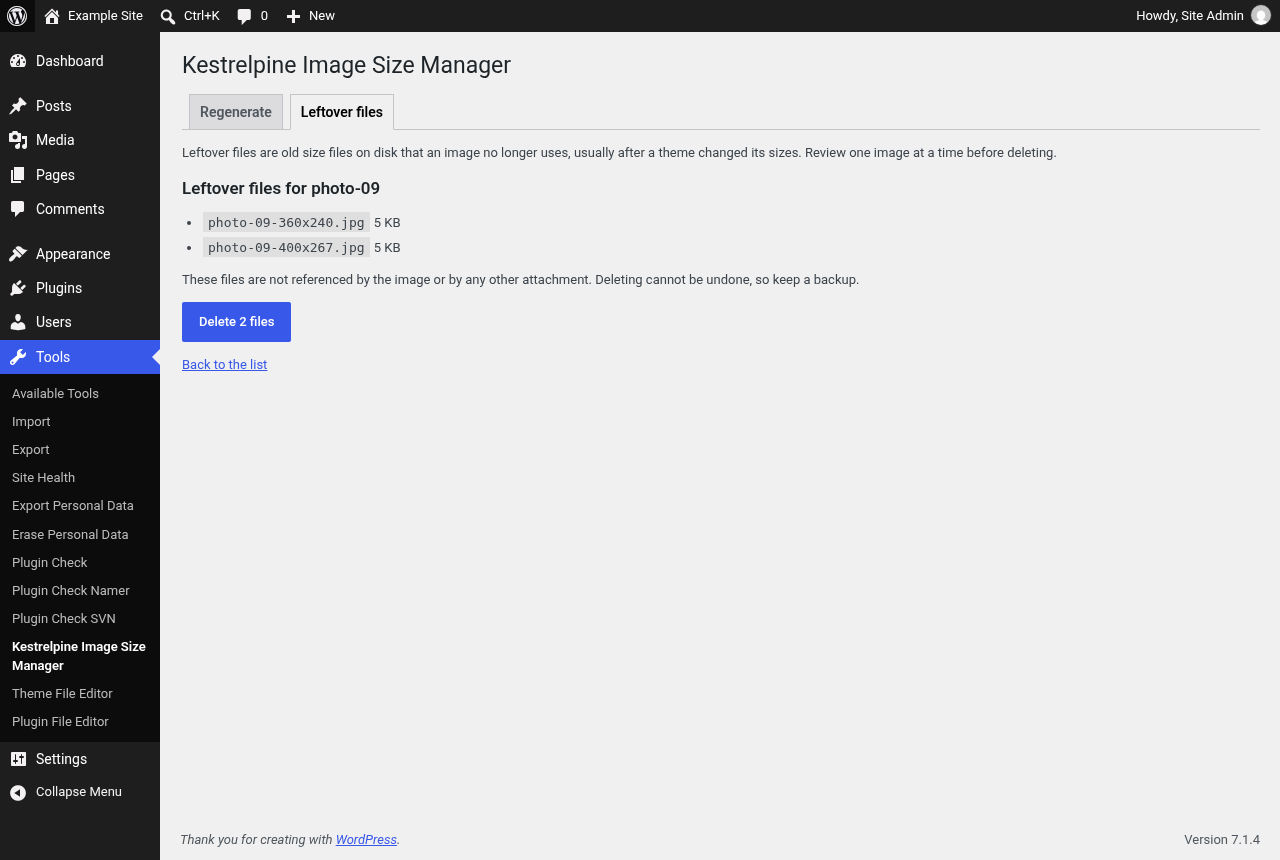
wp kestrelpine-sizes regeneratewith--sizes,--missing-only,--from,--toand--dry-run. - Leftover files report: a resumable scan walks the whole Media Library in small batches and lists only images with size files on disk they no longer use, with a preview, and deletes them one image at a time.
- Uses the WordPress image functions, so WebP and AVIF output settings from core or other plugins are respected.
- No external requests, no tracking, no ads. Only administrators can use it.
Privacy
Kestrelpine Image Size Manager does not send any data anywhere and does not set cookies. It stores the progress of a running job in your user profile and removes it when you uninstall the plugin.
Screenshots
Regenerate screen with size picking and the missing only option.
Progress screen with pause and resume.
Leftover files tab after a full library scan, listing only images with leftover files.
Leftover files preview for one image.
Plugin Details
Active Installs
0Total Downloads
36Version
1.0.0Requires WP
6.4Requires PHP
7.4Tested Up To
7.1.4Added
2026-10-31Last Updated
2026-10-31 11:42am GMTRatings
5
0
4
0
3
0
2
0
1
0