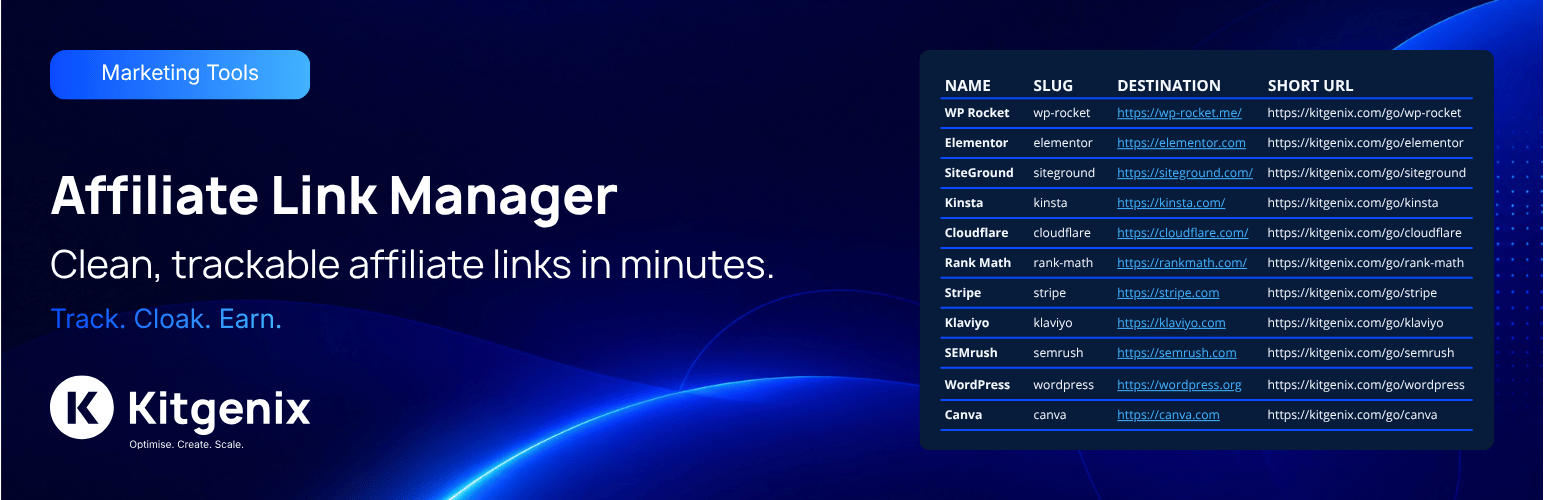
Kitgenix Affiliate Link Manager is a self-hosted WordPress affiliate link manager for creating branded short links, controlling redirect destinations, organising campaigns and measuring aggregate click activity without relying on a hosted Kitgenix tracking platform.
It is built for affiliate marketers, publishers, content websites, agencies, review sites, WooCommerce stores and other WordPress sites that publish external campaign or partner links. Instead of scattering long destination URLs throughout your content, publish a stable first-party URL such as example.com/go/product-name/ and manage the destination behind it from WordPress. The public short link can remain unchanged even when the affiliate destination changes.
Learn more about the developer behind the plugin at Kitgenix.
Key Features
- Create branded short URLs on your own WordPress domain.
- Configure the global redirect prefix used before link slugs.
- Change destinations without changing the public short URL.
- See who changed a link destination and when, and restore an earlier address with one click.
- Insert and search saved affiliate links from the block editor without copying slugs manually.
- Enable or disable individual links without deleting them.
- Choose the redirect status used for managed links.
- Add
nofollow,sponsored, ornofollow sponsoredrelationship guidance to link records. - Schedule when links become active and when they expire, with a fallback URL for other cases.
- Rotate one public link across several destination URLs using sequential or random rotation.
- Organise links with groups and tags; search, filter, sort, duplicate and bulk-manage records.
- Record aggregate click analytics without storing visitor IP addresses.
- Run automatic and manual destination health checks.
- Import and export links using CSV and JSON workflows.
- Manage links programmatically through authenticated REST API routes or WP-CLI.
See the “Other Notes” section below for full details on each feature area.
Branded Redirects and Stable Short Links
Each managed link has a WordPress-controlled slug. The plugin combines that slug with the configured redirect prefix to create the public-facing URL. A prefix such as go and a slug such as hosting-offer produces a route similar to /go/hosting-offer/.
When a visitor requests that route, the redirect layer resolves the matching link, checks whether it is enabled and currently active, evaluates any start/expiry rules, chooses the appropriate destination, records the aggregate click event and then issues the configured redirect. The underlying affiliate URL can be changed later while the public URL remains stable.
The managed link records are stored in the private kitgenix_aff_link post type. Groups use the kitgenix_aff_group taxonomy and tags use kitgenix_aff_tag, allowing large collections of campaigns to be organised without exposing those records as normal public posts.
Block Editor Affiliate Link Picker
This is a text-formatting option inside text blocks (Paragraph, Heading, List, and similar) – not a separate block you add from the block inserter’s “+” menu, so searching the inserter for “Affiliate link” will not find it.
To use it: select some text inside a text block, then open the block toolbar’s More rich text controls button – the small overflow/chevron icon next to Bold, Italic and Link – and choose Affiliate link. That opens a searchable list of saved links; pick one and the selected text is linked to its branded short URL, with the link’s rel value applied automatically. If no text is selected, the link name is inserted for you. An “Open in new tab” toggle is included, and the same button can change or remove an existing affiliate link.
Anyone who can write posts can use the picker. It only shows link names and short URLs, never the underlying affiliate destinations. The button only appears for users who can edit_posts (filterable with kitgenix_affiliate_picker_capability); a user without that capability won’t see it at all, with no error shown.
Destination Change History
Every time a link’s destination changes, the plugin records the previous and new address, who made the change, when it happened, and where it came from (admin screen, REST API, WP-CLI, import, duplicate or restore). The original address is recorded when a link is created.
Open a link’s Edit screen (or use the History row action) to review the changes. You can restore an earlier address with one click if a merchant URL was changed by mistake.
Scheduling, Expiry and Fallback Destinations
Campaigns frequently have start dates, expiry dates or time-sensitive offers. Each link can store a start timestamp and expiry timestamp so the redirect state is evaluated automatically at request time.
A fallback URL can be used when the normal destination should not be used. This is useful for expired promotions, not-yet-active campaigns, retired products or other cases where sending a visitor to an alternative page is better than leaving a dead affiliate link in published content.
Because the schedule is evaluated by the redirect resolver, the behaviour is functional rather than a wp-admin label only.
Destination Rotation
A single branded link can distribute requests across a pool of destinations. The plugin supports no rotation, sequential rotation and random rotation. The primary destination and additional rotation destinations form the available pool used by the redirect logic.
Rotation can be useful for publishers testing several offers, balancing traffic between equivalent landing pages, or maintaining one memorable public URL while working with multiple destination URLs.
Link Groups, Tags and Bulk Administration
Groups and tags provide two layers of organisation. The admin interface also includes search, filtering, sorting and bulk operations, making it practical to manage more than a handful of redirects.
Bulk tools include assigning groups and adding tags to selected links. Existing links can be duplicated to create a new campaign from a known configuration, and links can be enabled or disabled independently of deletion.
Aggregate Click Analytics
The analytics subsystem stores daily aggregate statistics in the plugin-owned {prefix}kitgenix_aff_click_stats database table. It can report total clicks, recent click trends and breakdowns by source, placement and normalised referrer host.
The click-statistics implementation is intentionally aggregate. It does not store the visitor’s IP address, full browser user-agent, full referring URL, tracking cookie or browser fingerprint as part of the analytics record. Referrer data used for reporting is reduced to the host before storage.
The plugin also maintains link-level click totals and cached overview data so the admin interface does not need to reconstruct every summary on every page load.
Affiliate Destination Health Checks
Managed destinations can become unavailable, start returning errors or redirect somewhere unexpected. The health-check system can inspect configured destinations and retain the resulting status, message, HTTP code, final URL, redirect-hop count and time of the last check.
Health checks can run automatically using WordPress scheduled events or can be started manually for a link. The automatic checker processes the catalogue in batches and maintains a cursor/summary so a large link library does not need to be tested in one request.
Health checking sends a normal server-side HTTP request to the destination selected by the site administrator. The destination website therefore receives ordinary request/network information. The plugin does not send those checks through a Kitgenix proxy.
CSV and JSON Portability
Import/export tools are available for administrators who need to move links between WordPress environments or update them in bulk. CSV output includes protection against spreadsheet-formula injection, and JSON is available where a structured interchange format is more convenient.
Import processing validates and normalises incoming records and uses bounded batch sizes. Existing records can be matched according to the supported import workflow instead of every import being treated as a completely new link.
REST API for Affiliate Links
The authenticated REST namespace is:
kitgenix-affiliate-link-manager/v1
The codebase implements routes for listing, creating, reading, updating and deleting links, plus import/export, enable/disable, duplication, click-reset, health-check, destination-history and destination-restore actions. Collection requests support common filters such as search, group, tag, enabled state, ordering and pagination.
REST management is protected by the plugin’s management capability checks; the plugin does not expose anonymous link administration. The block editor’s read-only GET /links/picker search route only needs the edit_posts capability.
WP-CLI
The command base is:
wp kitgenix-affiliate link
Implemented commands include get, create, update, disable, enable, duplicate, reset-clicks, check-health, history, restore-destination, delete, export and import.
These commands make the plugin suitable for scripted migrations, deployment workflows and administrators who prefer command-line management.
Privacy-Focused, WordPress-Native Storage
Link records, taxonomies, settings, logs and aggregate analytics are stored in WordPress or the site’s own database. The plugin uses WordPress posts, metadata, taxonomies, options, scheduled events, the HTTP API, REST API and capability/nonce controls.
There is no remote Kitgenix click-tracking account required to create or use links. External network activity is limited to actions that inherently require it, such as redirecting a visitor to the destination, checking a destination’s health, retrieving public Kitgenix plugin information for the shared admin Hub, or loading the disclosed admin font service.
Typical Use Cases
- Affiliate marketing links in comparison articles and product reviews.
- Branded
/go/links in newsletters or social campaigns. - Stable URLs for printed material and QR codes.
- Time-limited promotions that should start or expire automatically.
- Campaign links that need a safe fallback after an offer ends.
- Testing or distributing traffic across multiple destinations.
- Agencies managing many partner links from one WordPress dashboard.
- Sites that need aggregate click reporting without visitor-level profiling.
Configuration
Redirect prefix
The prefix forms the path before each link slug. For example, a prefix of go and slug of example-offer produces a public path similar to /go/example-offer/.
Choose a prefix that does not conflict with an existing page, post, taxonomy, endpoint, or other rewrite rule.
Redirect status
The plugin allows the redirect status to be configured and exposes a developer filter before the final redirect is issued. Select the status that matches how you intend the branded URL to behave and how permanent the destination relationship is.
Health-check timing
Health checks create outbound requests to configured destination URLs. A very aggressive schedule on a site with thousands of links can create unnecessary background HTTP traffic. Use a frequency and timeout appropriate for your catalogue size and hosting limits.
Uninstall cleanup
The settings include an uninstall-data choice. By default, uninstall is conservative so an accidental plugin deletion does not automatically destroy affiliate link records and analytics. Enable deletion only when you intentionally want plugin-owned data removed during uninstall.
Developers
Data model
Private post type: kitgenix_aff_link
Taxonomies:
kitgenix_aff_groupkitgenix_aff_tag
Primary post meta includes destination URL, click count, rel guidance, enabled state, campaign note, schedule timestamps, fallback URL, rotation settings, destination-health fields, and the capped destination change history.
The plugin-owned aggregate analytics table is:
{prefix}kitgenix_aff_click_stats
The main settings option is:
kitgenix_affiliate_link_manager_settings
Additional options are used for analytics schema versioning, aggregate totals, destination-health progress/summary, and the event log.
REST namespace
kitgenix-affiliate-link-manager/v1
See the Description section above for the route list.
WP-CLI base command
wp kitgenix-affiliate link
Filters
kitgenix_affiliate_destination_url– filter the resolved destination before redirect.kitgenix_affiliate_redirect_status– filter the HTTP redirect status.kitgenix_affiliate_slug_cache_ttl– adjust the redirect slug-lookup cache TTL.kitgenix_affiliate_manage_capability– change the capability required to manage affiliate links.kitgenix_affiliate_health_check_timeout– adjust destination health-check timeout.kitgenix_affiliate_max_import_items– adjust the maximum number of import rows. Default: 2,000.kitgenix_affiliate_list_records_limit– adjust the internal maximum records loaded by applicable REST/WP-CLI list, export, and matching operations. Default: 5,000.kitgenix_affiliate_picker_capability– change the capability required to use the block editor link picker. Default:edit_posts.kitgenix_affiliate_destination_history_limit– adjust how many destination history entries are kept per link. Default: 50.
Actions
kitgenix_affiliate_redirected– fires after click counting and immediately before the redirect exits. The action receives the post ID, slug, destination, and HTTP status.
Scheduled events
The health checker uses plugin scheduled events including kitgenix_affiliate_run_health_checks and kitgenix_affiliate_run_health_checks_once. A custom kitgenix_affiliate_thirty_minutes schedule is registered when the 30-minute interval is used.
Security & Privacy
The plugin is designed so that link management remains an authenticated WordPress administration task. Admin operations use WordPress capabilities and nonce validation where appropriate, and REST management endpoints apply permission checks.
Redirect input and stored fields are sanitised/normalised according to their purpose. Health-check and redirect destinations are URL values supplied by authorised site administrators.
Click analytics are aggregate rather than a persistent visitor profile. The analytics table does not store visitor IP addresses, full user-agent strings, full referrer URLs, cookies, or device fingerprints. Source, placement, and normalised referrer host can be stored as aggregate dimensions.
The plugin can make outbound HTTP requests to administrator-configured destination URLs for health checking. Site owners remain responsible for ensuring their use of affiliate links, analytics, and any destination services complies with applicable privacy, disclosure, advertising, and affiliate-marketing requirements.
External Services
Affiliate destination websites
When a visitor follows a branded affiliate link, their browser is redirected to the destination URL configured by the site administrator. That destination is an external service/site selected by the administrator and is not controlled by this plugin. The destination will receive the request after redirect according to normal web behaviour and its own privacy terms.
Destination health checking
When destination health checks run, WordPress sends a server-side HTTP request to the destination URL configured for the affiliate link. This is required to determine response status, redirects, and final destination health. The remote destination may receive the requesting server’s IP address and standard HTTP request information.
WordPress.org plugin information
The shared Kitgenix admin interface can request public plugin-directory information from WordPress.org, such as active-install or rating/media information used in Kitgenix screens. This request is administrative and is not required for public affiliate-link redirects.
WordPress.org terms/privacy: https://wordpress.org/about/privacy/
The plugin does not require a Kitgenix cloud service to process affiliate redirects or aggregate click tracking.
Uninstall
By default, uninstall keeps the affiliate-link records and analytics so deleting the plugin does not unexpectedly destroy campaign history.
If the plugin’s delete-data-on-uninstall option is enabled before uninstalling, the cleanup routine can remove plugin-owned affiliate link posts, related metadata/terms, options, transients, and the aggregate analytics table. Review backups and retention requirements before enabling destructive cleanup on a production site.
Support
For product information and Kitgenix resources, visit Kitgenix.
When reporting an issue, include the plugin version, WordPress version, PHP version, relevant reproduction steps, and any non-sensitive diagnostic code shown by the activity/health tools. Do not post affiliate credentials, private destination tokens, or other secrets in public support channels.
Support Development
If Kitgenix Affiliate Link Manager is useful to your site, you can support continued development by leaving a WordPress.org review, sharing constructive feedback, contributing code where appropriate, or using the donation link listed at the top of this readme.
Credits
Kitgenix Affiliate Link Manager is developed by Kitgenix and built on WordPress APIs and conventions.
Screenshots

Affiliate Links list with branded short URLs, destinations, click counts, health status, search, filters, sorting, and bulk actions.

Add/Edit Link interface with destination, slug, schedule, fallback URL, rotation, group, tags, campaign note, rel guidance, and click count.

Analytics snapshot with recent totals, timeline, top sources, top referrers, and top placements.

Destination health summary with healthy, warning, and critical states plus on-demand checking.

Settings screen for redirect prefix, redirect type, list size, health-check timing, and uninstall cleanup.

CSV/JSON import panel for moving or updating link records.

Searchable activity log with diagnostic context and outcomes.