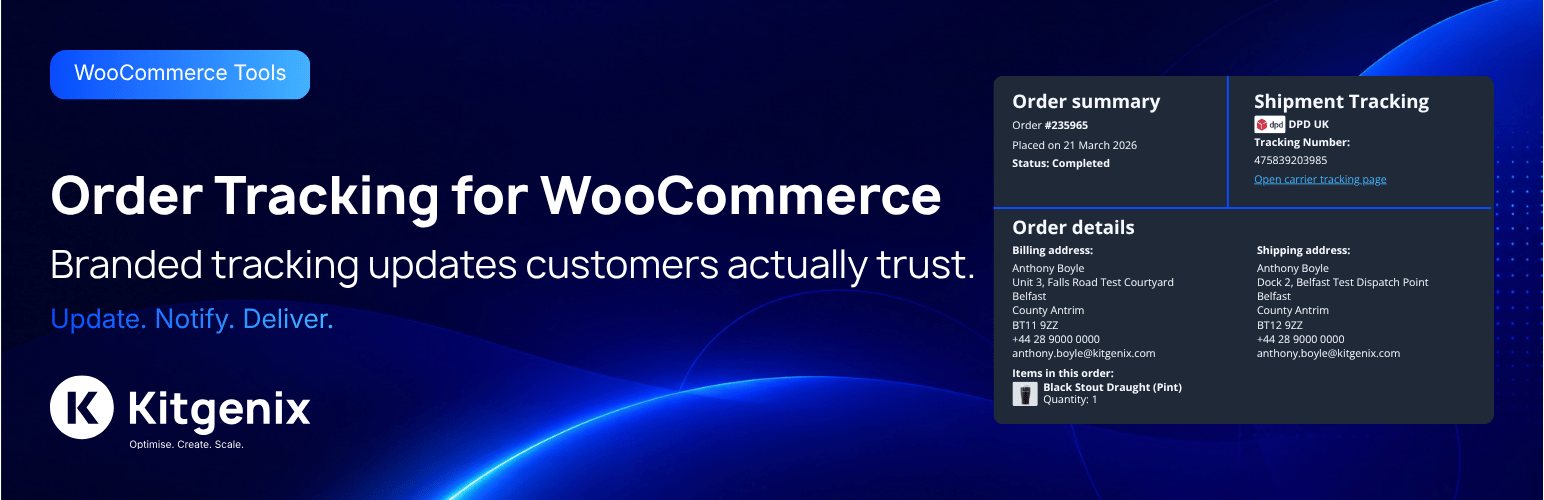
Kitgenix Order Tracking for WooCommerce adds shipment tracking to WooCommerce orders so store staff can record one or more parcels, allocate order items to shipments, include tracking details in customer emails and offer a self-service tracking page.
The plugin is intentionally different from a live carrier-management platform. It stores the tracking number, selected carrier, tracking URL and staff-managed shipment status; it does not call courier APIs to obtain live delivery scans and it does not buy labels or book collections.
That makes it suitable for stores that already fulfil orders through their preferred courier workflow but need a consistent place in WooCommerce to record and communicate tracking information.
Built by Kitgenix.
WooCommerce Shipment Tracking Features
- Add multiple shipments to one WooCommerce order.
- Store a tracking number and carrier for each shipment.
- Allocate specific order items and quantities to a shipment.
- Prevent allocated quantities exceeding what the customer ordered.
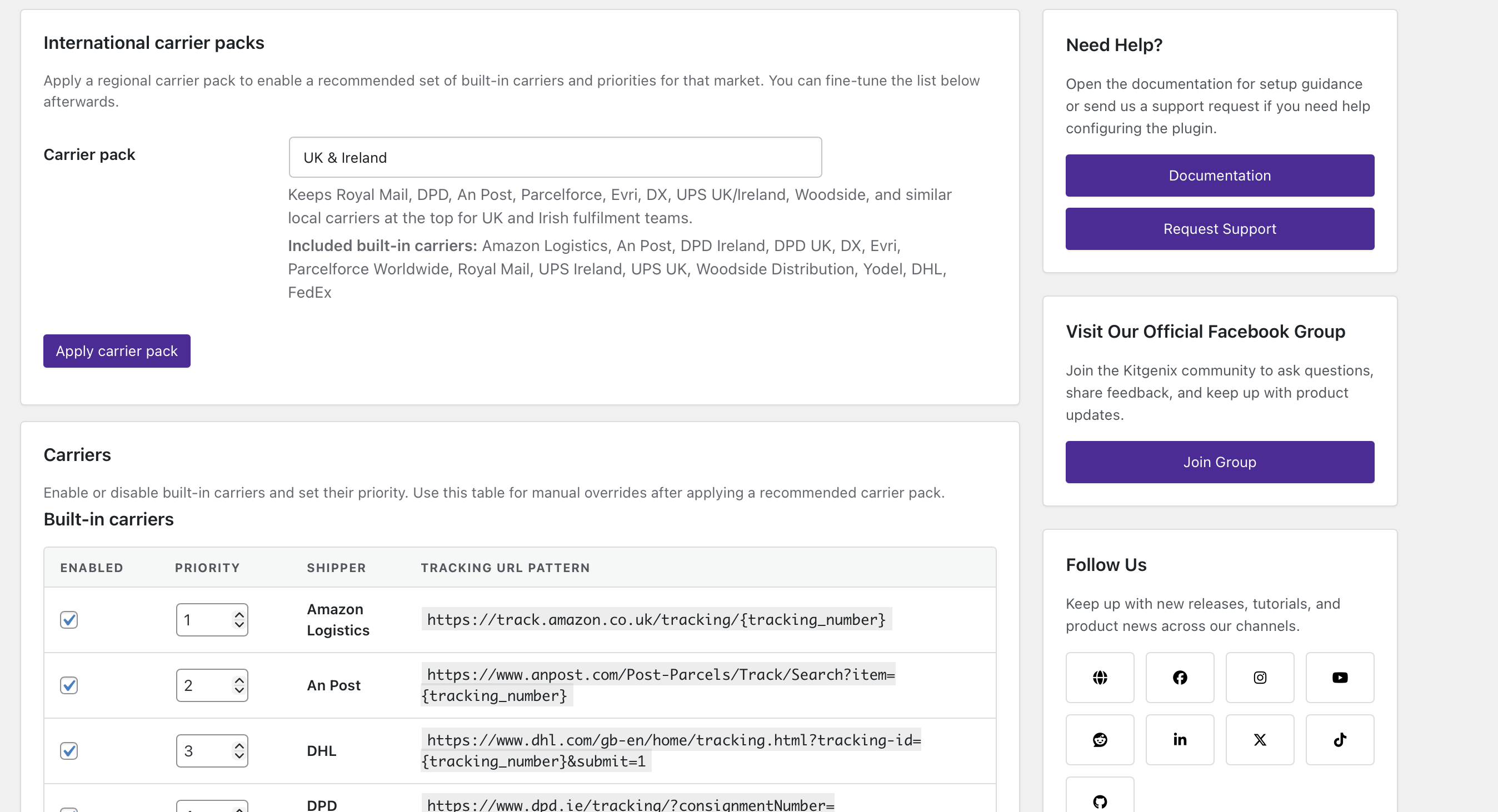
- Use built-in carrier tracking URL patterns.
- Create custom carrier entries for services not included by default.
- Track staff-managed shipment states including shipped, in transit, delivered, exception, returned and cancelled.
- Add tracking information to supported WooCommerce customer emails.
- Provide a dedicated partially-shipped workflow/status/email where configured by the plugin.
- Give customers a self-service order tracking page.
- Support a public tracking form with order-identification checks.
- Show tracking information in My Account for authenticated customers.
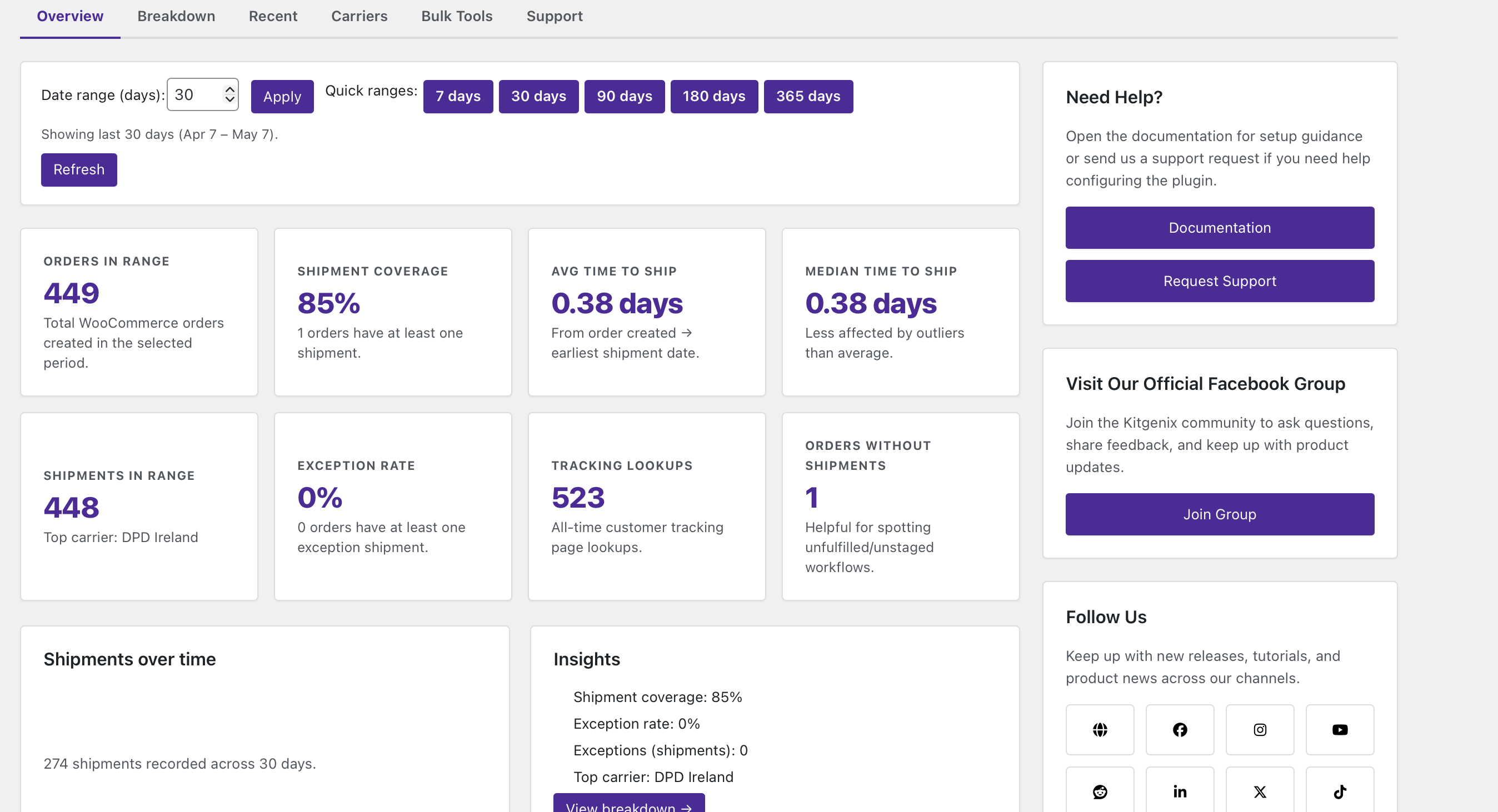
- Provide tracking analytics/reporting in wp-admin.
- Import/export tracking information in supported bulk workflows.
- Optional map presentation using OpenStreetMap tiles and Nominatim geocoding.
- Developer hooks/filters for extending carrier and tracking behaviour.
- Declare WooCommerce HPOS compatibility.
Multiple Shipments and Partial Fulfilment
An order can contain more than one shipment. Each shipment has its own tracking number, carrier and status, making the plugin suitable for split parcels, backordered lines, replacements or orders dispatched from more than one fulfilment location.
Items and quantities can be assigned to an individual shipment. Allocation is bounded by the quantities actually ordered, so the tracking UI cannot legitimately claim that more units were shipped than exist on the order line.
The remaining/unallocated items can continue to represent what has not yet been included in a parcel.
Shipment Statuses
The plugin defines internal tracking states including:
- Shipped.
- In transit.
- Delivered.
- Exception.
- Returned.
- Cancelled.
These values are controlled by store staff or other code that integrates with the plugin. They are not automatically fetched from Royal Mail, DPD, UPS, FedEx or another courier.
That distinction is important: a “Delivered” status in the plugin means the WooCommerce store has set that status, not that Kitgenix independently confirmed delivery with the carrier.
Built-In and Custom Carriers
The carrier manager includes a set of ready-made carriers with tracking URL patterns. The codebase includes services for the UK, Ireland and international markets, including Royal Mail, Parcelforce/related services represented in the carrier set, DPD, An Post, DHL, UPS, FedEx, USPS, Canada Post, Australia Post, NZ Post and others.
A custom/Other carrier option is available where a courier is not built in. A custom tracking URL pattern can contain the tracking-number placeholder so customer links still lead to the relevant courier tracking page.
Customer Email Notifications
Tracking information can be inserted into WooCommerce email flows. The plugin also includes a dedicated email class/workflow for partially shipped orders so customers can be informed when only part of an order has been dispatched.
Because tracking data is stored on the WooCommerce order, customer-facing output can reuse the same shipment records rather than staff copying numbers into several separate systems.
Self-Service Tracking Page
The frontend tracking experience lets a customer look up tracking information using supported order-identification details. Logged-in customers can see order-related tracking through My Account, while the public form validates the supplied order data before showing sensitive order context.
The output intentionally limits customer information rather than exposing a full order record to anyone who guesses an order number.
A shortcode is registered for the tracking form:
[kitgenix_tracking_form]
Tracking Analytics
The plugin includes an admin analytics area for reviewing shipment/tracking activity. Reporting is based on the tracking data stored with WooCommerce orders; it is not a remote courier analytics product and does not profile visitors across websites.
Optional Route Map
Where enabled by the frontend template/settings, the tracking page can display a simple map between the store origin and customer destination. The browser uses the bundled Leaflet library with OpenStreetMap map tiles and can query the public Nominatim geocoding service to translate the displayed addresses into coordinates.
The map is illustrative. The code draws a straight line between geocoded points; it is not a live courier route, vehicle location or turn-by-turn delivery route.
No Google Maps API key is required by this implementation.
Bulk Portability
The plugin includes import/export functionality for tracking records so stores can move or update shipment information in bulk rather than editing every order manually.
Administrators should test bulk imports on a staging copy first when mapping external fulfilment data, especially when orders can have multiple shipments or item allocations.
Privacy and Data
Shipment records are stored with WooCommerce orders. The plugin does not send tracking records to a Kitgenix tracking service. Clicking a courier link takes the customer to that carrier’s own website, which then operates under the carrier’s own privacy terms.
If the optional route map is used, address text is sent from the customer’s browser to the configured Nominatim endpoint for geocoding and map tiles are requested from OpenStreetMap infrastructure. Those services are documented in External Services below.
What This Plugin Does Not Do
- It does not buy or print shipping labels.
- It does not book courier collections.
- It does not pull live tracking scans from carrier APIs.
- It does not automatically know when a parcel is delivered unless another user/integration updates the status.
- It does not replace a warehouse management or fulfilment platform.
Typical Uses
- WooCommerce stores that dispatch with several different couriers.
- Orders split into multiple parcels.
- Partial shipments where customers need to know which items have left.
- Support teams that want tracking visible in the order instead of private notes.
- Stores that want a branded self-service tracking lookup without a hosted Kitgenix account.
Developers
Text domain:
kitgenix-order-tracking-for-woocommerce
Shortcode:
[kitgenix_tracking_form]
Data model (high level):
– Shipments are stored as order meta under _kitgenix_tracking_shipments (array)
– Tracking numbers are indexed for fast lookup via repeated order meta _kitgenix_tracking_number (one meta row per tracking number)
– Each shipment can also store a status value (shipped, in_transit, delivered, exception, returned, cancelled) for admin records and analytics – this is set by staff, not fetched from a carrier
– Admin UI stores the last chosen “update order status” action as order meta kitgenix_order_status_action (values: no_change, partial, completed)
– Carrier settings are stored in the option kitgenix_order_tracking_for_woocommerce_carriers_settings
– Counter option: kitgenix_order_tracking_for_woocommerce_tracking_numbers_added (privacy-safe total)
– Counter option: kitgenix_order_tracking_for_woocommerce_lookup_count (successful tracking-page lookups)
– Event log option: kitgenix_order_tracking_event_log
– Analytics aggregates are cached briefly in transients prefixed kitgenix_order_tracking_for_woocommerce_analytics_...
– Activation redirect uses transient kitgenix_order_tracking_for_woocommerce_do_activation_redirect (about 30 seconds)
– No custom database tables are created
– No custom post types, taxonomies, or REST API routes are registered by this plugin
– Uninstall does not remove order meta or shipment data (to preserve historical tracking) – see Uninstall behaviour below
Nonces / capabilities (summary):
– Order edit tracking save uses nonce action kitgenix_order_tracking_save (kitgenix_order_tracking_nonce) and requires edit_shop_order.
– Order-items modal loads via AJAX action kitgenix_order_tracking_for_woocommerce_get_order_items using nonce action kitgenix_order_tracking.
– Tracking form submissions use nonce action kitgenix_tracking_lookup (kitgenix_tracking_nonce).
– Carriers (Shippers) settings form uses nonce action kitgenix_order_tracking_for_woocommerce_save_carriers (kitgenix_order_tracking_for_woocommerce_carriers_nonce).
– CSV export/import on the Bulk Tools tab use the kitgenix_order_tracking_export_shipments and kitgenix_order_tracking_import_shipments nonce actions and require the plugin’s admin capability (manage_woocommerce, or manage_options if WooCommerce management capabilities aren’t available).
Hooks / filters:
– kitgenix_order_tracking_shipment_created( int $order_id, array $shipment ) (action, fires after a new shipment is saved)
– kitgenix_order_tracking_shipment_updated( int $order_id, array $shipment, array $previous_shipment ) (action, fires after an existing shipment is changed)
– kitgenix_order_tracking_shipment_deleted( int $order_id, array $shipment ) (action, fires after a shipment is removed)
– kitgenix_order_tracking_shipment_notification_sent( int $order_id, string $email_id ) (action, fires after the Partially Shipped email is sent)
– kitgenix_order_tracking_for_woocommerce_debug_save( bool $enabled, int $order_id ): bool (filter, enable a debug order note on save)
– kitgenix_order_tracking_for_woocommerce_nominatim_email( string $email ): string (filter, supply/override the Nominatim contact email param)
– kitgenix_order_tracking_for_woocommerce_nominatim_endpoint( string $endpoint ): string (filter, override the geocoding endpoint)
Templates:
– The custom Partially Shipped email uses standard WooCommerce template override patterns via the files in templates/emails/ and templates/emails/plain/.
Admin AJAX endpoints:
– wp_ajax_kitgenix_order_tracking_for_woocommerce_get_order_items (load order items into the shipment modal)
Uninstall behaviour:
– Removed on uninstall: the carrier settings option, the tracking-numbers-added and lookup-count counter options, the event log option, and all plugin-prefixed transients (including any Kitgenix hub caches described below); the same options are also cleaned up per-site on multisite.
– Not removed on uninstall: order meta (_kitgenix_tracking_shipments, _kitgenix_tracking_number) and the “Partially shipped” order status/history stay on your orders, so historical tracking data and reporting are preserved even after the plugin is removed.
External Services
This plugin may connect to external services in three situations:
1) When customers click courier tracking links
Tracking links open the carrier’s own tracking page (e.g. Amazon Logistics, An Post, DHL, DPD, DX, Evri, FedEx, Parcelforce Worldwide, Royal Mail, UPS, Woodside Distribution, Yodel, or a custom “Other” URL you configure). These links may contain the tracking number. The plugin does not call any carrier API on its own – it never fetches live delivery status from a courier.
2) When the optional route map is enabled
The tracking view may request:
– OpenStreetMap tile images, from https://{s}.tile.openstreetmap.org/{z}/{x}/{y}.png.
– Nominatim geocoding requests, to convert store and customer address details into map coordinates. This defaults to https://nominatim.openstreetmap.org/search and may include the full store and delivery address string in the q parameter. A developer filter lets you override the endpoint and supply a contact email for the request.
Leaflet (the mapping library) is bundled with the plugin – no CDN or external script is loaded to render the map itself.
3) In wp-admin (Kitgenix hub)
This plugin includes a shared “Kitgenix hub” admin page that helps you find and manage other Kitgenix plugins. It uses WordPress core’s plugins_api() function to fetch publicly available plugin listing data from the WordPress.org Plugins API (wordpress.org) – active install counts, ratings, and icon/banner artwork – for a fixed list of Kitgenix plugin slugs. No site content, order data, or personal data is sent as part of these requests; results are cached in transients for up to 24 hours (kitgenix_hub_wporg_active_installs_v1, kitgenix_hub_wporg_ratings_v1, kitgenix_hub_wporg_media_v1) to minimise repeat calls.
No personal data is sold or shared by this plugin. Where external services are used, requests may include data required to perform the function (for example, a tracking number in a carrier link, or address data used for geocoding). Review the relevant provider’s own privacy policy for your use case.
Trademark Notice
All carrier names and logos are trademarks of their respective owners. This plugin is not affiliated with or endorsed by any courier, carrier, OpenStreetMap, or Nominatim service.
Support Development
If this plugin reduces “where is my order?” tickets and helps customers self-serve tracking, you can support ongoing development with a donation via PayPal:
https://www.paypal.com/donate/?hosted_button_id=KALF36K6JJ9B2
Credits
Built with ❤︎ by @kitgenix – https://kitgenix.com
Screenshots

Adding tracking to an order: the "Add tracking" modal with item quantities, tracking number, carrier, shipped date, and an optional order status update.

The customer tracking page: order number and billing email lookup, with optional postcode verification.

Tracking results: shipment tracking, order details, addresses, and item shipped/not-shipped status.

WooCommerce Completed Order email showing the Shipment Tracking section.

The plugin's Partially Shipped email for staged fulfilment.

The Tracking Analytics overview: shipment coverage, time-to-ship, exceptions, and lookup totals.