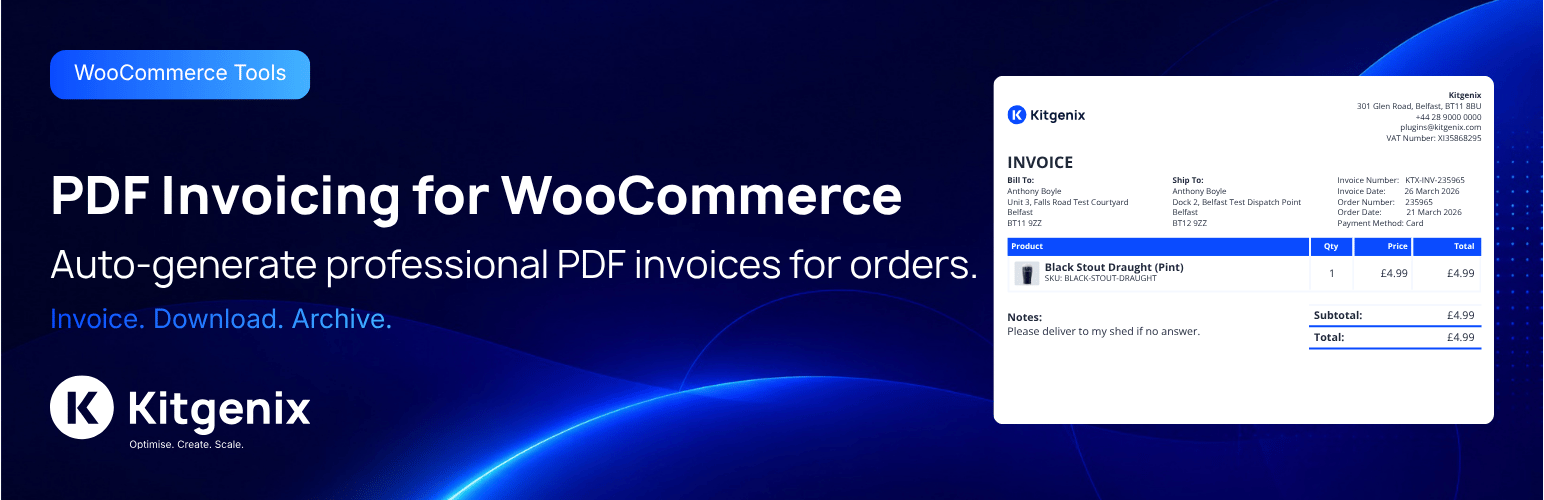
Kitgenix PDF Invoicing for WooCommerce turns WooCommerce orders into PDF documents: invoices, receipts, credit notes, pro forma invoices, packing slips, delivery notes and an order activity summary. Documents are rendered on your own server with the bundled Dompdf library – no external PDF service, account or API key.
Every figure comes from WooCommerce’s own order, tax, refund and currency data. The plugin does not recalculate tax, change stored totals, or present information WooCommerce does not record (such as payment allocations or account balances) as fact.
Developed by Kitgenix.
Document types
- Invoice – the invoice number is issued once, from its own sequence if you like, and never changes. Shows the real payment state: “Paid in Full”, “Amount Due” (with an optional due date, payment terms and payment instructions), “Part Paid” when an extension reports verified part payments, or “Payment Pending” for cash on delivery orders that are not yet completed.
- Receipt – only produced once money has actually been received. Shows the amount received, payment date, method and reference, and lists later refunds without rewriting the payment.
- Credit Note – one per WooCommerce refund, each with its own number, the refund date, reason, refunded items and the tax credited per rate. A refund entered as an amount only is labelled as such; no tax split is invented for it.
- Pro Forma Invoice – its own numbering, clearly “not a tax invoice”. Choose whether it is for information only or requests payment in advance (with your payment instructions).
- Packing Slip – an internal picking list: quantities still to pack after refunds, tick boxes, a “Picked” column and sign-off lines. No prices, totals or payment details, and only the contact details delivery needs.
- Delivery Note – the goods and quantities for the recipient, with an optional proof-of-delivery block. Shows a dispatch date and tracking number only when WooCommerce Shipment Tracking (or a filter) provides them.
- Order Activity Summary – the orders on a customer’s account in a period, with totals, refunds and payment state. It is deliberately not a statement of account and shows no balance, because WooCommerce does not keep an account ledger. A store with a real ledger can supply it through a filter to produce a reconciled Statement of Account.
Tax details
- Tax summary per rate: taxable amount and tax for each WooCommerce tax rate, plus any amount that carried no tax.
- Seller’s trading name, registered legal name, address, tax registration number and company registration number.
- Customer’s VAT/tax number, read from the order meta keys common VAT-number plugins use (or one you set).
- Optional supply date / tax point, taken from the WooCommerce date you choose – never guessed.
- Optional reverse-charge note, in your own wording, on VAT-exempt orders where the customer gave a tax number.
- ISO currency codes, and reporting-currency figures when an extension supplies the exchange rate and its source.
- Terminology presets for Standard / Generic, UK VAT, EU VAT, US Sales Tax, Canada GST/HST and Australia GST, with label overrides for any other country. Under the UK, EU, Canada and Australia presets, tax figures always stay on invoices and credit notes for orders that carry tax.
- A “Document Checks” panel flags missing details that tax invoices commonly need for the selected preset.
Presets change wording and which tax details are always shown. They do not by themselves make documents meet any country’s invoicing rules – that also depends on your business details, numbering and how you invoice. Check your local requirements.
Eight template families
Standard, Simple, Modern, Business, Luxury, Bold, Compact and Trade. Every family shows the same information for all seven document types, uses your logo and brand colours, and can be chosen globally or per document type. A visual designer adjusts alignment, logo size, density, panels, table style, totals emphasis and footer without editing templates. Theme overrides are supported for whole documents or single parts.
Fonts and character coverage
Documents use only the DejaVu fonts bundled with Dompdf – DejaVu Sans for text, DejaVu Serif for Luxury headings and DejaVu Sans Mono for SKUs – embedded in every PDF. They cover Latin (including Central and Eastern European languages), Greek, Cyrillic, Armenian, Georgian and most currency symbols (£ € $ ¥ ₹ ₺ ₽ ₩ ₪ ₫ ₦ ₱ ₴ ₸). See the FAQ for scripts that are not supported.
Numbering
Token-based number formats ({prefix}, {sequence}, {order_number}, {year}, {fiscal_year} and more) with padding and calendar- or fiscal-year resets. Numbers come from an atomic database sequence and are assigned under a per-order lock, so concurrent requests never produce duplicates. A number is stored on the order the first time a document is produced and kept from then on, whatever the settings say later. Formats that could repeat numbers are refused.
Secure downloads and storage
- Customers download their own invoices, receipts and credit notes from My Account. Guests can open a guest order’s documents with WooCommerce’s order key; the key never opens a registered customer’s documents or any account-wide information.
- Packing slips, delivery notes and other customers’ documents are staff-only.
- Issued documents are archived unchanged, under unguessable filenames, in a folder protected for Apache, LiteSpeed and IIS. System Status tests whether your server blocks direct access, and explains how to block it on nginx or move storage outside the web root with one constant.
- Re-issuing a document requires a reason, keeps the earlier PDF as a revision and is recorded in its history.
Also included
- Automatic attachments for WooCommerce emails, with a preview and test-send tool.
- Bulk ZIP export from the orders list.
- Order-list filter by document state.
- HPOS (High-Performance Order Storage) compatibility.
- Settings import/export and an event log.
- Developer filters and actions throughout.
External Services
This plugin includes a shared “Kitgenix hub” component in wp-admin (a single top-level “Kitgenix” menu page shared across all installed Kitgenix plugins) which may fetch publicly available plugin metadata – active install counts, star ratings, and icon/banner artwork – from WordPress.org using WordPress core’s plugins_api() function. This request is only made when an administrator views the Kitgenix hub page, sends only the relevant plugin slugs, and is cached for up to 24 hours using WordPress transients to minimise repeat calls:
- Transient:
kitgenix_hub_wporg_active_installs_v1 - Transient:
kitgenix_hub_wporg_ratings_v1 - Transient:
kitgenix_hub_wporg_media_v1
No order data, customer data, or store content is ever sent as part of these requests. WordPress.org’s API is governed by the WordPress.org privacy policy (https://wordpress.org/about/privacy/).
The System Status tab’s storage check makes one request from your site to its own uploads URL (a temporary test file, deleted straight away) to see whether the archive folder can be fetched directly. It goes to your own server only.
Aside from this, PDF generation happens entirely on your own server using the bundled Dompdf library. No order or customer data is sent to any third-party PDF generation, invoicing, or storage service, and the admin screens load no web fonts or other files from external services.
Developers
Text domain:
kitgenix-pdf-invoicing-for-woocommerce
Architecture:
– Modular plugin with Admin/Settings/Invoicing/Email/Frontend modules
– Document types registry (extendable) with built-in invoice, receipt, packing slip, credit note, pro forma invoice, delivery note and order activity summary (statement) types
– Template system with theme overrides + HTML/CSS filters
– Download endpoints with nonce, ownership, capability and order-key checks in one access decision (InvoicingModule::user_can_access_document())
– Token-based numbering engine using an atomic database sequence table (with a locked option-based fallback)
– Rule-based document availability controls by type, order status, and confirmed payment state
– Document status (issued/voided) and per-document history log, independent of the archived PDF file
Numbering tokens available in settings:
– {prefix}
– {order_number}
– {order_id}
– {sequence}
– {refund_sequence}
– {year}
– {yy}
– {month}
– {day}
– {country}
– {billing_country}
– {shipping_country}
– {fiscal_year}
– {fiscal_year_short}
– {fiscal_year_start}
– {fiscal_year_end}
Financial data filters:
– kitgenix_pdf_payment_records – verified payments from a deposits/part-payment/accounting extension (amount, date, method, reference)
– kitgenix_pdf_payment_summary – the computed payment state (prefer kitgenix_pdf_payment_records)
– kitgenix_pdf_deferred_payment_methods – payment methods counted as received only once the order is completed (default: cod)
– kitgenix_pdf_receipt_requires_payment – default true
– kitgenix_pdf_account_ledger – an authoritative ledger (opening balance, entries, closing balance) for a Statement of Account; rejected unless it reconciles
– kitgenix_pdf_statement_context, kitgenix_pdf_statement_period_days, kitgenix_pdf_activity_summary_statuses, kitgenix_pdf_activity_summary_max_orders
– kitgenix_pdf_reporting_currency – figures in a second currency with the rate and its source
– kitgenix_pdf_supply_date, kitgenix_pdf_tax_disclosure_required, kitgenix_pdf_is_reverse_charge
– kitgenix_pdf_customer_tax_id_meta_keys, kitgenix_pdf_customer_tax_id
– kitgenix_pdf_shipment_info – dispatch date and tracking for delivery notes
– kitgenix_pdf_localization_packs – add or change terminology presets
– kitgenix_pdf_configuration_warnings
Access and storage filters:
– kitgenix_pdf_document_user_can_download – final access decision (security-sensitive)
– kitgenix_pdf_order_key_allows_registered_orders – default false
– kitgenix_pdf_may_email_account_summary
– kitgenix_pdf_private_storage_dir (or the KITGENIX_PDF_INVOICING_STORAGE_DIR constant)
– kitgenix_pdf_persistent_archive_enabled
– kitgenix_pdf_archive_relative_root
– kitgenix_pdf_dompdf_chroot
– kitgenix_pdf_fulfilment_show_billing_address – default false
Other filters:
– kitgenix_pdf_invoicing_modules
– kitgenix_pdf_document_types
– kitgenix_pdf_document_enabled
– kitgenix_pdf_document_filename
– kitgenix_pdf_batch_archive_filename
– kitgenix_pdf_invoice_filename (back-compat)
– kitgenix_pdf_document_attachment (inline vs download)
– kitgenix_pdf_document_template_path
– kitgenix_pdf_document_html
– kitgenix_pdf_invoice_html (back-compat)
– kitgenix_pdf_document_custom_css
– kitgenix_pdf_document_lang
– kitgenix_pdf_document_title
– kitgenix_pdf_document_body_class
– kitgenix_pdf_paper_size
– kitgenix_pdf_show_shipping_address
– kitgenix_pdf_document_meta_rows
– kitgenix_pdf_show_page_numbers
– kitgenix_pdf_payment_instructions
– kitgenix_pdf_pro_forma_notice
– kitgenix_pdf_packing_slip_show_checklist
– kitgenix_pdf_packing_slip_show_signoff
– kitgenix_pdf_packing_slip_show_picked_column
– kitgenix_pdf_delivery_note_show_signature
– kitgenix_pdf_delivery_note_instructions
– kitgenix_pdf_delivery_note_quantity_note
– kitgenix_pdf_template_families
– kitgenix_pdf_email_document_map
– kitgenix_pdf_email_attach_document
– kitgenix_pdf_document_identifier
– kitgenix_pdf_document_number_context
– kitgenix_pdf_document_number_format
– kitgenix_pdf_sequence_use_table
Key actions:
– kitgenix_before_stream_pdf_document
– kitgenix_after_stream_pdf_document
– kitgenix_before_stream_pdf_invoice (back-compat)
– kitgenix_after_stream_pdf_invoice (back-compat)
– kitgenix_pdf_document_archived
– kitgenix_pdf_document_regenerated
– kitgenix_pdf_document_void_status_changed
– Template hooks:
– kitgenix_pdf_before_document / kitgenix_pdf_after_document
– kitgenix_pdf_before_document_wrapper / kitgenix_pdf_after_document_wrapper
– kitgenix_pdf_after_notes
– kitgenix_pdf_after_order_data_rows
This plugin does not register any shortcodes, REST API routes, custom post types, or custom taxonomies. Integration is entirely via the WordPress action/filter hooks listed above, WooCommerce order meta boxes and order actions, and the My Account area.
Data Handling
- Plugin settings stored in a single option:
kitgenix_pdf_invoicing_settings. - Admin activity/event log (settings saves, generation failures, skipped documents, failed attachments; no customer details) stored in:
kitgenix_pdf_invoicing_event_log, pruned after 7, 14 or 30 days. - Anonymous generation metrics (counts only) stored in:
kitgenix_pdf_invoicing_for_woocommerce_metrics. - Fallback numbering counters (used only if the sequence table cannot be created) stored in:
kitgenix_pdf_invoicing_for_woocommerce_number_sequences. - Atomic numbering counters stored in a dedicated database table (
{$wpdb->prefix}kitgenix_pdf_sequences). - Upgrade/migration version marker stored in:
kitgenix_pdf_invoicing_for_woocommerce_db_version. - Document numbers, dates and history stored on the order so issued documents stay stable:
_kitgenix_pdf_invoicing_for_woocommerce_invoice_number/_invoice_date_kitgenix_pdf_invoicing_for_woocommerce_receipt_number/_receipt_date_kitgenix_pdf_invoicing_for_woocommerce_packing_slip_number/_packing_slip_date_kitgenix_pdf_invoicing_for_woocommerce_pro_forma_number/_pro_forma_date_kitgenix_pdf_invoicing_for_woocommerce_delivery_note_number/_delivery_note_date_kitgenix_pdf_invoicing_for_woocommerce_credit_note_refund_map(plus the legacy_credit_note_historyand_credit_note_count)_kitgenix_pdf_invoicing_for_woocommerce_archived_documents
- Issued PDFs are archived in
wp-content/uploads/kitgenix-pdf-invoicing-for-woocommerce/archive/, or in the folder set byKITGENIX_PDF_INVOICING_STORAGE_DIR. They contain the order’s customer details and are served only through the access-checked download links. The Order Activity Summary is produced fresh each time and not archived. - Email attachments and batch ZIP exports are temporary files, deleted at the end of the request.
- Nothing is deleted automatically after a retention period: invoices, receipts and credit notes are financial records your business may be required to keep. Decide your own retention period and delete old archives yourself when it ends.
- No customer data is sent to a third-party service; rendering happens locally using the bundled Dompdf library.
Security & Privacy
- Document downloads check the order, the requester and the document type in one place: staff by WooCommerce order capabilities, customers by ownership of their registered account, and guests by the order key (for that guest order’s own documents only).
- An order key never opens account-wide information or a registered customer’s documents. The Order Activity Summary covers only orders on the customer’s own registered account – never orders matched by billing email – and is only emailed when the order’s billing email is the account’s email.
- Signed-in requests must carry a valid nonce; an unknown order and a wrong key get the same response, so order IDs cannot be probed.
- Stored archive paths are checked against the archive folder before any file is served.
- Dompdf runs with remote fetching, embedded PHP and PDF JavaScript disabled, http/https removed from its allowed protocols, and file access limited to the plugin’s templates and your logo’s folder. These cannot be turned on.
- Admin actions are protected with nonces and capability checks; inputs are sanitised and output escaped.
Security identifiers (exact):
– Admin meta box downloads use admin-post.php actions kitgenix_admin_stream_invoice, kitgenix_admin_stream_receipt, kitgenix_admin_stream_packing_slip, kitgenix_admin_stream_credit_note, kitgenix_admin_stream_pro_forma_invoice, kitgenix_admin_stream_delivery_note, and kitgenix_admin_stream_statement, protected by query arg nonce created/verified with nonce action kitgenix_admin_pdf.
– Document status actions (re-issue/void) use admin_post_kitgenix_admin_regenerate_document and admin_post_kitgenix_admin_void_document, gated on manage_woocommerce and a type-and-order-scoped nonce.
– Frontend document downloads use _wpnonce created/verified with nonce action kitgenix_download_{doc_type}_{order_id}, or a guest order’s key.
– Storage tools use admin_post_kitgenix_pdf_invoicing_test_archive_access and admin_post_kitgenix_pdf_invoicing_delete_legacy_fonts, gated on manage_woocommerce and nonces.
– WooCommerce order action key: kitgenix_download_pdf_invoice (hook: woocommerce_order_action_kitgenix_download_pdf_invoice).
– WooCommerce bulk action keys: kitgenix_pdf_batch_export_{document type}.
Admin page hook suffix:
– kitgenix_page_kitgenix-pdf-invoicing-settings
Uninstall
Uninstall removes the plugin settings option (kitgenix_pdf_invoicing_settings), the event log and its retention setting, the metrics option, the fallback numbering counters, the atomic numbering sequences database table, the legacy custom-fonts list, the upgrade/migration version marker (kitgenix_pdf_invoicing_for_woocommerce_db_version) and the plugin’s transients.
It does not delete files or order data. Order meta (document numbers, dates and history), archived PDFs and any font files uploaded with versions before 2.2.0 are kept, because invoices, receipts and credit notes are financial records you may be required to retain. Delete wp-content/uploads/kitgenix-pdf-invoicing-for-woocommerce/ (and any KITGENIX_PDF_INVOICING_STORAGE_DIR folder) yourself once you no longer need them.
Support Development
If this plugin helps you generate clean WooCommerce PDFs and reduces admin work, you can support ongoing development with a one-off donation via PayPal:
https://www.paypal.com/donate/?hosted_button_id=KALF36K6JJ9B2
Third-Party Libraries
This plugin bundles, with their namespaces prefixed to Kitgenix\PDF_Invoicing\Vendor\ so they cannot clash with other plugins:
- Dompdf 3.1 (LGPL-2.1) – https://github.com/dompdf/dompdf
- php-font-lib (LGPL-2.1-or-later) and php-svg-lib (LGPL-3.0-or-later), by the Dompdf project
- html5-php (MIT) – https://github.com/Masterminds/html5-php
- PHP-CSS-Parser (MIT) – https://github.com/MyIntervals/PHP-CSS-Parser
- DejaVu fonts (Bitstream Vera and Arev font licences; DejaVu changes are public domain) – https://dejavu-fonts.github.io/
Each library’s licence file is included beside it in vendor-prefixed/, and the DejaVu font licence in licenses/ and vendor-prefixed/dompdf/dompdf/lib/fonts/. The plugin’s own code is GPLv3 or later.
Credits
Built with ❤︎ by @kitgenix – https://kitgenix.com
Bundled libraries: see Third-Party Libraries.
Screenshots

Settings: Company & Document Details tab, including company name, address, tax/VAT ID, and invoice prefix.

WooCommerce order screen: the Kitgenix PDF Invoicing meta box showing the invoice number with Preview and Download PDF actions.

A generated PDF invoice streamed directly in the browser.

WooCommerce order screen on a refunded order: invoice and credit note actions shown together in the meta box.

My Account → Orders: customers can use "View Invoice" to download their own order invoice.