Displays a calendar (Google Calendar, Apple Calendar/iCloud, Microsoft 365 /
Outlook Calendar, or Konzertmeister – via iCal/ICS link) as an agenda list,
in the style of “date box on the left, title/date/time/location/description
on the right”. No click behavior (no modal, no redirect) – text remains
normally selectable/copyable.
Provided free of charge by KlangAgenda.de – on
Klangagenda.de you can promote your concerts free of charge across your
region, book rehearsal and concert venues, and offer your own space to
others to make better use of it.
All settings (including a detailed step-by-step guide for each calendar
provider) are available in the WordPress backend under the dedicated
top-level menu “Klangagenda Kalender” (with its own calendar icon).
Features
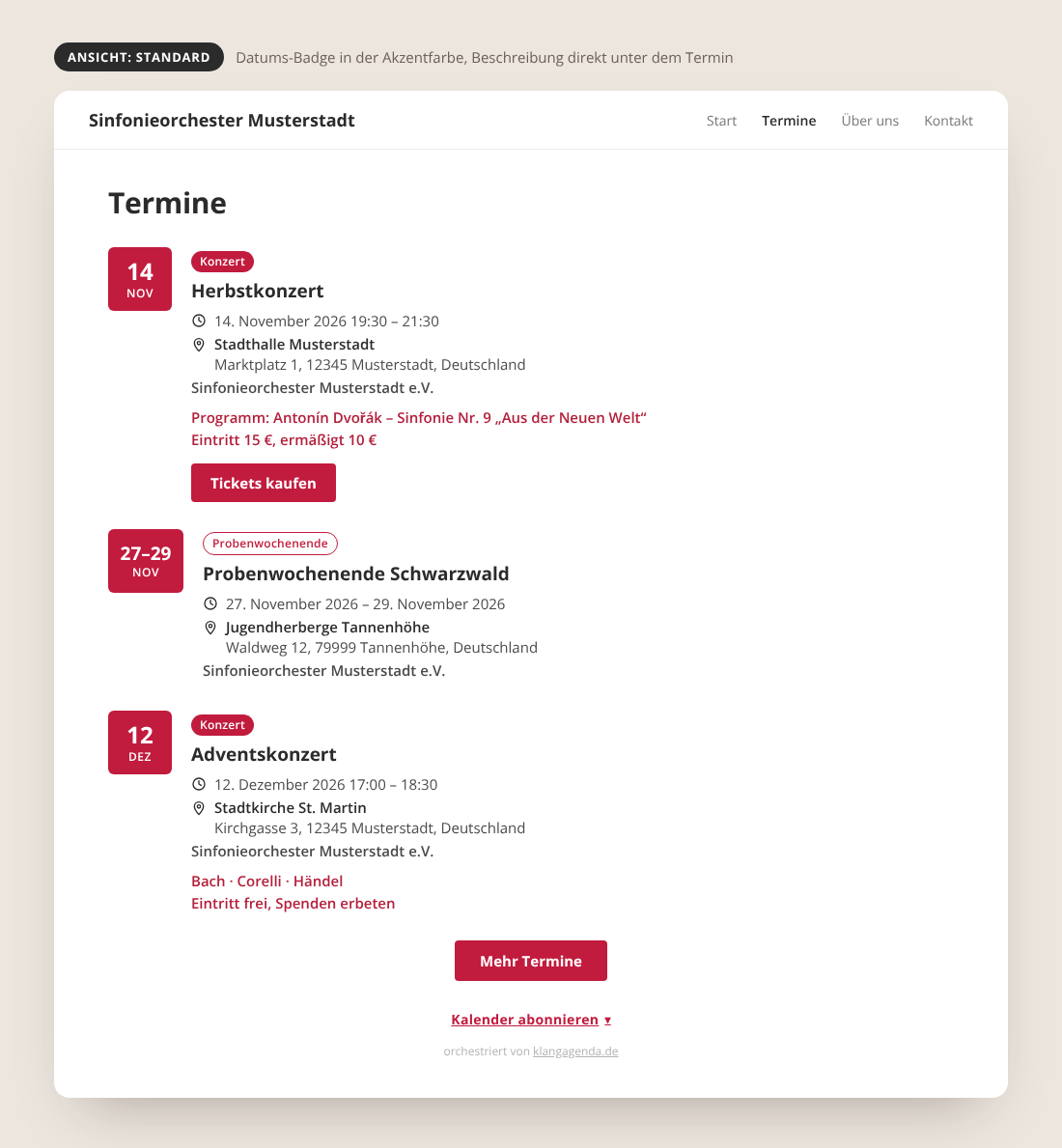
- Calendar view “Standard”: date badge in your accent color, description and ticket button directly below each event.
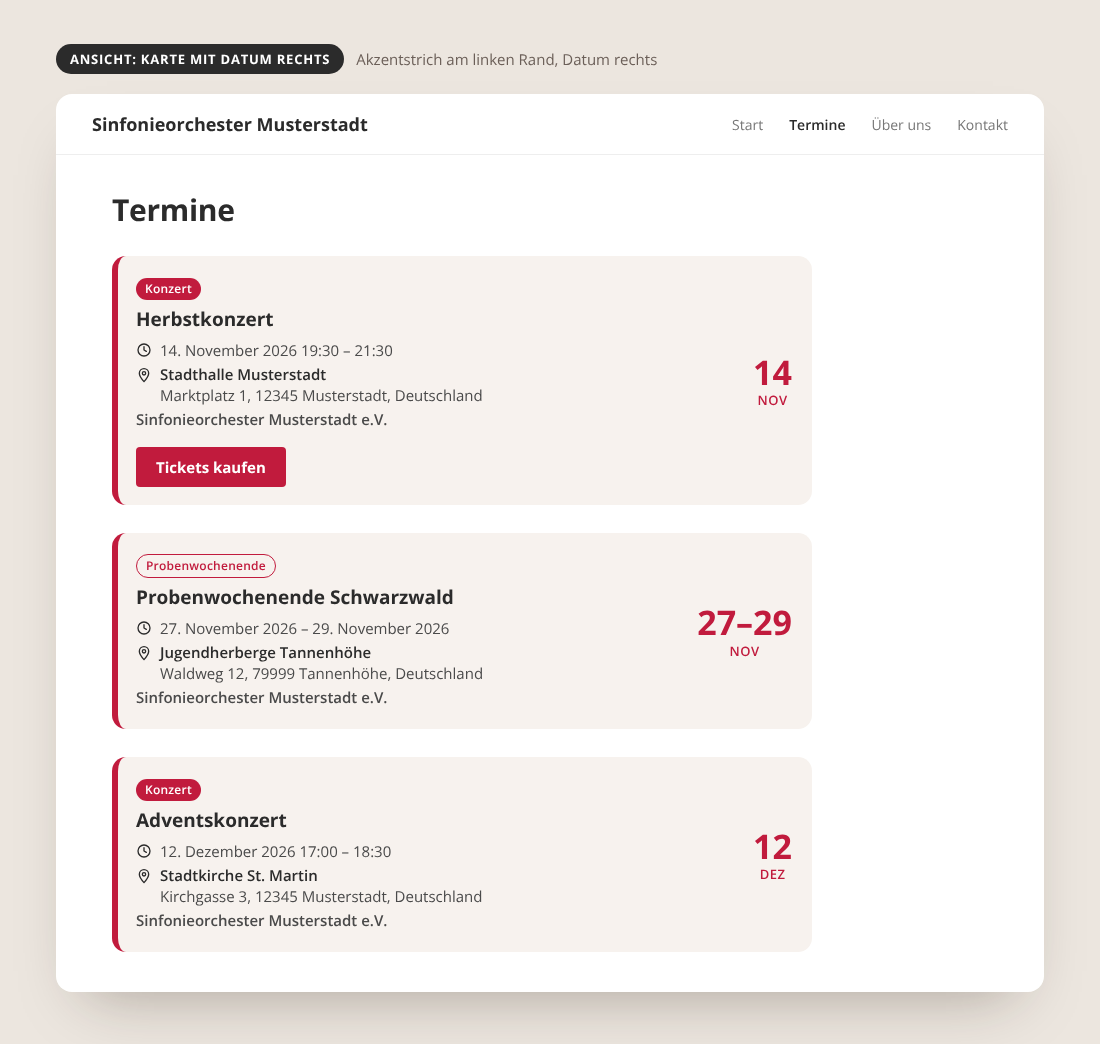
- Calendar view “Card with date on the right”: accent stripe on the left edge, large date on the right.
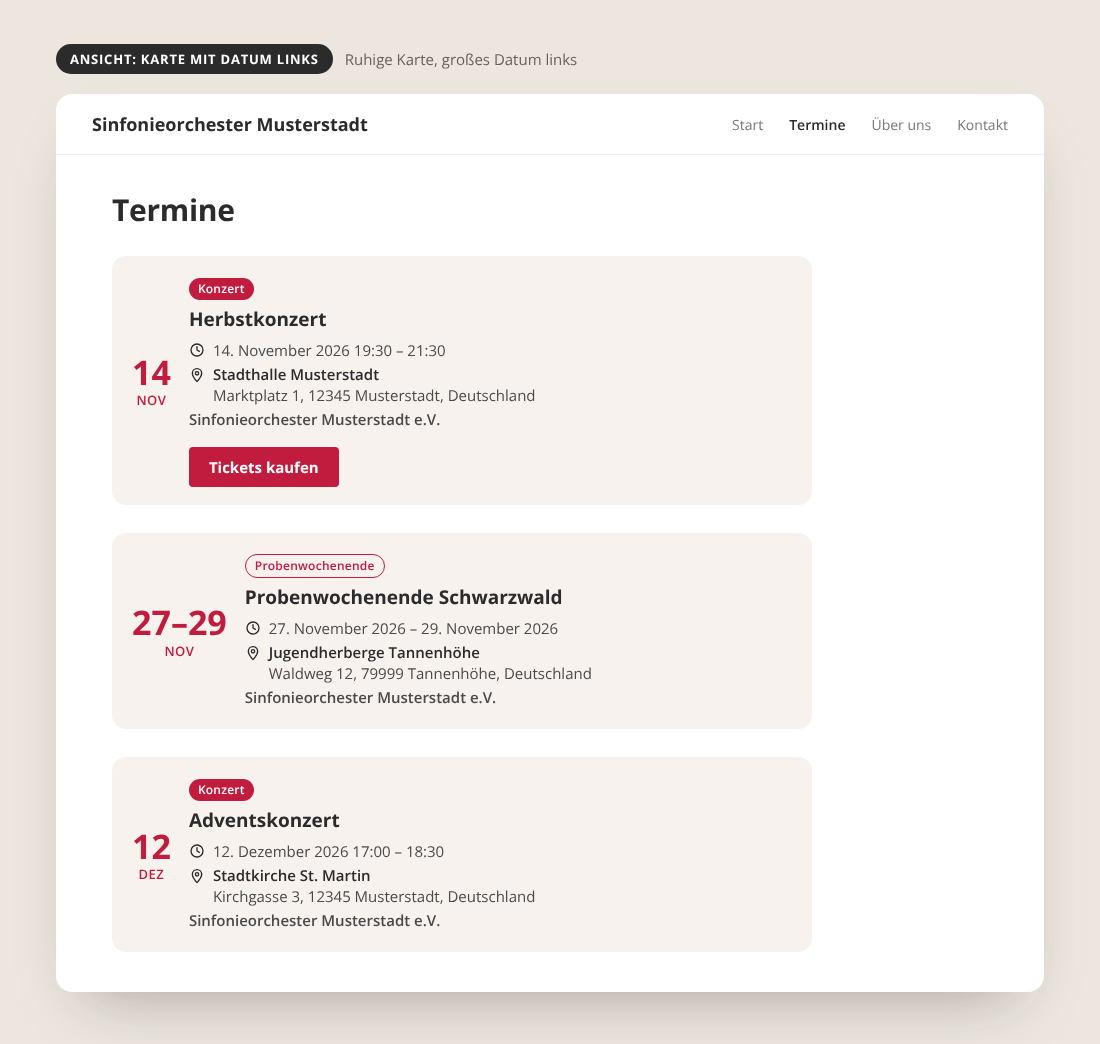
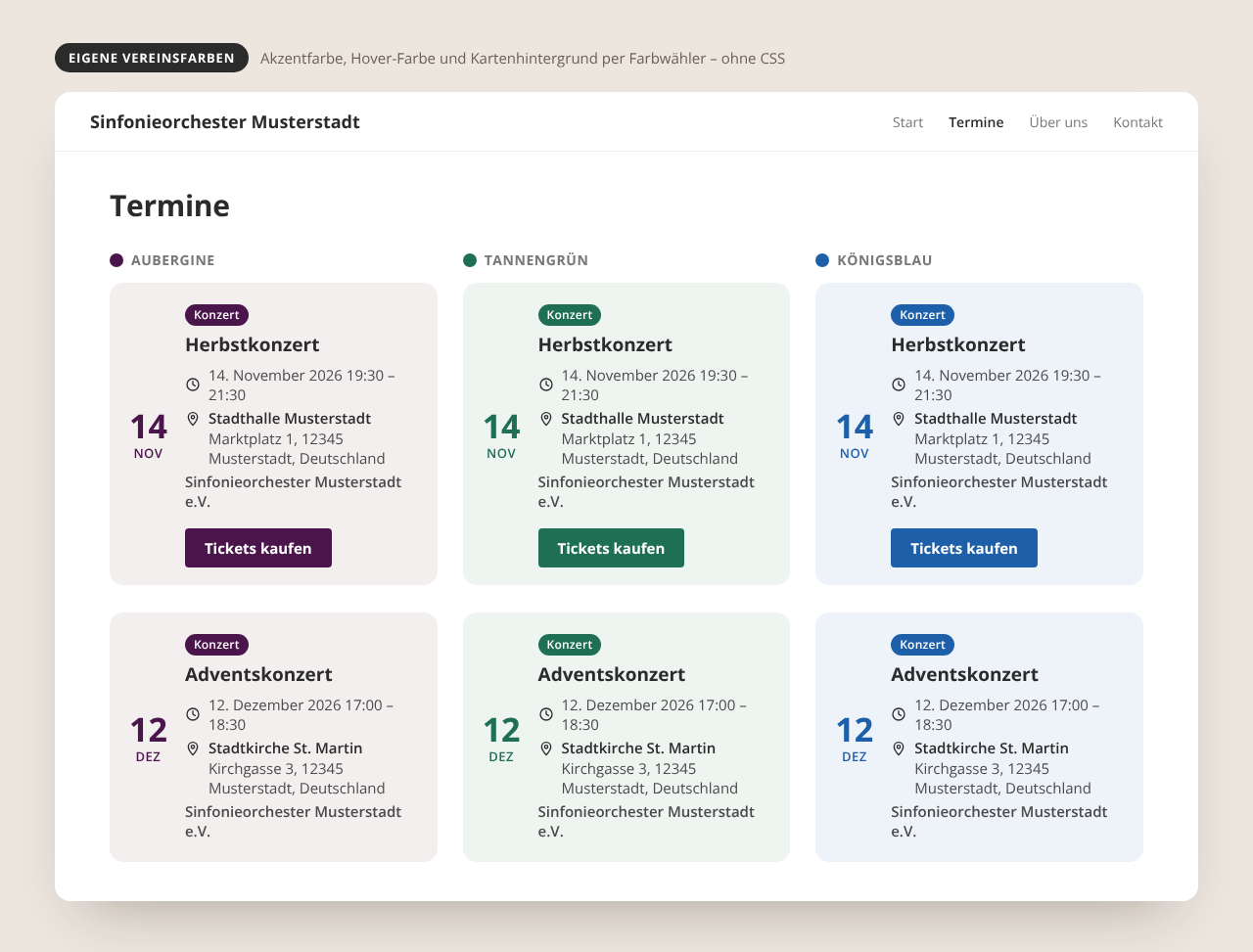
- Calendar view “Card with date on the left”: calm card layout with a large date on the left.
- Calendar view “Card with date block”: full-height date block in your accent color.
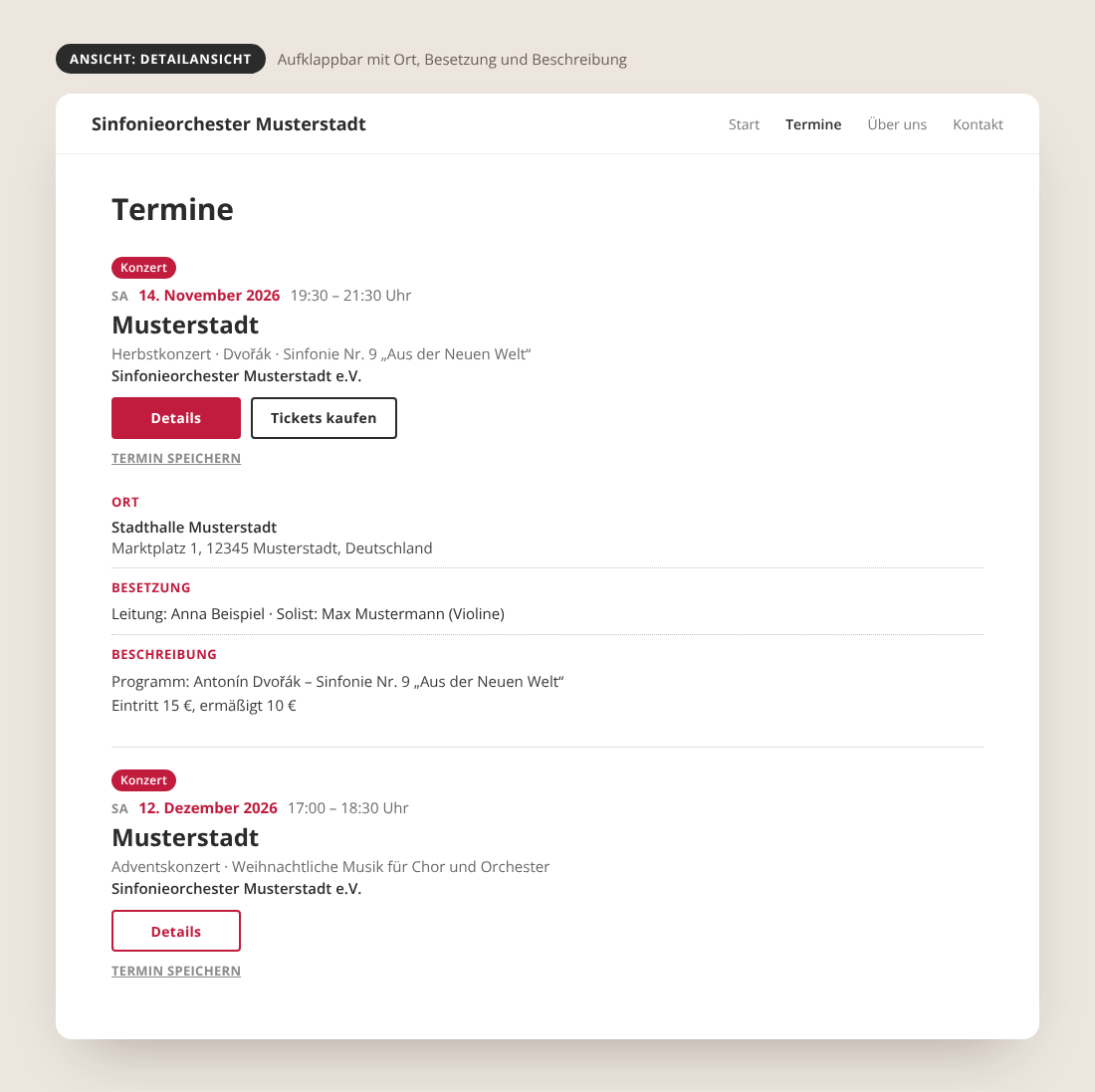
- Calendar view “Detail view”: expandable details with venue, cast and description, plus ticket and “save event” buttons.
- Your own colors: accent, hover and card background can be changed with a color picker – no CSS needed.
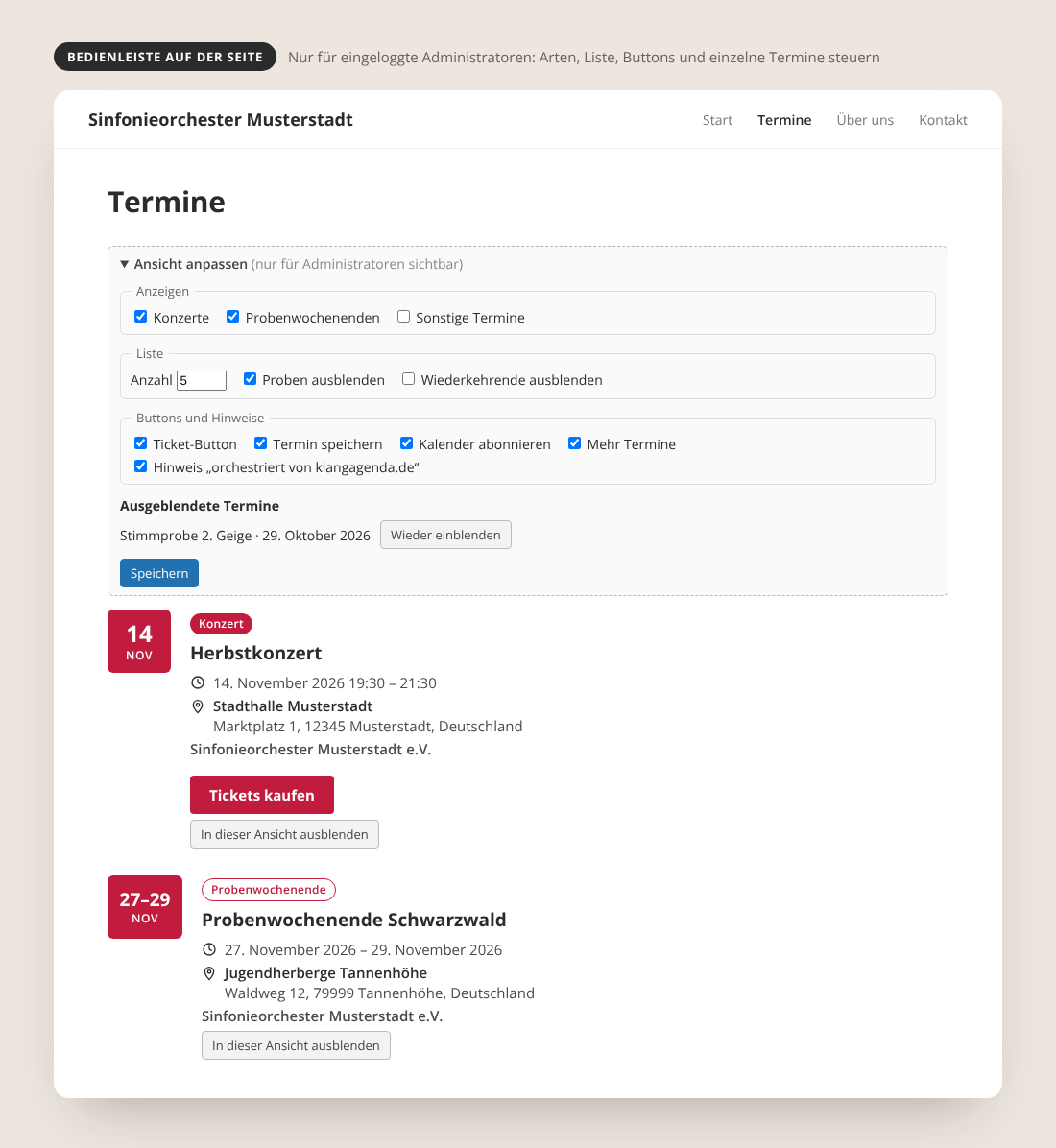
- On-page toolbar (visible to logged-in administrators only): choose event types, list options and buttons, and hide single events.
Shortcodes
[klangagenda]
Shows the upcoming events. When logged in as an administrator, a bar
“Ansicht einstellen” appears above the list: show/hide concerts,
rehearsal weekends and other events, number of events, date range, and
hide date badge, label, ticket button, “Save event”, “Subscribe
calendar”, “More events” and the klangagenda.de note. Individual events
can be hidden per view. Settings are stored per placement (page + order
or a fixed id="..." attribute).
“(+)”/”(-)” markers (e.g. from Konzertmeister sync) are automatically
stripped from event titles.
The attribute count sets the number of events, e.g.
[klangagenda count=”5″]. If omitted, the default count from the
plugin settings is used.
Older shortcodes from previous versions (klangagenda_konzerte,
_probenwochenende, _ohne_proben, _sonstige, _no_recurring) keep
working but are no longer documented.
Concerts in your region: [klangagenda_stadt]
[klangagenda_stadt stadt="Tübingen"] shows upcoming concerts of a city
from KlangAgenda as a simple list with plain links to the event pages on
klangagenda.de. No connection and no KlangAgenda account are needed.
Examples: [klangagenda_stadt plz="72070" umkreis="25" anzahl="5"],
[klangagenda_stadt ensemble=”studentenorchester-tuebingen” art=”alle”].
Attributes: stadt, plz + umkreis (km, 1-200), ensemble, art
(konzerte or alle), anzahl (1-50), titel (heading), bild="ja"
(small event image), leer (text if there are no events),
neues_fenster=”ja” and link_alle="ja" (adds a link “All concerts in …
on KlangAgenda” below the list; off by default – we would be happy if you
switch it on).
The list is rendered on the server as plain HTML (no JavaScript, no
structured data, no event descriptions). Results are cached for one hour per
filter; if KlangAgenda cannot be reached, the last successful result is shown.
External services
The shortcode [klangagenda_stadt] requests public event data from
KlangAgenda (https://klangagenda.de/api/v1/public/events). Data sent: only
the filter values of the shortcode (city, postcode, radius, ensemble, type,
number) and, in the User-Agent header, the plugin version and the address of
your website. Requests happen when a page with the shortcode is displayed,
at most once per hour per filter. No visitor data is sent. Service by
KlangAgenda.de: Privacy policy –
Imprint.
The shortcode [klangagenda_fest] without a connection requests https://klangagenda.de/api/v1/public/fest (only when a page with the shortcode is displayed, at most every 15 minutes per festival, every 5 minutes while it is running). Data sent: the shortcode parameter (festival or ensemble) and, in the User-Agent header, the plugin version and your website address. With a connection, the programme arrives with the regular synchronisation – no additional requests.
The optional connection to the Klangagenda Hub (backend, tab “Verbindung”)
sends your events and organisation details to klangagenda.de only after you
connect your site and agree in the backend.
Festival programme: [klangagenda_fest]
Shows the programme of your festival (time slots, guest bands, stages) that you maintain once on KlangAgenda. With a connection to KlangAgenda, [klangagenda_fest] without attributes shows your next (or currently running) own festival; in the event list [klangagenda] festivals get an expandable “Programme” line (switch it off in the administrator bar). Without a connection: [klangagenda_fest termin="sommerfest-musterdorf-2027"] or [klangagenda_fest ensemble="musikverein-musterdorf"].
Attributes: termin, ensemble, titel, kopf (date, venue, admission; default yes), logos (yes), buehne (auto, ja, nein), tag (e.g. 2027-07-18), jetzt (line “Jetzt auf der Bühne” during the festival, yes), link_fest (link “Alle Infos auf KlangAgenda”; off by default – we would be happy if you switch it on), leer.
All days are in the HTML (readable without JavaScript); a small script adds day tabs and the “now on stage” line. Only confirmed programme items are shown; no fees or internal notes.
Fixed date window per post (ab / bis)
Normally the shortcodes automatically show the next upcoming events
from now on. For the typical workflow (one post per concert
tour/period; once it’s over the post moves into the archive and a new
post with the next dates is created), there are optional attributes
ab (from) and bis (until) (format YYYY-MM-DD):
[klangagenda ab="2026-09-01" bis="2026-09-14"]
This makes this specific post permanently show exactly the events in
this time window – even once they’re in the past. ab and bis can
also be used individually.
“Load more” button
[klangagenda] automatically shows a “Mehr Termine” (load more) button
below the list whenever more events are available beyond the currently
shown count. Clicking it loads more events via AJAX (no page reload). It
can be hidden in the administrator bar or via [klangagenda button="nein"].
“orchestriert von klangagenda.de”
Below each event list (or below the “load more” button, if present),
a subtle, light-gray, centered note “orchestriert von klangagenda.de”
linking to https://klangagenda.de can be shown. It is switched off by
default and only appears after a site administrator actively ticks the
checkbox in the backend under “Klangagenda Kalender”; when it is off,
the line is removed from the HTML completely.
Recurring events (RRULE)
RRULE processing covers the common patterns (daily/weekly/monthly/
yearly, interval, count, end date, weekdays). Recurring events without
an end date are pre-calculated up to the configured time horizon
(default 12 months), and continued automatically on the next sync.
Ticket button
The button appears when the title contains “konzert” and the
description contains an http(s) link. Only the first link found is
used.
Screenshots
Selecting between the different calendar view designs in the backend.
The backend for managing events and settings.
The "Standard (Badge)" calendar view on the website.

The "Karte mit Datum rechts" (card, date on the right) calendar view on the website.
The "Karte mit Datum links" (card, date on the left) calendar view on the website.
The "Karte mit Datumsfeld" (card, date block) calendar view on the website.