Smart LazyLoad is the best free lazy load plugin for WordPress. It helps lazy load images, videos, and iframes to improve website performance, page speed, and Core Web Vitals.
The plugin also supports responsive images, embedded players, HTML5 videos, and inline background images. It delays loading off-screen media until it enters the viewport, reducing unnecessary resource loading.
You can lazy load images in post content, widget text, post thumbnails, avatars, and smilies, or enable Full-Page Lazy Loading to apply lazy loading across your entire website.
You can also replace YouTube embeds with clickable thumbnails to further speed up the website loading speed, so the player loads only when a visitor chooses to watch.
No JavaScript libraries such as jQuery is used, and the script size is less than 10KB. Optimize speed of your WordPress website and improve Core Web Vitals scores.
Main Features
- Image support: images in posts, pages, excerpts, comments, and widgets; featured images; responsive
<picture>sources; and optional avatars and image-based smilies. - Embedded media: defer iframes, including YouTube and Vimeo embeds, and HTML5 video sources and posters.
- YouTube previews: replace embedded players with click-to-play thumbnails, using WebP with a fallback.
- Background images: process inline
background-imagedeclarations or manual data attributes, with optional support for retina, multi-layer, andimage-set()variants. - Loading engines: choose JavaScript-based Smart mode, Hybrid mode, or native browser loading.
- Important-image protection: skip the first image, first two images, or a custom number of images. Existing eager-loading and high-priority hints are respected for images.
- Loading controls: adjust the viewport threshold, use a custom scroll container, defer the script, and enable offscreen image cancellation or source restoration on errors.
- Dynamic content: detect eligible media added after page load, including AJAX and infinite-scroll content.
- Appearance options: use low-quality image previews or a placeholder color, plus optional fade-in and spinner effects that respect reduced-motion preferences.
- Exclusions: exclude elements by class or ID, match media source URL patterns, skip selected page types, or disable processing for logged-in users and mobile devices.
- Per-post controls: let individual posts and pages follow the site setting or select Enable or Disable.
- Full-page processing: optionally include media output directly by theme templates instead of processing content fragments only.
- Developer tools: filters for exclusions, placeholders, thresholds, and output; WP-CLI commands for image previews; and no-JavaScript fallbacks for deferred content.
The JavaScript engine uses vanilla-lazyload and does not require jQuery. Frontend assets are loaded according to the selected engine and enabled content types.
Performance considerations
Deferring offscreen media can reduce initial network activity, especially on image-heavy pages or pages with several video embeds. Keep above-the-fold images, particularly the Largest Contentful Paint (LCP) image, out of lazy loading.
Results depend on your theme, content, and other optimization settings. Lazy loading does not compress images or guarantee a particular PageSpeed or Core Web Vitals score. Preserve image dimensions or an aspect ratio to help reduce layout shifts.
Screenshots
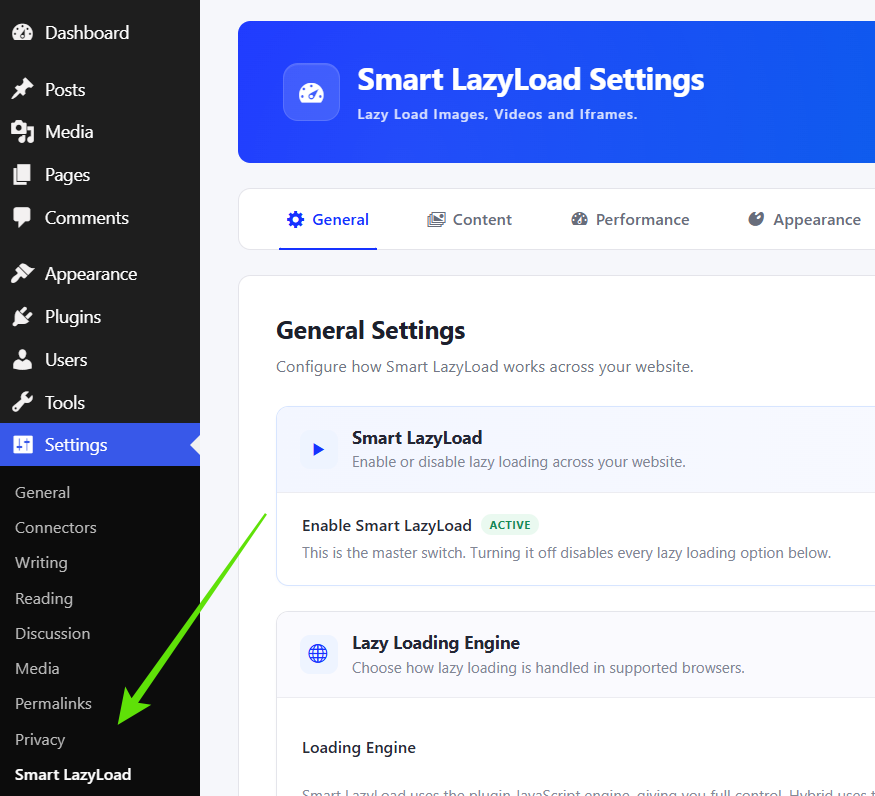
Smart LazyLoad settings menu in the WordPress admin.
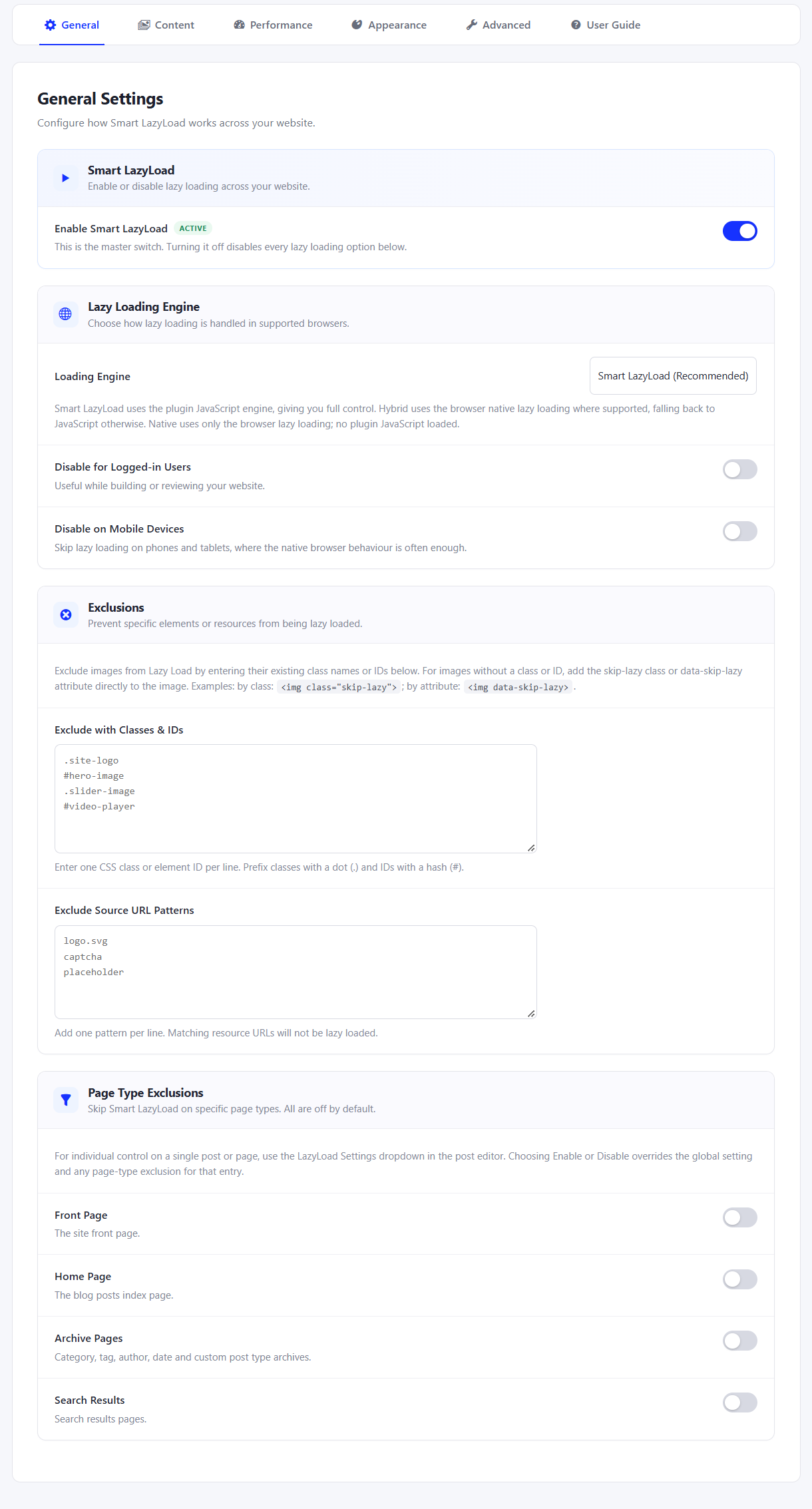
General settings for enabling lazy loading, engine and exclusions.
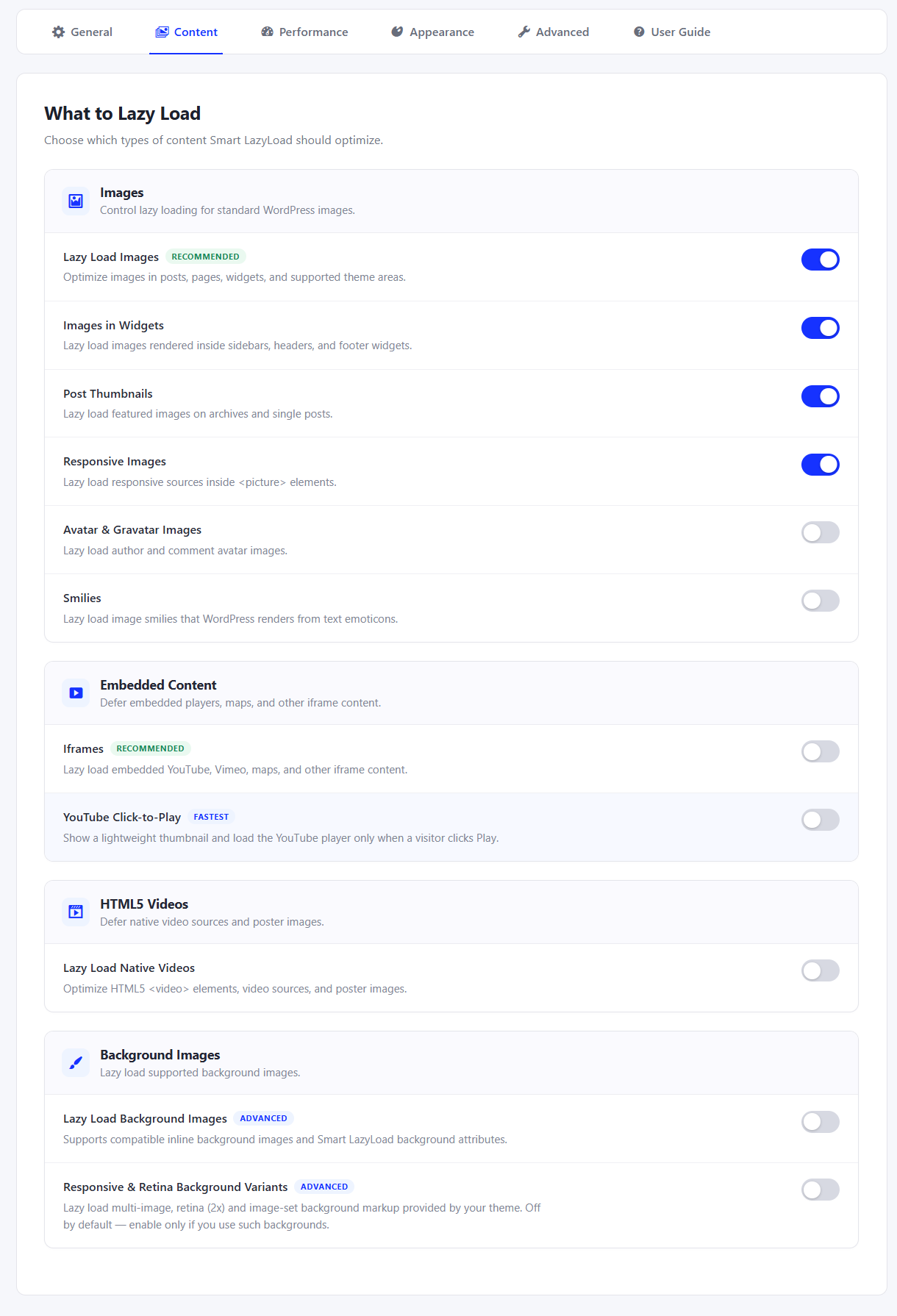
Control what to lazy load for images, videos, iframes, background images.
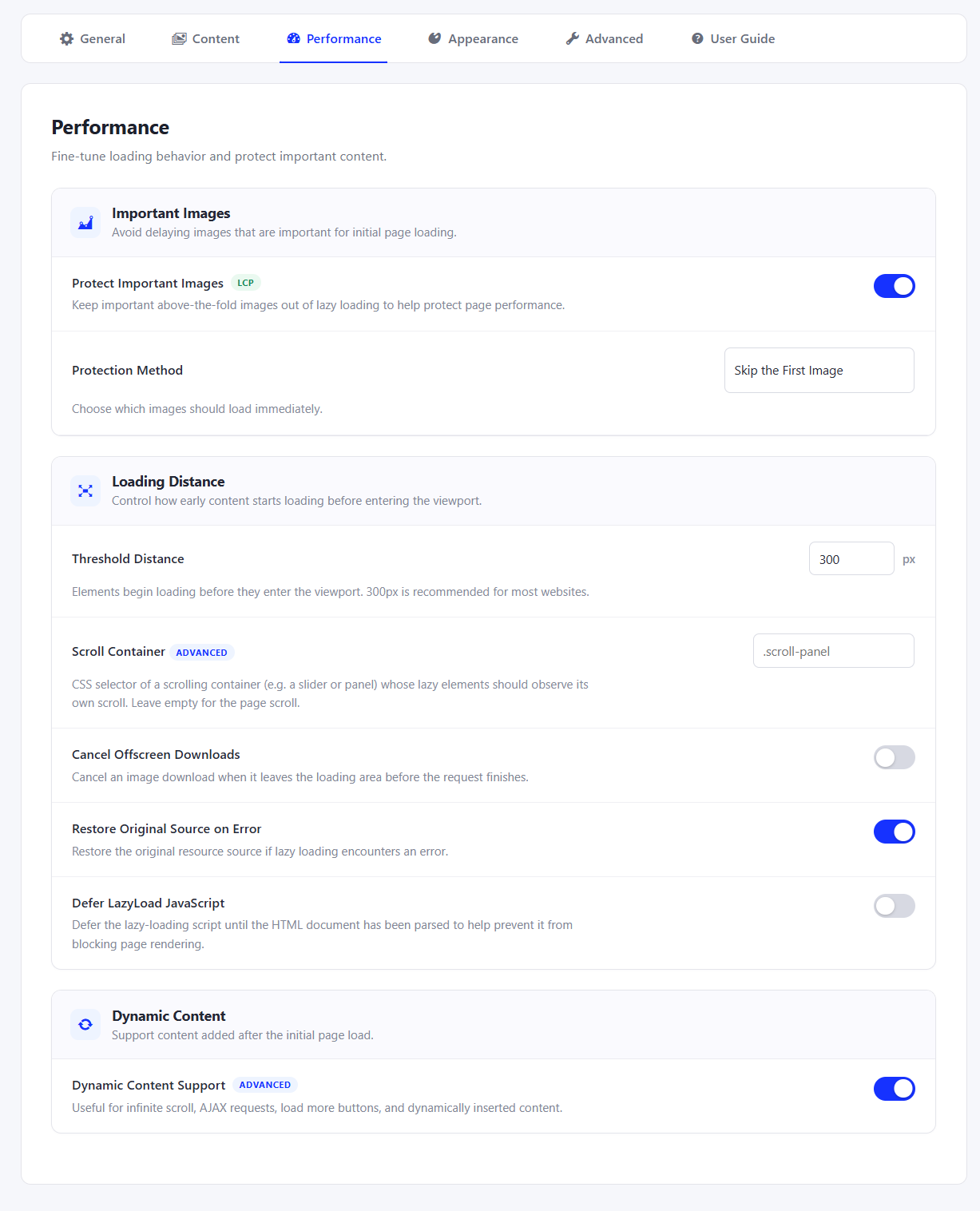
Performance settings for important images and loading behavior.
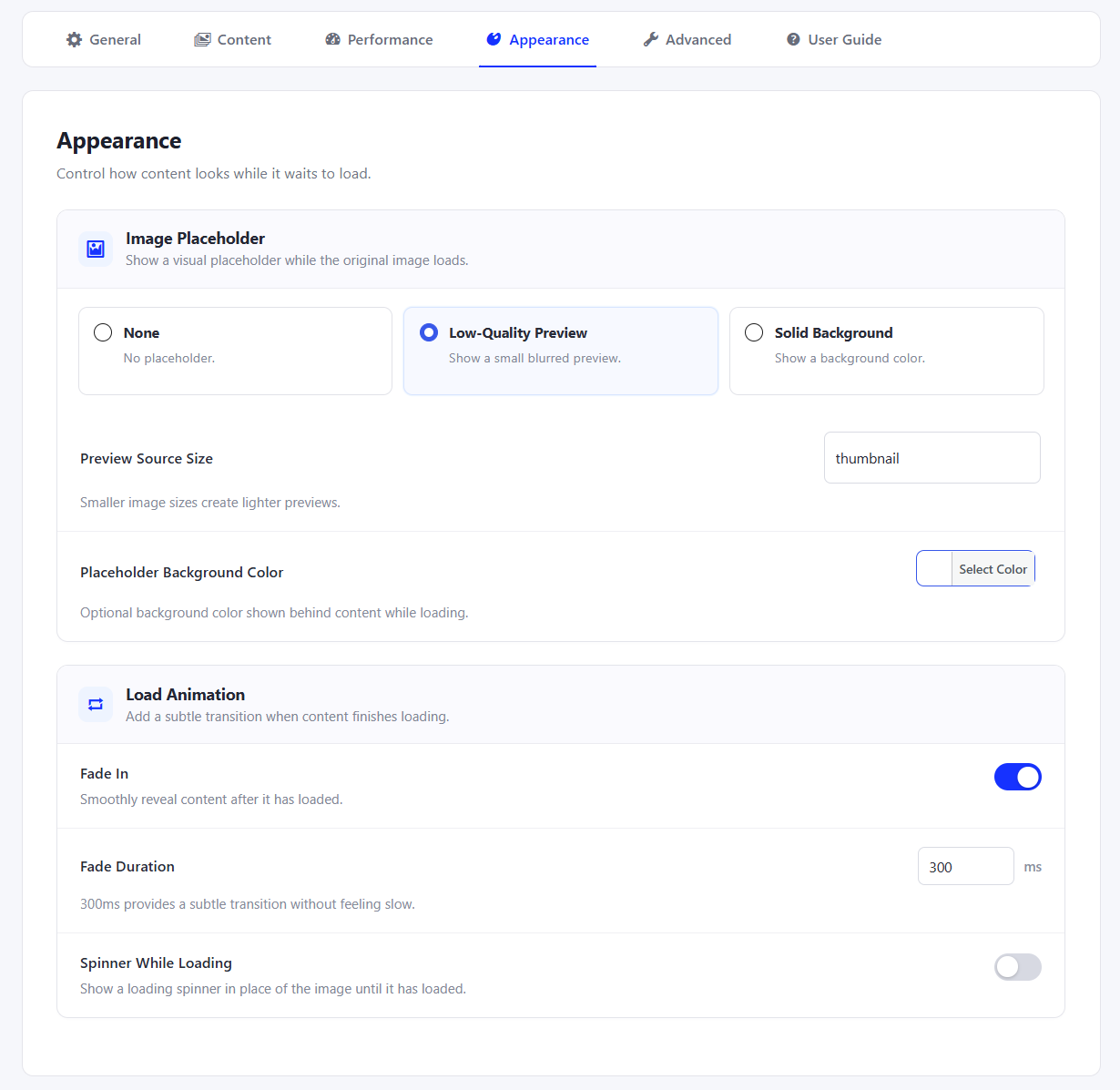
Appearance settings for placeholders, fade-in, and loading indicators.
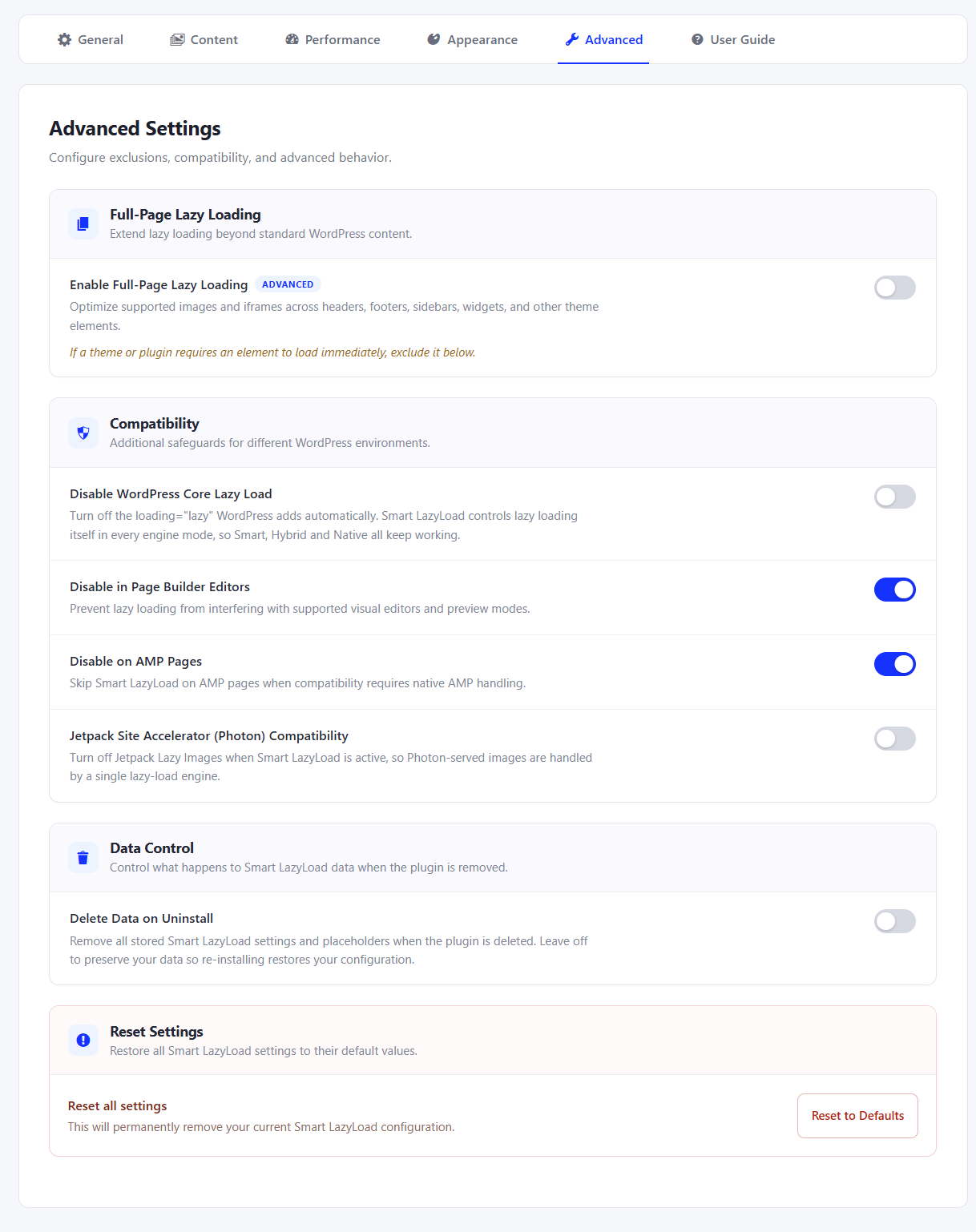
Advanced settings for full-page lazy loading, compatibility, and data cleanup.
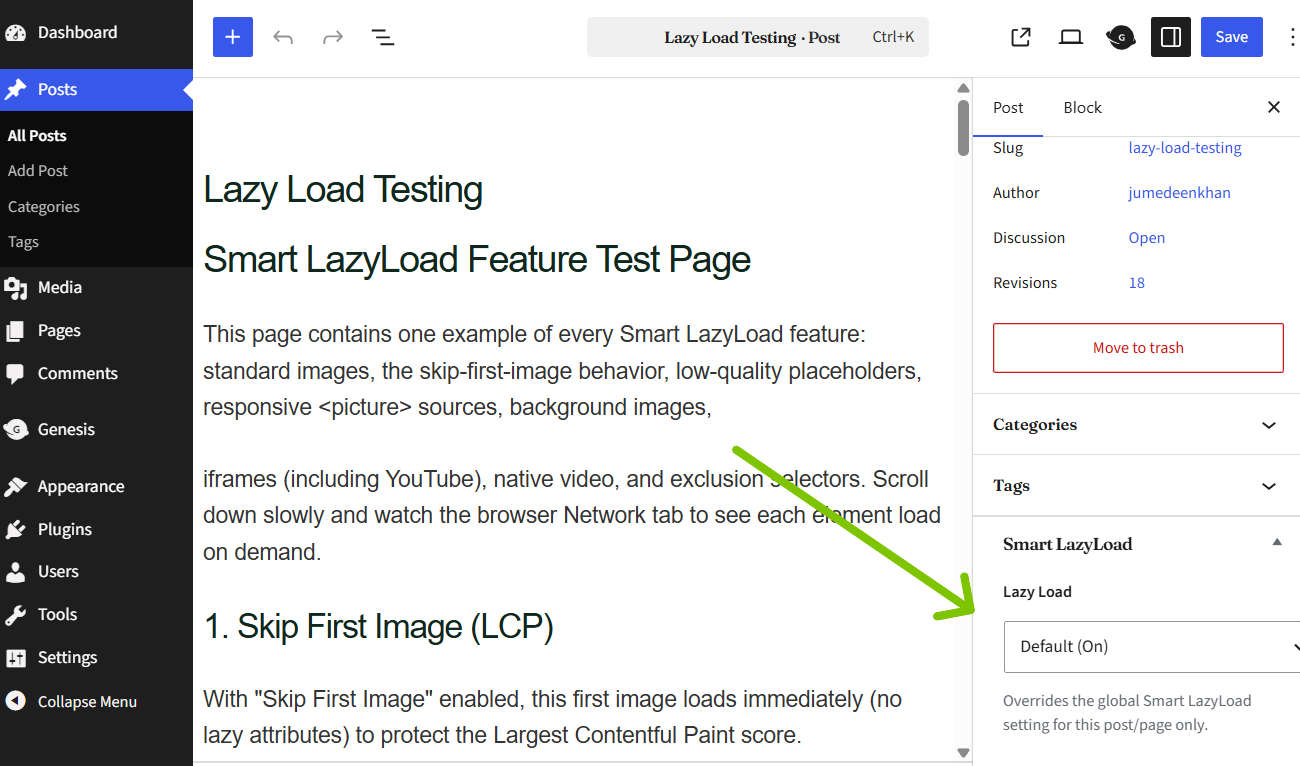
Per-post lazy-loading controls in the editor to override lazy loading.