
Lightshare is a lightweight social sharing and AI sharing plugin for WordPress. It adds customizable social share buttons plus AI share buttons for ChatGPT, Claude, Google AI, Perplexity, and Grok.
Visitors can share posts, pages, and public custom post types through familiar social networks or open a prefilled AI prompt to summarize, analyze, and explore the current page.
Lightshare does not load third-party SDKs, tracking scripts, icon fonts, or external APIs in the background. It requires no AI API keys and contacts a social network or AI service only after a visitor clicks its button.
Social and AI share buttons for WordPress
Social and utility buttons include Facebook, X, LinkedIn, Pinterest, Reddit, WhatsApp, Bluesky, Telegram, Threads, Mastodon, Email, and Copy Link.
AI buttons include:
- ChatGPT
- Claude
- Google AI
- Perplexity
- Grok
When a visitor clicks an AI button, Lightshare opens that service with a prompt containing the current page URL. The prompt asks the selected AI service to summarize or analyze the content.
The AI Association Text setting lets a site owner add helpful context to each AI prompt. Use {domain} as a placeholder for the current site domain. Lightshare does not call AI APIs and does not require API keys.
Key features
- AI share buttons for ChatGPT, Claude, Google AI, Perplexity, and Grok
- Social share buttons for major networks, email, and copy link
- No third-party scripts loaded on page view
- Inline SVG icons instead of an icon font
- Conditional frontend CSS and JavaScript
- Inline buttons before or after content
- Floating desktop and mobile sharing bars
- Optional scroll threshold for floating buttons
- Default, Rounded, and Circle button styles
- Brand, Dark, Gray, and White color schemes
- Gutenberg block and
[lightshare]shortcode - Support for posts, pages, and public custom post types
- Optional internal click counts and count threshold
- Optional UTM parameters
- Drag-and-drop network ordering
- Per-post network, placement, nudge-text, and disable controls
- Privacy-friendly Mastodon server chooser
Display Lightshare anywhere
Enable inline or floating buttons from Settings > Lightshare, use the Lightshare Buttons block, or add the shortcode:
[lightshare]
Choose specific networks and a style:
[lightshare networks="facebook,telegram,chatgpt,claude" style="rounded"]
The Gutenberg block supports a network list, label visibility, and custom label text. It is rendered server-side so its frontend output remains consistent.
Privacy and performance
Lightshare does not load external scripts, pixels, social SDKs, or icon fonts. It does not contact social or AI services in the background. A destination receives data only after a visitor intentionally clicks its button.
Built-in color themes use static, cache-friendly CSS. Assets are loaded only where Lightshare output is expected.
Click counts
Optional counts are recorded internally when a sharing button is clicked. They are click interactions, not confirmation that the visitor completed a share on the destination service. Lightshare does not request share-count data from social networks.
External services
Lightshare does not call third-party APIs in the background. External requests happen only when a visitor clicks a sharing button. Depending on the selected service, the destination may receive the current page URL, page title, featured image URL, or a generated AI prompt through URL parameters.
The plugin can connect to the following services:
-
Facebook (
facebook.com) for sharing links.
Data sent on click: page URL.
Terms: https://www.facebook.com/terms.php
Privacy: https://www.facebook.com/privacy/policy/ -
X / Twitter (
twitter.comandx.com) for sharing links/text and opening Grok prompts.
Data sent on click: page title and page URL, or a generated Grok prompt containing the page URL.
Terms: https://x.com/en/tos
Privacy: https://x.com/en/privacy -
LinkedIn (
linkedin.com) for sharing links.
Data sent on click: page URL.
Terms: https://www.linkedin.com/legal/user-agreement
Privacy: https://www.linkedin.com/legal/privacy-policy -
WhatsApp (
api.whatsapp.com) for sharing links/text.
Data sent on click: page title and page URL.
Terms: https://www.whatsapp.com/legal/terms-of-service
Privacy: https://www.whatsapp.com/legal/privacy-policy -
Pinterest (
pinterest.com) for creating pins.
Data sent on click: page URL, page title, and featured image URL when available.
Terms: https://policy.pinterest.com/en/terms-of-service
Privacy: https://policy.pinterest.com/en/privacy-policy -
Reddit (
reddit.com) for sharing posts.
Data sent on click: page title and page URL.
Terms: https://www.redditinc.com/policies/user-agreement
Privacy: https://www.reddit.com/policies/privacy-policy -
Bluesky (
bsky.app) for sharing links/text.
Data sent on click: page title and page URL.
Terms: https://bsky.social/about/support/tos
Privacy: https://bsky.social/about/support/privacy-policy -
Telegram (
t.me) for sharing links/text.
Data sent on click: page title and page URL.
Terms: https://telegram.org/tos
Privacy: https://telegram.org/privacy -
Threads (
threads.com) for sharing links/text.
Data sent on click: page title and page URL.
Terms: https://help.instagram.com/769983657850450
Privacy: https://privacycenter.instagram.com/policy/ -
Mastodon (the server selected by the visitor) for sharing links/text.
Data sent on click: page title and page URL. The selected server hostname may be stored in the visitor’s browser using local storage.
Terms and privacy policy: provided by the selected Mastodon server. -
OpenAI ChatGPT (
chat.openai.com) for opening a prefilled prompt.
Data sent on click: generated prompt text containing the page URL and configured AI Association Text.
Terms: https://openai.com/policies/terms-of-use/
Privacy: https://openai.com/policies/privacy-policy/ -
Google AI mode (
google.com) for opening a prefilled query.
Data sent on click: generated prompt text containing the page URL and configured AI Association Text.
Terms: https://policies.google.com/terms
Privacy: https://policies.google.com/privacy -
Perplexity (
perplexity.ai) for opening a prefilled query.
Data sent on click: generated prompt text containing the page URL and configured AI Association Text.
Terms: https://www.perplexity.ai/hub/legal/terms-of-service
Privacy: https://www.perplexity.ai/hub/legal/privacy-policy -
Anthropic Claude (
claude.ai) for opening a new chat with a prefilled prompt.
Data sent on click: generated prompt text containing the page URL and configured AI Association Text.
Terms: https://www.anthropic.com/legal/consumer-terms
Privacy: https://www.anthropic.com/legal/privacy -
Email client (
mailto:) for composing an email draft.
Data sent on click: page title as the subject and page URL as the body. This is passed to the visitor’s local email client.
Support
For support, feature requests, or bug reports, visit the Lightshare support forum.
License
Lightshare is free software released under the GPLv2 or later.
Screenshots
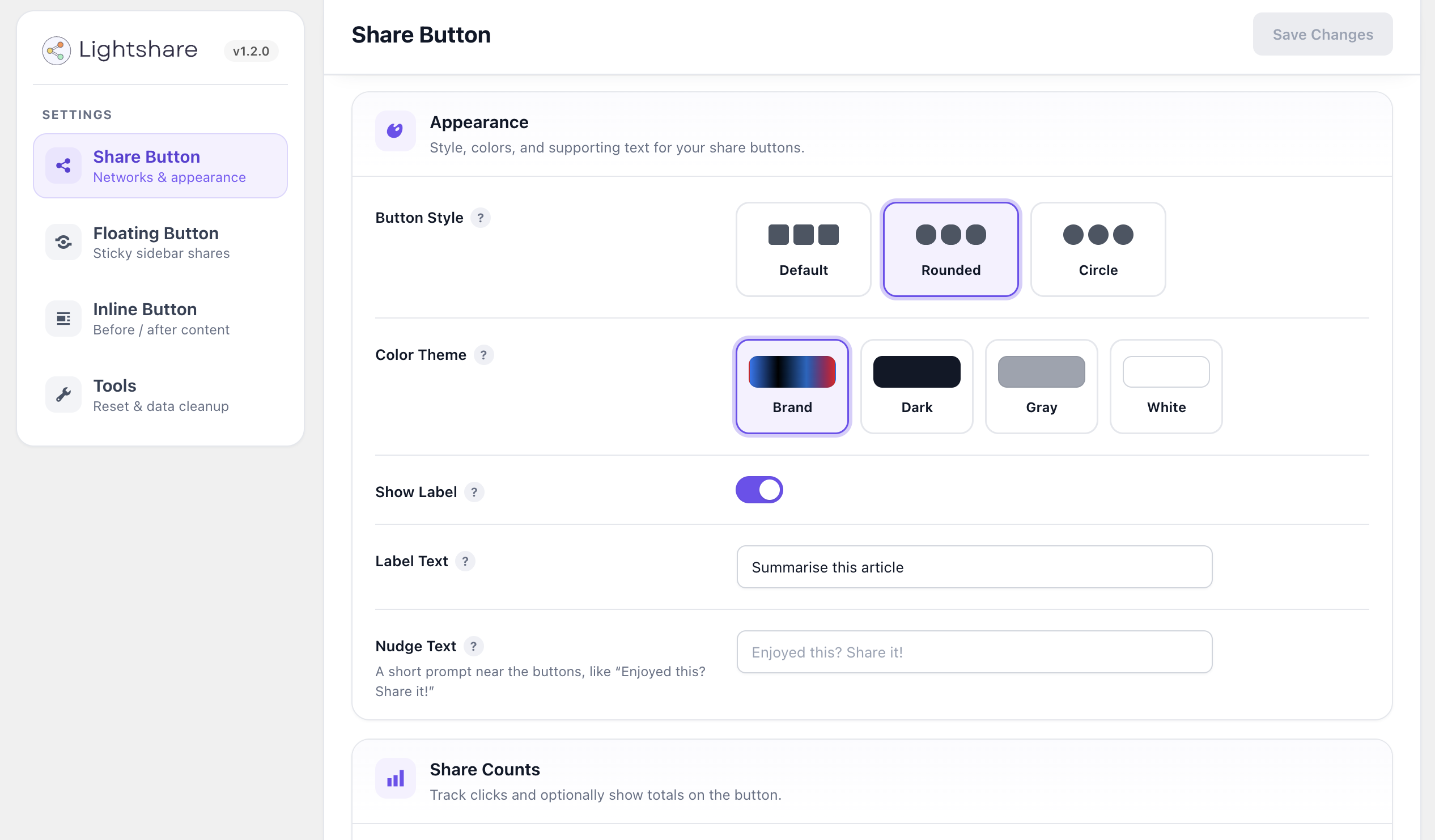
Customize share-button styles, color themes, labels, and share counts.
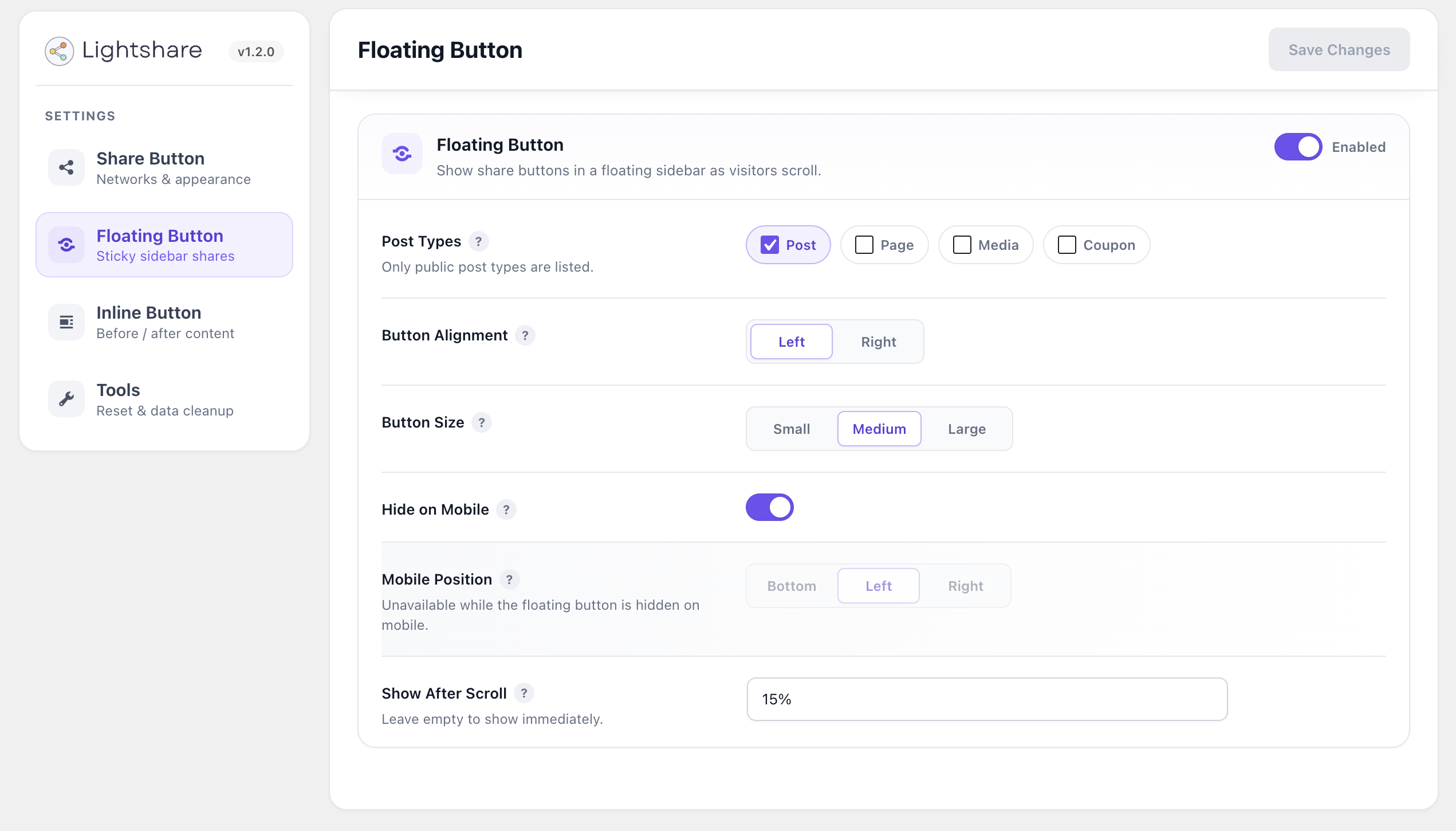
Configure floating buttons by post type, alignment, size, mobile behavior, and scroll threshold.

Configure inline buttons to appear before or after selected post types.

Select, reorder, and preview social and AI share buttons live from the settings page.
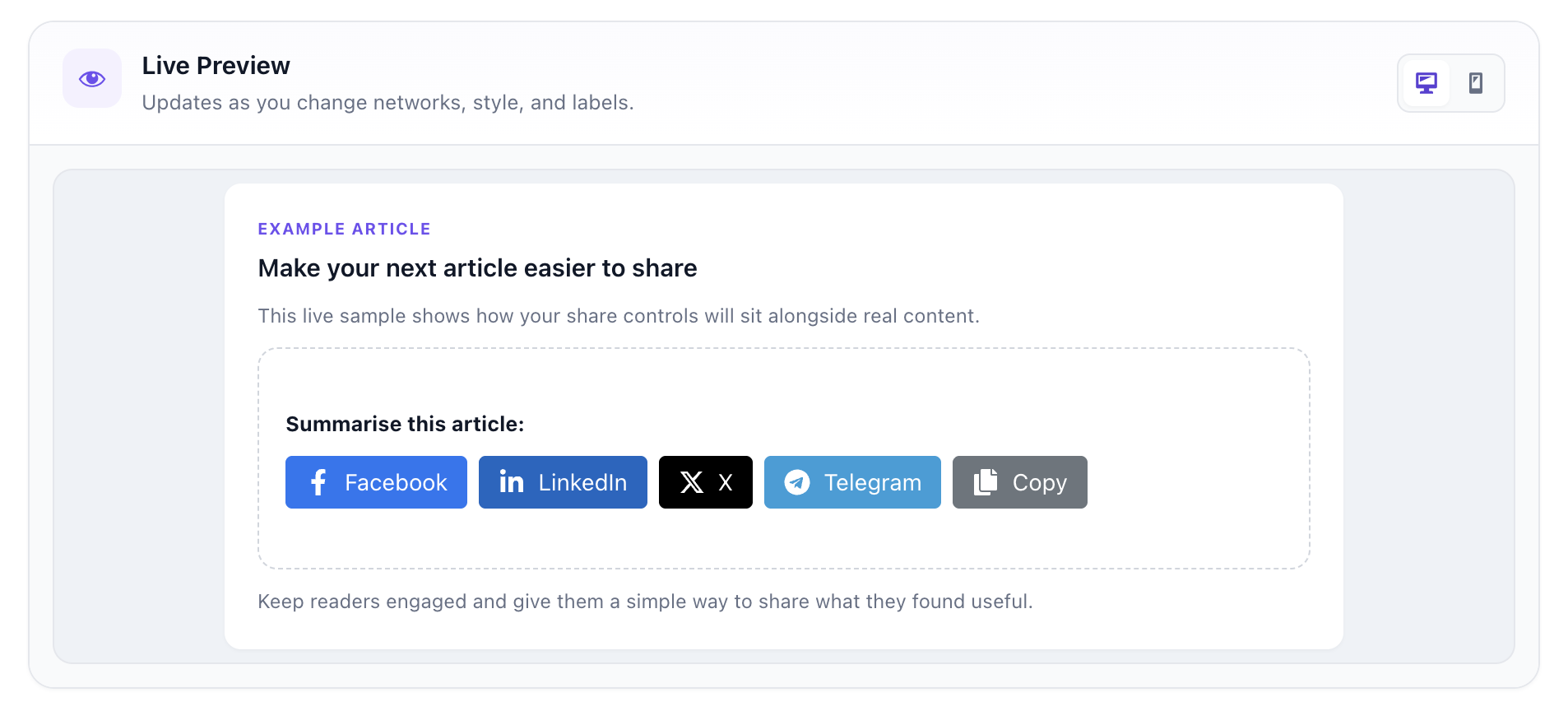
Inspect the desktop live preview before publishing your settings.