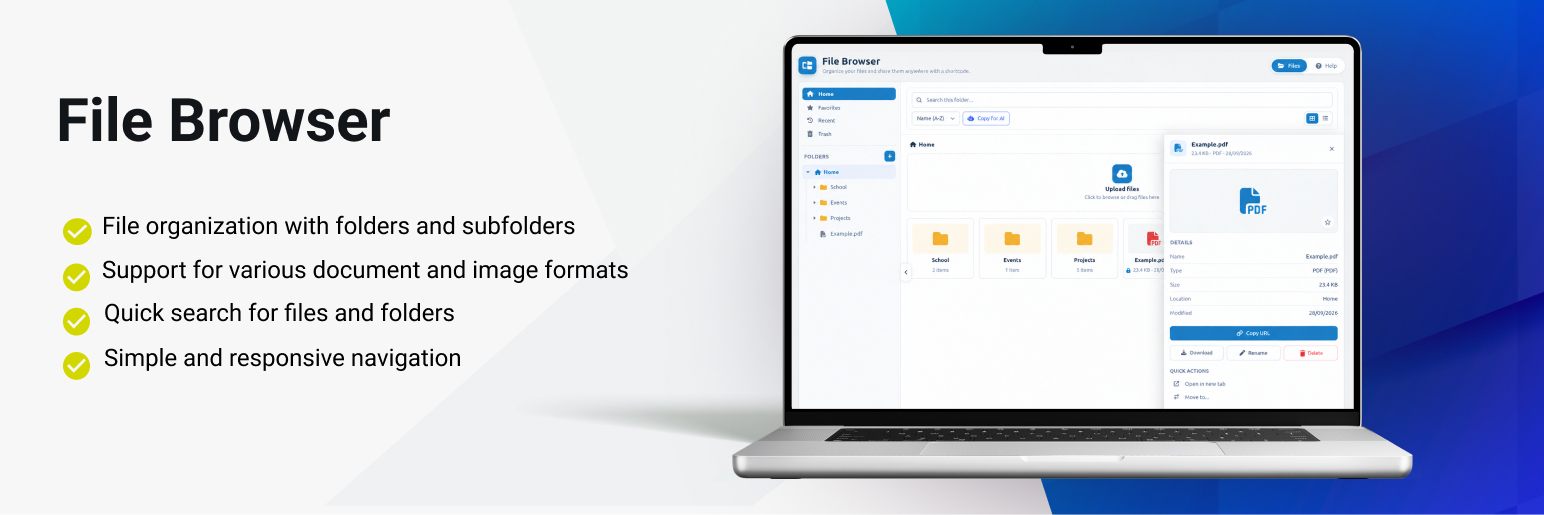
Link Nacional File Browser lets you create and manage a complete hierarchical file system within WordPress. It provides an admin interface to organize files into folders and a shortcode to display the file browser on the frontend.
Key Features:
- Hierarchical Folder System — Create nested folders organized like a file explorer
- Multiple File Uploads — Drag & drop a multi-file queue with per-file progress; PDF, Word, Excel, PowerPoint, OpenDocument and images supported
- Search Interface — Quick file and folder search on the frontend
- Collections — Favorites, Recent, and Trash to organize what matters
- Copy & Move — Duplicate or relocate files and whole folder trees
- Bulk Actions — Select several items to act on them at once
- Shortcode Scoping — New
rootandexcludeattributes to start from a folder and hide the ones you don’t need - Fullscreen Viewer — Open PDF, Office and image files in a popup with crisp zoom (PDF.js), page navigation and pan
- Office Previews — Word, Excel and PowerPoint files converted to PDF server-side so they can be viewed without being downloaded
- Temporary Share Links — Generate a per-file share link valid for 1 hour, usable outside the session and by AI tools
- Per-File Download Restriction — Keep a file viewable while blocking its download
- Copy for AI — Export a markdown document with the share links of the selected files
- Protected Images — Restricted images rendered on a canvas, with right-click and drag disabled
- Detail Drawer & Toolbar — Inspect file details and act from a refreshed admin and frontend workspace
- Responsive Design — Grid or list layout, adaptable to mobile devices
- Breadcrumb Navigation — Intuitive folder browsing
- Flexible Shortcode — Multiple configuration options
Supported File Types:
* Documents: PDF, DOC, DOCX, XLS, XLSX, PPT, PPTX, ODT, ODS, ODP, RTF, TXT
* Images: JPG, JPEG, PNG, GIF, WEBP
Technical Details
Database Structure:
* {prefix}linknacional_filebrowser_folders — Stores folder information
* {prefix}linknacional_filebrowser_files — Stores file information
Upload Directory:
Files are stored in /wp-content/uploads/linknacional-filebrowser/
Available Hooks:
* linknacional_filebrowser_before_upload — Fires before a file upload
* linknacional_filebrowser_after_upload — Fires after a file upload
* linknacional_filebrowser_before_delete — Fires before a file deletion
Support
For technical support, contact us:
* Email: contato@linknacional.com
* Website: https://www.linknacional.com.br
License
This plugin is licensed under GPL v2 or later.
Screenshots

Admin interface — Main configuration page with folder tree and file grid

Admin interface — Selecting and managing files in a folder