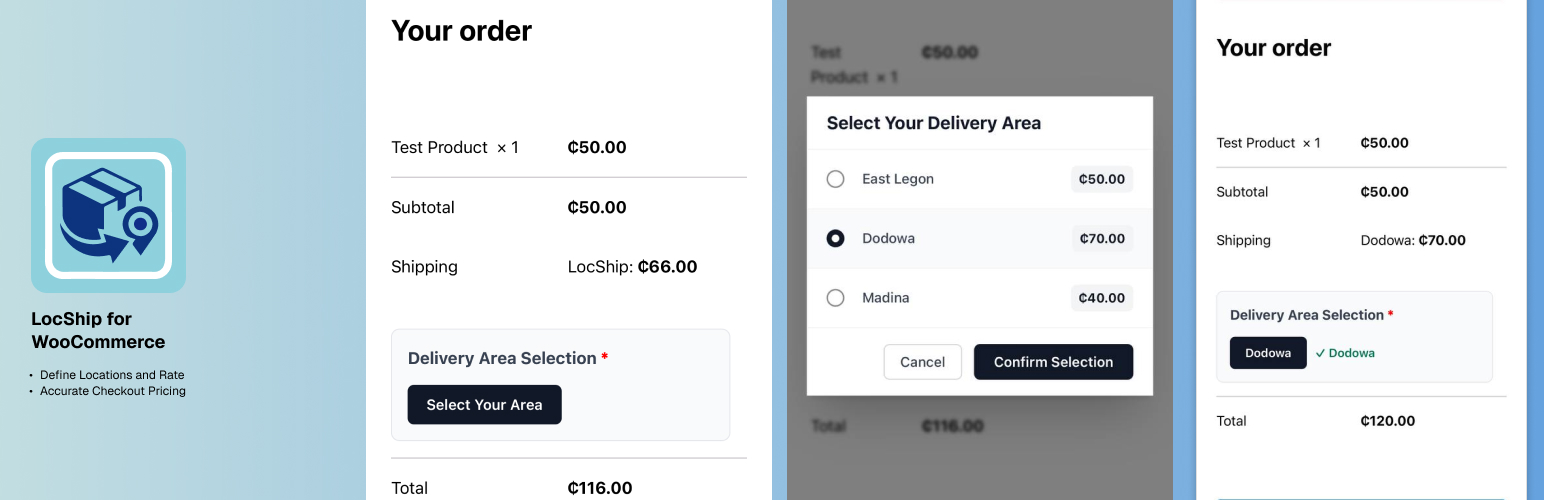
LocShip for WooCommerce is a powerful and flexible WooCommerce shipping extension that allows you to create location-based shipping rates using custom area names instead of relying on standard address fields.
Perfect for businesses that need granular control over delivery zones and pricing, this plugin provides:
- Custom Delivery Areas – Define unlimited shipping zones with custom names (e.g., “Spintex”, “East Legon”, “Tema”)
- Individual Pricing – Set specific shipping costs for each delivery area
- User-Friendly Modal – Beautiful modal interface for customers to select their delivery location at checkout
- Real-Time Updates – Shipping costs update instantly when customers select their area
- Multi-Zone Support – Works seamlessly with WooCommerce shipping zones
- HPOS Compatible – Fully compatible with WooCommerce High-Performance Order Storage
- Validation – Ensures customers select a delivery area before completing checkout
How It Works
- Admin configures delivery areas and their corresponding shipping costs in WooCommerce Settings
- During checkout, customers click “Select Your Area” to open an elegant modal
- Customers choose their delivery location from the list of available areas
- Shipping cost updates automatically based on the selected area
- Order proceeds with the correct shipping rate applied
Perfect For
- Local delivery businesses
- Regional e-commerce stores
- Businesses with non-standard delivery zones
- Companies operating in areas where postal codes don’t accurately reflect delivery costs
- Any store needing custom location-based shipping logic
Technical Features
- Fully integrated with WooCommerce shipping zones
- AJAX-powered for smooth user experience
- Session-based location storage
- Automatic shipping cache clearing
- Responsive design works on all devices
- Translation ready with text domain support
Additional Information
Developer Notes
The plugin stores delivery area selections in WooCommerce sessions and includes AJAX handlers for real-time updates. Custom rules are stored per shipping method instance, allowing for flexible multi-zone configurations.
Support
For support, feature requests, or bug reports:
Privacy Policy
This plugin does not collect, store, or transmit any personal data beyond what is already collected by WooCommerce during the normal checkout process.
Screenshots
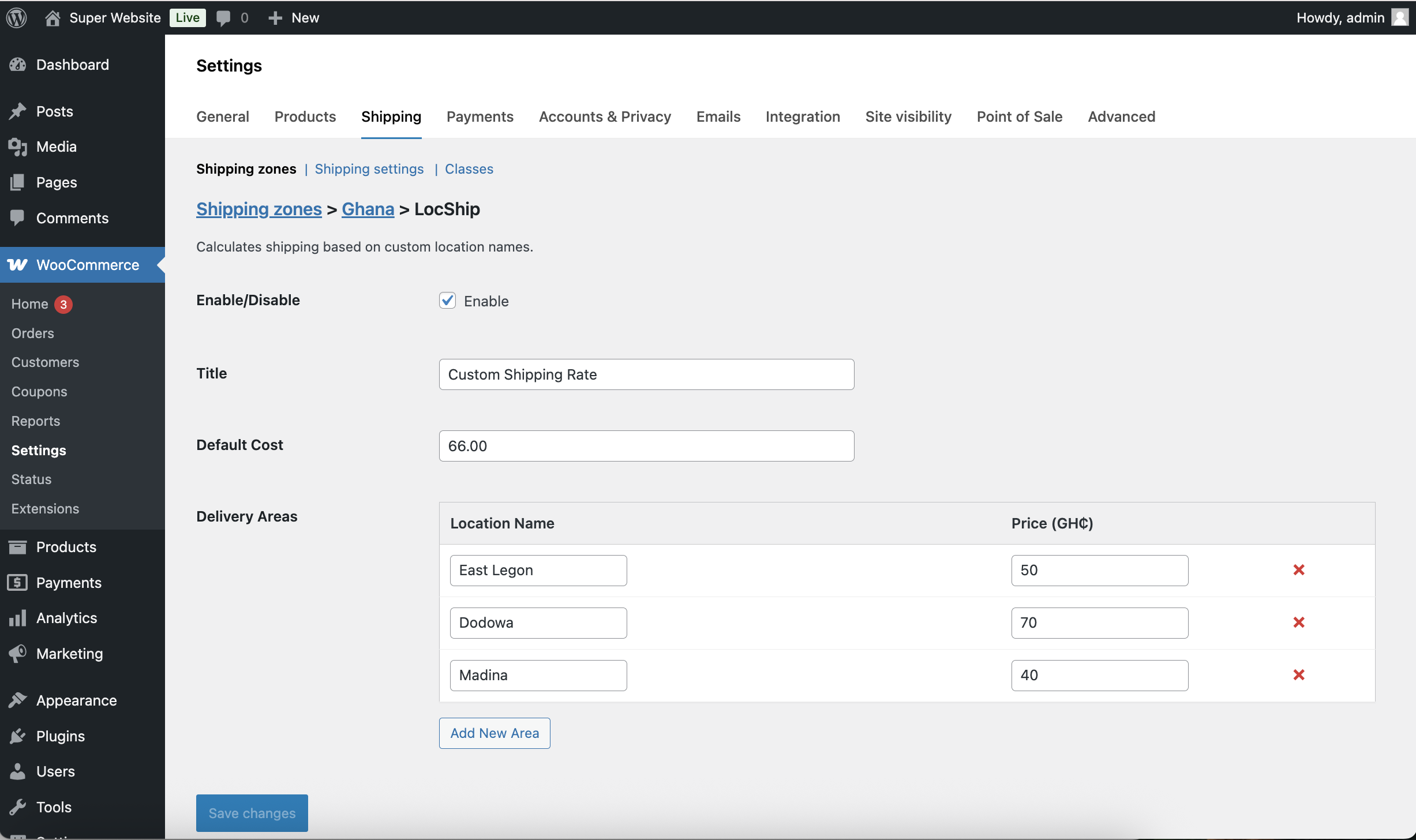
Admin settings page showing delivery areas configuration
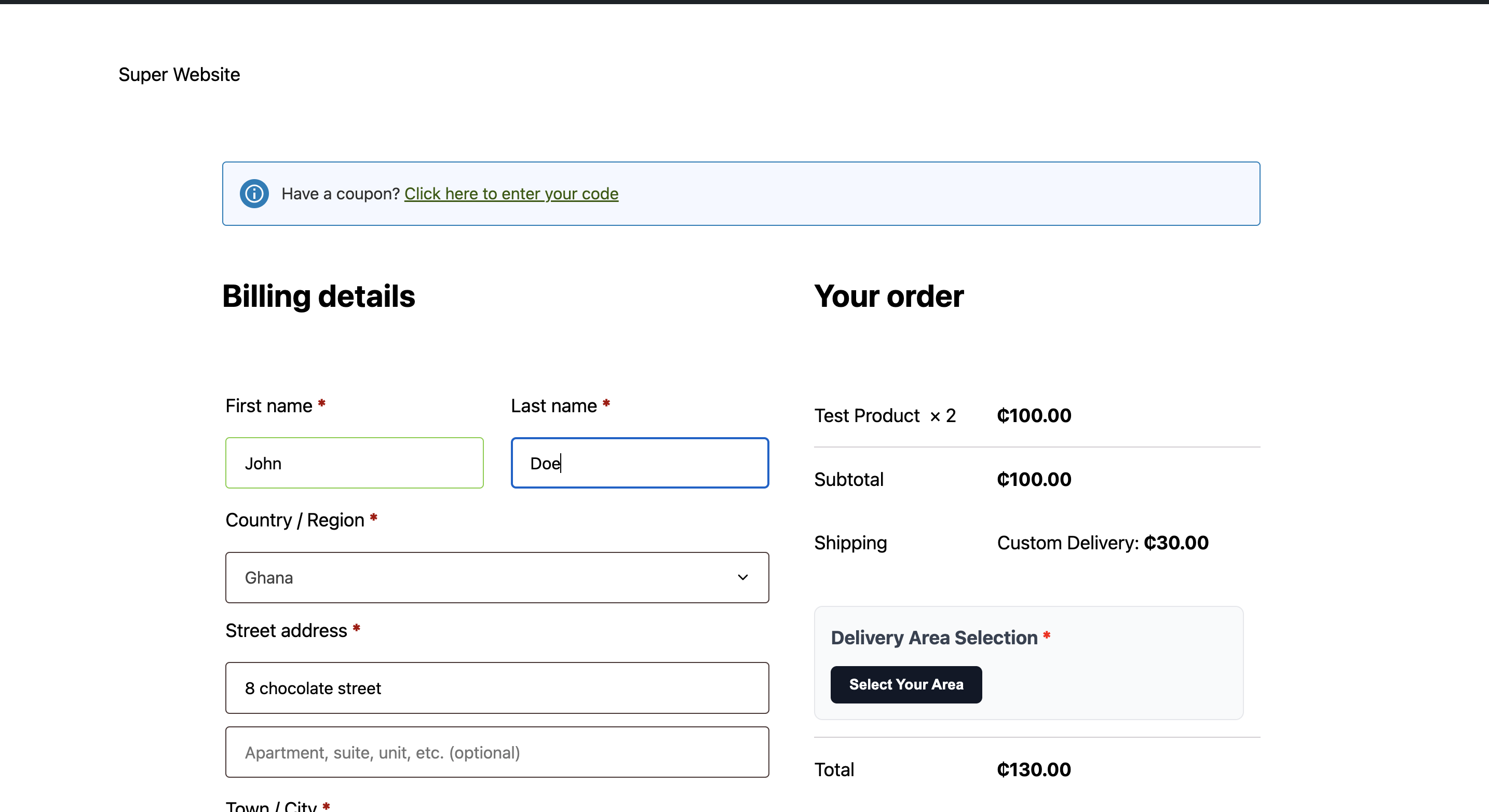
Checkout page with "Select Your Area" button
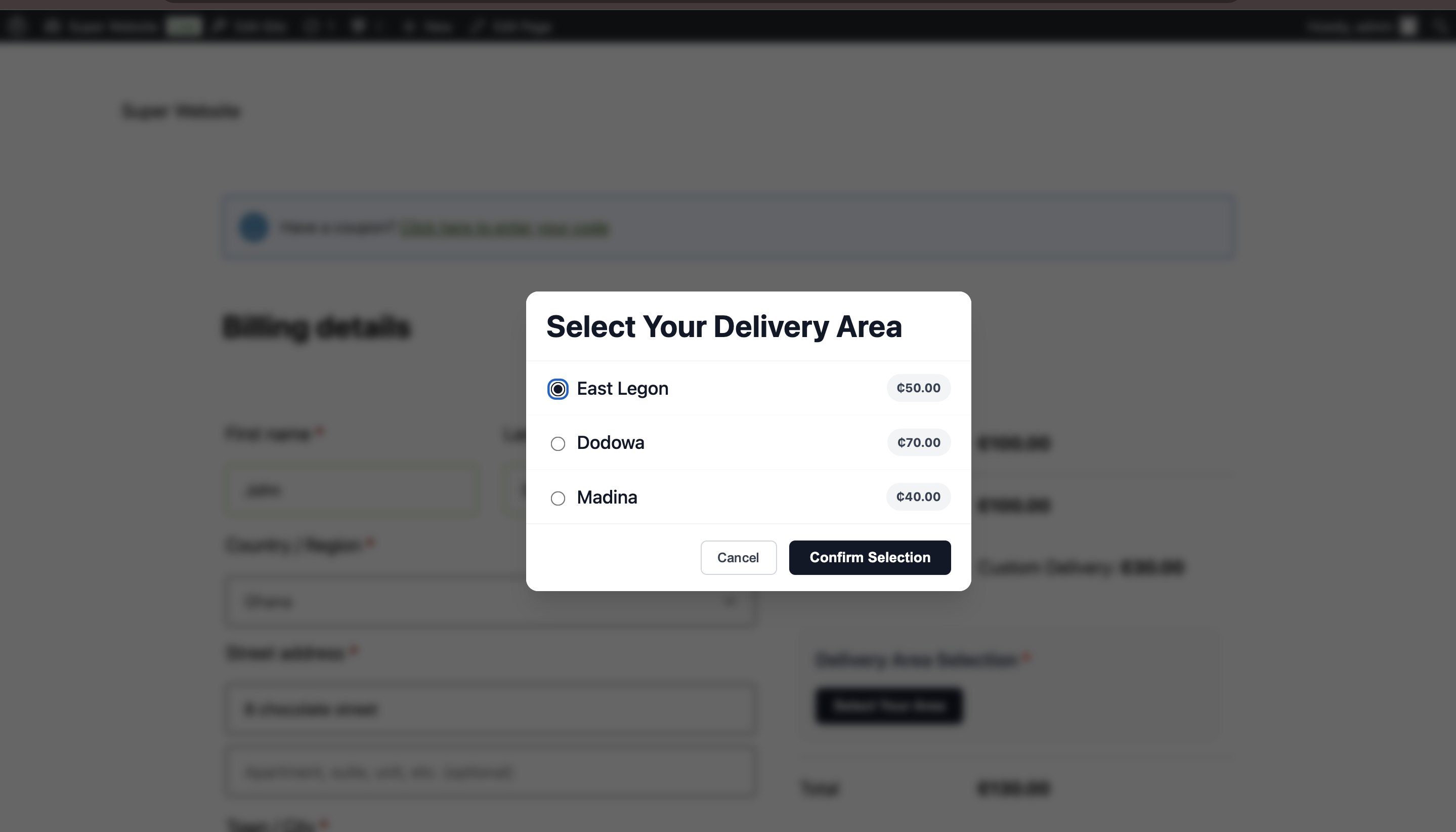
Modal displaying available delivery areas with prices
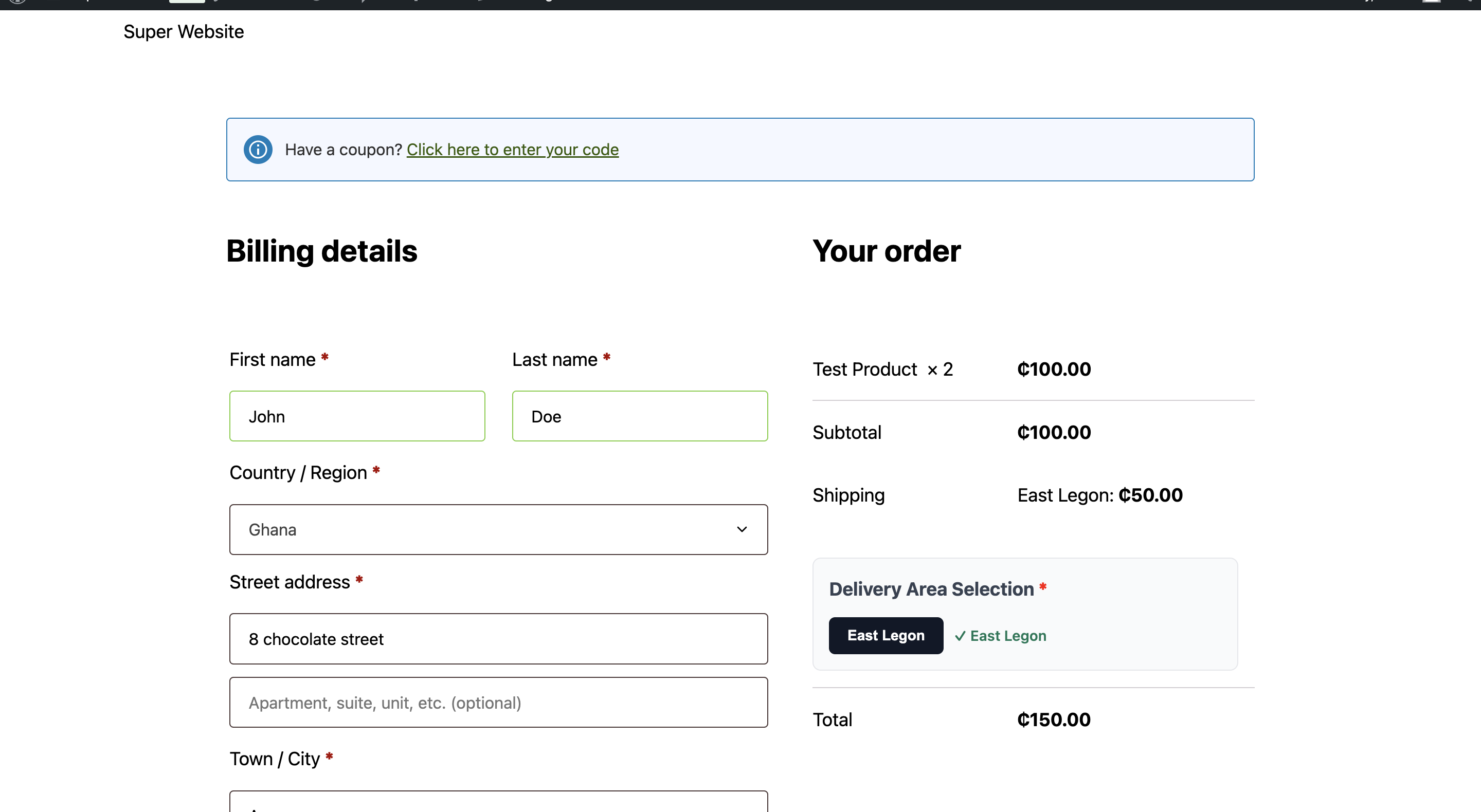
Selected delivery area confirmation on checkout