Lojavo AI connects your WooCommerce store to an AI assistant that helps
visitors find, compare and choose products using natural language, always
grounded in your real catalog data — never invented by the AI.
Key features
- Public chat widget — a lightweight floating assistant on your storefront (under 50KB of JavaScript), with no external dependencies loaded in the visitor’s browser.
- Natural-language search — visitors describe what they’re looking for in their own words; semantic search finds the right products in your catalog, with recommendations and comparisons.
- Catalog sync — full and incremental sync (products, variations, price, stock) between WooCommerce and Lojavo AI, resilient to dropped connections and interrupted batches.
- Automatic lead capture — when a visitor leaves an email, phone number, or shows purchase intent in the chat, the conversation is automatically flagged as a lead, at no extra AI cost.
- Conversations dashboard — review every chat conversation, filter by period, status and lead, and see the full history (messages, recommended products, tokens/latency) right inside wp-admin.
- Plans and billing inside wp-admin — start for free or subscribe to a paid plan without leaving the WordPress dashboard; checkout securely processed by Stripe.
How it works
Lojavo AI is the client plugin for a service hosted by Lojavo AI (SaaS). The plugin syncs your catalog data to the Lojavo AI servers and processes chat messages through that API — you need to create an account (free or paid) to connect your store and use the assistant. See “External services” below for the exact detail of what is sent and where.
This is a product under active development. The free plan is fully functional for small stores; higher conversation volume and additional channels (e.g. WhatsApp) are part of the paid plans.
External services
To work, this plugin connects to third-party services. This happens entirely on the server side (visitor credentials are never exposed in the browser). Full detail of every field sent is documented in docs/data-flow-audit.md in the plugin’s repository.
Lojavo AI API (our own backend, required for any plugin functionality)
- Why it is used: it is the service that performs semantic search, generates the assistant’s replies, and stores the conversation history shown in wp-admin.
- When communication happens: during catalog sync (a full sync when the store is connected, incremental on every product created/edited), and on every message sent in the chat widget. For a full sync, the Lojavo AI servers fetch the catalog from a private REST endpoint the plugin adds to your site (
/wp-json/lojavo-ai/v1/catalog/products), which only answers requests signed with your store’s secret key. - Data sent: from the catalog — name, description, price, SKU, stock, categories, attributes, variations, image and URL of published products. From the chat — the text typed by the visitor and the current conversation history. From the “Store information” screen — the text you write there (shipping, returns, payment, hours, contact).
- Terms of Service · Privacy Policy
OpenAI (AI provider, used by our backend)
- Why it is used: generates the assistant’s replies and the semantic-search embeddings for the catalog.
- When communication happens: on every chat message processed — called exclusively by our backend, never directly by your site or the visitor’s browser.
- Data sent: the visitor’s message text, the conversation history, data for candidate products being recommended (name, short description, category, price, stock), and the text of your “Store information” screen. Never the visitor’s email, IP address, or store identifier.
- OpenAI Terms of Use · OpenAI Privacy Policy
Stripe (payment processor, used by our backend, only for paid plans)
- Why it is used: processes checkout and recurring billing for the subscription.
- When communication happens: when subscribing to or changing a paid plan from wp-admin.
- Data sent: the store owner’s email and the chosen plan. Card data is entered directly on a page hosted by Stripe itself — it never passes through your WordPress server or our backend.
- Stripe Terms of Service · Stripe Privacy Policy
Source code
The minified assets/dist/widget.js and assets/dist/widget.css shipped with
this plugin are built from the human-readable source included in this same
package, at assets/src/widget.js and assets/src/widget.css.
Screenshots
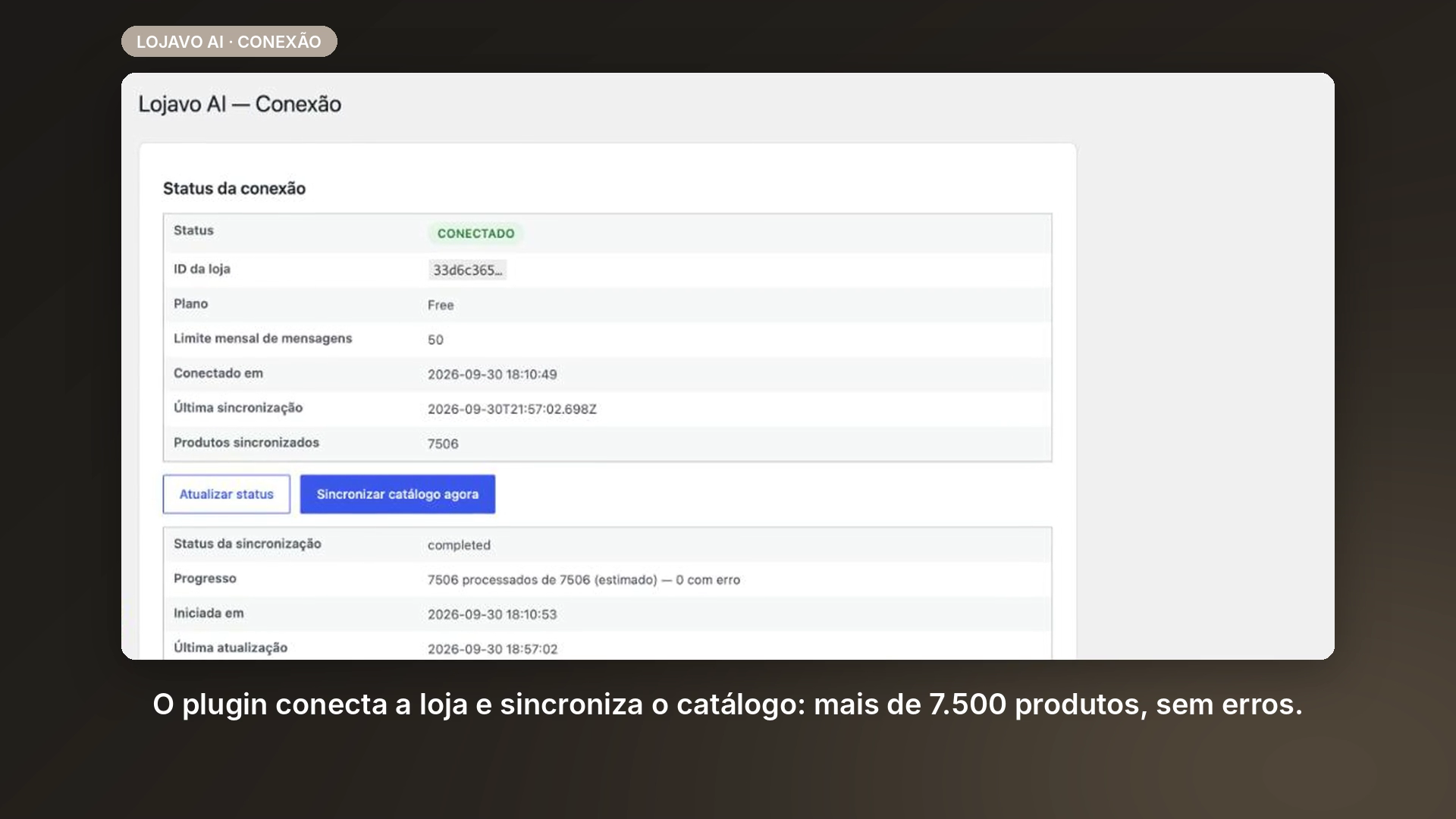
Connection screen — store connected and the full catalog (7,500+ products) synced with no errors.
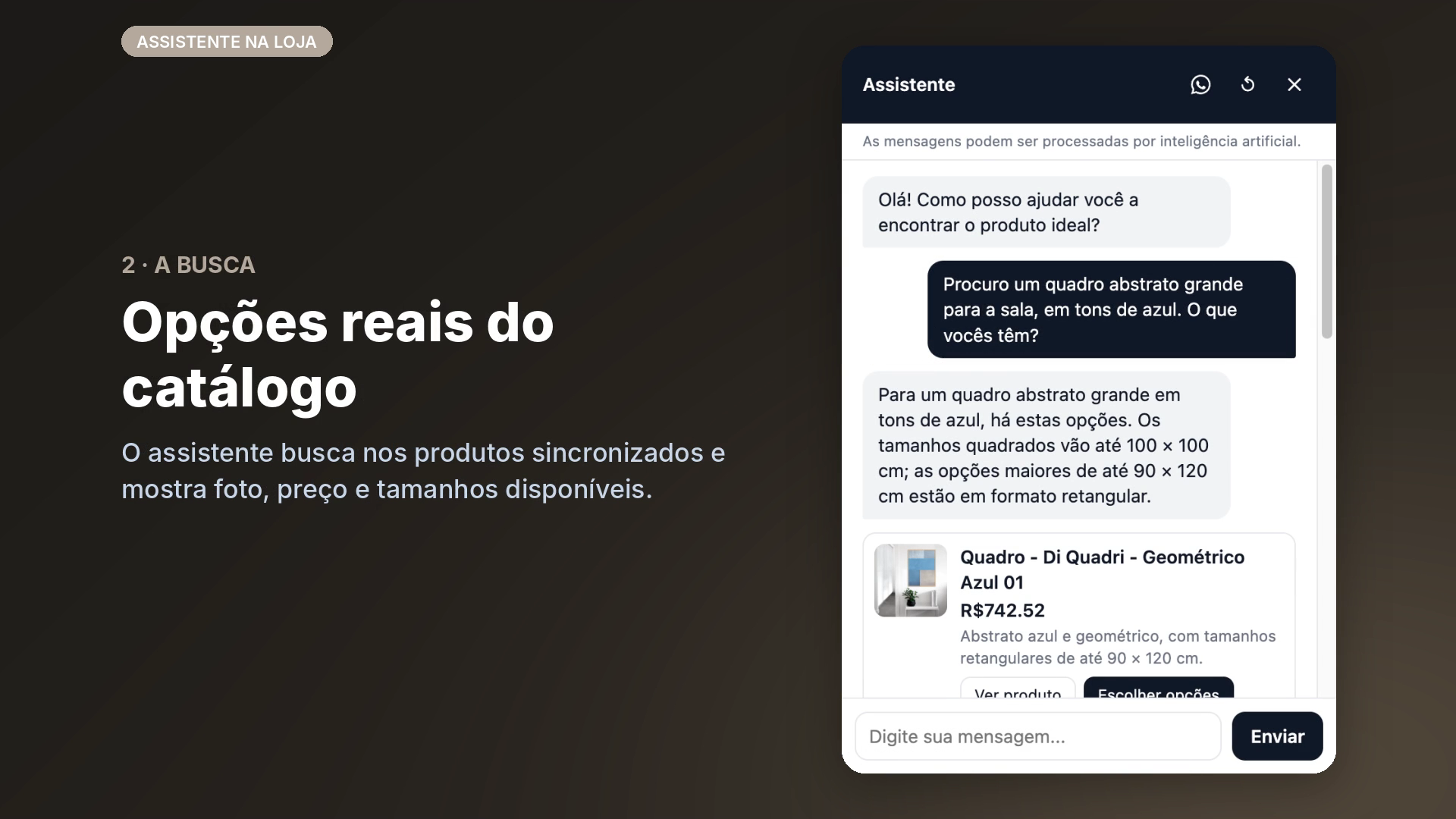
Chat widget on the storefront — the visitor describes what they want and gets real products with photo, price and sizes.
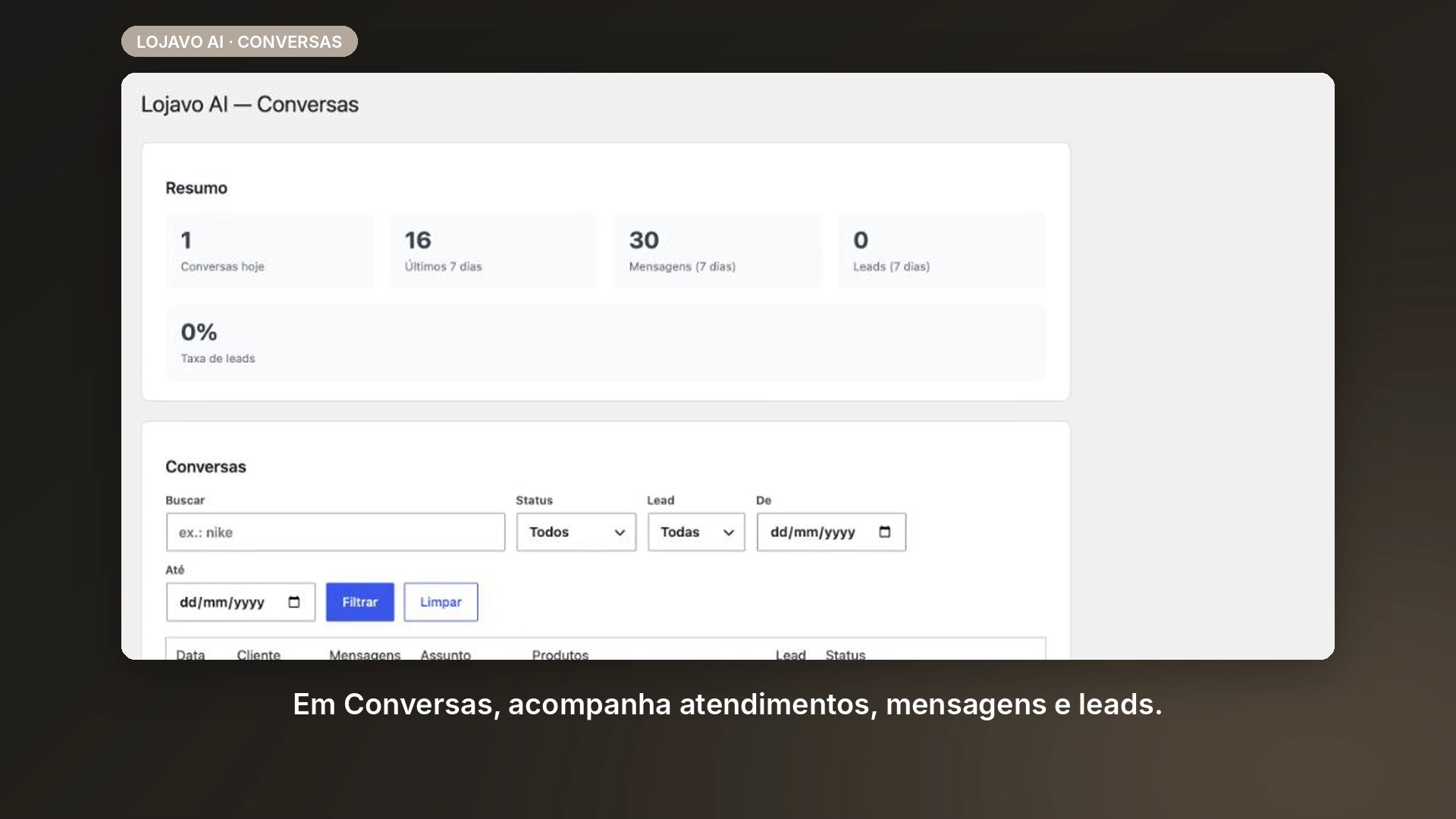
Conversations dashboard — conversations, messages and leads, with filters.
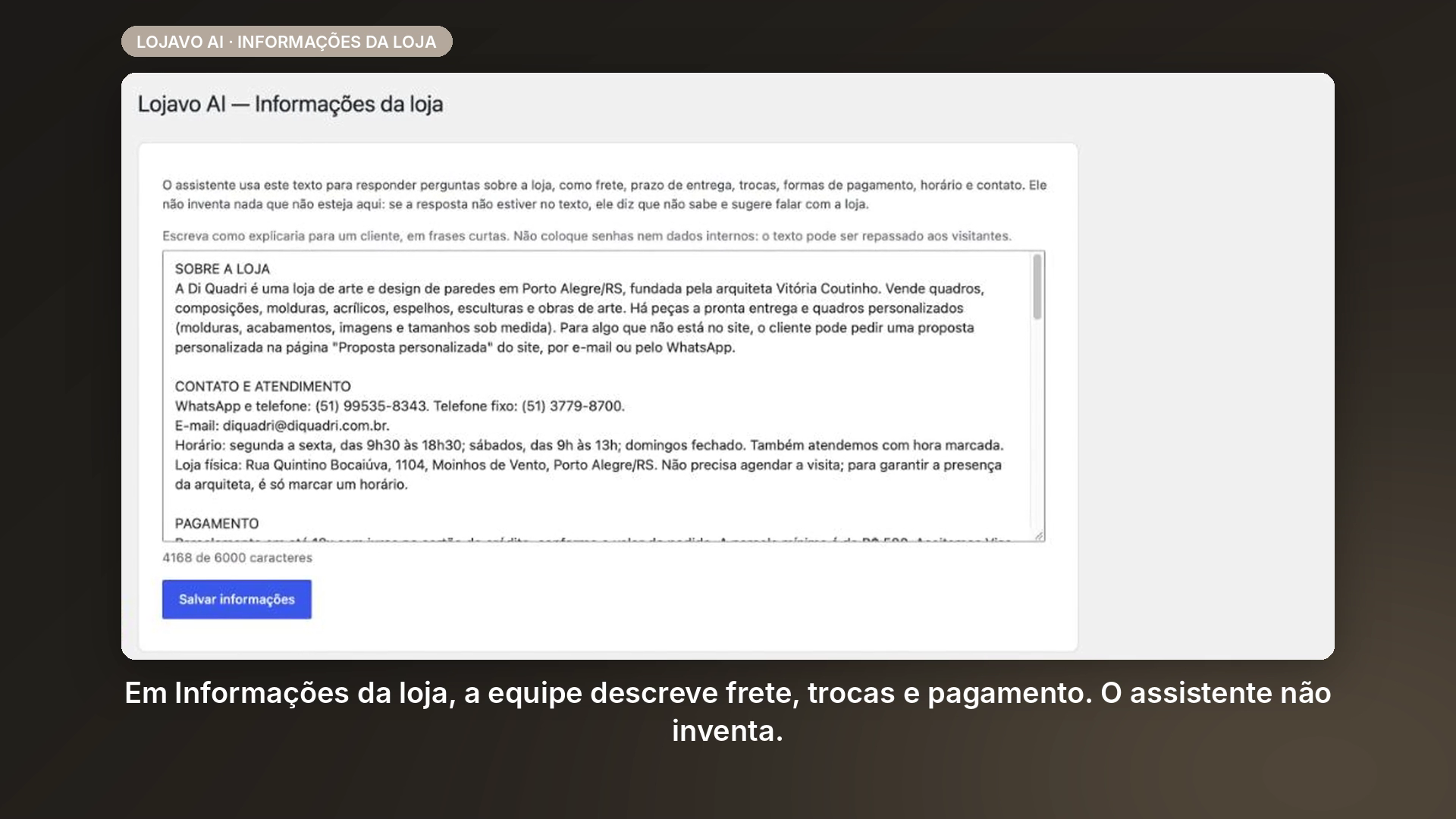
Store info — shipping, returns and payment details the assistant uses to answer (it never makes them up).
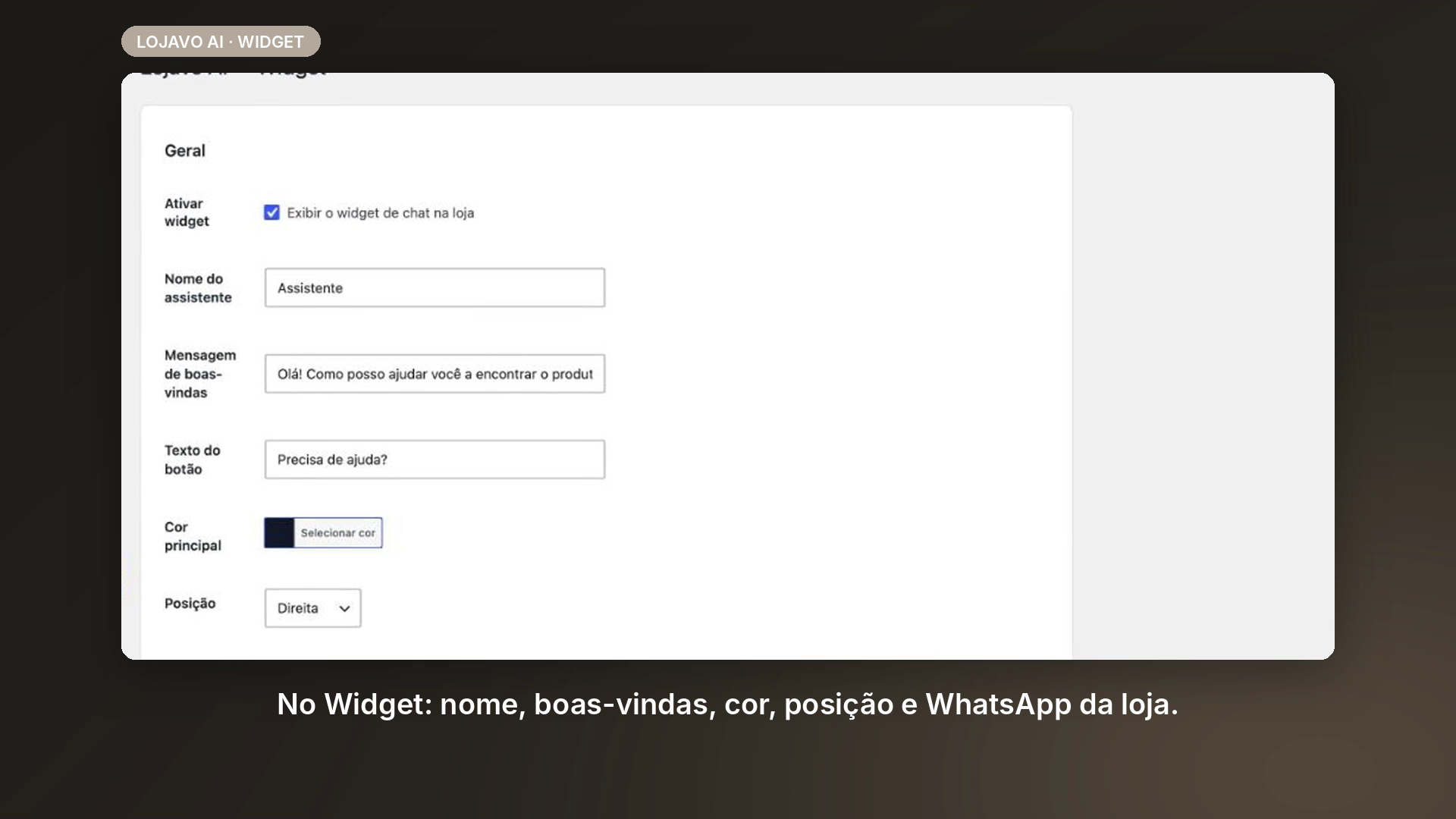
Widget settings — assistant name, welcome message, button text, color, position and WhatsApp.