Keep customers shopping when a WooCommerce product is out of stock.
When a customer lands on an out-of-stock product page, LONDOM – Out of Stock Alternatives shows a box of available alternatives at the top of the page, above the product, so they can pick another product instead of leaving.
The box lists up to 4 products (filterable):
- Your upsells first – the upsell products you set in the product’s Linked Products tab, if they are in stock.
- Then products from the most specific category – if there is room left, in-stock products from the most specific category assigned to the product, ordered by sales. A broad parent category (for example “Men”) is ignored when the product is also in a narrower one (for example “Wallets”), so suggestions stay relevant.
If nothing is available, the box says so instead of showing unrelated products. A “View all” button leads to the product’s main category (the primary category set in Yoast SEO or Rank Math, when present).
Key Features
- Alternatives above the product – Shown at the top of the product page, after the WooCommerce notices, not inside the product layout
- Upsells first, then category – Manual upsells take priority; category products fill the remaining slots
- Simple and variable products – A variable product is treated as out of stock only when all its variations are unavailable
- Add to Cart hidden while unavailable – The Add to Cart form is removed on out-of-stock products (filterable), on themes that use the standard WooCommerce hooks
- Works with your theme – Uses standard WooCommerce hooks; tested with Blocksy and Storefront. Where the box is printed can be changed with filters
- Performance optimized – Alternative product IDs are cached and checked on every page load
- Multilingual ready – Translatable on translate.wordpress.org; compatible with Polylang and WPML
- Cache plugin support – Works with WP Rocket, W3TC, LiteSpeed, and WP Fastest Cache
- Accessible – ARIA labels on the links and the alternatives block
How It Works
- Detection – The plugin detects that a simple product, or every variation of a variable product, is out of stock
- Notice and alternatives – A short notice and the alternatives box are printed above the product
- Selection – Up to 4 in-stock products: upsells first, then the most specific category
- Caching – Alternative IDs are cached and re-validated on each page load, so sold-out products are filtered out when the page is generated
Perfect For
- WooCommerce stores with frequent stock changes
- Fashion and apparel shops with seasonal inventory
- Electronics stores with limited stock items
- Any e-commerce site that wants to reduce lost sales from stockouts
Developer Friendly
Multiple filters and actions available for customization:
londom_alternatives_count– Change number of alternatives shownlondom_alternatives_title– Customize the heading textlondom_alternative_products_query_args– Modify the query for finding alternativeslondom_should_replace_add_to_cart– Control when replacement happenslondom_oos_display_hook– Change the hook where the block is printedlondom_oos_display_priority– Change the priority on that hooklondom_use_context_aware_cache– Enable context-aware caching- And many more…
Requirements
- WordPress 6.0 or higher
- WooCommerce 6.0 or higher
- PHP 8.0 or higher
Support
For support, please use the WordPress.org support forum.
Additional Information
About LondomLab
LondomLab creates practical WooCommerce tools that help online stores increase sales and improve customer experience. Visit londomlab.com for more plugins and solutions.
Privacy & Data
This plugin does not:
* Collect any user data
* Use cookies or tracking
* Send data to external servers
* Store personal information
All data processing happens locally on your WordPress installation.
Contributing
Found a bug or have a feature request? Please report it on the support forum.
Credits
Developed with ❤️ by the LondomLab team.
Screenshots

Alternatives block shown at the top of an out-of-stock product page

Mobile view with responsive grid layout
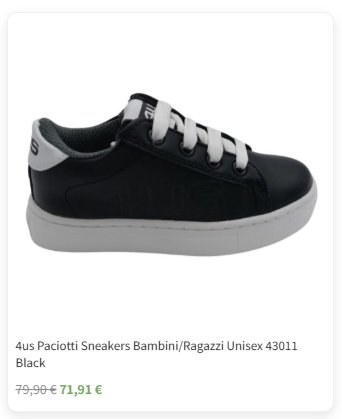
Alternative products with prices and images