▶ Live demo · Documentation · Get Pro
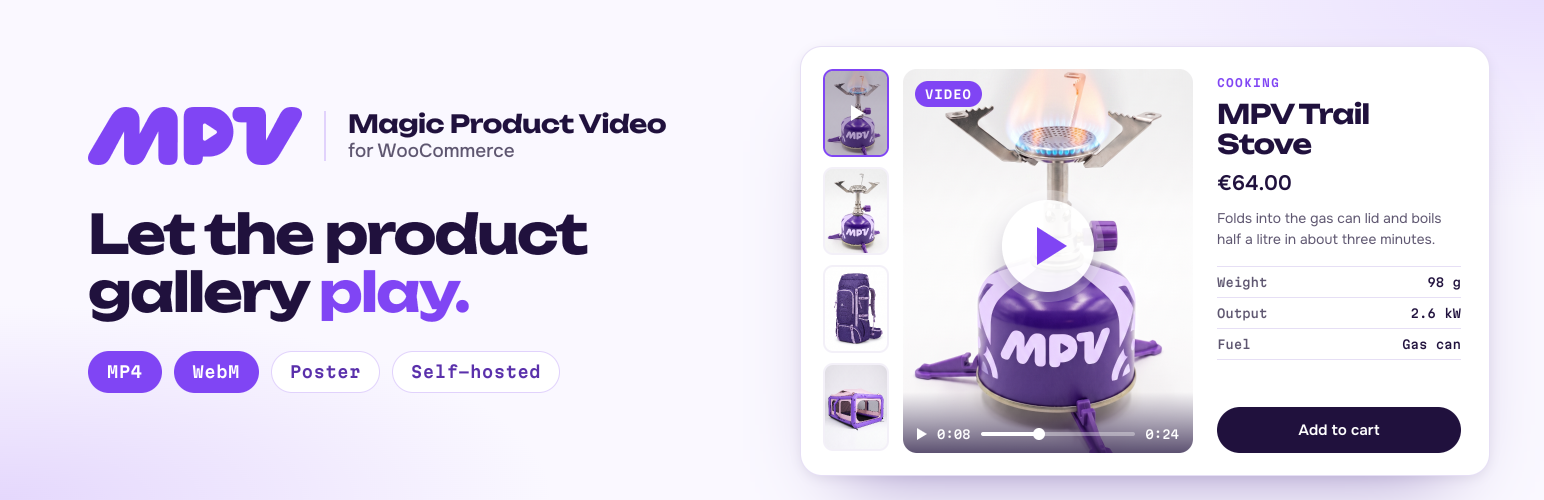
Magic Product Video for WooCommerce adds a product video to the WooCommerce product gallery. Upload a clip once, and it plays as a slide next to your product photos, with a poster frame taken from the video. No YouTube channel, no embeds, no shortcodes, no theme edits.
Shoppers cannot touch what they buy. A short video shows size, movement, fabric and detail in seconds, right where they decide: on the product page.
- Self-hosted. Files stay in your own media library. No outside video service, no ads, no tracking.
- Plays everywhere. Every clip becomes MP4 (H.264) and WebM, and the browser picks the one it plays best.
- Fits your store. Works with the standard WooCommerce gallery (FlexSlider and PhotoSwipe), block themes and custom templates.
- Made for stores. Video library, poster frames, a background conversion queue and per-product control.
How it works
- Upload a clip into Magic Media, from a computer, phone or tablet.
- Convert it with FFmpeg on your server, in a background queue. Or skip conversion and attach MP4 and WebM files you already have.
- Attach the video in the Magic Video box on the product edit screen.
- Show. It plays as a slide in the product gallery, first or last.
Product video in the WooCommerce gallery
The video is a real gallery slide, not a pop-up bolted on top. It sits first or last among the product images, works with thumbnails, swipe and the lightbox, and keeps the layout of your theme. Choose autoplay, sound, loop and controls, how the video fills the frame, and the background behind it.
Featured video for any product
Attach a video to a single product from the product edit screen, or reuse one clip on several products. The poster frame is taken from the first second of the clip; open the video in Media and pick any other frame if you want a better cover.
Self-hosted video, no third-party service
Your videos live in wp-content/uploads on your own hosting. Nothing is sent to YouTube, Vimeo or any other service, and the free plugin loads no outside scripts. You decide who sees what, and the files stay yours if you ever change themes or plugins.
Convert on your server, or in the browser
The video library converts every clip to MP4 and WebM for you, in a background queue that keeps running after you close the tab. Server conversion uses FFmpeg. No FFmpeg on your hosting? Attach ready MP4 and WebM files, or convert right in your admin browser with Pro (WebAssembly, no exec() needed).
Free features
- Video slide in the WooCommerce product gallery, first or last
- Server conversion to MP4 and WebM with FFmpeg, in a background queue
- Attach MP4 and WebM files you already have, with no conversion
- Poster frame from the video, and a frame picker
- Video library (Magic Media) for all your clips, upload from desktop or phone
- Player settings: autoplay, controls, sound, loop, aspect ratio, fill mode, background
- Gallery position: video first or last
- WooCommerce product edit screen box (Magic Video)
- English and Ukrainian admin
- Optional “delete all data on uninstall”
Pro features
Magic Product Video Pro adds:
- Conversion in the browser (WebAssembly): no FFmpeg or
exec()on the server, for shared and restricted hosting - Custom FFmpeg presets: quality, size, codecs and audio per preset
- Popup player: a poster with a Play button that opens a fullscreen player
- Video in the shop grid: product videos instead of thumbnails on shop and category pages
- Posts, pages and other post types, with the
[mpvw_video]and[mpvw_magic_video]shortcodes and thempvw_the_video()template function - WPML: one video for all translations of a product
- Updates and email support
Pro replaces the free plugin in place; your videos and settings stay as they are. Yearly plans for 1, 3 or unlimited sites, with a 30-day refund on mpvw.org.
Works with your stack
WordPress 6.6 to 7.1, WooCommerce 9.6 to 11.2, PHP 7.4 and up. HPOS and block checkout are supported. Tested with the default WooCommerce gallery, block themes and classic themes.
Requirements
- WooCommerce 9.6 or newer, active
- PHP 7.4 or newer (8.0+ recommended)
- FFmpeg 5.1.6 or newer on the server for server-side conversion. Optional: you can attach ready files, or use Pro browser conversion.
Third-party libraries
The plugin uses the following open-source libraries, bundled with it (nothing is loaded from an outside server):
- Video.js v8.22.0, Apache-2.0: the player in the product gallery
- Angular v20, MIT: the admin app
- PrimeNG v20, MIT: admin interface components
- RxJS v7, Apache-2.0
- Tailwind CSS v4, MIT: admin styles (build time)
The full license texts are in admin/app/3rdpartylicenses.txt. Server conversion runs the FFmpeg you have installed on your hosting; the plugin does not ship it.
Links
Roadmap
- Add ffmpeg option generate thumbnail or skip
- Cloud / outside (third-party) conversion service — server-class speed with zero local setup
Recently shipped: in-browser (WebAssembly) conversion as an alternative to server FFmpeg; the MPVW video library; pre-saved FFmpeg presets.
Screenshots
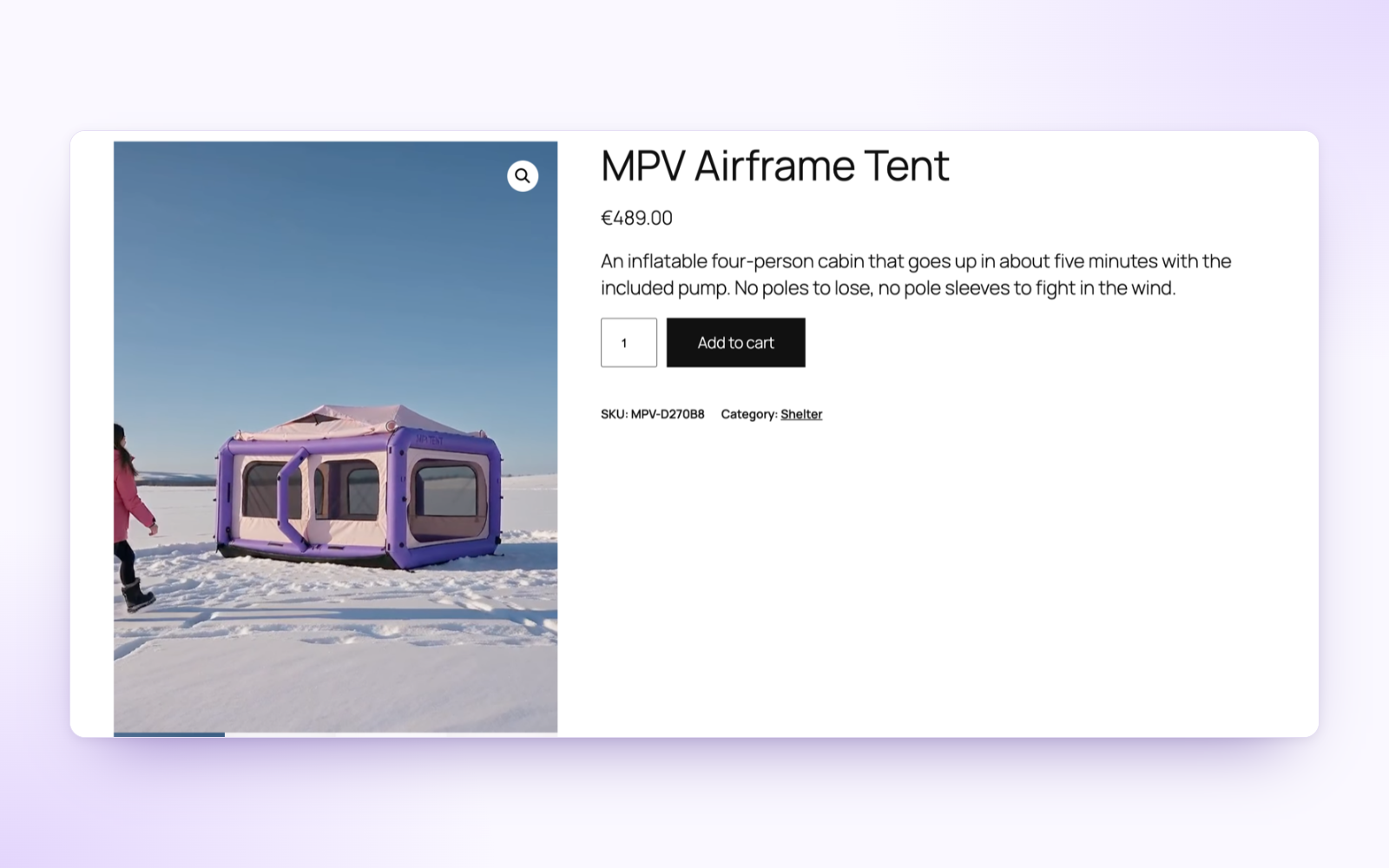
The product video as the first slide of the WooCommerce gallery, with a poster frame from the clip.
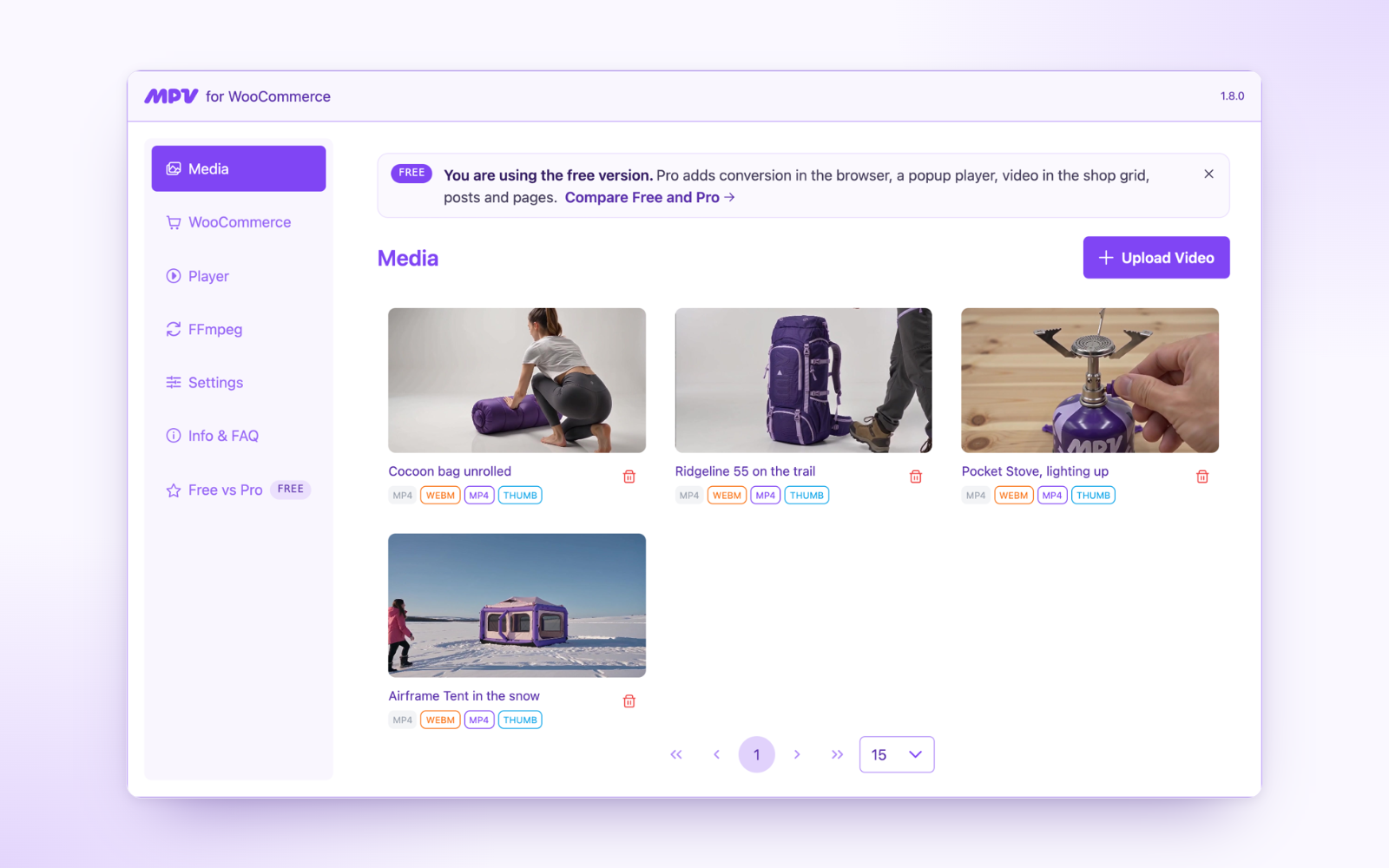
Magic Media: every clip with its poster and the MP4, WebM and thumbnail files it has.
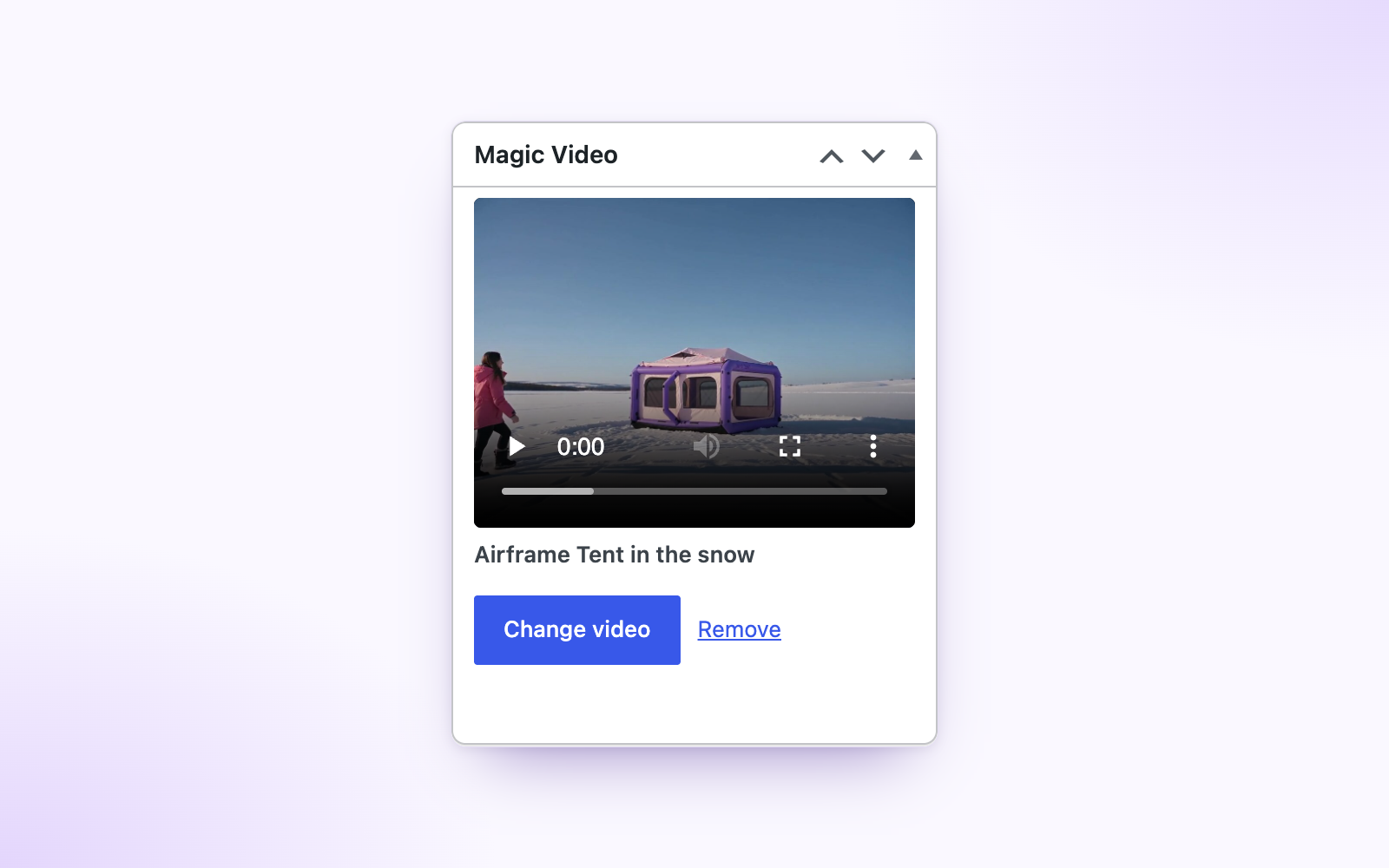
The Magic Video box on the product edit screen: pick a clip from the library and it is attached.
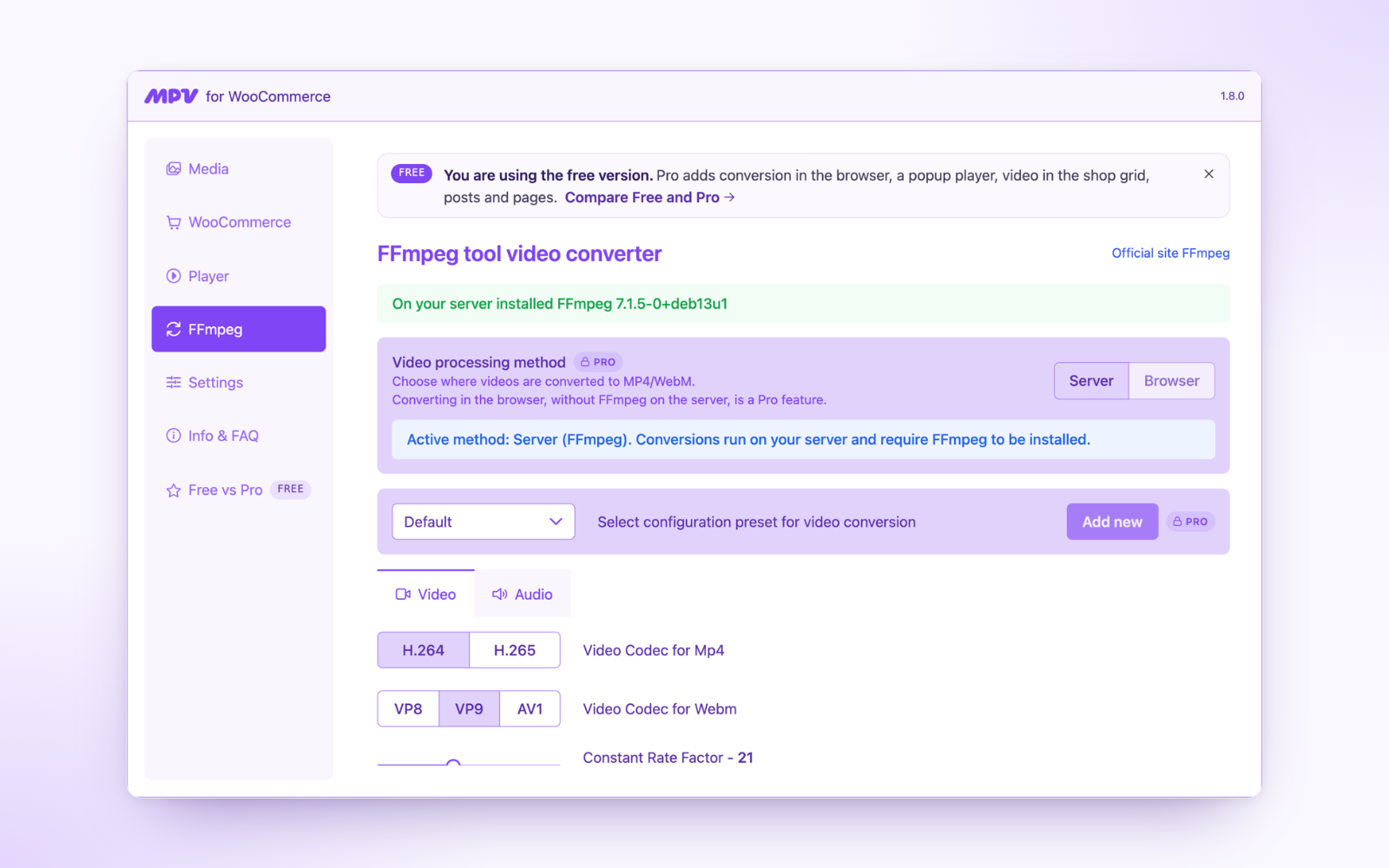
FFmpeg conversion on your server: codecs, quality (CRF) and the encoding preset.

Player settings: autoplay, controls, sound, loop, fill mode and background.
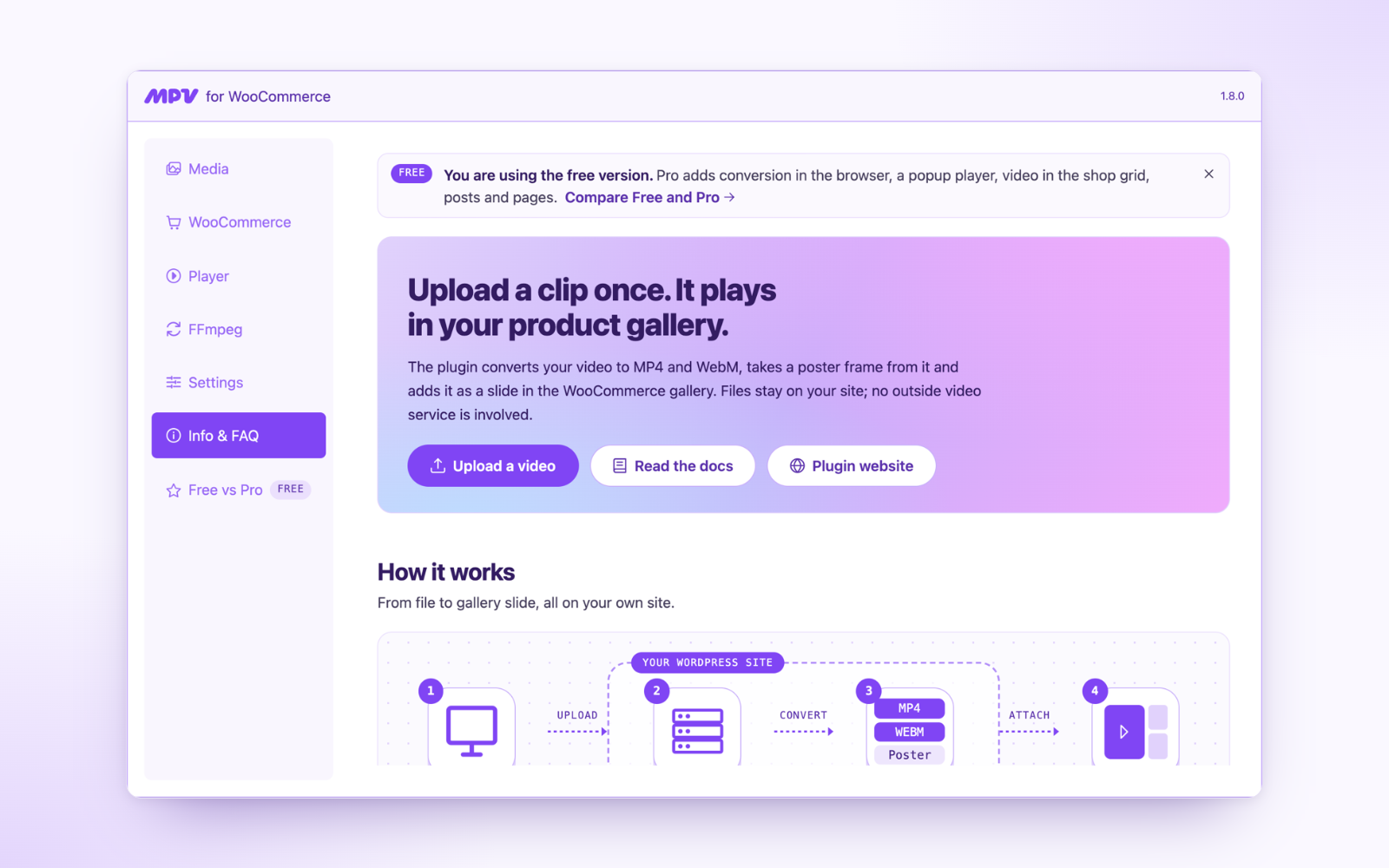
Info & FAQ: how a clip goes from upload to the gallery, what is set up on this site, and answers.