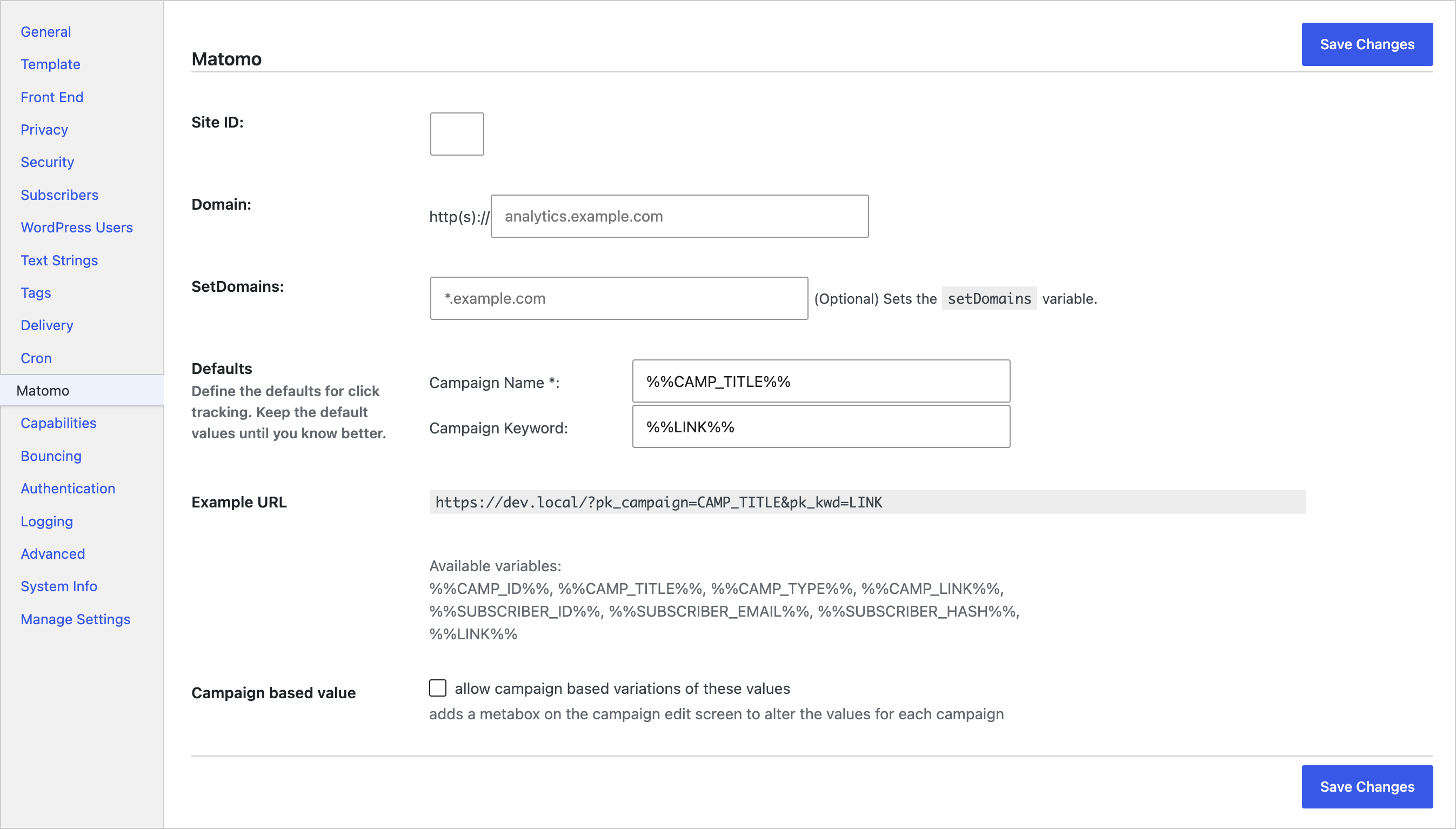
Mailster Matomo connects the Mailster Newsletter Plugin for WordPress to Matomo so you can attribute newsletter clicks to campaigns in your analytics reports.
When a subscriber clicks a same-site link in a Mailster campaign, the add-on appends Matomo-compatible campaign query arguments (pk_campaign and pk_kwd) to the click redirect URL. Matomo still accepts these legacy pk_* names for campaign reporting (alongside newer mtm_* parameters).
This plugin requires Mailster and a Matomo property (Site ID and tracker domain). It is not affiliated with Matomo or the Piwik PRO brand. For click attribution to appear in reports, your destination pages still need Matomo tracking installed on the website.
What it does
- Appends
pk_campaignandpk_kwdto same-site Mailster click redirects (exact host match with your WordPresssite_urlhost) - Lets you set default campaign name and keyword patterns, including merge tags for campaign, subscriber, and link data
- Optionally overrides those values per campaign via a Matomo Analytics metabox when Campaign based value is enabled
- Stores Site ID, tracker domain, and optional
setDomainsfor the embedded tracker snippet - Outputs the Matomo JavaScript tracker (
piwik.js/piwik.php) in the Mailster campaign web version footer when Site ID and domain are set
What it does not do
- It does not tag external (off-site) links — only redirects whose host matches your site host
- It does not switch to Matomo’s newer
mtm_*parameter names (it always writespk_campaign/pk_kwd) - It does not add an email open-tracking pixel; Mailster and Matomo handle opens separately if you configure them
- The embedded script is not a full-site Matomo install — it only loads on the Mailster campaign web version page
Merge tags you can use
Use these placeholders in the campaign name and keyword fields:
%%CAMP_ID%%, `%%CAMP_TITLE%%`, `%%CAMP_TYPE%%`, `%%CAMP_LINK%%`, `%%SUBSCRIBER_ID%%`, `%%SUBSCRIBER_EMAIL%%`, `%%SUBSCRIBER_HASH%%`, `%%LINK%%`
%%CAMP_TYPE%%resolves toautoresponderorregularbased on the campaign status- Defaults on the settings screen are
%%CAMP_TITLE%%for the campaign name and%%LINK%%for the keyword until you change them
Avoid putting personally identifiable merge tags (such as %%SUBSCRIBER_EMAIL%%) into public URLs unless you intend that data to appear in query strings and analytics.
Screenshots